
KMS ver. 1.2.403 – MapleStory’s 22nd Anniversary Part 2
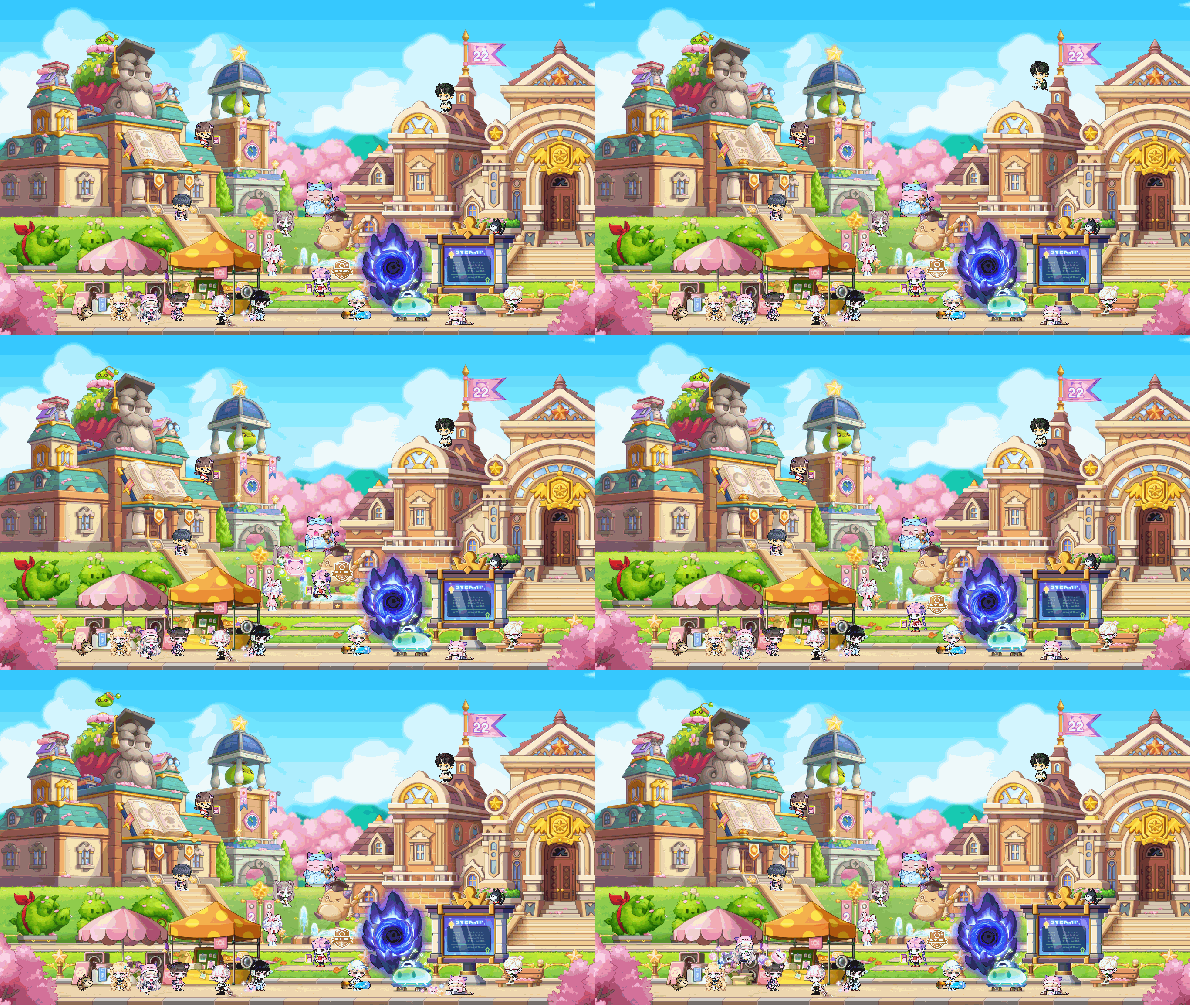
The second part of the MapleStory 22nd Anniversary: Maple University adds weekly minigames, the return of the Dimensional Tower and World’s Best Punch King events, and a summer pre-registration event. In terms of game content, there were just Dimensional Library updates and a full Cash Shop UI reorganization.
The summer update Assemble showcase will take place in a couple of weeks on June 7, and there should be a test server patch on the same day!
Overview
- Dimensional Library
- Cash Shop Reorganization
- Skill Changes
- Open API
- Improvements
- Error Fixes
- Events
Dimensional Library
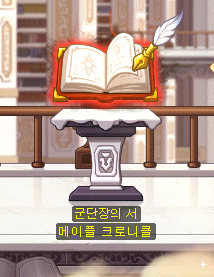
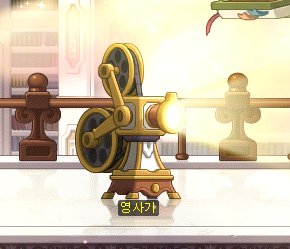
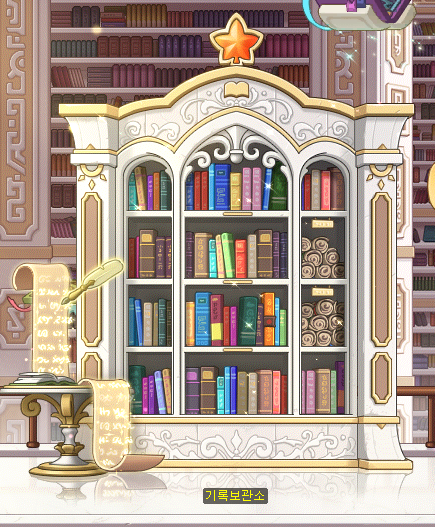
The following NPCs have been added to the Dimensional Library.
- Book of Commanders
- Movie Projector
- Archives
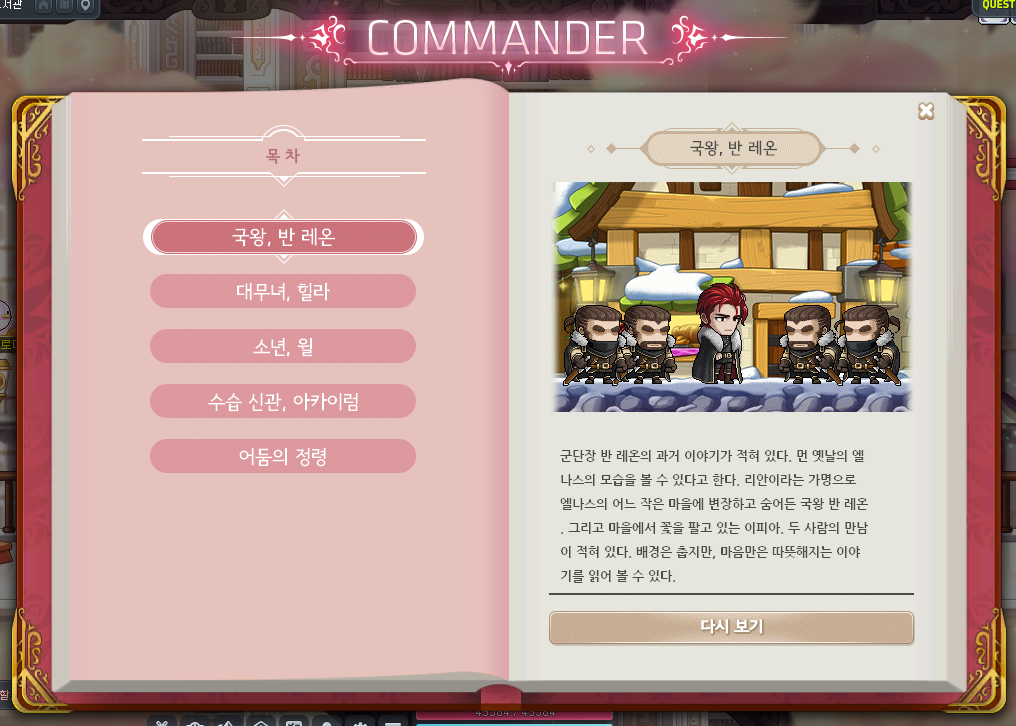
You can play through the ‘Origin of Records’ Commander stories again through the <Book of Commanders>.
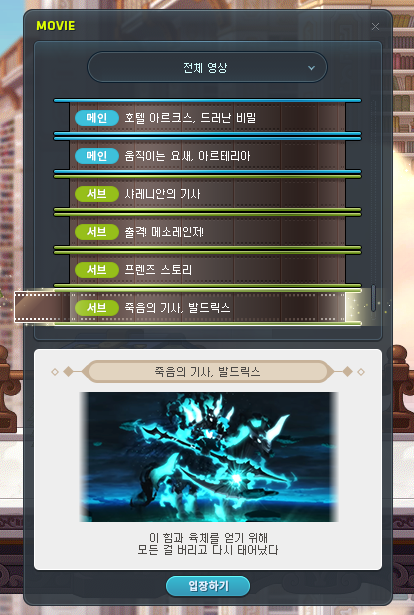
You can watch various videos through the <Movie Projector>.
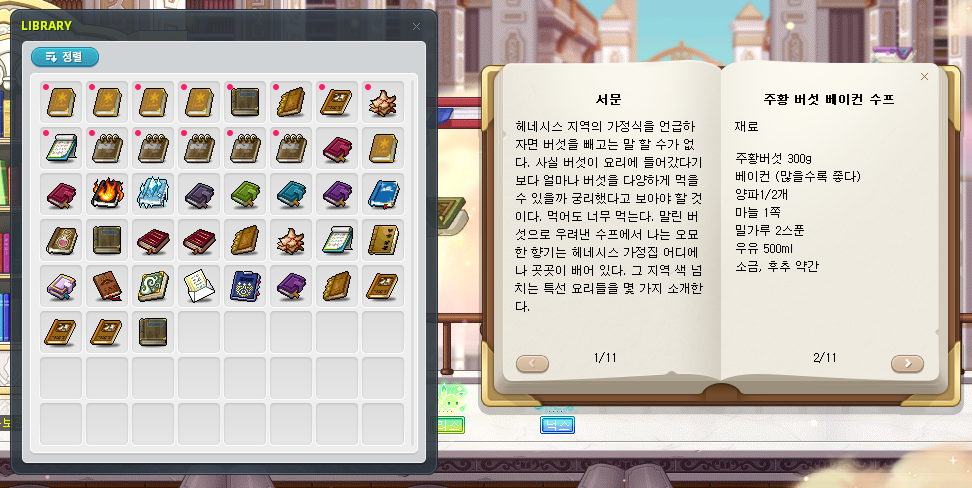
You can read books in the Archives. The following new books have been added.
- Maple World’s Taste (Henesys)
- Maple World’s Taste (El Nath)
- Maple World’s Taste (Edelstein)
- Maple World’s Taste (Perion)
- The Boy That Wanted to be a Bird
- Kritias’ Public Holiday
- Victoria Island Fairy Tale Collection
- Damaged Journal
- Protest Record
- Defense Mission – Scattered Wishes
- Defense Mission – Captured Soldier
- Defense Mission – Helpers of the Sky
- Defense Mission – Twilight’s Siege Battle
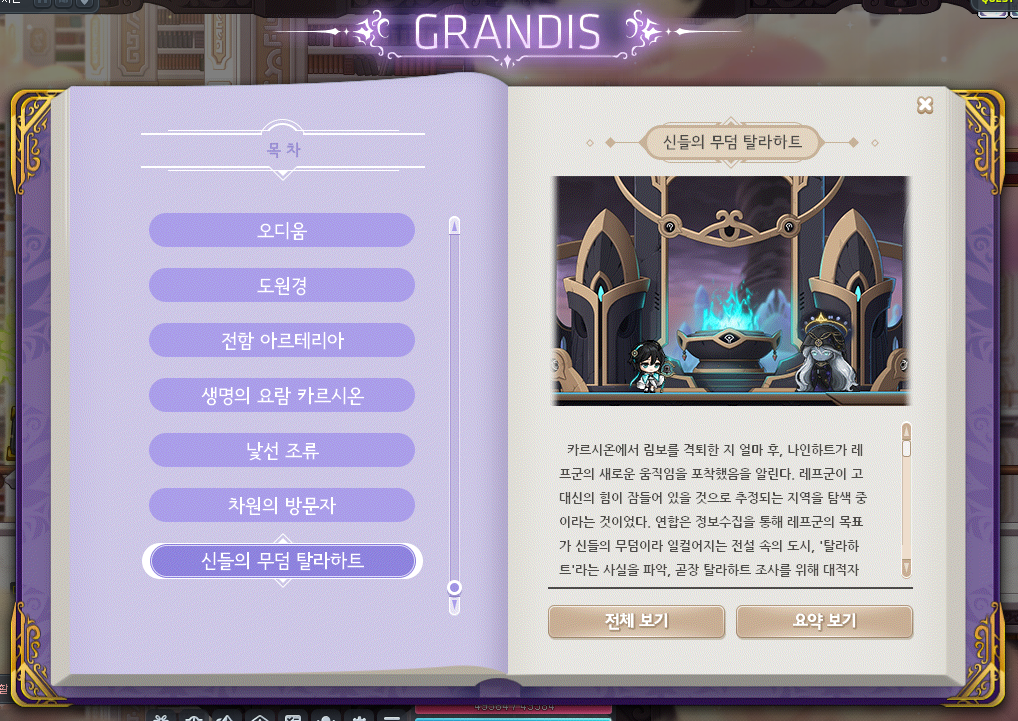
The Tallahart story has been added to the <Book of Grandis>.
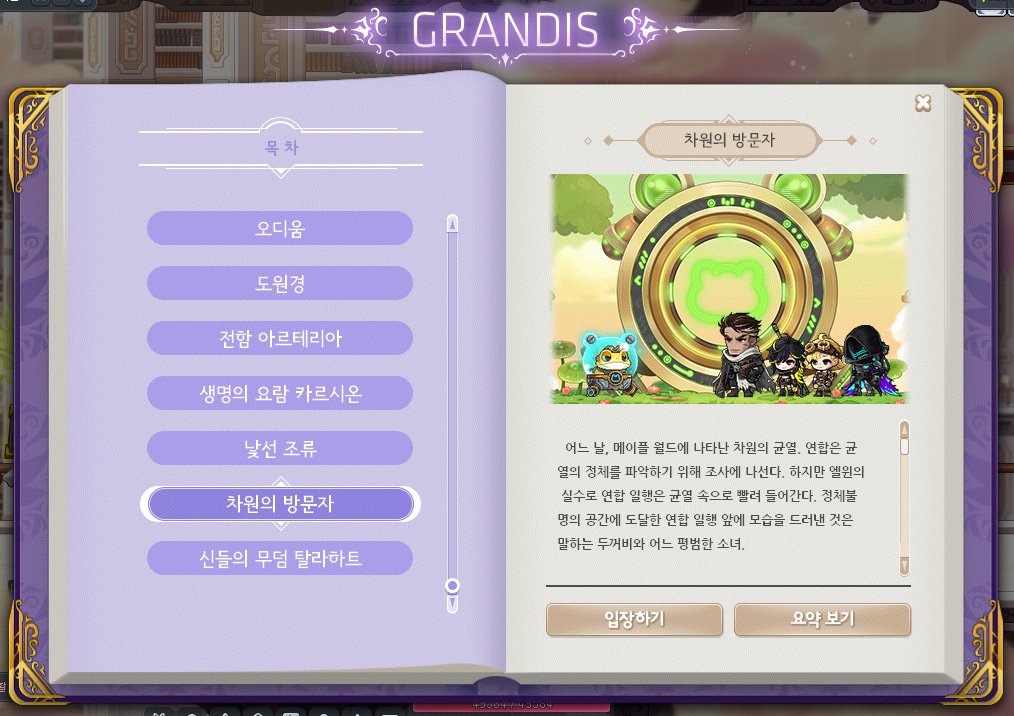
The following stories have been added to the <Book of Grandis>.
- The stories are unlocked after acquiring certain achievements.
- You can experience the full stories directly through the <Enter> button, or you can view a summary through the <View Summary> button.
- Story quest progress through the <Book of Grandis> will be reset when you leave the map.
- Identisk
- On Stranger Tides
- Dimensional Visitors
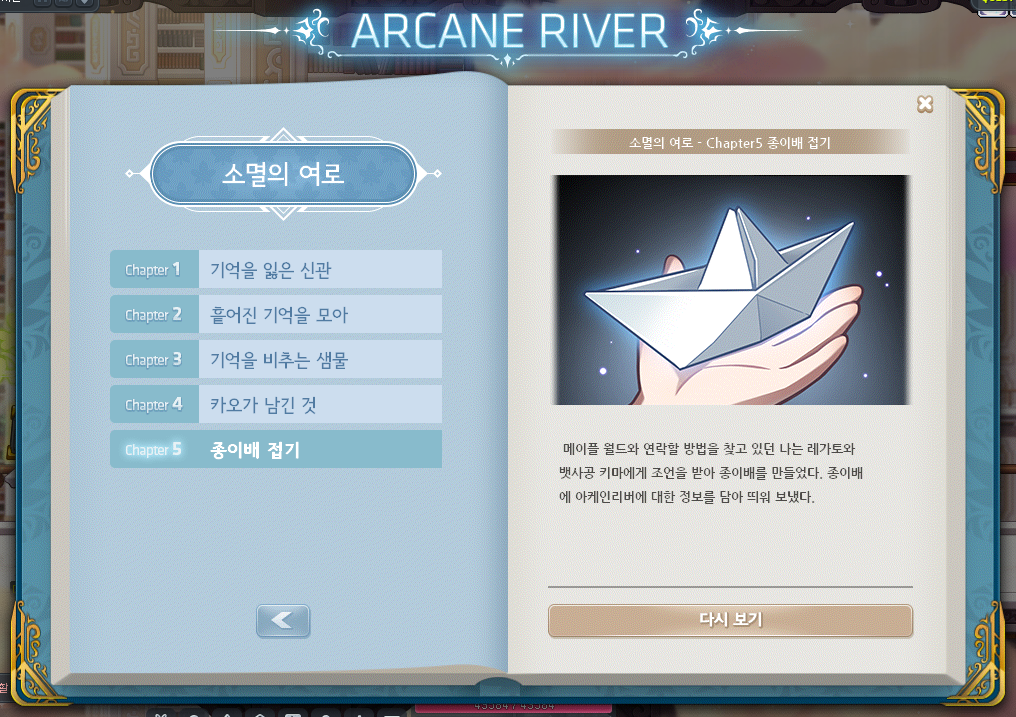
The Book of Arcane River is now available again.
- You can enjoy the renewed Arcane River story with voices.
Sub-stories have been added to the Book of Arcane River.
Cash Shop Reorganization
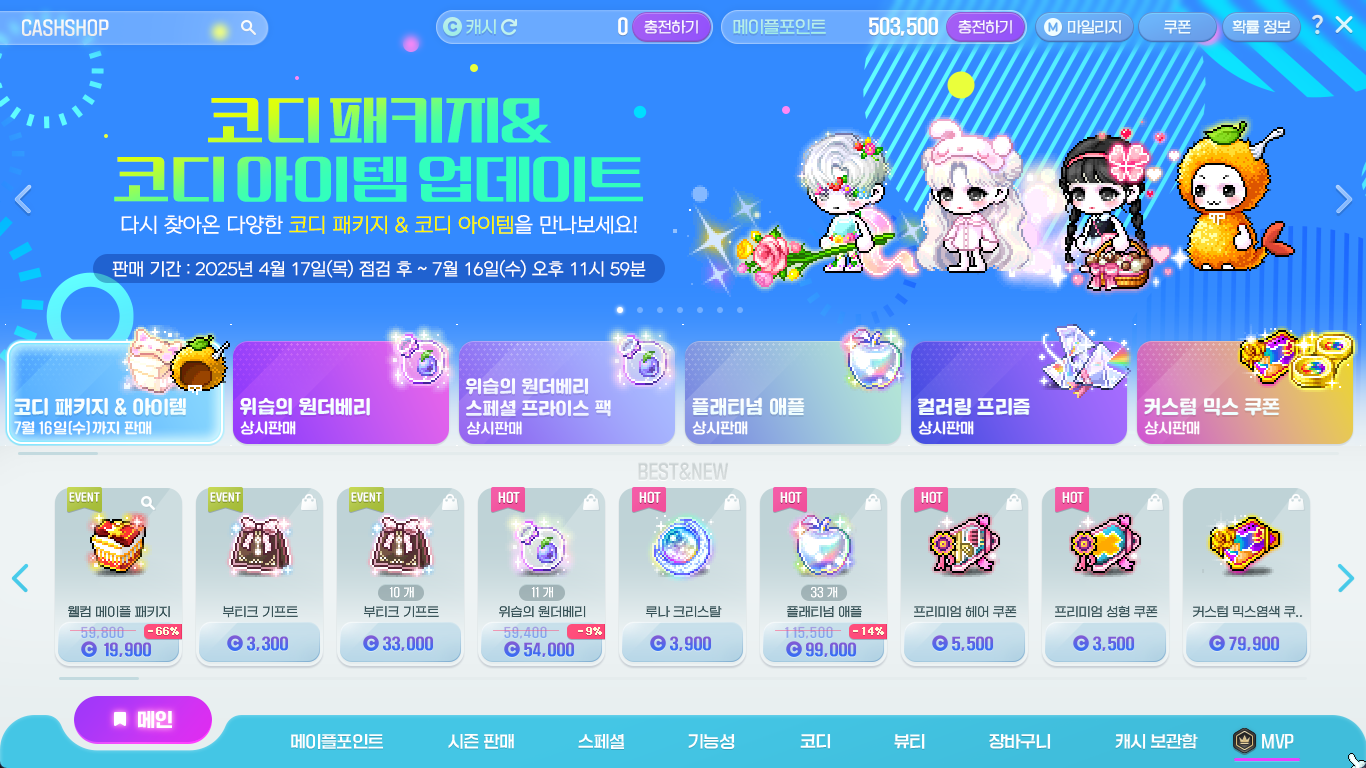
The Cash Shop UI has been completely reorganized.
- The Cash Shop’s default resolution has been changed to 1366×768.
- The UI design of each Cash Shop category page has been changed.
The Cash Shop category structure has been changed.
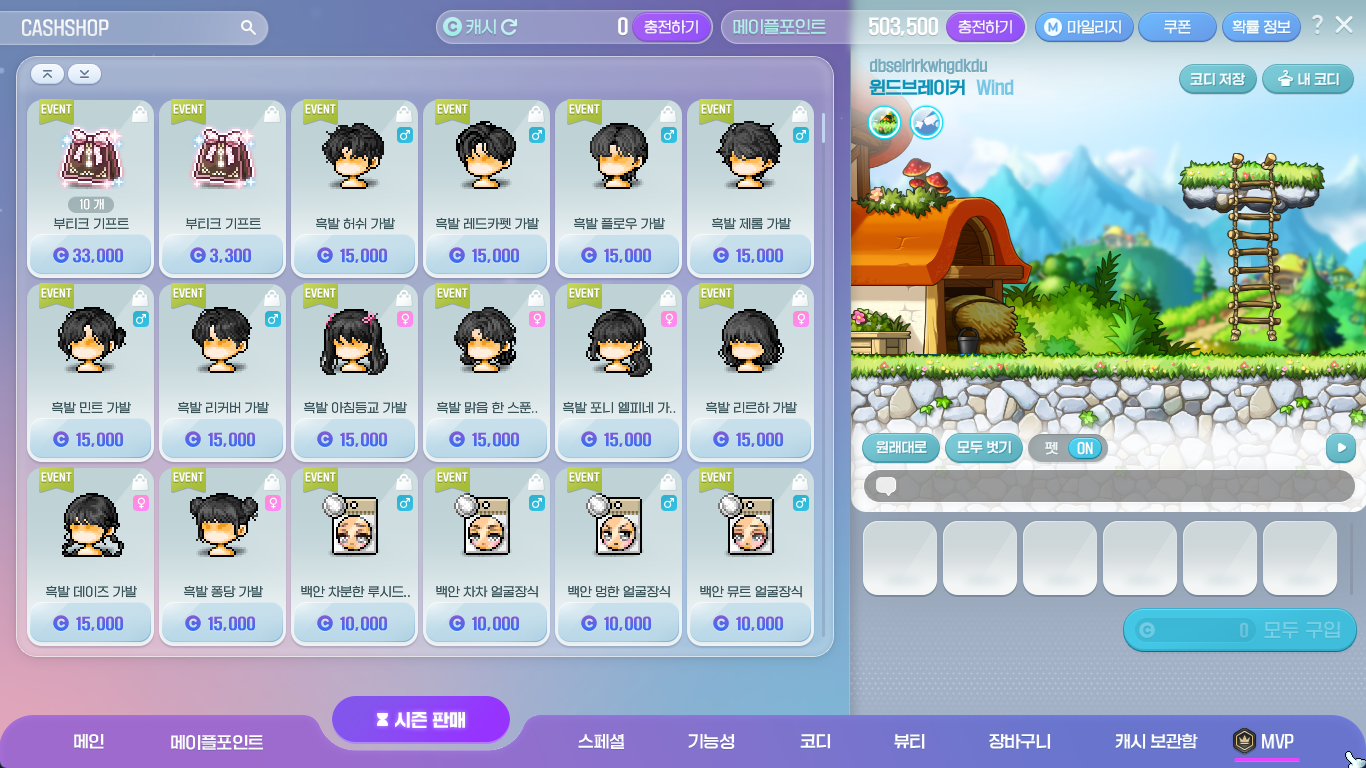
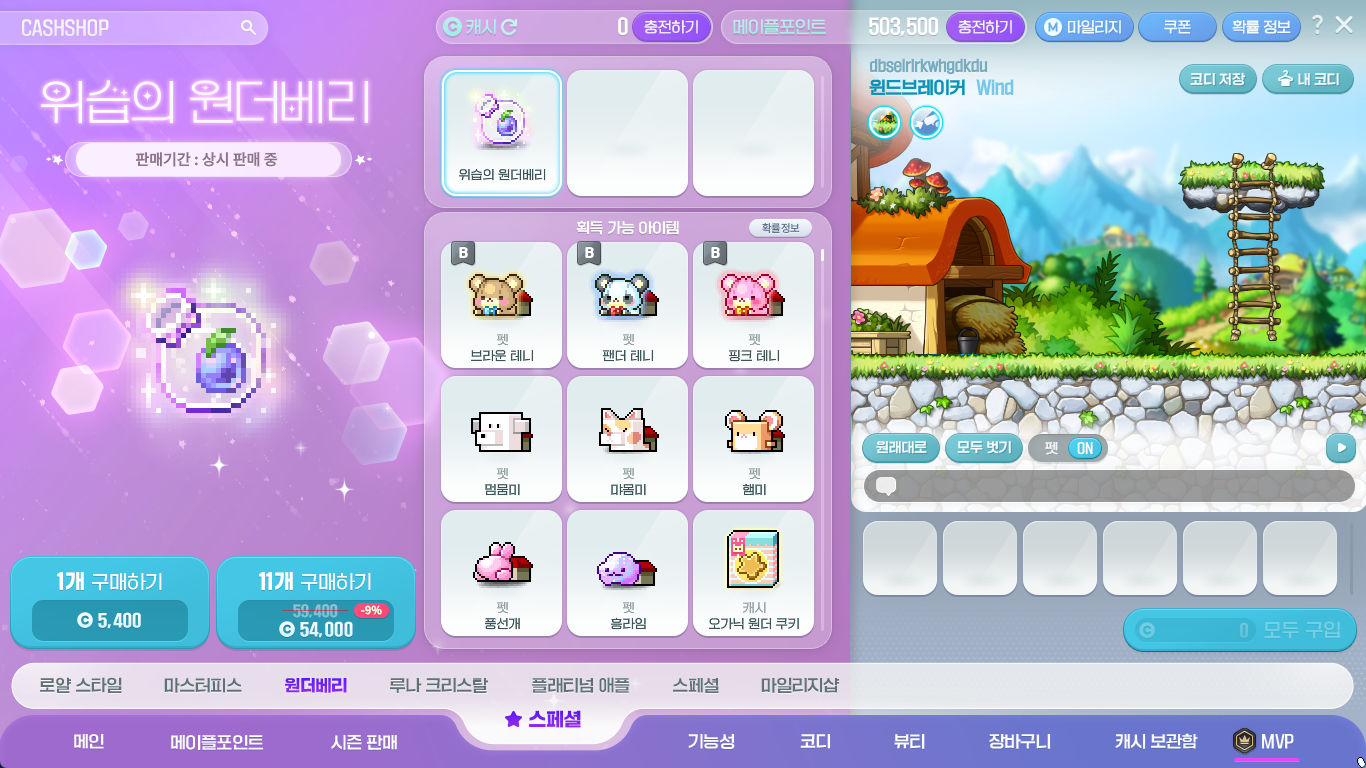
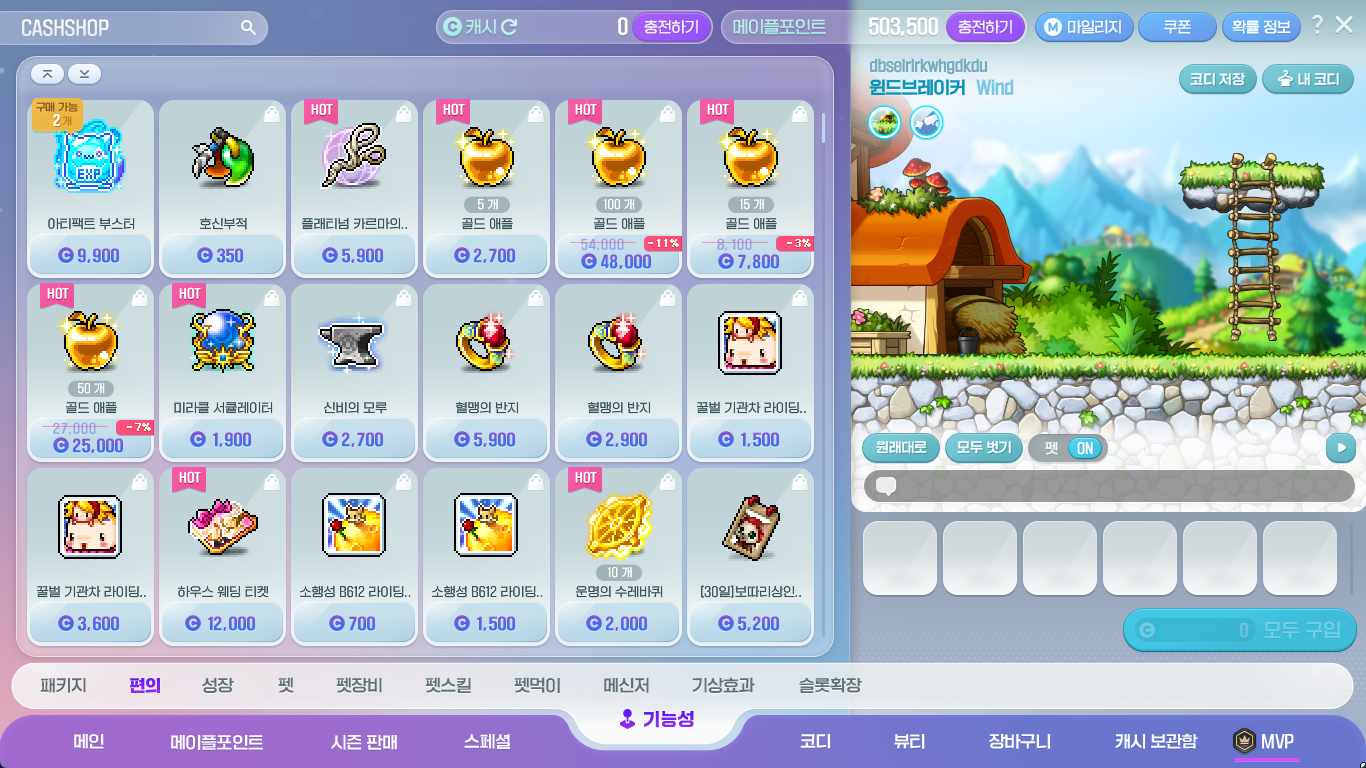
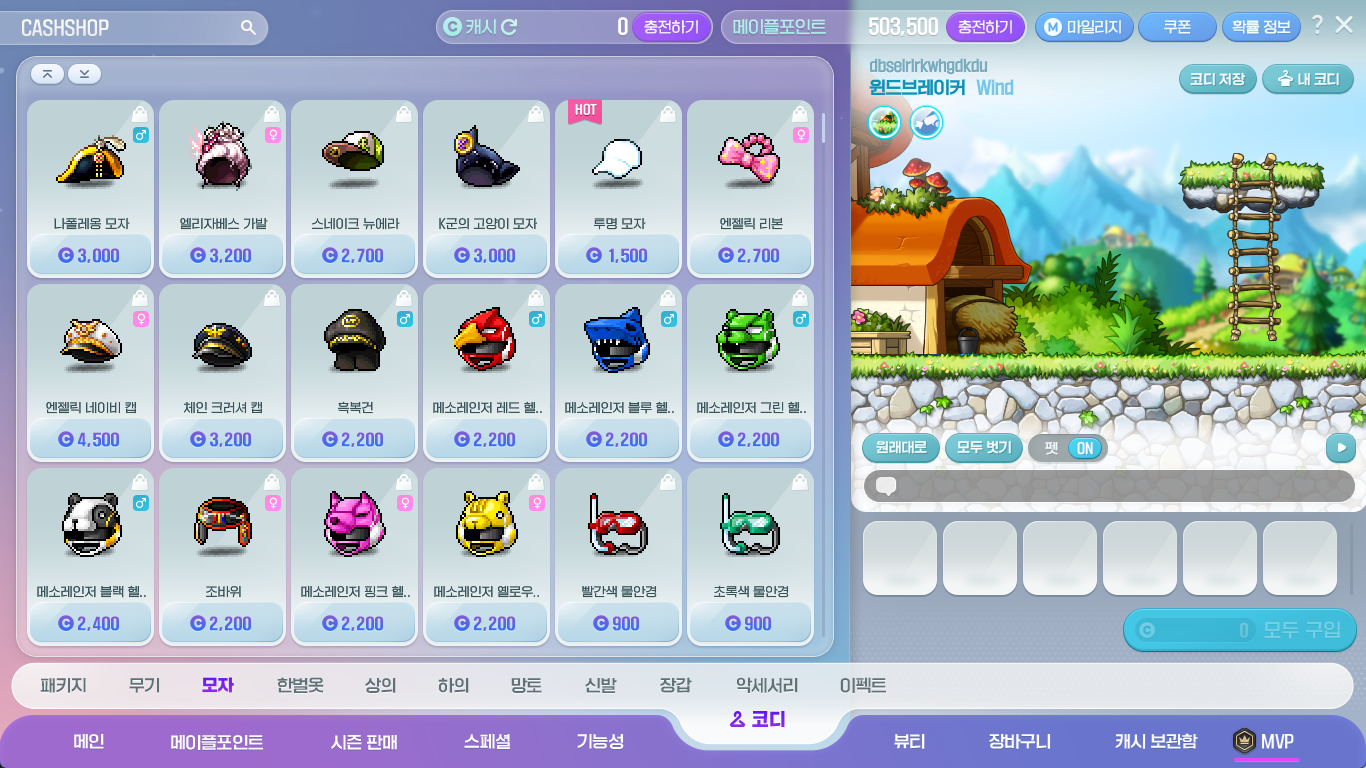
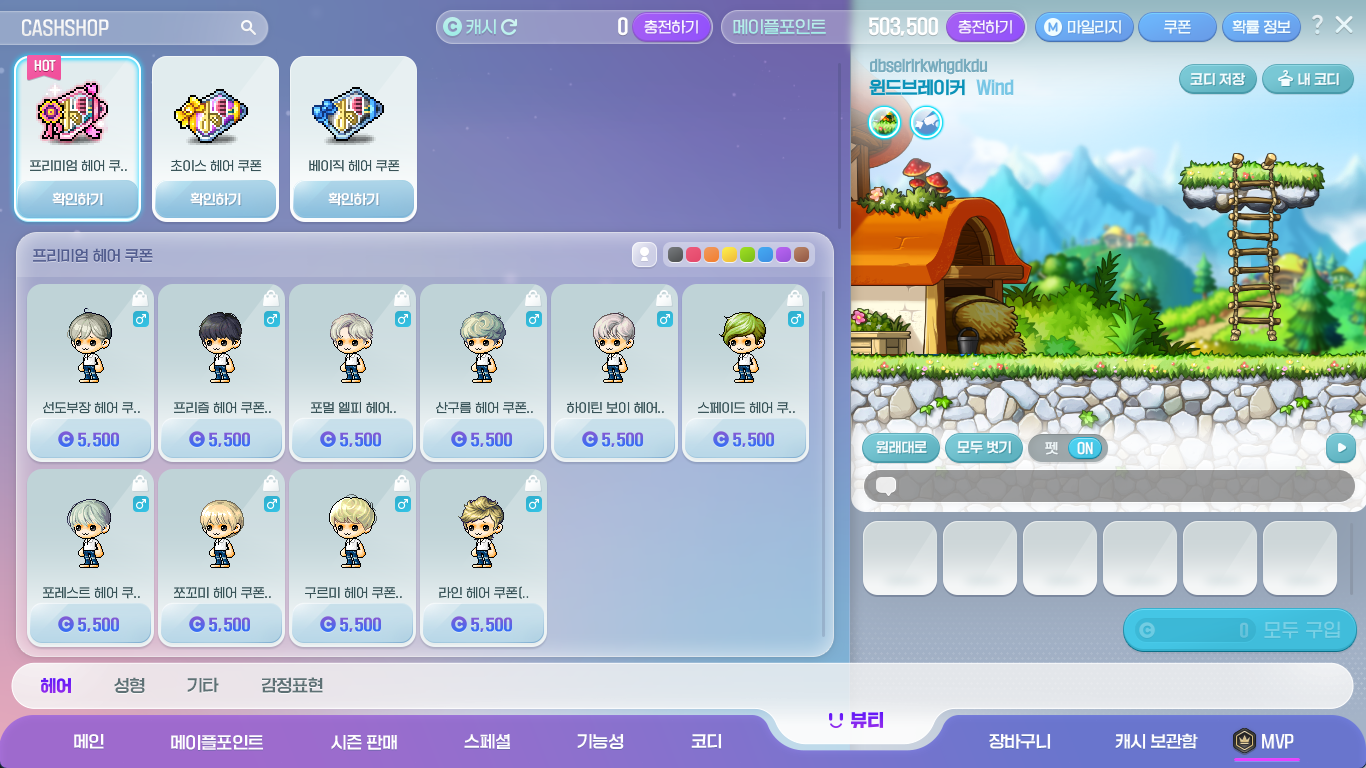
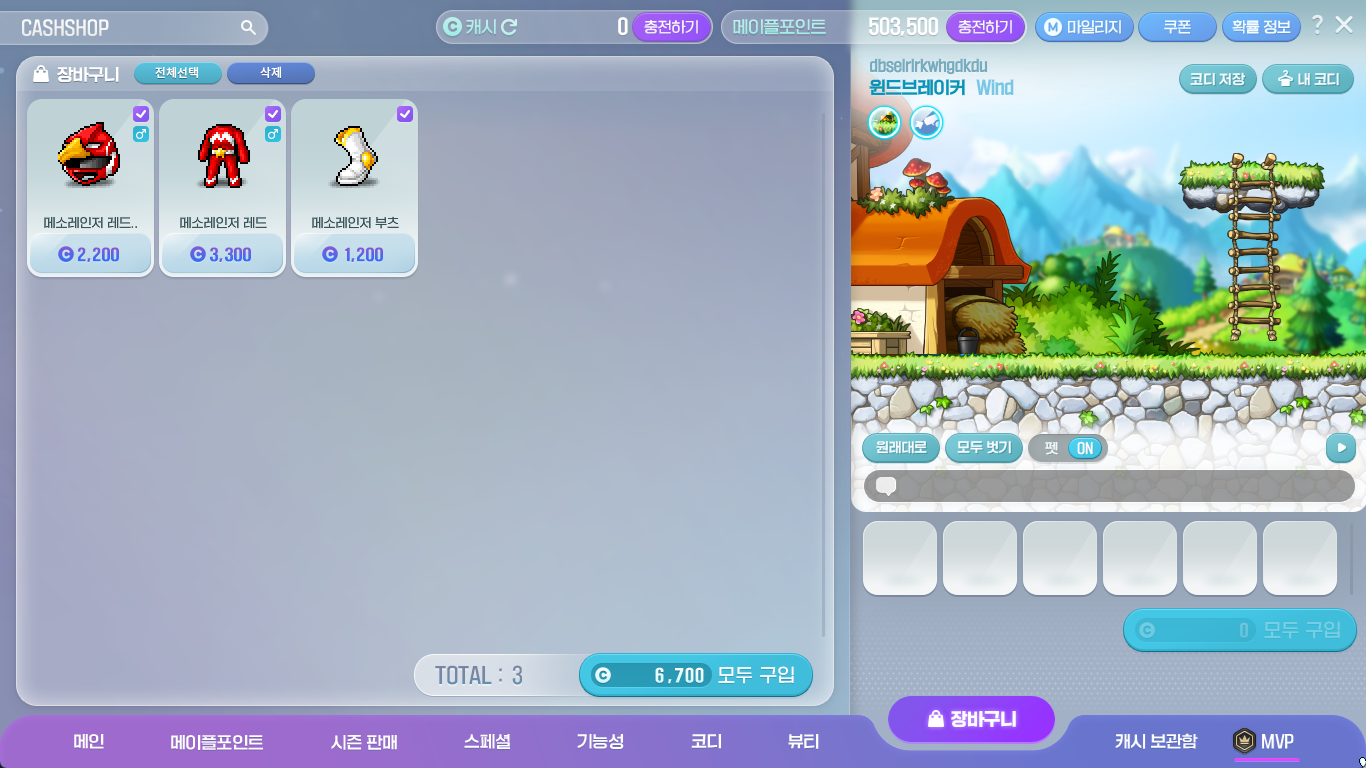
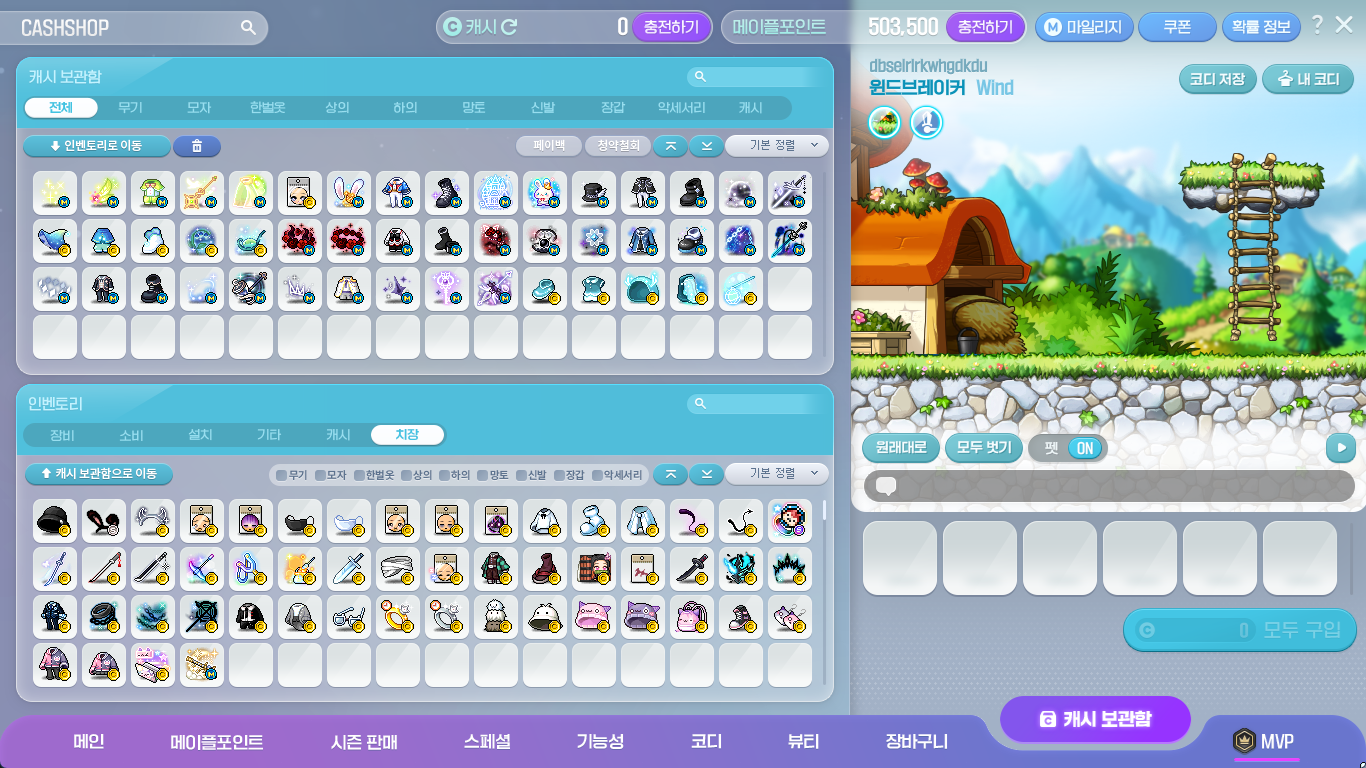
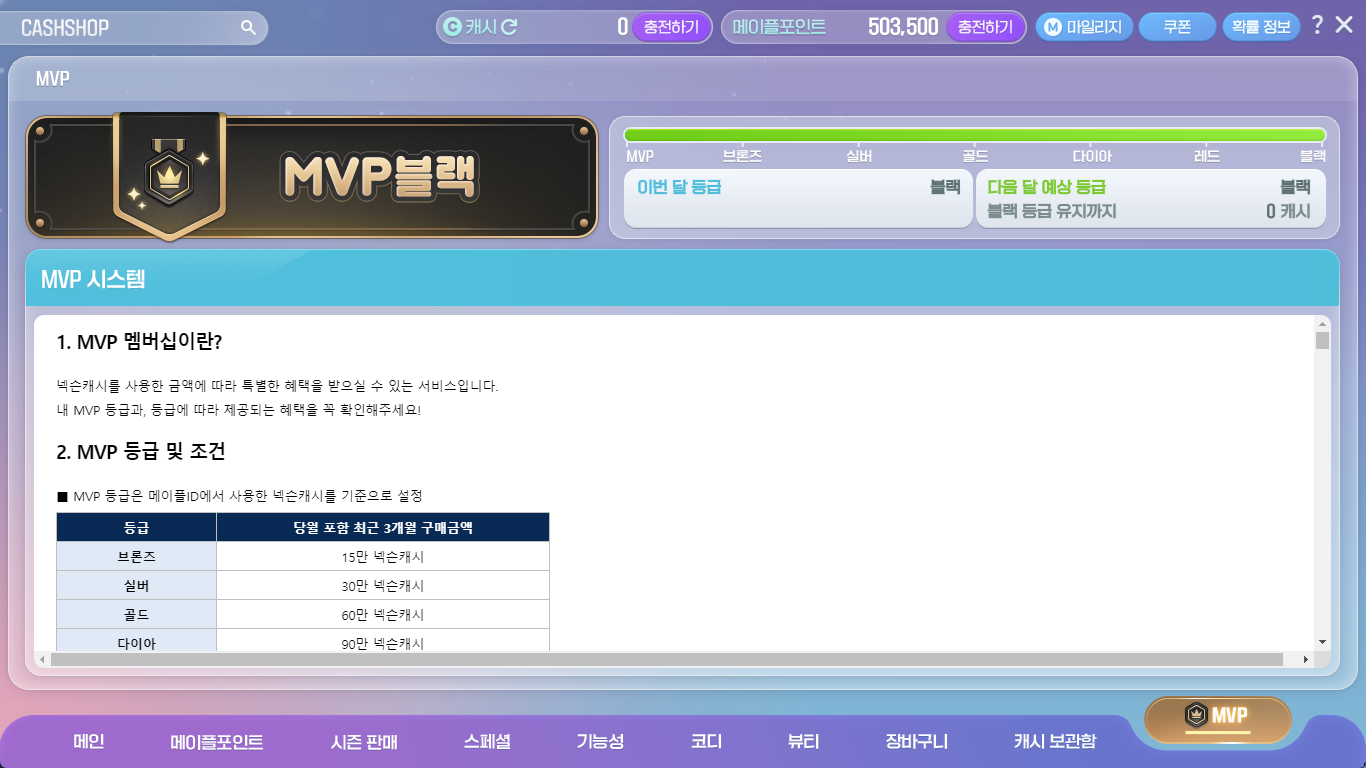
| Category | Sub-Category |
|---|---|
| Main | Main |
| Maple Points | Maple Points |
| Seasonal Sales | Seasonal Sales |
| Special | Royal Style |
| Master Piece | |
| Wonderberry | |
| Luna Crystal | |
| Platinum Apple | |
| Special | |
| Mileage Shop | |
| Functionality | Packages |
| Convenience | |
| Growth | |
| Pets | |
| Pet Equipment | |
| Pet Skills | |
| Pet Food | |
| Messengers | |
| Weather Effects | |
| Slot Expansion | |
| Coordination | Packages |
| Weapons | |
| Hats | |
| Overalls | |
| Tops | |
| Bottoms | |
| Capes | |
| Shoes | |
| Gloves | |
| Accessories | |
| Effects | |
| Beauty | Hair |
| Face | |
| Etc. | |
| Emotes | |
| Shopping Cart | Shopping Cart |
| Cash Storage | Cash Storage |
| MVP | MVP |
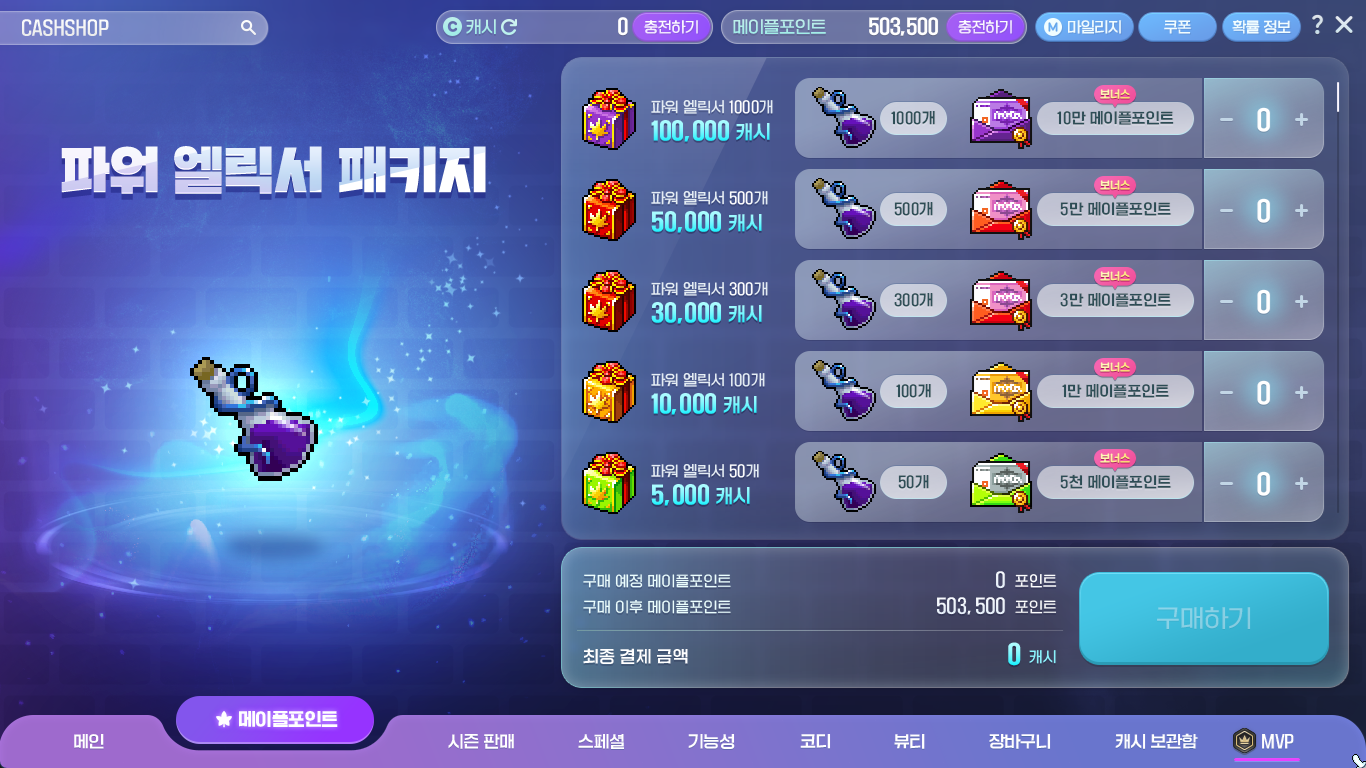
When buying Power Elixir Packages, you can now instantly charge the Maple Points in the Cash Shop.
- When buying a Power Elixir Package product, you can instantly charge the Maple Points by clicking the ‘Buy and Use’ button.
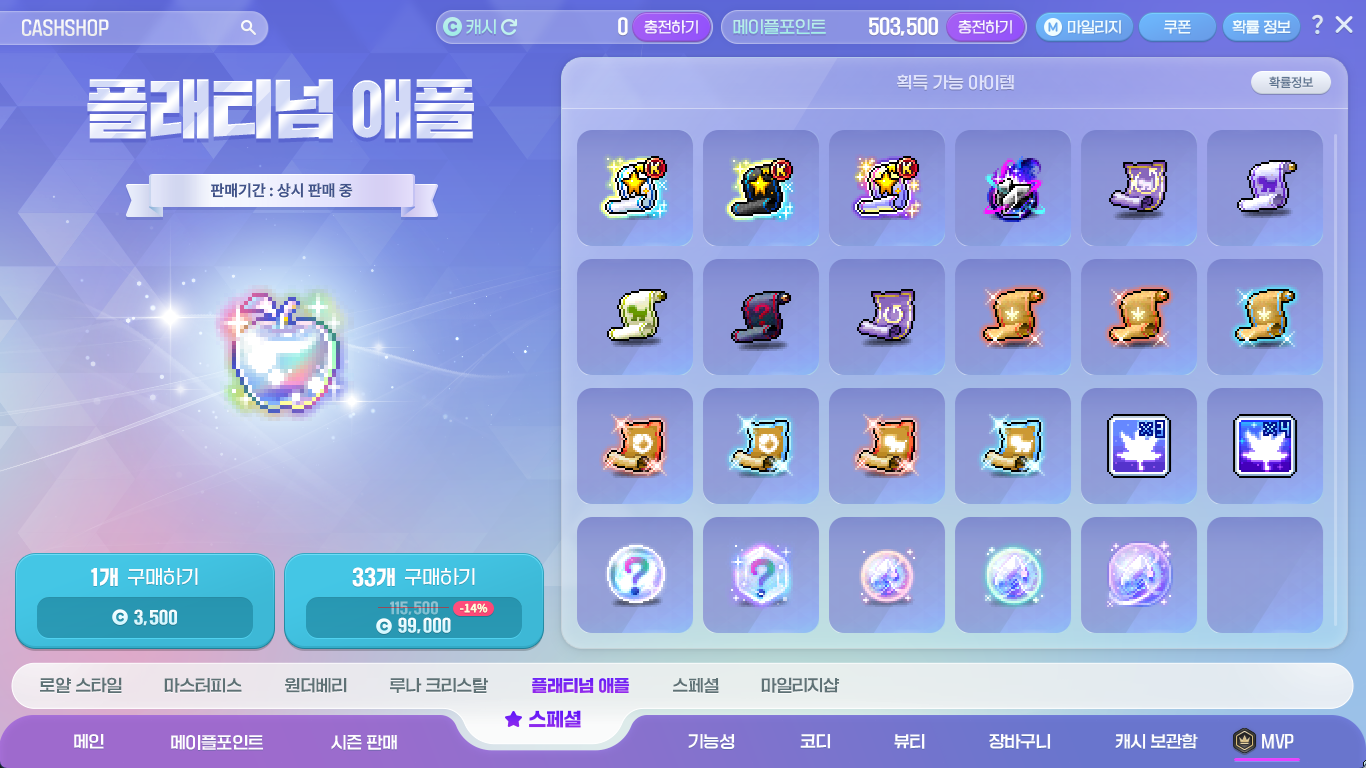
The Platinum Apple sale page has been added.
- You can check the Platinum Apple’s obtainable items on this page.
- You can access it in the Special > Platinum Apple category.
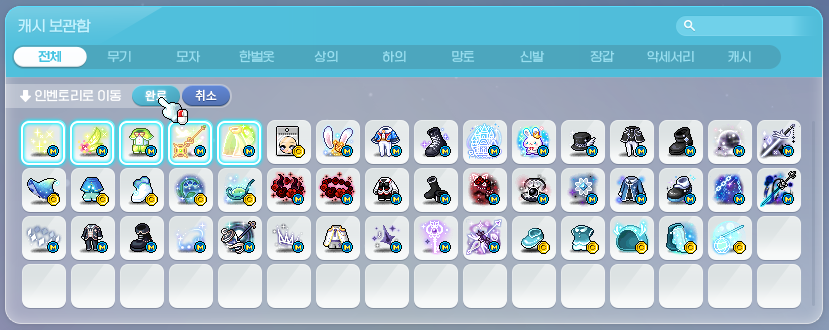
The Cash Storage has been reorganized.
- You can now select multiple items at once and move them to your inventory, move them to your Cash Storage, pay back, or delete items.
- The Cash Storage inventory has been changed to separate products based on category.
- You can now right-click items in the Cash Storage inventory to equip them. (If you double-click an item, it will be moved from your Cash Storage to your inventory or vice versa, like before)
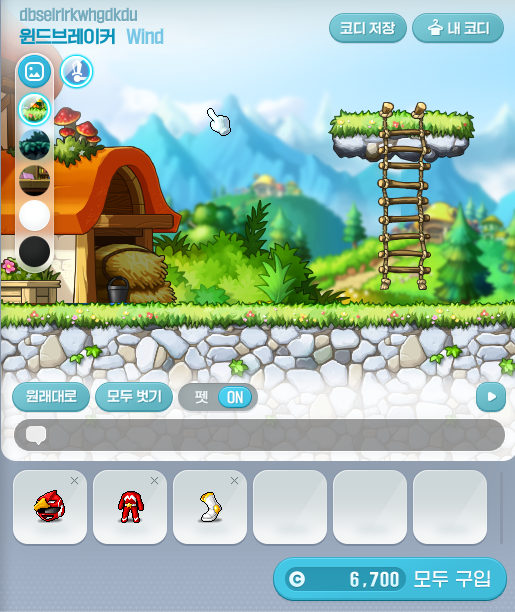
The Cash Shop Character Preview has been changed.
- The Character Preview area size has been increased.
- You can now check the newly equipped items below the Preview window.
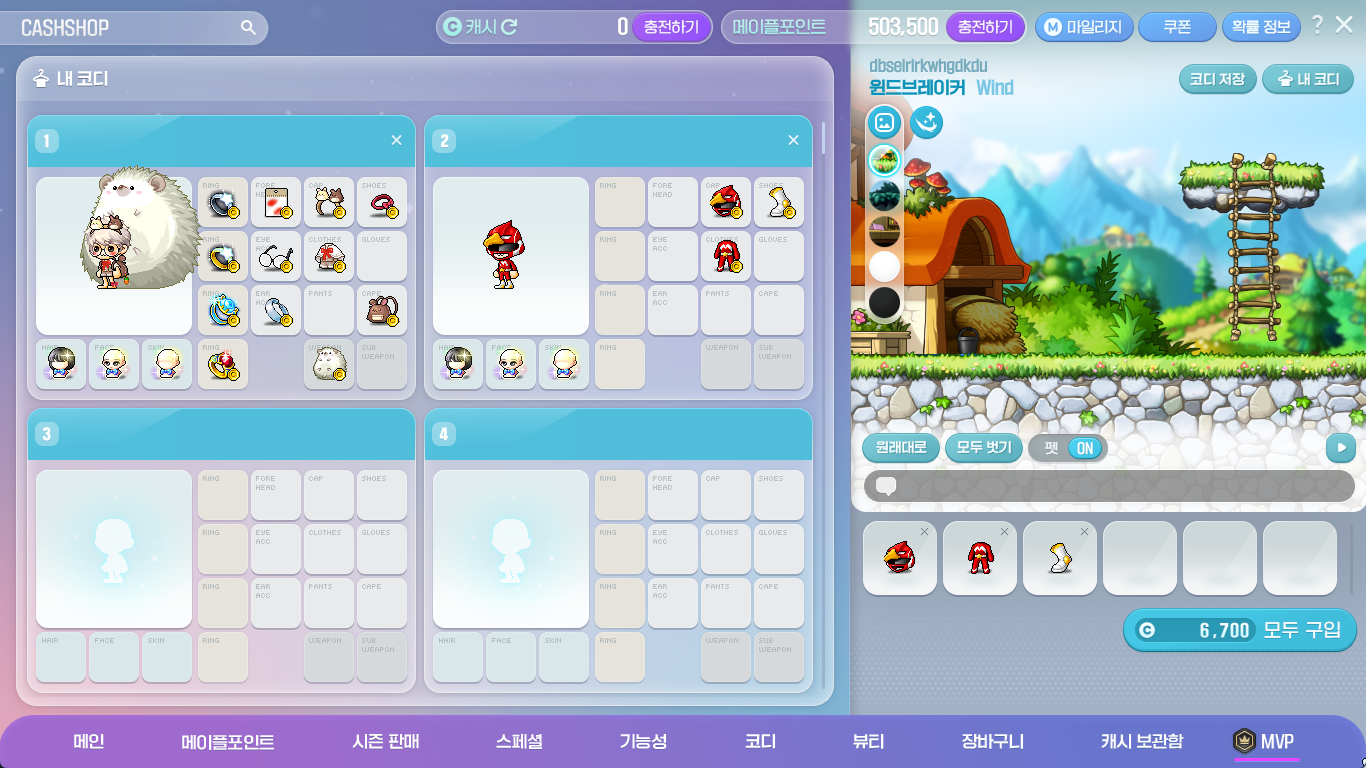
The My Outfits feature has been changed.
- You can now check the saved outfit’s items.
- When you click the ‘My Outfits’ button at the top right corner of the Character Preview area, you can move to the My Outfits page.
- When you click the ‘Save Outfit’ button, the currently previewed character’s outfit will be saved.
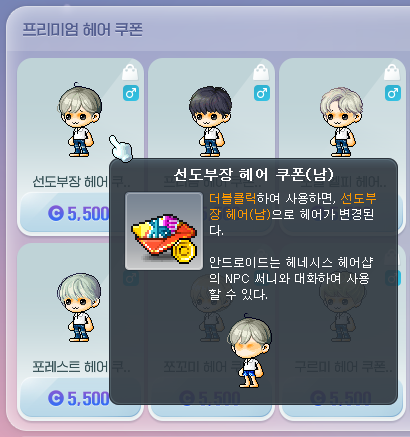
The Beauty Coupon sale method has been changed.
- Hair and Face Coupons will now be sold as separate Coupons.
Skill Changes
Common
- The effects of skills that attract enemies’ attacks will now be cancelled if the enemy does not attack for a certain period of time. The following skills have been changed.
- Marksman – Arrow Illusion
- Dual Blade – Dummy Effect
- Wind Breaker – Emerald Flower
- Wild Hunter – Provoke
- Skills will now be re-summoned at the character’s location if you revive in a different location after dying. The following skills have been changed.
- Common – Another World’s Afterimage
- Bowmaster – Quiver Flow
- Marksman – Bolt Flow
- Wind Breaker – Mistral Spring
- Lara – Eruption: Heaving River, Eruption: Whirlwind, Eruption: Heaving River VI, Eruption: Whirlwind VI
 Erda Nova:
- The skill description has been changed.
Archmage (F/P)

 Meteor/Meteor VI:
- The delay before you can use Teleport after casting Meteor/Meteor VI has been increased.
Archmage (I/L)

 Thunder Sphere/Thunder Sphere VI:
- It has been improved so that you can use non-fixed Thunder Sphere/Thunder Sphere VI while in the air.
- The skill descriptions have been changed.

 Blizzard/Blizzard VI:
- The delay before you can use Teleport after casting Blizzard/Blizzard VI has been increased.
Bishop

 Genesis/Genesis VI:
- The delay before you can use Teleport after casting Genesis/Genesis VI has been increased.
Night Lord
 Shuriken Challenge:
- The skill description has been changed.
Cannon Shooter
 Big Huge Gigantic Cannonball:
- The hit sound effect has been changed.
Flame Wizard
 Phoenix Drive:
- The duration has been increased from 10 seconds to 20 seconds.
- The maximum number of flame shots will be limited to 45.
 Flame Discharge:
- The skill description has been changed.
 Phoenix Drive VI:
- The duration has been increased from 10 seconds to 20 seconds.
- The maximum number of flame shots will be limited to 45.
- When using Phoenix Drive VI with Flame Fox activated, the damage has been decreased from 1550% to 1220%.
Wind Breaker
 Emerald Flower:
- The skill description has been changed.
 Emerald Dust:
- The skill description has been changed.
Night Walker
 Rapid Throw:
- The continuous throw duration has been decreased from 1.8 seconds to 1.2 seconds.
- The maximum continuous throw duration has been decreased from 3 seconds to 2.4 seconds.
- The attack interval has been decreased by about 33%.
- The number of skill key presses required to increase the continuous throw duration has been decreased by about 25%.
- The skill description has been changed.
Wild Hunter
 Jaguar Storm:
- When Jaguar Storm is resummoned if you change maps or revive after dying, the resummon cooldown will no longer be applied.

 Wild Grenade:
- The number of Grenades held will no longer be reset when the Wild Grenade skill is changed.
- The cooldown will now be applied to the first grenade fired when the Wild Grenade skill is changed.
- Wild Grenade: Flash:
- The damage has been decreased from 1510% to 1200%.
- The number of hits has been decreased from 8 to 6.
- The number of activations has been decreased from 4 to 1.
Xenon
 Diagonal Chase:
- The cast effect has been changed when rushing forwards.
- The action has been changed when rushing forwards.
- The delay between casting Diagonal Chase and rushing forwards has been removed.
Mechanic
 Robot Transition: CB-P1:
- This skill will now apply Robot Mastery’s Custom Mode.
Demon Slayer
 Demon Impact: VI: Demon Chain:
- The damage has been increased from 1190% to 1328%.
- The number of hits has been decreased from 7 to 6.
Ark
 Vivid Nightmare:
- Master Corruption has been added as a pre-requisite skill.
Open API
Fixed an issue with the Character Info search’s basic info search where if you searched character appearances for characters with the Spirit Code equipped, certain motions could not be searched.
Improvements
Quests
When characters level 275 or higher apply the ‘View Only My Level’ option to the list of acceptable quests in the lightbulb icon on the left side of the screen, the ‘[Genesis Weapon] Following the Black Mage’s Traces’ quest will now also be displayed.
Items
The name of the Kinesis Clever Face has been changed to the Intelligent Face.
The confirmation window design when using a Mega Burning Booster, Tera Burning Booster, and Hyper Burning Booster has been improved.
Maps
Pets can no longer be equipped in the MVP Resort.
UI
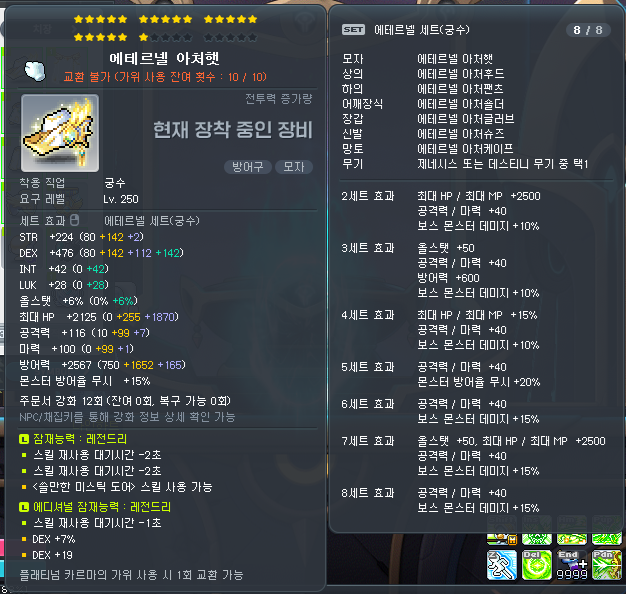
The equipment item tooltip display method has been improved.
- The display locations of certain attributes in the tooltip have been changed.
- Special items, Label names, tradability, and item durations will be displayed below the item name.
- Special items, Label names, tradability and item durations will be displayed in that order.
- Set effects, usable skills, and growth levels have been changed from ‘justify’ alignment to ‘left’ alignment.
- The growth level display method has been changed for items with Yggdrasil’s Blessing type items applied.
- The weapon attack speed display has been moved to below the growth level.
- The stat duration display has been moved to the top of the stats.
- The stat display has been changed from ‘justify’ alignment to ‘left’ alignment.
- The Star Force/Scroll/Bonus Stats increases display method has been changed.
- Before: Increases were displayed in the order of Bonus Stats, Scrolls, Star Force.
- After: Increases are displayed in the order of Star Force, Scrolls, and Bonus Stats.
- The All Stats % display has been moved to directly below STR/DEX/INT/LUK.
- The font colour displayed when there are no enhancement values for a specific enhancement method has been changed.
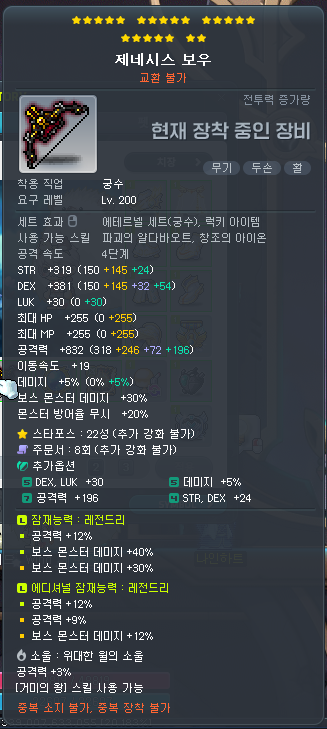
- The Star Force/Scroll/Bonus Stats/ enhancement information will now be displayed in an abbreviated form by default. You can now use the NPC Chat/Harvest key to check the detailed information.
※ However, this function does not work during boss battles. - The total Bonus Stats stage information will no longer be displayed.
The Enhancement UI has been improved.
- The location and status of the inventory and equipment UIs will now be automatically adjusted when the Enhancement UI is opened.
- The ‘View enhancement cutscenes’ option will now be saved on a per-PC basis.
- A guide message has been added when you have no more of the selected material that you are using in your inventory.
- The meso display method has been changed to display unit digits.
- When Star Force enhancing (except for equipped items), it will no longer check for inventory space.
- An additional guide will be provided if your MVP Rank falls while using the ‘reset 3 times’ feature.
- You can no longer change the resolution during the Star Force special cutscene, or while selecting Return Scroll, Bonus Stats, or Potential stat options.
- An additional guide will be provided when Star Force enhancing Superior items.
- An additional guide will be provided if Chance Time occurs when using Star Force enhancing.
- When using Star Force enhancing, using the Destruction Prevention feature will now also display the original price.
- When using special scrolls, if all of the scrolls in the selected slot are used up, it will now automatically select the next slot of the same scrolls if you have them.
- If you cannot use Clean Slate Scrolls on an item, they will no longer appear in the Spell Trace choices.
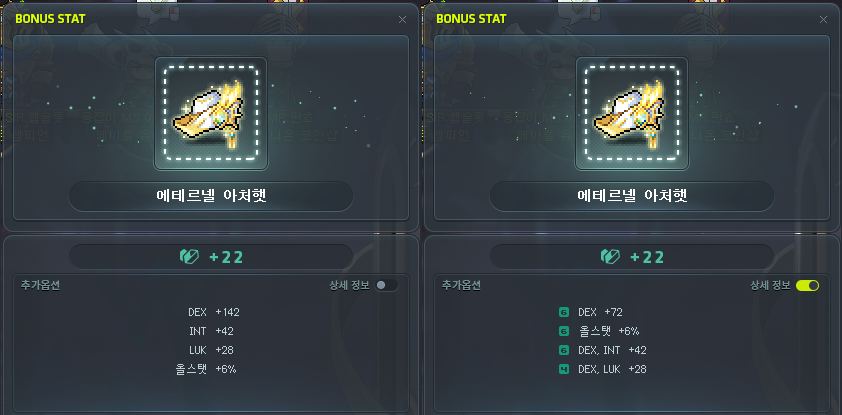
- You can now check Bonus Stats’ detailed information.
- When using the Bonus Stats ‘reset 3 times’ feature, it will now use the same Rebirth Flame items in your inventory even if they are separated in different slots.
- The priority of which items are used are determined in the order of tradability and expiry date. The detailed criteria is as follows.
- They are used in the order of untradable, can only be put into storage, can only be traded 1 time, and tradable.
- The items that will expire the soonest will be used first.
- When selecting between Bonus Stats options, the number of Rebirth Flames will now display the combined total of all flames that you have.
- When using the Bonus Stats, Potential, or Additional Potential enhancements, if the Combat Power increase is negative, it will now use a different font.
- When using the Additional Potential enhancement, a guide message will now be displayed if you have no registered equipment items.
- When an Equipment Trace is registered, if you try to register an item that’s different than the Trace, the Equipment Trace item registration will be canceled.
- When you try to register or equip an Equipment Trace item, the Trace Recovery tab will be automatically selected in all cases.
- The Special Skill Ring Polishing Level Exchange UI’s ring level font has been improved to be more clearly visible.
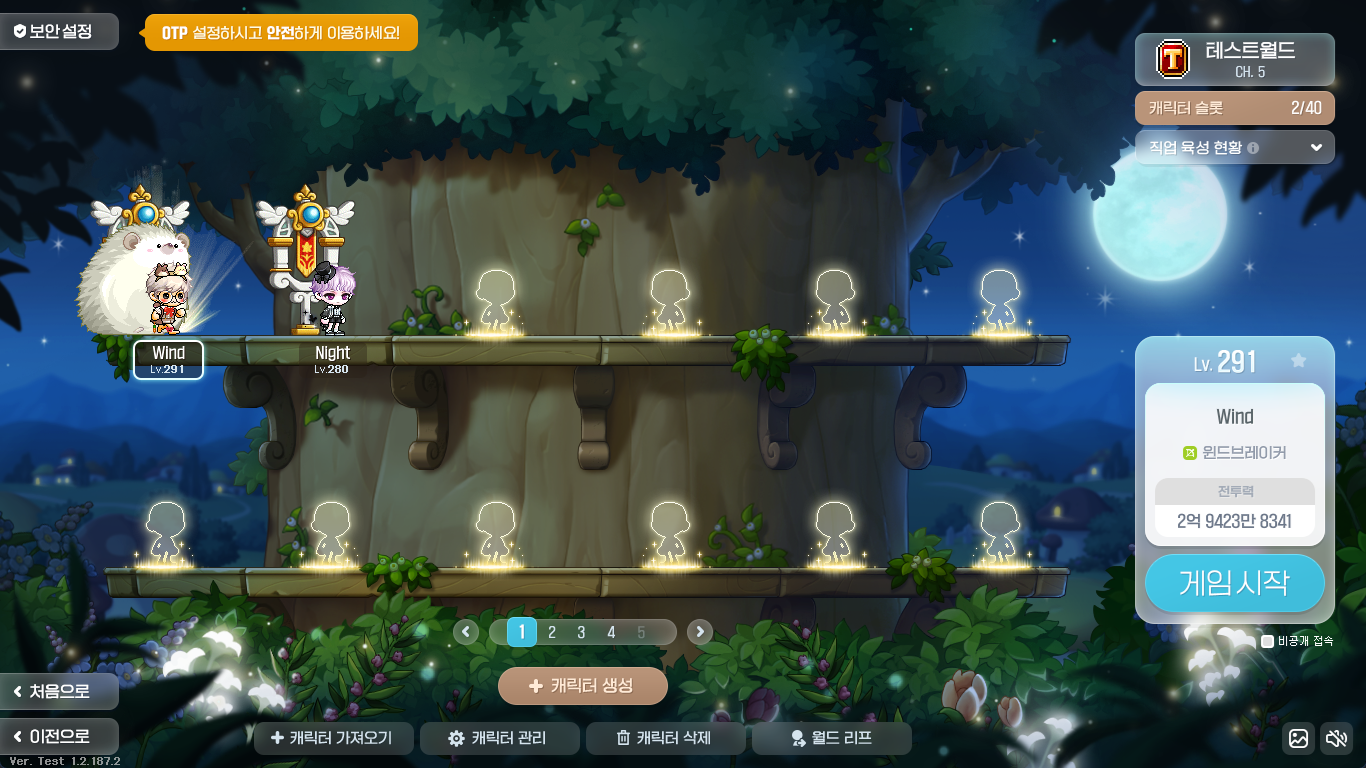
The Login UI has been improved.
- You can now change character order in the Character Management window by dragging and dropping.
- The Fast Login/Character Select window’s ‘appear offline’ option will now be saved per Maple ID.
- The Character Management UI will now display a character creation guide text when you have 0 characters.
- When a character is unfavourited, the Fast Login will now display the character you last logged in to.
- In the Character Select window, the currently unselected page buttons have been changed to be more clearly distinguished.
- The Character Select window’s bottom button locations have been adjusted.
- The Character Select window’s Character Creation button’s tooltip will now display the reasons why you cannot create a character.
- The Character Select window has been changed to inform you that you cannot increase the number of character slots in Challengers World.
- The Fast Login/Character Select window’s ‘appear offline’ option’s click range has been increased.
- The Job Select screen has been changed so that you can more easily check the jobs to the left and right of the list.
- The Job Select screen has been changed so that you can easily change the job list using arrow keys and the mousewheel.
- The Job Select screen has been changed so that when the job list is expanded, clicking outside the job list will collapse the job list.
- The Character Creation screen has been changed so that if you do not check for name availability, the Confirm button at the bottom will now guide you through the checking process.
The Symbol UI has been improved so that the highest stage Symbol tab is selected.
It has been improved so that after a Zero character acquires the Lapis/Lazuli weapon, you can reset Bonus Stats in the equipment window’s weapon enhancement tab.

The Quick Menu‘s maximum number of slots has been increased from 8 to 9. The ‘Apply to All Characters’ option has been added.
It has been improved so that when you hover over the Quick Menu list’s icons at the bottom of the Full Menu, the menu name will be displayed.
It has been improved so that in the Meso Market UI, the trade price information’s update cycle is faster.
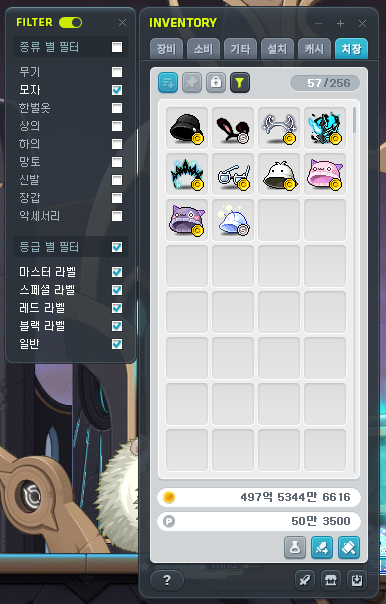
It has been improved so that you can use the Cosmetic Tab Filter feature even when the inventory is minimized.
The inventory’s held mesos display method has been improved.
The newly acquired item display related effect in the inventory has been changed to be more visible.
It has been improved so that when a new item is acquired in a Bag UI, the new item acquired icon will be displayed.
It has been improved so that you can now search for Herb Gathering tools and Mining tools in the Maple Auction’s Etc Items tab.
The Equipment Succession completion pop-up UI’s design has been updated.
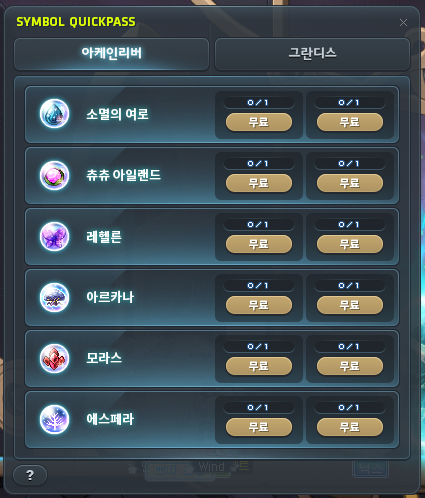
The Symbol Quick Pass UI’s name has been changed to be more clear.
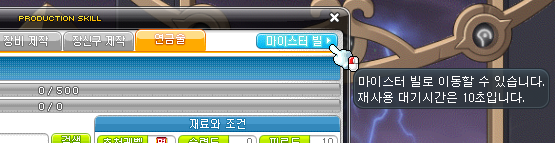
The cooldown for moving to Meisterville through the Profession UI has been decreased from 5 minutes to 10 seconds.
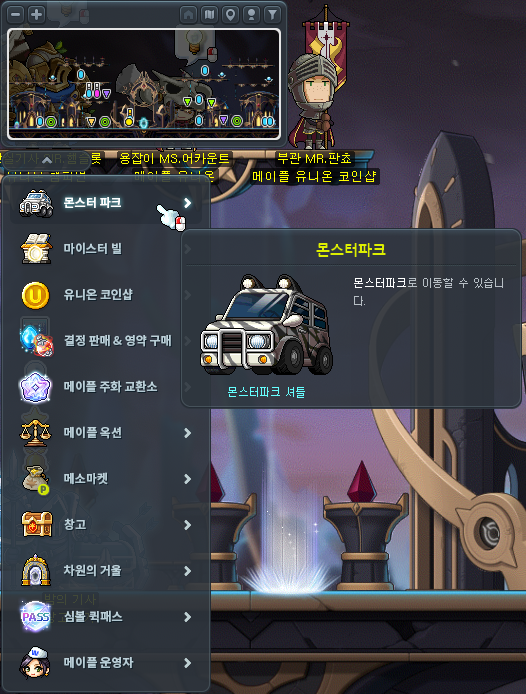
The Town Menu UI’s button sizes have been increased.
The Quick Character Change UI’s ‘appear offline’ option click range has been increased.
When you don’t meet an item shop’s purchase requirements, the item names will now be displayed in purple.
Pets that cannot equip pet equipment will now have their pet equipment slots in the equipment window displayed as inactive.
Events
The ‘Simplified Event Start’ feature will now be provided for the [Maple University] event.
Since the Challengers World growth period has ended, when you login to Challengers World, you will be moved to the Leap map.
Maple Home
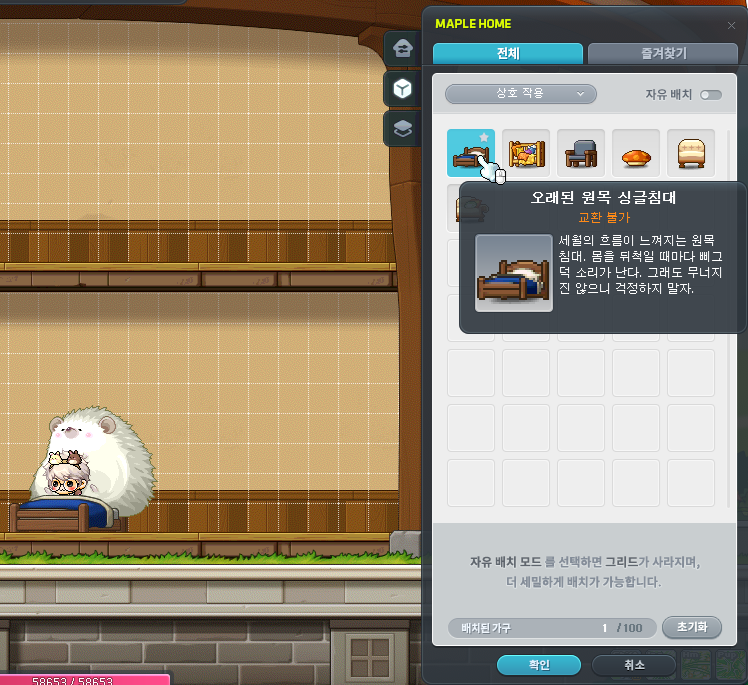
Interaction functionality between certain furniture and characters has been added.
- Interaction can only be done by moving close to the furniture and left-clicking with the mouse.
- You can select the ‘Interaction’ filter in the Furniture Management tab to check furniture that can be interacted with.
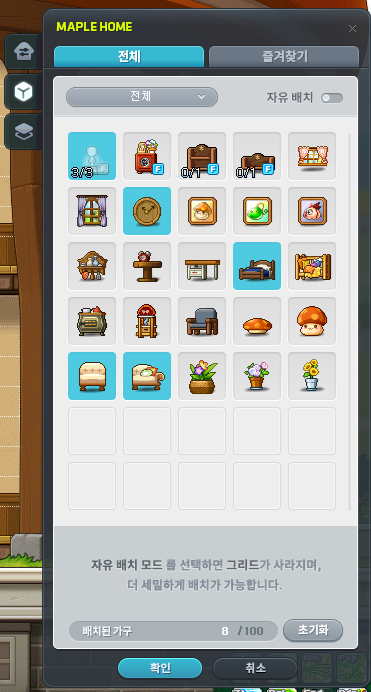
It has been improved so that you can view the number of placed furniture and the maximum number of furniture that can be placed.
- You can check the ‘Placed Furniture/Maximum Placed Furniture’ number at the bottom of the Building Management, Furniture Management, and Placed Furniture Management UIs.
- For furniture with quantity restrictions such as Mannequins and Display Cases, you can check the ‘Placeable Quantity/Maximum Placeable Quantity’ on the furniture icon in the Furniture Management tab.
It has been improved so that you can reset placed tiles and furniture all at once.
- A ‘Reset’ button has been added to the Building Management tab. When you click it, all platforms you have placed directly will be removed. If there is any furniture placed on those platforms that are being removed, they will also be removed.
- A ‘Reset’ button has been added to the Furniture Management and Placed Furniture tabs. When you click it, all placed furniture on the screen will be removed.
It has been improved so that you can copy, delete, and undo using keyboard shortcuts.
- Copy: Select a furniture and press ‘Ctrl+C’
- Delete: Select a furniture or platform and press ‘Delete’
- Undo: Press ‘Ctrl+Z’ (undo the previous action)
It has been improved so that you can check if you have a furniture or not in Furniture Vouchers.
Fixed an issue where if you flipped a Mannequin furniture horizontally, the Mannequin location looked awkward.
A spectator feature has been added to the One Card Minigame Booth furniture.
- When a game is in progress, you can spectate the game by clicking on the furniture.
MVP Benefits
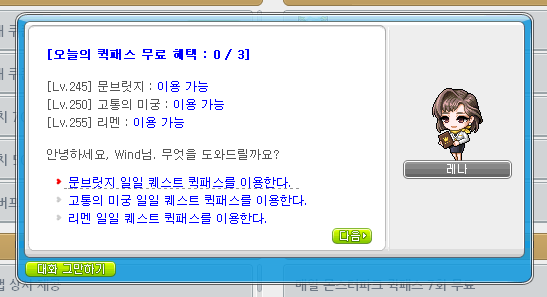
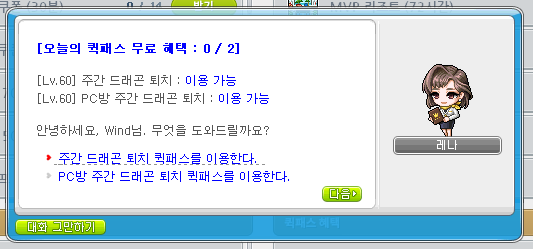
MVP RED/Black rank’s Quick Pass benefits have been added.
- 1 free daily Tenebris Daily Quest Quick Pass (Each Area)
- 2 free weekly Maple Union Weekly Quest Quick Pass
※ If you are on a character that can use the Quick Pass, you can also talk to Dragon Hunter Ms. Account to use the Quick Pass.
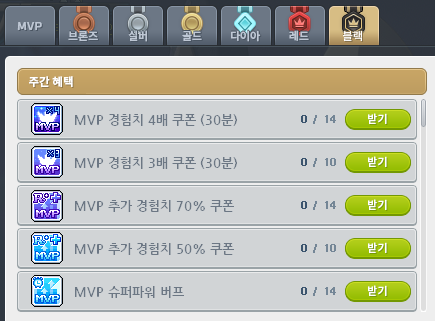
MVP Red/Black rank’s weekly benefits have been added.
- 10 MVP 3x Experience Coupons (30 Minutes)
- 10 MVP 50% Additional Experience Coupons
※ The number of rewards received from the previous rank will be maintained.
※ If you rank up from Diamond to Red/Black, any unclaimed rewards will be changed so that you cannot additionally receive them.
A shortcut key that can directly open the MVP UI has been added to the Shortcut Key Settings.
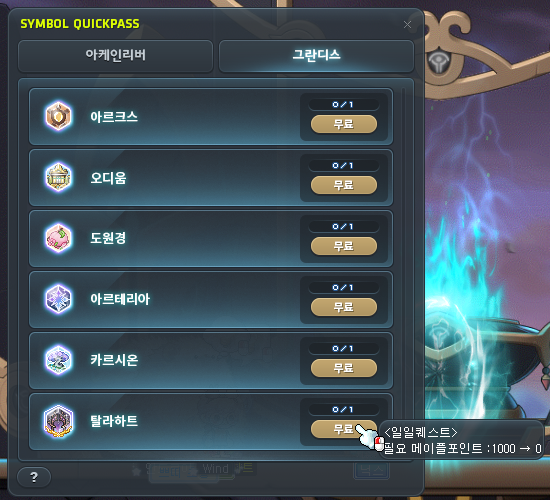
When using the Symbol Quick Pass, content that you can use the free Quick Pass on will display whether or not it is free on the button and in the tooltip.
When a character with MVP Red rank or higher uses the Symbol Quick Pass by consuming Maple Points, a confirmation window will now be displayed to confirm if you want to proceed or not.
When using the Monster Park Extreme Quick Pass while in the Monster Park map with a party member, a confirmation window will now be displayed to confirm if you want to proceed or not.
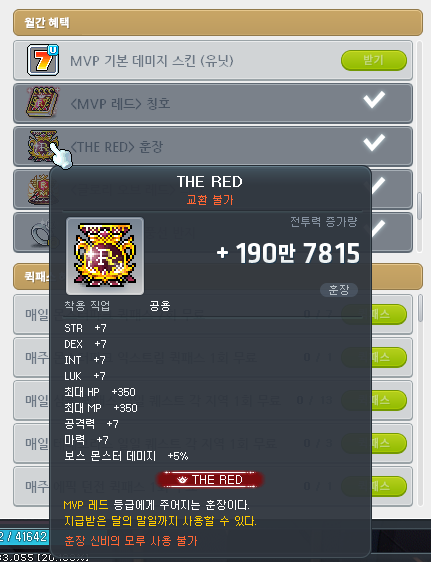
Certain images of the MVP Red rank’s title/medal/name tag ring have been changed.
The MVP UI’s icons will now be displayed in their original sizes.
If a character has a reissuable item in their possession, the UI will now display the item line as ‘Completed’.
Error Fixes
Skills
Common
- Fixed an issue where certain skills that change appearances sometimes took more time to apply the new appearance.
- Fixed an issue where sometimes Erda Nova could not be used while using certain linked skills.
- Fixed an issue where critical status effects were not ignored when casting the final attack of certain keydown skills. The following skills have been fixed.
- Fierce Cyclone
- Rapid Throw
- Smashing Multipunch
- Mascot Familiar
- Endless Agony
- Endless Agony VI
- Fixed an issue where certain skill effects were displayed in Direction Mode. The following skills have been changed.
- Aura Weapon
- Aran – Adrenaline Burst, Adrenaline Maximum
- Demon Slayer – Metamorphosis VI
- Demon Avenger – rotating Dimension Sword
- Kaiser – Dragon Blaze
- Adele – Storm
- Fixed an issue where certain skills’ movement directions did not apply the switched directional keys while in the Reverse Controls status. The following skills have been changed.
- Striker – Thunder
- Wild Hunter – White Heat Rush
- Xenon – Diagonal Chase
Hero
- Fixed an issue where sometimes your connection would end when using Flash Slash.
- Fixed an issue where Final Attack’s hit effect looked different to other characters.
- Fixed an issue where Chance Attack’s final damage boost was not applied to bound enemies.
- Fixed an issue where Advanced Final Attack’s hit effect looked different to other characters.
- Fixed an issue where Furious Edge’s hit effect looked different to other characters.
Dark Knight
- Fixed an issue where Fierce Cyclone’s final attack’s skill sound effect was not played.
Archmage (F/P)
- Fixed an issue where DoT Punisher’s fireballs were created at an awkward location.
Night Lord
- Fixed an issue where Shuriken Challenge’s action was awkward.
Night Walker
- Fixed an issue where if you died then revived in the same map, the Shadow Servant Extend shadow would move to the character’s location.
Aran
- End Game can now only be used if you have level 30 Adrenaline Maximum.
Phantom
- Fixed an issue where the skill sound effect was played awkwardly when casting Fate Shuffle.
Eunwol
- Fox God Flash’s skill description has been changed.
Battle Mage
- Fixed an issue where if you changed maps, sometimes Grim Reaper would be resummoned at an awkward location.
Wild Hunter
- Fixed an issue in Champion Raid: Dragon Island where if you switched characters after using Jaguar Storm, the Jaguar Storm buff icon would be removed.
- Fixed an issue where White Heat Rush, Wild Grenade: Flash, Wild Grenade: Spark, Wild Vulcan Type X, and Nature’s Belief did not apply the increased attack from arrows.
- Fixed an issue where the character looked awkward in the Cash Shop and Maple Auction when Draw Back was activated.
Mechanic
- Fixed an issue where Ground Zero’s large scale bombardment’s damage was incorrectly stated.
- Fixed an issue where Robot Transition: CB-P1 looked awkward in boss entry cutscenes.
- Fixed an issue where Robot Transition: CB-P1 was not removed when entering the Dimensional Battlefield.
- Fixed an issue where Robot Transition: CB-P1’s icon remained when exiting the Dimensional Battlefield.
Demon Slayer
- Fixed an issue where Cerberus VI: Tartarian Cerberus’ damage was incorrectly stated.
Zero
- Fixed an issue where Wheel Wind, Advanced Wheel Wind, and Wheel Wind VI’s skill icons were sometimes displayed as other skill icons.
Adele
- Fixed an issue where Infinite ended if you changed channels.
- Fixed an issue where Creation/Creation VI sometimes did not activate properly when using certain content.
Illium
- Fixed an issue where sometimes the Crystal’s charged magic power would be reset when using a portal.
- Fixed an issue where sometimes Machina would move to an awkward location when using a portal.
- Fixed an issue where the skill sound effect was played awkwardly when casting Crystal Transform.
Lara
- You can now use Dragon Vein Eruption if you have at least 1 Eruption skill at level 1 or higher.
Quests
Fixed an issue with the ‘[Moonbridge] Companionship with Nineheart’ quest where certain dialogue was displayed twice.
Fixed an issue with the ‘[Kaiser] Kaiser, Awakening’ quest where the icons were displayed incorrectly.
Fixed an issue with the ‘Towards Another Dimension 1’ quest where if you left through the NPC Seya, the dialogue was awkward.
Items
Fixed an issue where Zero characters’ Sharpness Shadow/Massive Shadow could be enhanced.
Fixed an issue where the item notification was not displayed when a party member opened the Boss Ring Box of Life.
Fixed the Power Elixir Packages’ tooltip’s ‘Maple Point’ spacing.
Fixed the Arcane Symbol and Authentic Symbol tooltips’ spacing.
Monsters
Suu (Normal/Hard/Extreme)
- Fixed an issue in Phase 1 where sometimes the damage reduction effect was not applied to the shield.
Will (Easy/Normal/Hard)
- Fixed an issue in Phase 2 where the heal block status effect was affected by skill effect transparency.
Jin Hilla (Normal/Hard)
- Fixed an issue where the heal block status effect was affected by skill effect transparency.
- Fixed an issue where the Altar Collapse buff effect was affected by skill effect transparency.
Kaling (Easy/Normal/Hard/Extreme)
- Fixed an issue in Phase 3 where the bind icon’s tooltip was not displayed.
Maps
Fixed an issue where you could not move to the event map from the Guard Area.
Fixed an issue where Elite Champions did not appear properly on certain maps.
Fixed an issue where ‘Cernium/Palace Main Hall’ background looked awkward.
UI
Fixed an issue where equipment items’ icons registered in the Enhancement UI were refreshed before the Star Force full screen cutscene ended.
Fixed an issue with equipment item tooltips where additional party quest experience was displayed awkwardly.
Fixed an issue with equipment item tooltips where the detailed stat ranks displayed for items with set potential lines were displayed awkwardly.
Fixed an issue with equipment item tooltips where if an item with job restrictions could not be equipped because of gender limitations, the equippable job display was awkward.
Fixed an issue with equipment item tooltips for items that disappear when you logout and cannot be enhanced where it appeared as though you could use the Bonus Stats/Soul Weapon enhancements.
Fixed an issue where equipment items that disappear when you logout and cannot be enhanced could be registered in the Enhancement UI.
Fixed an issue in the Auction House where items in the For Sale and Completed tabs would show information about Cash tradeability in the tooltips, except for items that have not been received after expiration.
Fixed an issue with shield item tooltips where the equippable job information was sometimes awkward.
Fixed an issue where there was no separate guide for if a Zero tried to equip a shield item.
Fixed an issue where the guide message was awkward when certain enhancement items could not be used.
Fixed an issue with the Enhancement UI where if you tried to use expired items, the client would freeze intermittently.
Fixed an issue with the Enhancement UI where expired items could be used.
Fixed an issue where if you tried to use an enhancement item on a currently equipped hat item, the hat item would not be registered in the Enhancement UI.
Fixed an issue where if you tried to use a Soul Enchanter while you had locked throwing stars, the locked item related guide would appear.
Fixed an issue where if the Spell Trace scroll list changed while using Clean Slate Scrolls, the scroll enhancement summary icon would be displayed in an incorrect location.
Fixed an issue with the Pet tab where if you checked certain options, the control focus would be set to the UI and it would limit character control.
Fixed an issue with the Pet tab’s Loot Ignore Item settings UI where if the registered list and search list exceeded 10 and 5 items respectively, the list would be displayed awkwardly.
Fixed an issue with the Symbol UI where the Symbol growth value tooltip display conditions were awkward.
Fixed an issue with Angelic Buster characters’ outfit presets where the shoes and cape slot locations were awkward.
Fixed an issue with the World Map UI where the guide was awkward when searching for NPCs in Pantheon.
Fixed an issue where you could not change Union attacker placements in the Sanctuary of Night and Illusions map.
Fixed an issue where the character name was displayed darkly at the bottom left corner of the screen.
Fixed an issue where if Pathfinder equipped a Special Skill Ring, the Ring Activation icon displayed in the quickslots sometimes looked awkward.
Fixed an issue where after opening the Sol Erda UI through the Full Menu or Quick Menu then logging off, the UI’s display status would not be saved.
Fixed an issue where if a character changed maps while the MapleStory window was minimzed, the external chat would disappear.
Fixed an issue where the inventory’s new item acquired icon was not affected by UI transparency.
Fixed an issue with the Item Fusion UI where certain item icons were displayed differently than the existing item ratio.
Fixed an issue where if you filtered accessories with the inventory Cosmetics Tab Filter feature, ring items were not included.
Fixed an issue where if you acquired a new item while using the inventory Cosmetics Tab Filter feature then changed to another filter, the newly acquired icon was awkward.
Fixed an issue where if you hovered over certain meso areas in the inventory, the Maple Points guide tooltip would appear.
Fixed an issue in Cross World Boss Content where line breaks in party chat and whisper chat were awkward.
Fixed an issue where if you changed to full screen after changing inventory tabs, a different tab than the one that was open before you changed to full screen would be displayed.
Fixed an issue with the Town Menu UI’s buttons where sometimes they appeared in awkward locations.
Fixed an issue with the World Guide window where certain values were awkward.
In the Character Select screen, the favourite character’s nametag will now be displayed in a different colour than the currently selected character.
Fixed an issue in the Character Select screen where sometimes Zero characters’ weapons covered their nametags.
Fixed an issue in the Character Select screen where if you had 0 characters, the Delete button looked abnormal.
Fixed an issue with the Character Select window’s World Leap UI where the departure world and dstination world were displayed awkwardly.
Fixed an issue in Challengers World’s Character Select screen where sometimes you could not check the number of characters you could move with the Challengers World Leap.
The login process’ 2nd password entry window and macro prevention text input window’s text entered will now be displayed as centered.
Fixed an issue where certain button features in the confirmation window when resetting 2nd password t hrough the Security Settings window were awkward.
Fixed an issue where the Security Settings window’s designated PC list was not displayed properly in certain situations.
Fixed an issue with the Job Select screen where sometimes the job selection menu images looked awkward.
Fixed an issue with the Job Select screen where sometimes the scroll bar looked awkward.
Fixed an issue with the Job Select screen where sometimes the job information on the left was not updated properly.
Fixed an issue where sometimes the client closed when using the Fast Login feature.
Fixed an issue where sometimes the black screen transition effect displayed awkwardly when using the Fast Login feature.
Fixed an issue where the Fast Login window’s character image and world name were displayed awkwardly.
Fixed an issue where if you completed a quest while the Quest Helper was closed, the list would not be updated properly.
Fixed an issue where the Dimensional Mirror UI’s buttons looked awkward.
Fixed an issue where if you claimed Mileage at once through the Boss Defeat Mileage menu in the Maple Scheduler, the completable quest alert window would appear incorrectly.
Fixed an issue with the Union Champion UI where SSS rank magician characters’ effects were displayed as SS rank effects.
Fixed an issue where the Champion’s Protection UI could be opened after unregistering a Union Champion.
Fixed an issue where if you equipped an MVP medal in a not currently applied equipment preset, you could reissue the medal through the MVP UI.
Fixed an issue where the timer looked awkward in time-limited quests when the UI size was set to the optimal ration in high resolutions.
Achievements
Fixed an issue where the ‘Book of Mercedes’ could not be found in the Story category.
Events
Maplestory 22nd Anniversary Event [Maple University]
Check the previous post for more information about the 22nd anniversary event!
[Minigames] Club Fair
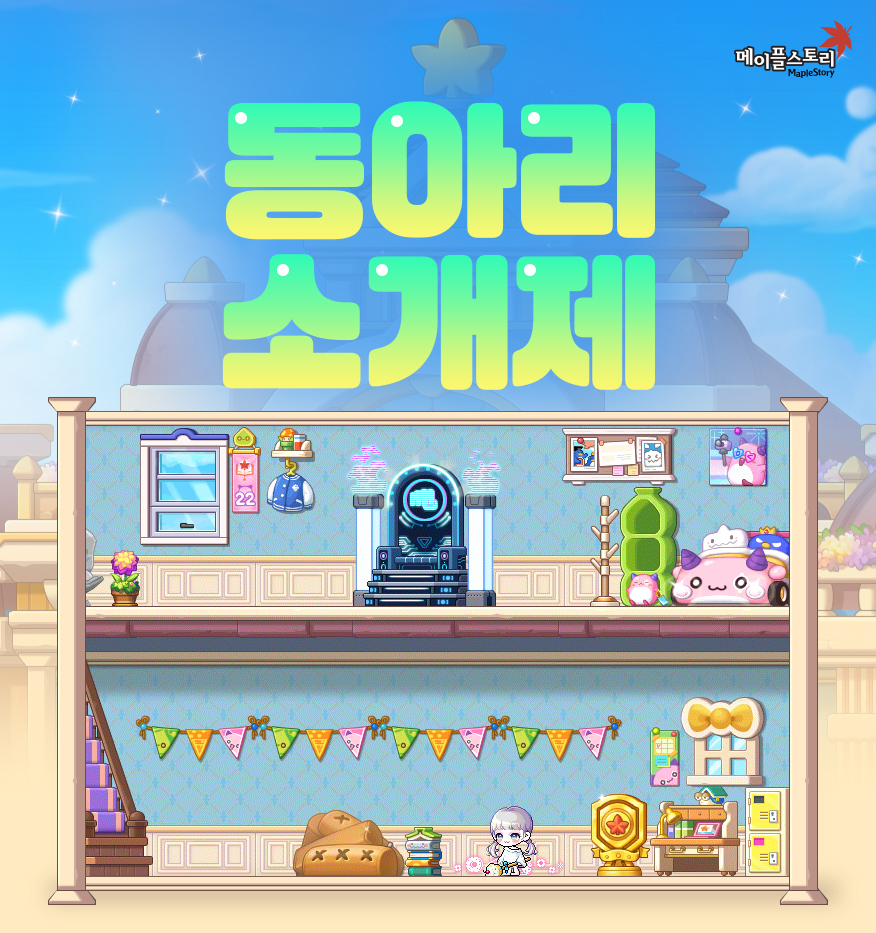
Participate in a new minigame every week and acquire Advanced EXP Vouchers, a Maple Home theme, and furniture!
Event Participation Requirements:
- A level 101 or higher character (or a Zero character that has completed story quest Chapter 2) that has participated in the ‘[Attendance Check Event] Campus Life’ event.
Event Period:
- May 22, 2025 after the maintenance ~ June 18 at 11:59 PM.
- Supernatural Yutnori: May 22, 2025 after the maintenance ~ May 28 at 11:59 PM.
- Sky Sovereigns: May 28, 2025 at 10:00 AM ~ June 4 at 11:59 PM.
- Maple Racing: June 5, 2025 at 10:00 AM ~ June 11 at 11:59 PM.
- Fight! The Legends Return: June 12, 2025 at 10:00 AM ~ June 18 at 11:59 PM.

You can select the ‘[Minigames] Club Fair’ event in the Event List and click the ‘Participate’ button or talk to Hip Rock Spirit in the <Main Campus Interior> to start the ‘[Minigames] Club Fair’ quest.
Every week, you can participate in a minigame and acquire Minigame Points.
| Game | Win | Draw | Loss |
|---|---|---|---|
| Supernatural Yutnori | 250 Points | 200 Points | 150 Points |
| Sky Sovereigns | 200 Points | 150 Points | 100 Points |
| Maple Racing | 1st~2nd : 200 Points | – | 5th~6th : 130 Points |
| 3rd~4th : 170 Points | 7th~8th : 100 Points | ||
| Fight! The Legends Return | 500 Points | – | 250 Points |
Event Rewards:

- Advanced EXP Vouchers
- When you acquire 1,000 Points from each minigame, you can acquire 2,000 Advanced EXP Vouchers.
- The Advanced EXP Vouchers can only be received once per minigame.
- The number of Advanced EXP Vouchers will be accumulated, and you can claim then at any time during the event period.
- Maple Home Theme and Furniture
- You can acquire 8 types of Maple Home furniture from each minigame.
- If you acquire enough points to get all of the furniture, you can acquire the Maple Home theme.
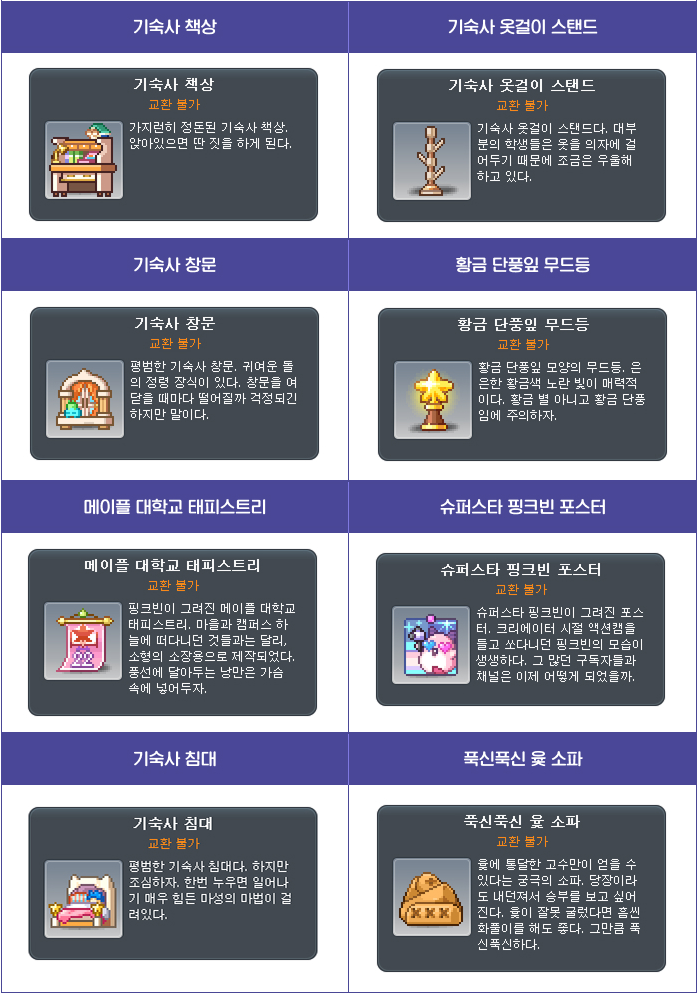
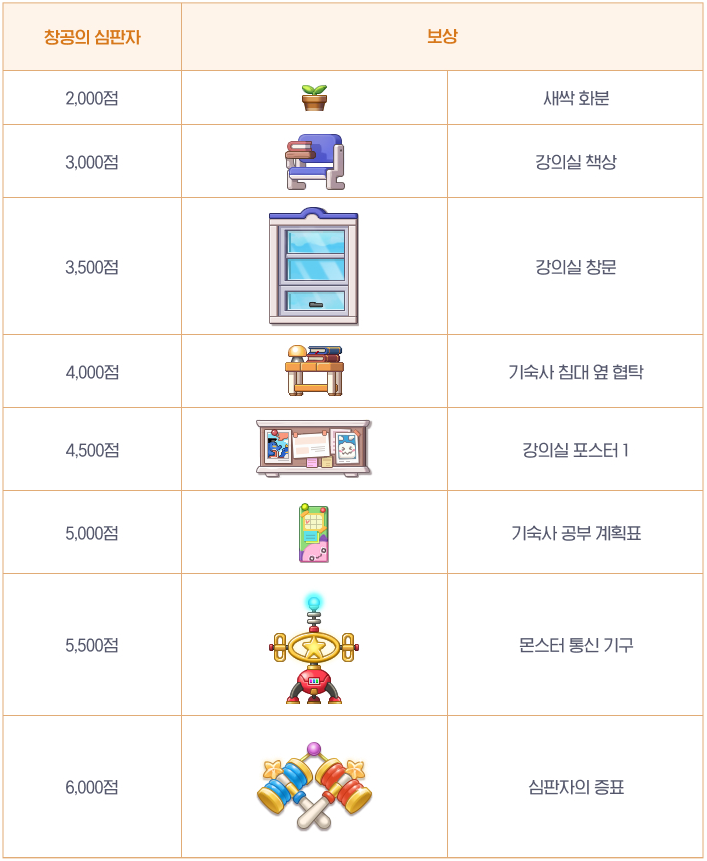
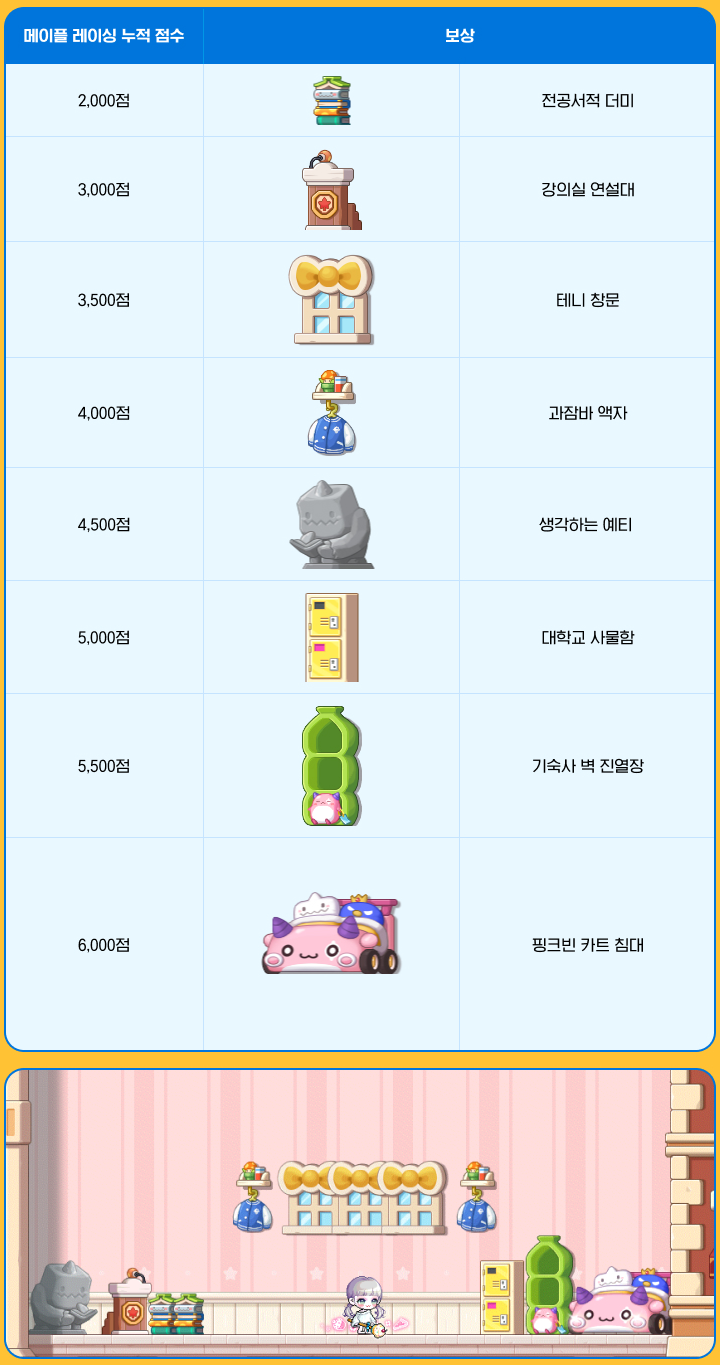
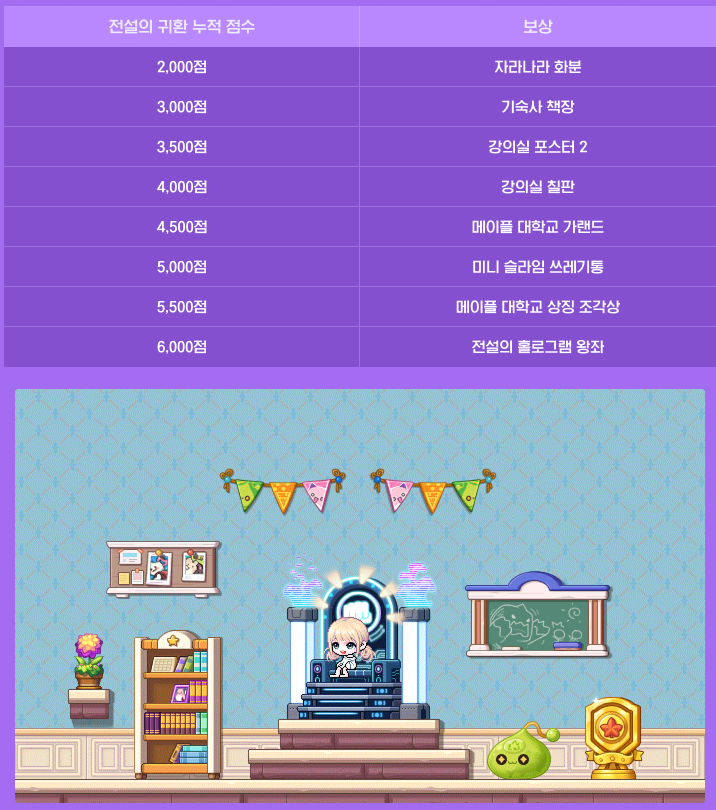
| Points | Supernatural Yutnori | Sky Sovereigns | Maple Racing | Fight! The Legends Return |
|---|---|---|---|---|
| 2,000 | Dormitory Desk | Sprout Flowerpot | Pile of Textbooks | Growing Flowerpot |
| 3,000 | Dormitory Hanger Stand | Classroom Desk | Classroom Lecture Podium | Dormitory Bookshelf |
| 3,500 | Dormitory Window | Classroom Window | Teddy Window | Classroom Poster 2 |
| 4,000 | Gold Maple Leaf Moodlight | Dormitory Bedside Table | Bomber Jacket Frame | Classroom Chalkboard |
| 4,500 | Maple University Tapestry | Classroom Poster 1 | Thinking Yeti | Maple University Garland |
| 5,000 | Superstar Pink Bean Poster | Dormitory Study Scheduler | University Locker | Mini Slime Trash Can |
| 5,500 | Dormitory Bed | Monster Communicator | Dormitory Wall Display Case | Maple University Emblem Statue |
| 6,000 | Soft Yut Sofa | Sovereign’s Mark | Pink Bean Kart | Legendary Hologram Throne |
[Minigames] Supernatural Yutnori
Enjoy the returning Supernatural Yutnori!
Event Participation Requirements:
- A level 101 or higher character (or a Zero character that has completed story quest Chapter 2) that has participated in the ‘[Minigames] Club Fair’ event.
Event Period:
- May 22, 2025 after the maintenance ~ May 28 at 11:59 PM.
You can select the ‘[Minigames] Club Fair’ event in the Event List and click the ‘Participate’ button or talk to Hip Rock Spirit in the <Maple University: Main Campus> map to enter the <Supernatural Yutnori: Waiting Room>.
Talk to the Hip Stone Spirit to register for the waiting list to participate in Supernatural Yutnori.
Game Description
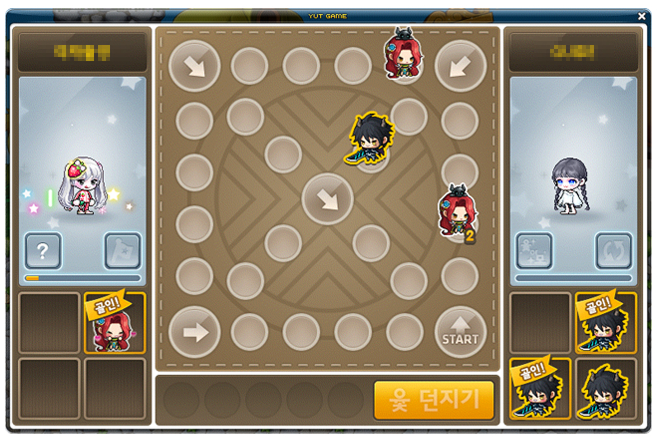
- You can participate in Supernatural Yutnori in either Matching or Party Play. For Party Play, you must be in a party of 2 people.
- If you participate in Supernatural Yutnori as a party, you will not accumulate Yutnori Points.
- When the game starts, you will be given 2 random one-time supernatural powers.
- You can throw the Yut on your turn and move your pieces along the path based on the result.
- If you throw a Yut or Mo, or if you catch the opponent’s piece, you can throw the Yut one more time.
- You can use a supernatural power before throwing the Yut during your turn. If you throw the Yut after using a supernatural power, the supernatural power will be linked to the Yut result.
- You will win if you get all 4 of your pieces to the finish line first within the time limit.
- You can acquire Yutnori Points based on the game results.
※ The Yutnori Points are shared within the Maple ID.
| Result | Yutnori Points |
|---|---|
| Win | 250 |
| Draw | 200 |
| Loss | 150 |
※ If you exceed the time limit 5 times and are kicked out, or if you leave the game, you will not acquire Yutnori Points and will not be able to participate in the game for 10 minutes.
[Minigames] Sky Sovereigns

Rule the battlefield by delivering judgement to your opponents with your hammer!
Event Participation Requirements:
- A level 101 or higher character (or a Zero character that has completed story quest Chapter 2) that has participated in the ‘[Minigames] Club Fair’ event.
Event Period:
- May 29, 2025 at 10:00 AM ~ June 4 at 11:59 PM.
You can select the ‘[Minigames] Club Fair’ event in the Event List and click the ‘Participate’ button or talk to Hip Rock Spirit in the <Maple University: Main Campus> map to enter the <Sky Sovereigns: Waiting Room>.
Talk to the Hip Stone Spirit to register for the waiting list to participate in Sky Sovereigns.
Game Description
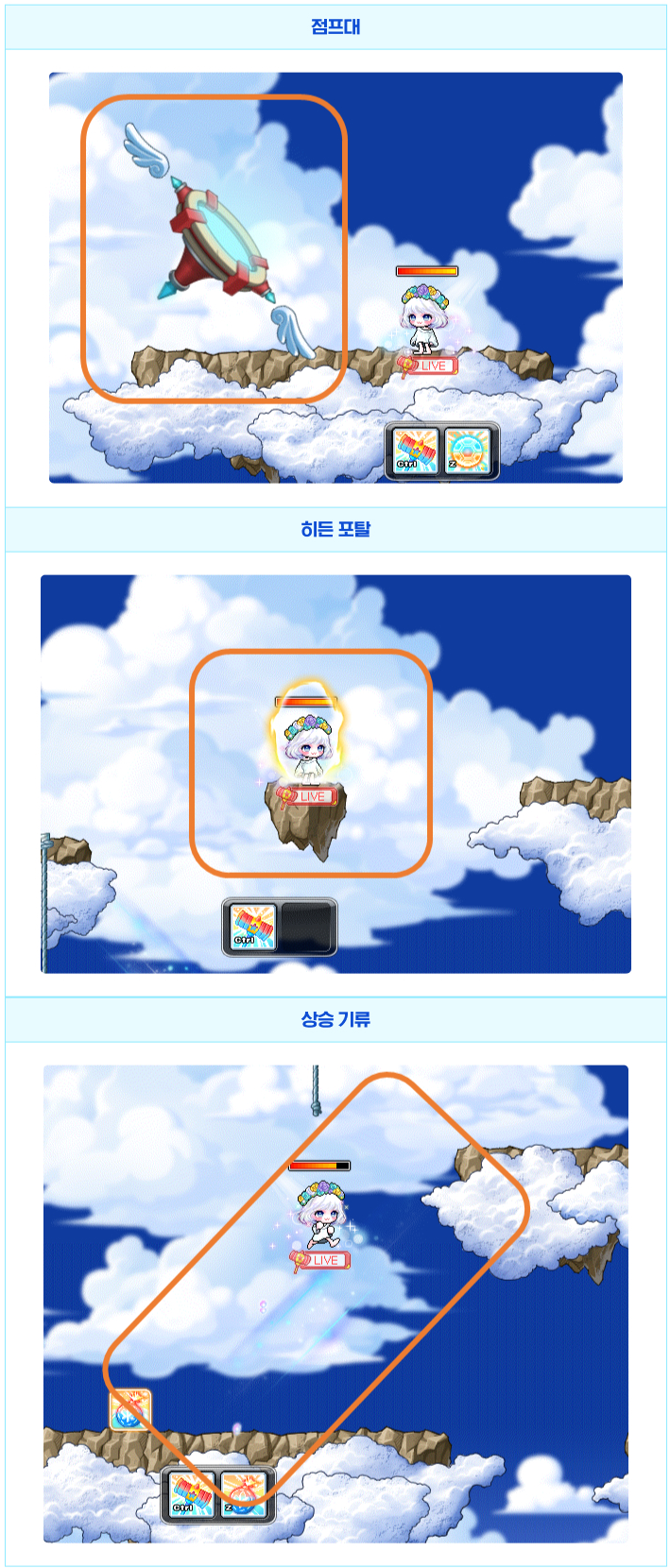
- You will be matched with 14 players cross-world to enter a single game.
※ When you enter, all buff effects will be removed.
※ If you do not move for 10 seconds, you will receive a warning. If you accumulate 2 warnings, you will be kicked out of the game and receive a penalty.
※ If you give up during the game, you will also receive a penalty.
※ If you have received a penalty, you cannot participate in the minigame on all characters within the Maple ID for 10 minutes.
- Sky Sovereigns has a 3 minute time limit.
- Players that enter the game will be divided into the RED and BLUE teams.
- The colour of the character’s name tag, HP bar, and skills will change based on the team they are on.
- You can press the jump key while jumping to use a Double Jump.
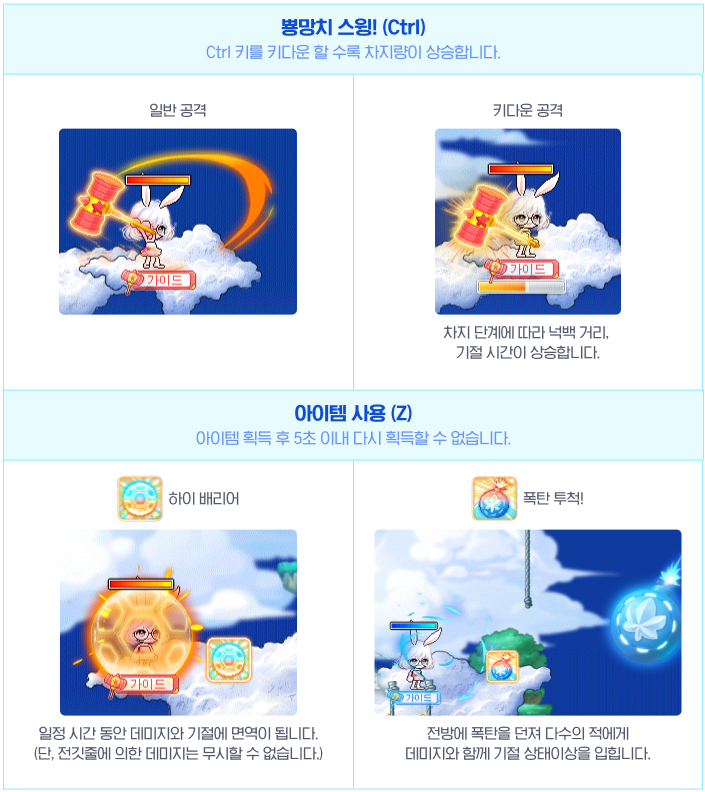
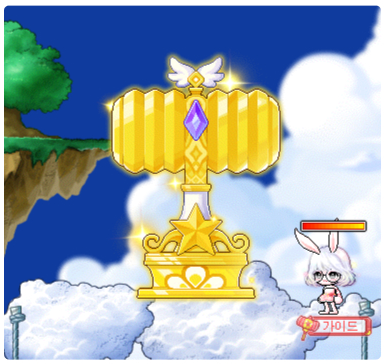
- You can use the ‘Hammer Swing!’ skill by using the Ctrl key. You can charge the hammer by holding it down, and when you release the key, you can swing the hammer to damage and stun multiple enemies. When it is fully charged, the stun time and knockback distance are increased.
- Items will be created throughout the map, and if you acquire them, you can use an Item skill.
- Throw Bomb!: When used, throw a bomb in front of you to damage and stun multiple enemies.
- High Barrier: When used, you become immune to damage and stuns for a certain period of time. However, you cannot ignore death from the electric currents.
- If you defeat enemies or break the Golden Hammer, you will acquire individual points.
- Defeat an enemy: 1 point
- Destroy the Golden Hammer: 5 points
- When the game ends, the individual scores of the RED or BLUE teams are added up and the team with the higher score will win.
- You can acquire Sky Sovereign Points based on the game results. Individual points acquired in game will be added to your Sky Sovereign Points.
| Result | Sky Sovereign Points |
|---|---|
| Win | 200 |
| Draw | 150 |
| Loss | 100 |
※ If you are kicked out or you give up during the game, you will not acquire Sky Sovereign Points.
※ You can settle up to 100 individual points.
[Minigames] Maple Racing
Ride a kart and enjoy Maple Racing!
Event Participation Requirements:
- A level 101 or higher character (or a Zero character that has completed story quest Chapter 2) that has participated in the ‘[Minigames] Club Fair’ event.
Event Period:
- June 5, 2025 at 10:00 AM ~ June 11 at 11:59 PM.
You can select the ‘[Minigames] Club Fair’ event in the Event List and click the ‘Participate’ button or talk to Hip Rock Spirit in the <Maple University: Main Campus> map to enter the <Village Handy Harbor Entrance>.
Talk to the Hip Stone Spirit to register for the waiting list to participate in Maple Racing.
Game Description
- You will be matched with 8 players cross-world to enter a single game with a 10 minute time limit.
※ When you enter, all buff effects will be removed.
※ If you do not play for a certain amount of time when inside, you will receive a penalty.
- The game is played on an individual basis. If a player crosses the finish line first within the time limit, the game will end after a 10-second countdown.
※ Rankings are determined in the order in which players arrive within the 10-second countdown. If they do not cross the finish line in time, the rankings are determined by the distance remaining to the finish line.
- You can acquire Racing Points based on the game results.
| Ranking | Racing Points |
|---|---|
| 1st~2nd | 200 |
| 3rd~4th | 170 |
| 5th~6th | 130 |
| 7th~8th | 100 |
Detailed Rules
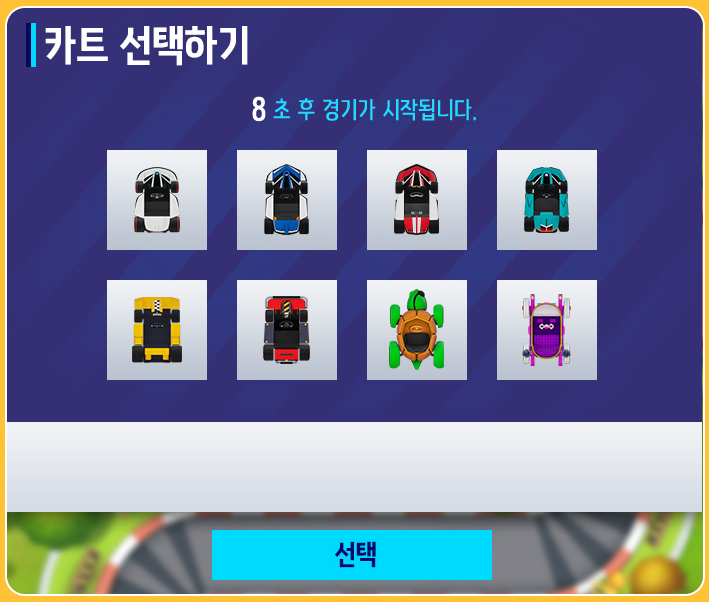
- After matching is complete, you can select a kart in the kart selection window before the game starts.
※ You must select a kart within 9 seconds. If not, you will use a random kart.
- The game is played on an individual basis. If a player crosses the finish line first within the time limit, the game will end after a 10-second countdown.
※ Rankings are determined in the order in which players arrive within the 10-second countdown. If they do not cross the finish line in time, they will be retired and the rankings are determined by the distance remaining to the finish line.
Controls
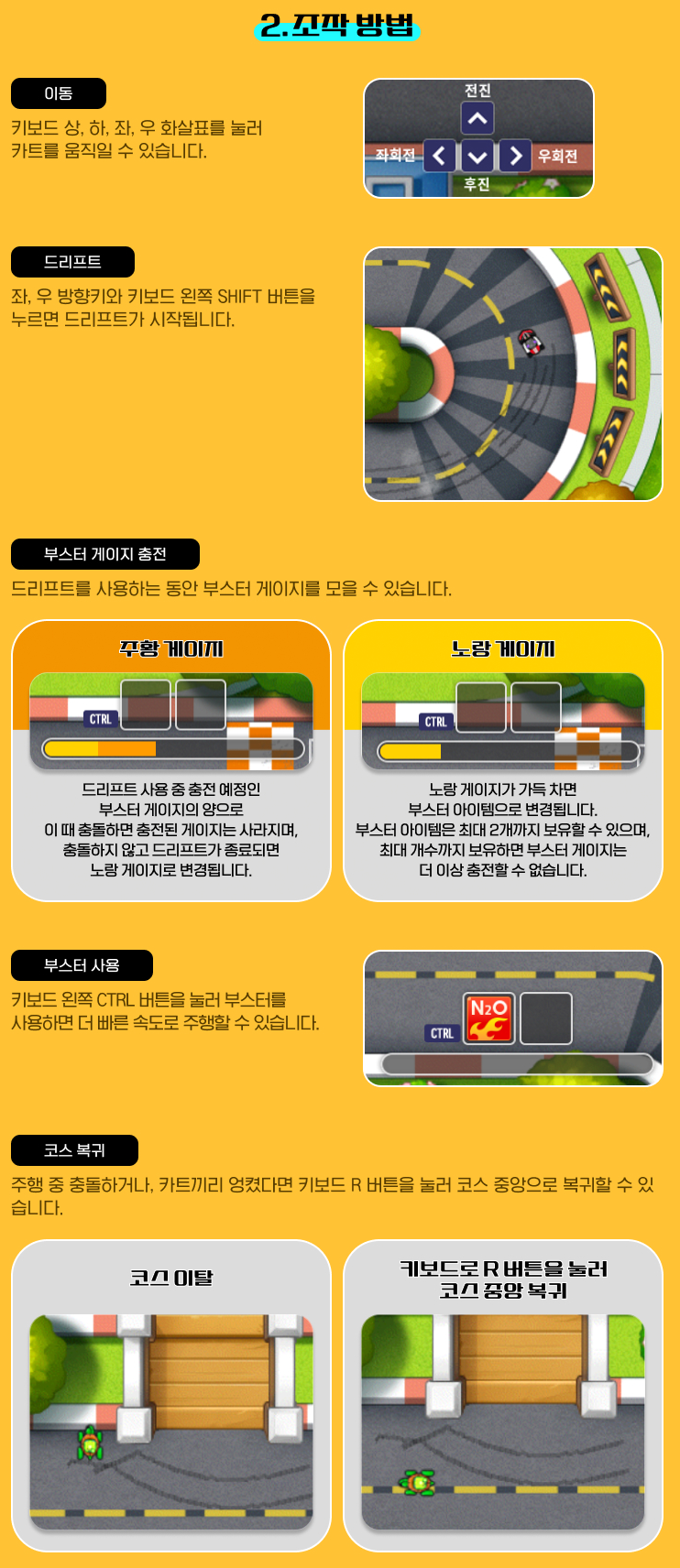
- You can move your Kart using the up, down, left, and right keys on the keyboard.
- You can use the Departure Booster by pressing the up arrow key at the same time as the departure signal.
- You will not collide with other karts for 10 seconds after the game starts.
- You can drift by using the Shift key.
※ The Booster Gauge is charged differently based on the drift angle.
- Orange: The amount of Booster Gauge prepared to be charged during the drift. If a collision occurs at this time, the Booster Gauge’s accumulated orange amount will disappear. If the drift ends without a collision, the Gauge will change to yellow.
- Yellow: When the Booster Gauge is fully charged, it will change into a Booster item. You can hold up to 2.
- If you are holding 2 Booster items, the Booster Gauge will no longer charge.
- When the up arrow key is pressed at the end of a drift, a Short Booster is activated.
- You can use Booster items by pressing the Ctrl key to go faster than your Kart’s maximum speed.
- You can return your Kart to the course by pressing the R key.
- You can use your mouse to click the Exit button to leave the game.
※ You can leave the game by using the Exit button while playing but you will not receive rewards.
※ If you leave the game before the Exit button is activated, you will not receive rewards and your record will not be saved.
※ Content usage may be restricted if you continuously interfere with gameplay and prevent others from playing normally during the event.
[Minigames] Fight! The Legends Return
The Legends Return returns! Take control of the digitally restored legendary characters and win the battle!
Event Participation Requirements:
- A level 101 or higher character (or a Zero character that has completed story quest Chapter 2) that has participated in the ‘[Minigames] Club Fair’ event.
Event Period:
- June 12, 2025 at 10:00 AM ~ June 18 at 11:59 PM.
You can select the ‘[Minigames] Club Fair’ event in the Event List and click the ‘Participate’ button or talk to Hip Rock Spirit in the <Maple University: Main Campus> map to enter the <Battle Ground Entrance>.
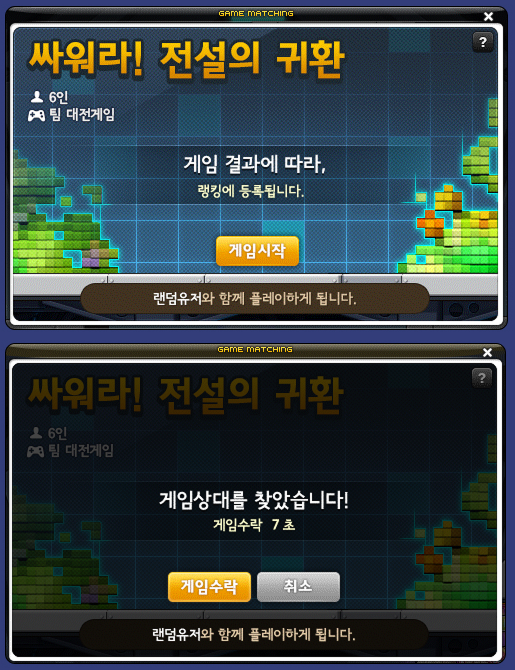
Talk to the Hip Stone Spirit to register for the waiting list to participate in Fight! Legends Return in Practice Mode or Real Mode.
※ If you do not accept or do not participate in the game after the matching is complete, you will not be able to enter matching or check rankings for 10 minutes.
※ If you leave the game before the game completely ends, you will automatically be given a defeat and will not be able to enter matching or check rankings for 30 minutes.
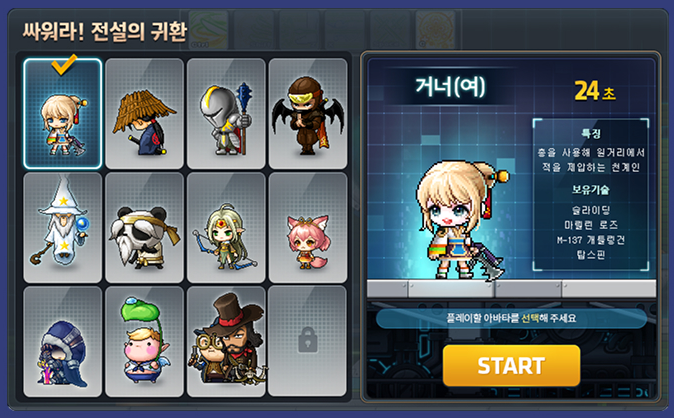
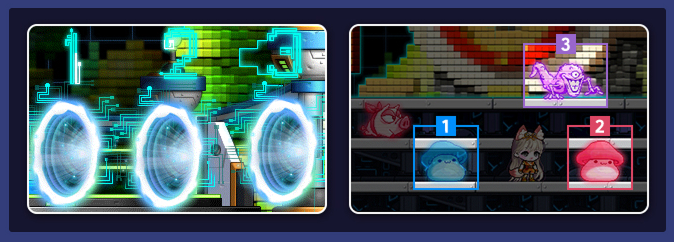
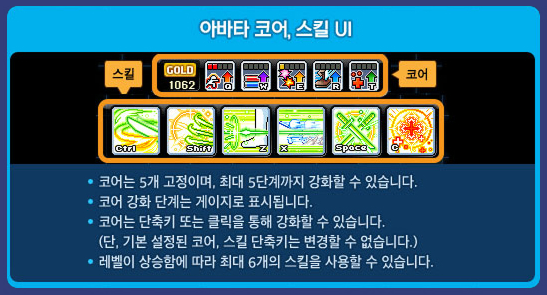
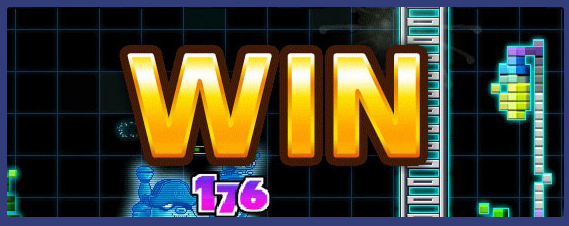
- In Real Mode, the game will end when you enter the final battle and defeat all enemy players.
- You can acquire Legends Return Points based on the game results in Real Mode.
| Result | Legends Return Points |
|---|---|
| Win | 500 |
| Loss | 250 |
Cumulative Win Rewards
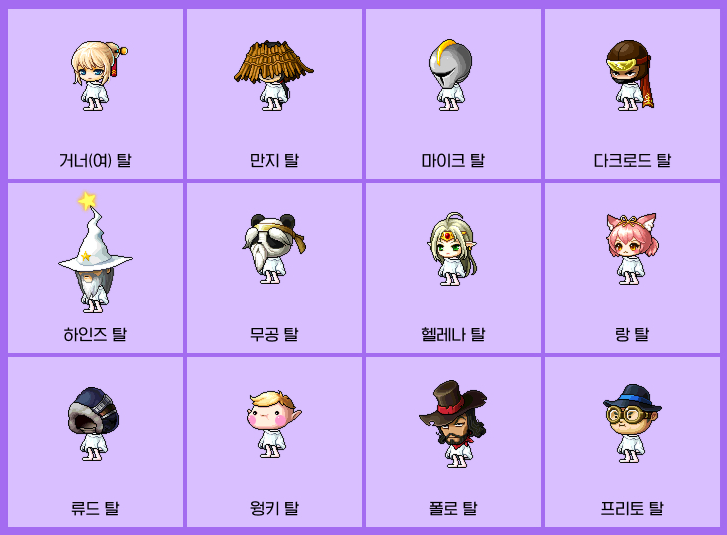
During the event period, if you achieve a certain number of wins with a specific character, you can receive the following rewards.
| Mission | Cumulative Win Reward |
|---|---|
| Win as the Gunner (F) avatar 15 times. | Gunner (F) Mask Voucher |
| Win as the Manji avatar 15 times. | Manji Mask Voucher |
| Win as the Mike avatar 15 times. | Mike Mask Voucher |
| Win as the Dark Lord avatar 15 times. | Dark Lord Mask Voucher |
| Win as the Heinz avatar 15 times. | Heinz Mask Voucher |
| Win as the Mu Gong avatar 15 times. | Mu Gong Mask Voucher |
| Win as the Helena avatar 15 times. | Helena Mask Voucher |
| Win as the Lang avatar 15 times. | Lang Mask Voucher |
| Win as the Ryude avatar 15 times. | Ryude Mask Voucher |
| Win as the Wonky avatar 15 times. | Wonky Mask Voucher |
| Win as the Polo & Fritto avatar 15 times. | Polo Mask Voucher Fritto Mask Voucher |
※ The Character Mask Vouchers can only be put into storage and will expire in 7 days.
※ The Character Masks acquired from the Character Mask Vouchers are untradable and permanent.
※ The cumulative win rewards can only be acquired 1 time per Maple ID.
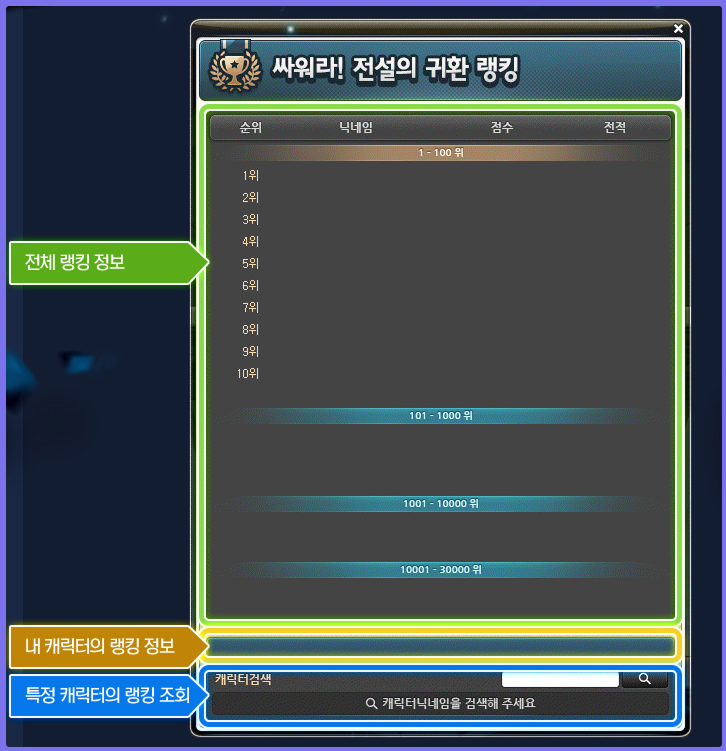
Ranking Rewards
- Reward Claim Period:
- July 17, 2025 after the maintenance ~ July 23, 2025 at 11:59 PM.
- 1st~100th:
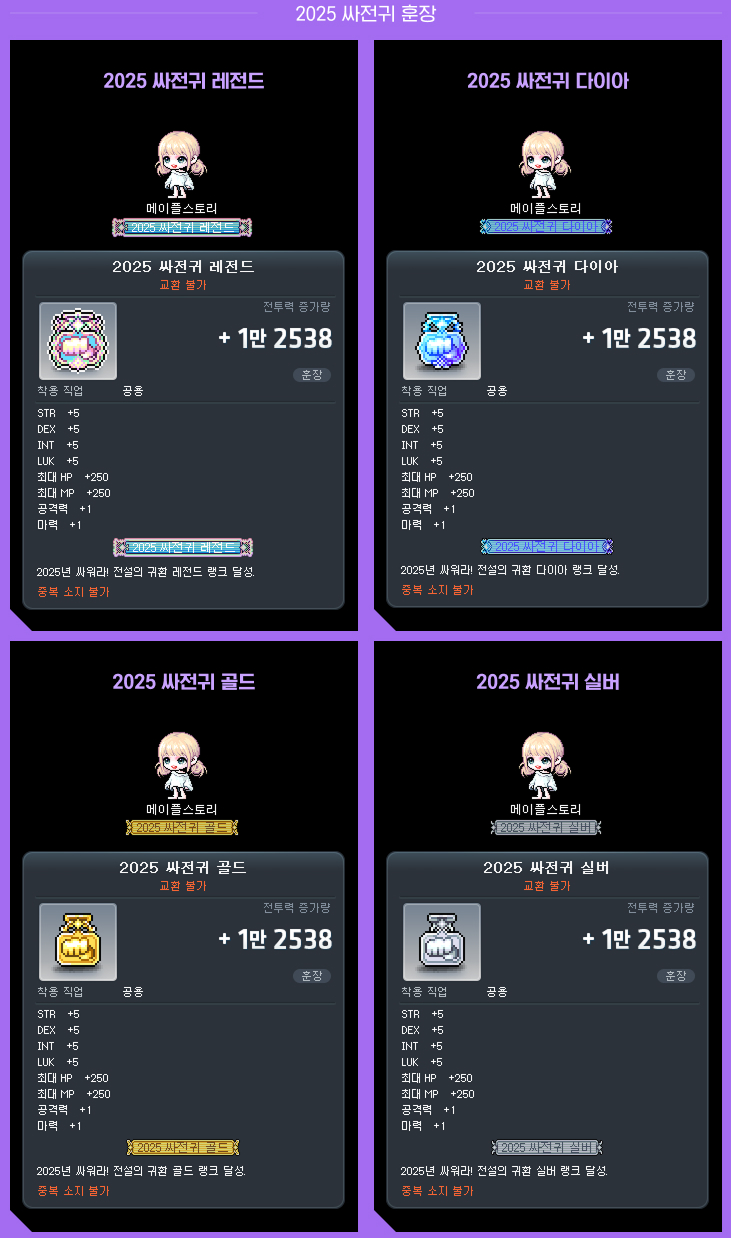
- 2025 Fight! The Legends Return Legend Medal
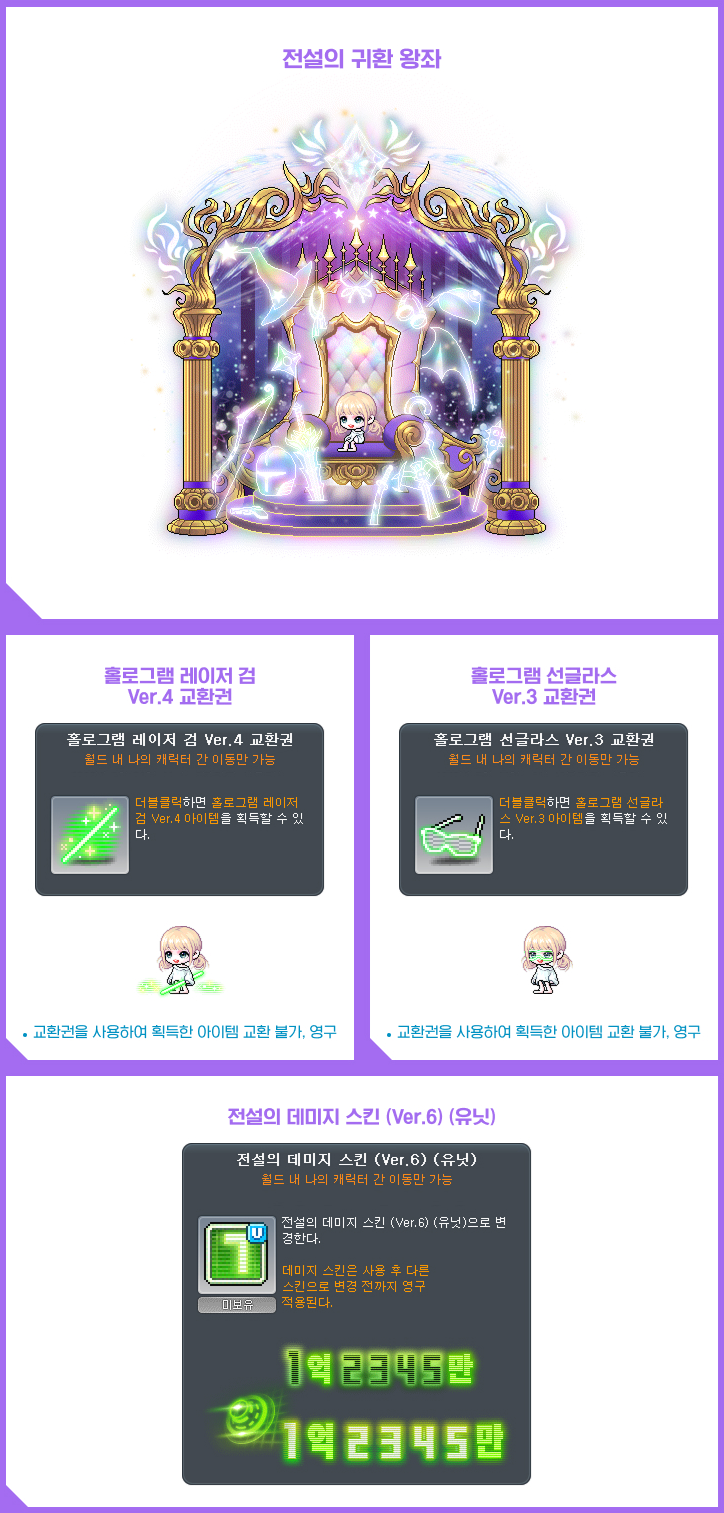
- The Legends Return Throne
- Hologram Laser Sword Ver. 4 Voucher
- Hologram Sunglasses Ver. 3 Voucher
- Legendary Damage Skin (Ver. 6) (Unit)
- 101st~1,000th:
- 2025 Fight! The Legends Return Diamond Medal
- Hologram Laser Sword Ver. 4 Voucher
- Hologram Sunglasses Ver. 3 Voucher
- Legendary Damage Skin (Ver. 6) (Unit)
- 1,001st~10,000th:
- 2025 Fight! The Legends Return Gold Medal
- Hologram Sunglasses Ver. 3 Voucher
- Legendary Damage Skin (Ver. 6) (Unit)
- 10,001st~30,000th:
- 2025 Fight! The Legends Return Silver Medal
- Legendary Damage Skin (Ver. 6) (Unit)
※ The Legends Return Throne can only be put into storage and is permanent.
※ The Hologram Laser Sword Ver. 4 Voucher, Hologram Sunglasses Ver. 3 Voucher, and Legendary Damage Skin (Ver. 6) (Unit) can only be put into storage and will expire in 7 days.
※ The 2025 Fight! Legends Return medals are untradable and unique items.
※ The rankings are registered based on the Maple ID, and the rewards can only be acquired 1 time per Maple ID.
※ The ranking rewards’ details and provision schedules are subject to change.
※ If you participate in the event through unfair means, you may be excluded from the ranking registration and may be restricted from using the game or content.
※ If your game usage is restricted for other reasons during the event period, your registered ranking may be revoked.
The following Avatars’ skills and stats have been changed.
- Dark Lord
- When you are hit with the Dragon Poison Technique skill with 4 stacks of Deadly Poison, it will now decrease your movement speed.
- When you use the Giant Shuriken skill, the Giant Shuriken will now fly faster.
- Ryude
- The basic attack’s damage has been decreased by 20.
- When leveling up after level 9, the HP boost has been increased from 350 to 400.
- The True Soul Sword skill’s cooldown has been decreased from 20 seconds to 15 seconds.
- Heinz
- The Healing Orb’s recovery amount has been increased by 15.
- Wonky
- Level 1 Wonky Jade Stage 3’s damage has been decreased from 900% to 850%.
- Level 2 Wonky Jade Stage 3’s damage has been decreased from 1200% to 1100%.
The following Avatars’ errors have been fixed.
- Polo/Fritto
- Fixed an issue where if Avatar Polo climbed on a rope, it looked awkward.
- Fixed an issue where if you used Nimble Shift, you would not be affected by Reverse Keys status effect.
- Manji
- Fixed an issue where the Sky Cut skill sometimes did not attack certain enemies.
- Gunner (F)
- Fixed an issue where somettimes you would not be stunned when using certain skills.
- Lang
- Fixed an issue where if you used Fox Mountain Pass, sometimes it would not find enemies.
- Fixed an issue where if you used ‘Spirit Barrier: 2’, it looked like 4 guardian spirits were summoned.
Dimensional Tower
A strange dimensional gate has appeared at the Maple University. Challenge the Dimensional Tower and receive gifts!
Event Participation Requirements:
- A level 101 or higher character (or a Zero character that has completed story quest Chapter 2) that has participated in the ‘[Attendance Check Event] Campus Life’ event.
Event Period:
- May 22, 2025 after the maintenance ~ June 4 at 11:59 PM.
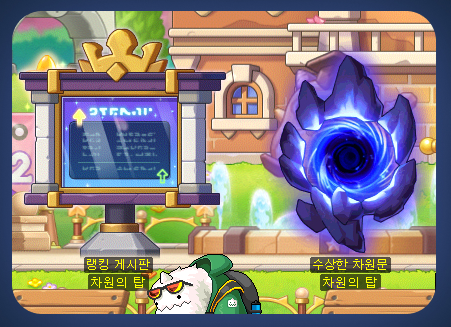
You can select the ‘Dimensional Tower’ event in the Event List and click the ‘Participate’ button or talk to the Strange Dimensional Gate in the <Main Campus Interior> to start the ‘[Dimensional Tower] To the Top of the Dimension’ quest.
You can select the ‘Dimensional Tower’ event in the Event List and click the ‘Participate’ button or talk to the Strange Dimensional Gate NPC to move to the Dimensional Tower.
※ When you enter, all buff effects will be removed.
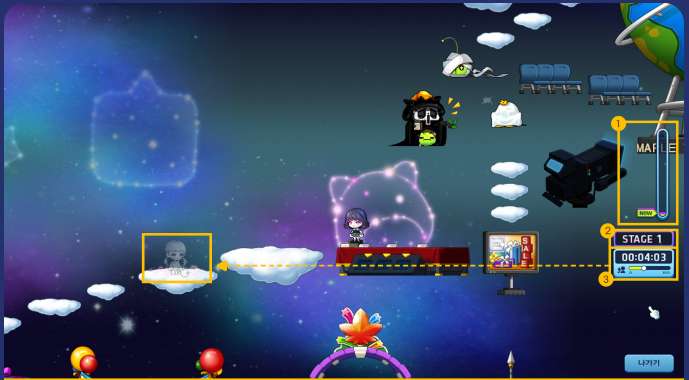
Characters who move to the Dimensional Tower will be placed at the starting area at the bottom of the map.
※ Regardless of the maximum height reached by a character, you will always be placed at the starting area at the bottom of the map.
If you reach the top floor of the Dimensional Tower Stage 1 and move to Stage 2, you can from the starting area of Stage 2 when you re-enter afterwards.
※ After completing Stage 1, when you enter the Dimensional Tower, you can select which Stage you want to enter.
You can climb the tower using basic controls.
※ You can move with the arrow keys, jump, and use portals.
You can look at the UI to see the time accumulated since entering the Dimensional Tower this time, the maximum height reached by a character within the world, and your current character’s height.
You can adjust the transparency of other characters by clicking or dragging the button on the UI.
You can exit the Dimensional Tower by clicking the Exit button.
※ The next time you enter the Dimensional Tower, your character will be placed at the starting area at the bottom of the Stage that you entered.
Dimensional Tower Gifts
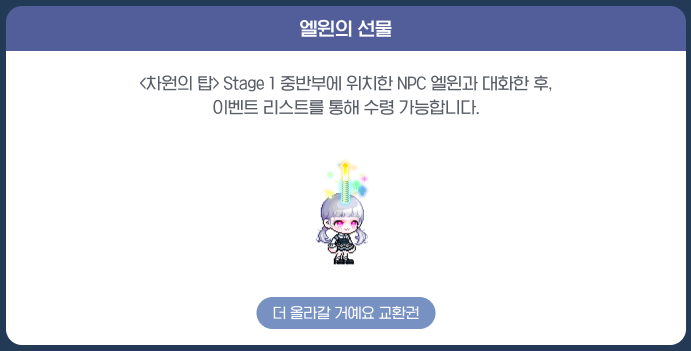
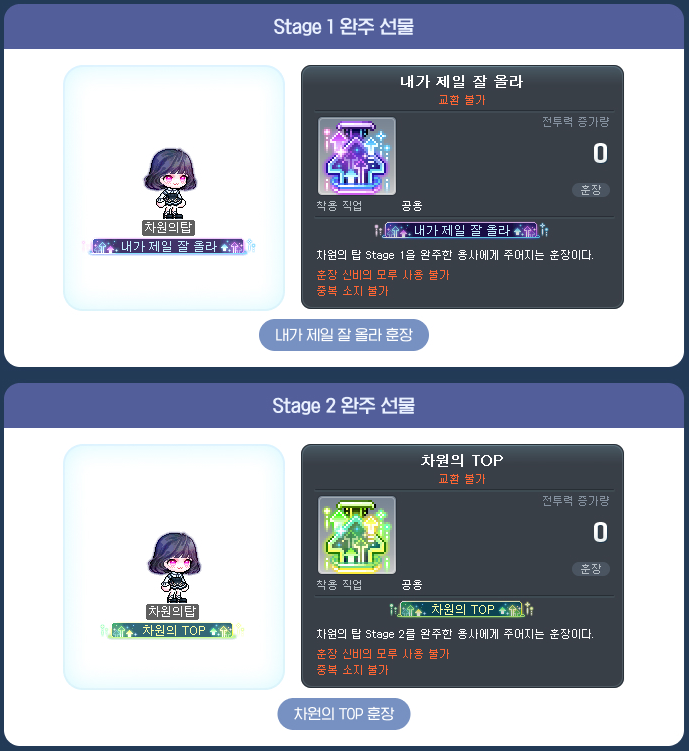
After talking to the NPCs located inside the Dimensional Tower, you can receive rewards through the Event List.
| Type of Gift | Name | Duration | Tradability |
|---|---|---|---|
| Elwin’s Gift | I’ll Climb Up More Voucher (Hat) | 7 Days | Can only be put into storage |
| Dimensional Tower Completion Gifts | I’m the Best Climber (Medal) | Permanent | Untradeable |
| TOP of the Dimension (Medal) | Permanent | Untradeable |
※ After talking to Elwin located in the middle of the Dimensional Tower, you can receive Elwin’s Gift through the Event List.
※ After using the portal or talking to Elwin at the top of the Dimensional Tower Stage 1, you can receive the first Dimensional Tower Completion Gift through the Event List.
※ After talking to Heinz at the top of the Dimensional Tower Stage 2, you can receive the second Dimensional Tower Completion Gift through the Event List.
※ Elwin’s gift can only be claimed once per world.
※ The DImensional Tower completion gifts can only be claimed once per character.
※ The items acquired from using the vouchers will be untradeable and permanent.
Rankings
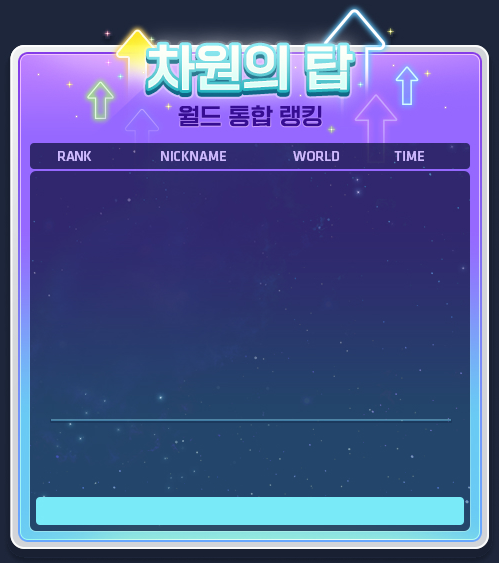
You can check the ranking information through the Rankings Bulletin Board NPC located in the Main Campus Interior or the Dimensional Tower Interior.
You can register for the rankings through the NPC Heinz located at the top of the Dimensional Tower Stage 2.
You can only register one character per Maple ID, the one with the fastest completion record.
※ If your completion record exceeds 24 hours, it will be saved at 24 hours.
※ You cannot register for the rankings if your completion record exceeds 10 hours.
※ Completion record saving and ranking registrations are restricted for Red PC.
| Ranking | Reward | Duration |
|---|---|---|
| 1st | TOP of the Dimension Diamond Furniture Voucher | 7 Days |
| 1st~10th | TOP of the Dimension Gold Furniture Voucher | |
| 1st~100th | TOP of the Dimension Silver Furniture Voucher |
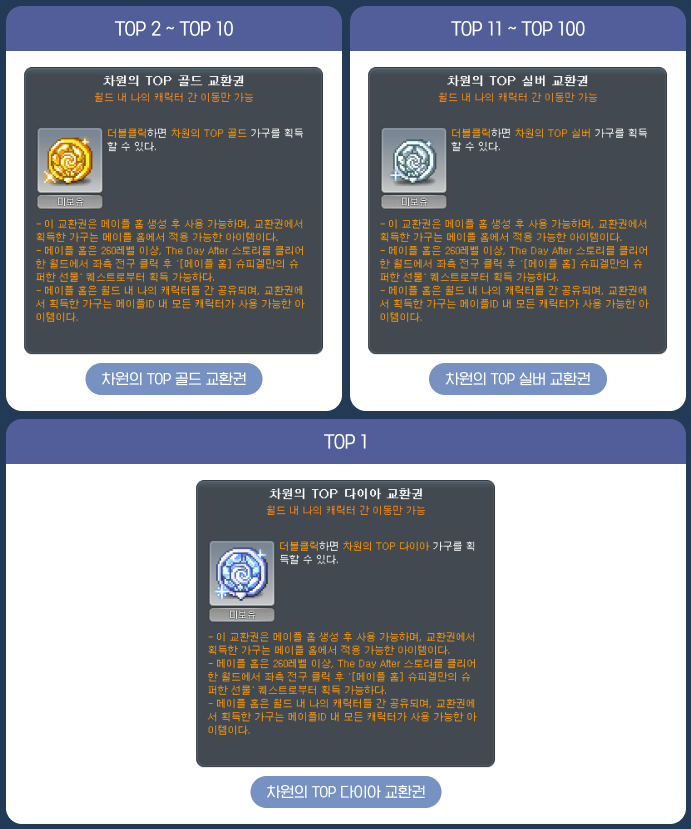
※ Ranking rewards will be provided after the event period ends.
※ You must talk to Heinz at the top of Stage 2 to properly record your completion time.
※ The rewards can only be claimed 1 time per Maple ID.
※ If there are multiple of the same completion time on the rankings, the time that was registered earlier will be ranked higher.
※ If your game usage is restricted for other reasons during the event period, your registered ranking may be revoked.
Achievements
The achievements can be completed until June 4 at 11:59 PM.
| Achievement Name | Achievement Conditions |
|---|---|
| [Dimensional Tower] The Important Thing is the Unbreakable Spirit | Complete the Dimensional Tower Stage 1. |
| [Dimensional Tower] When I’m Having a Hard Time, I Climb the Tower | Complete the Dimensional Tower Stage 2. |
| [Dimensional Tower] How Have You Been? | Complete the conversation with the Dimensional Tower Stage 1 NPCs. |
| [Dimensional Tower] See You Next Time | Complete the conversation with the Dimensional Tower Stage 2 NPCs. |
Dimensional Tower On AIR
During the event period, channel 1 of each world will be livestreamed on YouTube on the Maple On Air channel.
※ When entering the Dimensional Tower, character names and speech bubble information may be shown on the YouTube livestream and may be used for video materials such as replays in the future.
World’s Best Punch King Season 3
A chance to determine Maple World’s strongest players! World’s Best Punch King! Participate in the Punch King and challenge yoruself for ranking rewards!
Event Participation Requirements:
- A level 200 or higher character (or a Zero character that has completed story quest Chapter 2) that has completed the 5th job advancement.
Event Period:
- May 22, 2025 after the maintenance ~ June 4 at 11:59 PM.
You can select the ‘World’s Best Punch King Season 3’ event in the Event List and click the ‘Participate’ button to proceed.
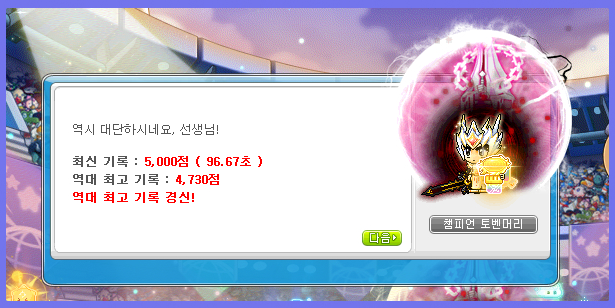
You can talk to the Champion Toben Hair Hero to enter the entry preparation area and get ready to challenge Punch King. When you enter the entry preparation area, all buff effects will be removed.
When you enter, you will have 2 minutes to attack the Punch King monsters. There are a total of 6 stages, and the next stage will begin when you defeat all of them. As the stages increase, the level, defenses, and health of the enemies will grow higher.
※ If you leave partway through, yor points will be reset.
※ You cannot change Ability presets while challenging the Punch King.
※ You cannot use HEXA skill Common Cores while challenging the Punch King.
After it ends, you can talk to the Champion Toben Hair Hero to register in the rankings. You can also talk to him to challenge Punch King again, and when you do so, your buffs will not be reset.
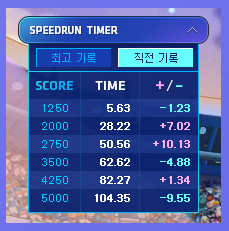
You will only be registered in the rankings if you have reached 5,000 points or higher, and you will be ranked based on the time it took to defeat all stages of monsters.
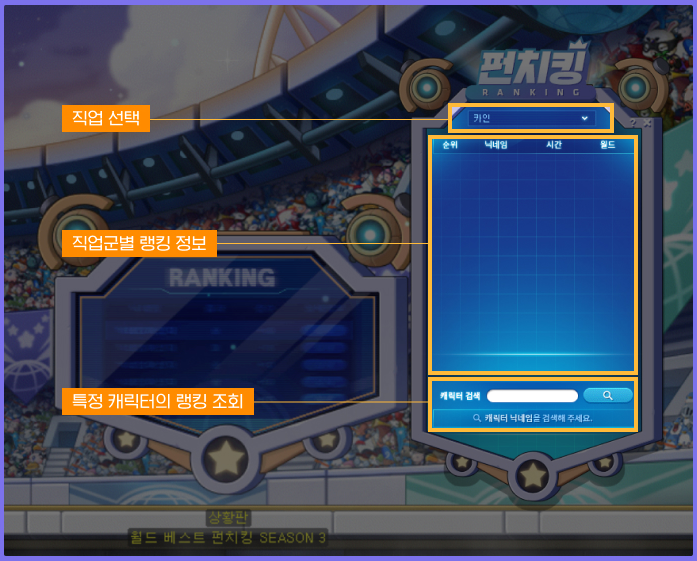
You can check the rankings through the Status Board NPC in the ‘World’s Best Punch King Waiting Room’.
※ You cannot participate in World’s Best Punch King Season 3 while on Red PC.
※ You cannot charge your Soul Gauge inside Punch King.
※ During the Punch King challenge, a Battle Anyslsis will be performed automatically, and you can check the results after it ends. You cannot use the existing Battle Analysis UI.
※ You cannot use Seyram’s Elixir and Alleria’s Elixir during the Punch King challenge. You can use them in the entry preparation map.
Daily Rewards
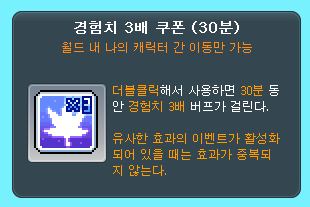
You can acquire a 3x Experience Coupon (30 Minutes) once per day per world by talking to the rank 1 character NPC for each job, located on the left side of the ‘World’s Best Punch King Waiting Room’.
You can acquire the 3x Experience Coupon even if you have not acquired any Punch King Points in that world.
※ If there are no 1st place character NPCs, you can acquire the 3x Experience Coupon (30 Minutes) through the Champion Toben Hair Hero NPC.
※ The 3x Experience Coupon (30 Minutes) will expire on June 19, 2025 at 2:00 AM. It can only be put into storage.
Ranking Rewards
Ranking rewards will be provided to the characters that are highest ranked within each of the 46 jobs.
| Ranking | Cash Effect | Chair |
|---|---|---|
| 1st | World’s Best Season 3 Effect Voucher | World’s Best Punch King Season 3 Chair Voucher |
| 2nd~10th | – |
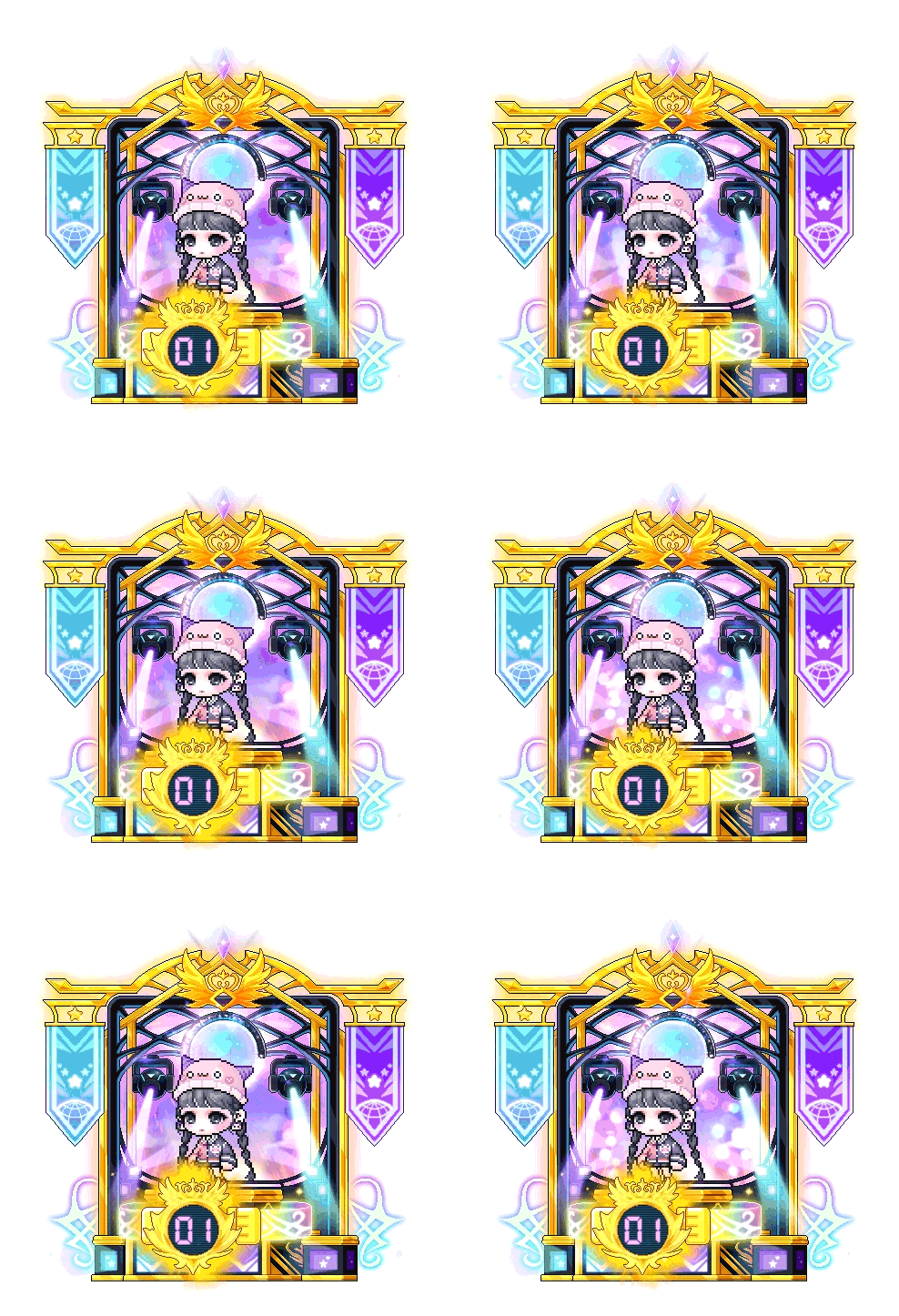
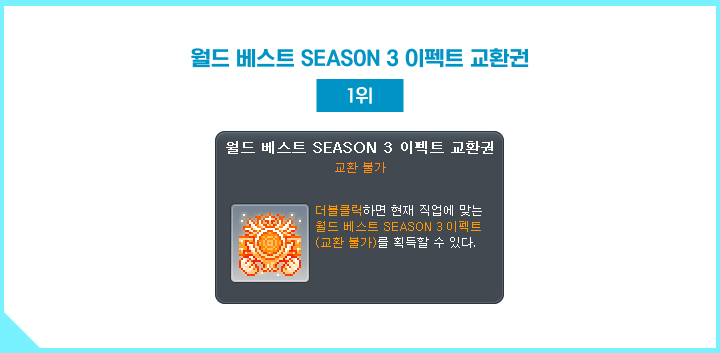
※ When you use the World’s Best Season 3 Effect Voucher, you can acquire an effect with a symbol representing each of the 46 jobs. You can see them all here.
※ All Vouchers and items acquired from using the Vouchers are untradable and cannot be moved to the Cash Storage.
※ The Vouchers will expire in 7 days. Items acquired from using the Vouchers are permanent items.
※ If you delete your character or change your Adventurer’s job, you may be removed from the rankings.
※ Ranking rewards will be provided after the event period ends.
※ You can only search for characters corresponding to the currently selected job on the Status Board.
※ After the Punch King battle ends, you must talk to the Champion Toben Hair Hero in the exit map to properly record your score.
※ If there are multiple of the same completion time on the rankings, the time that was registered earlier will be ranked higher.
※ If you participate in the event through unfair means, you may be excluded from the ranking registration and may be restricted from using the game or content.
[Summer Pre-Registration] Summer Countdown

A special countdown for this summer begins. Participate in the countdown and acquire various gifts together with powerful skills!
Event Participation Requirements:
- A level 101 or higher character (or a Zero character that has completed story quest Chapter 2).
Event Period:
- May 22, 2025 after the maintenance ~ June 25 at 11:59 PM.

You can select the ‘[Summer Pre-Registration] Summer Countdown’ event in the Event List and click the ‘Participate’ button to start the event.
You can check your event participation status and acquired rewards through the Event List.
Countdown
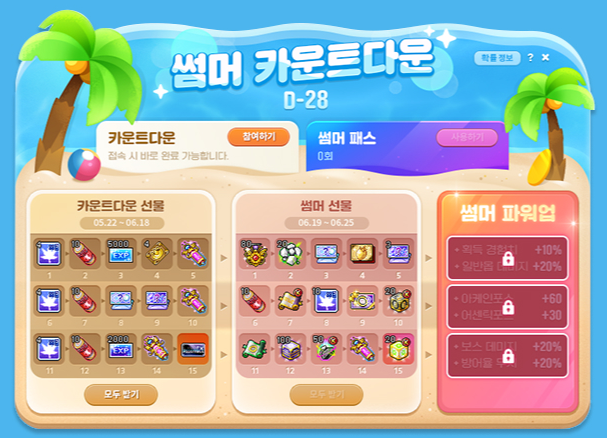
You can press the <Participate> button in the Summer Countdown UI once per day to complete the Countdown and accumulate rewards based on the number of days you have participated.
The Countdown can be completed up to 15 times over the event period.
You can click the <Use> button on the right side of the UI to use the <Summer Pass> for any uncompleted Countdowns. The <Summer Pass> can be used up to the number of uncompleted participations as of the previous day, and costs 3,000 Maple Points per usage.
※ The Countdown participation records are shared between all characters within the Maple ID.
Countdown Gifts
When you complete the Countdown every day, you can instantly acquire the following gifts based on your number of participations.
| Number of Participations | Reward | Quantity | Duration | Tradability |
|---|---|---|---|---|
| 1 | 3x Experience Coupon (30 Minutes) | 4 | Expires on June 19, 2025 at 2:00 AM. | Can only be put into storage. |
| 2 | VIP Booster | 10 | ||
| 3 | EXP Voucher | 5000 | ||
| 4 | VIP Sauna Entry Ticket (30 Minutes) | 4 | ||
| 5 | Maximum Growth Potion | 1 | ||
| 6 | 3x Experience Coupon (30 Minutes) | 4 | ||
| 7 | VIP Booster | 10 | ||
| 8 | Selective Symbol Voucher (500 Arcane Symbols or 200 Authentic Symbols) | 1 | ||
| 9 | Selective Sol Erda/Sol Erda Fragment Voucher (1 Sol Erda or 30 Sol Erda Fragments) | 1 | ||
| 10 | Maximum Growth Potion | 1 | ||
| 11 | 3x Experience Coupon (30 Minutes) | 4 | ||
| 12 | VIP Booster | 10 | ||
| 13 | Advanced EXP Voucher | 2000 | ||
| 14 | Transcendent Growth Potion | 1 | ||
| 15 | ASSEMBLE Poster Voucher | 1 |
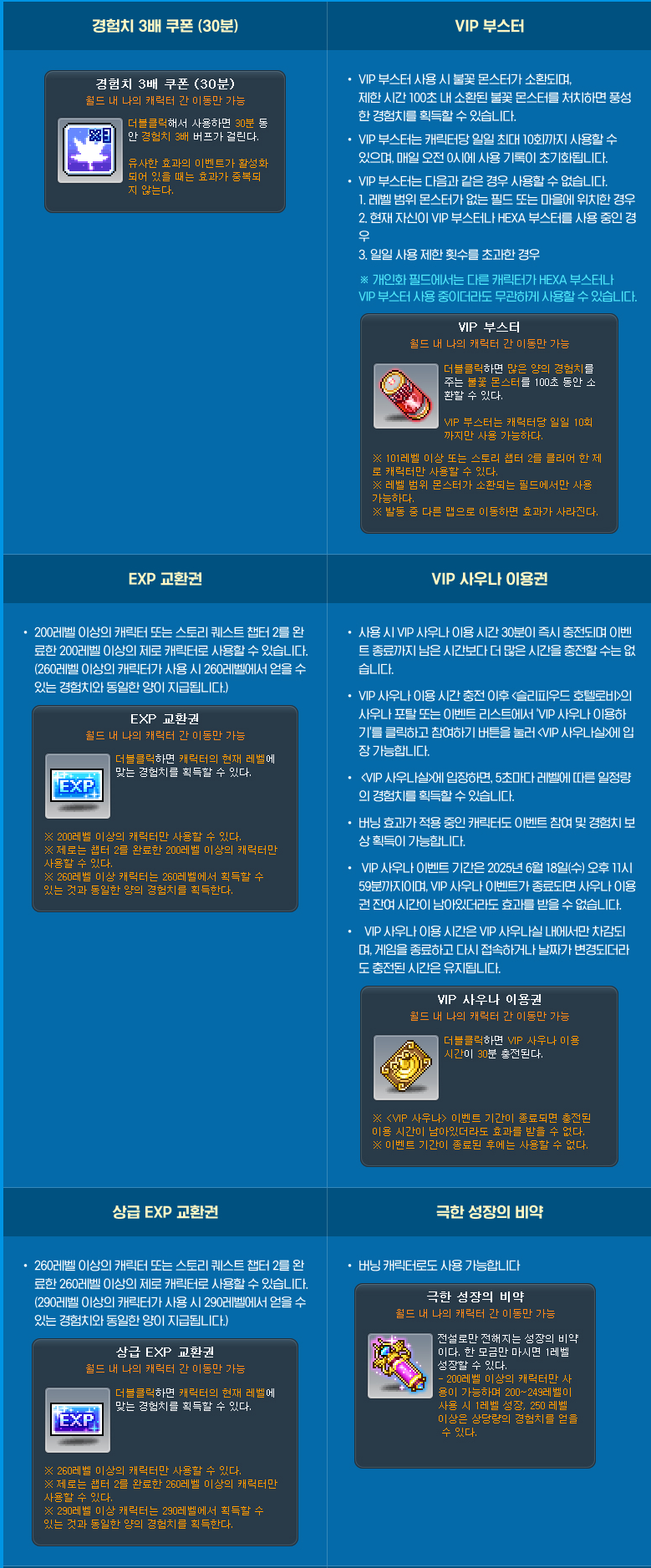
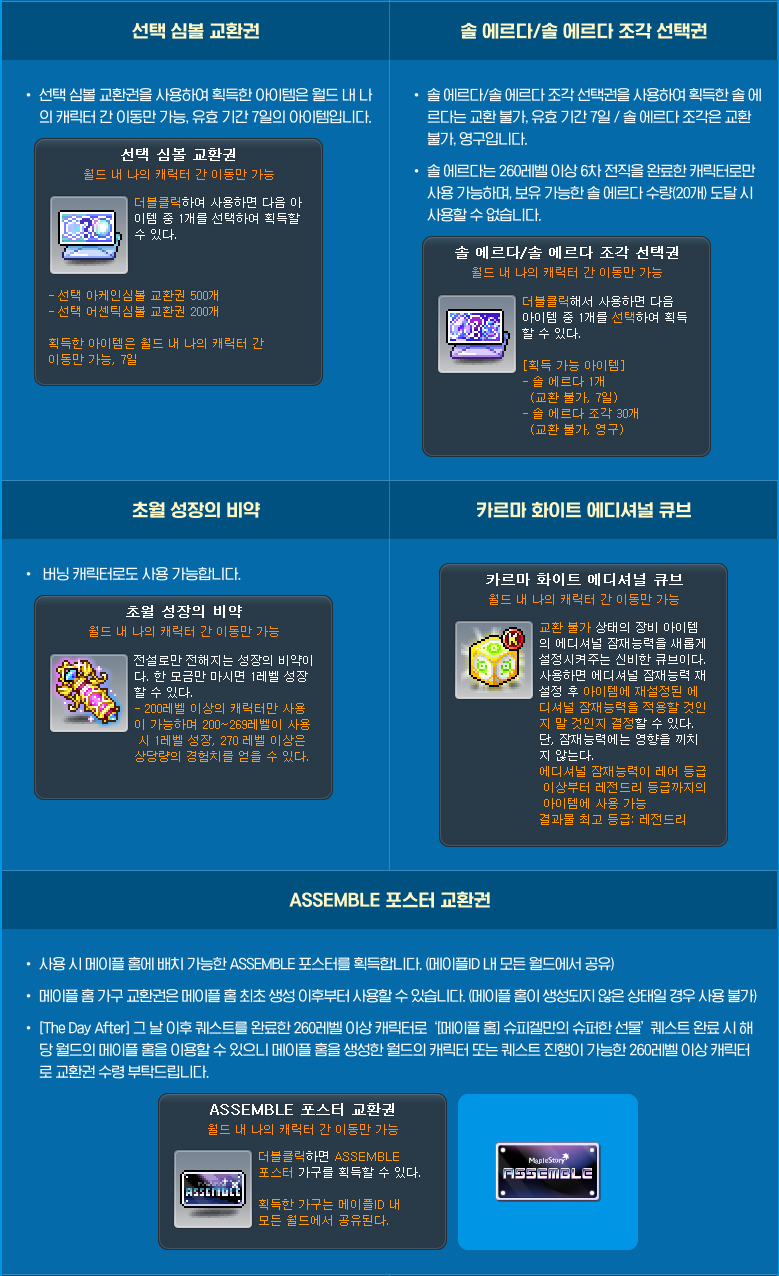
※ The EXP Vouchers can only be used by level 200 or higher characters (Zero characters must finish Story Quest Chapter 2).
※ The Advanced EXP Vouchers can only be used by level 260 or higher characters (Zero characters must finish Story Quest Chapter 2).
※ The Sol Erda can only by used by characters level 260 or higher that have completed the 6th job advancement. It cannot be used if you hold 20 Sol Erda.
※ All Countdown gifts can be received until June 18, 2025 at 11:59 PM.
※ The Furniture Voucher can be used after creating a Maple Home. Maple Home requires a level 260 or higher character that has completed ‘The Day After’ story within the world. You can then complete the ‘[Maple Home] Spiegelmann’s Super Gift’ quest through the lightbulb icon to create a Maple Home.
※ Maple Home is shared between all characters within the world. The furniture acquired from the Voucher can be used by all characters within the Maple ID.
Summer Gifts
When you complete the Countdown every day, you can accumulate the following Summer Gifts based on your number of participations.
You can acquire them after the maintenance on June 19. The Summer Gifts can be received until June 25, 2025 at 11:59 PM.
| Number of Participations | Reward | Quantity | Duration | Tradability |
|---|---|---|---|---|
| 1 | Special Medal of Honor | 80 | Expires on June 19, 2025 at 2:00 AM. | Can only be put into storage. |
| 2 | Experience Core Gemstone | 20 | ||
| 3 | Selective Symbol Voucher (500 Arcane Symbols or 200 Authentic Symbols) | 1 | ||
| 4 | Spigella’s Golden Strawberry Farm Entry Ticket | 1 | ||
| 5 | Selective Sol Erda/Sol Erda Fragment Voucher (1 Sol Erda or 30 Sol Erda Fragments) | 3 | ||
| 6 | VIP Booster | 10 | ||
| 7 | 100% Karma Unique Potential Scroll | 1 | ||
| 8 | 3x Experience Coupon (30 Minutes) | 10 | ||
| 9 | Selective Event Ring Voucher | 1 | ||
| 10 | Karma Black Cube | 20 | ||
| 11 | 100% Event Ring Only Legendary Potential Scroll | 1 | ||
| 12 | Event Ring Only Meister Cube | 100 | ||
| 13 | Karma Black Rebirth Flame | 50 | ||
| 14 | Maximum Growth Potion | 1 | ||
| 15 | Karma White Additional Cube | 20 |
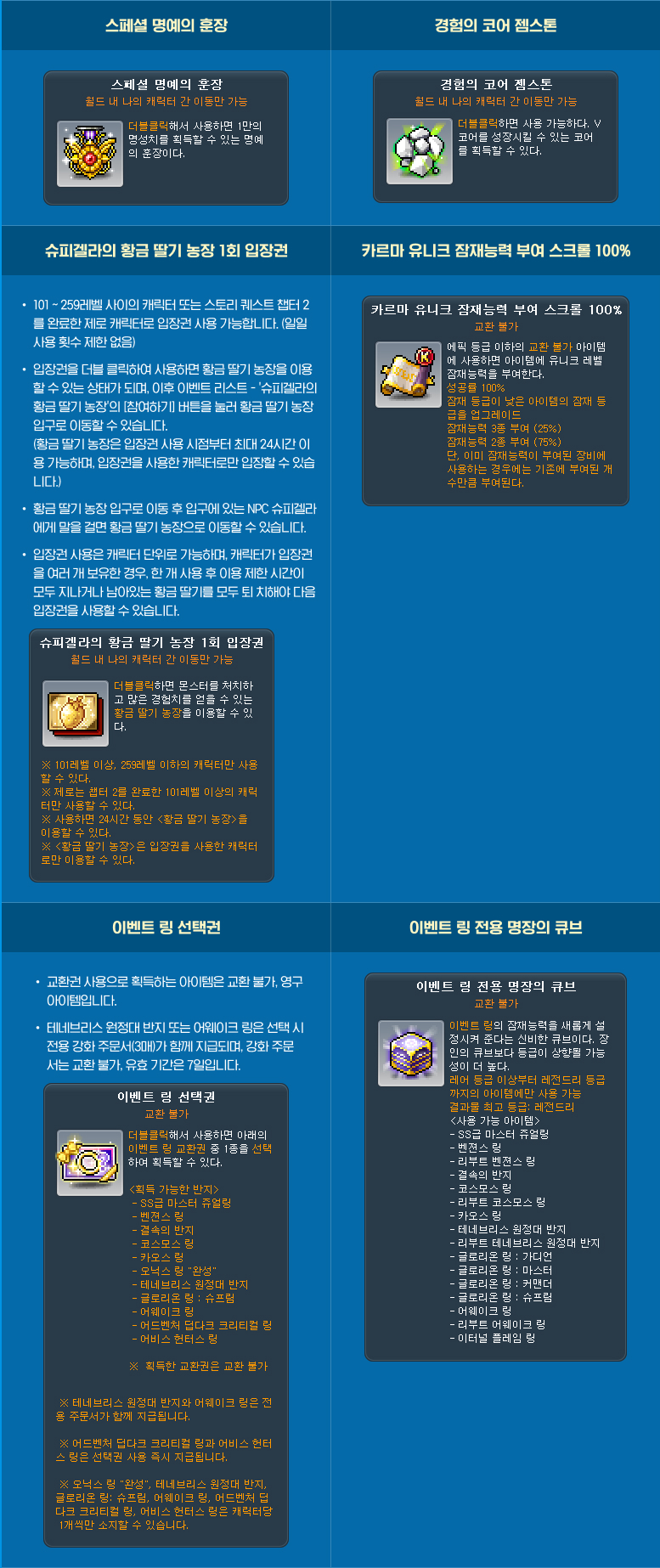
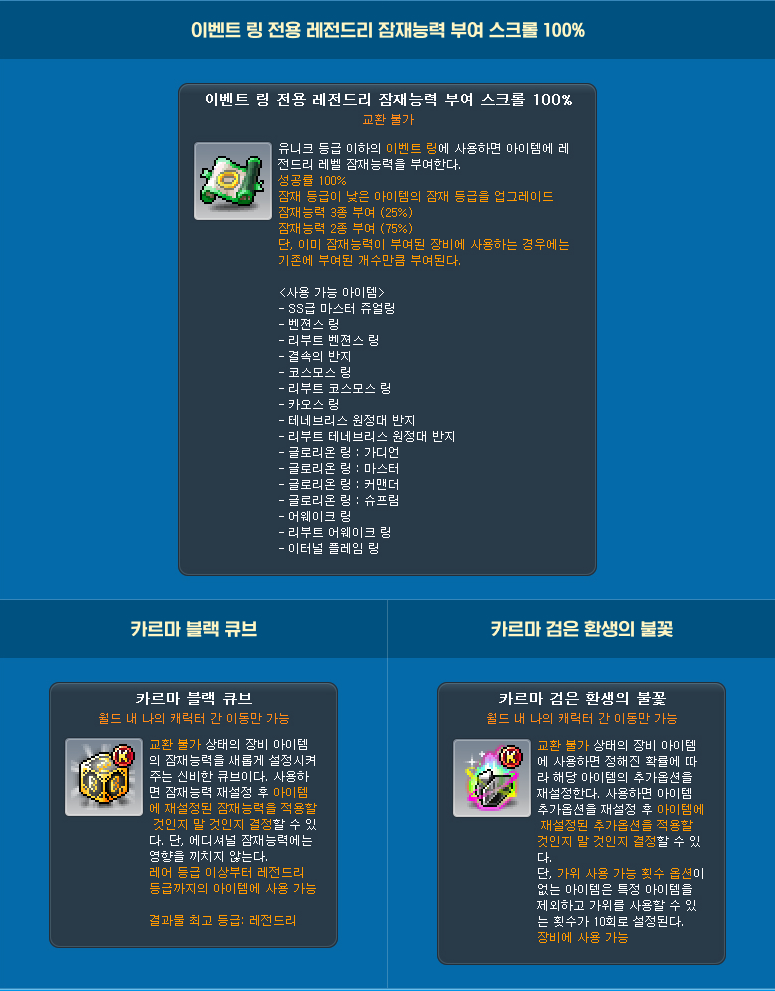
※ The Sol Erda can only by used by characters level 260 or higher that have completed the 6th job advancement. It cannot be used if you hold 20 Sol Erda.
Summer Power-Up
You can acquire the following stats when you accumulate a certain number of Countdown participations. The acquired stats will remain active until June 25, 2025 at 11:59 PM. It will stack with other events’ temporary stat skills.
| Cumulative Number of Participations | Acquired Stats |
|---|---|
| 5 | Experience acquisition +10% |
| Normal monster damage +20% | |
| 10 | Arcane Force +60 |
| Authentic Force +30 | |
| 15 | Boss damage +20% |
| Defense ignore +20% |
※ The Summer Power-Up skill will be shared by all characters within the Maple ID that have completed the starting quest.
※ The Summer Power-Up skill will be acquired normally even if you use the Summer Pass.
Lady Blair’s Dream Express

Event Period:
- May 23, 2025 at 10:00 AM ~ May 30, 2025 at 10:00 AM.
During this time, you can freely move your Cash items between characters, regardless of cash restrictions.
Sunday Maple

Event Period:
- May 25, 2025
- June 1, 2025
- June 8, 2025
- June 15, 2025
On May 25, the following benefits will take place:
- When Star Force enhancing items at 21 stars or lower, the destruction chance is decreased by 30%.
On June 1, the following benefits will take place:
- 5x experience from Polo, Fritto, and Especia Bounty Hunting
- 5x experience from Flame Wolf
- 50% discount on Ability reset costs
On June 8, the following benefits will take place:
- 2x Sol Erda acquired from hunting
- 30% discount on Star Force enhancement costs
- Rune respawn and cooldown decreased to 10 minutes
- Rune experience buff effect +100%
- Combo Kill experience acquired +300%
- 5x experience from Pollo, Fritto, and Especia Bounty Hunting
- 5x experience from Flame Wolf
- Monster Park clear experience +250%
On June 15, the following benefits will take place:
- 1+1 Star Force enhancements until 10 stars
- 50% discount on Spell Trace enhancement costs
- +100% chance to register monsters in Monster Collection
- Receive 3 Mystery Monster Eggs
- Number of Elite Monsters spawned while hunting increased to 3
 Orange Mushroom's Blog
still waiting for aran benchpress updates
Increase UI size, new UI with big size. And they stills stick game screen to 736p resolution. 2160p is not utilize the space.