
KMST ver. 1.2.187 – Dimensional Library Updates & Cash Shop Reorganization

The May test server patch is definitely smaller than the past few months, the main content being updates to the Dimensional Library as well as a full Cash Shop UI reorganization, along with some additional events.
The big thing was during the Maple Now stream where they announced the MapleStory summer showcase and revealed the update name, Assemble!
Maple Now (25.05.15)
Introduction
- He talked about how more players than they expected attended the Pink Bean National Campus Tour events. He was happy that they could bring an in-person event to places other than Seoul where they usually do them but they didn’t prepare properly for the amount of people that would come.
- Some of what was supposed to be in the May patch was already pushed early in the April patch, so there were some remaining parts which weren’t finished in time that will be included in this one. They also did some additional changes following up on them.
- There are some system content additions and improvements, as well as new events for the 22nd anniversary and for the summer.
Follow Up Changes
- In April, they did large scale skill changes including unifying skill cycles. This patch has additional follow-up changes for certain classes as required.
- In the last update, the UI was changed a lot. They felt it did not sufficiently meet the quality expected by players so they knew this would need continual improvements. Some changes were already made in minor patches but there are more changes in this patch.
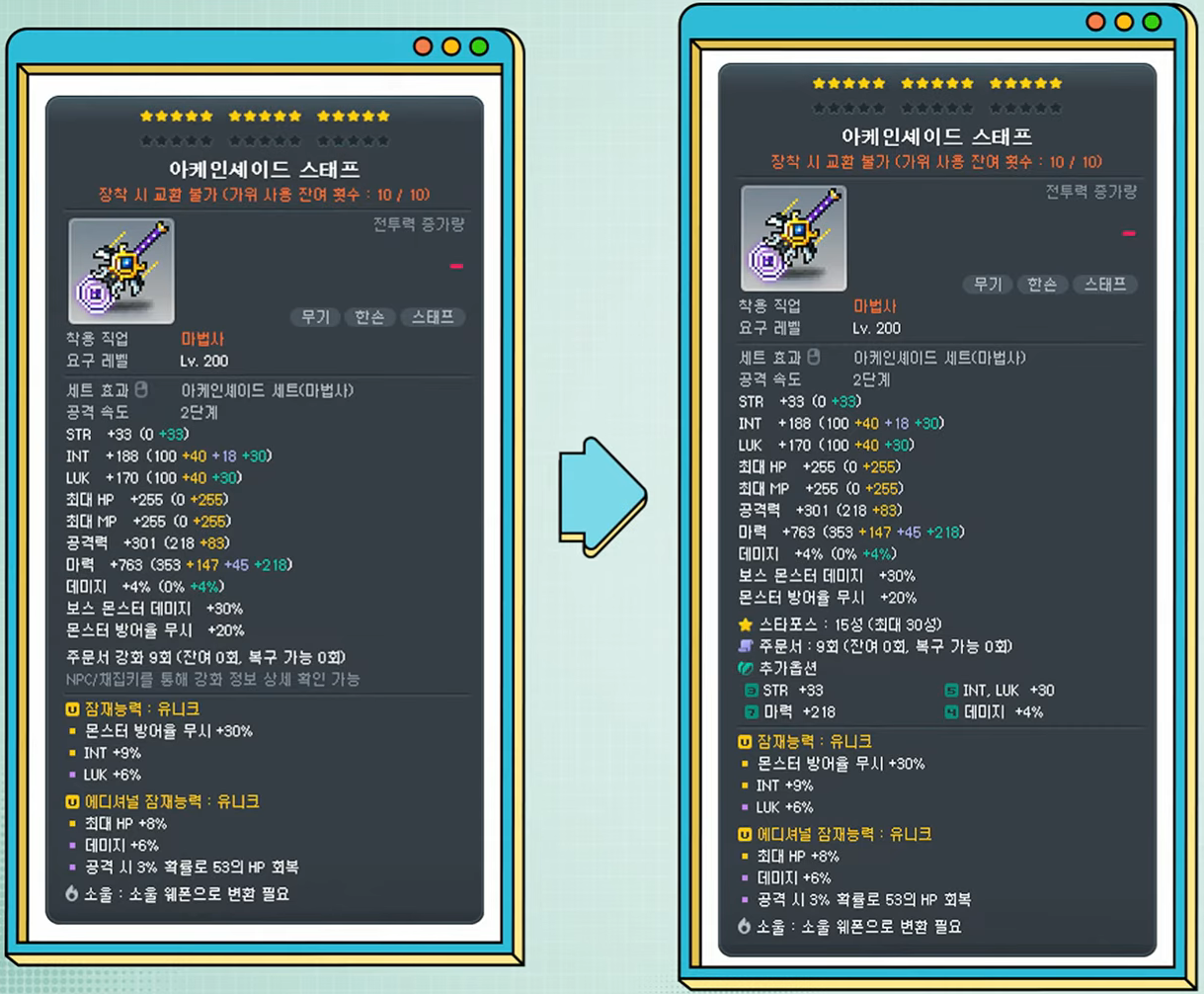
- They adjusted equipment tooltips further. You can turn detailed enhancement information on/off by pressing the NPC Chat/Harvest key to avoid having unnecessary information in the middle of the tooltip. They also removed the concept of ‘total bonus stats tiers’ because it wasn’t useful.
- When you open the Enhancement UI, the equipment/inventory UIs will now be adjusted and snap to the sides of it to make it easier to use.
- The Quick Slot Menu can now be applied to all characters in the same world.
- Ultimately, changes like this are a sort of tug-of-war between players familiar with the current UI and new players, since everyone has their own needs and preferences. But they believe that the game can have more longevity if they continuously update it to keep up with modern trends.
- In Maple Home, you can now click to interact with certain furniture. And they added features to make it more convenient to move furniture.
- For MVP benefits, you can now skip Tenebris daily quests and the Maple Union weekly quest. MVP Red/Black will now also provide 10 3x Experience Coupons/50% Additional Experience Coupons.
- The reason why there were so many changes in the April update was because they thought there was a lot of content that needed to be taken care of in advance before new players joined in the summer (June update). So they added them more quickly and earlier, which did lead to a slight lack of quality. However, it is preliminary work to provide a better game in the summer and they will continue to work on and improve these parts.
Dimensional Library


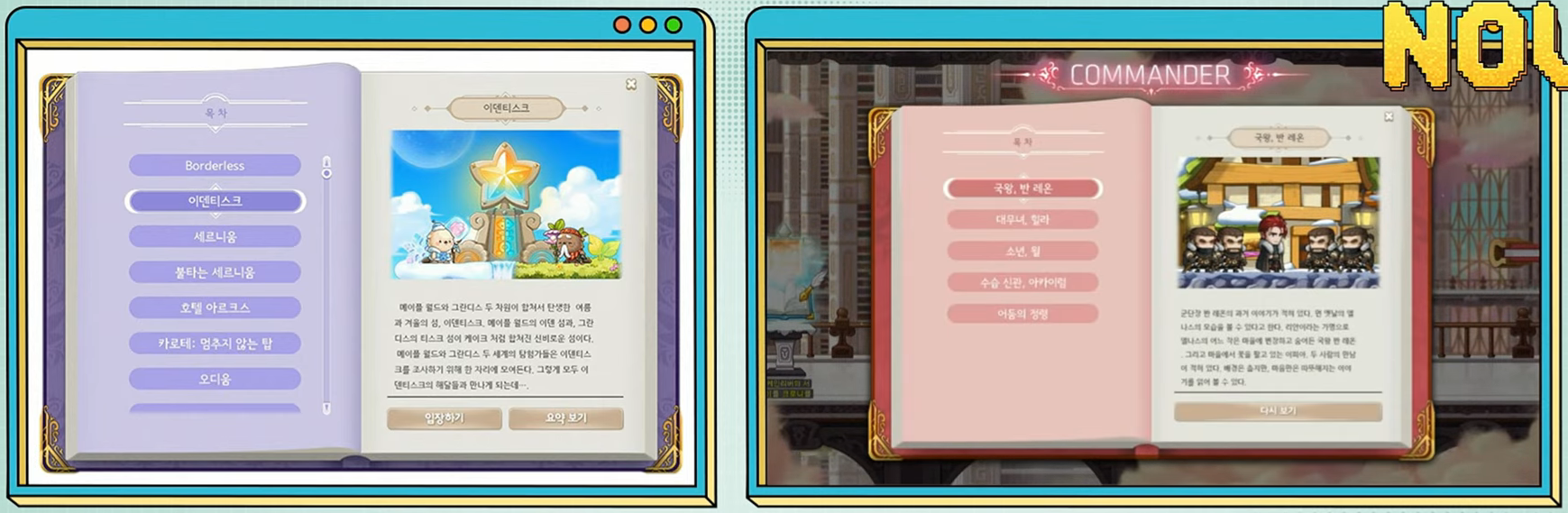
- New NPCs have been added to Dimensional Library.
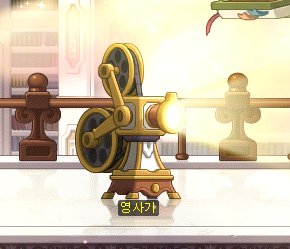
- The Movie Projector lets you watch all MapleStory’s videos in one place.
- The Archives lets you read the various books, journals, notes, etc. from the game. Players who have played for a long time are more familiar with these items that contain bits of lore. They have all been collected here, and a few new ones have been added as well. They’re not super important story pieces but those that enjoy MapleStory’s lore can have some more fun and immersion through reading them.
- The Book of Commanders lets you replay the Commanders’ stories from the One Page in Memory event.
- As events have been including main story content, they have also been added to the Book of Grandis, including the Identisk, On Stranger Tides, and Dimensional Visitors events.
- The Book of Arcane River has been updated to include all of the story changes made in the previous patch.
- In general, MapleStory’s story is not just a large part of the game but also a fundamental part of the MapleStory IP. Therefore, if they make it easier to engage with, it gives them more opportunities and makes it more convenient for players to enjoy. They are always trying their best to polish the story, whether that’s through systems or events.
- They have been doing consistent work in the off-season on the pre-Grandis story, updating Arcane River and the Black Mage related stories, and they think they’re mostly done with this. There are still some shortcomings, but they believe they have made a big achievement. Now they can tell the main story a little faster and make it more interesting.
Cash Shop Reorganization

- The Cash Shop has been changed completely. They wanted to include this in the April update but due to scheduling issues, they had to move it to the May update.
- The resolution has been changed from 1024×768 to 1366×768. Now the only remaining 1024×768 UI is the Auction House. However, in the Auction House’s case, the amount of work needed to update it is bigger so he said that honestly it will stay that way for a while longer. The Auction House is a very important UI and it’s actually pretty old, but there are a lot of things that need to be overhauled and they don’t want to do simple functionality additions/rearranging, so it will take more time.
- The overall layout and categories have been changed to be more intuiitive.
- There were also various convenience improvements.
- For example, when buying Power Elixir Packages, it was annoying to have to move them to your inventory, leaving the Cash Shop, using the Maple Points Coupons, then going back to the Cash Shop. You can now instantly use the Maple Points Coupons upon purchase. For now, this only applies to this package but this feature will be added to other things as well.
- The Cash Shop Storage UI has been made much bigger. You can also move multiple items at the same time now.
- The My Outfits section has also been updated to be bigger and show the specific items.
- Dressing up your character is a huge part of MapleStory and there are lots of things that players want to have. They will implement these changes now and continue to improve so players can enjoy dressing up their characters more going forward.
- Hair and Face Coupons have been changed so that you buy the specific hair/face coupon instead of having to buy the coupon then select the hair/face after.
Events
- They knew that the 22nd anniversary was a bit lacking in terms of events, and they said that more would be added in the May update. In this patch, they wanted to give out additional rewards and are doing so through minigames to make it a bit more fun.
- Superpower Yutnori
- Judges of the Sky
- Maple Racing
- Fight! Return of the Legends
- A lot of the rewards are experience-related such as Advanced EXP Vouchers and VIP Boosters to help players finish off their Hyper Burning characters before the events end.
- There’s also some additional Maple Home related rewards such as themes and furniture. They will continue to enrich the Maple Home content so players can participate in events, and have things to look back on later to bring back good memories.
- The Dimensional Tower event has returned. It’s a jump quest where you just need to go up. This time, it’s split into two maps, the first one going until the Ignition update and the second going until the Tirnog event.
- This time, there’s also a top 100 ranking that gives out rewards to the fastest players.
- They will also live stream channel 1 of every world’s Dimensional Tower on YouTube, similar to what they did for the Star Force Stage event.
- The World’s Best Punch King event has also returned after a long time. The top 10 players of each class will get a chair and a cool effect.
MapleStory Assemble
2025 MapleStory Summer Showcase
2025.06.07. 4:00 PM.
Everyone ASSEMBLE here.
- The MapleStory Summer Showcase for the Assemble update will take place on June 7, 2025 at 4:00 PM at Jangchung Arena in Seoul. It will also be broadcast live in CGV movie theatres all over the country.
- The name of this update, Assemble, has two meanings.
- The first is that he wanted to collect as many updates as possible that players want and need and provide them in one go.
- The second was to have as many players as possible to gather together, both online and offline, to enjoy the update and showcase together.
- They are working hard to make sure this update and showcase lives up to the name.
- For example, the Milestone showcase was named that as there were a lot of things that they had to do step-by-step and they wanted to show a more long-term plan for MapleStory, including a 6 month roadmap. For the NEXT update showcase, they said that it would allow you to feel what’s next for MapleStory. So things like the Champion system and Destiny Weapons were added which are the next goals in the game, and features that didn’t exist before like cross world content and cross world Auction House were also added.
- In addition to selling tickets for the showcase as well as tickets for the movie theatres streaming the update, they also want to invite a small amount of players that truly enjoy playing MapleStory. This includes six categories that you can apply for.
- 15 players who have consistently logged in to MapleStory for the past year.
- 15 players who are level 290 or higher.
- 14 players who describe their experience in why they want to participate in the showcase.
- 20 players who have defeated Extreme Kalos.
- 46 players who have reached the top 10 of their class in Maple Punch King.
- 10 players who have reached the top of the Dimensional Tower within the top 100 rankings.
- On the day of the showcase, you can claim 6 VIP Sauna Entry Tickets to use while watching it.
- The [Summer Pre-Release] Summer Countdown event will also take place in-game.
- The Countdown Gifts are a one-click attendance check event. You can get various growth related items to help with your remaining Hyper Burning characters. Note that you must use them before the summer update patch on June 19.
- The Summer Gifts are rewards you can receive after the June 19 patch, based on the number of times you participated in the event. He tried to set the rewards at a higher level than usual, more similar to a peak season event, including things like Strawberry Farm Entry Tickets, Selective Sol Erda/Sol Erda Fragment Vouchers, VIP Boosters, Unique Potential Scroll, Event Ring Legendary Potential Scroll, and Karma White Additional Cubes.
- He said that “‘something’ is coming in the summer update, and these rewards would synergize with that ‘something'”.
- The Summer Power-Up temp stats will unlock on the 5th/10th/15th days.
Overview
- Dimensional Library
- Cash Shop Reorganization
- XAudio2 Application
- Skill Changes
- Improvements
- Error Fixes
- Events
- Maplestory 22nd Anniversary Event [Maple University]
- [Minigame] Club Fair
- Dimensional Tower
- World’s Best Punch King Season 3
- [Summer Pre-Release] Summer Countdown
- Maplestory 22nd Anniversary Event [Maple University]
Dimensional Library


The following NPCs have been added to the Dimensional Library.
- Book of Commanders
- Movie Projector
- Archives
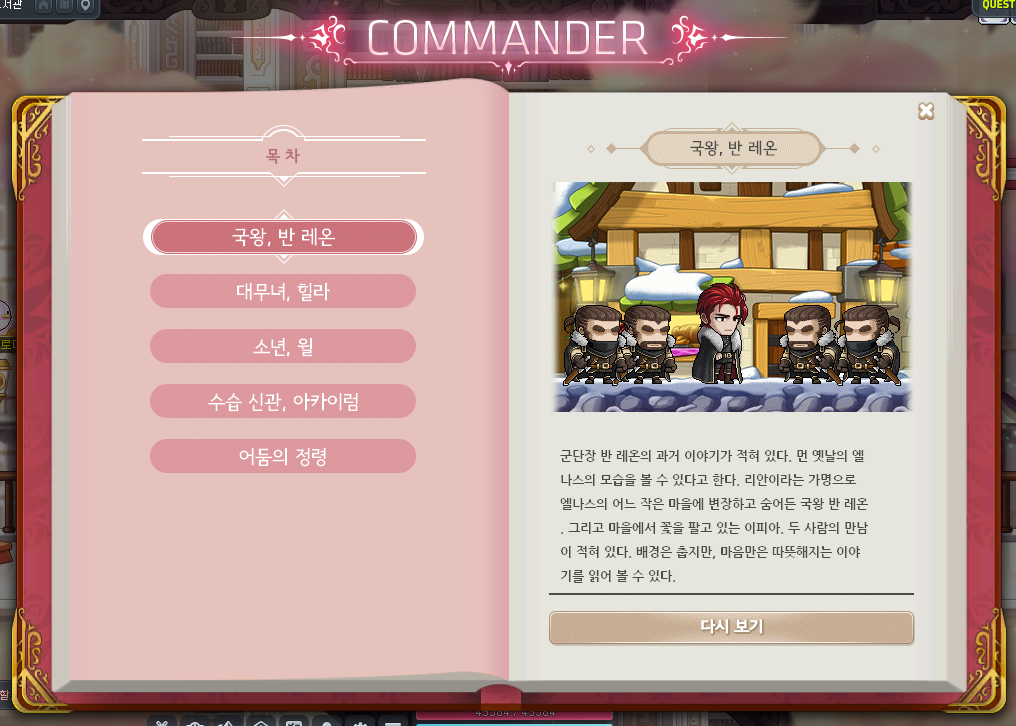
You can play through the ‘Origin of Records’ Commander stories again through the <Book of Commanders>.
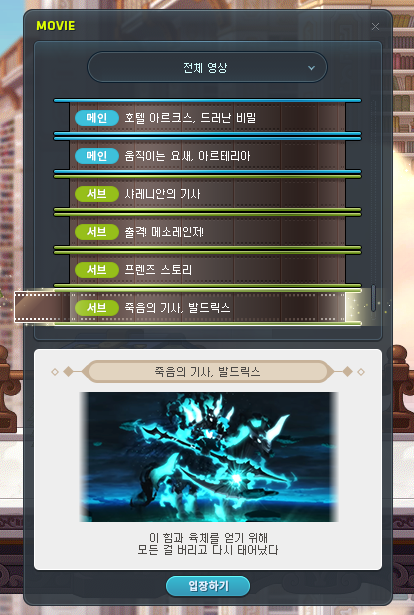
You can watch various videos through the <Movie Projector>.
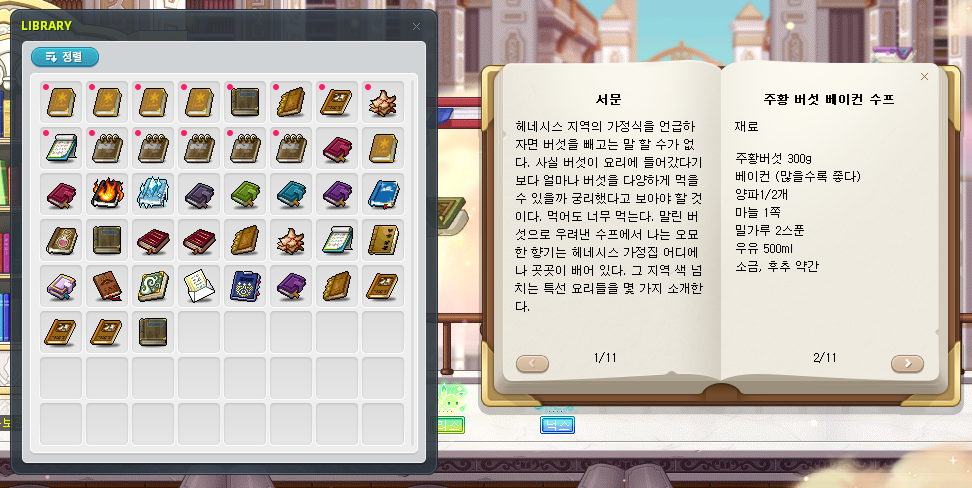
You can read books in the Archives. The following new books have been added.
- Maple World’s Taste (Henesys)
- Maple World’s Taste (El Nath)
- Maple World’s Taste (Edelstein)
- Maple World’s Taste (Perion)
- The Boy That Wanted to be a Bird
- Kritias’ Public Holiday
- Victoria Island Fairy Tale Collection
- Damaged Journal
- Protest Record
- Defense Mission – Scattered Wishes
- Defense Mission – Captured Soldier
- Defense Mission – Helpers of the Sky
- Defense Mission – Twilight’s Siege Battle
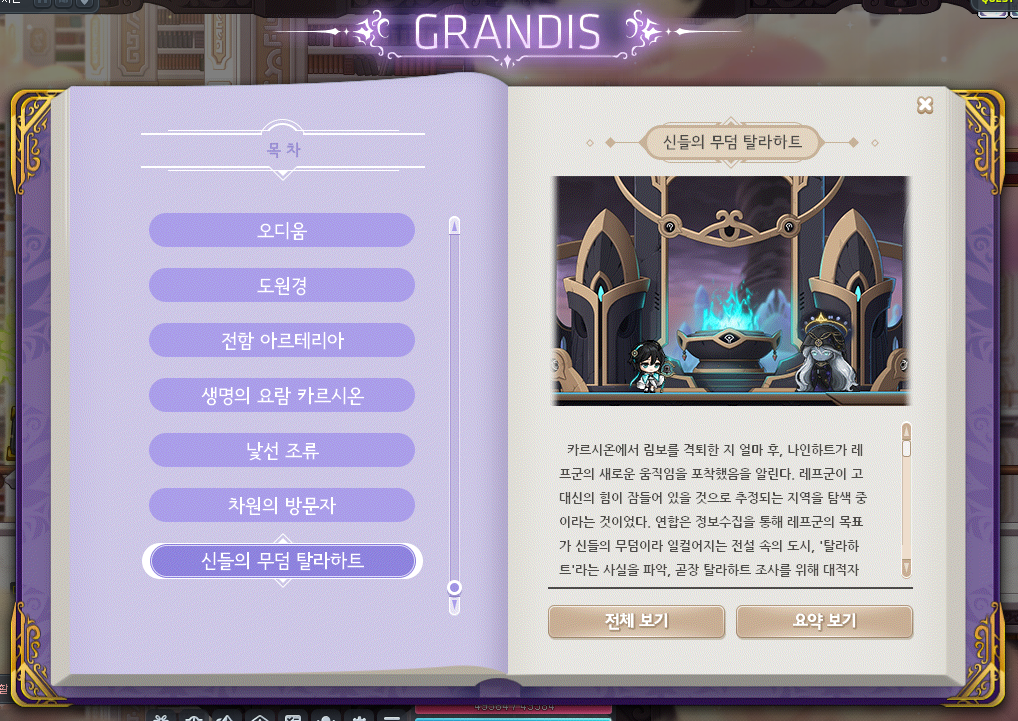
The Tallahart story has been added to the <Book of Grandis>.

The following stories have been added to the <Book of Grandis>.
- The stories are unlocked after acquiring certain achievements.
- You can experience the full stories directly through the <Enter> button, or you can view a summary through the <View Summary> button.
- Story quest progress through the <Book of Grandis> will be reset when you leave the map.
- Identisk
- On Stranger Tides
- Dimensional Visitors
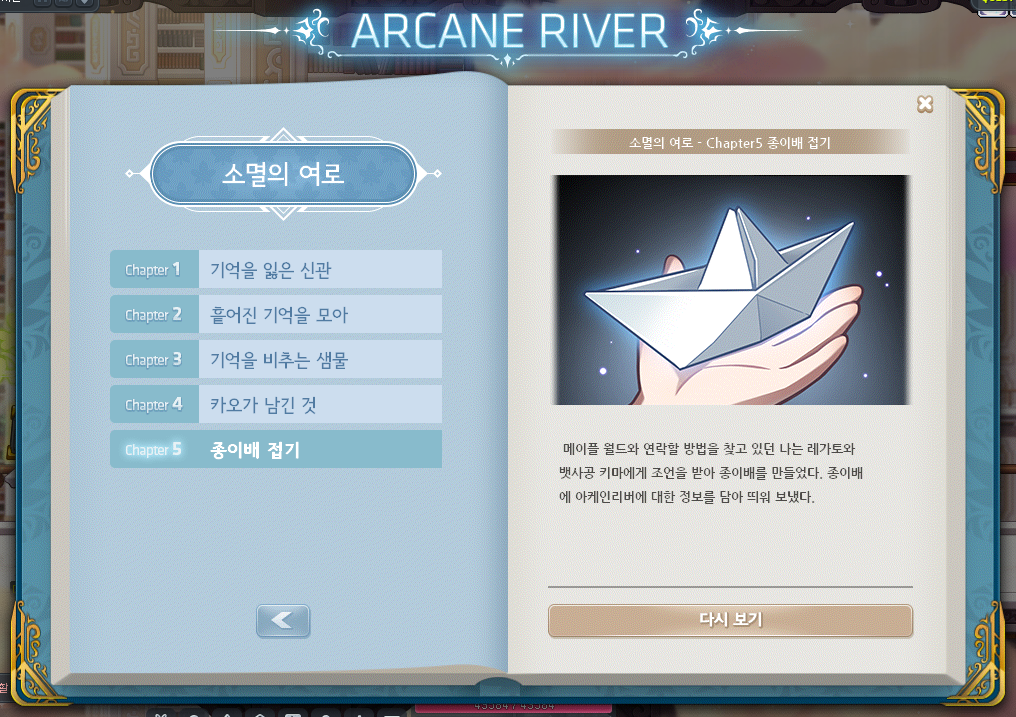
The Book of Arcane River is now available again.
- You can enjoy the renewed Arcane River story with voices.
Sub-stories have been added to the Book of Arcane River.
Cash Shop Reorganization

The Cash Shop UI has been completely reorganized.
- The Cash Shop’s default resolution has been changed to 1366×768.
- The UI design of each Cash Shop category page has been changed.
The Cash Shop category structure has been changed.

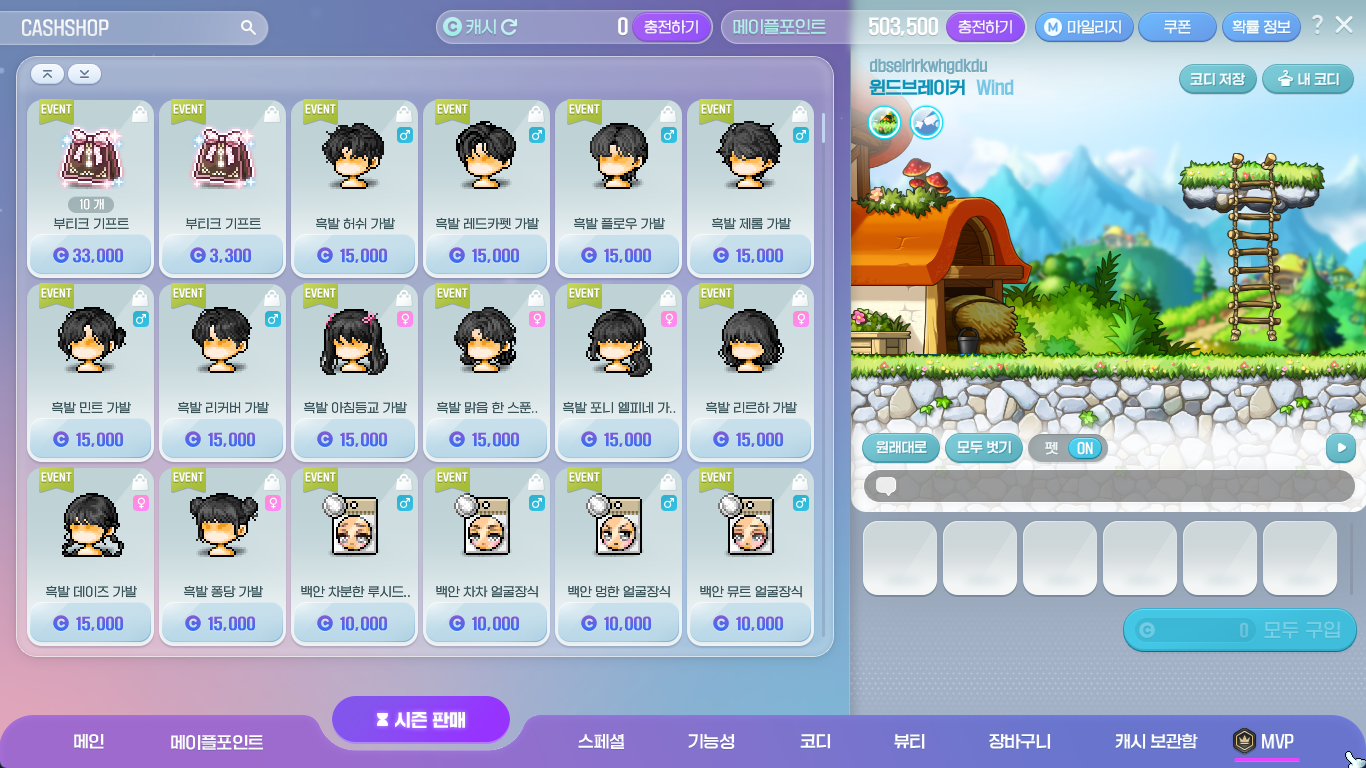
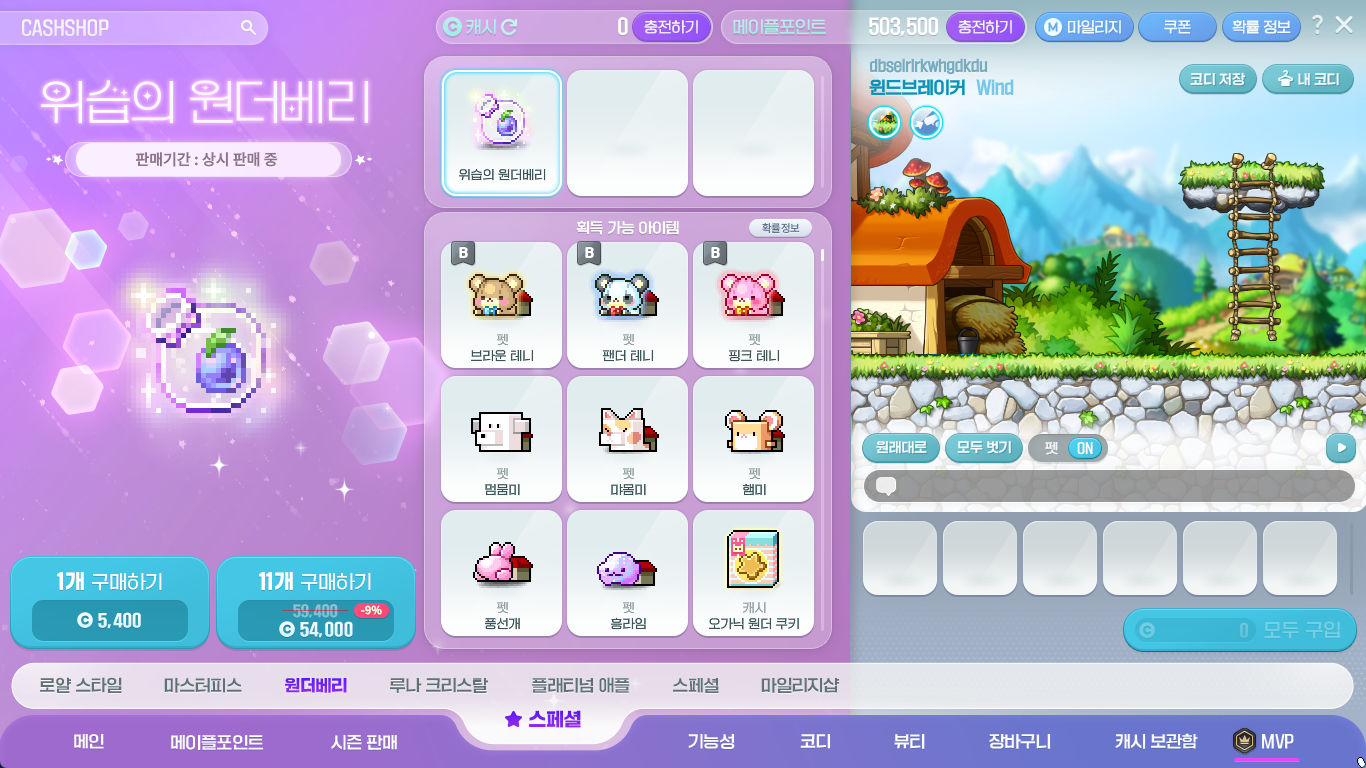
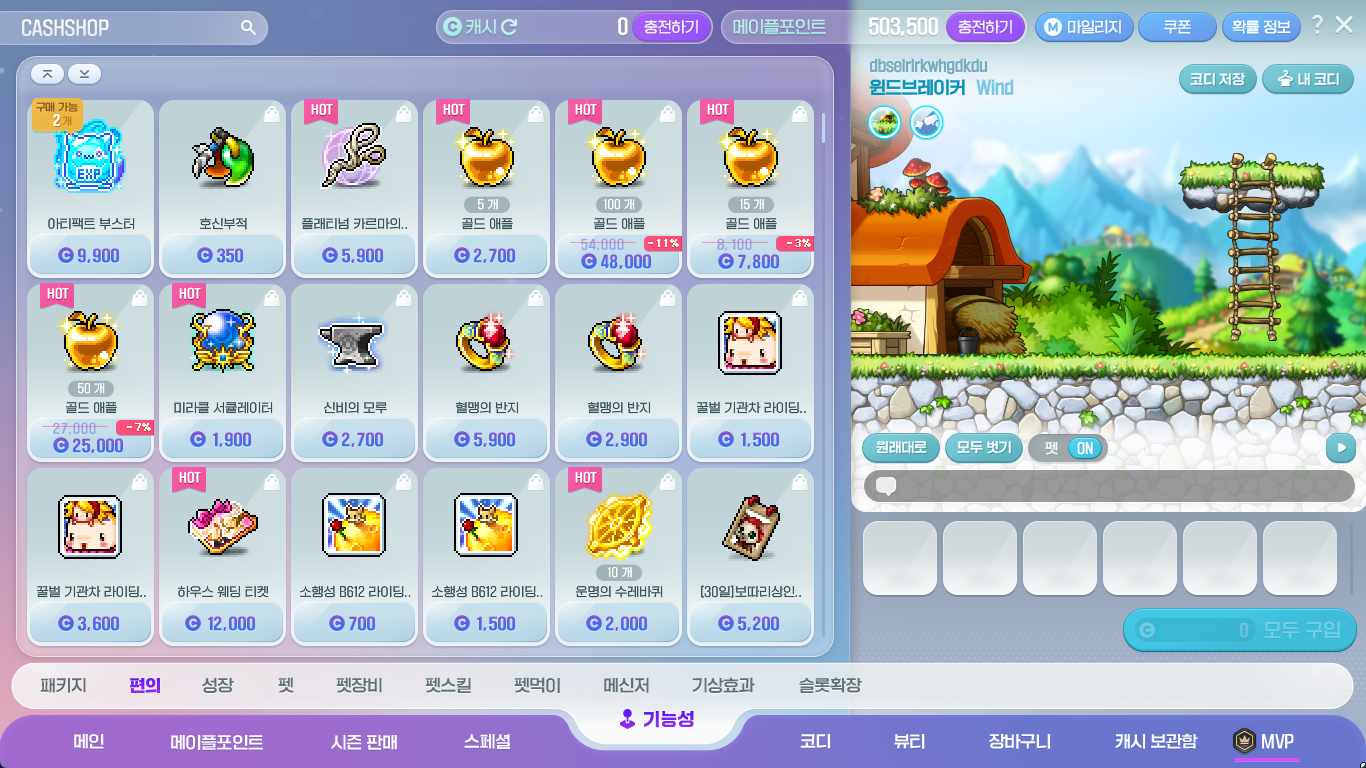
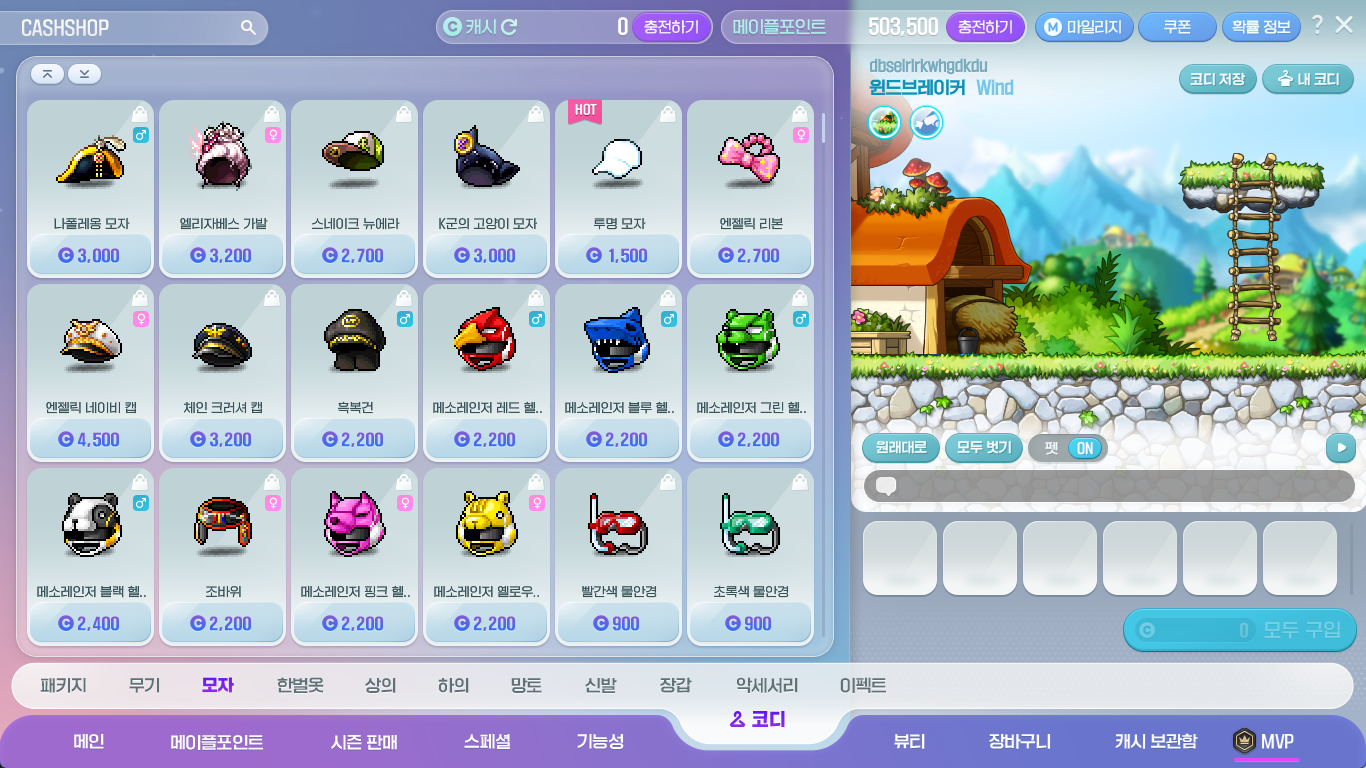
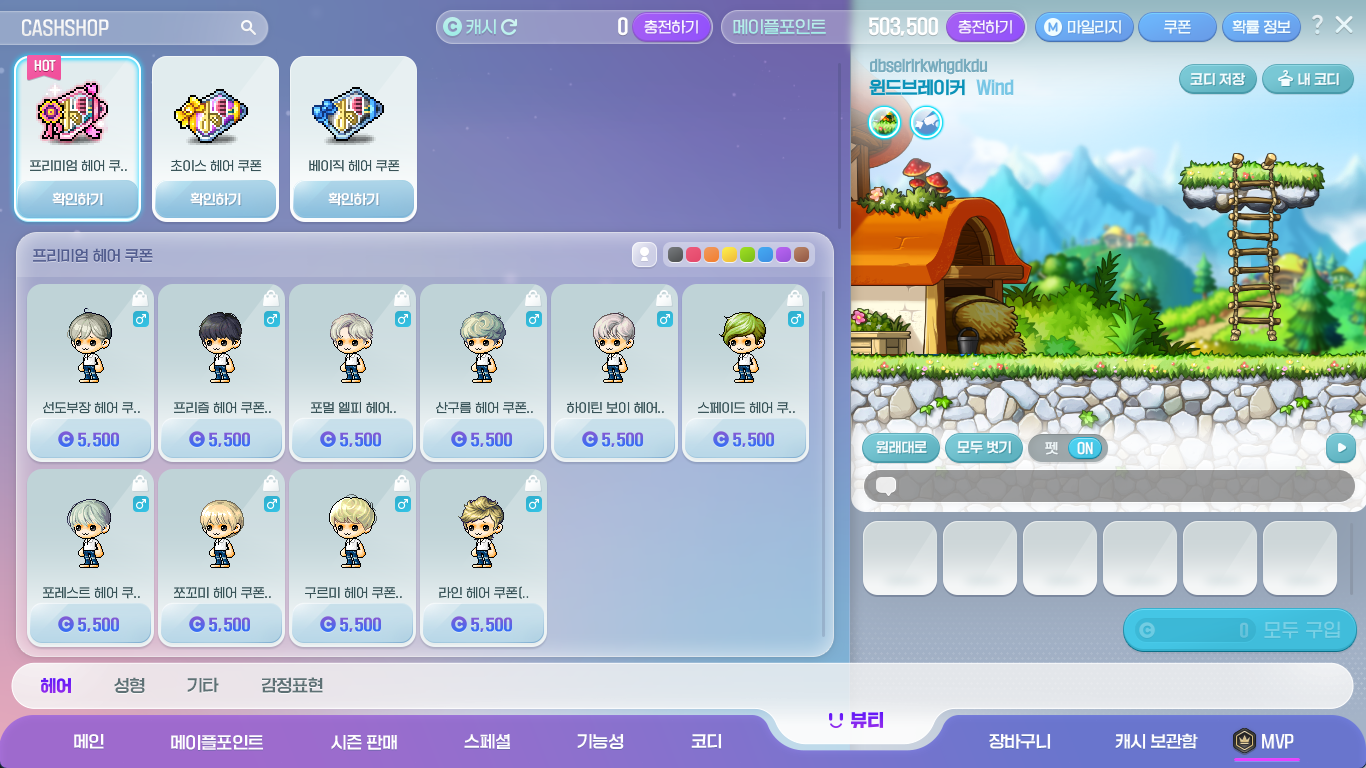
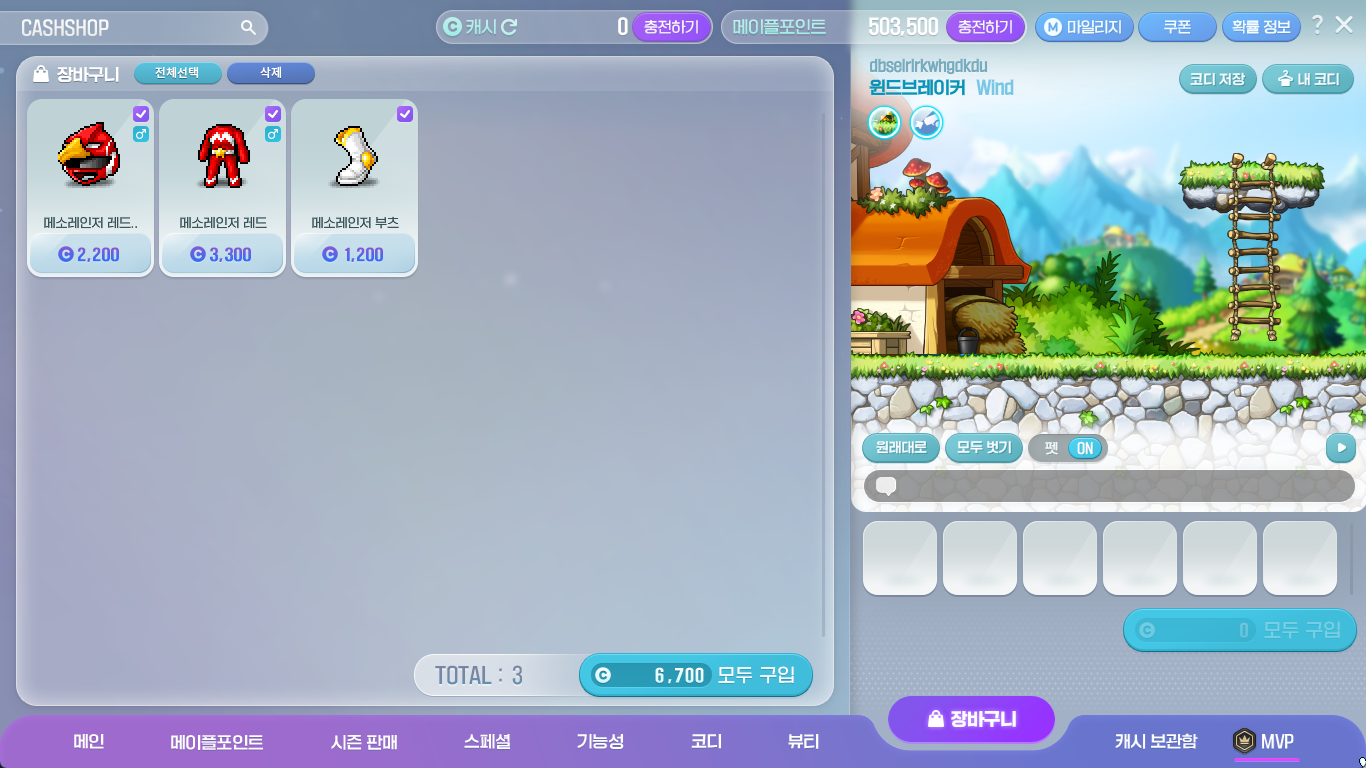
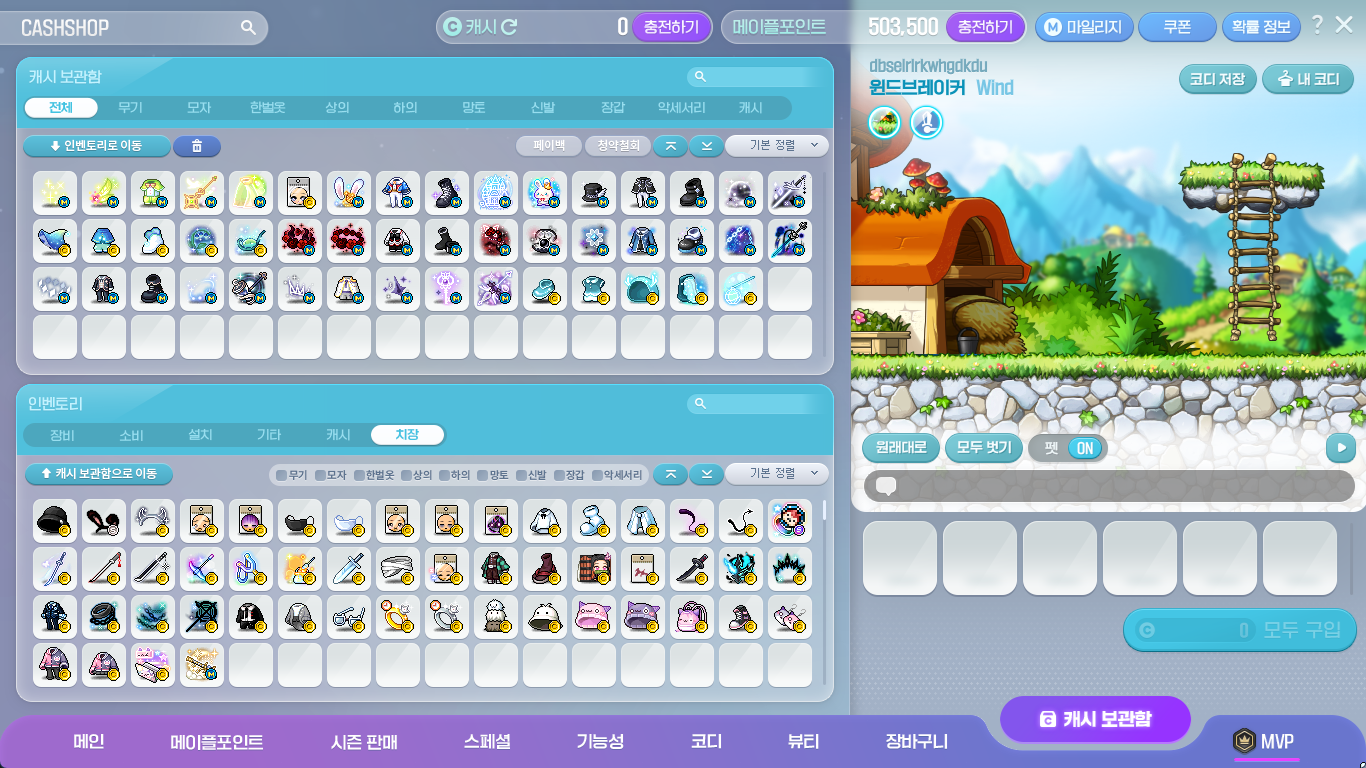
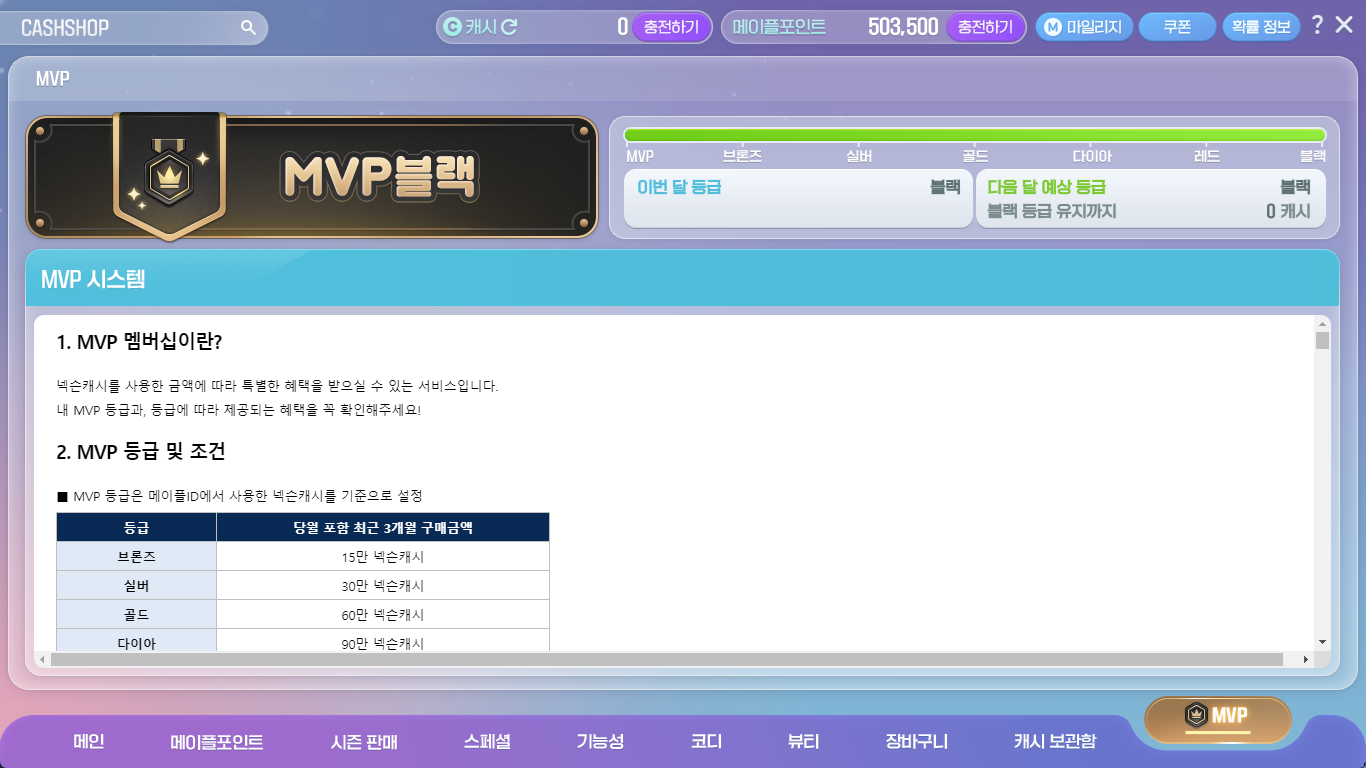
| Category | Sub-Category |
|---|---|
| Main | Main |
| Maple Points | Maple Points |
| Seasonal Sales | Seasonal Sales |
| Special | Royal Style |
| Master Piece | |
| Wonderberry | |
| Luna Crystal | |
| Platinum Apple | |
| Special | |
| Mileage Shop | |
| Functionality | Packages |
| Convenience | |
| Growth | |
| Pets | |
| Pet Equipment | |
| Pet Skills | |
| Pet Food | |
| Messengers | |
| Weather Effects | |
| Slot Expansion | |
| Coordination | Packages |
| Weapons | |
| Hats | |
| Overalls | |
| Tops | |
| Bottoms | |
| Capes | |
| Shoes | |
| Gloves | |
| Accessories | |
| Effects | |
| Beauty | Hair |
| Face | |
| Etc. | |
| Emotes | |
| Shopping Cart | Shopping Cart |
| Cash Storage | Cash Storage |
| MVP | MVP |
When buying Power Elixir Packages, you can now instantly charge the Maple Points in the Cash Shop.
- When buying a Power Elixir Package product, you can instantly charge the Maple Points by clicking the ‘Buy and Use’ button.

The Platinum Apple sale page has been added.
- You can check the Platinum Apple’s obtainable items on this page.
- You can access it in the Special > Platinum Apple category.
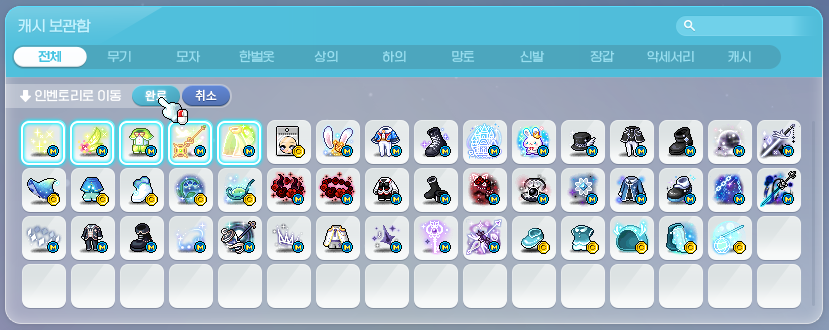
The Cash Storage has been reorganized.
- You can now select multiple items at once and move them to your inventory, move them to your Cash Storage, pay back, or delete items.
- The Cash Storage inventory has been changed to separate products based on category.
- You can now right-click items in the Cash Storage inventory to equip them. (If you double-click an item, it will be moved from your Cash Storage to your inventory or vice versa, like before)
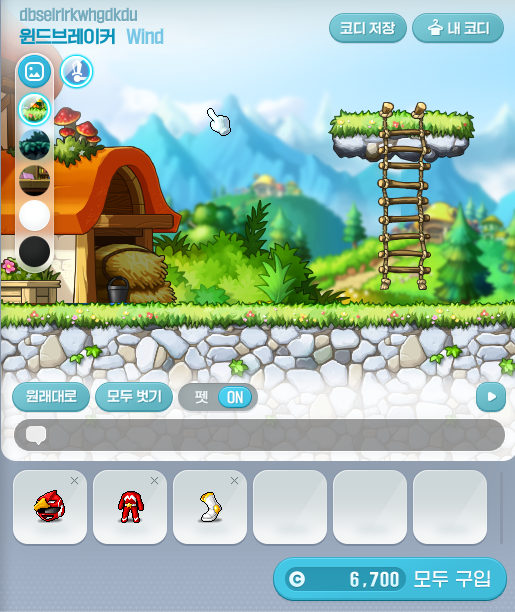
The Cash Shop Character Preview has been changed.
- The Character Preview area size has been increased.
- You can now check the newly equipped items below the Preview window.
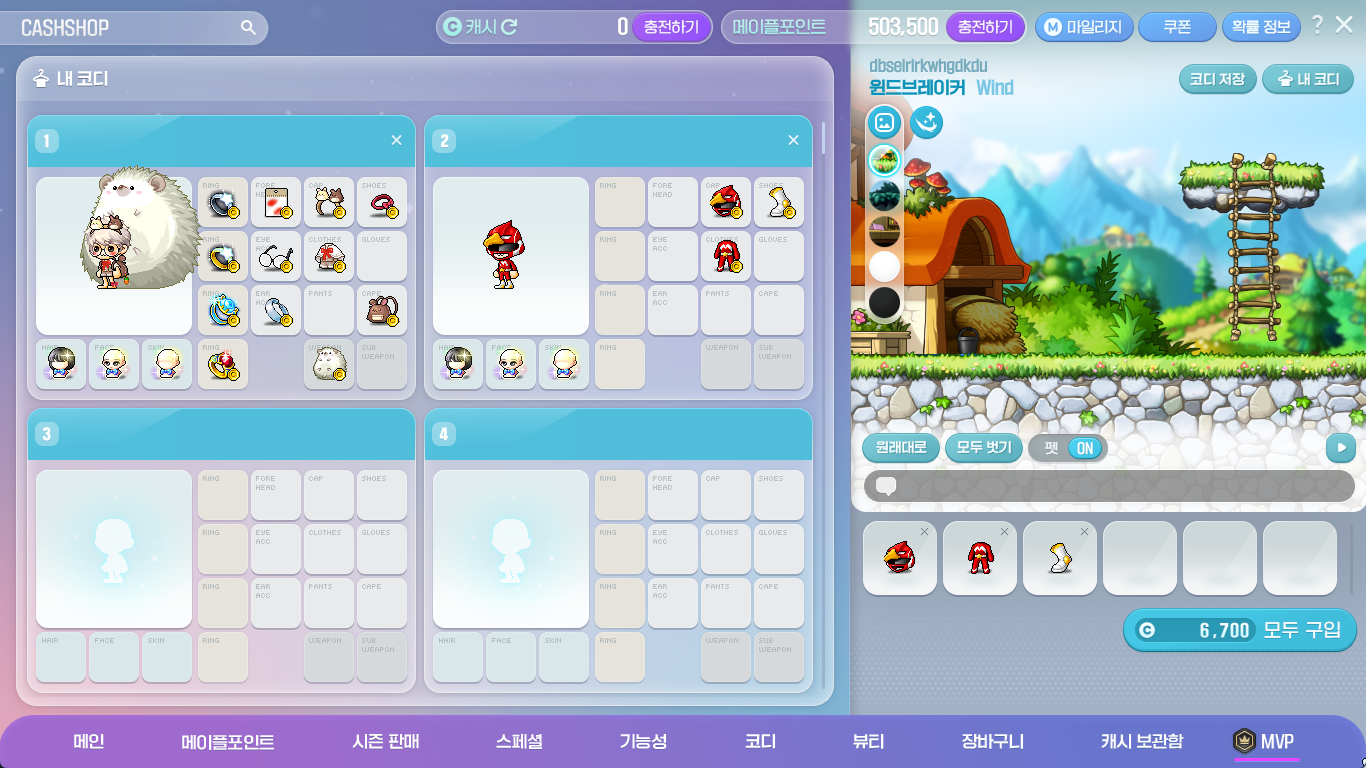
The My Outfits feature has been changed.
- You can now check the saved outfit’s items.
- When you click the ‘My Outfits’ button at the top right corner of the Character Preview area, you can move to the My Outfits page.
- When you click the ‘Save Outfit’ button, the currently previewed character’s outfit will be saved.
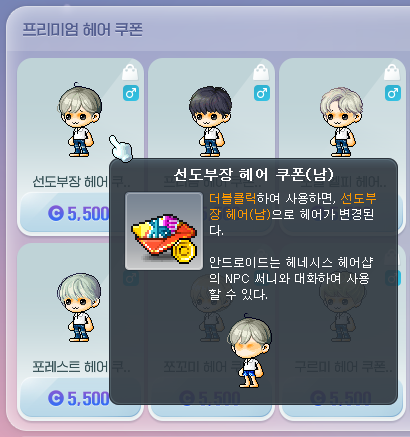
The Beauty Coupon sale method has been changed.
- Hair and Face Coupons will now be sold as separate Coupons.
XAudio2 Application
The XAudio2 sound system will be applied to MapleStory.
※ The XAudio2 sound system is only applied to the test world, and will be applied to the official server after sufficient stability testing and optimization.
Skill Changes
Common
- The effects of skills that attract enemies’ attacks will now be cancelled if the enemy does not attack for a certain period of time. The following skills have been changed.
- Marksman – Arrow Illusion
- Dual Blade – Dummy Effect
- Wind Breaker – Emerald Flower
- Wild Hunter – Provoke
- Skills will now be re-summoned at the character’s location if you revive in a different location after dying. The following skills have been changed.
- Common – Another World’s Afterimage
- Bowmaster – Quiver Flow
- Marksman – Bolt Flow
- Wind Breaker – Mistral Spring
- Lara – Eruption: Heaving River, Eruption: Whirlwind, Eruption: Heaving River VI, Eruption: Whirlwind VI
 Erda Nova:
- The skill description has been changed.
Archmage (F/P)

 Meteor/Meteor VI:
- The delay before you can use Teleport after casting Meteor/Meteor VI has been increased.
Archmage (I/L)

 Thunder Sphere/Thunder Sphere VI:
- It has been improved so that you can use non-fixed Thunder Sphere/Thunder Sphere VI while in the air.
- The skill descriptions have been changed.

 Blizzard/Blizzard VI:
- The delay before you can use Teleport after casting Blizzard/Blizzard VI has been increased.
Bishop

 Genesis/Genesis VI:
- The delay before you can use Teleport after casting Genesis/Genesis VI has been increased.
Night Lord
 Shuriken Challenge:
- The skill description has been changed.
Cannon Shooter
 Big Huge Gigantic Cannonball:
- The hit sound effect has been changed.
Flame Wizard
 Phoenix Drive:
- The duration has been increased from 10 seconds to 20 seconds.
- The maximum number of flame shots will be limited to 45.
 Flame Discharge:
- The skill description has been changed.
 Phoenix Drive VI:
- The duration has been increased from 10 seconds to 20 seconds.
- The maximum number of flame shots will be limited to 45.
- When using Phoenix Drive VI with Flame Fox activated, the damage has been decreased from 1550% to 1220%.
Night Walker
 Rapid Throw:
- The continuous throw duration has been decreased from 1.8 seconds to 1.2 seconds.
- The maximum continuous throw duration has been decreased from 3 seconds to 2.4 seconds.
- The attack interval has been decreased by about 33%.
- The number of skill key presses required to increase the continuous throw duration has been decreased by about 25%.
Wild Hunter
 Jaguar Storm:
- When Jaguar Storm is resummoned if you change maps or revive after dying, the resummon cooldown will no longer be applied.

 Wild Grenade:
- The number of Grenades held will no longer be reset when the Wild Grenade skill is changed.
- The cooldown will now be applied to the first grenade fired when the Wild Grenade skill is changed.
- Wild Grenade: Flash:
- The damage has been decreased from 1510% to 1200%.
- The number of hits has been decreased from 8 to 6.
- The number of activations has been decreased from 4 to 1.
Xenon
 Diagonal Chase:
- The cast effect has been changed when rushing forwards.
- The action has been changed when rushing forwards.
- The delay between casting Diagonal Chase and rushing forwards has been removed.
Mechanic
 Robot Transition: CB-P1:
- This skill will now apply Robot Mastery’s Custom Mode.
Demon Slayer
 Demon Impact: VI: Demon Chain:
- The damage has been increased from 1190% to 1275%.
- The number of hits has been decreased from 7 to 6.
Ark
 Vivid Nightmare:
- Master Corruption has been added as a pre-requisite skill.
Improvements
Quests
When characters level 275 or higher apply the ‘View Only My Level’ option to the list of acceptable quests in the lightbulb icon on the left side of the screen, the ‘[Genesis Weapon] Following the Black Mage’s Traces’ quest will now also be displayed.
Items
The name of the Kinesis Clever Face has been changed to the Intelligent Face.
The confirmation window design when using a Mega Burning Booster, Tera Burning Booster, and Hyper Burning Booster has been improved.
Maps
Pets can no longer be equipped in the MVP Resort.
UI
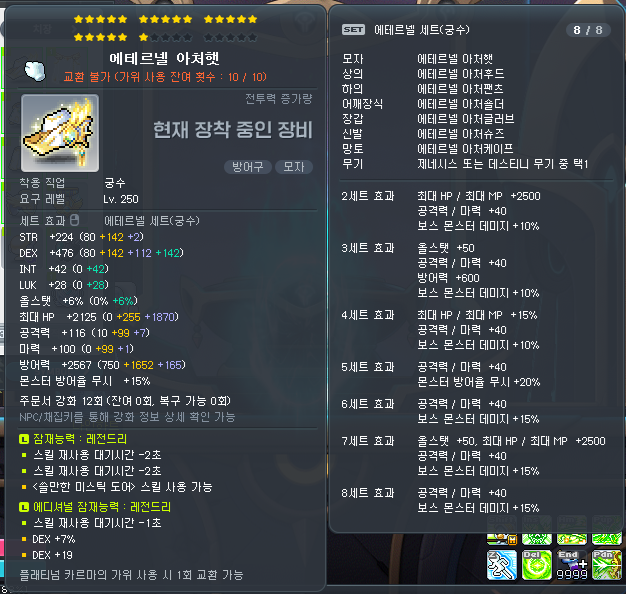
The equipment item tooltip display method has been improved.
- The display locations of certain attributes in the tooltip have been changed.
- Special items, Label names, tradability, and item durations will be displayed below the item name.
- Special items, Label names, tradability and item durations will be displayed in that order.
- Set effects, usable skills, and growth levels have been changed from ‘justify’ alignment to ‘left’ alignment.
- The growth level display method has been changed for items with Yggdrasil’s Blessing type items applied.
- The weapon attack speed display has been moved to below the growth level.
- The stat duration display has been moved to the top of the stats.
- The stat display has been changed from ‘justify’ alignment to ‘left’ alignment.
- The Star Force/Scroll/Bonus Stats increases display method has been changed.
- Before: Increases were displayed in the order of Bonus Stats, Scrolls, Star Force.
- After: Increases are displayed in the order of Star Force, Scrolls, and Bonus Stats.
- The All Stats % display has been moved to directly below STR/DEX/INT/LUK.
- The font colour displayed when there are no enhancement values for a specific enhancement method has been changed.
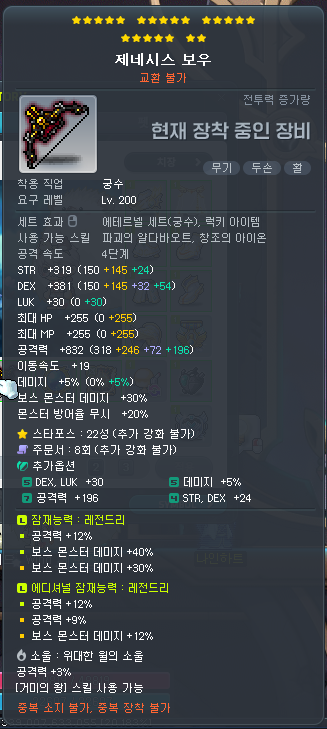
- The Star Force/Scroll/Bonus Stats/ enhancement information will now be displayed in an abbreviated form by default. You can now use the NPC Chat/Harvest key to check the detailed information.
※ However, this function does not work during boss battles. - The total Bonus Stats stage information will no longer be displayed.
The Enhancement UI has been improved.
- The location and status of the inventory and equipment UIs will now be automatically adjusted when the Enhancement UI is opened.
- The ‘View enhancement cutscenes’ option will now be saved on a per-PC basis.
- A guide message has been added when you have no more of the selected material that you are using in your inventory.
- The meso display method has been changed to display unit digits.
- When Star Force enhancing (except for equipped items), it will no longer check for inventory space.
- An additional guide will be provided if your MVP Rank falls while using the ‘reset 3 times’ feature.
- You can no longer change the resolution during the Star Force special cutscene, or while selecting Return Scroll, Bonus Stats, or Potential stat options.
- An additional guide will be provided when Star Force enhancing Superior items.
- An additional guide will be provided if Chance Time occurs when using Star Force enhancing.
- When using Star Force enhancing, using the Destruction Prevention feature will now also display the original price.
- When using special scrolls, if all of the scrolls in the selected slot are used up, it will now automatically select the next slot of the same scrolls if you have them.
- If you cannot use Clean Slate Scrolls on an item, they will no longer appear in the Spell Trace choices.
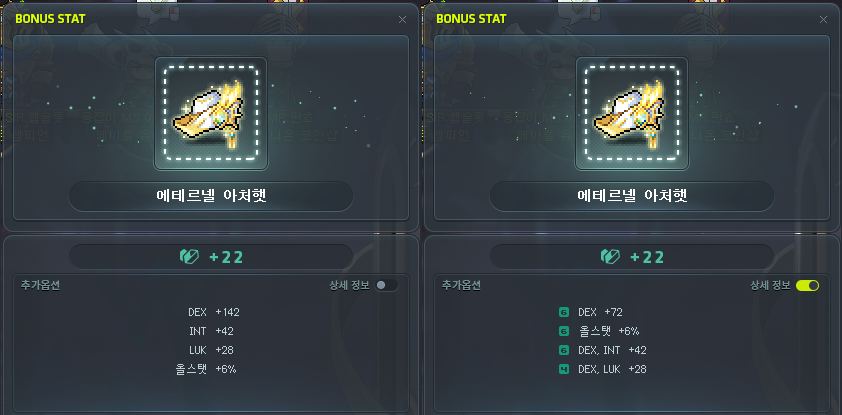
- You can now check Bonus Stats’ detailed information.
- When using the Bonus Stats ‘reset 3 times’ feature, it will now use the same Rebirth Flame items in your inventory even if they are separated in different slots.
- The priority of which items are used are determined in the order of tradability and expiry date. The detailed criteria is as follows.
- They are used in the order of untradable, can only be put into storage, can only be traded 1 time, and tradable.
- The items that will expire the soonest will be used first.
- When selecting between Bonus Stats options, the number of Rebirth Flames will now display the combined total of all flames that you have.
- When using the Bonus Stats, Potential, or Additional Potential enhancements, if the Combat Power increase is negative, it will now use a different font.
- When using the Additional Potential enhancement, a guide message will now be displayed if you have no registered equipment items.
- When an Equipment Trace is registered, if you try to register an item that’s different than the Trace, the Equipment Trace item registration will be canceled.
- When you try to register or equip an Equipment Trace item, the Trace Recovery tab will be automatically selected in all cases.
- The Special Skill Ring Polishing Level Exchange UI’s ring level font has been improved to be more clearly visible.
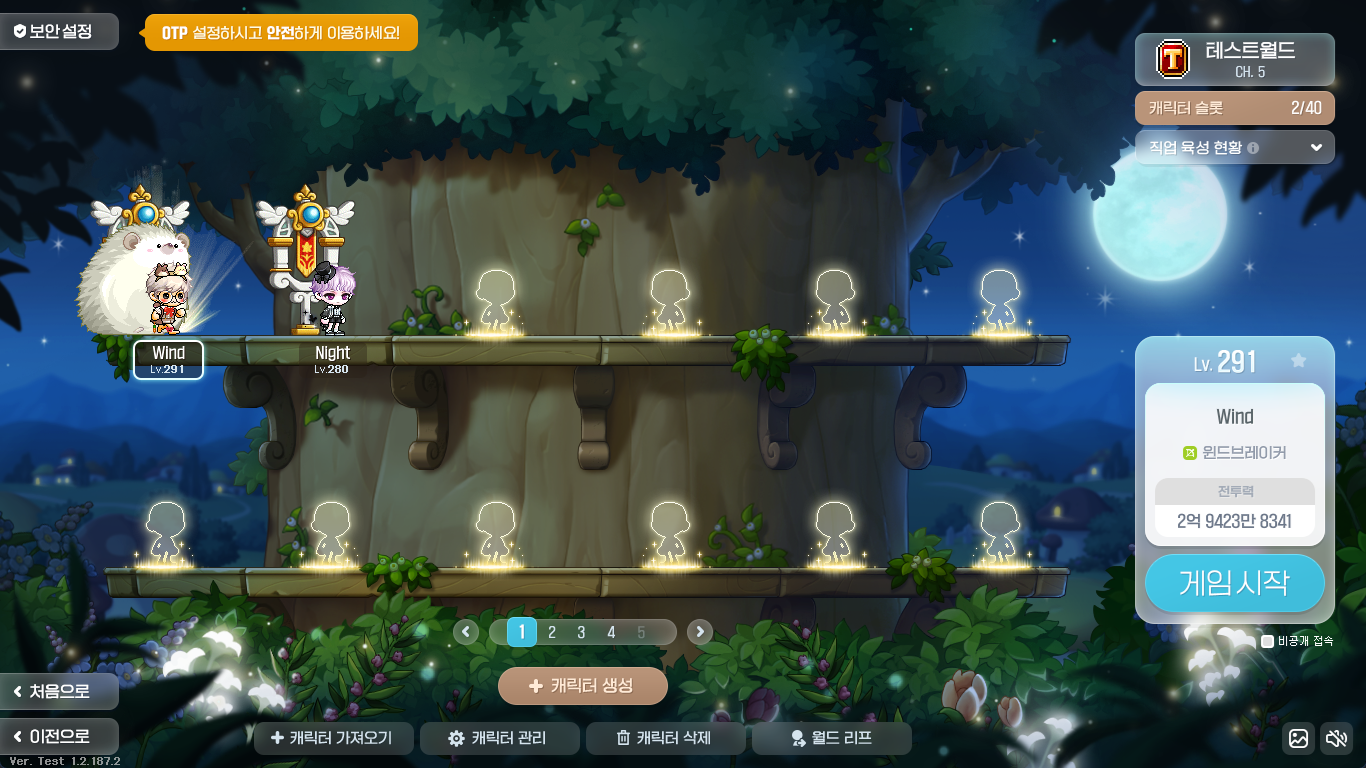
The Login UI has been improved.
- You can now change character order in the Character Management window by dragging and dropping.
- The Fast Login/Character Select window’s ‘appear offline’ option will now be saved per Maple ID.
- The Character Management UI will now display a character creation guide text when you have 0 characters.
- When a character is unfavourited, the Fast Login will now display the character you last logged in to.
- In the Character Select window, the currently unselected page buttons have been changed to be more clearly distinguished.
- The Character Select window’s bottom button locations have been adjusted.
- The Character Select window’s Character Creation button’s tooltip will now display the reasons why you cannot create a character.
- The Character Select window has been changed to inform you that you cannot increase the number of character slots in Challengers World.
- The Fast Login/Character Select window’s ‘appear offline’ option’s click range has been increased.
- The Job Select screen has been changed so that you can more easily check the jobs to the left and right of the list.
- The Job Select screen has been changed so that you can easily change the job list using arrow keys and the mousewheel.
- The Job Select screen has been changed so that when the job list is expanded, clicking outside the job list will collapse the job list.
- The Character Creation screen has been changed so that if you do not check for name availability, the Confirm button at the bottom will now guide you through the checking process.
The Symbol UI has been improved so that the highest stage Symbol tab is selected.
It has been improved so that after a Zero character acquires the Lapis/Lazuli weapon, you can reset Bonus Stats in the equipment window’s weapon enhancement tab.

The Quick Menu‘s maximum number of slots has been increased from 8 to 9. The ‘Apply to All Characters’ option has been added.
It has been improved so that when you hover over the Quick Menu list’s icons at the bottom of the Full Menu, the menu name will be displayed.
It has been improved so that in the Meso Market UI, the trade price information’s update cycle is faster.
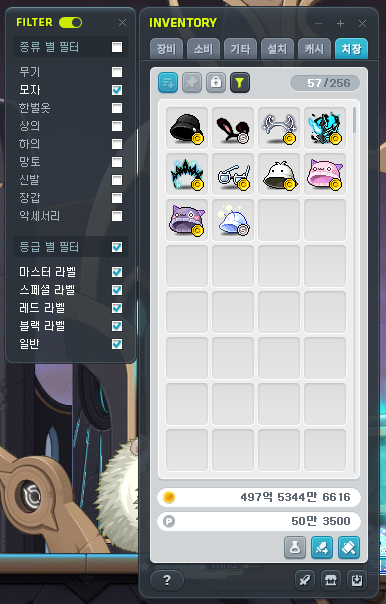
It has been improved so that you can use the Cosmetic Tab Filter feature even when the inventory is minimized.
The inventory’s held mesos display method has been improved.
It has been improved so that when a new item is acquired in a Bag UI, the new item acquired icon will be displayed.
It has been improved so that you can now search for Herb Gathering tools and Mining tools in the Maple Auction’s Etc Items tab.
The Equipment Succession completion pop-up UI’s design has been updated.
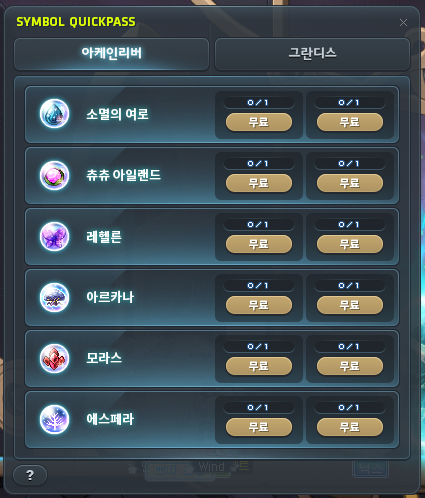
The Symbol Quick Pass UI’s name has been changed to be more clear.

The cooldown for moving to Meisterville through the Profession UI has been decreased from 5 minutes to 10 seconds.

The Town Menu UI’s button sizes have been increased.
Events
The ‘Simplified Event Start’ feature will now be provided for the [Maple University] event.
Maple Home
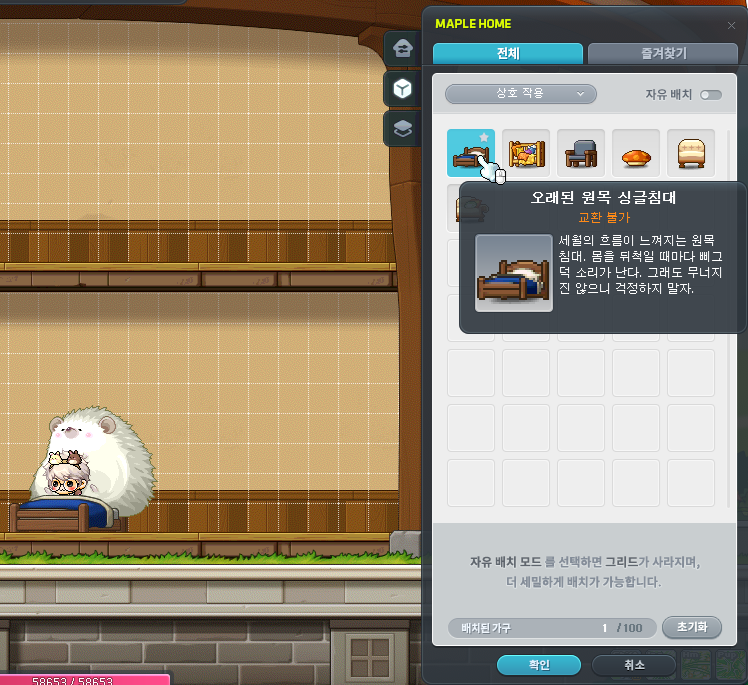
Interaction functionality between certain furniture and characters has been added.
- Interaction can only be done by moving close to the furniture and left-clicking with the mouse.
- You can select the ‘Interaction’ filter in the Furniture Management tab to check furniture that can be interacted with.

It has been improved so that you can view the number of placed furniture and the maximum number of furniture that can be placed.
- You can check the ‘Placed Furniture/Maximum Placed Furniture’ number at the bottom of the Building Management, Furniture Management, and Placed Furniture Management UIs.
- For furniture with quantity restrictions such as Mannequins and Display Cases, you can check the ‘Placeable Quantity/Maximum Placeable Quantity’ on the furniture icon in the Furniture Management tab.
It has been improved so that you can reset placed tiles and furniture all at once.
- A ‘Reset’ button has been added to the Building Management tab. When you click it, all platforms you have placed directly will be removed. If there is any furniture placed on those platforms that are being removed, they will also be removed.
- A ‘Reset’ button has been added to the Furniture Management and Placed Furniture tabs. When you click it, all placed furniture on the screen will be removed.
It has been improved so that you can copy, delete, and undo using keyboard shortcuts.
- Copy: Select a furniture and press ‘Ctrl+C’
- Delete: Select a furniture or platform and press ‘Delete’
- Undo: Press ‘Ctrl+Z’ (undo the previous action)
It has been improved so that you can check if you have a furniture or not in Furniture Vouchers.
Fixed an issue where if you flipped a Mannequin furniture horizontally, the Mannequin location looked awkward.
A spectator feature has been added to the One Card Minigame Booth furniture.
- When a game is in progress, you can spectate the game by clicking on the furniture.
MVP Benefits
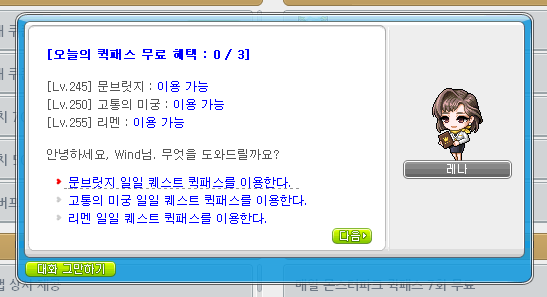
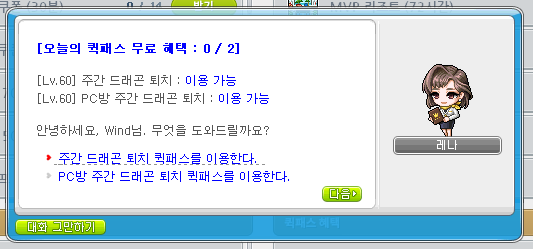
MVP RED/Black rank’s Quick Pass benefits have been added.
- 1 free daily Tenebris Daily Quest Quick Pass (Each Area)
- 2 free weekly Maple Union Weekly Quest Quick Pass
※ If you are on a character that can use the Quick Pass, you can also talk to Dragon Hunter Ms. Account to use the Quick Pass.
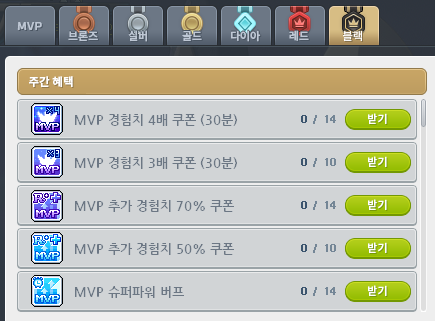
MVP Red/Black rank’s weekly benefits have been added.
- 10 MVP 3x Experience Coupons (30 Minutes)
- 10 MVP 50% Additional Experience Coupons
A shortcut key that can directly open the MVP UI has been added to the Shortcut Key Settings.
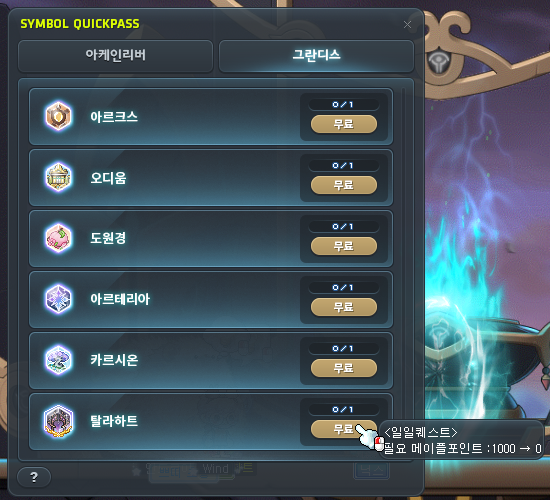
When using the Symbol Quick Pass, content that you can use the free Quick Pass on will display whether or not it is free on the button and in the tooltip.
When a character with MVP Red rank or higher uses the Symbol Quick Pass by consuming Maple Points, a confirmation window will now be displayed to confirm if you want to proceed or not.
When using the Monster Park Extreme Quick Pass while in the Monster Park map with a party member, a confirmation window will now be displayed to confirm if you want to proceed or not.
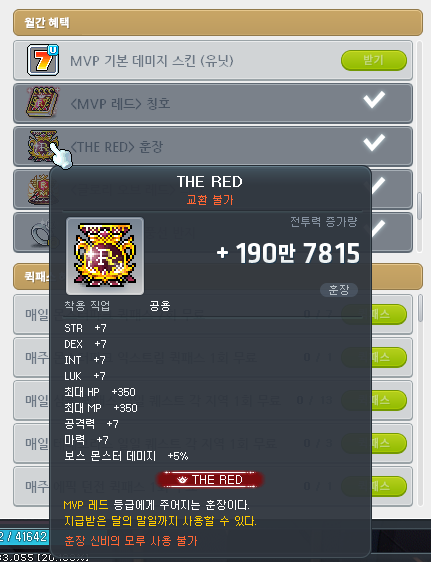
Certain images of the MVP Red rank’s title/medal/name tag ring have been changed.
The MVP UI’s icons will now be displayed in their original sizes.
If a character has a reissuable item in their possession, the UI will now display the item line as ‘Completed’.
Error Fixes
Skills
Common
- Fixed an issue where certain skills that change appearances sometimes took more time to apply the new appearance.
- Fixed an issue where sometimes Erda Nova could not be used while using certain linked skills.
- Fixed an issue where critical status effects were not ignored when casting the final attack of certain keydown skills. The following skills have been fixed.
- Fierce Cyclone
- Rapid Throw
- Smashing Multipunch
- Mascot Familiar
- Endless Agony
- Endless Agony VI
- Fixed an issue where certain skill effects were displayed in Direction Mode. The following skills have been changed.
- Aura Weapon
- Aran – Adrenaline Burst, Adrenaline Maximum
- Demon Slayer – Metamorphosis VI
- Demon Avenger – rotating Dimension Sword
- Kaiser – Dragon Blaze
- Adele – Storm
- Fixed an issue where certain skills’ movement directions did not apply the switched directional keys while in the Reverse Controls status. The following skills have been changed.
- Striker – Thunder
- Wild Hunter – White Heat Rush
- Xenon – Diagonal Chase
Hero
- Fixed an issue where sometimes your connection would end when using Flash Slash.
- Fixed an issue where Final Attack’s hit effect looked different to other characters.
- Fixed an issue where Chance Attack’s final damage boost was not applied to bound enemies.
- Fixed an issue where Advanced Final Attack’s hit effect looked different to other characters.
- Fixed an issue where Furious Edge’s hit effect looked different to other characters.
Dark Knight
- Fixed an issue where Fierce Cyclone’s final attack’s skill sound effect was not played.
Archmage (F/P)
- Fixed an issue where DoT Punisher’s fireballs were created at an awkward location.
Night Lord
- Fixed an issue where Shuriken Challenge’s action was awkward.
Night Walker
- Fixed an issue where if you died then revived in the same map, the Shadow Servant Extend shadow would move to the character’s location.
Aran
- End Game can now only be used if you have level 30 Adrenaline Maximum.
Phantom
- Fixed an issue where the skill sound effect was played awkwardly when casting Fate Shuffle.
Eunwol
- Fox God Flash’s skill description has been changed.
Battle Mage
- Fixed an issue where if you changed maps, sometimes Grim Reaper would be resummoned at an awkward location.
Wild Hunter
- Fixed an issue in Champion Raid: Dragon Island where if you switched characters after using Jaguar Storm, the Jaguar Storm buff icon would be removed.
- Fixed an issue where White Heat Rush, Wild Grenade: Flash, Wild Grenade: Spark, Wild Vulcan Type X, and Nature’s Belief did not apply the increased attack from arrows.
- Fixed an issue where the character looked awkward in the Cash Shop and Maple Auction when Draw Back was activated.
Mechanic
- Fixed an issue where Ground Zero’s large scale bombardment’s damage was incorrectly stated.
Demon Slayer
- Fixed an issue where Cerberus VI: Tartarian Cerberus’ damage was incorrectly stated.
Zero
- Fixed an issue where Wheel Wind, Advanced Wheel Wind, and Wheel Wind VI’s skill icons were sometimes displayed as other skill icons.
Adele
- Fixed an issue where Infinite ended if you changed channels.
- Fixed an issue where Creation/Creation VI sometimes did not activate properly when using certain content.
Illium
- Fixed an issue where sometimes the Crystal’s charged magic power would be reset when using a portal.
- Fixed an issue where sometimes Machina would move to an awkward location when using a portal.
- Fixed an issue where the skill sound effect was played awkwardly when casting Crystal Transform.
Lara
- You can now use Dragon Vein Eruption if you have at least 1 Eruption skill at level 1 or higher.
Quests
Fixed an issue with the ‘[Moonbridge] Companionship with Nineheart’ quest where certain dialogue was displayed twice.
Fixed an issue with the ‘[Kaiser] Kaiser, Awakening’ quest where the icons were displayed incorrectly.
Items
Fixed an issue where Zero characters’ Sharpness Shadow/Massive Shadow could be enhanced.
Fixed an issue where the item notification was not displayed when a party member opened the Boss Ring Box of Life.
Fixed the Power Elixir Packages’ tooltip’s ‘Maple Point’ spacing.
Monsters
Suu (Normal/Hard/Extreme)
- Fixed an issue in Phase 1 where sometimes the damage reduction effect was not applied to the shield.
Will (Easy/Normal/Hard)
- Fixed an issue in Phase 2 where the heal block status effect was affected by skill effect transparency.
Jin Hilla (Normal/Hard)
- Fixed an issue where the heal block status effect was affected by skill effect transparency.
- Fixed an issue where the Altar Collapse buff effect was affected by skill effect transparency.
Kaling (Easy/Normal/Hard/Extreme)
- Fixed an issue in Phase 3 where the bind icon’s tooltip was not displayed.
Maps
Fixed an issue where you could not move to the event map from the Guard Area.
Fixed an issue where Elite Champions did not appear properly on certain maps.
UI
Fixed an issue with equipment item tooltips where additional party quest experience was displayed awkwardly.
Fixed an issue with equipment item tooltips where the detailed stat ranks displayed for items with set potential lines were displayed awkwardly.
Fixed an issue with equipment item tooltips where if an item with job restrictions could not be equipped because of gender limitations, the equippable job display was awkward.
Fixed an issue with equipment item tooltips for items that disappear when you logout and cannot be enhanced where it appeared as though you could use the Bonus Stats/Soul Weapon enhancements.
Fixed an issue where equipment items that disappear when you logout and cannot be enhanced could be registered in the Enhancement UI.
Fixed an issue in the Auction House where items in the For Sale and Completed tabs would show information about Cash tradeability in the tooltips, except for items that have not been received after expiration.
Fixed an issue with shield item tooltips where the equippable job information was sometimes awkward.
Fixed an issue where there was no separate guide for if a Zero tried to equip a shield item.
Fixed an issue where the guide message was awkward when certain enhancement items could not be used.
Fixed an issue where if you tried to use an enhancement item on a currently equipped hat item, the hat item would not be registered in the Enhancement UI.
Fixed an issue where if you tried to use a Soul Enchanter while you had locked throwing stars, the locked item related guide would appear.
Fixed an issue where if the Spell Trace scroll list changed while using Clean Slate Scrolls, the scroll enhancement summary icon would be displayed in an incorrect location.
Fixed an issue with the Pet tab where if you checked certain options, the control focus would be set to the UI and it would limit character control.
Fixed an issue with the Pet tab’s Loot Ignore Item settings UI where if the registered list and search list exceeded 10 and 5 items respectively, the list would be displayed awkwardly.
Fixed an issue with the Symbol UI where the Symbol growth value tooltip display conditions were awkward.
Fixed an issue with Angelic Buster characters’ outfit presets where the shoes and cape slot locations were awkward.
Fixed an issue with the World Map UI where the guide was awkward when searching for NPCs in Pantheon.
Fixed an issue where you could not change Union attacker placements in the Sanctuary of Night and Illusions map.
Fixed an issue where the character name was displayed darkly at the bottom left corner of the screen.
Fixed an issue where if Pathfinder equipped a Special Skill Ring, the Ring Activation icon displayed in the quickslots sometiems looked awkward.
Fixed an issue where after opening the Sol Erda UI through the Full Menu or Quick Menu then logging off, the UI’s display status would not be saved.
Fixed an issue where if a character changed maps while the MapleStory window was minimzed, the external chat would disappear.
Fixed an issue where the inventory’s new item acquired icon was not affected by UI transparency.
Fixed an issue with the Item Fusion UI where certain item icons were displayed differently than the existing item ratio.
Fixed an issue where if you filtered accessories with the inventory Cosmetics Tab Filter feature, ring items were not included.
Fixed an issue where if you acquired a new item while using the inventory Cosmetics Tab Filter feature then changed to another filter, the newly acquired icon was awkward.
Fixed an issue where if you hovered over certain meso areas in the inventory, the Maple Points guide tooltip would appear.
Fixed an issue in Cross World Boss Content where line breaks in party chat and whisper chat were awkward.
Fixed an issue where if you changed to full screen after changing inventory tabs, a different tab than the one that was open before you changed to full screen would be displayed.
Fixed an issue with the Town Menu UI’s buttons where sometimes they appeared in awkward locations.
Fixed an issue with the World Guide window where certain values were awkward.
In the Character Select screen, the favourite character’s nametag will now be displayed in a different colour than the currently selected character.
Fixed an issue in the Character Select screen where sometimes Zero characters’ weapons covered their nametags.
Fixed an issue in the Character Select screen where if you had 0 characters, the Delete button looked abnormal.
Fixed an issue with the Character Select window’s World Leap UI where the departure world and dstination world were displayed awkwardly.
Fixed an issue in Challengers World’s Character Select screen where sometimes you could not check the number of characters you could move with the Challengers World Leap.
The login process’ 2nd password entry window and macro prevention text input window’s text entered will now be displayed as centered.
Fixed an issue where certain button features in the confirmation window when resetting 2nd password t hrough the Security Settings window were awkward.
Fixed an issue where the Security Settings window’s designated PC list was not displayed properly in certain situations.
Fixed an issue with the Job Select screen where sometimes the job selection menu images looked awkward.
Fixed an issue with the Job Select screen where sometimes the scroll bar looked awkward.
Fixed an issue with the Job Select screen where sometimes the job information on the left was not updated properly.
Fixed an issue where sometimes the client closed when using the Fast Login feature.
Fixed an issue where sometimes the black screen transition effect displayed awkwardly when using the Fast Login feature.
Fixed an issue where the Fast Login window’s character image and world name were displayed awkwardly.
Fixed an issue where if you completed a quest while the Quest Helper was closed, the list would not be updated properly.
Fixed an issue where the Dimensional Mirror UI’s buttons looked awkward.
Fixed an issue where if you claimed Mileage at once through the Boss Defeat Mileage menu in the Maple Scheduler, the completable quest alert window would appear incorrectly.
The MapleStory window will no longer be affected by forced Windows resolution correction in vertical monitor mode.
Fixed an issue with the Union Champion UI where SSS rank magician characters’ effects were displayed as SS rank effects.
Fixed an issue where the Champion’s Protection UI could be opened after unregistering a Union Champion.
Fixed an issue where if you equipped an MVP medal in a not currently applied equipment preset, you could reissue the medal through the MVP UI.
Achievements
Fixed an issue where the ‘Book of Mercedes’ could not be found in the Story category.
 Orange Mushroom's Blog
I know most players don’t really care about this, but I think Maplestory is in need of another armor set that is a step above the Pensalir Armor Set, one that doesn’t require Bossing. Something around 210 or so. Something that drops only after reaching LvL.200.
It still needs to be worst than most bossing sets, but I’d say something that about the Root Abyss Set since that one is pretty much just given away at this point, but instead of boss damage% it’d be normal monsters damage%.
Giving the Antique Root Set a set effect and adding a Cape to it would probably be good enough imo. You can get it off daily bosses, and it’s made to be transfer fodder from Pensalir to Absolab, why not go a step further and let you actually want to use it?
I think the Dawn Boss set a few years ago was similar to what you’re asking, and was a great new addition (especially for KMS). We should definitely get more midgame updates.
I know this is a blog for KMS, but since you are commenting in english, ill mention that GMS/CMS/TMS has the castle set, that appears to meet most requirements you have listed.
https://maplestorywiki.net/w/Equipment_Set/Castle_Set
Wouldn’t it just be better for it to be 190 so i can transfer it into Arcane, thus helping with the pain of having ZERO arcane drops from weekly bosses. lol
You want level 190 to be able to star them enough (22 maybe 23) so you can transfer to Arcane without the need of farming Arcane equips to do that, aren’t you? 🙂
Btw, I agree that content below 200 is being left behind/ignored for a very long time and need improvements. What is the point of having so much trouble to craft empress equips if you can get pensalir so fast?
Familiars (which I’m not sure if even exist in KMS) drop rate in Maple World is terrible (why should we be forced to use Grandis+ familiars?)
Also, why the removed content equipments like Spectrum Goggles, Alien Visitor things, Elemental Staff 163 (removed from toad boss) and many others were not added to Phantom Forest coin shop or some other shop in-game?
I’m tired of seeing they focus only on 200+ stuff.
The reason why there is so much 200+ content, is that the paypigs keep paying. Unless they themselves demand content before 200, or even better experience before 200, we aren’t going to get any.
love you max
😳
I just want to take a moment to express my deep appreciation for Max and everything you do with the Orange Mushroom Blog. For years, your consistent updates, clear translations, and thoughtful insights have been an invaluable resource for the MapleStory community. You’ve helped bridge the gap between regions and made it possible for so many of us to stay engaged and excited about the game we love.
Your dedication doesn’t go unnoticed — it’s clear how much time and passion you put into every post, whether it’s a big update or a smaller patch note. You’ve created a space that’s trusted, respected, and truly appreciated by fans around the world.
Thank you for all your hard work and for being such a steady presence in the MapleStory scene. Keep doing what you do — we’re all better for it!
Thank you chatGPT
why are they nerfing demon slayer????? you already ruined demon awakening for gms, now you’re gonna make us weaker?
also old news but why does nightwalker get a new proc skill that benefits from AS0, while ds (and other classes, tbf) gets proc skills with reactivation cap of 1 per second?
That wild hunter nerf is so uncalled for… WE SUCK!! PLEASE STOP NERFING US!!!
It’s because a Wild Hunter Redux is on the way!
They nerf us now, so that the buffs we get seems all the more significant… Hopefully… For sure not huffing that copium or anything… Trust!
I think I like the new Cash Shop BGM more than any of the previous ones..
Its so bubbly!
BUFF DA, mirror nx weapon nx for androids, mirrors weapon main is using!