
KMS ver. 1.2.394 – Fall 1st Update: Epic Dungeon – Angler Company!
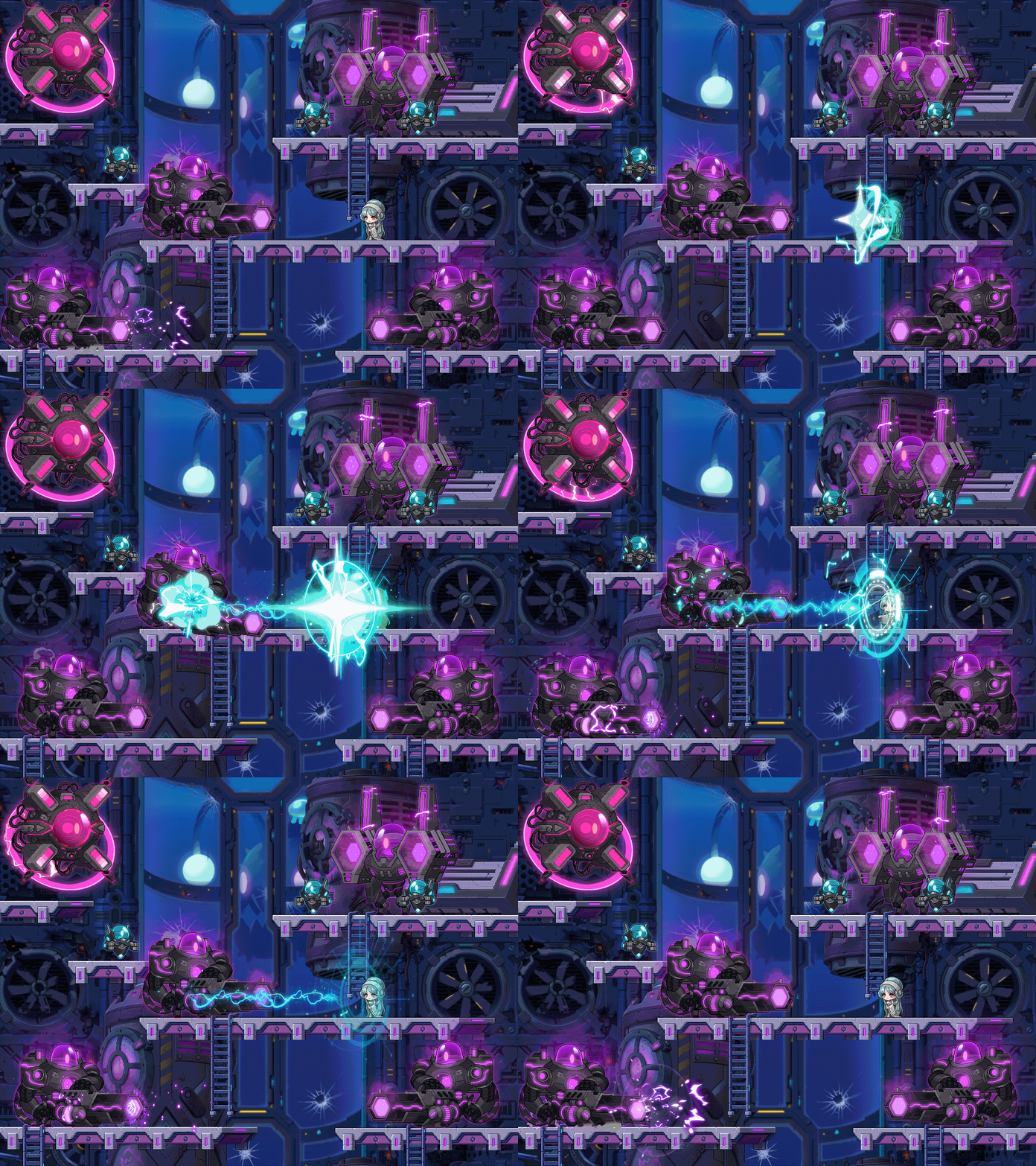
The MapleStory landing page calls this the ‘Fall 1st Update’ even though fall doesn’t start until near the end of September… Anyways, this patch contains the new Epic Dungeon: Angler Company, as well as various improvements, the Dimensional Visitor event, and the new Champion Burning event.
Overview
- [Epic Dungeon] Angler Company
- Collector’s Request
- DirectX 11 Application
- Reboot World Changes
- Improvements
- Skill Adjustments
- Error Fixes
- Open API Provided Information Additions
- KMS ver. 1.2.394 (5) Minor Patch
- Events
[Epic Dungeon] Angler Company
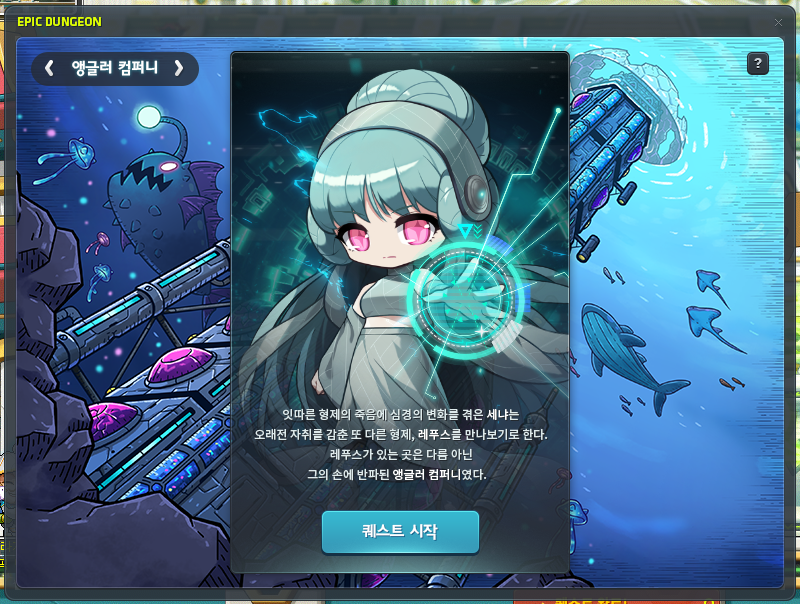
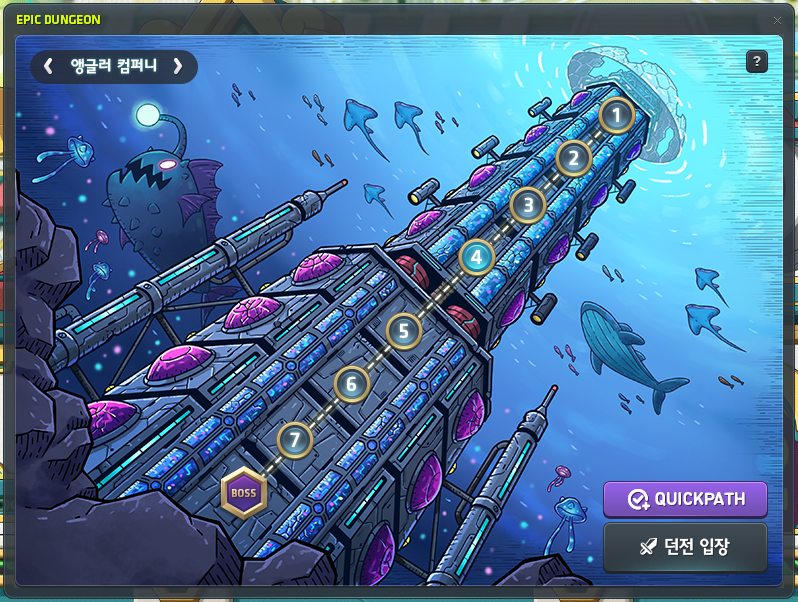
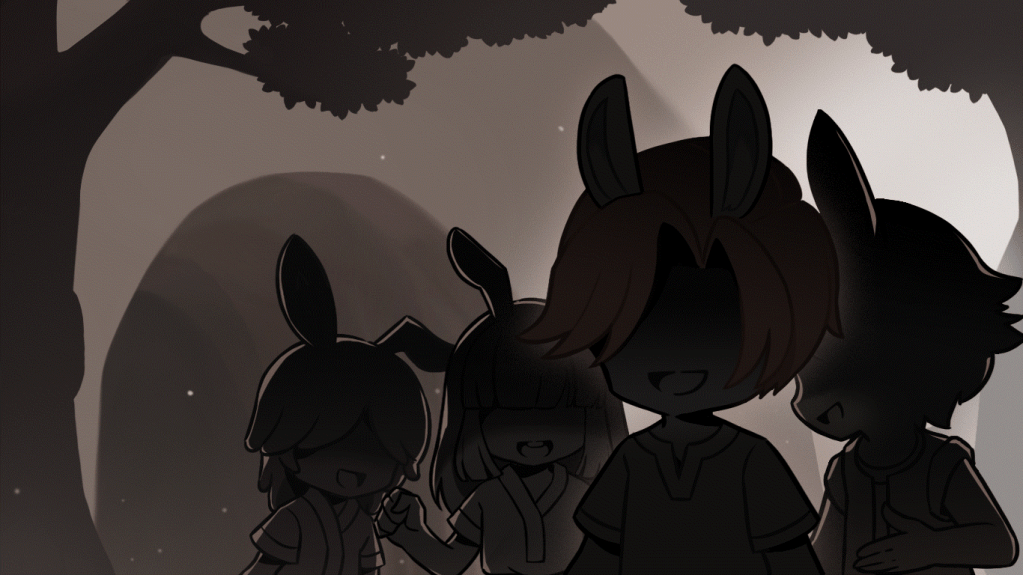
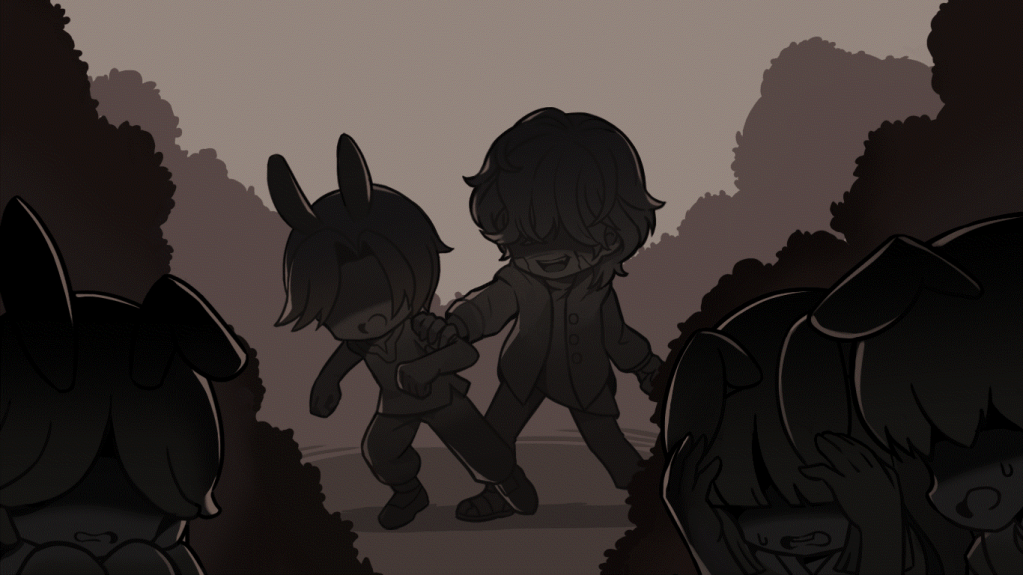
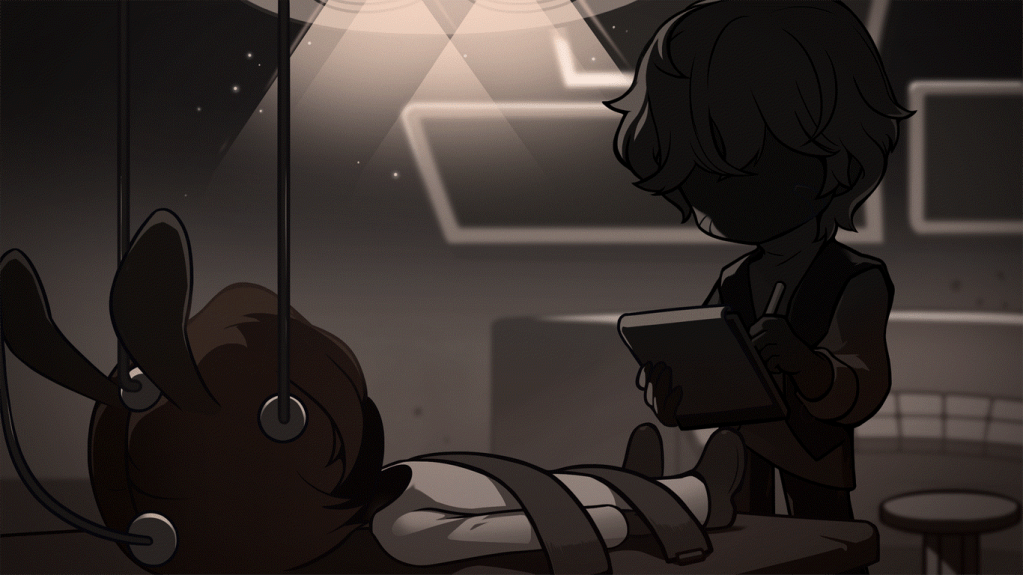
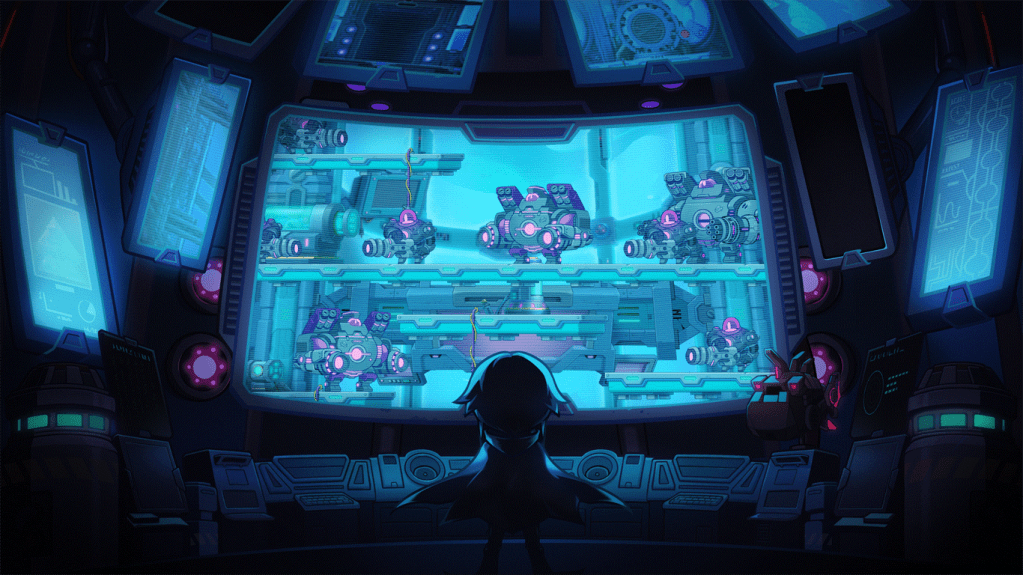
After the events of Odium came to a close, Senya, who decided to meet Lepus, learned that the Angler Company had secured him as a suspect. Lepus was being held in none other than the Angler Company that had been destroyed at his hands long ago.
Become Senya and uncover the secrets of the Angler Company submerged in the deep sea.
- Participation Requirements:
- Level 270 or higher characters who have completed the ‘[Odium] Closed Eyes of Chaos’ and ‘[Epic Dungeon] Sun God Mitra’ quests.
- Participation Method:
- You can participate in the Story Mode after completing the ‘[Epic Dungeon] Angler Company’ quest through the NPC Serazar in City of Researchers.
- You can enter the Angler Company Dungeon on a character that has completed the Angler Company Story Mode. You will receive rewards after clearing the Dungeon.
- The Angler Company Dungeon consists of a total of 8 stages. Even if you leave while playing, you can continue from the previous stage when you re-enter.
※ When you clear Story Mode in a specific world, all other characters in that world will be able to skip Story Mode. However, if you are currently doing the Story Mode, you cannot use the skip feature.
※ Regardless of the type of Epic Dungeon, you can only enter and clear on 1 character per week per Nexon ID.
※ If you have not received the Dungeon Clear reward, you can enter a Dungeon on another character by using the ‘Reset Entry and Progress Record’ feature.
※ If you World Leap after entering, you will be treated as another character.
※ The Epic Dungeon’s weekly reset time is every Thursday at 12:00 AM.
※ On Red PCs, you are restricted from entering Epic Dungeons.
※ You cannot use the Battle Analysis system in the Epic Dungeon Story Mode and Dungeon.
※ From August 13 ~ August 21, 2024, the Epic Dungeon progress may not be displayed properly on the Maple Scheduler.
- If you cleared or progressed an Epic Dungeon in the week before the update, your previous progress and clear records will be displayed on the Maple Scheduler until you enter an Epic Dungeon on August 13 or August 14.
- Even if you progressed or cleared an Epic Dungeon on August 13 or August 14, it may be marked as not having been completed until after August 15.

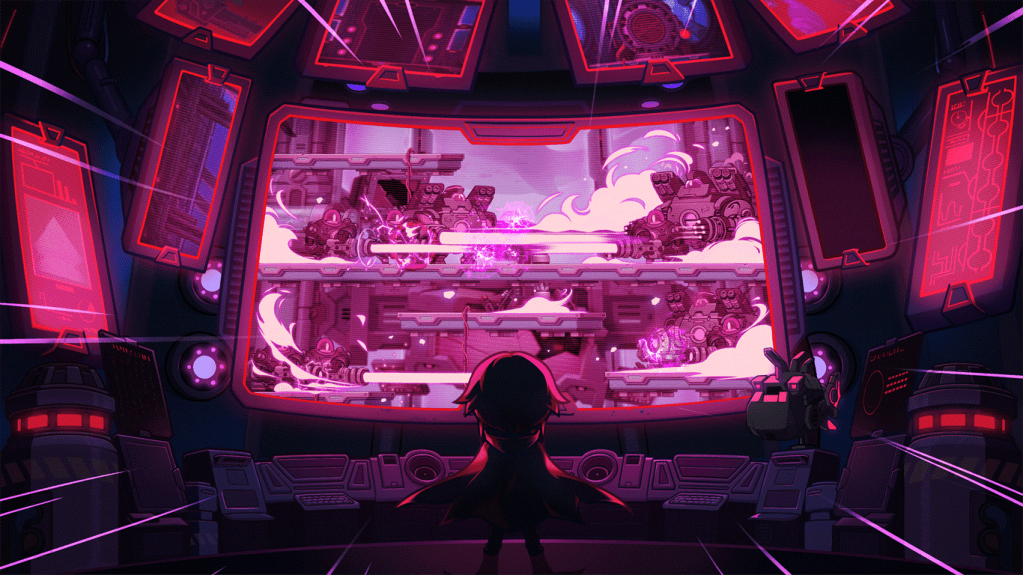
The following quests have been added.
- [Epic Dungeon] Angler Company
- [Epic Dungeon] I Wish It Didn’t Stop
- [Epic Dungeon] Towards the Deep Sea
- [Epic Dungeon] Out of the Building
- [Epic Dungeon] The One That Reached the Secrets in the Deep Sea
The Story Mode clear reward is as follows.
- The One That Reached the Secrets in the Deep Sea Medal
The Dungeon clear rewards are as follows.
- Experience
- 1 Sol Erda
- 1 Dense Sol Erda Energy
- 45 Sol Erda Fragments (Reboot World Only Reward)
- 2 Maple Gold Coins
※ The Sol Erda, Dense Sol Erda Energy, and Maple Gold Coins will expire 30 days after acquisition.
※ The Sol Erda, Dense Sol Erda Energy, and Sol Erda Fragments are untradable. The Maple Gold Coins can only be put into storage.
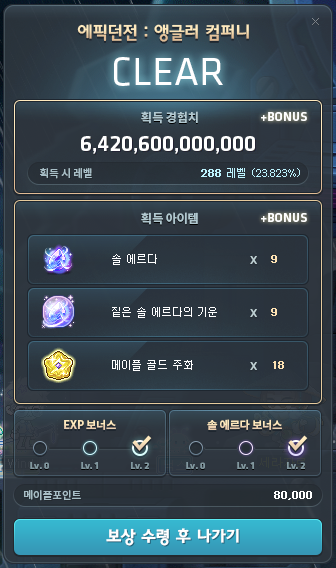
The Bonus Reward system is as follows.
- After clearing the Angler Company Dungeon, you can use Maple Points to acquire additional rewards.
- After acquiring rewards at the time of clearing, you can select the higher tier Bonus stages you did not select previously before 12:00 AM of the following Thursday to receive additional rewards.
| Choices | Additional Rewards | Maple Points Used |
|---|---|---|
| EXP Bonus (Level 1) | Additional 4x of the base experience reward 4 Maple Gold Coins | 10,000 |
| EXP Bonus (Level 2) | Additional 8x of the base experience reward 8 Maple Gold Coins | 40,000 |
| Sol Erda Bonus (Level 1) | 4 Sol Erda 4 Dense Sol Erda Energy 4 Maple Gold Coins | 10,000 |
| Sol Erda Bonus (Level 2) | 8 Sol Erda 8 Dense Sol Erda Energy 8 Maple Gold Coins | 40,000 |
※ You can only claim rewards on the character that cleared the Epic Dungeon.
※ You can choose any combination of the EXP Bonus and Sol Erda Bonus.
※ In Reboot World, the Bonus Reward cannot be claimed.
Angler Company related achievements have been added.
- [Epic Dungeon] Company’s Secrets
- [Epic Dungeon] Sprout Diver
- [Epic Dungeon] Intermediate Diver
- [Epic Dungeon] Pro Diver
An Angler Company related Union Artifact mission has been added.
- Special Mission: Complete the Angler Company quests.
Overview
Similar to the Epic Dungeon: High Mountain, Angler Company is split into 8 stages. There are 3 stages of hunting/minigames, then a miniboss, then 3 more hunting/minigame stages, then the final boss. In all stages, you can hunt monsters or complete various mechanics to fill up the Energy Gauge to use special skills.


Stage 1 and Stage 5 feature an autorun platforming minigame, where you must defeat monsters to fill up the Energy Gauge then NPC Chat the computer to start controlling a mini robot. The robot will automatically move forwards over whichever platform it is currently on. The green platforms are always there, but the red and blue platforms are alternating, and you can use the Tab key to switch which colour platforms are active. You must do this with correct timing to lead the robot to the end of the stage.
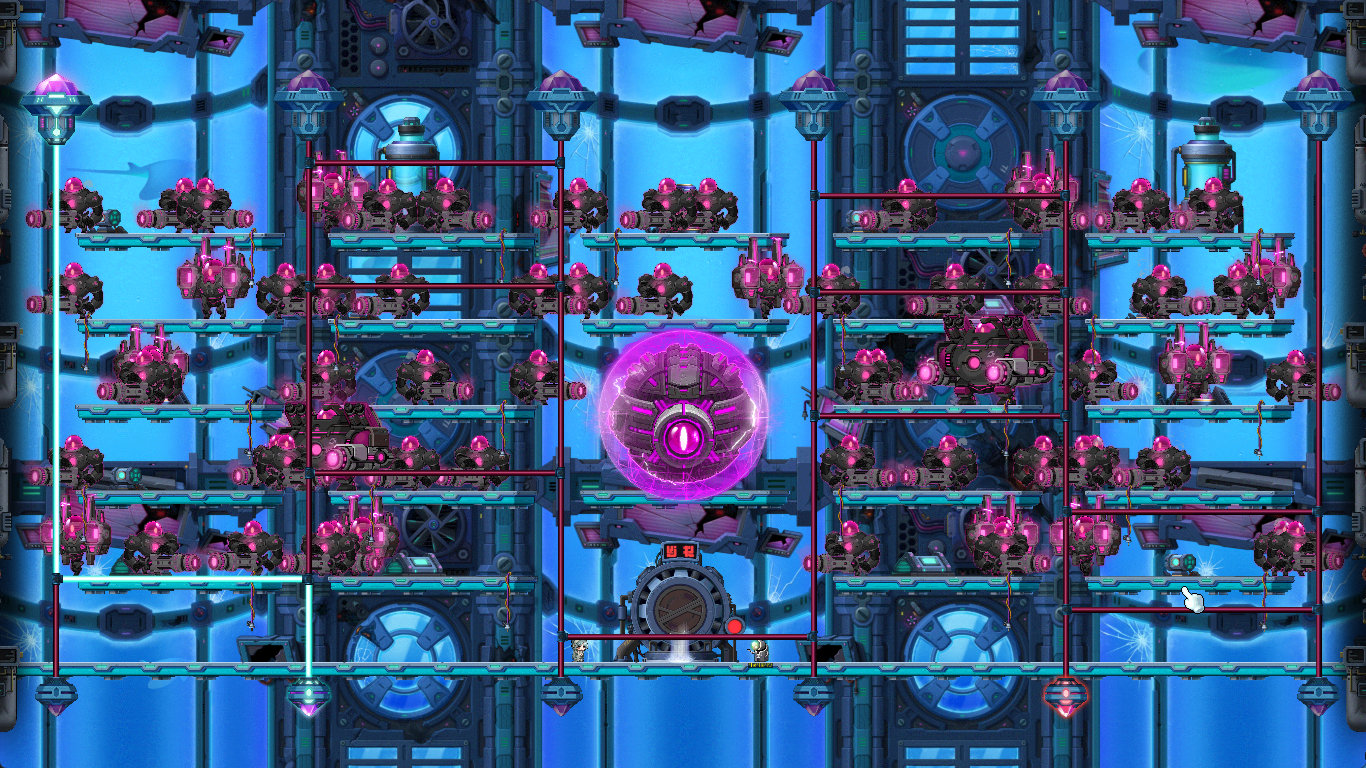
Stage 2 and Stage 6 feature a ladder minigame, where you must defeat monsters to fill up the Energy Gauge then use the special skill to either connect the power source from the specified node at the top of the screen to the node at the bottom of the screen or lead the boss to the correct node at the bottom of the screen by placing wires in the correct spots.
Stage 3 and Stage 7 feature a special Angler Suit, that you can board after collecting 1000 Energy. After boarding it, you do a small jump quest while defeating monsters with the Railgun, and use the Tab key to alternate platforms like in Stage 1/5.

Stage 4 is the miniboss, the Angler Centurion. Periodically, it will charge a huge laser beam and you must use the Shield of the opposite colour to avoid it and absorb its attack as Energy. Then it will reveal its weak spot and you can use NPC Chat to aim and fire special attacks.
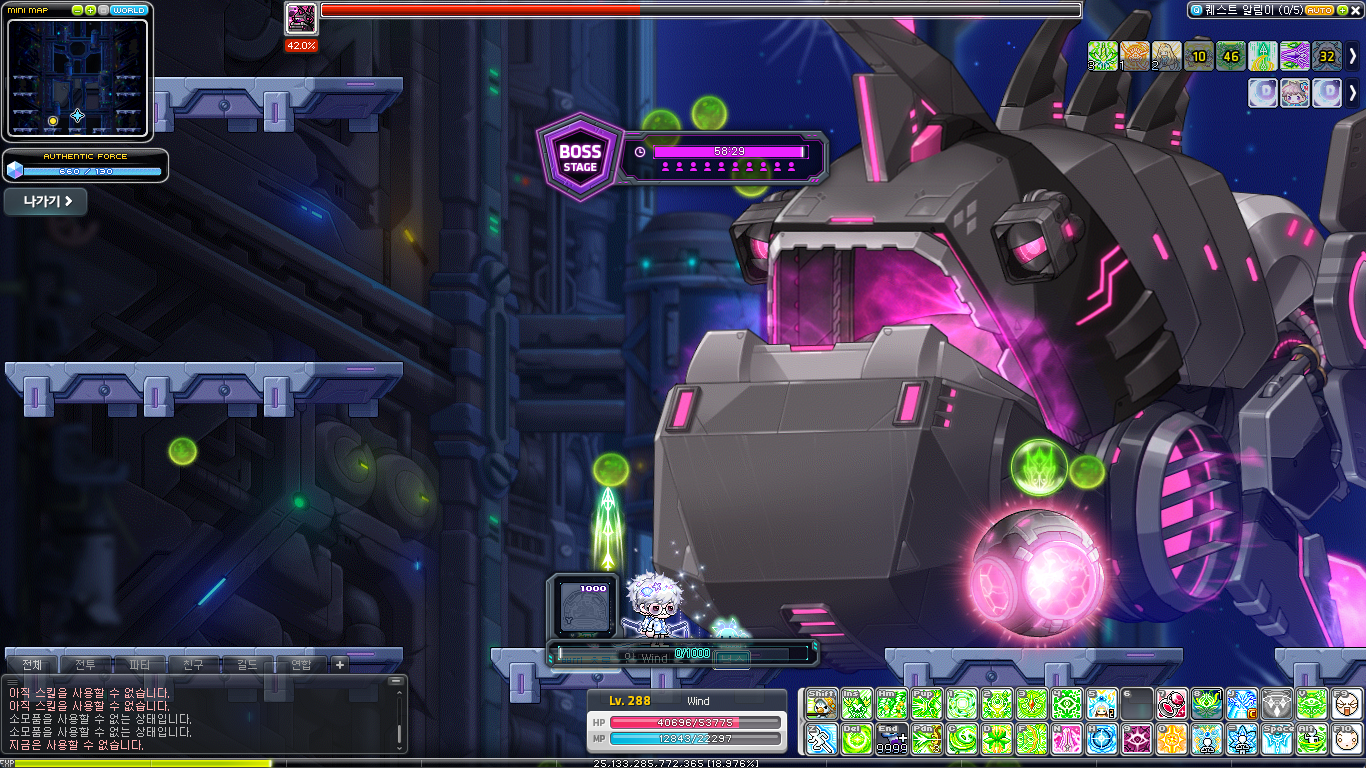

Stage 8 is the final boss, Triton. Triton’s heart will move around the map and you must hit it to weaken him, after which you can deal full damage for a small period of time. Periodically, it will activate a powerful attack that requires you to charge 1000 Energy to create a shield to avoid it.
Collector’s Request

The Collector who collects anything of value in Maple World. He is said to be looking for relics of the legendary hero Sayram. After chasing the traces of Sayram, whose existence was unknown, his will is revealed. What did he want to leave behind?
- Participation Requirements:
- Level 200 or higher characters.
- Participation Method:
- You can start the ‘[Collector’s Request] In Search of the Legend’ quest through the lightbulb icon on the left side of the screen.
The following quests have been added.
- [Collector’s Request] In Search of the Legend
- [Collector’s Request] Librarian Wiz’s Book
- [Collector’s Request] Sayram’s Footsteps
- [Collector’s Request] Alcaster’s Teacher
- [Collector’s Request] Alleria’s Relics
- [Collector’s Request] Final Companion
- [Collector’s Request] Forgotten Hero’s Remains
- [Collector’s Request] Hero’s Elixir

After completing the ‘[Collector’s Request] quests, you can purchase the following items from the Collector NPC.
| Item Name | Effects | Duration | Skills That Cannot be Stacked |
|---|---|---|---|
| Sayram’s Elixir | Max HP/MP +1750 Attack/Magic Attack +10% Attack/Magic Attack +50 Boss Damage +10% Critical Damage +16% Critical Rate +20% | 15 Minutes | Sharp Eyes Decent Sharp Eyes Howling Bless Advanced Bless Decent Advanced Bless |
| Alleria’s Elixir | A buff that ignores your HP hitting 0 1 time. | – | Pantheon Heaven’s Door Lotus Flower |
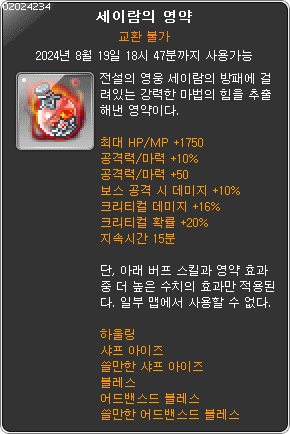
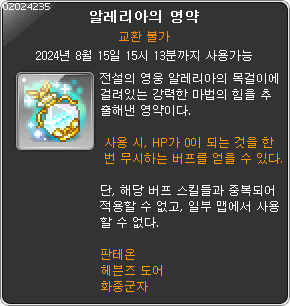
※ If there is a character within the world that has completed the ‘[Collector’s Request]’ quests, you can purchase Sayram’s Elixir and Alleria’s Elixir on any level 200 or higher character.
※ Sayram’s Elixir and Alleria’s Elixir are untradable and will expire after 7 days.
※ Between Sayram’s Elixir and the above skills, the one with the higher values’ effects will be applied.
※ Alleria’s Elixir will not stack with the above skills.
※ Sayram’s Elixir and Alleria’s Elixir cannot be used in boss battle maps, Mu Lung Dojo, Sharenian’s Underground Culvert, and certain event maps.
DirectX 11 Application
DirectX 11 will be applied to MapleStory.
Reboot World Changes
The following items’ selling prices have been adjusted.
- Basic Energy Core (A Rank)
- Faint Stigma Soul Stone
- Arcane River Droplet Stone
- Primal Droplet Stone
When using the following items, an option to receive mesos instead of equipment has been added.
- Black Destruction Fragment
- Black Guardian Fragment
- Mocking Fragment
- Screaming Fragment
- Time Fragment
- Destruction Fragment
- Kalos’ Remaining Determination Fragment
- Kalos’ Remaining Determination
- Ferocious Beast Entanglement Ring Fragment
- Ferocious Beast Entanglement Ring
※ The option to receive mesos can be used until the September 12 update.
Red Cubes and Black Cubes in the Cash Storage can now be moved to other characters’ Cash Storages within the world.
※ Red Cubes and Black Cubes can be moved until the September 12 update.
In Reboot World, the Petite Fairy Set and Petite Pony Set pet equipment will be sold.
In Reboot World, the Master Seraphim Package (M/F), Angelo Hair Coupon (M), Foggy Angelo Hair Coupon (M), Angela Hair Coupon (F), and Foggy Angela Hair Coupon (F) will no longer be sold.
※ The Master Label Packages and Reboot master Label Hair Coupons that were sold in Reboot World will no longer be sold.
Improvements
Monster Park
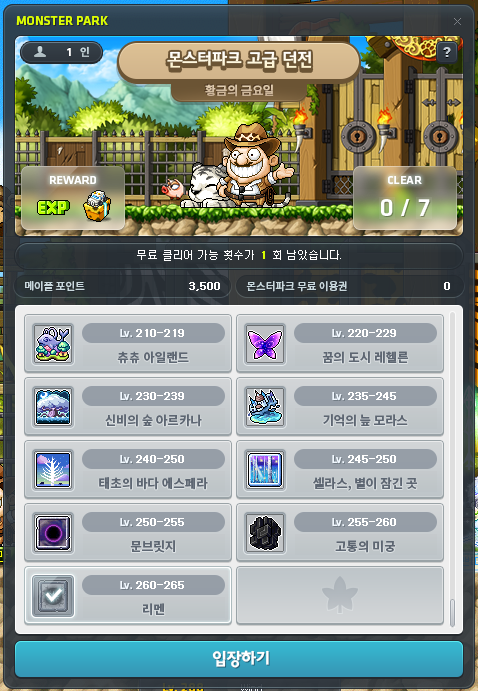
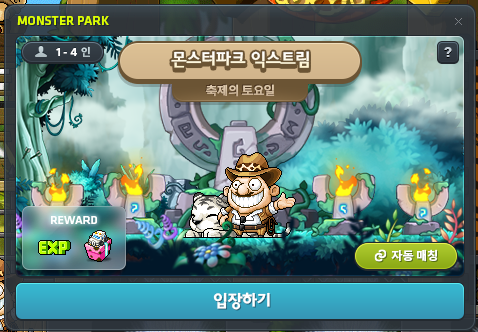
A Monster Park Entry UI has been added.
Monster Park Beginner/Intermediate/Advanced Dungeons’ clear experience has been increased to 2x as much.
Monster Park Beginner/Intermediate/Advanced Dungeons’ usage limits and costs have been changed.
- The number of daily free clears has been decreased from 2 to 1.
- The number of daily additional clears has been increased from 5 to 6.
- The number of Maple Points required for an additional Monster Park clear has been increased from 300 Maple Points to 600 Maple Points.
Starting from August 21, 2024, the Monster Park Free Entry Tickets provided by the MVP Gift Pack rewards will be adjusted.
| MVP Rank | Number of Monster Park Free Entry Tickets Provided |
|---|---|
| Silver | 2 |
| Gold | 3 |
| Diamond | 7 |
| Red | 10 |
Damage Skin UI
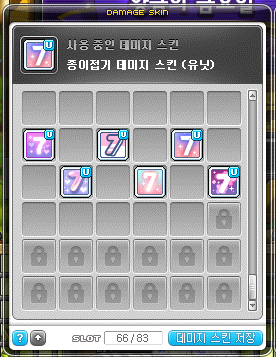
The Damage Skin UI’s size has been expanded.
The Damage Skin UI has been improved so that the location of saved Damage Skins can be changed. You can click on a Damage Skin then click on the slot you want to move it to in order to change its location like in the inventory, You can also collect the Damage Skins upwards by clicking the Gather Up button at the bottom.
The UI has been improved so that the currently applied Damage Skin’s status is displayed.
It has been improved so that the Damage Skin Storage Slots usage is displayed at the bottom of the UI. When you hover over the slot status, the number of slots that can be expanded will be displayed.
Bosses
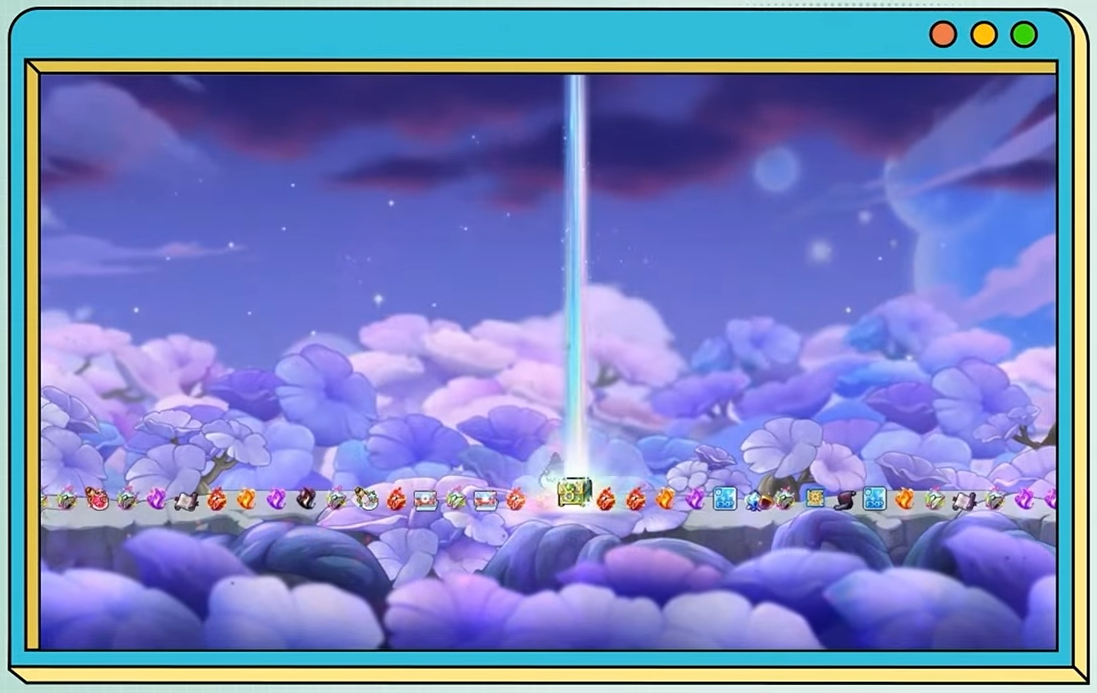
A special effect will now be displayed when certain rewards drop from boss reward monsters.
When exiting the Hilla boss map in a way other than the portal, you will be moved to the Hilla’s Tower Entrance.
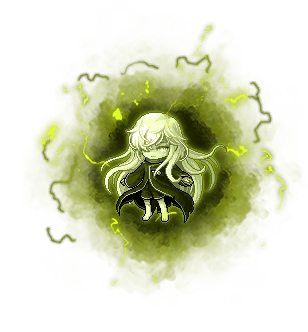
In Jin Hilla (Normal/Hard):
- Necro Suu’s appearance has been changed to the remastered boss.
- Necro Suu’s Energy Sphere pattern has been removed.
Skills
BIshop’s Holy Fountain buff icon and Holy Fountain’s buff icon when activated by Unstable Memorize will be changed to be distinct.
Quests
Improved an issue where users that completed the ‘Spy vs Subject’ quest first could not complete the ‘Gift for the Subject’ quest.
The ‘Another Power, Authentic Force’ quest has been improved to be included in the Main Quests.
Improved an issue where Tai Yu’s speech was awkward during the ‘[Daily Quest] Shangri-La Contamination Purification’ quest.
Items
Fixed an issue where the Results UI after using a Luna Crystal would display the acquired item’s icon ain an awkward location.
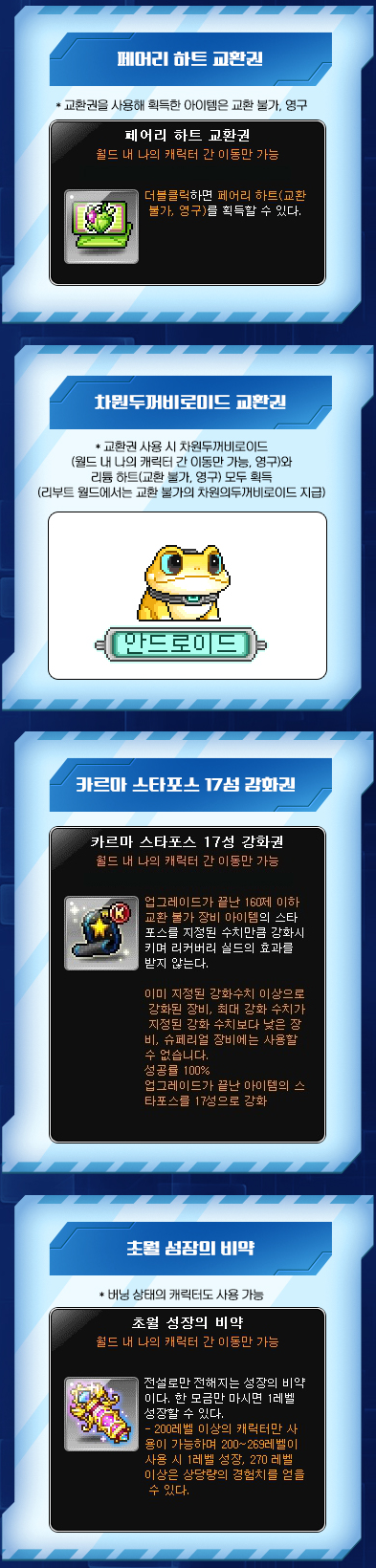
The Fairy Heart Voucher’s icon has been changed.
Fixed an issue where if certain items that had their colours changed using the Colouring Prism changed locations in the inventory or were equipped/unequipped, the game would freeze temporarily.
Monsters
In Mu Lung Dojo 70F, the remastered Suu will now be summoned.
In Will (Easy/Normal/Hard) Phase 2, Will’s hitbox while Groggy has been increased by about 15%.
Maps
In the Monster Park map, the NPC Mary will no longer appear.
The Trueffet Outskirts quest map has been changed so that it is not shared with other users.
UI
It has been changed so that only skills that have icons that are displayed in the top right corner of the screen’s buff display area when they are used can be registered in the Buff Bookmarks. If there are any skills in existing Buff Bookmarks lists that have been changed so that they cannot be registered after the update, those skills will be automatically removed from the Buff Bookmarks list when you login.
- However, certain skills that were already registered in the Buff Bookmarks before the update may not be displayed in the Buff Bookmarks UI. These skills will work peroprly if you unregister then re-register them as Bookmarks.
When trading items, you can now immediately register the desired item by double-clicking/right-clicking.
When trading items, you can no longer interact with items you are holding.
The Crafting Progress UI has been improved so that you can exit with the ESC key.
Improved an issue where the Crafting Progress UI did not focus when clicked on in certain situations.
It has been improved so that when you cannot apply to join a guild, your current status will be clearly displayed.
In the Maple Auction search results, it has been improved so that you can right-click item icons to display the set effect information.
The Quick Character Change UI and Union UI have been improved so that the currently logged in character’s avatar information is instantly updated when they are opened.

The V Matrix’s Disassembly Mode’s Core Selection button has been subdivided.
- The ‘Select All’ button has been changed to the ‘Select All Pages’ and ‘Select Current Page’ buttons.
- When the ‘Select All Pages’ button is clicked, all Cores except for the Cores currently equipped, locked Cores, and Cores that can’t be disassembled will be selected from all pages.
- When the ‘Select Current Page’ button is clicked, all Cores except for the Cores currently equipped, locked Cores, and Cores that can’t be disassembled from the current page will be selected.
In the V Matrix, when trying to disassemble an enhanced Core, the text in the warning window displayed has been slightly changed, and the Enter key can no longer be used.
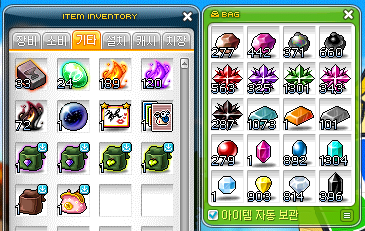
In the Bag UI, the Item Auto Storage option has been added.
- When the option is checked, acquired items will prioritize being stored in bags.
- When the option is unchecked, acquired items will prioritize being stored in the inventory.
- The option is applied separately for each bag. The top right corner of the bag icon will display if the option is checked or not.
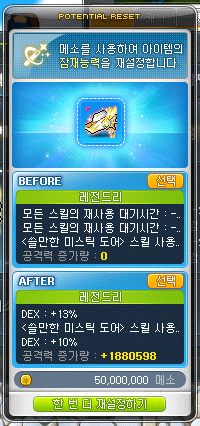
When resetting potential, it has been improved so that the item’s tier can be clearly recognized.
- The potential display UI has been slightly changed.
- When the potential tier increases, a sparkling effect will now be displayed in the increased tier section.
When choosing the BEFORE option after an item’s potential tiers up, the text in the warning window displayed has been slightly changed, and the Enter key can no longer be used.
If there is a Regular Quest that can be completed, it has been improved so that it will be displayed first on NPCs’ chat bubbles before Main/Job quests that can be started.
Fixed an issue where using Colouring Prism and Skin Prism, equipping an item with large images would cause the image to be displayed outside the UI.
It has been improved so that when trying to trade items, any enhancement items being used will be cancelled.
It has been improved so that during ‘Cash Item Trade’, trying to register a game item will display a more natural guide message.
It has been improved so that even when the Maple Guide UI is minimized and closed, the last location it was moved to will be saved.
Skill Adjustments
Common
- Sol Janus: Twilight will no longer activate when certain skills are used more than a certain number of times without moving. The changed skills are as follows.
- Mechanic – Open Gate
- Illium – Crystal Gate
Error Fixes
Skills
Common
- Fixed an issue with certain summon skills where if you entered the Cash Shop, Maple Auction, or changed channels, the buff icons would be displayed even though the summons did not exist. The changed skills are as follows.
- Common – Erda Fountain, Spider in Mirror, Sol Janus: Dawn
- Resistance Common – Resistance Line Infantry
- Anima Common – Lotus Flower
- Archmage (I/L) – Spirit of Snow
- Archmage (F/P) – Poison Region
- Bishop – Fountain for Angels
- Bowmaster – Quiver Flow
- Marksman – Bolt Flow, Arrow Illusion
- Pathfinder – Relic Unbound (Blast), Relic Unbound (Discharge), Relic Unbound (Transition)
- Night Lord – Dark Lord’s Secret Scroll
- Dual Blade – Dummy Effect
- Captain – Siege Bomber, Battleship Bomber, Battleship Bomber VI, Sign of Bombard
- Cannon Shooter – Magnetic Anchor, Support Monkey Twins, Rolling Cannon Rainbow, Magnetic Anchor VI
- Mikhail – Install Shield
- Soul Master – Cosmic Shower, Cosmic Shower VI, Soul Eclipse
- Aran – Frozen Ground
- Evan – Summon Onyx Dragon, Zodiac Ray
- Luminous – Gate of Truth
- Eunwol – Spirit Frenzy
- Battle Mage – Black Magic Altar
- Xenon – Hologram Graffiti: Penetrate, Hologram Graffiti: Force Field, Hologram Graffiti: Support, Hologram Graffiti: Penetrate VI, Hologram Graffiti: Force Field VI, Hologram Graffiti: Support VI, Hologram Graffiti: Fusion
- Mechanic – Robot Launcher: RM7, Magnetic Field, Robot Factory: RM1
- Kaiser – Petrified
- Khali – Death Blossom
- Illium – Gram Holder
- Hoyoung – Talisman: Warp Gate, Scroll: Star Vortex, Scroll: Tiger of Songyu
- Fixed an issue where using certain skills in zoomed out maps displayed effects awkwardly. The changed skills are as follows.
- Bishop – Holy Advent
- Pathfinder – Forsaken Relic
- Aran – Adrenaline Boost Activate, Adrenaline Maximum, Adrenaline Boost
- Demon Slayer – Nightmare
- Fixed an issue in Erda Spectrum where sometimes you could not change directions while casting the Erda Discharge.
Paladin
- Fixed an issue in Erda Spectrum where Blessed Hammers could hit the orbs in stage 1.
Archmage (F/P)
- Fixed an issue with Flame Haze VI/Mist Eruption VI HEXA Cores where the Poison Mist’s DoT damage when created by Flame Haze VI was not enhanced.
- Flame Haze VI’s skill description has been changed.
Marksman
- Split Arrow’s skill description has been changed.
Captain
- Fixed an issue where Battleship Bomber’s bombs sometimes disappeared.
Aran
- Fixed an issue where if you used jump or Final Toss immediately after using Smash Swing, they would sometimes be activated awkwardly.
- Fixed an issue where sometimes you could not change directions while casting Boost End – Hunters Targeting or Boost End – Hunters Targeting VI.
- Fixed an issue where using Boost End – Adrenalien Surge or Hyper Boost End – Adrenaline Surge could cancel other skills’ cast actions.
- Fixed an issue where the system message displayed when doing the 6th job advancement explained the pre-remaster skills.
Eunwol
- Fixed an issue where casting Reincarnated Fox God in certain resolutions would display the skill effect awkwardly.
Luminous
- Fixed an issue where sometimes you could not change directions while casting Spectral Light.
Battle Mage
- Fixed an issue where even if you did not press the up arrow key when casting Teleport Ver. 2, you would still grab on ladders and ropes.
Mechanic
- Fixed an issue where using Jet Booster in <Metal Armor: Tank> mode would display the tank effect awkwardly.
Demon Avenger
- Fixed an issue where the invincibility duration was not displayed when using Requiem and the Demon Sword’s Roar cast action.
Kain
- Annihilation’s skill description has been changed.
Zero
- Fixed an issue where Time Distortion’s attack speed boost would sometimes last longer than 4 seconds.
Kinesis
- Fixed an issue where if you changed maps after using Psychic Tornado, the skill would end but the buff icon would still be displayed.
Adele
- Fixed an issue where Gathering’s defense ignore boost debuff effect would sometimes be displayed awkwardly.
Khali
- Fixed an issue where if you used Void Rush or Void Blitz after equipping certain Cash weapons, the weapon images would be displayed awkwardly.
Quests
- Fixed an issue in the Cross World Party Quest Forest of Poison Fog exit map where if you were not in a party, you could not leave the map through the NPC Elin.
- Fixed an issue with the ‘Last Clue’ quest where the spine illustration was not displayed.
- Fixed an issue where users that completed the ‘[Alliance] Misfortune in Ereb’ quest could not complete the ‘Completed Device’ quest.
- Fixed an issue where accepting the ‘[Daily Quest] Lacheln’s Peaceful Night’ quest would refresh the Complete daily quests achievement.
- Fixed an issue where after completing the ‘[Knight’s Stronghold] Preparations to Infiltrate the Stronghold’ quest, you could not move directly from the Stronghold Entrance to Knight’s Quarter Area 1.
- Fixed an issue with the ‘[Stone Giant] Stone Giant Resecue Operation 4’ where the number of Black Spirits hunted was not displayed correctly.
- Fixed an issue where certain Cygnus job characters could not complete ‘Cygnus’ Six Stars’ quest.
Items
- Fixed an issue where if an Android equipped certain outfit sets that included set effects, the set effects were not visible.
NPCs
- Fixed an issue where the NPC Dostoff located in Kritias was not displayed on the world map.
- The appearance of the NPC Suu that appears in Labyrinth of Suffering has been changed.
- Fixed an issue where Edelstein Taxi’s dialogue did nto change after completing Black Heaven content.
Monsters
- Fixed an issue where sometimes the character would be hit when a monster using a rush was hit by a bind skill.
- Fixed an issue where if monsters used certain teleport patterns, the debuff effects would be displayed awkwardly.
- Fixed an issue in Epic Dungeon: High Mountain Stage 3 where sometimes the ‘Separated Plague Tynus’ rush pattern was affected by slows.
- Fixed an issue in Suu (Story/Normal/Hard/Extreme) where sometimes you would instantly move to the next map after defeating the boss monster.
- Fixed an issue in Suu (Story/Normal/Hard/Extreme) Phase 2 where the monster’s actions were awkward when hit by a bind skill.
- The warning messages in Dusk (Normal/Chaos) have been changed.
- Fixed an issue in Jin Hilla (Story) where the HP was abnormally low.
- Fixed an issue in Kaling (Easy/Normal/Hard/Extreme) Phase 3 where if a character was hit by the Shadow Grab pattern, sometimes they would fly in the opposite direction.
- Limbo (Normal/Hard)
- The Risk Gauge will no longer change in each phase after defeating the boss monster.
- Fixed an issue when entering phase 1 where sometimes certain platforms were not there.
- Fixed an issue in Phase 1 where sometimes Specter B was summoned first.
- Fixed an issue in Phase 1 where Specter B’s attack appeared faster when casting the Nightmare pattern.
- Fixed an issue in Phase 1 where if you fell down from the end of the map, sometimes you would be moved to a place without a platform.
- Fixed an issue in Phase 1 where after the Thought Frenzy pattern was cast, sometimes the map would not change.
- Fixed an issue in Phase 2 where sometimes Specter C’s death motion looked awkward.
- Fixed an issue in Phase 2 where Pet Auto Buff skills were activated after entering the Endless Abyss pattern.
- Fixed an issue in Phase 2 where Demon’s wings, Nova’s wings, Illium’s magic wings, Lara’s horns, and Hoyoung’s ears and tail were not displayed when entering the Space Where the Other Side of Truth Exists.
- Fixed an issue in Phase 2 where if Hoyoung used Dreams of Shangri-La, sometimes the effect would not be displayed properly.
- Fixed an issue in Phase 2 where the Thought Flor’s Abyss Energy pattern looked awkward sometimes.
- Fixed an issue in Phase 3 where the Grasping Hand pattern sometimes looked awkward.
- Fixed an issue in Phase 3 where if a character was hit by the Grasping Hand pattern, sometimes they would fly in the opposite direction.
- Fixed an issue in Phase 3 where the effect applied when hit by the Grasping Hand pattern would not disappear sometimes.
- Fixed an issue in Phase 3 where sometimes even if you were hit by the Grasping Hand pattern, you would not be grabbed.
- Fixed an issue in Phase 3 where the back Devourer during the form change would remain.
- Fixed an issue where Nependeath dropped level 40 equipment.
- Fixed an issue in Mu Lung Dojo where certain monsters sometimes would not use patterns. The changed monsters are as follows.
- Demian
- Will
- Awakened Bongsun
- Awakened Wukong
- Awakened Gold Dragon
- Awakened Mu Gong
Maps
- Lie Detectors will no longer activate in Mirror World Wugong’s House and Hospital Room.
- Fixed a problem in The Seed 39F where the quiz asking about skills that Eunwol did not have included skills removed in the job remaster.
- Fixed an issue where you could enter ‘Dark Spore Hill’ below level 160.
- Fixed an issue in Train With No Destination 2 where certain rope images were awkward.
- Fixed an issue where medals were covered awkwardly in specific locations in Edelstein.
- Fixed an issue in ‘Edelstein Promenade 4’ where various effects were covered awkwardly in specific locations.
- Fixed an issue in Lion King’s Castle 5th Tower where the background was incorrect.
UI
- Fixed an error where using the PC Room Only Teleport World Map in an area that blocked teleports would display the warning window twice.
- Fixed an issue for Captain and Mechanic where sometimes when checking weapons’ damage range increase, it did not calculate DEX as the main stat.
- Fixed an issue for Kahli where using the inventory feature would sometimes experience frame drops.
- Fixed a spelling error in the ‘[Demian] Ruin Force Shield, You’re Mine!’ achievement.
- Fixed an issue where the following achievements did not update when clearing Epic Dungeon: High Mountain.
- Sprout Climber
- Intermediate Climber
- Pro Climber
- Fixed an issue where if you failed to buy an item in the Mileage Shop due to insufficcient Mileage, the pop-up message for insufficient Cash balance was displayed.
- Fixed an issue in the Hexa Matrix Stat UI where changing the applied Core would not instantly be reflected in the level display.
- Fixed an issue where if you changed maps, the Hexa Stat detailed enhancement window UI would not close.
- Fixed an issue in maps that blocked Hexa Matrix enhancements where if you applied a saved Stat Core, the guide was different than the actual change.
- If a Lie Detector is activated during Capture Mode, Capture Mode will now be cancelled. You can no longer activate Capture Mode while a Lie Detector is activating.
- Fixed an issue in the inventory where the Gather Up feature sometimes did not apply to consumable items crafted with Alchemy.
- Fixed an issue in certain situations where buff icons would blink excessively.
- Fixed an issue where the Buff Bookmarks UI would be displayed in a different location than originally set when changing maps, or exiting things like the Cash Shop or Maple Auction.
- Fixed an error where Beholder’s Buff’s buff icon was separated into the Items category in the Buff Automatic Sort.
- Fixed an error where after pet buffs were registered in the Buff Bookmarks, exiting the Cash Shop or Maple Auction would remove the pet buffs from the Bookmarks.
- Fixed an error where if Ark’s Contact Caravan skill was registered in the Buff Bookmarks, the buff icon would not be displayed in the Bookmarks UI.
- Fixed an issue in certain situations where buff icons were not removed when a buff skill was cancelled.
- Fixed an error where the Flying Fish riding icon remained after viewing certain stories.
- Fixed an issue where if you started or completed a quest through the Quest UI, intermittently it would not be reflected in the Quest UI immediately.
- Fixed an issue where the Event List displayed that there were unclaimed rewards even though there were no claimable rewards.
Achievements
- Fixed an issue where the ‘Rien Exploration’ achievement could not be completed.
Etc.
- Certain [Area Exploration] Lion King’s Castle Exploration missions have been changed.
- Certain Aran characters that had errors in the AP acquisition process have had their AP reset.
Open API Provided Information Additions
In the HEXA Matrix Settings’ HEXA Stat information search, characters’ HEXA Stat II information will be provided.
- HEXA Stat II Core information
- Preset HEXA Stat II Core Information
In the equipped item information search (except Cash equipment), the number of applied Exceptional Enhancements information will be provided.
In the equipped hair, face, and skin information search, and the equipped Android information, the character and Android skin’s Skin Prism information will be provided.
- Character skin information
- Skin name
- Colour series
- Skin tone
- Skin saturation
- Skin brightness
※ The Open API provided information additions will be applied after the MapleStory Open API service maintenance on August 13.
KMS ver. 1.2.394 (5) Minor Patch
The DirectX 11 application has been postponed.
- DirectX 9, which was used previously, will be reapplied.
- DirectX 11 will be reapplied to the official server after stability testing and optimization.
Fixed an issue where after applying the Basic Damage Skin, the basic effect was displayed when a critical hit activated.
Fixed an issue in Epic Dungeon: Angler Company Stage 1 where you would be moved to Spinel’s Forest when using the hidden portal.
Fixed an issue in Epic Dungeon: Angler Company Stage 6 where Kaiser could not use the Infiltrate skill during Final Figuration.
Fixed an issue in Epic Dungeon: Angler Company where skills could not be used if you changed the keys of the exclusive skills.
Events
Dimensional Visitor

Tirnog Blueprint
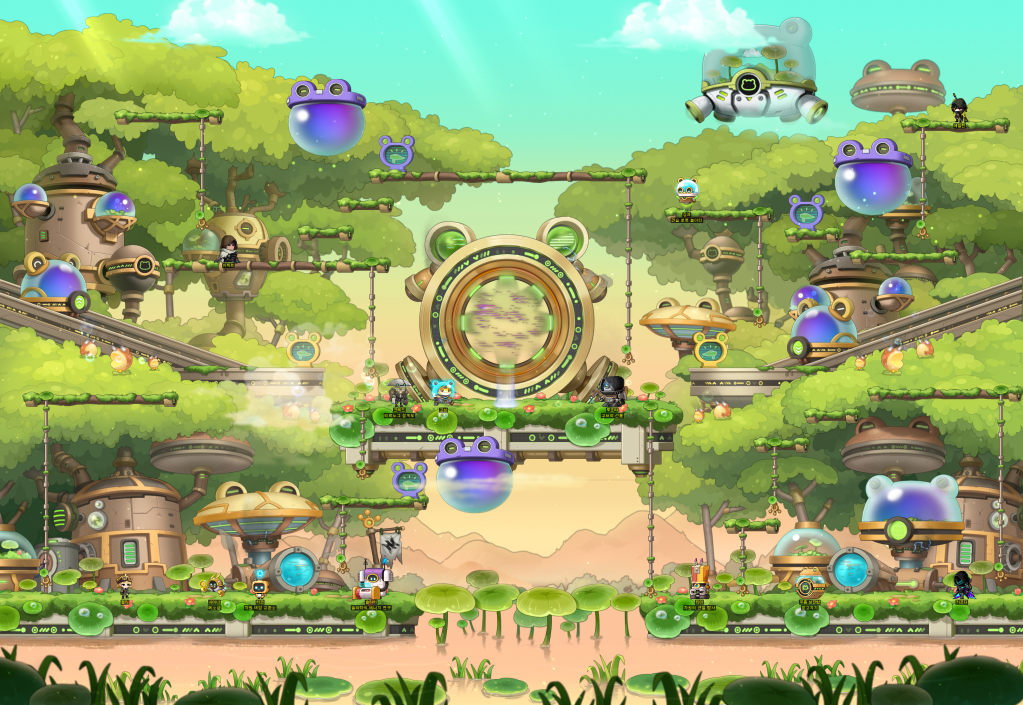
A new dimensional space, <Tirnog> has appeared in Maple World. Help the Butler Robot Cred complete Tirnog’s dimension machine blueprint and receive various gifts!
Event Participation Requirements:
- A level 101 or higher character (or a Zero character that has completed story quest Chapter 2) that has completed the ‘[Visitor] Idea’s Communication’ quest.
Event Period:
- August 13, 2024 after the maintenance ~ October 16, 2024 at 11:59 PM.
You can select the ‘Tirnog Blueprint’ event in the Event List and click the ‘Participate’ button or talk to Cred in <The Other Dimension: Inside Tirnog> to start the ‘[Blueprint] Recruiting Tirnog Engineers’ quest.
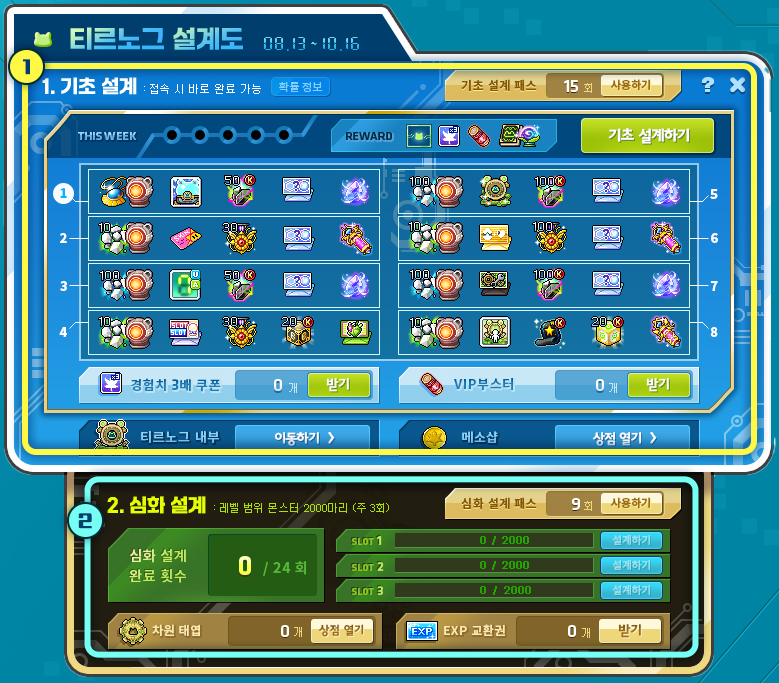
Through the Event List, you can check your Tirnog Blueprint progress and perform Basic and In-Depth Designs.
※ The <Tirnog Blueprint> progress records are shared between all characters within the Maple ID.
※ The <Tirnog Blueprint> weekly participation records will be reset every Thursday at 12:00 AM starting from August 22.
Basic Design
Once per day, when you login, you can press the ‘Complete Basic Design’ button to complete the Basic Design 1 time. You will receive the following rewards.
- 3 3x Experience Coupons (30 Minutes)
- 2 VIP Boosters
- 5 Dimensional Tomes
- 5 Dimensional Orbs
You can claim your desired amount of accumulated 3x Experience Coupons and VIP Boosters through the ‘Receive’ buttons in the corresponding sections at the bottom of the Tirnog Blueprint UI.
You can use the accumulated Dimensional Tomes and Dimensional Orbs in the [Gob’s Gift] event.
You can complete the Basic Design up to 5 times per week. You can complete it up to 40 times over the event period.
You can click the <Use> button at the bottom left corner of the Tirnog Blueprint UI to use 3,000 Maple Points to complete 1 Basic Design that you did not complete previously. The <Basic Design Pass> can be used up to the number of times you did not complete the Basic Design as of the previous week.
You can acquire the following rewards each time you complete a Basic Design.
| Number of Completed Basic Designs | Rewards | Quantity |
|---|---|---|
| 1 | Prepared Spirit Pendant (30 Days) Voucher | 1 |
| Dimensional Sunlight Generator | 1 | |
| 2 | God Hand Riding (Permanent) Voucher | 1 |
| 3 | Karma Black Rebirth Flame | 50 |
| 4 | Selective Symbol Voucher (300 Selective Arcane Symbol Vouchers or 60 Selective Authentic Symbol Vouchers) | 1 |
| 5 | Sol Erda | 1 |
| 6 | Experience Core Gemstone | 10 |
| Dimensional Sunlight Generator | 1 | |
| 7 | Soft/Blush Petal Skin Voucher | 1 |
| 8 | Special Medal of Honour | 30 |
| 9 | Selective Symbol Voucher (300 Selective Arcane Symbol Vouchers or 60 Selective Authentic Symbol Vouchers) | 1 |
| 10 | Maximum Growth Potion | 1 |
| 11 | Core Gemstone | 100 |
| Dimensional Sunlight Generator | 1 | |
| 12 | Tirnog Digital Action Damage Skin (Unit) | 1 |
| 13 | Karma Black Rebirth Flame | 50 |
| 14 | Selective Symbol Voucher (300 Selective Arcane Symbol Vouchers or 60 Selective Authentic Symbol Vouchers) | 1 |
| 15 | Sol Erda | 1 |
| 16 | Experience Core Gemstone | 10 |
| Dimensional Sunlight Generator | 1 | |
| 17 | Selective Mannequin/Slot Expansion Voucher | 1 |
| 18 | Special Medal of Honour | 30 |
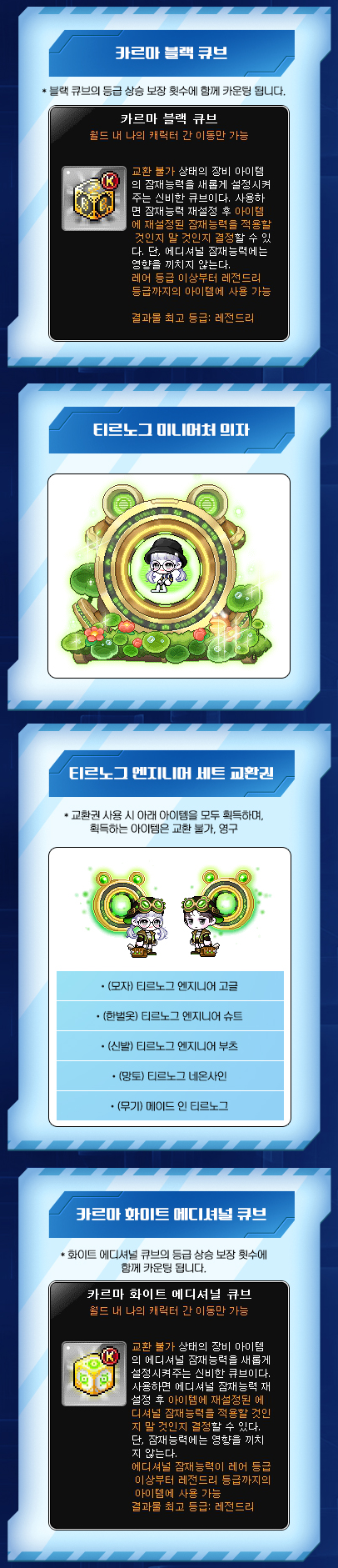
| 19 | Karma Black Cube | 20 |
| 20 | Fairy Heart Voucher | 1 |
| 21 | Core Gemstone | 100 |
| Dimensional Sunlight Generator | 1 | |
| 22 | Tirnog Miniature Chair | 1 |
| 23 | Karma Black Rebirth Flame | 100 |
| 24 | Selective Symbol Voucher (300 Selective Arcane Symbol Vouchers or 60 Selective Authentic Symbol Vouchers) | 1 |
| 25 | Sol Erda | 1 |
| 26 | Experience Core Gemstone | 10 |
| Dimensional Sunlight Generator | 1 | |
| 27 | Dimension Toadroid Voucher | 1 |
| 28 | Special Medal of Honour | 100 |
| 29 | Selective Symbol Voucher (300 Selective Arcane Symbol Vouchers or 60 Selective Authentic Symbol Vouchers) | 1 |
| 30 | Maximum Growth Potion | 1 |
| 31 | Core Gemstone | 100 |
| Dimensional Sunlight Generator | 1 | |
| 32 | Tirnog Engineer Set Voucher | 1 |
| 33 | Karma Black Rebirth Flame | 100 |
| 34 | Selective Symbol Voucher (300 Selective Arcane Symbol Vouchers or 60 Selective Authentic Symbol Vouchers) | 1 |
| 35 | Sol Erda | 1 |
| 36 | Experience Core Gemstone | 10 |
| Dimensional Sunlight Generator | 1 | |
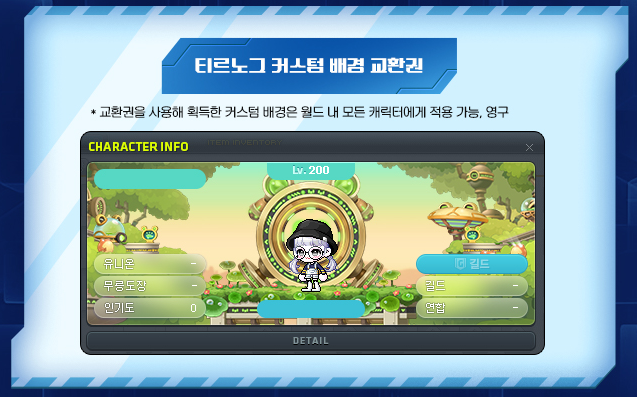
| 37 | Tirnog Custom Background Voucher | 1 |
| 38 | Karma 17 Star Force Enhancement Scroll | 1 |
| 39 | Karma White Additional Cube | 20 |
| 40 | Transcendent Growth Potion | 1 |
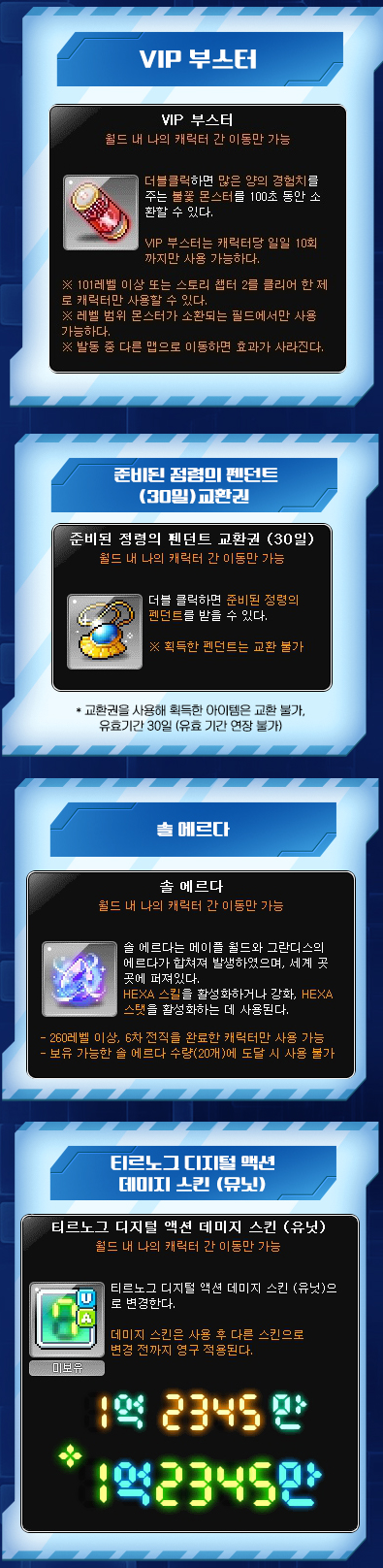

※ All reward items can only be put into storage.
※ The Android acquired from the Dimension Toadroid Voucher can only be put into storage. However, the Lidium Heart provided at the same time is untradable.
※ All items, except for the Dimensional Sunlight Generator and Tirnog Miniature Chair, will expire 7 days after clamining. The Tirnog Miniature Chair is permanent.
※ The Dimensional Sunlight Generator can be used until August 16, 2024 at 11:59 PM.
※ The Sol Erda can only by used by characters level 260 or higher that have completed the 6th job advancement. It cannot be used if you hold 20 Sol Erda.
※ The Basic Design progress record is shared between all characters within the Maple ID.
※ The Basic Design rewards can only be claimed 1 time per Maple ID.
In-Depth Design
You can complete the In-Depth Design up to 3 times per week by defeating monsters within your level range. You can complete it up to 24 times over the event period.
After defeating 2,000 monsters within your level range, you can press the ‘Receive’ button at the bottom right corner of the Tirnog Blueprint UI to receive 1,000 Dimension Springs and EXP Vouchers. The Dimension Springs can be used in the ‘Dimension Spring Exchange’.
You can click the <Use> button at the bottom right corner of the Tirnog Blueprint UI to use 3,000 Maple Points to complete 1 In-Depth Design that you did not complete previously. The <In-Depth Design Pass> can be used up to the number of times you did not complete the In-Depth Design as of the previous week.
※ The In-Depth Design progress record is shared between all characters within the Maple ID.
※ The In-Depth Design can only be completed by defeating monsters within your level range while in a party of 1 or not in a party.
※ The In-Depth Design rewards can only be claimed 1 time per Maple ID.
Apprentice Robot Playground
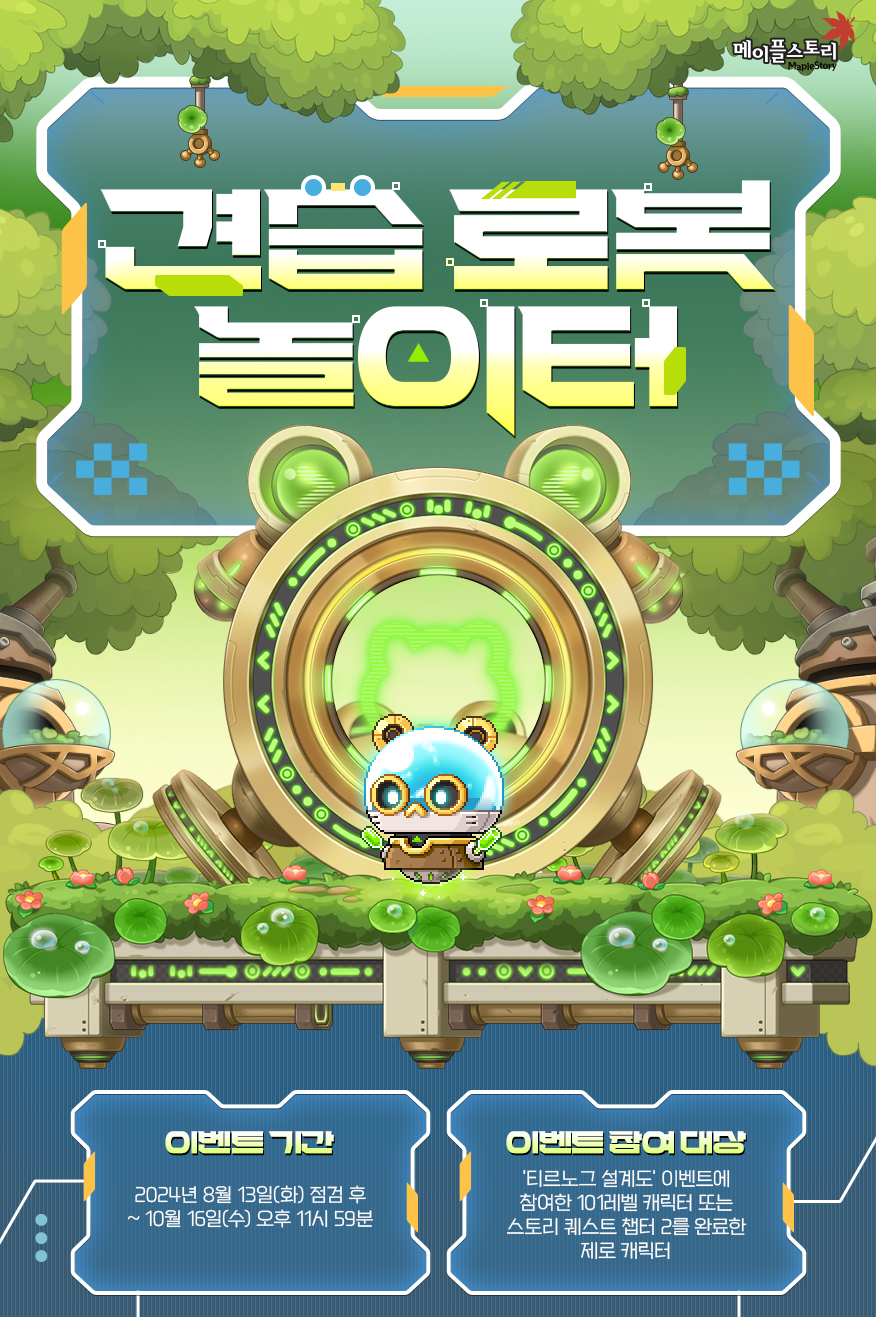
Come play at the other dimension’s playground! Spend time at the playground with Dimensional Sunlight to be filled with healing and experience!
Event Participation Requirements:
- A level 101 or higher character (or a Zero character that has completed story quest Chapter 2) that has participated in the ‘Tirnog Blueprint’ event.
Event Period:
- August 13, 2024 after the maintenance ~ October 16, 2024 at 11:59 PM.
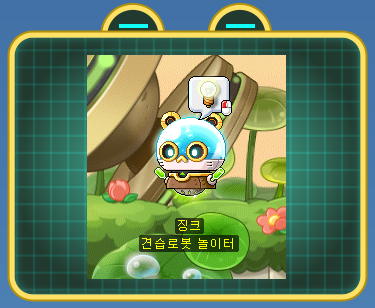
You can select the ‘Apprentice Robot Playground’ event in the Event List and click the ‘Participate’ button or talk to Zinc in <The Other Dimension: Inside Tirnog> to start the ‘[Apprentice Robot Playground] Robots’ Playground’ quest.
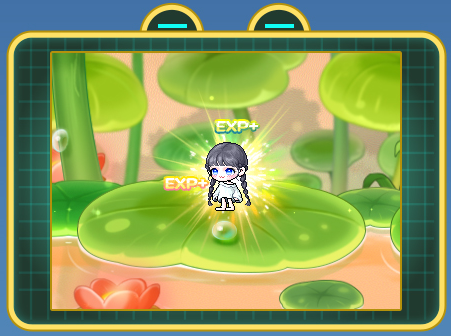
You can move to <The Other Dimension: Apprentice Robot Playground> through the event list or by talking to Zinc. After entering the map, you will acquire experience based on your level every 5 seconds.
※ When a level 289 or higher character enters the Apprentice Robot Playground, they will receive the same amount of experience as a level 289.
Dimensional Sunlight
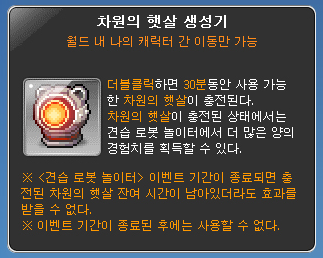
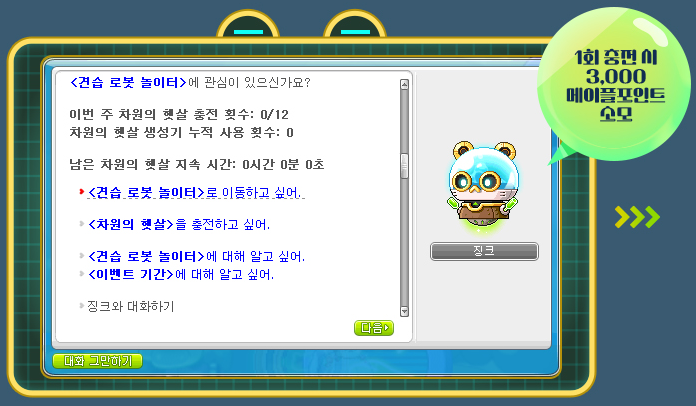
You can use the event list or talk to Zinc to use 3,000 Maple Points, or use a ‘Dimensional Sunlight Generator’ to charge ‘Dimensional Sunlight’, which greatly enhances the experience acquired from the Apprentice Robot Playground.
When you use Maple Points, Dimensional Sunlight will be charged for 1 hour. When you use a Dimensional Sunlight Generator, Dimensional Sunlight will be charged for 30 minutes.
You can charge Dimensional Sunlight using Maple Points up to 12 hours per week.
※ Dimensional Sunlight Generators can be acquired through the <Tirnog Blueprint> event.
※ Dimensional Sunlight charged through the Dimensional Sunlight Generators are not included in the weekly charge limit.
※ Charged Dimensional Sunlight is shared by all characters within the Maple ID.
※ Dimensional Sunlight weekly charge records will be reset every Thursday at 12:00 AM starting from August 22.
Dimensional Rift Exploration

Help the Apprentice Robots explore the Dimensional Rift together with the Really Worried Robot Timmy! Look forward to the exploration results that the Apprentice Robots bring back after they’re done.
Event Participation Requirements:
- A level 101 or higher character (or a Zero character that has completed story quest Chapter 2) that has participated in the ‘Tirnog Blueprint’ event.
Event Period:
- August 13, 2024 after the maintenance ~ September 11, 2024 at 11:59 PM.
- Reward Claim Period: Until September 15, 2024 at 11:59 PM.
You can select the ‘Dimensional Rift Exploration’ event in the Event List and click the ‘Participate’ button or talk to Timmy in <The Other Dimension: Inside Tirnog> to start the ‘[Rift Exploration] Dimensional Rift Exploration’ quest.
Through the Event List, you can check your Dimensional Rift Exploration progress.
※ The Dimensional Rift Exploration progress records and claimed reward information are shared between all characters within the Maple ID.
Dimensional Rift Exploration
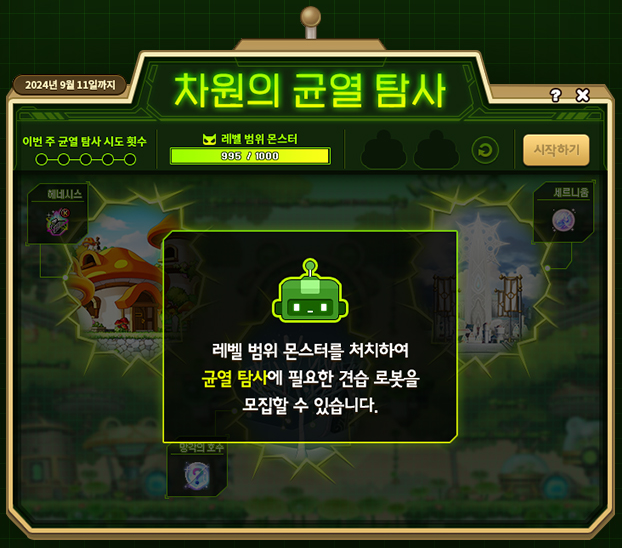
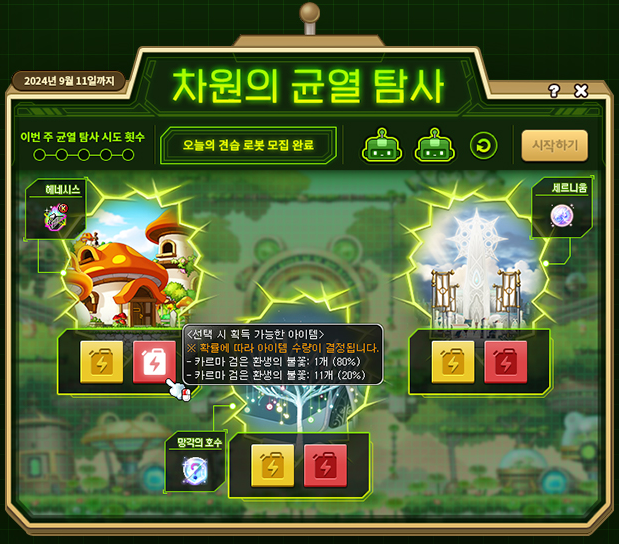
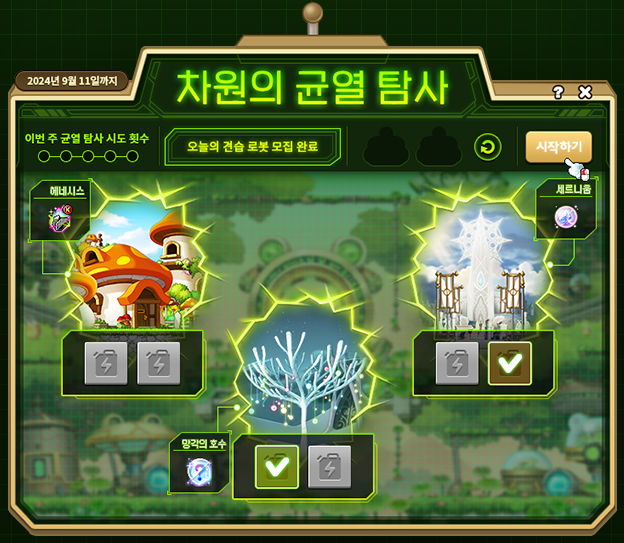
You can perform Dimensional Rift Exploration once per day, up to 5 times per week.
※ The Dimensional Rift Exploration weekly participation records will be reset every Thursday at 12:00 AM starting from August 22.
If you defeat 1,000 monsters within your level range, you can recruit 2 Apprentice Robots required to explore the rift.
※ Apprentice Robot recruitment can only be completed by defeating monsters within your level range while in a party of 1 or not in a party.
You can send 2 Apprentice Robots to your desired locations, once per day.
※ The types of rewards that the Apprentice Robots bring back is based on the locations you select.
You can send Apprentice Robots to each location by selecting ‘Yellow Fuel’ or ‘Red Fuel’.
※ The quantity of rewards that the Apprentice Robots bring back is based on the fuel you select.
※ If you select Yellow Fuel, you can acquire a fixed number of items.
※ If you select Red Fuel, you can acquire a certain amount of items based on a set probability.
After selecting the locations and types of fuel for the 2 Apprentice Robots, you can press the ‘Start’ button on the UI start the Rift Exploration.
Apprentice Robots that have been sent on Rift Explorations will return after midnight. You can check the results in the ‘Dimensional Rift Exploration’ UI and receive the rewards they bring back.
You must check the results of the previous Rift Exploration and receive the rewards before you can start recruiting Apprentice Robots for the next time.
Rift Exploration Results
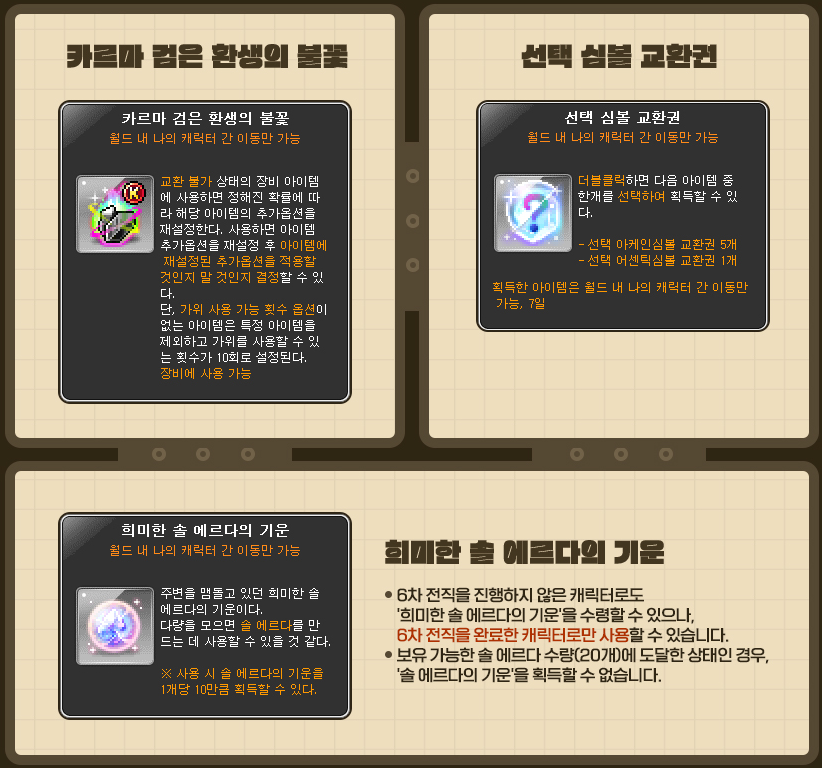
The rewards will differ based on the locations and types of fuel you selected when starting the Dimensional Rift Exploration.
※ Dimensional Rift Exploration rewards can only be received 1 time per Maple ID.
※ All items will expire in 7 days and can only be put into storage.
- Henesys: Karma Black Rebirth Flame
- Yellow Fuel: 3
- Red Fuel: 1 (80%), 11 (20%)
- Lake of Oblivion: Selective Symbol Voucher
- Yellow Fuel: 6
- Red Fuel: 1 (80%), 26 (20%)
- Cernium: Faint Sol Erda Energy
- Yellow Fuel: 10
- Red Fuel: 1 (80%), 46 (20%)
Rift Exploration Commemorative Gift
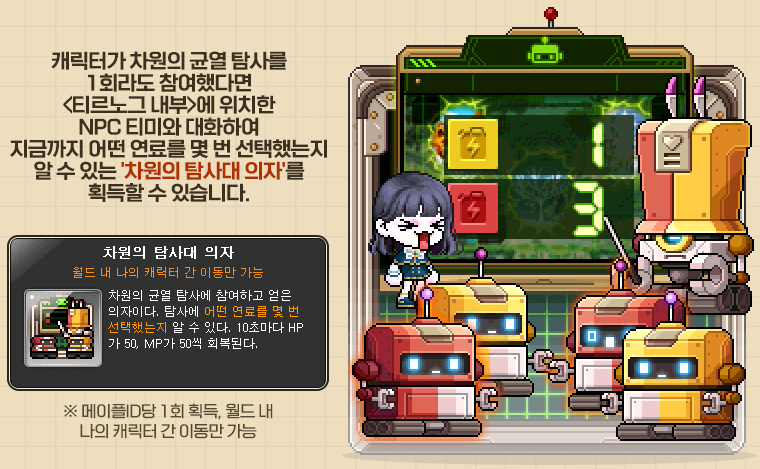
After sending the robots on a Dimensional Rift Exploration 1 time, you can receive the ‘Dimensional Explorer Chair’ from Timmy in <The Other Dimension: Inside Tirnog>.
※ The Dimensional Explorer Chair can only be received 1 time per Maple ID.
※ When you sit on the Dimensional Explorer Chair, it will display the number of times you selected Yellow/Red Fuel so far.
Solaha’s Energy Research

Gain tons of experience by using VIP Boosters acquired from hunting monsters within your level range!
Event Participation Requirements:
- A level 101 or higher character (or a Zero character that has completed story quest Chapter 2) that has participated in the ‘Tirnog Blueprint’ event.
Event Period:
- August 13, 2024 after the maintenance ~ September 11, 2024 at 11:59 PM.
You can select the ‘Solaha’s Energy Research’ event in the Event List and click the ‘Participate’ button or talk to Solaha in <The Other Dimension: Inside Tirnog> to start the ‘[Solaha’s Energy Research] VIP Boosters Scattered Across Dimensions’ quest.
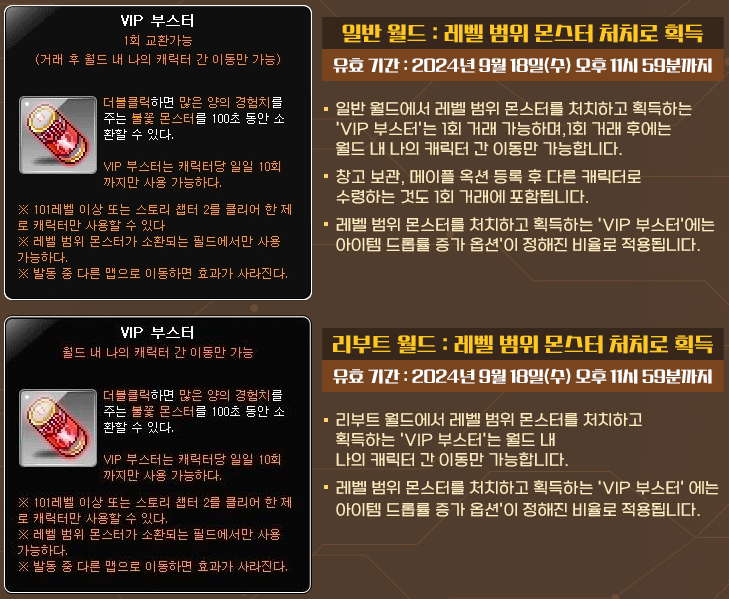
When level 101 or higher characters that have participated in the event defeat monsters within their level range, there is a set chance for VIP Boosters to drop.
When you use a VIP Booster in a map with monsters within your level range, flame monsters that give a lot of experience will be summoned for 100 seconds.
In regular worlds, the VIP Boosters that drop from monsters can be traded 1 time. After they are traded, they can only be put into storage.
The VIP Boosters will only drop during the event, until September 11, 2024 at 11:59 PM. They can be used until September 18, 2024 at 11:59 PM.
VIP Boosters can only be used 10 times per day per character.
※ VIP Boosters will only drop for characters hunting monsters within their level range that have participated in the Solaha’s Energy Research event.
※ Monsters summoned through a VIP Booster will only be visible to yourself and are affected by experience increasing effects and the death penalty experience reduction effect.
※ You cannot use a VIP Booster if another player is using a VIP Booster on the same map.
※ VIP Boosters can be used by up to 2 people in instanced maps, and players who enter after the maximum number of players per map cannot use VIP Boosters.
※ If you have a VIP Booster that can be traded 1 time and a VIP Booster that can only be put into storage, the VIP Booster at the top of your inventory will be used first.
※ VIP Booster usage records will be reset every day at 12:00 AM.
Gob’s Gift

A gift from Tirnog’s ancient god, Gob! Use Dimensional Tomes and Dimensional Orbs to enhance the Mysterious Blessing and Mysterious Energy and acquire powerful skills!
Event Participation Requirements:
- A level 101 or higher character (or a Zero character that has completed story quest Chapter 2) that has participated in the ‘Book of Forgotten Festivals’ event.
Event Period:
- August 13, 2024 after the maintenance ~ October 16, 2024 at 11:59 PM.
You can select the ‘Gob’s Gift’ event in the Event List and click the ‘Participate’ button or talk to Luchta in <The Other Dimension: Inside Tirnog> to start the ‘[Gob’s Gift] Ancient God’s Gift’ quest.
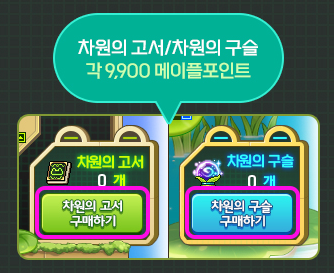
You can acquire 5 Dimensional Tomes and 5 Dimensional Orbs by completing the ‘Tirnog Blueprint’ Basic Design 1 time, or by using the Basic Design Pass 1 time.
Once per week per Maple ID, you can buy 10 Dimensional Tomes or 10 Dimensional Orbs by paying 9,900 Maple Points each.
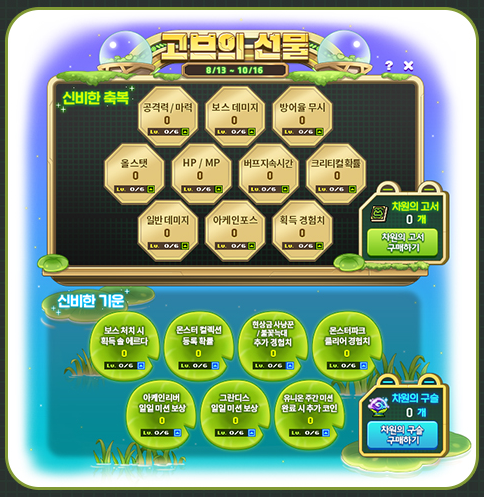
You can use Dimensional Tomes to enhance the Mysterious Blessing, and Dimensional Orbs to enhance the Mysterious Energy.
In the <Gob’s Gift> UI through the Event List, you can check the event skills you have acquired, level up the skills, or buy Dimensional Tomes/Orbs.
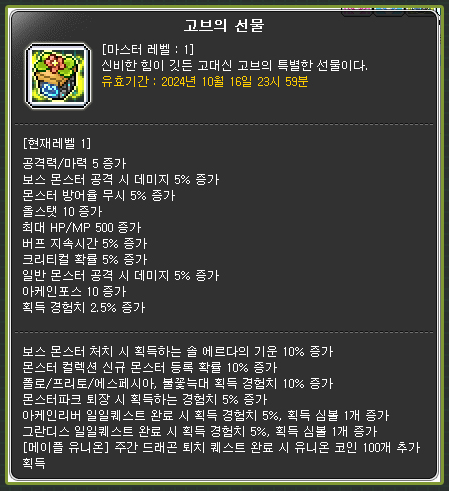
The stats of the Mysterious Blessings skill (when they are level 6) are as follows:
- 30 attack/magic attack
- 40% damage to boss monsters
- 40% defense ignore
- 60 all stats
- 3000 HP/MP
- 30% buff duration
- 30% critical rate
- 40% damage to normal monsters
- 60 Arcane Force
- 15% experience acquired
The stats of the Mysterious Energy skill (when they are level 6) are as follows:
- 100% increase in Sol Erda Energy acquired when defeating boss monsters
- 100% increase in chance to register new monsters in Monster Collection
- 100% increase in experience acquired from Polo/Fritto/Especia Bounty Hunting
- 50% increase in experience acquired from Monster Park and Monster Park Extreme
- 50% increase in experience acquired and 10 additional Symbols from completing Arcane River daily quests
- 50% increase in experience acquired and 6 additional Symbols from completing Grandis daily quests
- 400 additional Union Coins acquired from completing the [Maple Union] Weekly Dragon Slaying quest
The number of Dimensional Tomes and Orbs required to increase the skill levels are as follows.
| Skill Level | Number Required |
|---|---|
| 1 | 1 |
| 2 | 4 |
| 3 | 7 |
| 4 | 13 |
| 5 | 20 |
| 6 | 25 |
※ The Dimensional Tomes and Dimensional Orbs acquisition progress is shared between all characters in the same Maple ID.
※ The Mysterious Blessing skill and Mysterious Energy skill enhancement levels are shared between all characters in the same world.
※ You can also acquire Mysterious Blessing skill and Mysterious Energy when you use the Basic Design Pass.
※ Only characters who have completed the ‘[Gob’s Gift] Ancient God’s Gift’ quest will have the Gob’s Gift skills’ effects applied.
※ The Arcane Power boost effect of the Mysterious Blessing skill is only applied to characters who have completed the ‘Another Power, Arcane Force’ quest.
※ When completing daily quests with the Mysterious Energy skill, the experience boost benefits and additional Symbol benefits can only be received once per day per world for each daily quest.
※ The Mysterious Energy skill’s experience boost benefits and additional Symbol benefits for daily quests can be applied to different characters or different daily quests. You can choose whether or not to apply the benefits when you complete a daily quest.
※ The Mysterious Blessing skill’s experience boost benefits and additional Symbol benefits for Grandis daily quests are only applied the Cernium, Hotel Arcs, Odium, Shangri-La, Arteria, and Carcion area daily quests.
※ You cannot acquire additional rewards for daily quests you have already completed before acquiring the skill.
Dimension Spring Exchange
Filled with enhancement and growth items! Collect Dimension Springs and discover a variety of items!
Event Participation Requirements:
- A level 101 or higher character (or a Zero character that has completed story quest Chapter 2) that has participated in the ‘Tirnog Blueprint’ event.
Event Period:
- August 13, 2024 after the maintenance ~ October 20, 2024 at 11:59 PM.

You can select the ‘Tirnog Blueprint’ event in the Event List and click the ‘Participate’ button or talk to Cred in <The Other Dimension: Inside Tirnog> to start the ‘[Blueprint] Recruiting Tirnog Engineers’ quest.
After meeting the event participation conditions, you can use the Dimension Spring Exchange through Chico in <The Other Dimension: Inside Tirnog>.
※ The Dimension Springs are shared by all characters within the Maple ID.
Enhancement
- Strange Additional Cube (100 coins) [limit of 200]
- 100% Epic Potential Scroll (300 coins) [limit of 5]
- 100% Special Additional Potential Scroll (300 coins) [limit of 5]
- 100% Gold Hammer (60 coins) [limit of 20]
- 100% Innocent Scroll (100 coins) [limit of 20]
- Gold Potential Stamp (20 coins) [limit of 20]
- Special Additional Potential Stamp (30 coins) [limit of 20]
- Selective Pet Equipment Scroll Voucher (500 coins) [limit of 20]
- 100% Clean Slate Scroll (200 coins) [limit of 10]
- Karma Unique Potential Scroll (3000 coins) [limit of 4]
- Karma Epic Additional Potential Scroll (3000 coins) [limit of 4]
- Selective Karma Special Heart Scroll Voucher (2000 coins) [limit of 10]
Growth
- Selective VIP Buff Voucher (50 coins) [unlimited]
- Mystery Monster Egg (200 coins) [limit of 3 per week]
- Trait Growth Potion (300 coins) [limit of 20]
- Selective 8 Slot Expansion Coupons (100 coins) [limit of 15]
- AP Reset Scroll (50 coins) [limit of 3]
- SP Reset Scroll (50 coins) [limit of 3]
- Infinite Fatigue Potion (10 coins) [limit of 5 per day]
- Character Slot Expansion Coupon (200 coins) [limit of 5]
- 40 Slot Soul Bag (1000 coins) [limit of 3]
- 40 Slot Chair Bag (1500 coins) [limit of 3]
- 40 Slot Recipe Bag (1000 coins) [limit of 3]
- 20 Slot Crafting Material Bag (1000 coins) [limit of 3]
- 40 Slot Scroll Bag (1000 coins) [limit of 3]
- Chaos Circulator (800 coins) [limit of 20]
- Black Circulator (1500 coins) [limit of 10]
- Legendary Circulator (2000 coins) [limit of 3]
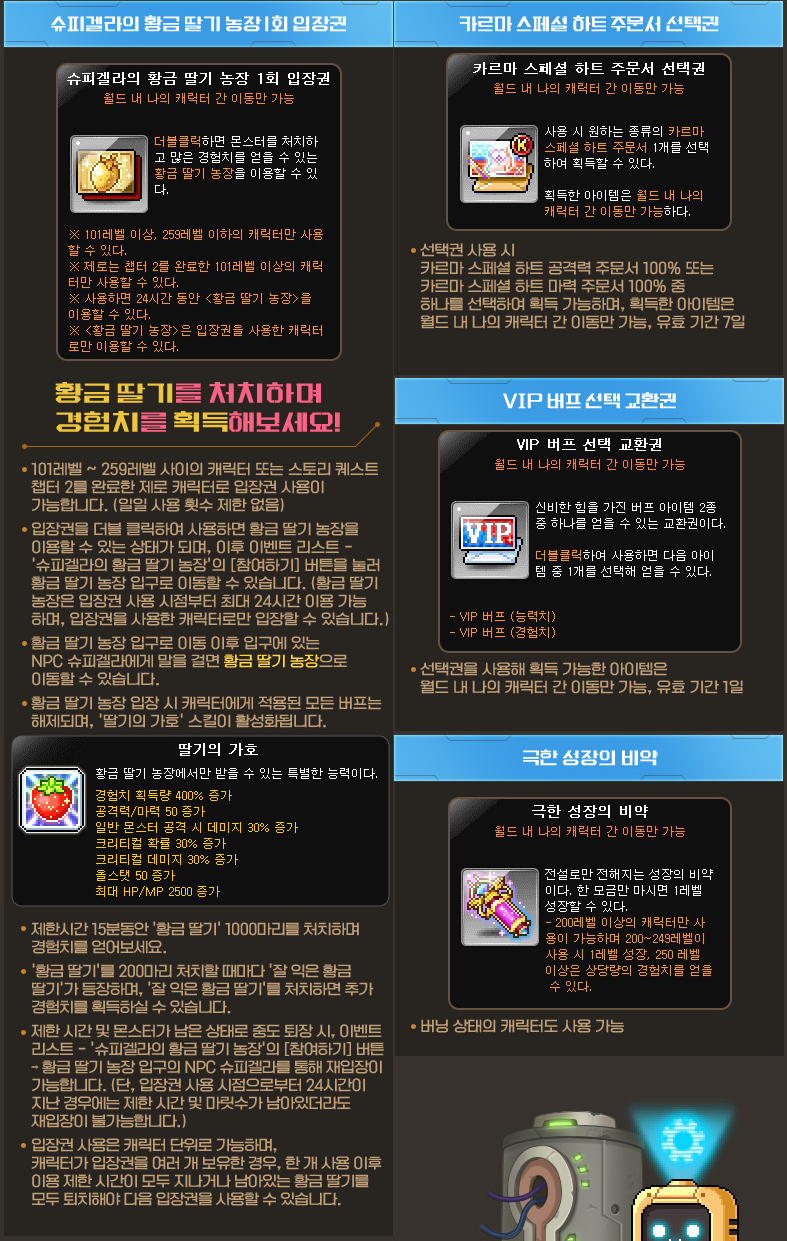
- Spiegella’s Golden Strawberry Farm Entry Ticket (200 coins) [limit of 5 per week]
- Extreme Growth Potion (70 coins) [limit of 200]
- Maximum Growth Potion (10000 coins) [limit of 2]
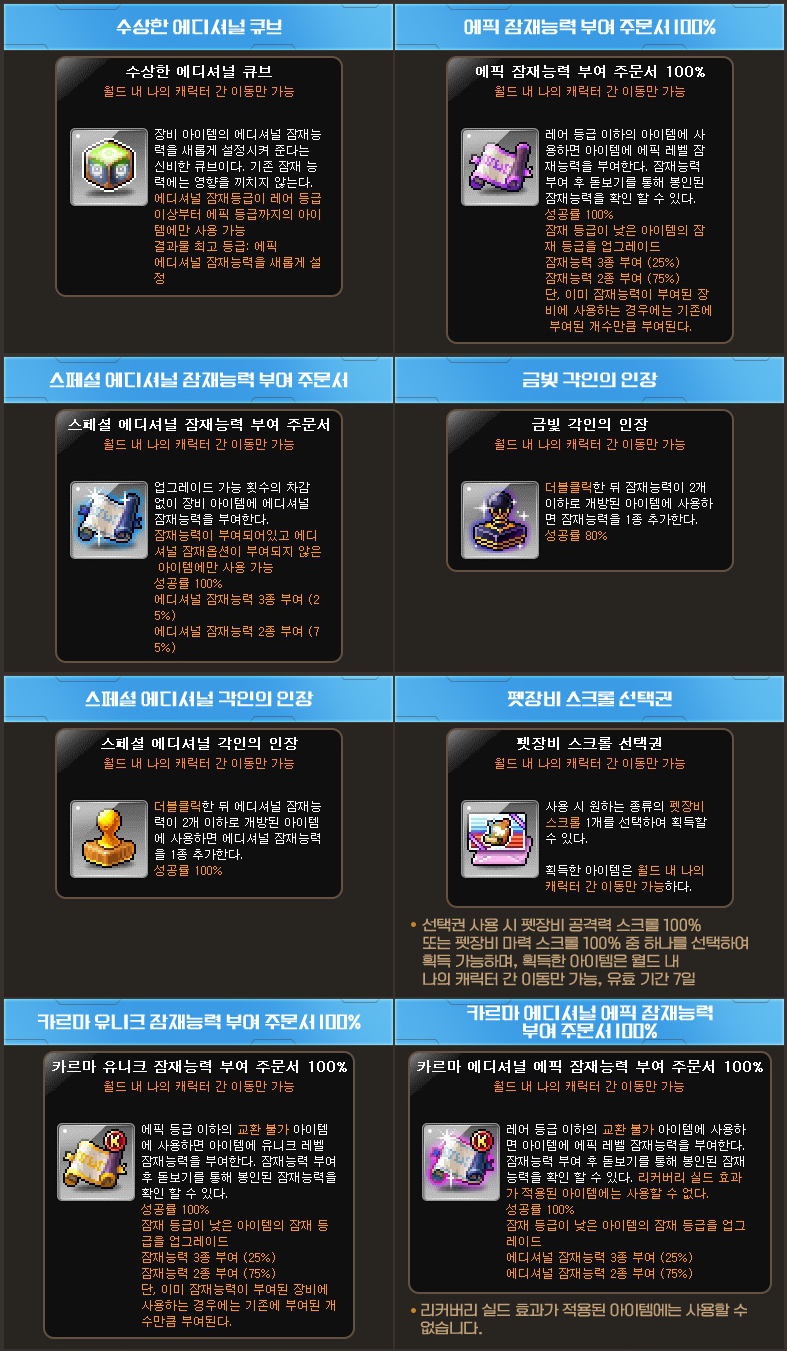
※ All items in the Enhancement section are limited per Maple ID and can only be put into storage.
※ All items in the Growth section are limited per Maple ID. All items in the Growth section can be put into storage except for the Mysterious Monster Egg which is untradable.
※ If you use the Selective VIP Buff Voucher, you can choose between the VIP Buff (Stats) and VIP Buff (Experience).
※ The selected VIP Buff can only be put into storage, and will expire after 1 day.
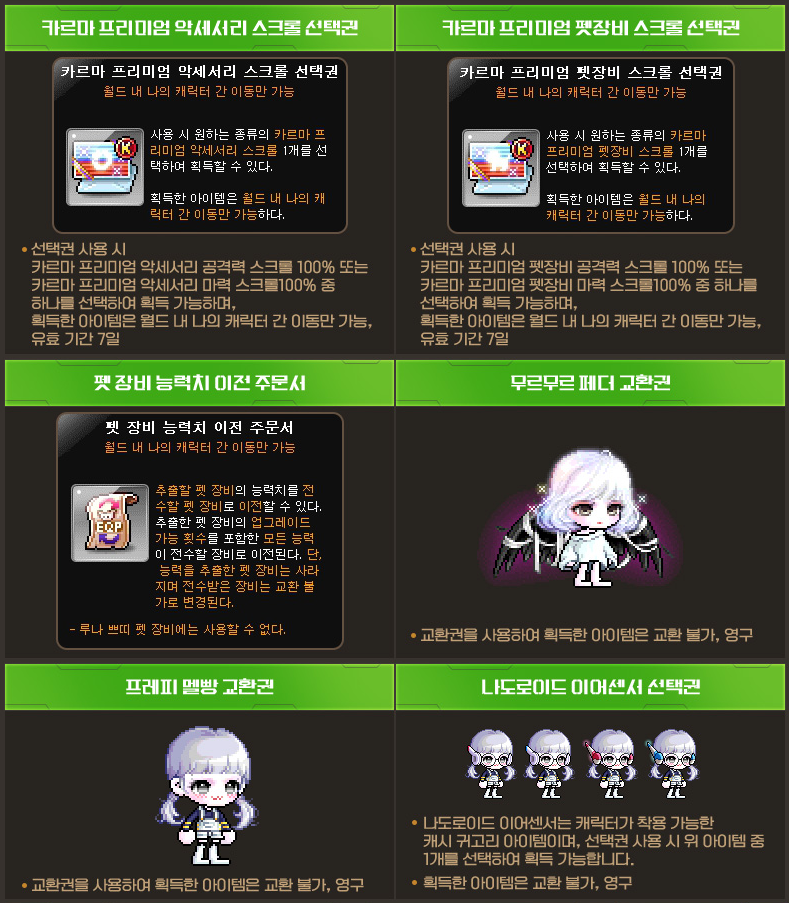
※ If you use the Selective Pet Equipment Scroll Voucher, you can choose between the 100% Pet Equipment Attack Scroll and 100% Pet Equipment Magic Attack Scroll.
※ The selected Pet Equipment Scroll can only be put into storage, and will expire after 7 days.
※ If you use the Selective Karma Special Heart Scroll Voucher, you can choose between the 100% Karma Special Heart Attack Scroll and 100% Karma Special Heart Magic Attack Scroll.
※ The selected Karma Heart Scroll can only be put into storage, and will expire after 7 days.
※ Spiegella’s Golden Strawberry Farm Entry Ticket
- Can only be used by characters level 101~259, or Zero characters level 259 or lower that have completed the story quest Chapter 2.
- Characters that have used the Entry Ticket can select the Spiegella’s Golden Strawberry Farm event in the Event List and press the Participate button to move to <Spiegella’s Golden Strawberry Farm: Golden Strawberry Farm Entrance>. (When you enter, all buffs applied to the character will be removed.)
- In <Spiegella’s Golden Strawberry Farm: Golden Strawberry Farm>, you will have 15 minutes to defeat 1000 Golden Strawberries and acquire experience.
- You will have up to 24 hours to enter the Farm starting from the time you use the Entry Ticket.
- You can only use the next Entry Ticket when the Farm usage time limit has ended or all remaining Golden Strawberry monsters have been defeated.
Meso Shop
Filled with enhancement and growth items! Collect Dimension Springs and discover a variety of items!
Event Participation Requirements:
- A level 101 or higher character (or a Zero character that has completed story quest Chapter 2) that has participated in the ‘Tirnog Blueprint’ event.
Event Period:
- August 13, 2024 after the maintenance ~ October 20, 2024 at 11:59 PM.

You can use the Meso Shop through Shiner in <The Other Dimension: Inside Tirnog>.
- Karma 100% Incredible Chaos Scroll of Goodness (45m mesos) [limit of 50]
- Selective Karma 100% Premium Accessory Scroll (350m mesos) [limit of 10]
- Selective Karma 100% Premium Pet Equipment Scroll (300m mesos) [limit of 10]
- Soft Petal Skin Android Change Coupon (800m mesos) [limit of 1]
- Blush Petal Skin Android Change Coupon (800m mesos) [limit of 1]
- Android Ear Sensor Clip (600m mesos) [limit of 1]
- Pet Equipment Stat Transfer Scroll (100m mesos) [limit of 5]
- Murmur Feather Voucher (1.5b mesos) [limit of 1]
- Preppy Suspenders Voucher (1b mesos) [limit of 1]
- Selective MeTooRoid Ear Sensor Voucher (500m meos) [limit of 4]
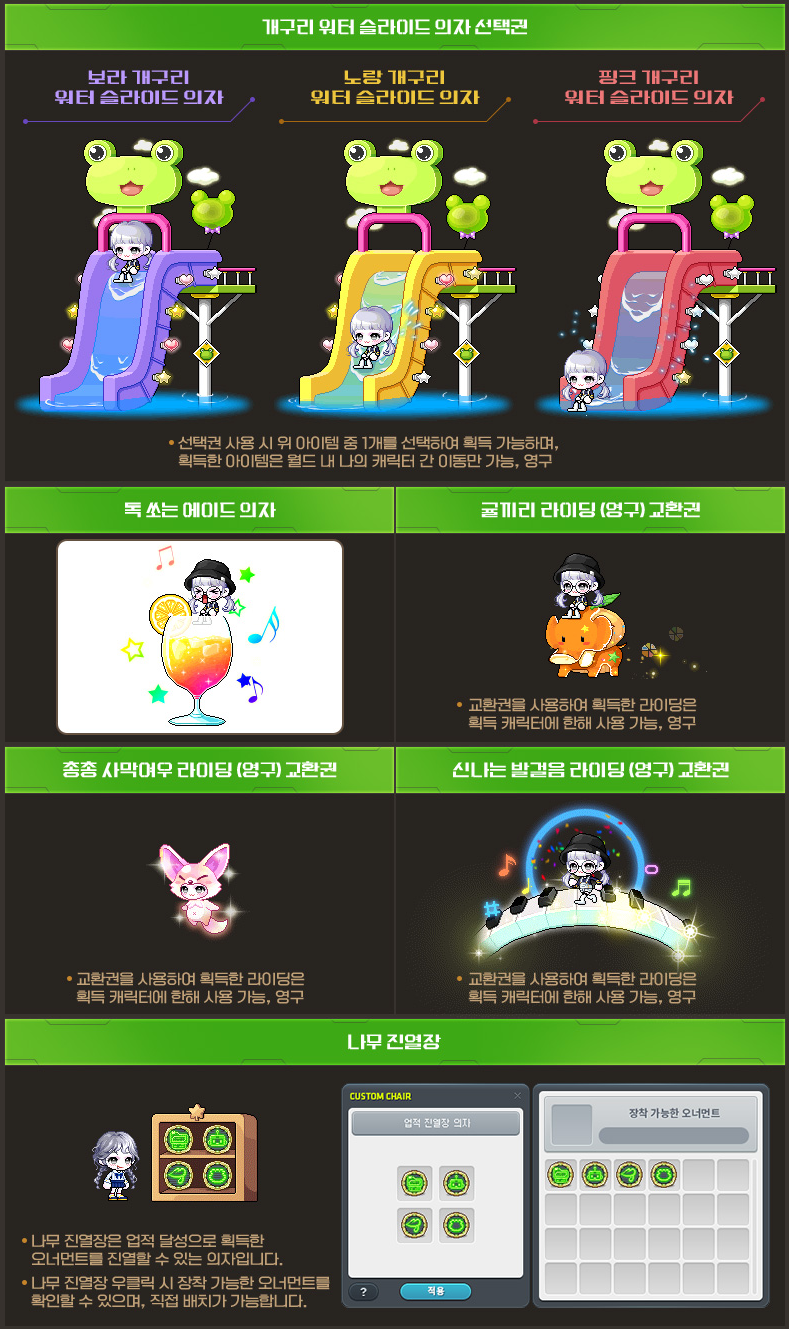
- Selective Frog Water Slide Chair Voucher (200m mesos) [limit of 3]
- Tangy Ade Chair (100m mesos) [limit of 1]
- Tangerine Elephant Riding (Permanent) Voucher (100m mesos) [limit of 1]
- Rushing Desert Fox Riding (Permanent) Voucher (100m mesos) [limit of 7]
- Exciting Footsteps Riding (Permanent) Voucher (100m mesos) [limit of 1]
- Wood Display Case Chair (210k mesos) [limit of 1]
※ All items in this section are limited per world and can only be put into storage.
Achievements

Complete Achievements to get a Display Case Chair and Ornaments!
| Achievement Name | Achievement Conditions | Reward |
|---|---|---|
| [Dimensional Visitor] It’s Bigger on the Inside | Participate in the Dimensional Visitor event. | Tirnog Drone Display Case (Chair) |
| [Dimensional Visitor] Hey Toad, Hey Toad, I’ll Give You a New House | Complete the Tirnog Blueprint Basic Design 20 times. | Exclusive Ornament |
| [Dimensional Visitor] Now~ Well, It’s Time to Choose. | Complete the Dimensional Rift Exploration 10 times. | |
| [Dimensional Visitor] Sorry Gob, I’m a Little Busy Right Now. | Stay at the Apprentice Robot Playground for 100 minutes and talk to Zinc. | |
| [Dimensional Visitor] Revived Ancient City | Complete all of the Dimensional Visitor story quests. |
※ The [Dimensional Visitor] Hey Toad, Hey Toad, I’ll Give You a New House achievement will not progress if you use the Basic Design Pass.
※ The [Dimensional Visitor] Sorry Gob, I’m a Little Busy Right Now achievement will accumulate progress every time you talk to Zinc.
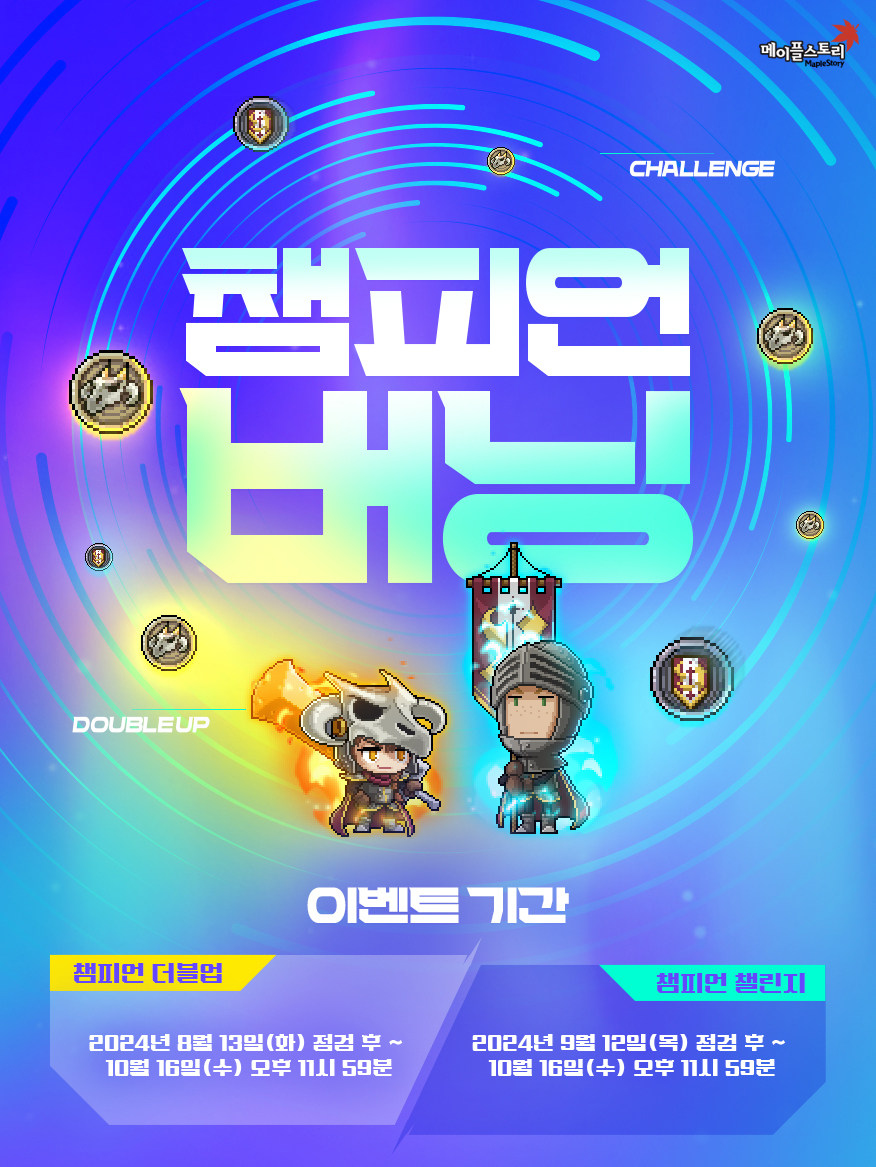
Champion Burning
Champion Double Up
Even if you only play a single character, the rewards and experience are doubled! Enjoy Champion Double Up’s fun of growing together!
Event Participation Requirements:
- A level 101 or higher character (or a Zero character that has completed story quest Chapter 2) that has completed the ‘[Champion Burning] You and My Champions’ quest.
Event Period:
- August 13, 2024 after the maintenance ~ October 16, 2024 at 11:59 PM.

You can select the ‘Champion Burning’ event in the Event List and click the ‘Participate’ button to start the Champion Double Up event.
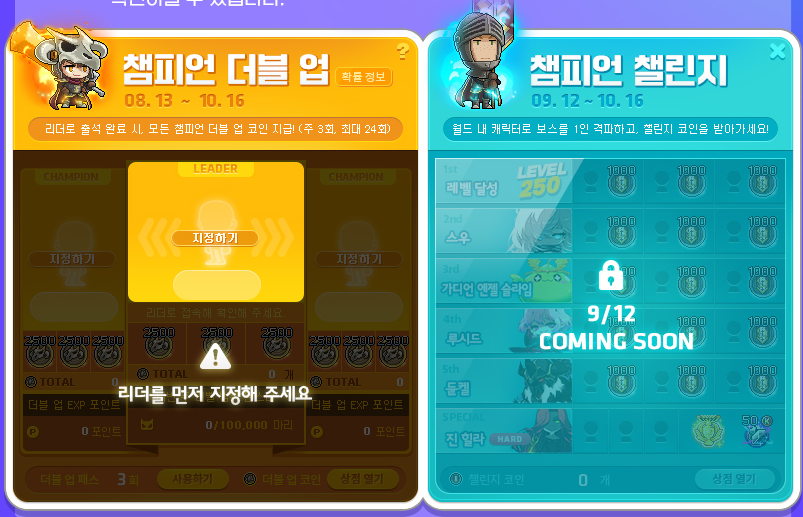
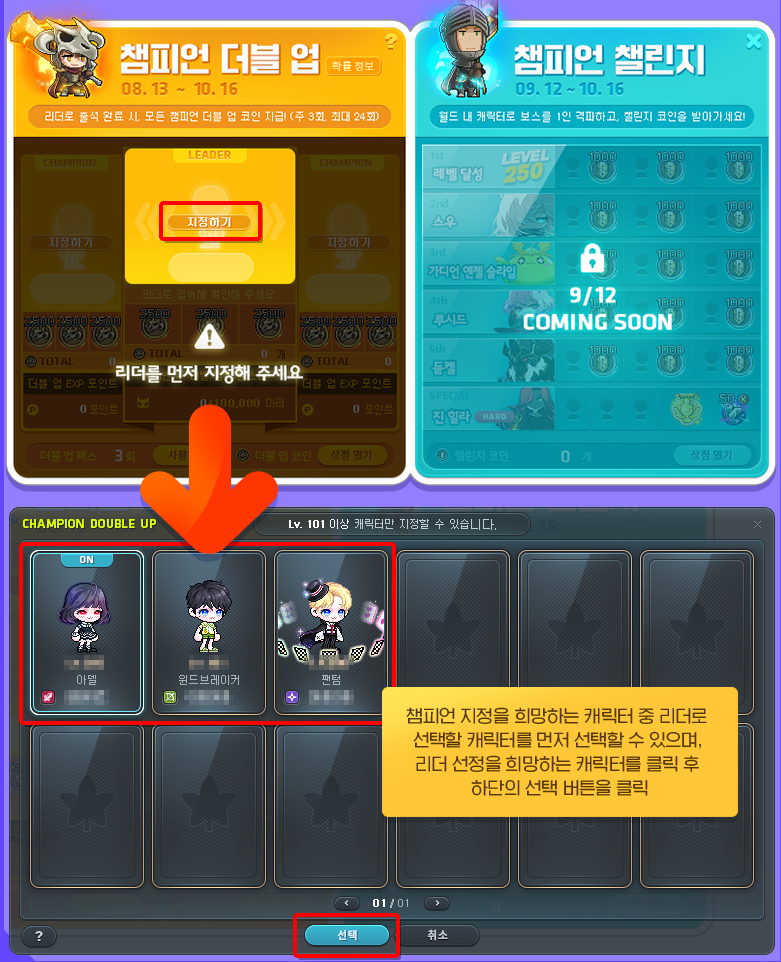
In the UI, you can select the 3 characters you want to designate as Champions. You must first select the character you want to designate as the Leader from the Cmapions.
After selecting the Leader, the ‘Double Up Attendance Check’ and ‘Double Up EXP Points Accumulation’ quests that only the Leader can complete by defeating monsters within their level range will automatically be started.
The Champion designated as the Leader will acquire the ‘Champion Double Up’ skill, and when the Leader moves around maps, the Champions will follow them.
※ The Champion Double Up can only be started/progressed on one world per Maple ID. The world and designated characters cannot be changed after starting.
※ The Champion Double Up skill can be turned on/off by opening the skill window. It will only be activated in maps with monsters within your level range or in towns.
※ When re-assigning a Champion after a character is deleted, the Double Up EXP Points and Double Up Coins (including shop purchase history) of the Champion in the previous slot will be used.
Double Up Attendance Check

You can complete the <Double Up Attendance Check> up to 3 times per week by defeating monsters within your level range as the Leader. You can complete it up to 24 times over the event period.
After defeating 2,000 monsters within your level range as the Leader, you can press the ‘Receive’ button at the bottom of the Champion Double Up UI to receive 2,500 Double Up Coins for each of your Champions (including the Leader), for a total of 7,500. The Double Up Coins can be used by opening the shop at the bottom of the Double Up UI.
You can click the <Use> button at the bottom left corner of the Champion Double Up UI to use 3,000 Maple Points to complete 1 Double Up attendance check that you did not complete previously. The <Double Up Pass> can be used up to the number of times you did not complete the attendance check as of the previous week, and can only be used in the world with the Champion Leader.
※ The Double Up attendance check progress record is shared between all characters within the Maple ID.
※ The Double Up attendance check completion and progress cannot be done by characters other than the designated Leader.
※ Characters in worlds different than the Leader cannot use the Double Up Coin Shop.
※ The Double Up attendance check can only be completed by defeating monsters within your level range while in a party of 1 or not in a party.
※ The Double Up attendance check rewards can only be claimed 1 time per Maple ID.
Double Up EXP Points
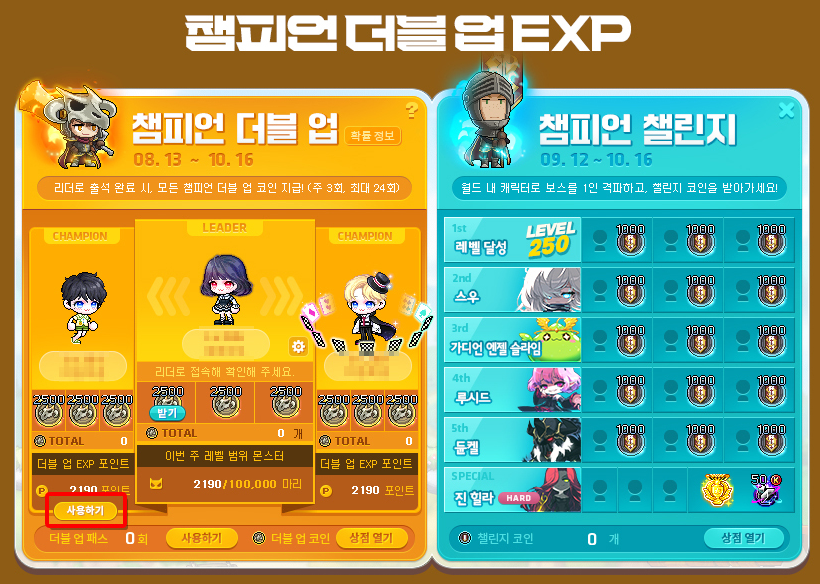
When you defeat a monster within your level range as the Leader, you accumulate 1 ‘Double Up EXP Point’ for each Champion other than the Leader. You can accumulate up to 100,000 monsters per week.
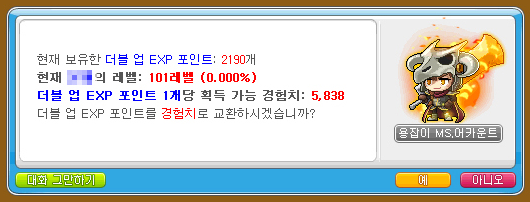
You can use the acquired ‘Double Up EXP Points’ by logging on to the Champion character.
※ The Double Up EXP Points can only be accumulated by defeating monsters within your level range while in a party of 1 or not in a party.
※ The <Double Up EXP Points> weekly accumulation record will be reset every Thursday at 12:00 AM, starting from August 22.
※ Characters in worlds different than the Leader cannot use the Double Up EXP Points.
Change Leader
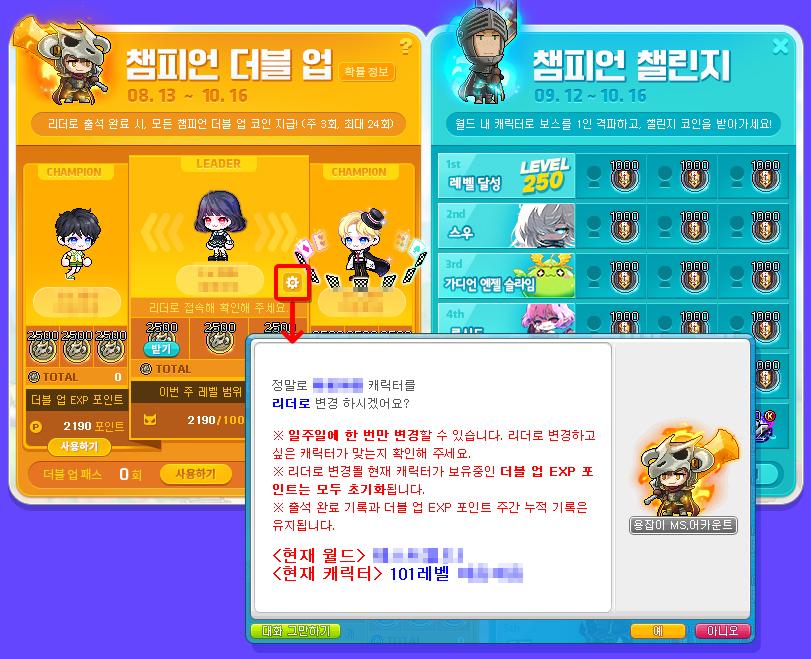
You can change the Leader once per week by clicking the Settings button to the right of the Leader Champion’s nickname in the UI. You can only change to one of the other existing Champions.
All ‘Double Up EXP Points’ held by the existing Champion will be reset if that character is changed into the Leader.
※ The amount of weekly accumulated Double Up EXP Points will be maintained.
※ You can only change Champions that are in the same world as the Leader to the Leader.
※ The number of Double Up Coins held by the existing character will be maintained regardless of whether they become the Leader or not.
※ The <Change Leader> record will be reset every Thursday at 12:00 AM, starting from August 22.
Champion Challenge

Clear various missions on 3 characters within the world, and acquire Challenge Coins that you can trade for a variety of items!
Event Participation Requirements:
- A level 101 or higher character (or a Zero character that has completed story quest Chapter 2) that has completed the ‘[Champion Burning] You and My Champions’ quest.
Event Period:
- August 13, 2024 after the maintenance ~ October 16, 2024 at 11:59 PM.
You can select the ‘Champion Burning’ event in the Event List and click the ‘Participate’ button to start the Champion Challenge event.
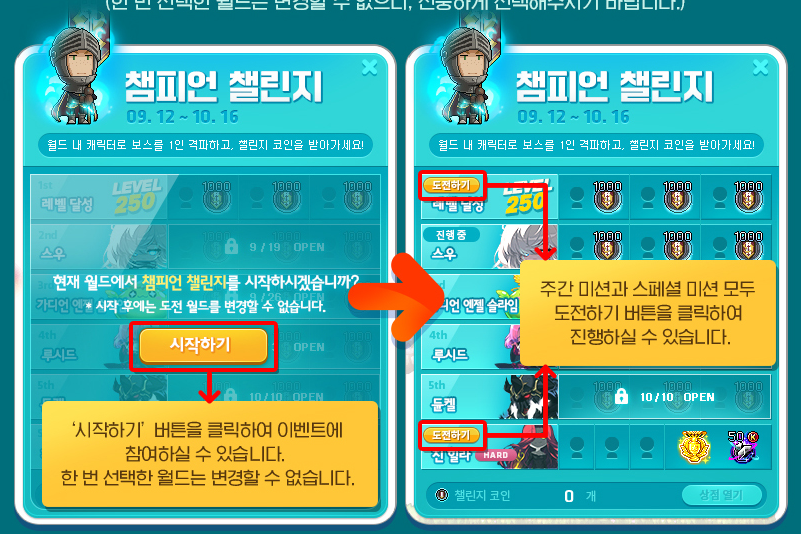
When you first start the event, you can select the world you want to proceed with the Champion Challenge by pressing the Start button.
※ You cannot change the world after selecting it, so please choose carefully.
Every week, Weekly Missions will be opened up. Each Weekly Mission can be completed by up to 3 different characters.
Each Champion Challenge mission can only be completed 1 time within the selected world.
Missions can only be completed within the selected world, and you can challenge each mission by pressing the Challenge button. Once you complete a mission, you can receive the corresponding rewards for that mission.
Within a single week’s missions, you cannot complete them with a single character multiple times.
Each Weekly Mission can be completed with any characters, even those that are not the Leader or Champions. Each Weekly Mission can be completed starting from when it opens until the end of the event period.
When you complete a Weekly Mission, you can acquire Challenge Coins.
There is a ‘Special Mission’ that can be participated in at any time during the event period. It can be completed by up to 3 characters within the world. The Special Mission can also be completed by any characters, even those that are not the Leader or Champions. If you complete the Special Mission 3 times, you can acquire special rewards.
※ ‘Defeat Boss’ missions can be completed in Practice Mode, and the missions are recognized as completed when the boss monster is defeated in the last phase of each boss.
※ If you have defeated Hard Jin Hilla with a character that completed the ‘[Champion Burning] You and My Champions’ quest before the September 12 maintenance, it will be considered as a clear after the maintenance.
※ After a Weekly Mission is unlocked, even if you defeat the boss without pressing the Challenge button, you can still clear it afterwards by pressing the Challenge button.
※ Even if you change the name of a character that cleared a Champion Challenge mission, the UI will display the character name at the time of mission completion.
Champion Challenge Mission Rewards
Champion Challenge rewards can only be received 1 time per Maple ID.
The amount of Challenge Coins acquired and used is shared within the world. The amount of Challenge Coins held is shared between characters within the same world. The Challenge Coin Shop purchase records are shared between characters within the same world.
The Challenge Coins can be exchanged for various items by clicking the Challenge Coin [Open Shop] button at the bottom right of the Champion Burning UI.
| Type | Mission Details | Mission Open Date | 1st Completion | 2nd Completion | 3rd Completion |
|---|---|---|---|---|---|
| Weekly Mission | Have a level 250 or higher character. | 9/12 | 1,000 Challenge Coins | 1,000 Challenge Coins | 1,000 Challenge Coins |
| Solo Suu (any difficulty). | 9/19 | ||||
| Solo Guardian Angel Slime (any difficulty). | 9/26 | ||||
| Solo Lucid (any difficulty). | 10/3 | ||||
| Solo Dunkel (any difficulty). | 10/10 | ||||
| Special Mission | Solo Hard Jin Hilla. | 9/12 | If you complete this mission all 3 times, you can acquire Special Rewards. – Champion Medal Voucher – 50 Karma Abyss Rebirth Flames | ||
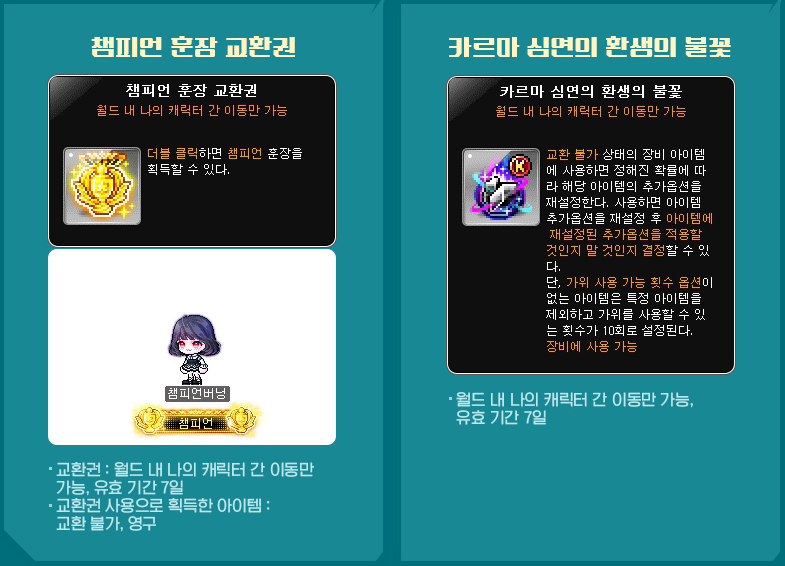
Note: The Karma Abyss Rebirth Flames can only roll T5~T7, with a 3% chance of rolling T7. You can see the specific rates here.
Double Up Coin Shop
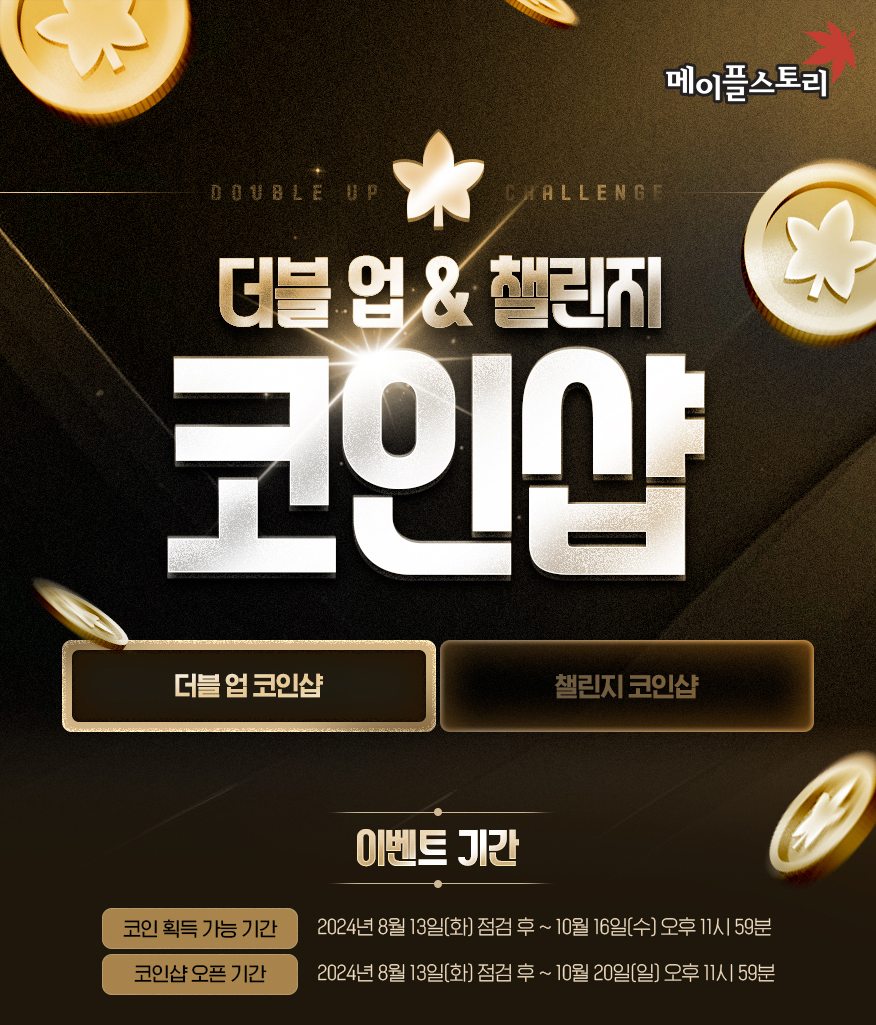
An additional 2x of the coins you collect on one characters! Double Up! Double up on the items you can buy from the Double Up Coin Shop too!
Event Participation Requirements:
- A level 101 or higher character (or a Zero character that has completed story quest Chapter 2) that is designated as a Champion.
Event Period:
- August 13, 2024 after the maintenance ~ October 20, 2024 at 11:59 PM.
You can select the ‘Champion Burning’ event in the Event List on a character designated as a Champion and click the ‘[Open Shop]’ button to use the shop.
※ Double Up Coins can only be acquired and used by Champion characters. The Double Up Coin Shop is an individual coin shop for each Champion, and the purchase limits are separate for each Champion character.
Enhancement
- Karma Powerful Rebirth Flame (50 coins) [limit of 100]
- Karma Eternal Rebirth Flame (100 coins) [limit of 100]
- Karma Black Rebirth Flame (200 coins) [limit of 100]
- Karma 12 Star Force Enhancement Scroll (Level 160) (1500 coins) [limit of 5]
- 100% Gold Hammer (100 coins) [limit of 5]
- Strange Additional Cube (50 coins) [limit of 100]
- 100% Karma Unique Potential Scroll (3000 coins) [limit of 1]
- 100% Karma Additional Epic Potential Scroll (3000 coins) [limit of 1]
- Event Ring Only Legendary Potential Scroll (4000 coins) [limit of 1]
- Event Ring Only Meister Cube (60 coins) [limit of 150]
- Karma Craftsman Cube (80 coins) [limit of 50]
- Karma Meister Cube (150 coins) [limit of 30]
- Karma Black Cube (300 coins) [limit of 20]
- Karma White Additional Cube (400 coins) [limit of 20]
Equipment
- Unique Emblem/Secondary Weapon Box (4000 coins) [limit of 1]
- Selective 3 Event Rings Voucher (3000 coins) [limit of 2]
Growth
- Core Gemstone (50 coins) [limit of 200]
- Experience Core Gemstone (500 coins) [limit of 10]
- Special Medal of Honor (100 coins) [limit of 50]
- Selective Arcane Symbol Voucher (40 coins) [limit of 500]
- Authentic Symbol: Cernium Voucher (50 coins) [limit of 100]
- Authentic Symbol: Arcs Voucher (100 coins) [limit of 50]
- Authentic Symbol: Odium Voucher (150 coins) [limit of 30]
- Authentic Symbol: Shangri-La Voucher (200 coins) [limit of 20]
- Authentic Symbol: Arteria Voucher (300 coins) [limit of 10]
- Authentic Symbol: Carcion Voucher (400 coins) [limit of 5]
- Maximum Growth Potion (10000 coins) [limit of 2]
- Sol Erda (10000 coins) [limit of 2]
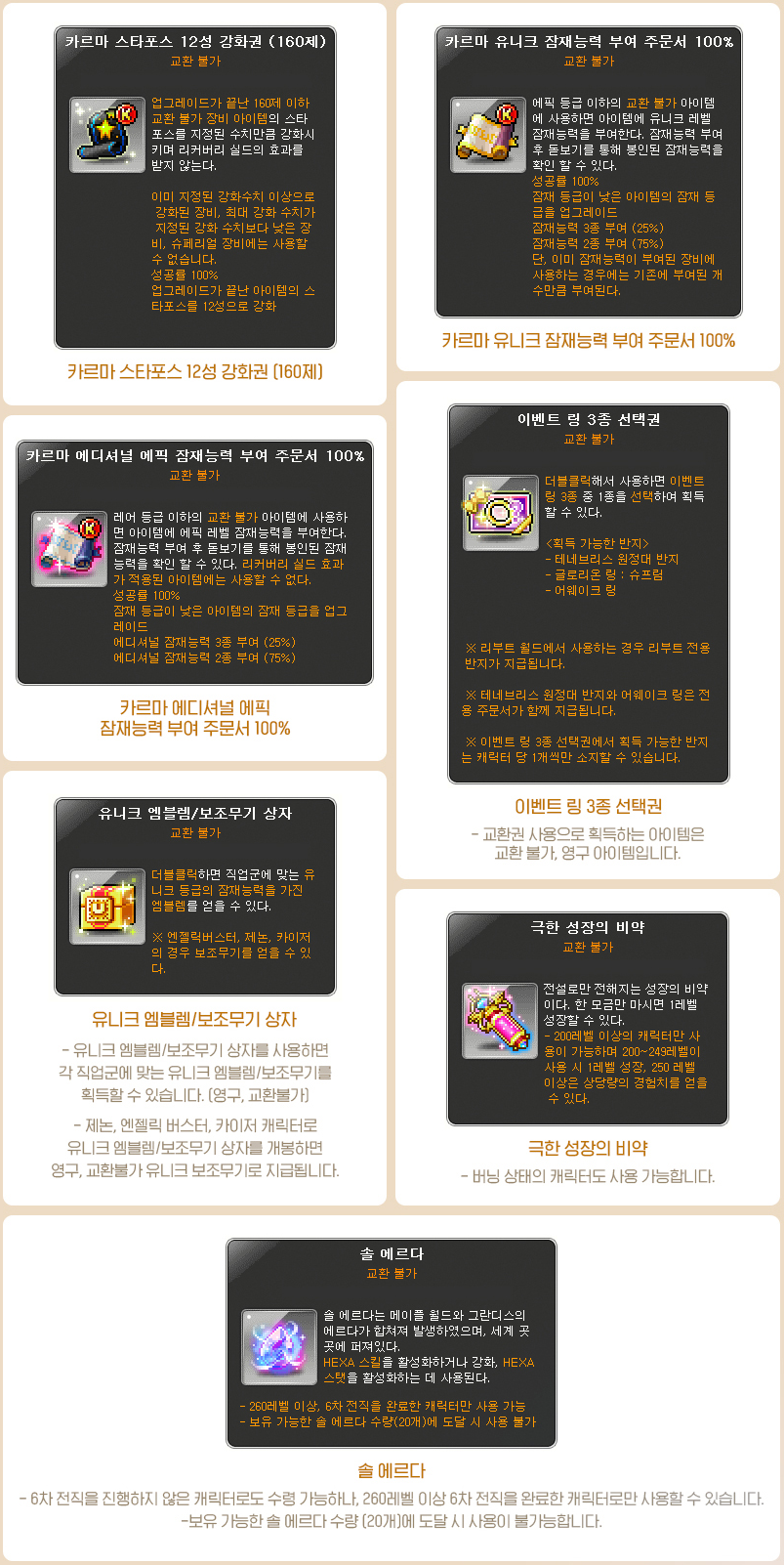
※ When you use the Unique Emblem/Secondary Weapon Box, Xenon/Angelic Buster/Kaiser characters will be given a Unique secondary weapon. All other jobs will be given a Unique Emblem that matches their class.
※ Each Authentic Symbol Voucher can only be purchased if you have completed the corresponding region’s story quests. (e.g. If you have completed the Odium story quests, you can purchase the ‘Authentic Symbol: Odium Voucher’)
※ The Sol Erda can only by used by characters level 260 or higher that have completed the 6th job advancement. It cannot be used if you hold 20 Sol Erda.
Challenge Coin Shop
Take on challenges and get rare items with the Challenge Coins you acquired!
Event Participation Requirements:
- A level 101 or higher character (or a Zero character that has completed story quest Chapter 2) that has completed the ‘[Champion Burning] You and My Champions’ quest.
Event Period:
- August 13, 2024 after the maintenance ~ October 20, 2024 at 11:59 PM.
You can select the ‘Champion Burning’ event in the Event List and click the ‘[Open Shop]’ button to use the shop.
※ Challenge Coins are shared by all characters within the world. The purchase limits are shared within the Maple ID.
- Selective VIP Buff Voucher (5 coins) [unlimited]
- Karma Black Cube (30 coins) [limit of 30]
- Karma White Additional Cube (40 coins) [limit of 30]
- Arcane River Droplet Stone (15 coins) [limit of 50, Reboot only]
- Primal Droplet Stone (15 coins) [limit of 50, Reboot only]
- Karma 100% Incredible Chaos Scroll of Goodness (20 coins) [limit of 80]
- 100% Ark Innocent Scroll (20 coins) [limit of 20]
- Karma Powerful Rebirth Flame (5 coins) [limit of 100]
- Karma Eternal Rebirth Flame (10 coins) [limit of 200]
- Karma Black Rebirth Flame (20 coins) [limit of 500]
- Selective Karma Premium Pet Equipment Scroll Voucher (400 coins) [limit of 30]
- Selective Karma Premium Accessory Scroll Voucher (400 coins) [limit of 30]
- Special Medal of Honour (10 coins) [limit of 300]
- Chaos Circulator (80 coins) [limit of 30]
- Black Circulator (150 coins) [limit of 30]
- Authentic Symbol: Cernium Voucher (5 coins) [limit of 250]
- Authentic Symbol: Arcs Voucher (10 coins) [limit of 150]
- Authentic Symbol: Odium Voucher (15 coins) [limit of 120]
- Authentic Symbol: Shangri-La Voucher (20 coins) [limit of 70]
- Authentic Symbol: Arteria Voucher (30 coins) [limit of 40]
- Authentic Symbol: Carcion Voucher (40 coins) [limit of 25]
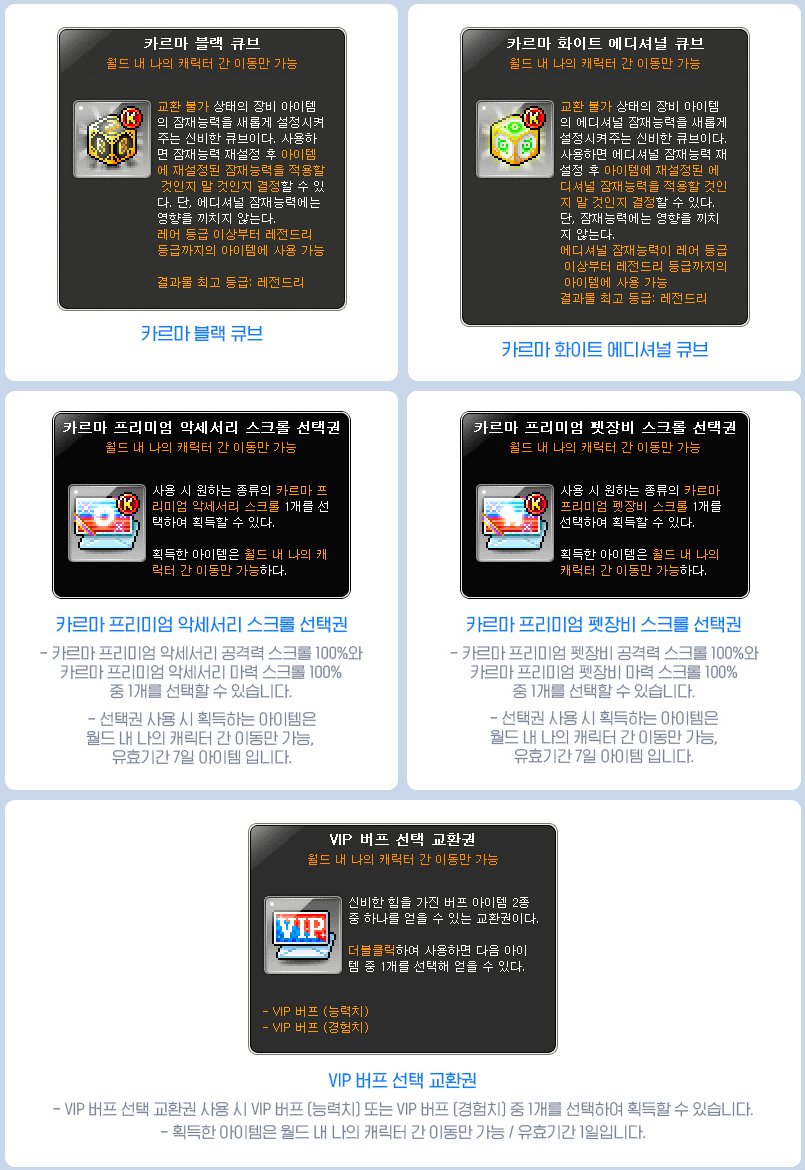
※ All items in this shop are limited per world. All items can only be put into storage.
※ If you use the Selective VIP Buff Voucher, you can choose between the VIP Buff (Stats) and VIP Buff (Experience).
※ The selected VIP Buff can only be put into storage, and will expire after 1 day.
※ Each Authentic Symbol Voucher can only be purchased if you have completed the corresponding area’s story quests. (e.g. If you complete the Odium story quests, you can purchase the ‘Authentic Symbol: Odium Voucher’.
※ If you use the Selective Karma Premium Pet Equipment Scroll Voucher, you can choose between the 100% Karma Premium Pet Equipment Attack Scroll and 100% Karma Premium Pet Equipment Magic Attack Scroll.
※ The selected Karma Premium Pet Equipment Scroll can only be put into storage, and will expire after 7 days.
※ If you use the Selective Karma Premium Accessory Scroll Voucher, you can choose between the 100% Karma Premium Accessory Attack Scroll and 100% Karma Premium Accessory Magic Attack Scroll.
※ The selected Karma Premium Accessory Scroll can only be put into storage, and will expire after 7 days.
Frenzy of the Source First Clear Rewards
Rewards for the players that were part of the first 3 parties that protected Grandis from the Apostle Limbo! Receive the first defeat mission rewards!
Event Participation Requirements:
- Characters on a Nexon ID that completed the <Frenzy of the Source> event’s first defeat mission that are level 285 or higher and cleared Hard Limbo during the event period.
Event Period:
- August 13, 2024 after the maintenance ~ August 20 at 11:59 PM.
Event Reward Claim Period:
- July 18, 2024 after the maintenance ~ August 13 before the maintenance.
You can select the ‘Frenzy of the Source First Defeat Reward’ event in the Event List and click the ‘Participate’ button to receive the following rewards.
| Reward | Quantity | Tradability | Duration |
|---|---|---|---|
| 5m Maple Points Voucher | 1 | Untradable | 7 Days |
| Ruler of the Source Medal | 1 | Untradable | Permanent |
| Shadow of the Source Effect Voucher | 1 | Can only be put into storage | 7 Days |
| Source’s Nametag Ring Voucher | 1 | Can only be put into storage | 7 Days |
| Source’s Chat Bubble Ring Voucher | 1 | Can only be put into storage | 7 Days |
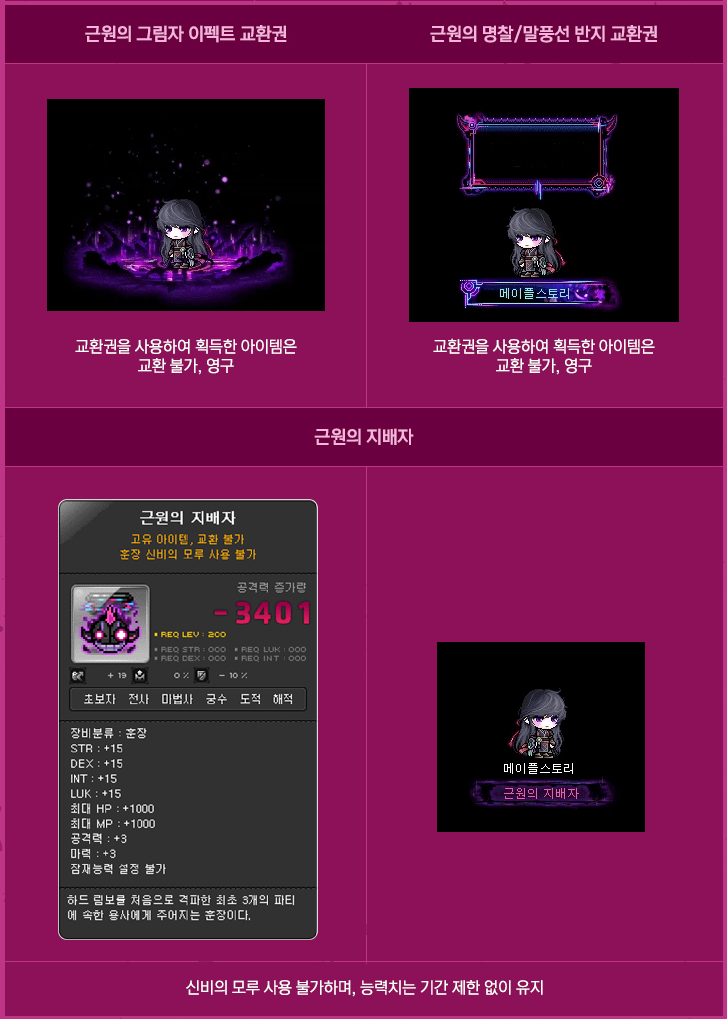

※ The rewards can only be claimed 1 time per Nexon ID.
※ The items acquired from using the Vouchers are permanent and untradable.
Burning World 2nd Early Leap
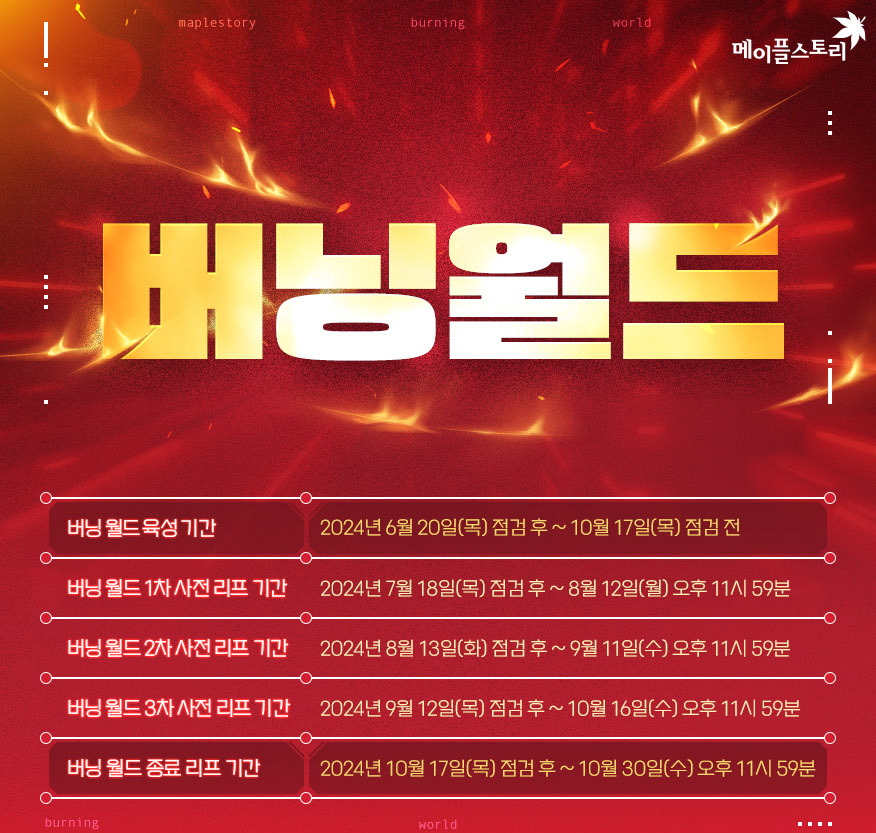
Event Participation Requirements:
- Level 130 or higher characters created in Burning, Burning 2, or Burning 3 worlds.
※ Zero characters that are level 130 or higher and have completed story quest Chapter 2 can Early Leap.
Event Period:
- August 13, 2024 after the maintenance ~ September 11, 2024 at 11:59 PM.
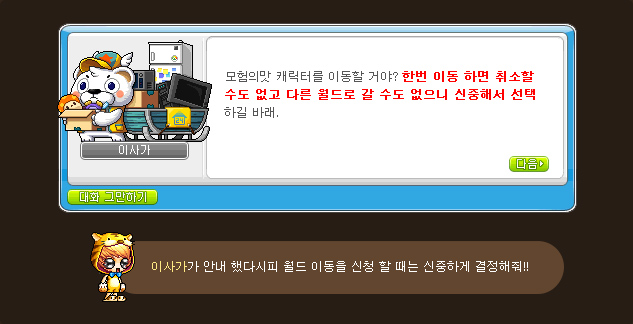
During the event period, you can leap your characters to your desired world through the NPC Isaga in Henesys. You can select the ‘Burning World Early Leap’ event in the Event List and click the ‘Participate’ button to move to Henesys.
※ Worlds You can Leap To: All worlds except Reboot and Reboot 2.
※ You can move a total of 5 characters to other worlds through the Burning World Early Leap and End Leap.
- Hyper Burning Level Achievement rewards can be received based on the world you arrive in.
- Challenge Coins acquired in Burning World will not be moved through World Leap.
- If you leap a Leader character designated in the Champion Burning event, Champion characters in worlds other than the Leader can no longer use Double Up EXP Points or the Double Up Coin Shop. (Double Up Coins can be accumulated.)
- Even after the World Leap, Double Up Coins, Double Up EXP Points, and the Double Up Coin Shop/Challenge Coin Shop purchase limits will be maintained.
- Gob’s Gift’s skill levels will be applied based on the world you arrive in.
- Characters with active Meso Market transactions cannot proceed with World Leap.
- When World Leaping from Burning World, items in the cash storage, storage, and Maple Auction will not be moved.
- Custom Backgrounds acquired using Voucher items will not be moved.
※ Custom Backgrounds acquired using Voucher items can be extracted into Vouchers through the NPC Isaga’s ‘Extract Custom Background’ option. The acquired Voucher can only be put into storage and is permanent.
- If there are no empty character slots in the world you are moving to, slots will be added before the Leap.
- However, if you already have 49 characters in the destination world, you cannot Leap to that world.
New Name Auction

A chance to get the name you want! Try using Mister New Name’s New Name Auction!
Event Participation Requirements:
- A level 10 or higher character (or a Zero character that has completed story quest Chapter 2).
※ The New Name Auction cannot be used in Burning World.
※ The New Name Auction can only be used on Green PC. Trade restricted accounts cannot use the New Name Auction.
Event Period:
- August 29, 2024 at 10:00 AM ~ September 11, 2024 at 11:59 PM.
You can enter the New Name Auction through selecting the ‘New Name Auction’ event in the Event List and click the ‘Participate’ button or by talking to the NPC Mister New Name in Henesys.
- In the New Name Auction, deleted dormant character names will be auctioned off.
- Only bidding is allowed. Character names cannot be sold or re-registered for sale.
- The New Name Auction can be used on a per Maple ID basis, and you use Maple Points in the auction.
- Bidding starts from 100 Maple Points.
- Character names that have been attempted to be created will be auctioned off. During the event period, new names will be registered sequentially every day starting from 10:00 AM for 36 hours.
- The auction schedule for each character name will be released separately.
- The number of character name trade slots has been increased from 5 to 10. You can only be trading up to 10 names at a time, including bidding and unclaimed completed trades.
- The minimum bid amount depends on the current highest bid.
- The auction will end between 2 minutes before and 2 minutes after the specified auction end time. When it ends, the highest bidder will win the character name.
- The names and deposits of completed auctions will be stored until February 11, 2025 at 11:59 PM. Names and deposits cannot be claimed after this storage period ends.
- After the event ends, you can claim your names and payment through the NPC Mister New Name.
※ Selling and bidding cancellations due to changing your mind are not possible. Character names cannot be restored after a trade has concluded.
Lady Blair’s Dream Express

Event Period:
- August 16, 2024 at 10:00 AM ~ August 23, 2024 at 10:00 AM.
During this time, you can freely move your Cash items between characters, regardless of cash restrictions.
Sunday Maple
Event Period:
- August 18, 2024
- August 25, 2024
- September 1, 2024
- September 8, 2024
On August 18, the following benefits will take place:
- +250% Monster Park clear experience
- 2x experience from Polo, Fritto, and Especia’s Bounty Hunting
- 2x experience from Flame Wolf
- Receive 1 Tera Burning Booster
On August 25, the following benefits will take place:
- 100% success rate when enhancing items at 5/10/15 Stars
On September 1, the following benefits will take place:
- +100% Rune experience buff effect
- +300% Combo Kill experience
- +250% Monster Park clear experience
- Receive 10 Extreme Growth Potions
On September 8, the following benefits will take place:
- 1+1 Star Force enhancements up to 10 stars
- 50% discount on Ability reset costs
- 50% discount on Spell Trace enhancement costs
- 5x chance to get Magnificent Souls
 Orange Mushroom's Blog
I’m going to bust a fat load to Fem Illium x Fem Ark
mod him
Thanks again Goat Max!
this patches is soooooooooooooooooo lame. no job balances, no new skills, no job remasters[not the way to remaster for nerf!!], Nexon wants to do is shit players
Will Reboot change coming to GMS? I want to experience the true liberation and touching some grasses hell yeah
uh no
Does champion burning get 2 level 200’s to 260?
https://www.inven.co.kr/board/maple/2304/40594
you can see how much exp you would get on a character using the 100k Double Up EXP Points every week here
Thanks, that’s disappointing. Can’t even go from 240-260.
Fixing DB dummy?!?!!!! OMG … pls hurry up and bring that fix to GMS xD
A little late but are you able to choose different characters for Champion Challenge or are they going to be the same 3 as chosen during the first part, Champion Double Up? Thanks
The Champion Challenge missions can be completed on any character, doesn’t matter if they’re a Champion or not!