
KMS ver. 1.2.421 – MapleStory X Blue Archive!

The MapleStory X Blue Archive collaboration has been released, with an entire month-long event, minigame, and of course a ton of cosmetics!
Next month is the big winter update, which was announced as MapleStory Selection!
There was a Maple Now last week but I was too busy to translate it. Of course he mostly went over the new collaboration and its special features, like being able to do actual gacha pulls and play Blue Archive-lite.
And at the end, he announced the winter update showcase for MapleStory Selection, which will take place on December 12!
Overview

- Skill Changes
- Training Grounds
- HEXA Matrix Reset Scroll Support
- Intense Power Crystal Reorganization
- Field Meso Penalty Adjustment
- Boss UI Reorganization
- Party Ready Check
- Game Settings UI Reorganization
- Character Preset Addition
- Battle Analysis Improvements
- Clear Condition System
- Dimensional Library
- XAudio2 Application
- MVP Improvements
- Cash
- Improvements
- Error Fixes
- Events
Skill Changes
Common
- Certain on/off skills will no longer be cancelled when entering Mu Lung Dojo.
- Certain skills’ hit effect display orders have been changed.
- Fixed an issue where sometimes, certain on/off skills’ activation status was not maintained normally when relogging in or changing maps.
- When you ride a mount or use a chair that cancels certain on/off skills, they will now be reactivated when you cancel the mount or get off the chair.
- Fixed an issue where certain skills’ buff icons when registered in the buff favourites were sometimes displayed awkwardly.
- Fixed an issue where if you extended an expired special core, the special core skill would not be displayed instantly in the skill UI.
- Fixed an issue where sometimes if you double jumped in a map with fixed movement speed above the maximum value, the game would crash.
- Fixed an issue where sometimes if certain jobs used down jump at the same time as a skill that moved downwards, the game would crash.
- Fixed an issue where if you moved with certain skills, the reverse keys status effect would not be applied. The changed skills are as follows.
- Lara – Dragon Vein’s Trace
- Kinesis – Warp
- Fixed an issue where sometimes certain skills would not hit large enemies. The changed skills are as follows.
- Night Lord – Mark of Assassin, Mark of Night Lord, Mark of Assassin VI
- Shadower – Meso Explosion, Meso Explosion VI
- Flame Wizard – Flame Discharge’s foxfire
- Night Walker – Shadow Bats, Shadow Bats VI
- Phantom – Blackjack
- Demon Avenger – Shield Chasing, Shield Chasing VI
- Angelic Buster – Soul Seeker, Soul Seeker VI, Grand Finale’s cheer balloons
- Fixed an issue where after exiting a boss fight, sometimes certain skills could be used consecutively. The changed skills are as follows.
- Paladin – Divine Convergence
- Bowmaster – Point Zero
- Dual Blade – Yama’s Decree
- Soul Master – Totality, Celestial Cleave
- Striker – Sea Emperor Pulverize
- Kain – [Possess/Execute] Malicious Flicker
- Cadena – Brutal Ravage
- Angelic Buster – Genuine Encore
- Len – Azure Dragon Sky-Splitting Sword: Falling Plum Blossom
- Fixed an issue where if you failed a boss fight while dead, certain skills would be maintained. The changed skills are as follows.
- Common Adventurer Archer – Evolve
- Common Demon – Call Mastema
- Hero – Sword of Burning Soul
- Bowmaster – Quiver Flow, Evolve VI
- Marksman – Bolt Flow, Evolve VI
- Pathfinder – Evolve VI
- Captain – Summon Crew, Cummon Crew VI, Dreadnaught
- Cannon Shooter – Special Monkey Escort
- Flame Wizard – Salamander Mischief
- Wind Breaker – Anemoi, Mistral Spring
- Night Walker – Shadow Servant, Shadow Illusion, Silence
- Mercedes – Elemental Knights, Elemental Ghost, Elemental Knighs VI, Unfading Flory
- Mechanic – Multiple Options: M-FL, Metal Armor Full Burst, Mecha Carrier
- Demon Slayer – Orthrus, Call Mastema VI
- Demon Avenger – Dimension Sword, Call Mastema VI, Requiem
- Kaiser – Guardians of Nova
- Zero – Transcendent, Transcendent VI
- Kinesis – Another World’s Afterimage, Another World’s Afterimage VI
- Illium – Deus, Deus VI, Unlimited Crystals
- Len – Plum Blossom Sword Ultimate: Plum Tree Aroma
- Lara – Eruption: Heaving River, Eruption: Whirlwind, Eruption: Heaving River VI, Eruption: Whirlwind VI
- Hoyoung – Seeking Ghost Flame, Seeking Ghost Flame VI, Sage: Wrath of Gods
- Fixed an issue where if you used certain skills in maps that restricted movement skills, the system message would be displayed repeatedly. The changed skills are as follows.
- Common – Rope Connect, Blink
- Common Adventurer Warrior – Warrior Leap
- Common Adventurer Magician – Mana Wave
- Common Demon – Demon Jump
- Hero – Flash Slash
- Bowmaster – Quiver Flow
- Marksman – Bolt Flow
- Shadower – Shadow Assault
- Dual Blade – Flash Jump
- Captain – Wings
- Cannon Shooter – Cannon Jump
- Mikhail – Soul Jump
- Soul Master – Soul Leap
- Flame Wizard – Fire Walk
- Wind Breaker – Gust Shift
- Night Walker – Shadow Jump
- Striker – Elemental Shift
- Aran – Final Toss
- Mercedes – Rolling Moonsault, Spirit Escape
- Phantom – Phantom Shroud, Rift Break
- Luminous – Light Blink, Lightransforming
- Blaster – Explosion Move
- Battlemage – Teleport Ver. 2
- Xenon – Aviation Liberty, Sudden Propel, Quicksilver Sword: Leap
- Mechanic – Jet Booster, Rocket Booster
- Kaiser – Vertical Connect
- Cadena – Chain Arts: Chase
- Angelic Buster – Magical Lift
- Zero – Burst Jump
- Kinesis – Psychic Move, Warp
- Adele – Levitation, Feather
- Illium – Crystal Portal
- Khali – Mirage Step
- Ark – Instinct Leap
- Lara – Jump, Manifest: Where the River Flows, Manifest: Wind Swing, Dragon Vein’s Trace
- Hoyoung – Graceful Flight, Nimbus Cloud, Iron Fan Gale: Clone/True, Consuming Flames: Clone/True, Consuming Flames: Clone/True VI, Iron Fan Gale: Clone/True VI
- Fixed an issue where certain skills’ effects were displayed awkwardly. The changed skills are as follows.
- Common – Aion of Creation, Transcendence: Unbreakable Resolve, Sol Hecate: Charon, Liberated Rune’s Blessing
- Common Adventurer Warrior – Blitz Shield
- Common Demon – Call Mastema, Call Mastema Vi
- Paladin – Blessing Armor
- Bishop – Holy Blood
- Bowmaster – Concentration
- Marksman – Focus On, Split Arrow
- Night Lord – Bleeding Toxin, Darkness Shuriken
- Shadower – Shadow Edge
- Dual Balde – Hidden Blade, Hidden Blade VI
- Wind Breaker – Wind Wall, Wind Wall VI
- Aran – Adrenaline Maximum, Adrenaline Maximum VI
- Demon Slayer – Dark Revenge, Metamorphosis – Enhance
- Cadena -Weapon Variety III, Weapon Variety VI
- Angelic Buster – Soul Resonance
- Zero – Time Holding
- Illium – Primal Protection
- Len – Plum Blossom Sword 4th Form: Zero Blade
- Fixed an issue where sometimes if you changed maps during certain skill keydowns, the client would crash. The changed skills are as follows.
- Archmage (I/L) – Lightning Sphere
- Dual Blade – Final Cut
- Blaster – Hyper Magnum Punch, Burning Breaker
- Demon Avenger – Inhale Vitality
 Dodge
- This skill will now only fix your critical rate to 100% if your critical rate is less than 100%.
 Erda Permeation
- The skill description has been changed.
 Transcendent Rhinne’s Blessing
- The skill description has been changed.
 Ultimate Dark Sight
- The skill effect has been changed.
 Sol Hecate
- Stage 1 Sol Hecate’s Styx effect has been changed.
- Stage 1 Sol Hecate’s teleport effect has been changed.
- Fixed an issue where if the Sol Hecate: Estelle skin was applied, the skill icon would be displayed in an awkward location.
 Evolve VI
- Fixed an issue where sometimes if you changed channels or revived after dying, the trajectory effect would be displayed continuously.
Hero
 Flash Slash
- Fixed an issue where sometimes the client would crash when using this skill.
Paladin
 Blast
- Fixed an issue where the skill effect transparency applied twice.
 Sanctuary
- The skill effect has been changed.
 Blast VI
- Fixed an issue where the skill effect transparency applied twice.
Dark Knight
 Reincarnation Accept
- The skill effect has been changed.
 Reincarnation
- Fixed an issue where if you died immediately after this skill activated, sometimes you could not revive.
Archmage (F/P)
 Poison Flare
- Fixed an issue where if this skill was activated, the cast effect would b displayed to other characters.
 Mist Eruption
- Fixed an issue where if there were more Poison Mists than the maximum amount that can be exploded, you could not use Mist Eruption.
- If there are more Poison Mists than the maximum amount that can be exploded, they will now explode starting from the first Poison Mist created.
 Fire Aura
- The skill will no longer be cancelled if the usage limit without moving restriction is applied.
 Fury of Ifrit
- Fixed an issue where if you changed channels or revived after dying, sometimes the skill effect would be displayed continuously.
 Mist Eruption VI
- Fixed an issue where if there were more Poison Mists than the maximum amount that can be exploded, you could not use Mist Eruption.
- If there are more Poison Mists than the maximum amount that can be exploded, they will now explode starting from the first Poison Mist created.
 Fire Aura VI
- The skill will no longer be cancelled if the usage limit without moving restriction is applied.
 Poison Flare VI
- Fixed an issue where if this skill was activated, the cast effect would b displayed to other characters.
Archmage (I/L)
 Thunderbolt
- The hit effect has been changed.
 Elquines VI
- The cast effect has been changed.
Bishop
 Genesis VI
- The cast effect has been changed.
Bowmaster
 Extreme Archery: Bow
- The attack boost has been decreased from 40 to 30.
 Bow Expert
- The attack boost has been decreased from 60 to 30.
 Armor Piercing
- The final damage boost has been decreased from 16% to 15%.
 Arrow Rain
- The damage has been decreased from 1650% to 1320%.
 Extra Quiver Cartridge
- Fixed an issue where you could not use Extra Quiver Cartridge immediately after using a Skill Sequence.
 Point Zero
- The arrow shockwave’s damage has been increased from 5124% to 5226%.
- The single-point explosion’s damage has been increased from 5328% to 5435%.
Developer Notes:
After the September update, we analyzed actual combat data and confirmed that Bowmaster’s combat performance was significantly higher than intended. We investigated and discovered an error occurred during the performance verification process for the skill adjustments implemented in September that exceeded the acceptable threshold.
Therefore, we have adjusted certain values for Bowmaster in this update. We sincerely apologize for the confusion caused by our lack of careful oversight, and we promise to conduct more rigorous verification processes going forward.
Marksman
 Retreat Shot
- The skill effect has been changed.
Night Lord
 Shadow Blink
- Fixed an issue where if you used Shadow Leap while rushing, Shadow Leap’s cast effect would be displayed.
Shadower
 Sonic Blow
- Fixed an issue where the buff icon was displayed awkwardly.
 Void Trance
- Fixed an issue where Assassinate: Annihilation and Pulverize: Annihilation sometimes applied the debuff on enemies other than the boss monster with the highest maximum HP.
Dual Blade
 Asura
- Fixed an issue where sometimes you could use certain skills while using this skill.
 Asura VI
- Fixed an issue where sometimes you could use certain skills while using this skill.
 Yama’s Decree
- Fixed an issue where if you used Punish immediately after changing maps, certain skill effects would not disappear.
Viper
 Advanced Dash
- Fixed an issue where if you used this skill in the opposite direction of the character while casting another skill, after the cast action ended the character’s direction would change.
 Serpent Stone
- Fixed an issue where if you revived after daying, the Assault status would be cancelled.
 Serpent Crew
- Fixed an issue where if the skill was reactivated automatically, sometimes the cooldown would not be applied.
 Fist Enrage VI
- Fixed an issue where if you revived after dying, the Super Fist Enrage buff would be cancelled.
 Serpent Stone VI
- Fixed an issue where if you revived after daying, the Assault status would be cancelled.
Captain
 Double Barrel Shot
- The skill effect has been changed.
 Unwearying Nectar
- The skill effect has been changed.
 Firecracker
- Fixed an issue where the skill sound effect played twice.
 Aerial Bombardment
- Fixed an issue where sometimes the client would crash after activating Alpha Strike.
Cannon Shooter
 Gigantic Backstep
- Fixed an issue where this skill could not be used during Cannon Drift.
 Cannon Jump
- Fixed an issue where this skill could not be used during Cannon Drift.
 Magnetic Anchor
- The skill effect has been changed.
Flame Wizard
 Orbital Flame I/II/III/IV/VI
- Fixed an issue where sometimes Elemental Shift could be used while using this skill.
 Cataclysm
- Fixed an issue where Elemental Shift could be used while using this skill.
 Infinity Flame Circle
- Fixed an issue where Fire Walkcould be used while using this skill.
- The cast effect has been changed.
 Blazing Extinction VI
- The cast effect has been changed.
Soul Master
 Loud Rush
- Fixed an issue where Aura Weapon activated when using this skill.
 Silent Move
- Fixed an issue where Aura Weapon activated when using this skill.
 Soluna Slash
- The skill effect has been changed.
- Fixed an issue where sometimes using this skill in certain maps would cause the usage blocked system message to be displayed.
 Soluna Slash VI
- Fixed an issue where sometimes using this skill in certain maps would cause the usage blocked system message to be displayed.
Wind Breaker
 Wind Walk
- Fixed an issue where this skill could be used in maps that blocked usage of movement skills.
 Song of Heaven
- Fixed an issue where if you used Gust Shift forwards then held Song of Heaven’s key down and inputted the jump key, the keydown would end.
 Howling Gale
- Fixed an issue where if there were two or more Wind Breakers and you resummoned the tornado, sometimes the other character’s tornado’s location would look awkward.
 Idle Whim
- Fixed an issue where you could not use Idle Whim immediately after using a Skill Sequence.
 Vortex Sphere
- The damage has been increased from 868% to 1194%.
- The Trifling Whim activation rate has been increased from 65% to 90%.
- The Storm Whim activation rate has been increased from 35% to 48%.
- The Storm Bringer activation rate has been increased from 55% to 75%.
- The maximum attack limit on a single enemy has been decreased from 11 to 8.
- You can now use this skill with no cast action while using Song of Heaven/Song of Heaven VI.
- Vortex Sphere’s creation time has been decreased by about 78%.
- Vortex Sphere’s creation location has been changed.
- The skill description has been changed.
- The skill effect has been changed.
 Song of Heaven VI
- Fixed an issue where if you used Gust Shift forwards then held Song of Heaven’s key down and inputted the jump key, the keydown would end.
Developer Notes
In the October update, we changed Wind Breaker’s Vortex Sphere into a skill that could be used more frequently, with the goal of ensuring it performed as intended during actual combat.
However, players experienced difficulties with the controls, specifically inputting the key to use Vortex Sphere while using Song of Heaven which was very inconvenient. Also, Vortex Sphere’s creation time took too long to be able to consistently hit enemies.
Therefore, in this update, we have implemented further adjustments to resolve these control issues and to make it easier to land Vortex Sphere’s hits, aligning the skill more closely with our original design intention.
We sincerely apologize for the confusion and inconvenience caused to all Wind Breaker players, due to our failure to monitor the situation closely and our inadequate response since the September update.
Night Walker
 Darkness Ascension
- The skill description has been changed.
 Rapid Throw
- Fixed an issue where you could use Elemental Shift or Shadow Jump while using this skill.
Aran
- Fixed an issue where if Aran was placed as an attacker in the Union Raid, it would not attack.
 Combat Step
- Fixed an issue where you could not use this skill in the opposite direction of the character through the skill key while casting another skill.
- Fixed an issue where if you used this skill in the opposite direction of the character while casting another skill, after the cast action ended the character’s direction would change.
 Maha Unleashed
- Fixed an issue where if you changed maps, sometimes Final Beyonder Absolute’s damage would not be applied.
Evan
 Summon Onyx Dragon
- The skill effect has been changed.
 Spiral of Mana
- The skill effect has been changed.
Luminous
 Power of Light
- Fixed an issue where if you resisted the Darkness status effect, the system message would be displayed repeatedly.
 Lightransforming
- The skill effect has been changed.
Mercedes
 Legendary Spear
- This skill will now only fix your critical rate to 100% if your critical rate is less than 100%.
 Rolling Moonsault
- The skill effect has been changed.
 Legendary Spear VI
- This skill will now only fix your critical rate to 100% if your critical rate is less than 100%.
Phantom
 Steal Skill
- Fixed an issue where stolen Dark Sight’s use and cancel intervals were applied abnormally.
 Mark of Phantom
- The skill effect has been changed.
- Fixed an issue where if you used this skill without the teleport, sometimes the skill would not be used.
Eunwol
 Back Step
- The skill effect has been changed.
 Spirit Night Punch
- Fixed an issue in the Training Grounds <Altar of Afterimages>’ replay key input UI where sometimes the progression stage was displayed differently than what it actually was.
Battle Mage
 Death
- Fixed an issue where sometimes this skill was cancelled in certain content.
 Death VI
- Fixed an issue where sometimes this skill was cancelled in certain content.
Wild Hunter
 Trap Seeder
- The skill effect has been changed.
Xenon
 Triangle Formation
- The skill effect has been changed.
 Photon Ray
- Fixed an issue where you could use Suddel Propel while the photon cannon was firing.
 Hologram Gravity: Fusion Enhancement
- The skill description has been changed.
 Neoteric Trice
- Fixed an issue where if you died at the same time as using this skill, sometimes certain skill effects would not disappear.
Blaster
 Release Pile Bunker
- Fixed an issue where if you used this skill while the cylinders were overheated, the system message would be displayed repeatedly.
 Explosion Move
- Fixed an issue where you could use this skill upwards in maps that restricted usage of certain movement skills.
- Fixed an issue where if you used this skill without enough bullets, the system message would be displayed repeatedly.
 Magnum Cannon
- Fixed an issue where if you used this skill without enough bullets, the system message would be displayed repeatedly.
 Super Endurance
- Fixed an issue where if you used this skill without Endurance Shield active, the system message would be displayed repeatedly.
 Burning Breaker
- Fixed an issue where if you used this skill without enough bullets, the system message would be displayed repeatedly.
 Release Pile Bunker VI
- Fixed an issue where if you used this skill while the cylinders were overheated, the system message would be displayed repeatedly.
 Burst Pile Bunker
- Fixed an issue where if you used this skill while the cylinders were overheated, the system message would be displayed repeatedly.
Mechanic
 Rocket Booster
- The skill effect has been changed.
 Distortion Field
- The skill effect has been changed.
 Intense Distortion Field
- The skill effect has been changed.
Kaiser
 Will of Swords: Charge
- Fixed an issue where this skill could be used while gigantified by the Rune of Giants.
 Infernal Breath
- The skill effect has been changed.
 Will of Swords: Strike
- Fixed an issue where this skill could be used while gigantified by the Rune of Giants.
 Will of Swords VI
- Fixed an issue where sometimes the Dragon’s Mark was engraved multiple times.
Cadena
 Chain Arts: Chase
- Fixed an issue where if you changed maps while using this skill, sometimes the client would crash.
 Agent Shift
- Fixed an issue where if you used this skill in the air, sometimes you would move further than the jump distance.
 Summon Cutting Scimitar
- Fixed an issue where if you used this skill while using Chain Arts: Chase, sometimes the character would move outside of the map.
 Summon Throwing Wing Dagger
- The shuriken now has a maximum attack number of attacks regardless of the number of enemies it is hitting at the same time.
 Summon Cutting Scimitar VI
- Fixed an issue where if you used this skill while using Chain Arts: Chase, sometimes the character would move outside of the map.
 Summon Throwing Wing Dagger VI
- The shuriken now has a maximum attack number of attacks regardless of the number of enemies it is hitting at the same time.
 Summon Beating Needle Bat Vi
- The skill effect has been changed.
Angelic Buster
 Soul Resonance
- Fixed an issue where you could use Magical Shift while using this skill.
 Energy Burst
- You can now right-click the buff icon during the invincibility effect duration to cancel it.
Zero
- Fixed an issue where if you entered certain maps, Alpha and Beta’s Time Force would be swapped.
 Burst Step
- Fixed an issue where if you used this skill in the opposite direction of the character while casting another skill, after the cast action ended the character’s direction would change.
 Earth Break
- The skill effect has been changed.
 Advanced Earth Break
- The skill effect has been changed.
 Jumping Crash VI
- The skill effect has been changed.
 Earth Break VI
- The skill effect has been changed.
 Chrono Trigger
- The skill description has been changed.
Adele
 Dike
- Fixed an issue where certain boss patterns knocked you back during the invincibility duration.
Illium
 Curse Mark
- Fixed an issue where if there were multiple enemies, sometimes the additional hit would not be activated properly.
 Deus
- Fixed an issue where sometimes Deus would not track enemies while in a party.
 Machina VI
- The summon movement effect has been changed.
 Deus VI
- The summon effect has been changed.
- Fixed an issue where sometimes Deus would not track enemies while in a party.
Khali
 Void Rush
- Fixed an issue where if you had remaining usages then used certain boss content specific skills, the consecutive usage status would be cancelled.
 Hex: Chakram Fury
- Fixed an issue where you could use Spark while using this skill.
 Void Rush VI
- Fixed an issue where if you had remaining usages then used certain boss content specific skills, the consecutive usage status would be cancelled.
 Hex: Chakram Fury VI
- Fixed an issue where you could use Spark while using this skill.
Ark
 Spell Bullet
- When you enter boss waiting maps, the Training Grounds <Hall of Refinement>, or the Foggy Forest Training Centre, Plain Spell/Scarlet Spell/Gust Spell/Abyss Spell will now be charged to the maximum values.
 Endless Nightmare VI
- The skill effect has been changed.
 Endless Dream VI
- The skill effect has been changed.
Len
 Plum Blossom Sword 4th Form: Zero Blade
- Fixed an issue where your ears looked awkward during this skill.
 Lost Soul Awakening
- Heavenly Fang’s hit effect has been changed.
- The effect when the skill ends has been changed.
 Azure Dragon Sky Splitting Sword Thousandfold Slash
- The skill effect has been changed.
Lara
 Eruption: Heaving River
- The damage has been decreased from 260% to 182%.
- This skill now deals 78%p increased damage when attacking boss monsters.
 Eruption: Whirlwind
- The damage has been decreased from 90% to 63%.
- This skill now deals 27%p increased damage when attacking boss monsters.
 Eruption: Sunrise Well
- The giant damage has been decreased from 110% to 77%.
- The lava area damage has been decreased from 110% to 77%.
- The volcanic bomb damage has been decreased from 95% to 66%.
- The giant now deals 33%p increased damage when attacking boss monsters.
- The lava area now deals 33%p increased damage when attacking boss monsters.
- The volcanic bomb now deals 29%p increased damage when attacking boss monsters.
 Manifestation: Wind Swing
- The passive Eruption: Whirlwind damage boost has been decreased from 35%p to 24%p.
- This skill now passively increases Eruption: Whirlwind’s damage when attacking boss monsters by 11%p.
 Manifestation: Where the River Flows
- The passive Eruption: Heaving River damage boost has been decreased from 120%p to 84%p.
- This skill now passively increases Eruption: Heaving River’s damage when attacking boss monsters by 36%p.
 Manifestation: Sunlight Filled Ground
- The passive Eruption: Sunrise Well damage boost has been decreased from 48%p to 34%p.
- This skill now passively increases Eruption: Sunrise Well’s damage when attacking boss monsters by 14%p.
 Nature Master
- Eruption: Heaving River’s damage has been decreased from 882% to 617%.
- Eruption: Whirlwind’s damage has been decreased from 300% to 210%.
- Eruption: Sunrise Well’s giant damage has been decreased from 260% to 182%.
- Eruption: Sunrise Well’s lava area damage has been decreased from 400% to 280%.
- Eruption: Sunrise Well’s volcanic bomb damage has been decreased from 270% to 189%.
- This skill now passively increases Eruption: Heaving River’s damage when attacking boss monsters by 265%p.
- This skill now passively increases Eruption: Whirlwind’s damage when attacking boss monsters by 90%p.
- This skill now passively increases Eruption: Sunrise Well’s giant damage when attacking boss monsters by 78%p.
- This skill now passively increases Eruption: Sunrise Well’s lava area damage when attacking boss monsters by 120%p.
- This skill now passively increases Eruption: Sunrise Well’s volcanic bomb damage when attacking boss monsters by 81%p.
 Eruption: Heaving River VI
- The damage has been decreased from 963% to 674%.
- This skill now deals 289%p increased damage when attacking boss monsters.
 Eruption: Whirlwind VI
- The damage has been decreased from 465% to 325%.
- This skill now deals 140%p increased damage when attacking boss monsters.
 Eruption: Sunrise Well VI
- The giant damage has been decreased from 425% to 297%.
- The lava area damage has been decreased from 686% to 480%.
- The volcanic bomb damage has been decreased from 465% to 325%.
- The giant now deals 128%p increased damage when attacking boss monsters.
- The lava area now deals 206%p increased damage when attacking boss monsters.
- The volcanic bomb now deals 140%p increased damage when attacking boss monsters.
Developer Notes
Lara’s Eruption skills allow for easy hunting without having to enhance common skills like Sol Janus, and their high damage output allowed players to defeat monsters with a much lower Combat Power than other jobs. Although the intention was to provide an accessible and enjoyable hunting experience through these Eruption skills, we have identified numerous instances where it was being exploited to generate an abnormal amount of mesos.
Therefore, we have implemented an overall damage reduction to Eruption skills while adding a damage boost when attacking boss monsters. To make sure this change doesn’t negatively impact the efficiency of equipment stats, the bonus damage when attacking boss monsters is applied as an addition to the skills’ base damage. We will continue to monitor Lara’s hunting performenace to ensure it aligns with our design intentions and will make further changes if necessary.
To address this issue quickly, these changes have been implemented directly without prior testing on the test world. We sincerely aplogize for the inconvenience this may cause to players who were playing Lara legitimately, as the gear requirements for efficient hunting may be higher than before. We ask for your understanding.
Hoyoung
 Heaven: Iron Fan Gale
- Fixed an issue where if you used this skill with the forwards arrow key, sometimes it would link to Iron Fan Gale: True without an extra skill press.
- Fixed an issue where if you used the Custom Command, sometimes it would link to Iron Fan Gale: True without an extra skill press.
 Earth: Stone Tremor
- Fixed an issue where if you used this skill with the left or right arrow key, sometimes it would link to Stone Tremor: True without an extra skill press.
 Heaven: Consuming Flame
- Fixed an issue where if you used this skill with the up arrow key, sometimes it would link to Consuming Flame: True without an extra skill press.
 Heaven: Consuming Flame VI
- Fixed an issue where if you used this skill with the up arrow key, sometimes it would link to Consuming Flame: True without an extra skill press.
 Earth: Stone Tremor VI
- Fixed an issue where if you used this skill with the left or right arrow key, sometimes it would link to Stone Tremor: True without an extra skill press.
 Humanity: Gold-Banded Cudgel VI
- Gold-Banded Cudgel VI’s skill effect when enhanced by Universal Harmony has been changed.
- Fixed an issue where your ears would look awkard when casting Gold-Banded Cudgel VI when enhanced by Universal Harmony.
 Heaven: Iron Fan Gale VI
- Fixed an issue where if you used this skill with the forwards arrow key, sometimes it would link to Iron Fan Gale: True without an extra skill press.
- Fixed an issue where if you used the Custom Command, sometimes it would link to Iron Fan Gale: True without an extra skill press.
Lethe
 Imprint
- Fixed an issue where certain UI could not be opened immediately after Pell was summoned.
 Levitate
- This skill is no longer affected by the skill repeated input option.
 Imprint VI
- Fixed an issue where certain UI could not be opened immediately after Pell was summoned.
Training Grounds
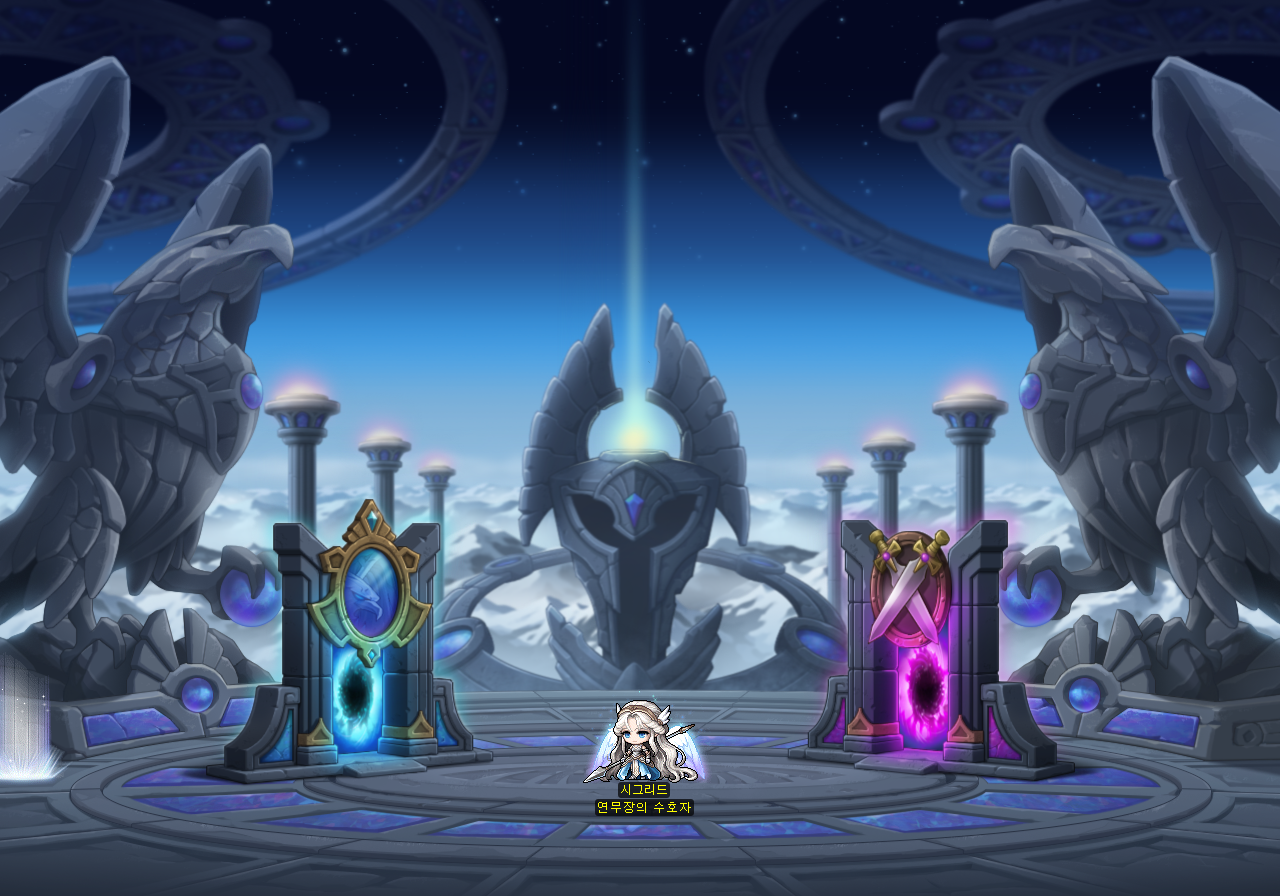
The Training Grounds operation period for certain jobs has been changed.
- Participating Jobs: Bowmaster, Marksman, Pathfinder, Wind Breaker, Mercedes
- Operation Period: December 3, 2026 at 12:00 AM ~ December 16, 2026 at 11:59 PM.
Certain jobs’ registered replays and replay recommendation permissions have been reset. The reset jobs are as follows.
- Bowmaster
- Marksman
- Pathfinder
- Wind Breaker
- Mercedes
100k Maple Points Vouchers will be provided to characters who registered the top 1 recommended replay per reset job as of the November 19, 2026 update.
※ The Maple Points Voucher will be provided through the Maple Cabinet after the update and can be claimed until December 17, 2026 at 12:00 AM.
※ You may be excluded from receiving the Maple Points Voucher if you had a record of game access restriction due to violating the operation policy during the previous Training Grounds operation period (between November 5, 2026 at 12:00 AM ~ November 18, 2026 at 11:59 PM).
Fixed an issue in the <Hall of Afterimages> where sometimes playing a replay where Archmage (F/P)’s Ignite/Ignite VI was used would sometimes cause the client to crash.
HEXA Matrix Reset Scroll Support
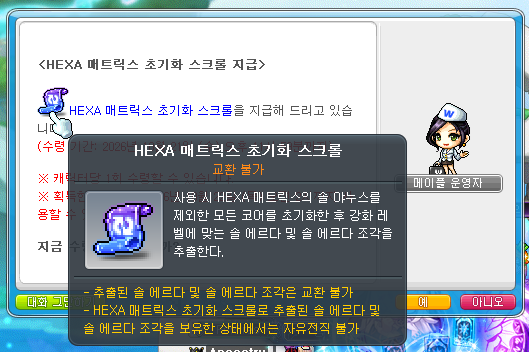
For players whose character setting efficiency has changed due to the skill changes, we are providing a way to easily change your HEXA core enhancement settings.
※ The HEXA Matrix Reset Scroll will now reset all HEXA Matrix cores except Sol Janus, and extract the Sol Erda/Sol Erda Fragments corresponding to their enhancemen levels into consumable items.
Participation Targets
- Level 260 or higher characters that have completed the 6th job advancement that are one of the following jobs.
- Bowmaster, Marksman, Pathfinder, Wind Breaker, Mercedes.
Event Period
- November 19, 2026 after the maintenance ~ December 16, 2026 at 11:59 PM.
You can use the Quick Move or talk to Maple Admin in Henesys/major towns and click the ‘Receive HEXA Matrix Reset Scroll’ option. You can receive it 1 time per character.
| Item | Quantity | Tradeability | Duration |
|---|---|---|---|
| HEXA Matrix Reset Scroll | 1 | Untradeable | Expires on December 17, 2026 at 2:00 AM |
Intense Power Crystal Reorganization

Intense Power Crystals’ weekly sell limit has been changed from a per-world basis to a per-Maple ID basis.
- Before: You can sell up to 90 Intense Power Crystals per world per week.
- After: You can sell up to 90 Intense Power Crystals per Maple ID per week.
※ Challengers World and Special World’s sale quantities are calculated separately and are not combined with regular worlds.
※ All sales made from November 19, 2026 at 12:00 AM until the start of the maintenance will also be calculated and reflected based on the updated criteria.
Field Meso Penalty Adjustment
The meso acquisition rate reduction applied when the character level is 6 levels or more higher than the monster’s level has been increased.
Boss UI Reorganization
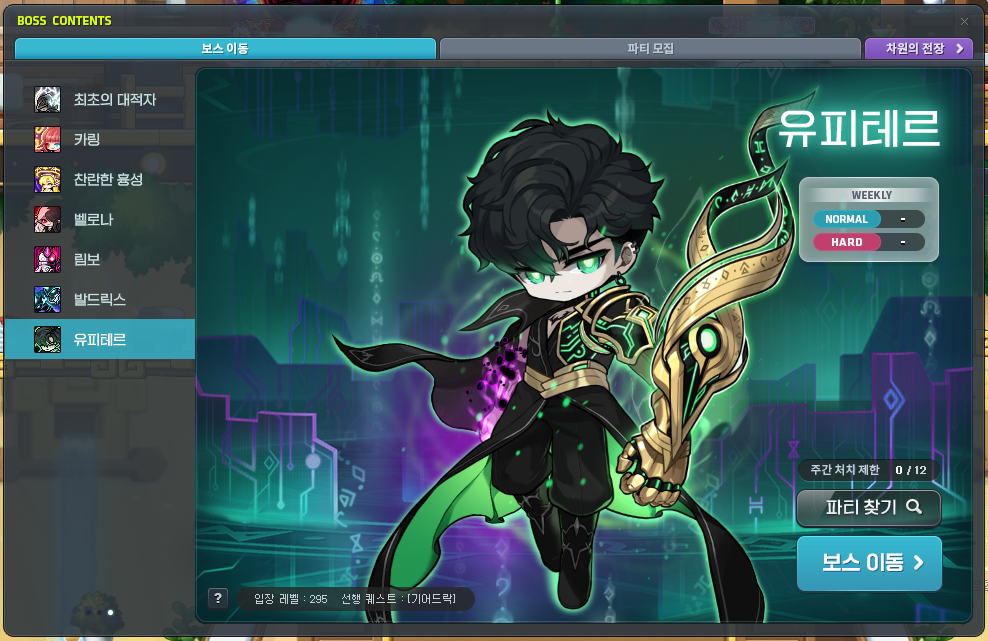
The Boss UI has been updated.
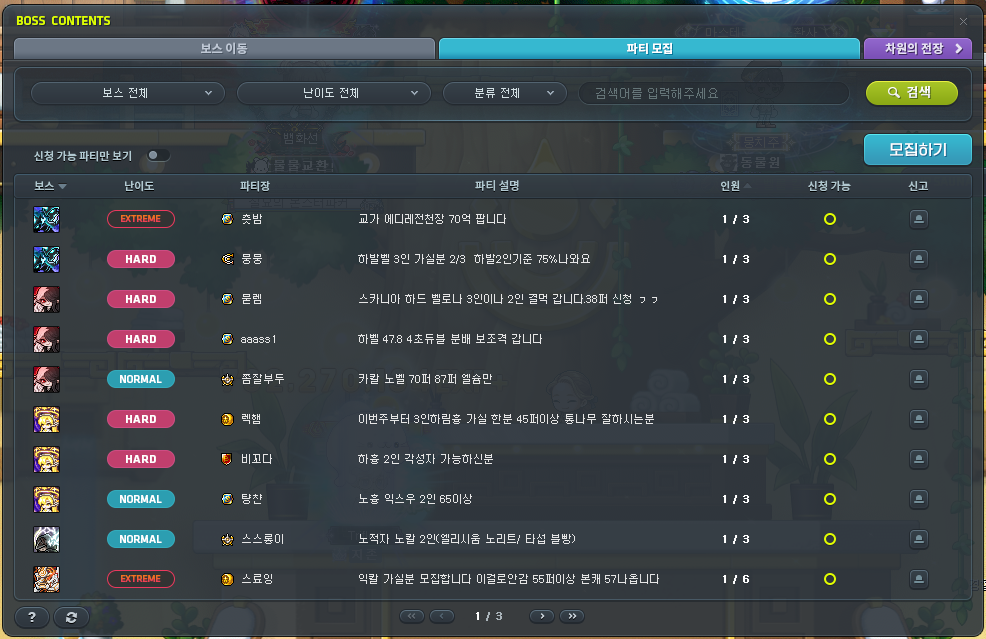
You can now recruit players from other worlds for boss parties.
- A world icon will now be displayed next to players’ nicknames in places like the party recruitment list, recruitment information, and the teleport UI. In the boss recruitment chatting and notification messages, players will be displayed as ‘[world name] nickname’.
- World information will now be displayed in the ‘View user details’ window.
- Recruitment posts will be shared between players in the same group, using the same grouping as cross world boss content.
| Group | Worlds |
|---|---|
| Group 1 | Scania, Bera, Luna, Zenith, Croa, Union, Elysium, Enosis, Red, Aurora, Arcane, Nova |
| Group 2 | Eos, Helios |
The boss party recruitment scope has been changed as follows.
| Boss | Difficulty |
|---|---|
| Suu | Hard, Extreme |
| Damien | Hard |
| Guardian Angel Slime | Chaos |
| Lucid | Hard |
| Will | Hard |
| Dusk | Chaos |
| Jin Hilla | Hard |
| Dunkel | Hard |
| Black Mage | Hard, Extreme |
| Chosen Seren | Normal, Hard, Extreme |
| Watcher Kalos | Easy, Normal, Chaos, Extreme |
| First Adversary | Easy, Normal, Hard, Extreme |
| Kaling | Easy, Normal, Hard, Extreme |
| Radiant Malefic Star | Normal, Hard |
| Bellona | Easy, Normal, Hard |
| Limbo | Normal, Hard, Extreme |
| Baldrix | Normal, Hard, Extreme |
| Jupiter | Normal, Hard |
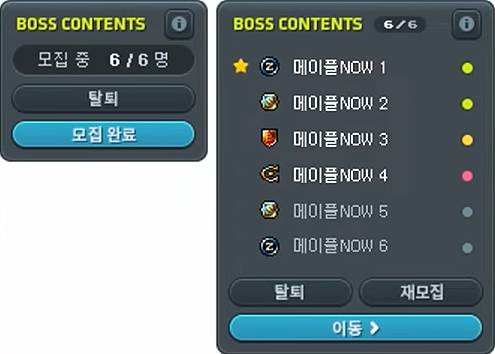
When recruiting boss party members, you can now recruit party members without having to form an actual party beforehand.
- When you register a recruitment post, a ‘boss recruitment party’ will be created. The character that registered the post will be the party leader.
- When an applicant is accepted, they will join the boss recruitment party.
- While you are in a boss recruitment party, you can freely engage in other content such as creating or joining normal parties, hunting, and other bosses.
- A character can only be in 1 boss recruitment party at a time. While you are in one, you cannot apply to other recruitment posts or create a new recruitment post.
- The party leader can right-click a member in the party list to transfer leadership or kick them from the party.
- Party members can leave the boss recruitment party by clicking the ‘Leave’ button.
- The boss recruitment party will be disbanded in the following cases.
- The party leader enters a boss and it is transitioned into an official party.
- All party members have logged out.
- The party leader leaves the party and there are no other party members.
※ You can only transfer party leader to a party member who is currently logged in.
※ If the party leader leaves or logs off, the party member who joined earliest (among those that are currently logged in) will become the new party leader.
※ If a party member logs out, they will remain in the boss recruitment party. However, if an applicant logs out, their application will be cancelled.
※ You cannot apply to join a party if either you or the party leader has added the other to their blacklist.
※ If a boss recruitment party is disbanded, the recruitment post will be deleted and all pending applications will be cancelled.
※ Only 1 character per Maple ID can participate in a single boss recruitment party.
※ Characters below level 200 or those on Red PC cannot recruit or apply to join a boss party.
A ‘boss recruitment’ chat has been added that lets you talk with your boss recruitment party members.
- You can talk with party members in other worlds. Messages will be displayed in the format ‘[world name] nickname: content’.
- You can use teh channel by selecting ‘boss recruitment’ in the chat window, or by typing ‘/bossrecruitment’, ‘/o’, ‘/partyrecruitment’, or ‘/boss’.
- You can customize the ‘boss recruitment’ chat’s colour and filter in the chat filter UI.
※ The ‘boss recruitment’ chat will be closed when the boss recruitment party is transitioned into an official party.
The boss party recruitment time and completion method have been changed.
- The recruitment will be completed when the party is filled up, the party leader clicks the ‘recruitment complete’ button, or 60 minutes have passed since the post was created.
- When recruitment is complete, the recruitment post will be deleted, all pending applications will be cancelled, and the teleport UI will be displayed to all party members.
- If the party is not full after the recruitment is complete, the party leader can use the ‘re-recruit’ button to register the post again with the same details.
※ If you select ‘re-recruit’, the party will return to recruitment and the time will start again from 60 minutes.
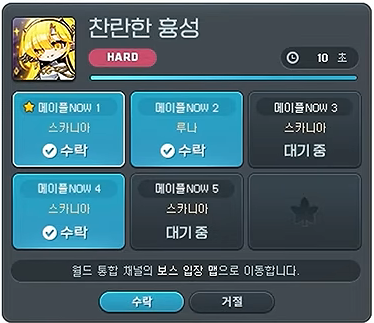
After recruitment is complete, you can teleport to the boss entry map all at once.
- When the party member clicks the ‘teleport’ button in the teleport UI, a confirmation window will be displayed to all party members.
- If all party members accept within the time limit, the party will be teleported to the boss entry map starting with the party leader.
- If all party members are in the same world, they will be teleported to that world’s boss entry map.
- If party members are in different worlds, they will be teleported to the cross world channel’s boss entry map.
- If any party member declines, fails to respond within the time limit, or logs off, the teleport will be cancelled.
- If any party member was unable to be teleported, the teleport will not begin and the party leader will be notified of the specific party member and the reason why they did not teleport.
- You can check party members’ login status and location in the teleport UI.
- Party members who are not in the boss entry map can click the ‘teleport’ button in the teleport UI to move there.
※ The teleport will be cancelled if a party member leaves or is expelled from the party, or if the party leader is changed while the teleport confirmation window is displayed.
※ You cannot teleport if a party member is not logged in or is using the Cash Shop.
※ When moving to a cross world channel’s boss entry map, you cannot teleport if you have less than 50 slots left in your boss reward tab.
※ You cannot teleport to a boss entry map in your world while in a cross world channel.
※ You cannot teleport while in places like the Training Grounds or cross world party quests.
When you enter the targeted boss after teleporting, the boss recruitment party will be converted into a normal party.
- When you enter, the party leader will be prompted to confirm the conversion into a normal party. When they confirm, the boss recruitment party will be disbanded.
- During this conversion, only party members who are in the same boss entry map as the party leader will be added to the new normal party. They will be removed from their previous party.
The ‘Automatic Matching’ feature has been removed.
Party Ready Check
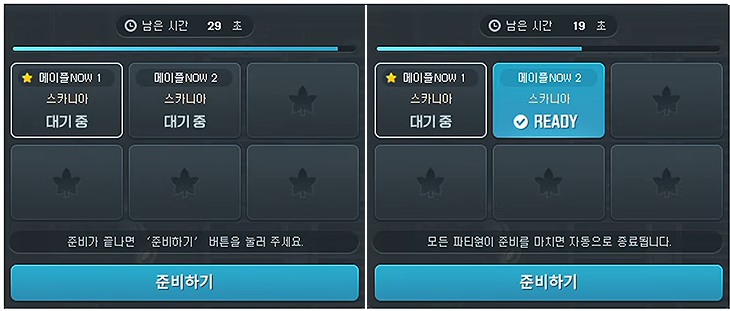
A ‘ready check’ feature has been added that lets you see all party members’ readiness at a a glance.
- Any party member can type ‘/preparation’, ‘/ready’, ‘/prep’, ‘/rd’ in the chat window or use the ‘party preparation’ hotkey to display the preparation check UI to all party members.
- The character that started the ready check will be marked as ready.
- When a party member clicks the ‘ready’ button, they will be marked as ready.
- The ready check will end when all party members are marked as ready or 30 seconds have passed.
※ This can only be used in a party of 2 or more people, and when all party members are in the same boss entry map or boss preparation map on the same channel.
※ If a party member leaves the map or logs off during the ready check, it will be cancelled.
Game Settings UI Reorganization
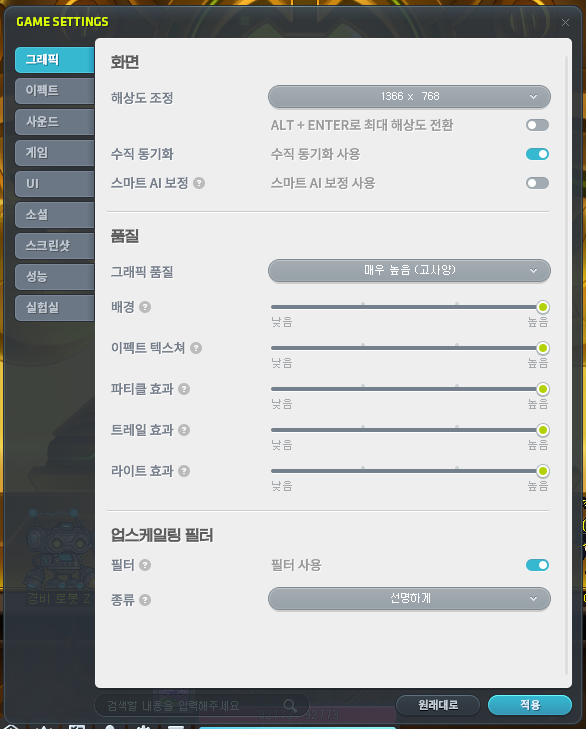
The Game Settings UI has been updated.
The ‘Apply’ button has been added.
- After changing game settings, you can click the Apply button or press ENTER to apply the changes.
- You can cancel the changes by clicking the ‘Reset’ button.
- If there are any unapplied changes, a confirmation pop-up will be displayed before you close the UI.
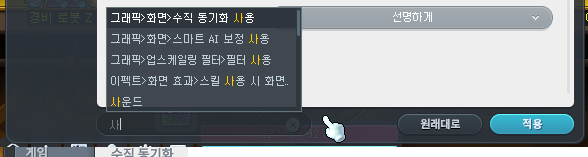
A search feature has been added.
- You can use the search to move directly to the settings you want to find.
- When you enter one or more characters in the search bar, you can select from the displayed results to move to that setting.
Certain tab names have been changed.
- The ’64-Bit’ tab has been changed to the ‘Performance’ tab.
- The ‘Chat & Invites’ tab has been changed to the ‘Social’ tab.
If the full screen settings are changed due to a resolution adjustment, a pop-up will be displayed if you want to maintain those changes.
- If you click the ‘cancel’ button or do not confirm within 15 seconds, the resolution will revert to its previous setting.
The setting to allow/block trade requests has been moved to the ‘Social’ tab.
A ‘Game Settings’ hotkey has been added.
Character Preset Addition
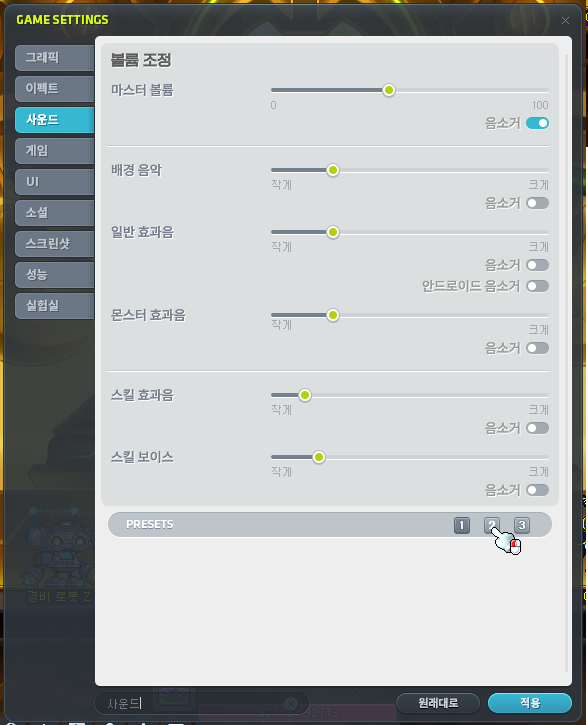
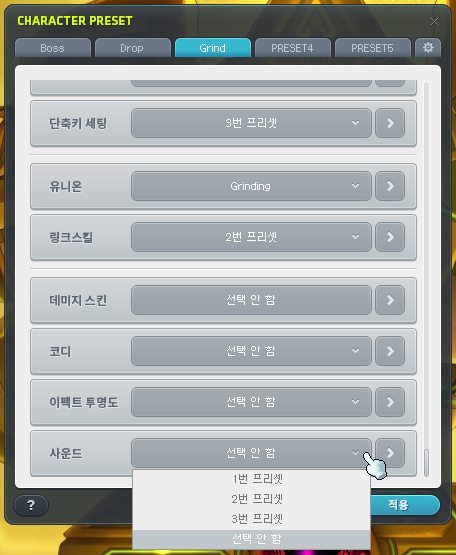
Sound presets have been added to the Game Settings.
- You can save your sound settings in presets 1~3 and easily switch between them.
- After the update, your current sound settings will be saved automatically in preset 1. Preset 2 and 3 will be provided in their reset state.
Battle Analysis Improvements

A feature has been added where you can automatically start/stop Battle Analysis in boss content.
- You can set this in the game settings.
- When enabled, the Battle Analysis will automatically start/stop when you enter/exit a boss.
- Regardless of this setting, you can still manually stop or restart the Battle Analysis at any time.
The Battle Analysis will no longer stop when various cutscenes occur, such as in bosses or stories.
The Battle Analysis will no longer stop instantly if you press the ESC key even if the measurement time is less than 1 second.
Clear Condition System
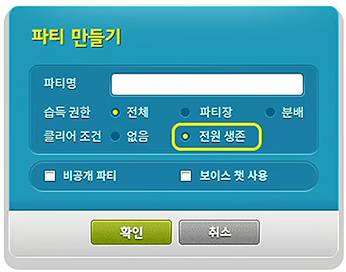
A new ‘boss clear condition’ option has been added to the party settings.
- You can choose between 2 options: ‘none’ or ‘all party members survive’.
- This setting can only be changed by the party leader, and cannot be changed during a boss battle.
- If the ‘all party members survive’ option is selected, the boss challenge will fail if any party member’s Death Count reaches 0 or if a party member leaves during the boss fight.
※ The default setting for the boss clear condition is ‘none’.
※ This will not apply if someone leaves after the boss is defeated. In that case, the party member who left will be recorded as clearing the boss.
※ If a boss is defeated before the server confirms a party member has disconnected, the ‘all party members survive’ condition may not apply a failure.
When the boss clear condition or shared reward eligibility permission settings are changed, a notification message will now be displayed on the screen.
The party UI’s public setting has been changed into a toggle.
The boss clear condition and shared reward eligibility permission settings can nowb e changed in boss waiting maps.
Dimensional Library
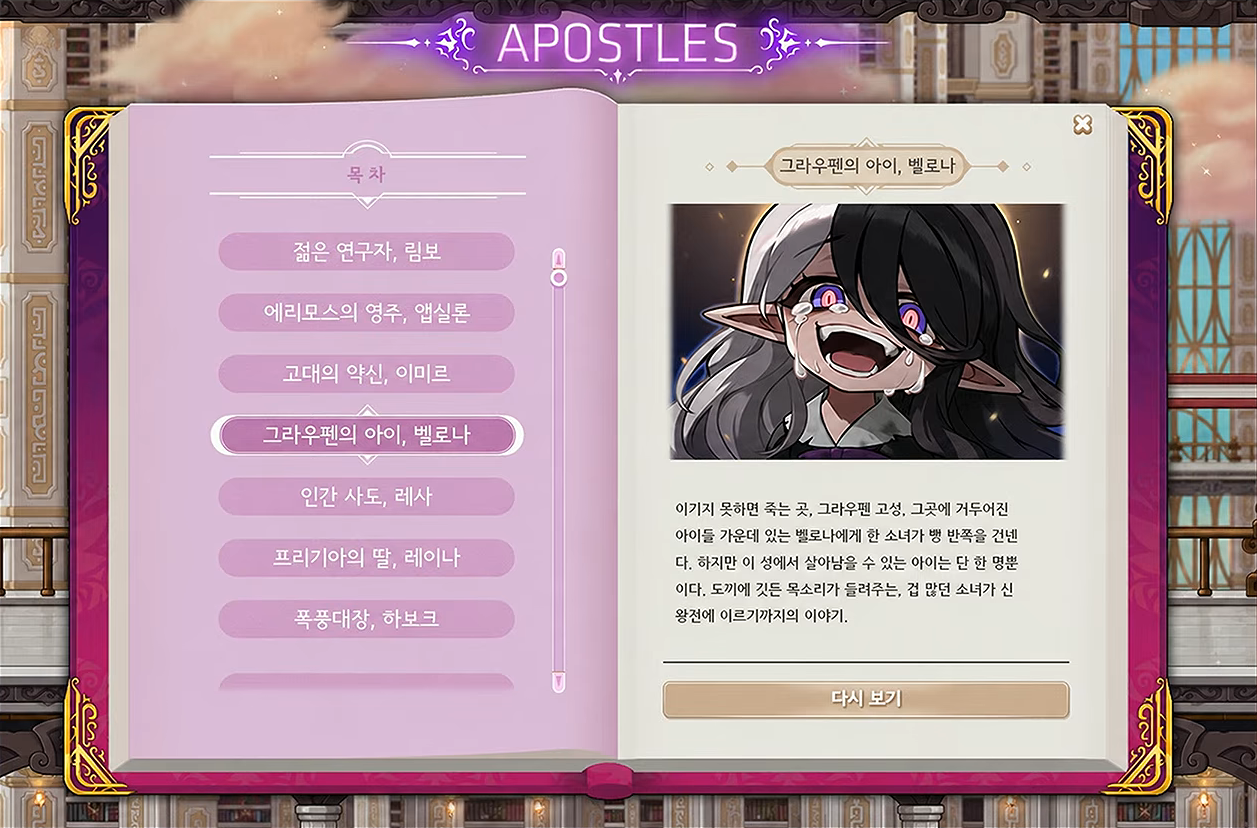
The <Book of Apostles> has been added to the Dimensional Library.
- You can replay the ‘Visitors of the Argo’ event’s Apostle stories through the <Book of Apostles>.
- The following stories are included.
- Young Researcher, Limbo
- Erimos’ Lord, Ypsilon
- Ancient Evil God, Ymir
- Graupen’s Child, Bellona
- Human Apostle, Ressa
- Phrygia’s Daughter, Reina
- Storm Captain, Havoc
- Darmoor’s Knight, Baldrix
- You can use it at the Dimensional Library on the 1st floor.
※ Story quest progress through the <Book of Apostles> will be reset when you leave the Dimensional Library. If you enter again, they will progress from the beginning.
XAudio2 Application
The XAudio2 sound system has been applied.
MVP Improvements
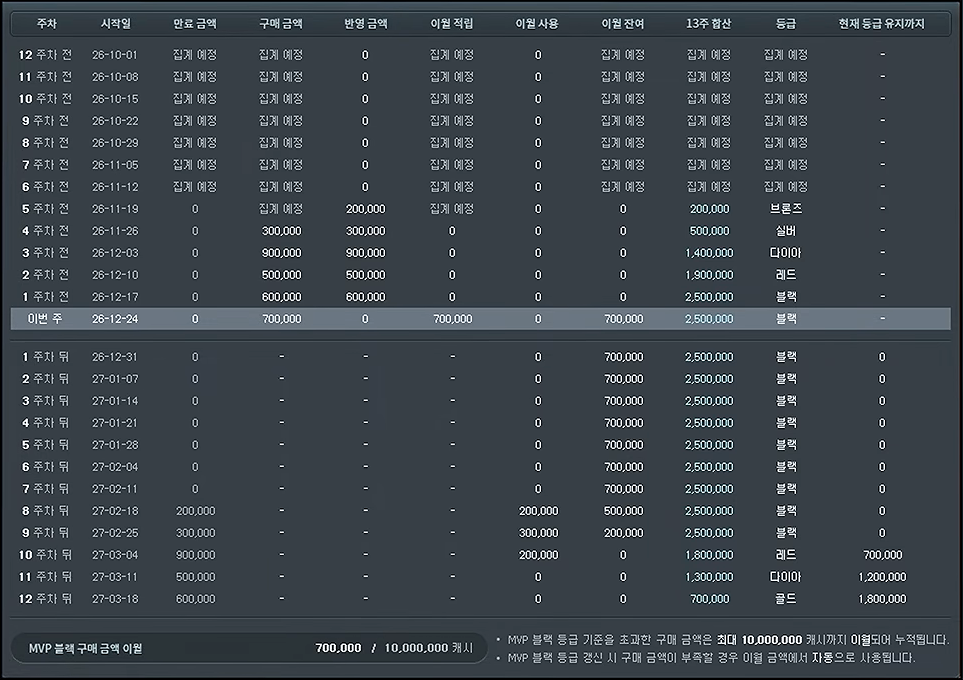
The MVP UI’s ‘amount applied’ tooltip information has been improved to be more detailed.
- You can now view a detailed week-by-week breakdown for a total of 25 weeks, the previous 12 weeks, the current week, and the next 12 weeks.
| Section | Description |
|---|---|
| Expired Amount | The amount excluded from the 13 week cumulative total for MVP rank calculation due to 13 weeks passing. |
| Purchase Amount | The total amount spent on purchasing cash items and the amount accured through Premium PC Room usage which are reflected in MVP. |
| Included Amount | The portion of your purchase amount that is applied to your MVP rank calculation. |
| Carry-Over Accrual | The portion of your purchase amount that exceeds the MVP Black rank threshold and is carried over to future periods. |
| Carry-Over Usage | The amount carried over from previous periods that is applied towards maintaining your MVP Black rank. |
| Carry-Over Remaining | The remaining balance of carry-over funds after accounting for both accrual and usage. |
| 13 Week Cumulative Total | The sum of the ‘included amount’ and ‘carry-over usage’ for the most recent 13 weeks, including the current week. |
| Rank | Your current MVP rank, based on your 13 week cumulative total. |
| Amount to Maintain Current Rank | The additional amount required to maintain your current MVP rank. |
※ Information that does not apply to a specific week will be displayed as ‘-‘.
※ Information that has not yet been compiled after the update will be displayed as ‘Pending compilation’. This information is provided for tooltip display purposes only and does not affect the actual calculation of your MVP rank.
The MVP Epic Dungeon Quick Pass has been improved.
- After using the Epic Dungeon Quick Pass in the MVP UI, you can now open the Bonus Rewards UI right afterwards.
- Even after clearing an Epic Dungeon, you can open the Bonus Rewards UI through the MVP UI.
Cash
MapleStory X Blue Archive Collaboration
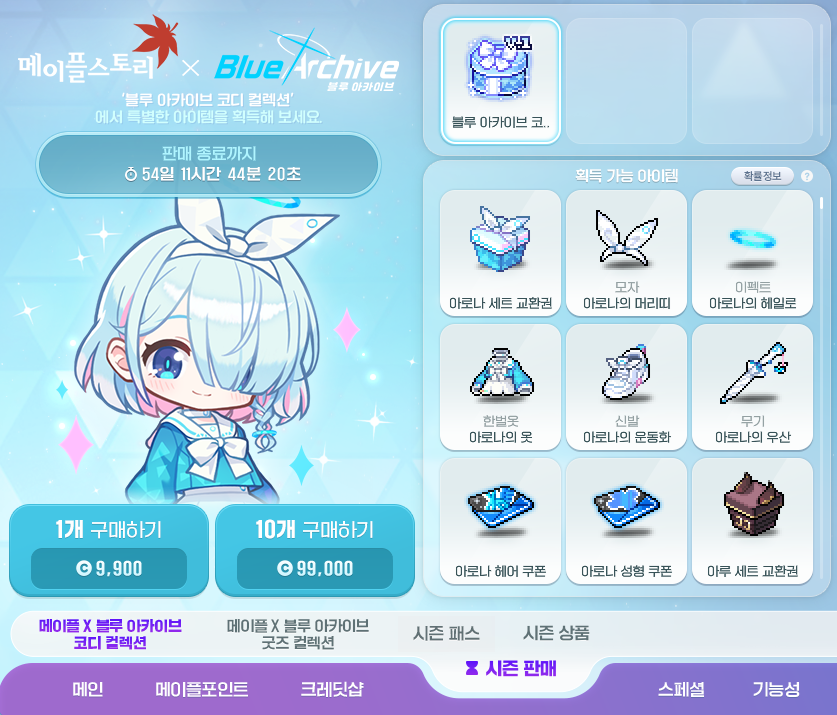
The Blue Archive Outfit Collection Vol. 1 will be on sale.
- Sale Period: November 19, 2026 after the maintenance ~ January 20, 2027 at 11:59 PM.
- Sale Location: Cash Shop > Seasonal Sales > Maple X Blue Archive Outfit Collection
- Sale Price: 9,900 NX (Can only be purchased with NX, can be traded 1 time before use)
- When you use a Blue Archive Outfit Collection Vol.1, you can acquire 1 of the following items at a set rate. You can see the rates here.
- Arona Set Voucher
- Aru Set Voucher
- Ibuki Set Voucher
- Yuuka Set Voucher
- Nagisa Set Voucher
- Mika Set Voucher
- Seia Set Voucher
- Kikyou Set Voucher
- Wakamo Set Voucher
- Arisu (Maid) Set Voucher
You can see the full item visuals here.
※ The acquired items cannot be dyed (hair, face, outfits) and are not eligible for custom illustration requests.
※ The Blue Archive Outfit Collection Set Vouchers can be traded 1 time (if they are put in storage or traded, they can only be put into storage) and are permanent items.
※ The Hair/Face Coupons acquired from the Vouchers can only be put into storage and are permanent items. All other items are untradeable and permanent.
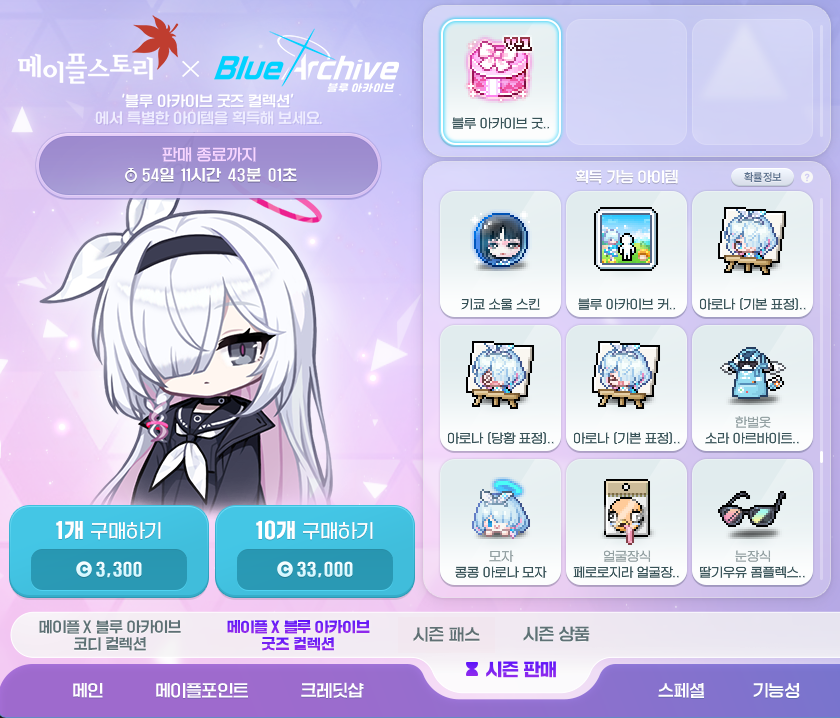
The Blue Archive Goods Collection Vol. 1 will be on sale.
- Sale Period: November 19, 2026 after the maintenance ~ January 20, 2027 at 11:59 PM.
- Sale Location: Cash Shop > Seasonal Sales > Maple X Blue Archive Goods Collection
- Sale Price: 3,300 NX (Can only be purchased with NX, can be traded 1 time before use)
- When you use a Blue Archive Goods Collection Vol.1, you can acquire 1 of the following items at a set rate. You can see the rates here.
- Blue Archive Student Nametag Ring Voucher
- Iroha Cut-In Effect Acquisition Voucher
- Kikyou Cut-In Effect Acquisition Voucher
- Arona Action Hair Coupon
- Aru Action Hair Coupon
- Ibuki Action Hair Coupon
- Yuuka Action Hair Coupon
- Nagisa Action Hair Coupon
- Mika Action Hair Coupon
- Seia Action Hair Coupon
- Kikyou Action Hair Coupon
- Wakamo Action Hair Coupon
- Arisu (Maid) Action Hair Coupon
- Aru Nametag & Chat Bubble Ring Voucher
- Ibuki Nametag & Chat Bubble Ring Voucher
- Yuuka Nametag & Chat Bubble Ring Voucher
- Nagisa Nametag & Chat Bubble Ring Voucher
- Mika Nametag & Chat Bubble Ring Voucher
- Seia Nametag & Chat Bubble Ring Voucher
- Kikyou Nametag & Chat Bubble Ring Voucher
- Wakamo Nametag & Chat Bubble Ring Voucher
- Arona Soul Skin
- Iroha Soul Skin
- Kikyou Soul Skin
- Blue Archive Custom Background Voucher
- Arona (Base Expression) Special Illustration Registration Voucher
- Arona (Confused Expression) Special Illustration Registration Voucher
- Arona (Happy Expression) Special Illustration Registration Voucher
- Sora Part-Time Job Overall Voucher
- Hopping Arona Hat Voucher
- Perorodzilla Face Accessory Voucher
- Strawberry Milk Complex Sunglasses Voucher
- Blue Eternity Voucher
- Arona’s Whale Voucher
- Blue Sky Fantasy Voucher
- Tea Party Time Voucher
- In the Blue Archive Classroom Voucher
- Schale Office Meeting Time Voucher
- Aronaroid Voucher
- Arisuroid (Maid) Voucher
- Aruroid Voucher
- Ibukiroid Voucher
- Yuukaroid Voucher
- Nagisaroid Voucher
- Mikaroid Voucher
- Seiaroid Voucher
- Kikyouroid Voucher
- Wakamoroid Voucher
You can see the full item visuals here.
※ The Vouchers can be traded 1 time (if they are put in storage or traded, they can only be put into storage) and they are permanent items.
※ The chairs and Androids acquired from using Vouchers can only be put into storage and are permanent items. All other items are untradeable and permanent items.
※ The acquired items cannot be dyed (hair, face, outfits) and are not eligible for custom illustration requests.
※ The acquired Androids cannot have their appearances changed.
- If you equip the Blue Archive Student Nametag Ring, the character’s name, job, level, and experience will be displayed on your name tag. The experience displayed will be visible to other characters and will be updated regularly. This item cannot be equipped by Androids.
- If you use an Action Hair Coupon, your hair will be changed into an action hair that features fluid swaying motions.
- The Androids come with exclusive voices, and if you click them, they will play special motions.
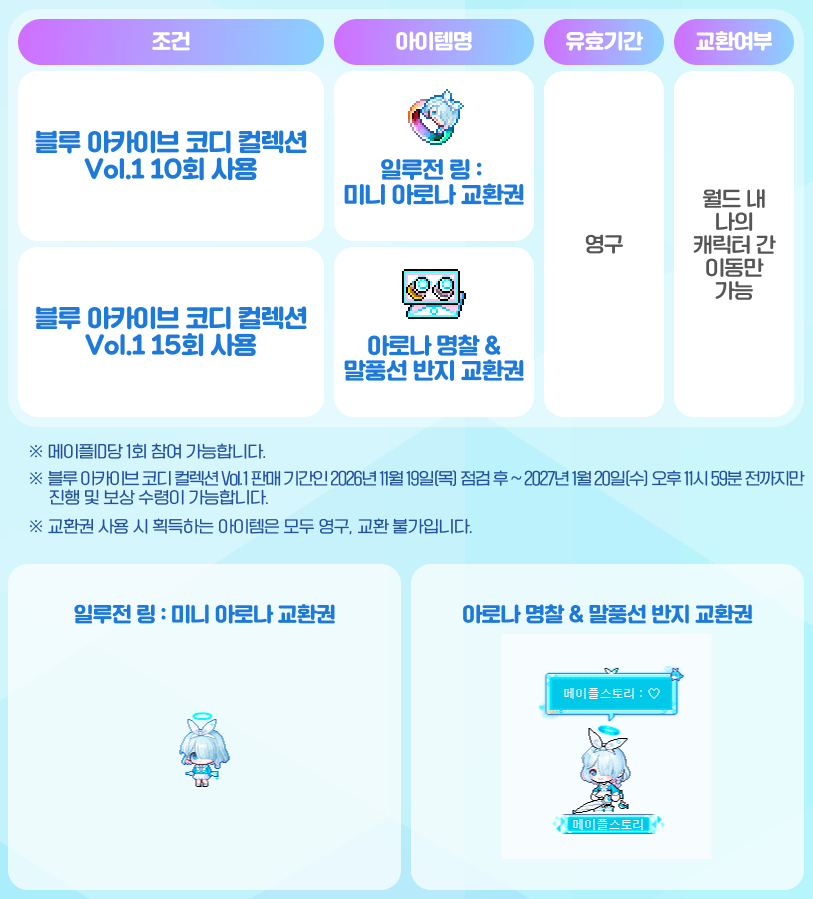
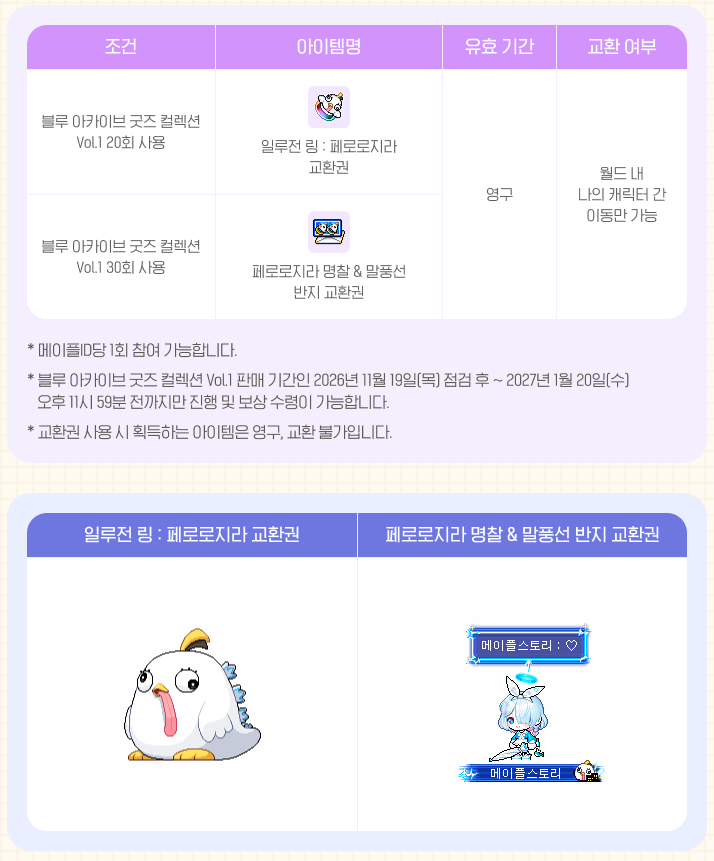
You can acquire cumulative usage rewards based on the number of times you have directly used the collaboration items.
- Acquisition Period: November 19, 2026 after the maintenance ~ January 20, 2027 at 11:59 PM.
- The cumulative usage rewards can only be claimed 1 time per Maple ID.
| Number of Uses | Item Name | Tradeability | Duration |
|---|---|---|---|
| Use the Blue Archive Outfit Collection Vol.1 10 times. | Illusion Ring: Mini Arona Voucher | Can only be put into storage. | Permanent |
| Use the Blue Archive Outfit Collection Vol.1 15 times. | Arona Nametag & Chat Bubble Ring Voucher | ||
| Use the Blue Archive Goods Collection Vol.1 20 times. | Illusion Ring: Perorodzilla Voucher | ||
| Use the Blue Archive Goods Collection Vol.1 30 times. | Perorodzilla Nametag & Chat Bubble Ring Voucher |
Cosmo Megaphone
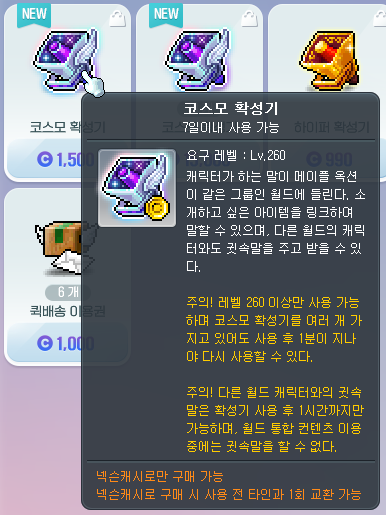
The new item ‘Cosmo Megaphone’ will be on sale.
- Sale Location: Cash Shop > Functionality > Messenger
- Sale Price: 1,500 NX (can only be purchased with NX, can be traded 1 time before use)
- Purchase and Usage Condition: Level 260 or higher character
- Duration: 7 days after purchase
- The Cosmo Megaphone is a new item that lets you send a message to all worlds.
- There is a 1 minute cooldown in between uses. In addition, after using it, you can whisper characters from other worlds for up to 1 hour.
- If you select the ‘send message only to worlds in the same Maple Auction group’ option, your message will only be displayed in worlds that share the same Maple Auction Group. If you link an item that can be traded between worlds, this option will be checked automatically.
- If you link an item that can only be traded within the same world or cannot be traded through the Maple Auction, a confirmation pop-up will be displayed. If you confirm, the ‘send message only to worlds in the same Maple Auction group’ check will be automatically disabled.
- Group 1: Regular worlds, Challengers 1/2/3
- Group 2: Eos, Helios, Challengers 4
- This item cannot be used in certain areas like cross world content. Cosmo Megaphone messages will not be displayed there.
Cut-In Effect
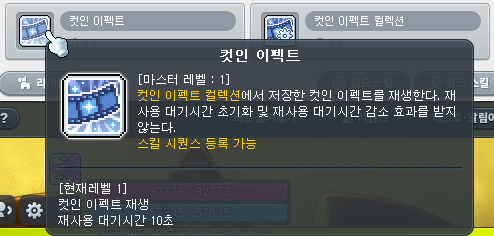
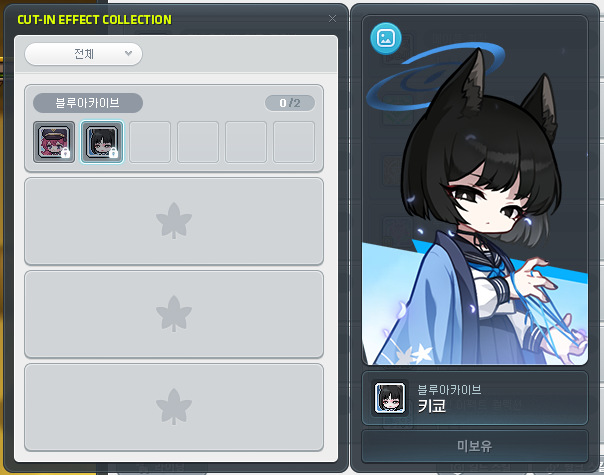
The new ‘Cut-In Effect Acquistion Voucher’ items have been added.
- The cut-in effect is a new cutscene effect that is played when you cast the beginner skill ‘Cut-In Effect’.
- You can use cut-in effects during combat, and you can also register them in a Skill Sequence. (The Cut-In Effect skill is not included in the sequence registration number.)
- You can check and apply your registered cut-in effects with the beginner skill ‘Cut-In Effect Collection’.
- Registered cut-in effects are shared between all characters within the same world.
- In towns, you can double-click the icons in the Cut-In Effect Collection UI to preview the cut-in effects.
Soul Skin
The new ‘Soul Skin’ items have been added.
- Soul Skins are new items that let you change your currently equipped Soul’s appearance.
- You can check and apply your registered Soul Skins in the Soul Collection UI > Soul Appearance window > Skin tab.
- Registered Soul Skins are shared between all characters within the same world.
Special Illustrations
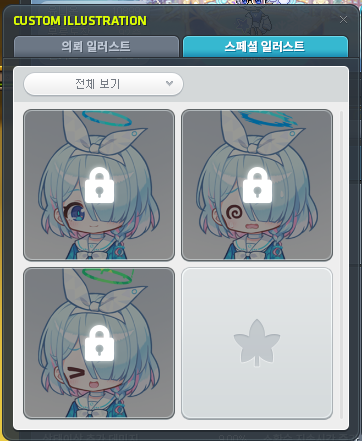
The new ‘Special Illustration Registration Voucher’ items have been added.
- Special Illustration Registration Vouchers are new items that let you apply official illustrations as your custom illustration.
- You can check and view your registered Special Illustrations in the Custom Illustration > Special Illustrations tab.
- Registered Special Illustrations are shared between all characters within the same world.
- For Zero, you can set Alpha/Beta separately. For Angelic Buster, you can set normal/Dress Up separately.
Mileage Removal
All Mileage balances have been removed.
Mileage transactions in the Cash Shop have been removed.
The Cash Shop’s Mileage Shop has been removed.
Other Changes
The ‘Celebratory Music Box’ item will no longer be sold in the Cash Shop.
The ‘Handprint Medal’ medal item has been added.
Improvements
Maple Talk
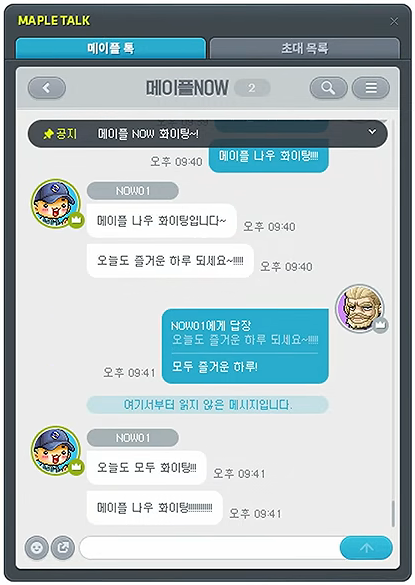
Maple Talk’s chat history retention period has been extended to up to 10 days.
The chat room announcement feature has been added to Maple Talk.
- Room masters and jr. room masters can register or edit announcements through the ‘chat room announcement’ button in the chat room menu.
- 1 announcement can be registered per chat room.
- Registered announcements will be pinned as a banner at the top of the chat room.
The ‘list of sent invitations’ feature has been added to Maple Talk.
- Room masters and jr. room masters can view a list of invitations sent from specific chat rooms through this list in the chat room menu.
- Pending invitations can be cancelled, including those sent by other room masters or jr. room masters.
※ All Maple Talk invites sent before the update have been cancelled.
You can now right-click a chat message to copy the text.
A button has been added that lets you show/hide the participation code in the Maple Talk invite pop-up.
When you enter a chat room, a seperator line stating ‘unread messages start here’ will appear at the point where your unread messages start.
A button has been added that lets you jump to the most recent message when viewing older chat history.
You can now click on a reply message to jump to the original message being replied to.
In the Maple Talk UI, if an emoticon is sent by itself, it will now be displayed at its default size.
When you enter a chat room, emoticons will play 1 time. You can click on an emoticon to play it again.
You can now continue to type in the chat even while the chat room detailed information or blacklist UI are open.
It has been improved so that you can press the Enter key to save your settings in the Maple Talk profile settings and chat room settings.
In the Maple Talk detailed settings, the participant list will now be displayed in the order of room master, jr. room master, then participants. Each group will be sorted alphabetically by name.
Fixed an issue in the Maple Talk profile settings window where if you pressed the enter key without selecting a profile, it would not confirm a selection.
The Maple Talk profile’s custom illustration image quality has been improved.
Fixed an issue where if the room master right-clicked a member that already left, the ‘transfer room master’ button would be displayed.
Fixed an issue in the chat window where if you input text in the Maple Talk chat when there were many other people in the same map, the Maple Talk input wait time would be increased.
Quests
Resetting the Genesis Weapon or Destiny Weapon quests will now also reset the Astra Subweapon quests.
- If you reset the Genesis weapon or Destiny weapon quests, your currently held Astra subweapon will be removed.
Items
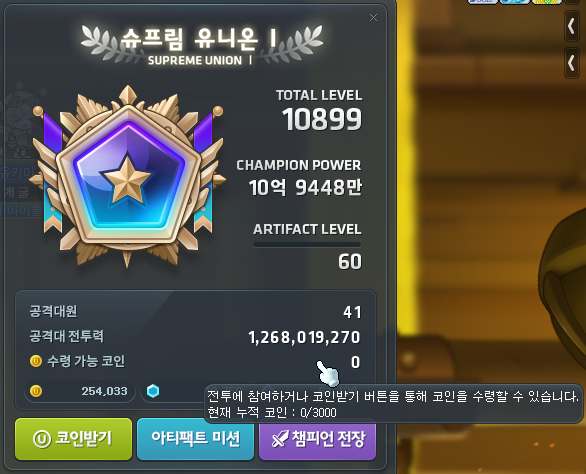
The cumulative hold limit for unclaimed Union Coins based on Maple Union rank has been increased.
| Rank | Before | After |
|---|---|---|
| Novice | 200 | 400 |
| Veteran | 300 | 600 |
| Master | 500 | 800 |
| Grand Master | 900 | 2200 |
| Supreme | 1300 | 3000 |
The Basic/Intermediate/Advanced Union Meso Boxes will no longer be sold in the Maple Union coin shop.
You can no longer drop Astra subweapon traces from your inventory.
- Astra subweapons and the traces can be discarded by talking to Nineheart in Ereb.
The Stage 1 Soul Ether and Stage 2 Soul Ether’s drop effects will no longer be displayed.
If a Stage 1/2 Soul Ether is acquired when the party loot distribution setting is turned on, it will now be automatically assigned to a random party member without requiring the distribution selection process.
When using a Pet Equipment Voucher on a pet with the Luna Illusion applied, you can now also choose to exchange for the appearance pet’s pet equipment.
You can now use a Pet Dye Coupon on a pet whose appearance has been changed with the Luna Illusion, if the coupon matches the appearance.
A notice has been added to the Pet Dye Coupon’s item description that it can be used based on the pet’s appearance.
The VIP Sauna Entry Ticket’s item description has been changed.
When a Translucent Cape is equipped, Demon/Nova/Lethe’s wings and Illium’s magic wings will no longer be displayed when the equipment item is displayed.
When disassembling items in your inventory, the same items in your bags will no longer be disassembled.
Monsters
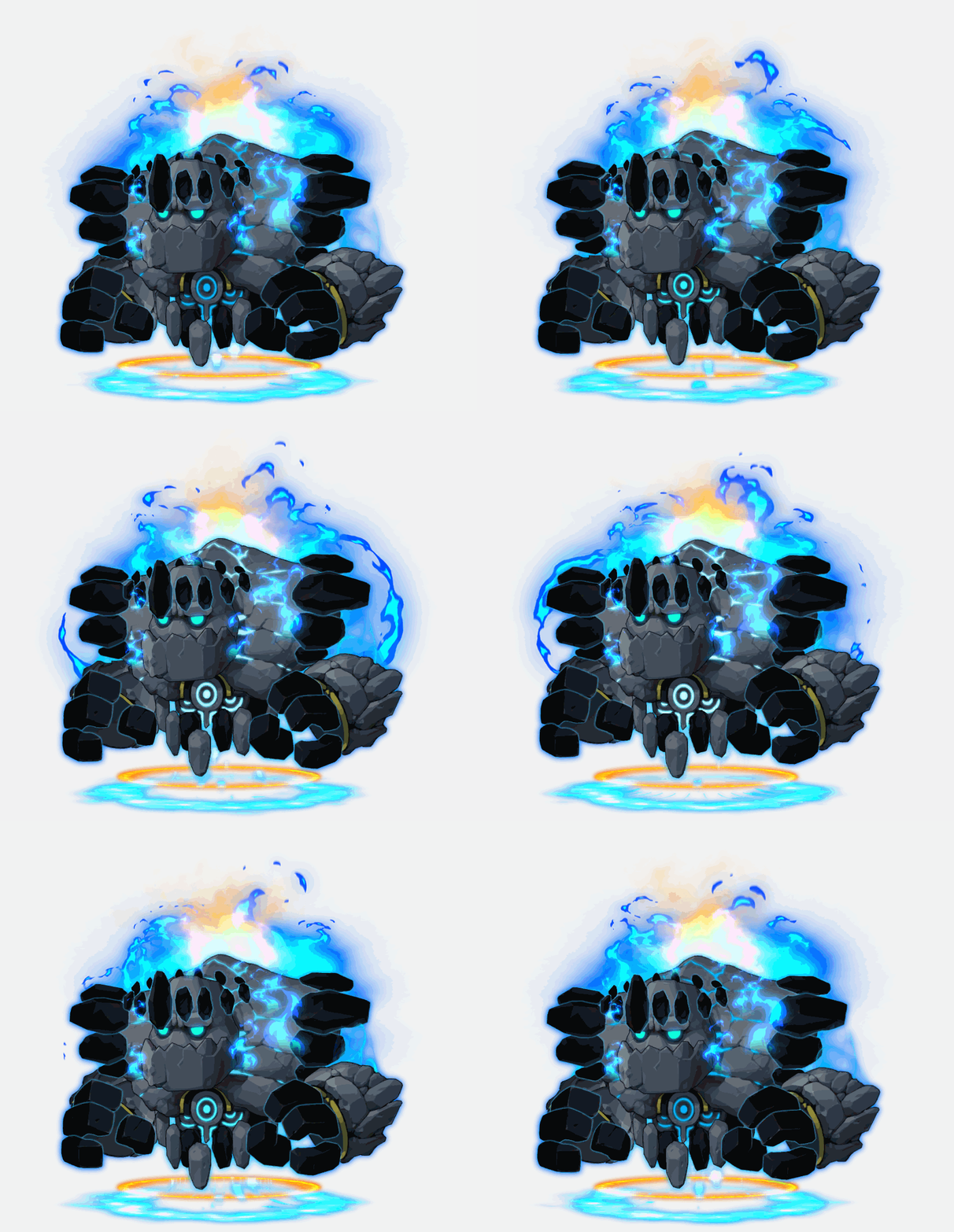
In Sharenian’s Underground Culvert, when Arcanus’ phase changes, the next phase’s Arcanus will now appear immediately.
UI
In the Dimensional Library’s Archives and Book of Forgotten Stories, an indicator has been added for unread books.
- Archives: An indicator will appear on newly added books. It will disappear when the book is opened.
- Book of Forgotten Stories: An indicator will appear on episodes that have not been completed yet. It will disappear when the episode is completed.
※ The read records are shared between all characters within the Maple ID.
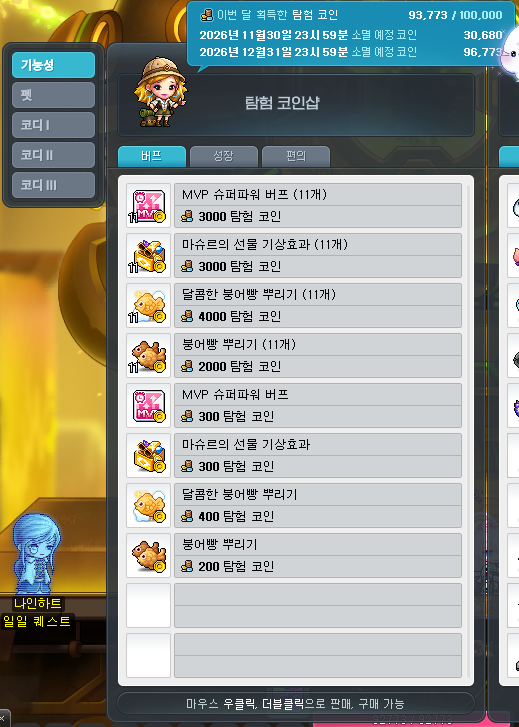
The method for accessing the Exploration Coin Shop has been changed. Instead of selecting a specific shop type, you can now navigate between the different types of coin shops using a menu on the left-hand side of the UI.
The Exploration Coin Shop can no longer be opened while in a boss battle map.
Fixed an issue with the Enhancement UI’s scroll enhancement tab where if you selected a scroll then clicked another area, the scroll selection would be cancelled.
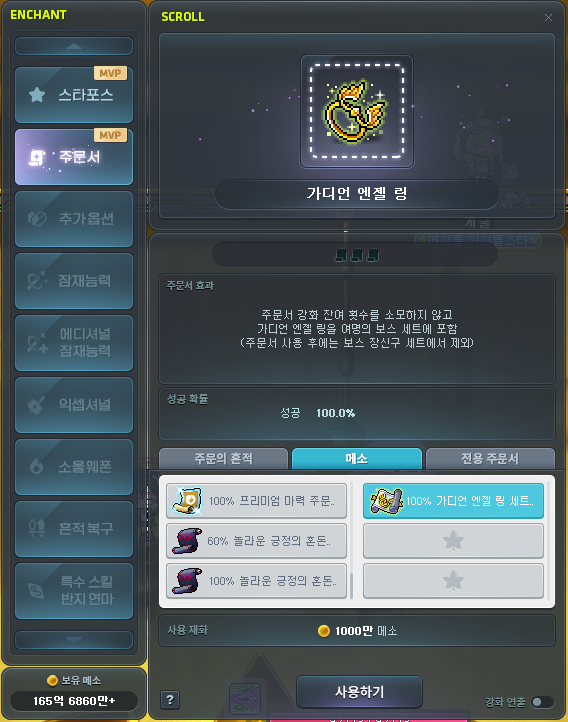
New scrolls that consume mesos have been added to the Enhancement UI’s scroll enhancement tab.
| Scroll Name | Scroll Effect | Price |
|---|---|---|
| Guardian Angel Ring Set Conversion Scroll 100% | Changes the Guardian Angel Ring to be included in the Dawn Boss set. (After use, will not be included in the boss accessory set) | 10m mesos |
| Astra Aegis Only Attack Scroll 100% | Attack +10, STR +30, DEX +10 | 500m mesos |
| Astra Shield Only Magic Attack Scroll 100% | Magic attack +10, INT +30, LUK +10 | 500m mesos |
| Astra Bane Shield Only Attack Scroll 100% | Attack +10, LUK +30, DEX +10 | 500m mesos |
| Astra Blade Only Attack Scroll 100% | Attack +9, LUK +15, DEX +15 | 1b mesos |
※ The Guardian Angel Ring Set Conversion Scroll does not consume a scroll enhancement slot. It can be used even if you have not completed the ‘[Ramuramu] Who is Really, Seriously, Truly the Cutest?’ quest.
※ The Astra Subweapon scrolls can only be used by characters that can buy those scrolls from the NPC Erion’s shop.
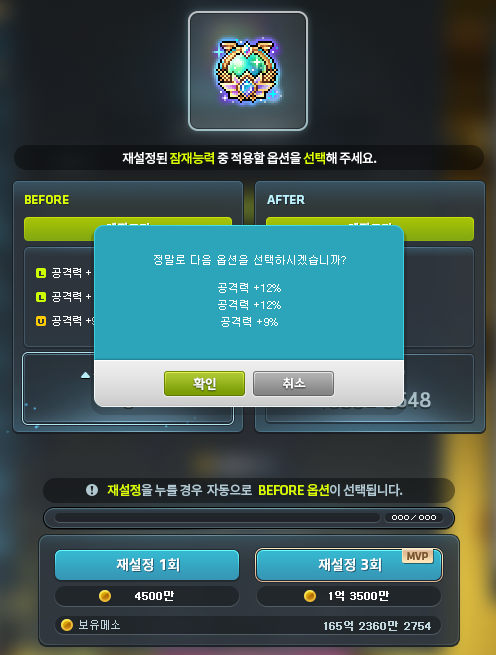
In the Ability advanced reset or enhancement UI, if you are choosing between the before and after stats, a confirmation message will now be displayed when you select an option.
When sorting items by type in your inventory or bags, the sorting logic will now account for tradeability.
- Items that can be traded or exchanged will be sorted towards the end.
- The sorting rule will be applied first before item expiry date.
Fixed an issue where if you pressed ESC, the book UI would close after the inventory.
In the Character Info, stats from decorative items will now be displayed as ‘from Cash items’.
Certain enhancement UI help text has been changed.
In the Enhancement UI, when an equipment is destroyed during Star Force auto enhance, a notification message will now be displayed.
When changing channels in cross world channel entrances and cross world channels, if a channel is crowded or there is a sudden surge in requests, users will be placed in a queue and enter in order.
In the web browser Maple Auction’s weapon search filters, a soul potential filter has been added.
In the client Maple Auction purchase pop-up, if you click outside the pop-up area, the pop-up will no longer close.
When entering a target enhancement stage for Star Force auto enhance with 2 digits or more, deleting the first digit will no longer cause the cursor to move to the end of the input field.
Fixed an issue with the search feature where if some of the search term exceeded the dropdown box’s length, they would not be highlighted.
Security
The macro detection system <Find the Transparent Shape> method for indicating the shape you need to find has been changed.
World Leap
When you world leap, the medal collection’s sort order and buff information maintained when relogging will now also be transferred.
Maple Home
The ‘Small Illustration Frame’ furniture’s name has been changed to the ‘Medium Illustration Frame’.
The following furniture has been added to Maple Home.
- Small Illustration Frame
※ Both the Small/Medium Illustration Frames are available for immediate use without requiring any additional unlock conditions.
Error Fixes
You can see this patch’s error fixes in the official patch notes here.
Events
[Pre-Registration Event] Winter Countdown

A special countdown has begun for the upcoming winter. Participate in the countdown to receive gifts and powerful skills!
Event Duration:
- November 19, 2026 after the maintenance ~ December 30, 2026 at 11:59 PM.
Event Participation Requirements:
- A level 101 or higher character.
You can select the ‘[Pre-Registration Event] Winter Countdown’ event in the Event List to start the event. Afterwards, you can click the event to check your event progress.
Countdown
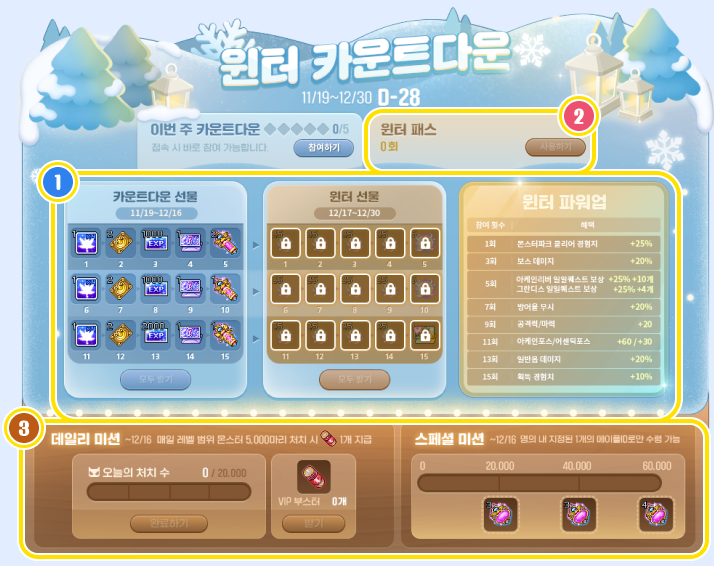
Once per day, you can click the <Participate> button in the Winter Countdown UI to complete the countdown and accumulate rewards based on the number of days you have participated.
You can complete the countdown up to 5 times per week, and up to 15 times over the event period.
※ The countdown participation records are shared between all characters within the Maple ID.
※ The weekly participation count is reset every Thursday at 12:00 AM.
Winter Pass
You can click the <Use> button in the UI to use the <Winter Pass> to complete a countdown you did not previously complete. It costs 3,000 Maple Points to complete 1 countdown you did not complete as of the previous week.
Countdown Gifts
As you complete the countdown, you can instantly acquire the following rewards based on the number of participations.
| Number of Participations | Gift | Quantity |
|---|---|---|
| 1 | 4x Experience Coupon (30 Minutes) | 1 |
| 2 | VIP Sauna Entry Ticket | 2 |
| 3 | Advanced EXP Voucher | 1000 |
| 4 | Selective Sol Erda/Sol Erda Fragment Voucher | 1 |
| 5 | Growth Potion (200~249) | 2 |
| 6 | 4x Experience Coupon (30 Minutes) | 1 |
| 7 | VIP Sauna Entry Ticket | 2 |
| 8 | Advanced EXP Voucher | 1000 |
| 9 | Selective Sol Erda/Sol Erda Fragment Voucher | 1 |
| 10 | Growth Potion (200~259) | 1 |
| 11 | 4x Experience Coupon (30 Minutes) | 1 |
| 12 | VIP Sauna Entry Ticket | 2 |
| 13 | Advanced EXP Voucher | 2000 |
| 14 | Selective Sol Erda/Sol Erda Fragment Voucher | 1 |
| 15 | Growth Potion (200~269) | 1 |
※ All countdown gifts can only be received 1 time per Maple ID, and can only be put into storage.
※ The countdown gifts can be claimed until December 16, 2026 at 11:59 PM, and will expire on December 17, 2026 at 2:00 AM. However, the VIP Sauna Entry Tickets will expire on December 16, 2026 at 11:59 PM.
※ When you use the Selective Sol Erda/Sol Erda Fragment Voucher, you can choose between 1 Sol Erda (untradeable, expires in 7 days) or 30 Sol Erda Fragments (untradeable, permanent).
※ The Advanced EXP Vouchers can only be used by level 260 or higher characters.
※ Any VIP Sauna usage time charged before December 16, 2026 at 11:59 PM will disappear at December 16, 2026 at 11:59 PM.
Winter Gifts
As you complete the countdown, you can acquire the following rewards after the December 17, 2026 maintenance based on the number of participations.
| Number of Participations | Gift | Quantity |
|---|---|---|
| 1 | Sol Erda Fragment Voucher | 25 |
| 2 | Sol Erda Fragment Voucher | 25 |
| 3 | Sol Erda Fragment Voucher | 25 |
| 4 | Sol Erda Fragment Voucher | 25 |
| 5 | Sol Erda | 5 |
| 6 | Sol Erda Fragment Voucher | 25 |
| 7 | Sol Erda Fragment Voucher | 25 |
| 8 | Sol Erda Fragment Voucher | 25 |
| 9 | Sol Erda Fragment Voucher | 25 |
| 10 | Sol Erda | 5 |
| 11 | Sol Erda Fragment Voucher | 25 |
| 12 | Sol Erda Fragment Voucher | 25 |
| 13 | Sol Erda Fragment Voucher | 25 |
| 14 | Sol Erda Fragment Voucher | 25 |
| 15 | Selective Arcane River Outfit Voucher | 1 |
※ All winter gifts can only be claimed 1 time per Maple ID, and can only be put into storage.
※ All winter gifts can be claimed until December 30, 2026 at 11:59 PM, and will expire on December 31, 2026 at 2:00 AM.
※ The Sol Erda can only be used by level 260 or higher characters that have completed the 6th job advancement.
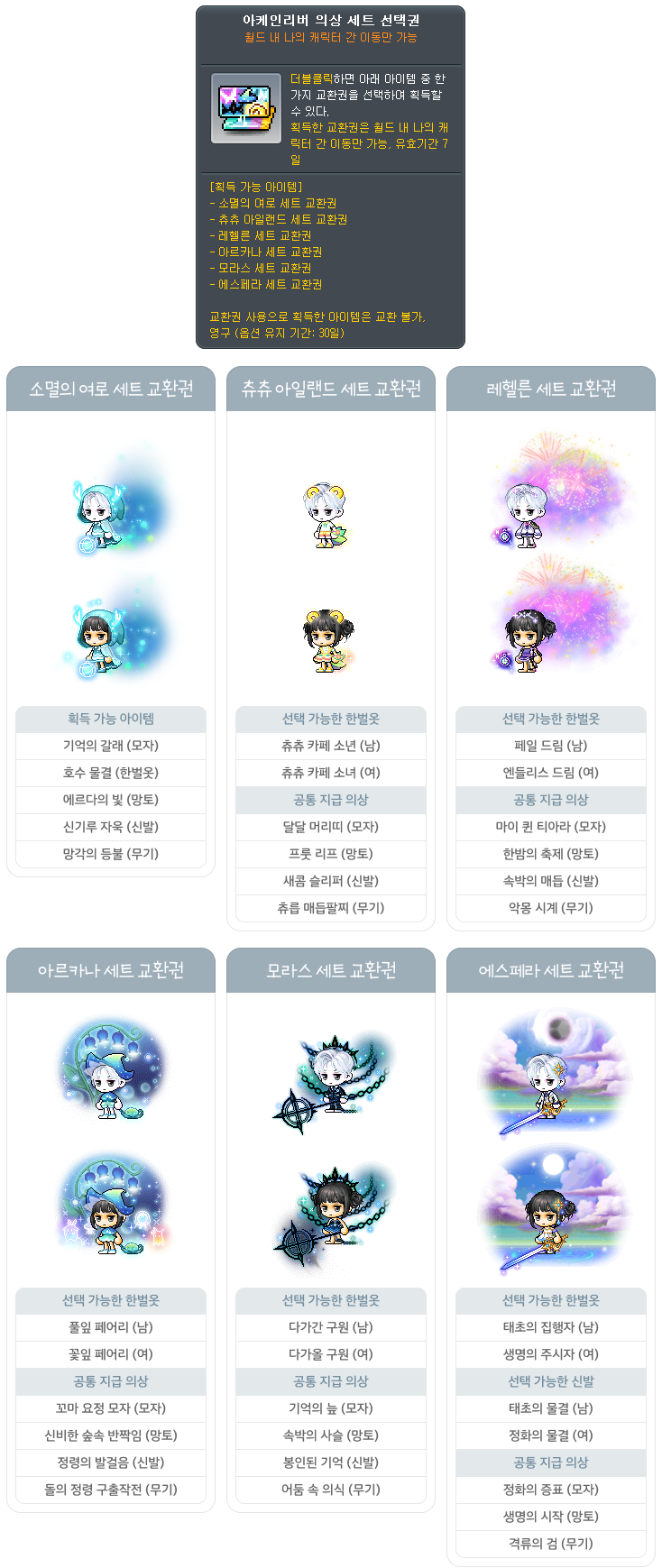
※ When you use the Selective Arcane River Outfit Voucher, you can choose one of the following vouchers.
| Selection | Stat Duration | Set Effect Duration |
|---|---|---|
| Road of Vanishing Set Voucher | 30 Days | Permanent |
| Chew Chew Island Set Voucher | 30 Days | Permanent |
| Lacheln Set Voucher | 30 Days | Permanent |
| Arcana Set Voucher | 30 Days | Permanent |
| Morass Set Voucher | 30 Days | Permanent |
| Esfera Set Voucher | 30 Days | Permanent |
※ The vouchers acquired from the Selective Arcane River Outfit Voucher can only be put into storage and will expire in 7 days.
※ The outfits acquired from the vouchers are untradeable and permanent items.
Winter Power-Up Skill
When you participate in the countdown a certain number of times, you can acquire the following stats.
| Number of Participations | Stats Acquired | Duration |
|---|---|---|
| 1 | Monster Park clear experience +25% | Expires on December 30, 2026 at 11:59 PM. |
| 3 | Boss damage +20% | |
| 5 | Arcane River area daily quest experience +25%, acquired Symbols +10 | |
| Grandis area daily quest experience +25%, acquired Symbols +4 | ||
| 7 | Defense ignore +20% | |
| 9 | Attack/magic attack +20 | |
| 11 | Arcane Force +60 | |
| Authentic Force +30 | ||
| 13 | Normal monster damage +20% | |
| 15 | Experience acquisition +10% |
※ The Winter Power-Up skill from participating in the event is applied to all characters within the participating Maple ID.
※ The acquired stats are applied stacking with other event stats.
※ If you use the Winter Pass, you will acquire the Winter Power-Up skill normally.
※ The Monster Park clear experience increase effect also affects the ‘Extreme Monster Parker’ quest.
※ The Monster Park clear experience increase effect does not affect Monster Park Hands.
※ For Tenebris area daily quests, only the additional experience benefit will be applied.
※ The Arcane Force is only applied to characters that have completed the 5th job advancement, and the Authentic Force is only applied to characters that have completed the 6th job advancement.
Daily Mission
Every day, you can complete the daily mission by defeating up to 20,000 monsters within your level range.
For every 5,000 monsters you defeat, you can click the <Complete> button in the UI to accumulate 1 VIP Booster. You can do this up to 4 times per day.
You can click the <Receive> button to claim your desired amount of accumulated VIP Boosters.
※ The daily mission can be completed until December 16, 2026 at 11:59 PM. The defeat record is reset every day at 12:00 AM.
※ If you do not click the <Complete> button before 12:00 AM, the defeat record will be reset and you will not accumulate VIP Boosters.
※ The daily mission participation record is shared between all characters within the Maple ID.
※ The VIP Boosters can only be put into storage.
※ The VIP Boosters can be claimed until December 16, 2026 at 11:59 PM, and will expire on December 17, 2026 at 2:00 AM.
Special Mission
Over the event period, you can complete the special mission by defeating up to 60,000 monsters within your level range.
Every Thursday at 12:00 AM, the number of monsters you can defeat is increased by 20,000. It can be increased up to 60,000 over the event period.
You can receive the following rewards based on the number of monsters you defeat.
| Number of Monsters Defeated | Gift | Quantity |
|---|---|---|
| 20000 | Reach Level 200 Potion | 3 |
| 40000 | Reach Level 200 Potion | 3 |
| 60000 | Reach Level 200 Potion | 4 |
You can hover over the special mission area’s gauge to see the number of enemies you have defeated so far, and the number of monsters you can defeat up to this week.
※ The special mission can be completed until December 16, 2026 at 11:59 PM. The defeat record is cumulative and will not be reset.
※ The special mission participation record is shared between all characters within the Maple ID.
※ When you first claim the Reach Level 200 Potions, you must designate a Maple ID and world.
※ After designation, you cannot change the Maple ID and world. The items can only be received on that Maple ID and world.
※ The Reach Level 200 Potions can only be put into storage.
※ The Reach Level 200 Potions can be claimed until December 16, 2026 at 11:59 PM, and will expire on December 17, 2026 at 2:00 AM.
MapleStory X Blue Archive

Go on an adventure with students from Kivotos who have arrived in Maple World and acquire various rewards!
Event Duration:
- November 19, 2026 after the maintenance ~ December 16, 2026 at 11:59 PM.
Event Participation Requirements:
- A level 101 or higher character.
You can select the ‘Maple X Blue Archive’ tab in the Event List to start the event.
※ The <MapleStory X Blue Archive> event progress is shared between all characters within the Maple ID.
Afterwards, you can click the event to open the event UI. You can check your progress or manage your students with the various tabs in the UI.
- Attendance Check: You can check Arona’s Daily Attendance Check Sheet! and Arona’s Supply Support.
- Missions: You can check Plana’s Mission Log.
- Students: You can recruit, view, and enhance students.
- Formation: You can check cooperative missions and total assault, and build a team of your students for each of those events.
- Shop: You can visit Sora’s 24 Hour Convenience Store.
- Collection: You can view and enjoy memorial illustrations acquired during the event period.
[Attendance Check] Arona’s Daily Attendance Check Sheet!
Participate in the event and receive gifts for the teacher prepared by Arona.
Event Duration:
- November 19, 2026 after the maintenance ~ December 16, 2026 at 11:59 PM.
Event Participation Requirements:
- A level 101 or higher character that has participated in the ‘MapleStory X Blue Archive’ event.
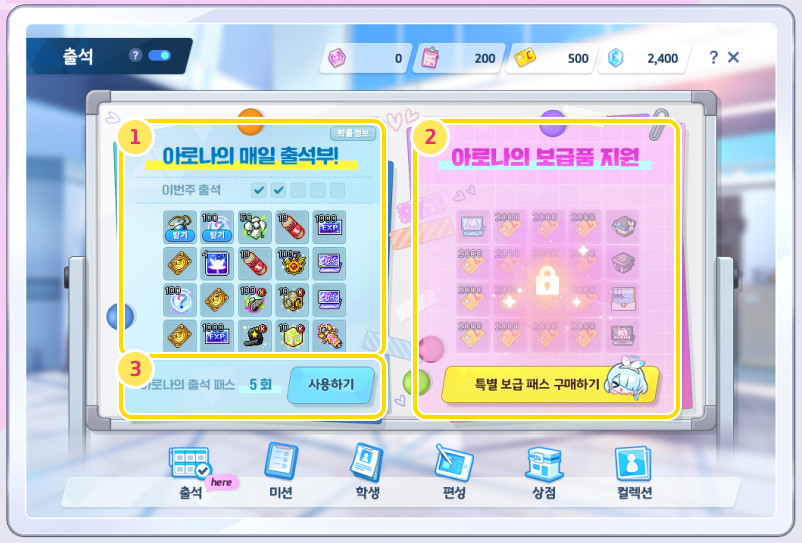
After starting the ‘Maple X Blue Archive’ event, you can click the ‘Attendance Check’ tab on the bottom of the event UI.
When you login to the game, the daily attendance check will be completed automatically. You can complete the attendance check up to 5 times per week, and up to 20 times over the event period.
You can click the [Use] button in the ‘Arona’s Attendance Check Pass’ section at the bottom of the UI to use 3,000 Maple Points to complete 1 attendance check that you did not complete as of the previous week.
Rewards
| Number of Completed Attendance Checks | Reward | Quantity |
|---|---|---|
| 1 | Spirit Pendant Voucher (30 Days) | 1 |
| 2 | Selective Symbol Voucher | 100 |
| 3 | Experience Core Gemstone | 50 |
| 4 | VIP Booster | 10 |
| 5 | Advanced EXP Voucher | 1000 |
| 6 | VIP Sauna Entry Ticket | 1 |
| 7 | 4x Experience Coupon (30 Minutes) | 4 |
| 8 | VIP Booster | 10 |
| 9 | Special Medal of Honor | 100 |
| 10 | Selective Sol Erda/Sol Erda Fragment Voucher | 1 |
| 11 | Selective Symbol Voucher | 100 |
| 12 | VIP Sauna Entry Ticket | 1 |
| 13 | Karma Black Rebirth Flame | 100 |
| 14 | Karma Black Cube | 10 |
| 15 | Selective Sol Erda/Sol Erda Fragment Voucher | 1 |
| 16 | VIP Sauna Entry Ticket | 1 |
| 17 | Advanced EXP Voucher | 1000 |
| 18 | Karma Star Force 17 Star Enhancement Scroll | 1 |
| 19 | Karma White Additional Cube | 10 |
| 20 | Growth Potion (200~269) | 1 |
※ Arona’s Daily Attendance Check Sheet! rewards can only be claimed on 1 Maple ID designated per person.
※ All rewards can only be put into storage.
※ All rewards can be claimed until December 16, 2026 at 11:59 PM.
※ All rewards (except for the VIP Sauna Entry Tickets) will expire on December 17, 2026 at 2:00 AM.
※ The VIP Sauna Entry Tickets will expire on December 16, 2026 at 11:59 PM.
※ When you use the Selective Symbol Voucher, you can choose between 5 Selective Arcane Symbols or 2 Selective Authentic Symbols.
※ The acquired Selective Symbol Vouchers can only be put into storage and will expire in 14 days.
※ When you use the Selective Authentic Symbol Voucher, you can choose between ‘Authentic Symbol: Cernium/Arcs/Odium/Shangri-La/Arteria/Carcion’ or ‘Grand Authentic Symbol: Tallahart’.
※ The Sol Erda can only be used by level 260 or higher characters that have completed the 6th job advancement.
[Pass] Arona’s Supply Support
Arona has prepared special supplies for the teacher. Activate the pass to receive the special supplies.
Event Duration:
- November 19, 2026 after the maintenance ~ December 16, 2026 at 11:59 PM.
Event Participation Requirements:
- A level 101 or higher character that has participated in the ‘MapleStory X Blue Archive’ event.
After starting the ‘Maple X Blue Archive’ event, you can click the ‘Attendance Check’ tab on the bottom of the event UI.
‘Arona’s Supply Support’ is activated when you use the ‘Special Supply Pass’ item sold in the Cash Shop.
‘Arona’s Supply Support’ progress is shared with the ‘Arona’s Daily Attendance Check Sheet’ event.
※ Attendances purchased with the Attendance Check Pass are also shared.
The Special Supply Pass will be on sale.
- Sale Period: November 19, 2026 after the maintenance ~ December 16, 2026 at 11:00 PM.
- Sale Price: 49,800 NX (can only be purchased 1 time per name, can only be purchased with NX, cannot be purchased with Maple Points, untradeable)
※ The ‘Special Supply Pass’ can only be purhcased by the Maple ID that is claiming the ‘Arona’s Daily Attendance Check Sheet!’ rewards.
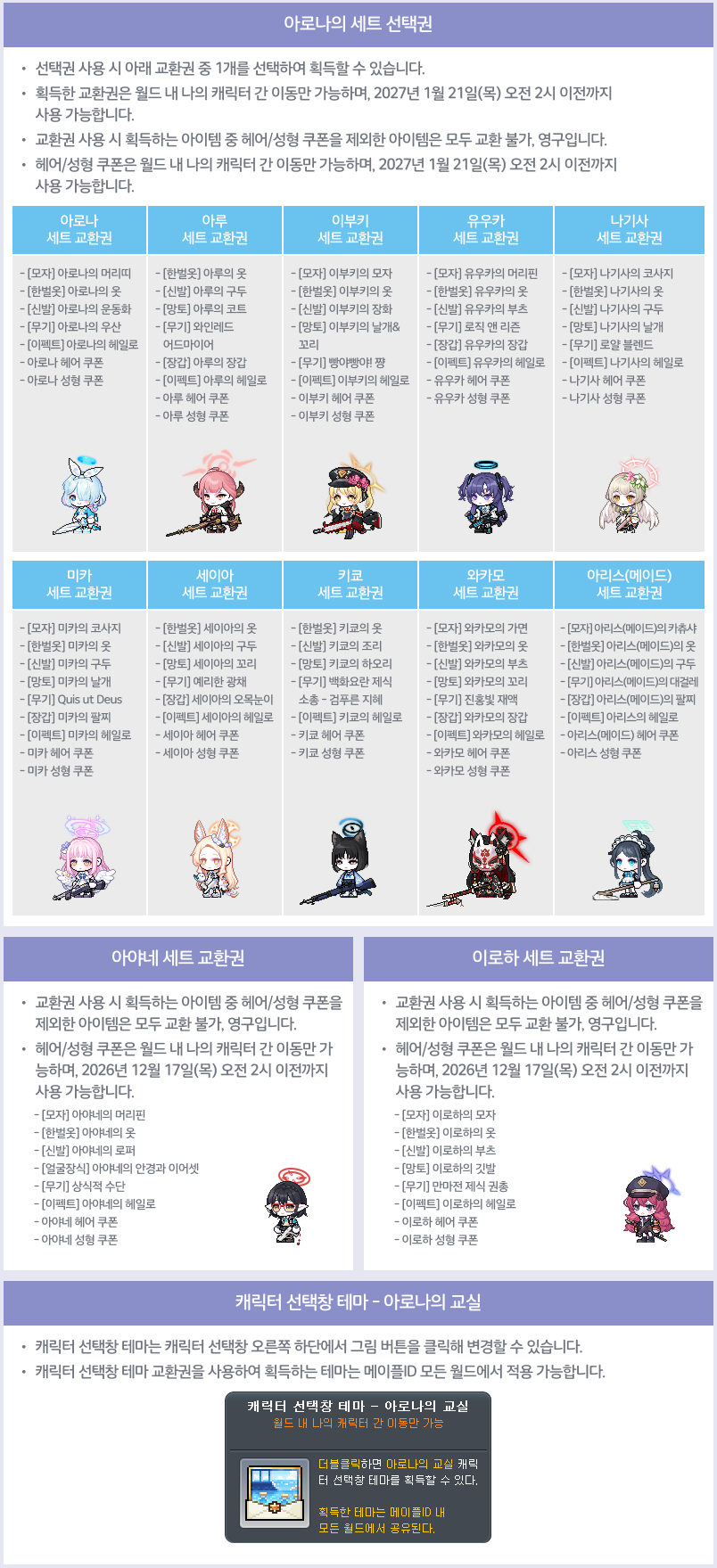
If you use the ‘Special Supply Pass’ you can acquire the ‘Arona’s Supply Support’ rewards.
| Number of Completed Attendance Checks | Reward | Quantity |
|---|---|---|
| 1 | Selective Arona’s Set Voucher | 1 |
| 2 | Credit | 2000 |
| 3 | Credit | 2000 |
| 4 | Credit | 2000 |
| 5 | Ayane Set Voucher | 1 |
| 6 | Credit | 2000 |
| 7 | Credit | 2000 |
| 8 | Credit | 2000 |
| 9 | Credit | 2000 |
| 10 | Iroha Set Voucher | 1 |
| 11 | Credit | 2000 |
| 12 | Credit | 2000 |
| 13 | Credit | 2000 |
| 14 | Credit | 2000 |
| 15 | Character Select Screen – Arona’s Classroom | 1 |
| 16 | Credit | 2000 |
| 17 | Credit | 2000 |
| 18 | Credit | 2000 |
| 19 | Credit | 2000 |
| 20 | Selective Plana’s Set Voucher | 1 |
※ Credits are a currency that can be used in Sora’s 24 Hour Convenience Store.
※ The acquired Credits are shared between all characters within the Maple ID.
※ All items (except Credits) can only be put into storage.
※ Credits can be used until the event ends on December 16, 2026 at 11:59 PM.
※ The Ayane Set Voucher, Iroha Set Voucher, and Character Select Screen Theme – Arona’s Classroom items will expire on December 17, 2026 at 2:00 AM.
※ The Selective Arona/Plana’s Set Vouchers will expire on January 21, 2027 at 2:00 AM.
※ The Selective Plana’s Set Voucher can be used after the December 17, 2026 maintenance.
[Missions] Plana’s Mission Log
Complete Plana’s missions with the students and acquire various rewards.
Event Duration:
- November 19, 2026 after the maintenance ~ December 16, 2026 at 11:59 PM.
Event Participation Requirements:
- A level 101 or higher character that has participated in the ‘MapleStory X Blue Archive’ event.
After starting the ‘Maple X Blue Archive’ event, you can click the ‘Missions’ tab on the bottom of the event UI.
Missions are separated into ‘weekly missions’ that can be completed every week, and ‘season missions’ that can be completed 1 time over the event period.
You can check the mission details for each mission by clicking the ‘weekly missions’ and ‘season missions’ tabs in the UI.
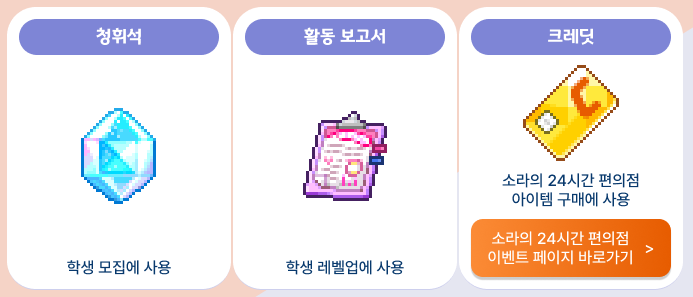
All missions will be completed automatically when their conditions are met, and you will receive each mission’s corresponding currencies as rewards.
Weekly Missions
Weekly missions will reset every Thursday at 12:00 AM. Any weekly missions that weren’t completed in the previous week will be accrued in the ‘Plana’s Mission Pass’. You can click the <Use> button to use 3,000 Maple Points and buy 1 of them.
| Mission Details | Activity Report | Credit | Pyroxene |
|---|---|---|---|
| Defeat 3,000 Missile Drone monsters. | 200 | 500 | 1200 |
| Defeat 6,000 Missile Drone monsters. | |||
| Defeat 9,000 Missile Drone monsters. | |||
| Defeat 12,000 Missile Drone monsters. | |||
| Defeat 15,000 Missile Drone monsters. | |||
| Login 2 times in the week. | |||
| Login 4 times in the week. |
※ Activity Reports are a currency that can be used to level up students.
※ Pyroxene is a currency that can be used to recruit students.
Season Missions
Each season mission can be completed 1 time over the event period.
※ The season mission progress and clears are shared between all characters within the Maple ID.
When you clear each season mission, you will automatically accrue the currency rewards. However, the item rewards can be claimed by clicking the ‘Receive” button beside each mission.
| Mission Details | Activity Report | Credit | Pyroxene | Item |
|---|---|---|---|---|
| Defeat 30,000 Missile Drone monsters. | 400 | 500 | 2400 | 2 4x Experience Coupons (30 Minutes) |
| Defeat 50,000 Missile Drone monsters. | 800 | 1000 | 3600 | 10 VIP Boosters |
| Defeat 70,000 Missile Drone monsters. | 800 | 1000 | 3600 | 2 VIP Sauna Entry Tickets |
| Defeat 90,000 Missile Drone monsters. | 1600 | 1500 | 4800 | Selective Mannequin/SlotExpansion Voucher |
| Defeat 110,000 Missile Drone monsters. | 2000 | 2000 | 6000 | 15 Karma Black Cubes |
| Defeat 130,000 Missile Drone monsters. | 2400 | 2000 | 6000 | Maple X Blue Archive Title Voucher |
| Reach a combined student level of 100. | 400 | 500 | 2400 | 2 4x Experience Coupons (30 Minutes) |
| Reach a combined student level of 300. | 800 | 500 | 2400 | 10 VIP Boosters |
| Reach a combined student level of 500. | 800 | 1000 | 3600 | 2 VIP Sauna Entry Tickets |
| Reach a combined student level of 700. | 1600 | 1500 | 4800 | 1000 Advanced EXP Vouchers |
| Reach a combined student level of 900. | 2000 | 2000 | 6000 | Selective Sol Erda/Sol Erda Fragment Voucher |
| Reach a combined student level of 1000. | 2400 | 2000 | 6000 | 15 Karma White Additional Cubes |
| Clear the Total Assault (Normal) difficulty. | 400 | 500 | 2400 | 4 4x Experience Coupons (30 Minutes) |
| Clear the Total Assault (Hard) difficulty. | 800 | 1000 | 3600 | 2000 Advanced EXP Vouchers |
| Clear the Total Assault (Very Hard) difficulty. | 1600 | 1500 | 4800 | 3 Selective Sol Erda/Sol Erda Fragment Vouchers |
| Clear the Total Assault (Hardcore) difficulty. | 2000 | 1500 | 4800 | Blue Archive Medal Voucher |
| Clear the Total Assault (Extreme) difficulty. | – | – | – | Tank Toramaru Riding (Permanent) VOucher |
| Clear the Total Assault (Insane) difficulty. | – | – | – | Skilled User Only Automatic Target Board |
| Clear the Total Assault (Torment) difficulty. | – | – | – | Miraculous Story, Miraculous Daily Life Medal Voucher |
| Clear the Total Assault (Lunatic) difficulty. | – | – | – | Arona’s Classroom Custom Background Voucher |
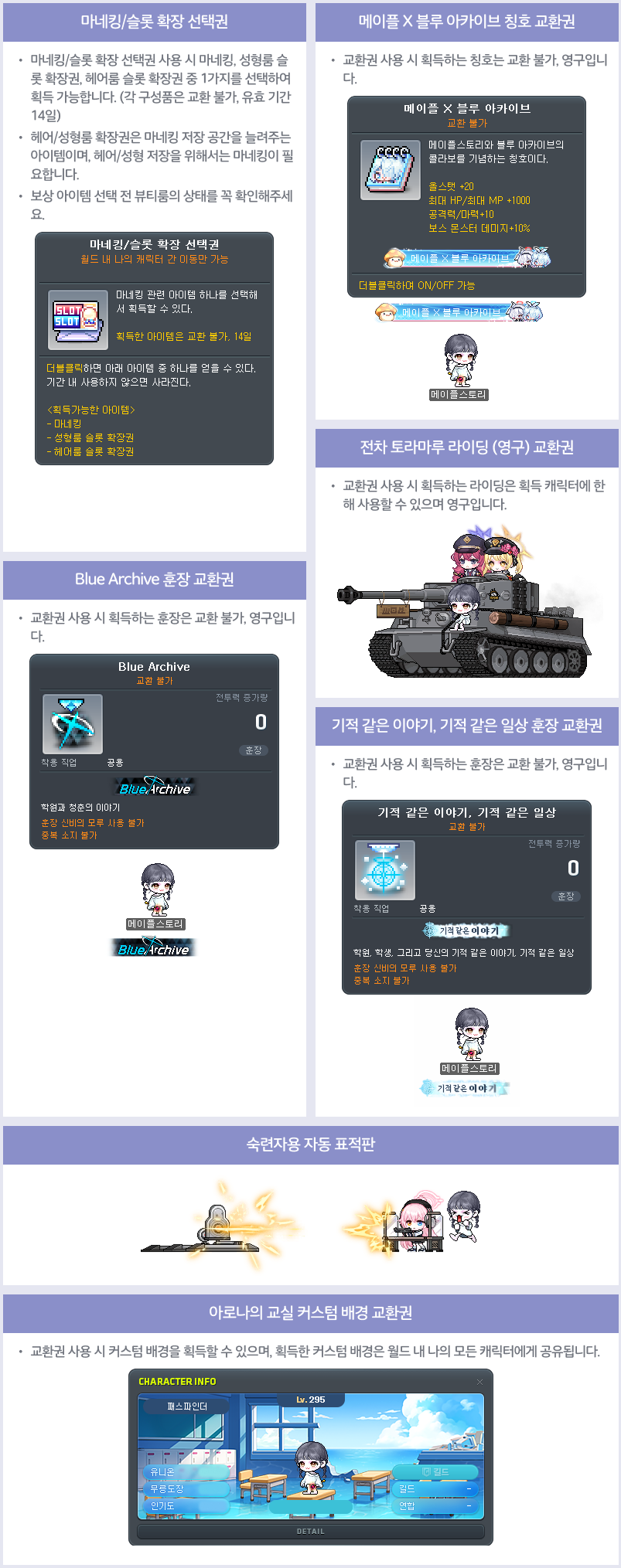
※ All item rewards can be claimed until December 16, 2026 at 11:59 PM.
※ All rewards (except for the Skilled User Only Automatic Target Board and VIP Sauna Entry Tickets) will expire on December 17, 2026 at 2:00 AM.
※ All rewards (except for the VIP Sauna Entry Tickets) will expire on December 17, 2026 at 2:00 AM.
※ The Skilled User Only Automatic Target Board is a permanent item.
※ The VIP Sauna Entry Tickets will expire on December 16, 2026 at 11:59 PM.
※ All items can only be put into storage.
Students
You can recruit students that have come to Maple World from Kivotos, help them grow, and go on adventures together.
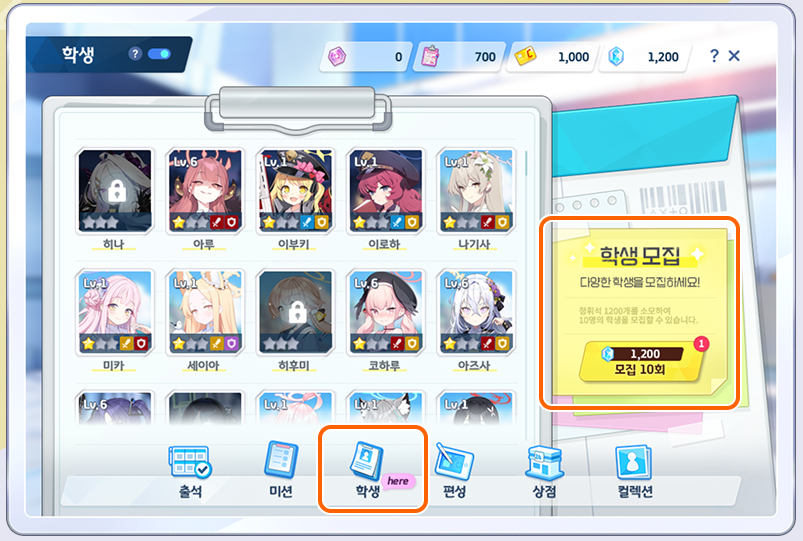
Students
You can unlock students from Kivotos in the ‘Students’ tab of the event UI using a specific currency or recruit them at a set rate with the ‘Recruit’ feature.
※ In the event UI’s ‘Students’ tab, you can click on an unrecruited student’s portrait and consume 10 Eligma to directly recruit that student.
※ Eligma is a currency that can be used for students’ Mystic Liberation.
Students can grow by leveling up or through Mystic Liberation.
- Level Up
- Students can grow by defeating the Missile Drone monsters from the cooperative mission or by consuming Activity Reports.
- As their level increases, their max HP and attack will increase.
- A student’s maximum level will be increased based on the Mystic Liberation level.
| Mystic Liberation | Maximum Level |
|---|---|
| 1 Star (★) | 20 |
| 2 Stars (★★) | 40 |
| 3 Stars (★★★) | 60 |
- Mystic Liberation
- Students can grow by recruitment or consuming Eligma.
- As the Mystic Liberation increases, the max HP, attack, attack speed will increase and their EX skill will be unlocked.
| Mystic Liberation | Growth Elements |
|---|---|
| 1 Star (★) | Max HP and attack increased. |
| 2 Stars (★★) | Max HP and attack increased. EX skill unlocked. |
| 3 Stars (★★★) | Max HP and attack increased. Attack speed increased. |
- You can check your recruited students in the event UI’s ‘Students’ tab. You can click on a student’s portrait to display the detailed information UI.
- You can check a student’s detailed information and use currencly to enhancement them.
Student Growth Rewards
When each student reaches a certain level or Mystic Liberation level, you can acquire rewards.
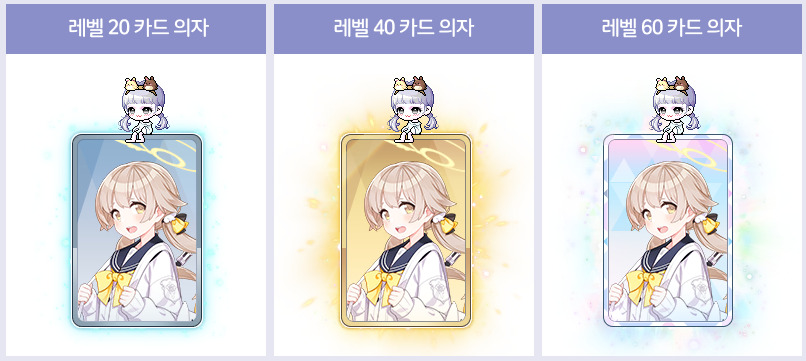
- Level Up Reward
- When a student reaches level 20, you can acquire a ‘Card Chair’.
- You can click each student’s portrait in the event UI’s ‘Students’ tab, open the ‘Detailed Information’ UI, and click the ‘Receive’ button on the tight side to acquire the ‘Card Chair’.
| Student Name | Reward |
|---|---|
| Sorasaki Hina | Hina Card Chair |
| Rikuhachima Aru | Aru Card Chair |
| Tanga Ibuki | Ibuki Card Chair |
| Natsuma Iroha | Iroha Card Chair |
| Kirifuji Nagisa | Nagisa Card Chair |
| Misono Mika | Mika Card Chair |
| Yurizono Seia | Seia Card Chair |
| Ajitani Hifumi | Hifumi Card Chair |
| Shimoe Koharu | Koharu Card Chair |
| Shirasu Azusa | Azusa Card Chair |
| Hayase Yuuka | Yuuka Card Chair |
| Tendo Arisu | Arisu Card Chair |
| Takanashi Hoshino | Hoshino Card Chair |
| Sunaookami Shiroko | Shiroko Card Chair |
| Okusora Ayane | Ayane Card Chair |
| Ryuuge Kisaki | Kisaki Card Chair |
| Kiryuu Kikyou | Kikyou Card Chair |
| Kosaka Wakamo | Wakamo Card Chair |
| Seren | Seren Card Chair |
| Orca | Orca Card Chair |
| Kaling | Kaling Card Chair |
※ The ‘Card Chairs’ are chairs that change their appearances when the student reaches level 20, 40, and 60.
※ The acquired Card Chairs are permanent and can only be put into storage.
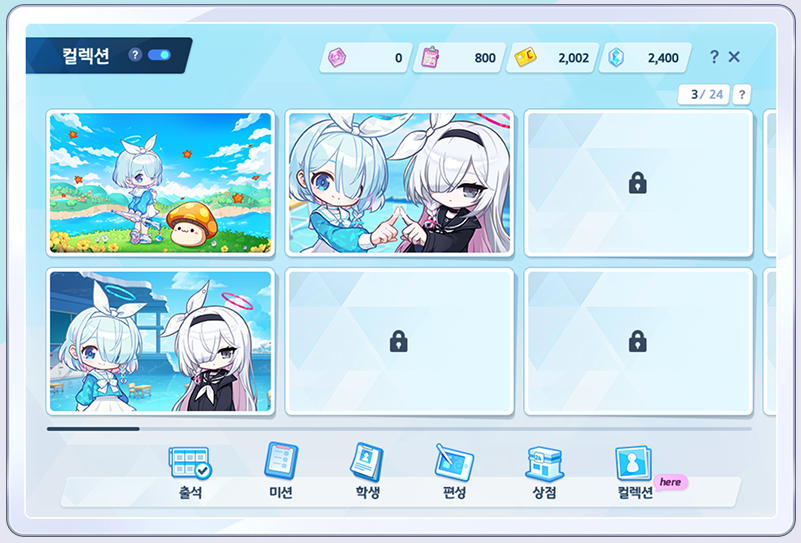
- Mystic Liberation Rewards
- When a student reaches 3 stars (★★★), you can acquire a memorial illustration.
- If you meet the acquisition conditions, you will automatically acquire the memorial illustration.
- You can view your acquired memorial illustrations through the event UI or in Maple Home using Illustration Frames.
| Student Name | Reward |
|---|---|
| Sorasaki Hina | <Disciplinary Committee Outing> Illustration |
| Rikuhachima Aru | <External Management Consultant Offer> Illustration |
| Tanga Ibuki | <Math Class with Ibuki!> Illustration |
| Natsuma Iroha | <The Fraulein Who Smiles Sometimes> Illustration |
| Kirifuji Nagisa | <Black Tea and Rich Flavour> Illustration |
| Misono Mika | <Princess in the Attic> Illustration |
| Yurizono Seia | <Tea Party’s Tea Time> Illustration |
| Ajitani Hifumi | <Accidental Outing> Illustration |
| Shimoe Koharu | <What Are You Doing?> Illustration |
| Shirasu Azusa | <Asusa and Skull Man> Illustration |
| Hayase Yuuka | <Spending as Planned> Illustration |
| Tendo Arisu | <Arisu’s Magic> Illustration |
| Takanashi Hoshino | <Aquarium!> Illustration |
| Sunaookami Shiroko | <Private Consultation> Illustration |
| Okusora Ayane | <Cruel Drama of School Repairs> Illustration |
| Ryuuge Kisaki | <Just Casting Out Bait> Illustration |
| Kiryuu Kikyou | <Opening Hearts> Illustration |
| Kosaka Wakamo | <Gentle Reunion> Illustration |
| Seren | <Shinsoo International School Seren> Illustration |
| Orca | <Shinsoo International School Orca> Illustration |
| Kaling | <Shinsoo International School Kaling> Illustration |
※ The acquired memorial illustrations can be used permanently.
Student Recruitment
- In the Student Recruitment section on the right side of the UI, you can click the ‘Recruit 10’ button to consume 1,200 Pyroxenes and recruit 10 students based on a set rate.
- When recruiting students, you can acquire them as Normal/Advanced/Rare rank. The Mystic Liberation experience will be increased based on each rank.
- If you recruit a student for the first time, they will be acquired at 1 Star.
- If you recruit a student you already have, you will receive Mystic Liberation experience for that student, which can grow up to 3 Stars.
- If you recruit a student that has already reached 3 Stars, you will receive Eligma based on the number of excess times that student was recruited.
- If all students have already reached 3 Stars, all remaining Eligma will be converted to Credits (1 Eligma to 10 Credits). For all subsequent recruitments, you will receive 50 Credits per student.
Experience Provided per Rank
| Rank | Mystic Liberation Experience |
|---|---|
| Normal | 1 |
| Advanced | 10 |
| Rare | 50 |
Appearance Rate per Rank
| Normal Rank | Advanced Rank | Rare Rank | Appearance Rate |
|---|---|---|---|
| 8 | 2 | – | 70% |
| 7 | 3 | – | 20% |
| 6 | 4 | – | 7% |
| 5 | 4 | 1 | 3% |
Student Formation
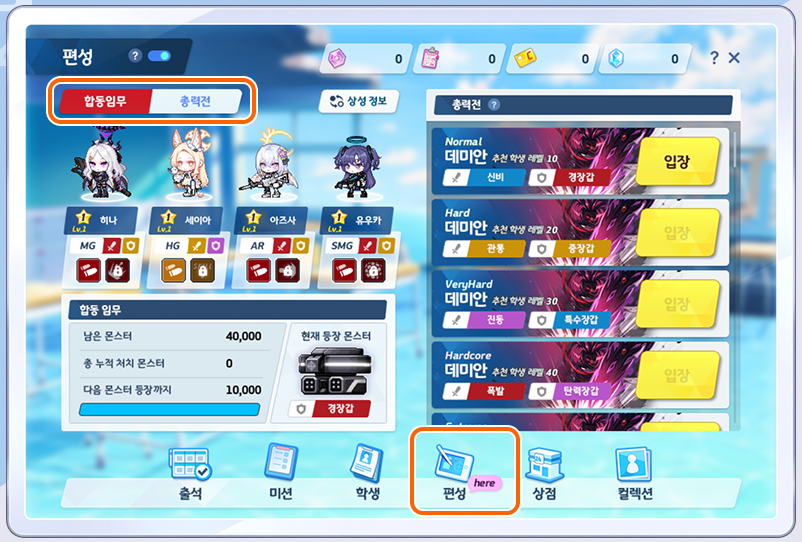
- In the ‘Formation’ tab in the event UI, you can organize your recruited students into teams for the cooperative mission or total assault.
- You can change between the formation settings for each game mode by clicking the ‘Cooperative Mission’ or ‘Total Assault’ tab at the upper-left corner of the UI.
- After selecting your desired mode, you can click the top area to display the ‘Quick Formation UI’. You can select your desired students, then click the ‘Formation Complete’ buttom to organize the students in the order you chose.
※ You can click the Reset button in the UI to reset and select your students again.
※ If you try to start the cooperative mission without selecting any students, the Missile Drone monsters will not appear in hunting grounds. You cannot enter the Total Assault content.
※ You can also use the Quick Formation UI by clicking the ‘Student Formation’ button in the cooperative mission UI.
Cooperative Missions

Go on cooperative missions with the Blue Archive students. Defeat monsters together to help both the students and your character grow!
Student Formation
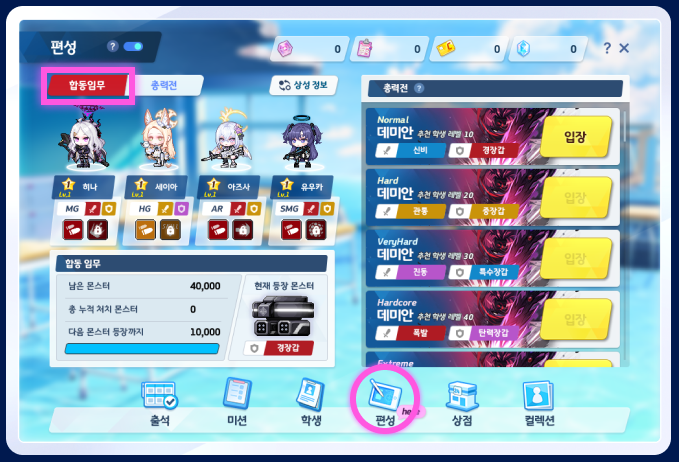
- You can organize your students in the cooperative mission through the ‘Formation’ tab in the event UI.
Missile Drone Monsters
- After you have completed your student formation, when you enter a hunting ground with monsters within your level range, Missile Drone monsters will be summoned.
- When you defeat a Missile Drone monster, both your character and the students will receive experience. Your character will receive experience that matches the experience of the level of monsters that appear in the map.
※ The experience acquired from defeating Missile Drone monsters is not affected by any additional experience effects.
※ Missile Drone monsters are not included as monsters within your level range.
- The number of Missile Drone monsters you can defeat is increased by 40,000 every Thursday at 12:00 AM.
※ Any uncharged Missile Drone monster counts from the weeks before starting the event will be applied retroactively when you start the event.
- Missile Drone monsters can only be defeated by the organized students and the hunting event skill. They cannot be defeated by your own character’s skills.
- The type of Missile Drone monsters that appear will change based on the cumulative number of Missile Drone monsters you have defeated.
| Cumulative Number of Missile Drone Monsters Defeated | Type of Missile Drone Monsters Appearing | Defense Type |
|---|---|---|
| 1 ~ 10,000 | Black Market Missile | Light Armor |
| 10,001 ~ 20,000 | Experimental Missile | Heavy Armor |
| 20,001 ~ 30,000 | Military-Grade Missile | Special Armor |
| 30,001 ~ 40,000 | Mass-Produced Missile | Elastic Armor |
| 40,001 ~ 50,000 | Black Market Missile | Light Armor |
| 50,001 ~ 60,000 | Experimental Missile | Heavy Armor |
| 60,001 ~ 70,000 | Military-Grade Missile | Special Armor |
| 70,001 ~ 80,000 | Mass-Produced Missile | Elastic Armor |
| 80,001 ~ 90,000 | Black Market Missile | Light Armor |
| 90,001 ~ 100,000 | Experimental Missile | Heavy Armor |
| 100,001 ~ 110,000 | Military-Grade Missile | Special Armor |
| 110,001 ~ 120,000 | Mass-Produced Missile | Elastic Armor |
| 120,001 ~ 130,000 | Black Market Missile | Light Armor |
| 130,001 ~ 140,000 | Experimental Missile | Heavy Armor |
| 140,001 ~ 150,000 | Military-Grade Missile | Special Armor |
| 150,001 ~ 160,000 | Mass-Produced Missile | Elastic Armor |
Attack Type and Defense Type
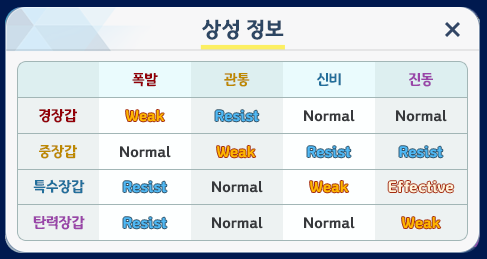
- All students and Missile Drone monsters have specific attack types/defense types.
- The damage a student deals to a Missile Drone monster will increase or decrease based on the student’s attack type and the Missile Drone monster’s defense type.
Hunting Event Skill
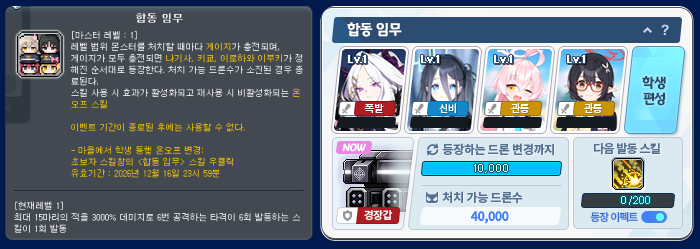
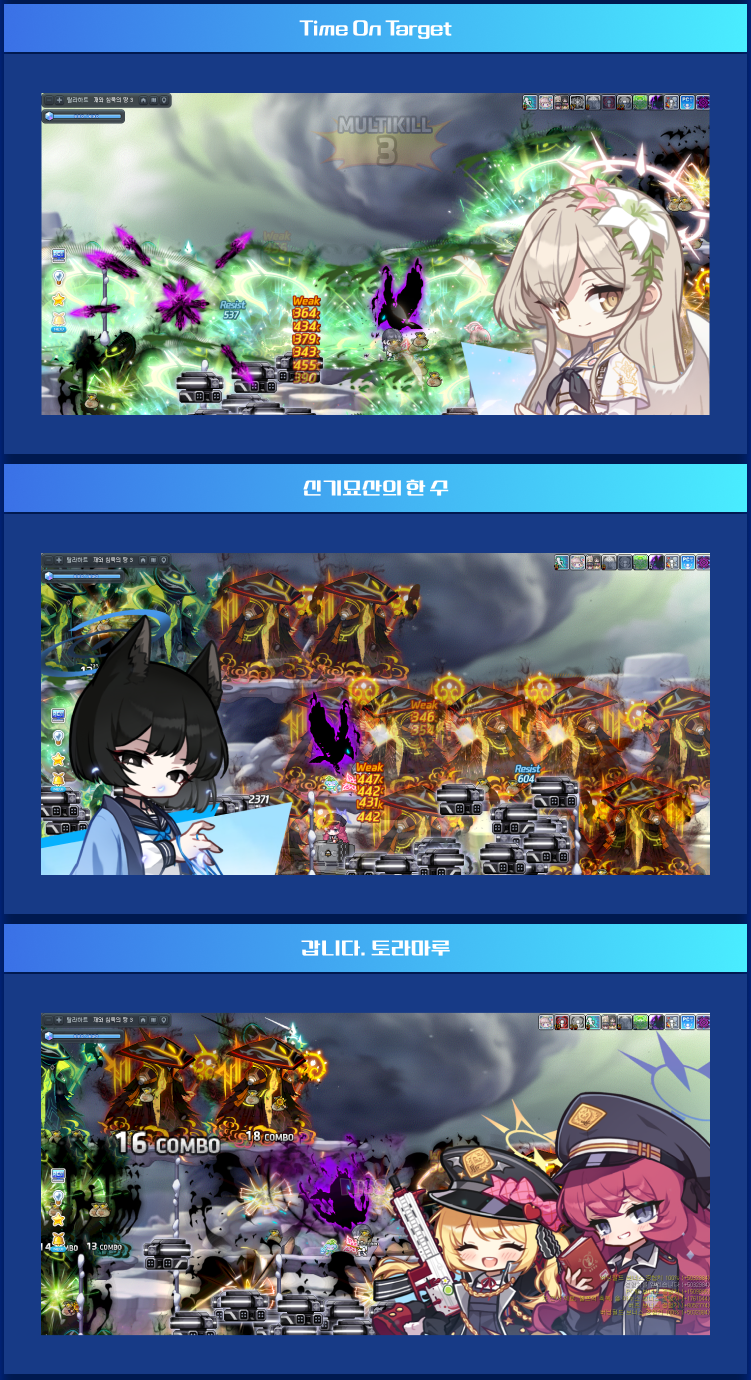
- After you have completed your student formation, when you enter a hunting ground with monsters within your level range, the ‘Cooperative Mission’ skill will be automatically activated.
- When the skill is activated, you can defeat monsters within your level range to charge the gauge.
- When you have defeated 200 monsters within your level range, the gauge will be filled and the skill will activate.
- When the skill activates, Nagisa, Kikyou, Iroha, and Ibuki will appear in a set order to attack enemies.
※ You can turn the ‘Cooperative Mission’ skill ob/off by double-clicking it in the beginner skill window.
※ The skill will be turned off when you run out of defeatable Drone monsters.
※ The skill can only be activated in maps with monster within your level range. It cannot be used in maps affected by the stage 4 Rune’s Curse, or other special maps like Mirror World or story quest maps.
※ Monsters defeated by the skill will not be included in the 200 monsters defeated for the next activation.
Credits
- After participating in the event, when you hunt monsters within your level range, there is a set rate for monsters to drop 1 Credit or 100 Credits.
- The acquired Credits can be used in ‘Sora’s 24 Hour Convenience Store’.
Total Assault

Defeat Damien who is threatening Maple World together with the Blue Archive students that have grown with you!
Student Formation
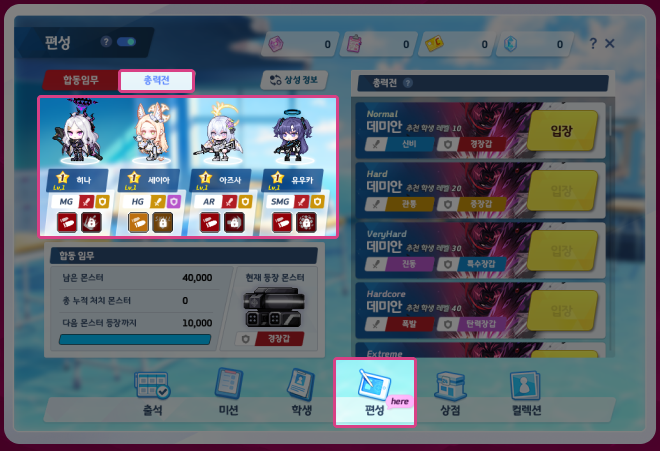
- You can organize your students in the Total Assault through the ‘Formation’ tab in the event UI.
Total Assault
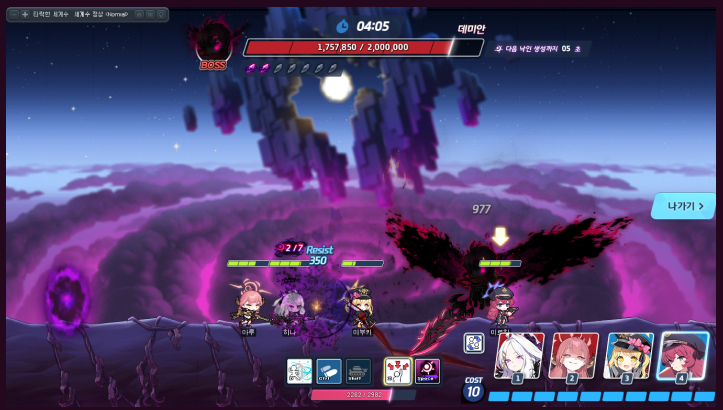
- You can enter the Total Assault with a formation of 4 students.
- This is a single-player game with a 5 minute time limit.
- Each student has 4 basic skills. The EX skill can be used if the student is Mystic Liberation 2 Stars or higher.
| Skill | Condition |
|---|---|
| Jump | Provided by default. |
| Basic Attack | Provided by default. |
| EX Skill | Mystic Liberation 2 Stars or higher. |
| Track/Hold Position | Provided by default. |
| Sacrificial Brand | Provided by default. |
※ While playing the game, you can click the skill icon then input your desired key to change the key bindings at any time. (Certain keys like esc and tab cannot be used).
※ The changed key bindings are shared between all characters within the Maple ID.
- You can directly control 1 student at a time. The other 3 students will fight automatically.
- You can use the 1/2/3/4 key to change which student you are directly controlling.
- The game will end if you defeat Damien within the time limit.
Damien
- The boss Damien has 8 difficulty modes. As the difficulty increases, the boss’ stats and patterns will be enhanced.
| Difficulty | Boss Attack Type | Boss Defense Type | Recommended Student Level |
|---|---|---|---|
| Normal | Mystic | Light Armor | 10 |
| Hard | Piercing | Heavy Armor | 20 |
| Very Hard | Sonic | Special Armor | 30 |
| Hardcore | Explosive | Elastic Armor | 40 |
| Extreme | Sonic | Heavy Armor | 45 |
| Insane | Explosive | Light Armor | 50 |
| Torment | Mystic | Elastic Armor | 55 |
| Lunatic | Piercing | Special Armor | 60 |
※ You can challenge the next difficulty after clearing the previous difficulty’s Total Assault.
Attack Type and Defense Type
- All students and Damien have specific attack types/defense types.
- The damage a student deals to Damien will increase or decrease based on the student’s attack type and Damien’s defense type.
- The damage Damien deals to a student will increase or decrease based on Damien’s attack type and the student’s defense type.
Sora’s 24 Hour Convenience Store

Sora has prepared a variety of items for the teacher. Use the credits you have acquired from your adventures with the students and exchange them for Sora’s items.
Event Duration:
- November 19, 2026 after the maintenance ~ December 16, 2026 at 11:59 PM.
Event Participation Requirements:
- A level 101 or higher character that has participated in the ‘MapleStory X Blue Archive’ event.
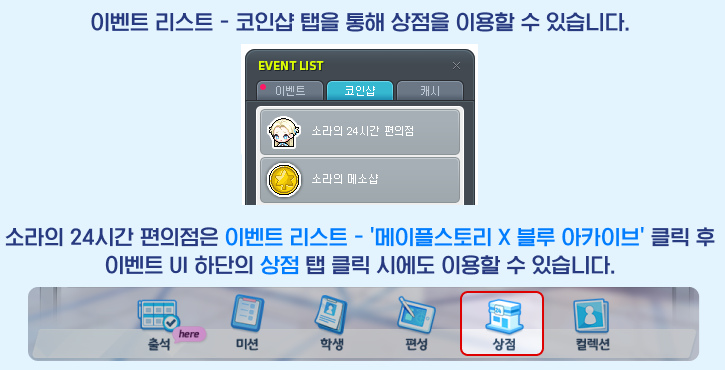
After starting the ‘Maple X Blue Archive’ event, you can click the ‘Shop’ tab on the bottom of the event UI or select ‘Sora’s 24 Hour Convenience Store’ in the Event List’s coin shop tab.
- Decorative/Androids
- Seren School Uniform (1500 Credits)
- Seren Loafers (1000 Credits)
- Seren Kendo Bag (1000 Credits)
- Divine Gun Azor (1500 Credits)
- Student Seren Halo (1000 Credits)
- Orca School Uniform (1500 Credits)
- Orca Loafers (1000 Credits)
- Wing Master Pewpew (1500 Credits)
- Student Orca Halo (1000 Credits)
- Kaling Ribbon Headband (1000 Credits)
- Kaling School Uniform (1500 Credits)
- Kaling Mary Jane Flats (1000 Credits)
- Kaling Bookbag (1000 Credits)
- All-Rounder Problem Solver (1500 Credits)
- Student Kaling Halo (1000 Credits)
- Masked Swimsuit Gang Leader Faust Mask (500 Credits)
- Masked Swimsuit Gang Member No. 0 Mask (500 Credits)
- Masked Swimsuit Gang Member No. 1 Mask (500 Credits)
- Masked Swimsuit Gang Member No. 2 Mask (500 Credits)
- Shiroko’s Drones (500 Credits)
- Hina (Dress)’s Outfit (1500 Credits)
- Hina (Dress)’s Shoes (1000 Credits)
- Hina (Dress)’s Gloves (1000 Credits)
- Hoshino (Combat)’s Outfit (1500 Credits)
- Iron Horus (1000 Credits)
- Ayaneroid Voucher (1000 Credits)
- Iroharoid Voucher (1000 Credits)
- Student Serenroid Voucher (1000 Credits)
- Student Orcaroid Voucher (1000 Credits)
- Student Kalingroid Voucher (1000 Credits)
- Blue Archive Damage Skin (Unit) (1000 Credits)
- Blue Archive Type A Chatting Emoticons (1000 Credits)
- Blue Archive Type B Chatting Emoticons (1000 Credits)
- Face/Hair
- Student Seren Hair Coupon (1500 Credits)
- Student Seren Face Coupon (1500 Credits)
- Student Orca Hair Coupon (1500 Credits)
- Student Orca Face Coupon (1500 Credits)
- Student Kaling Hair Coupon (1500 Credits)
- Student Kaling Face Coupon (1500 Credits)
- Hina (Dress) Hair Coupon (1500 Credits)
- Hoshino (Combat) Hair Coupon (1500 Credits)
- Chair/Riding
- Water Cloud Riding (Permanent) Voucher (1000 Credits)
- Seia’s Open Car Riding (Permanent) Voucher (1000 Credits)
- Arona Card Chair (1000 Credits)
- Plana Card Chair (1000 Credits)
- Sora Card Chair (1000 Credits)
- Date with Seren Chair (1000 Credits)
- Date with Orca Chair (1000 Credits)
- Date with Kaling Chair (1000 Credits)
- Maple Home
- Large Peroro Doll Furniture Voucher (1000 Credits)
- Sword of Light: Supernova Furniture Voucher (1000 Credits)
- Tea Party Dessert Table Furniture Voucher (1000 Credits)
- Fighting Game Console Furniture Voucher (1000 Credits)
- Abydos Classroom Desk Furniture Voucher (1000 Credits)
- Black Dragon Gate Throne Furniture Voucher (1000 Credits)
- Memorial Player Furniture Voucher (1000 Credits)
- <Kendo Club Seren> Illustration Voucher (500 Credits)
- <Pool Date with Seren> Illustration Voucher (500 Credits)
- <Seren Receiving a Necklace Gift> Illustration Voucher (500 Credits)
- <Date with Seren> Illustration Voucher (500 Credits)
- <Kaling in Love> Illustration Voucher (500 Credits)
- <Kaling Feeding Others> Illustration Voucher (500 Credits)
- <Shopping Date with Kaling> Illustration Voucher (500 Credits)
- <Cafe Date with Kaling> Illustration Voucher (500 Credits)
- <Hot Springs Date with Kaling> Illustration Voucher (500 Credits)
- <Fireworks with Kaling> Illustration Voucher (500 Credits)
- <In the Classroom with Orca> Illustration Voucher (500 Credits)
- <Cherry Blossoms Date with Orca> Illustration Voucher (500 Credits)
- <Cooking Orca> Illustration Voucher (500 Credits)
- <Snowball Fight with Orca> Illustration Voucher (500 Credits)
- <Pool Date with Orca> Illustration Voucher (500 Credits)
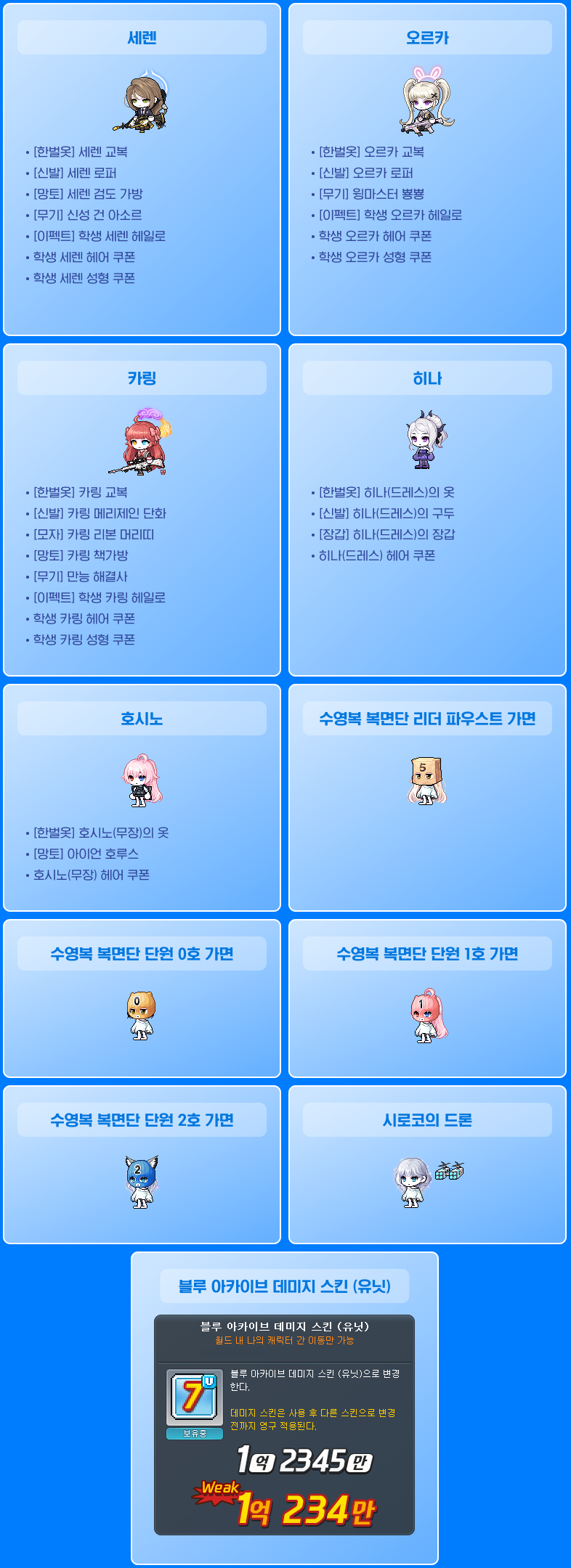
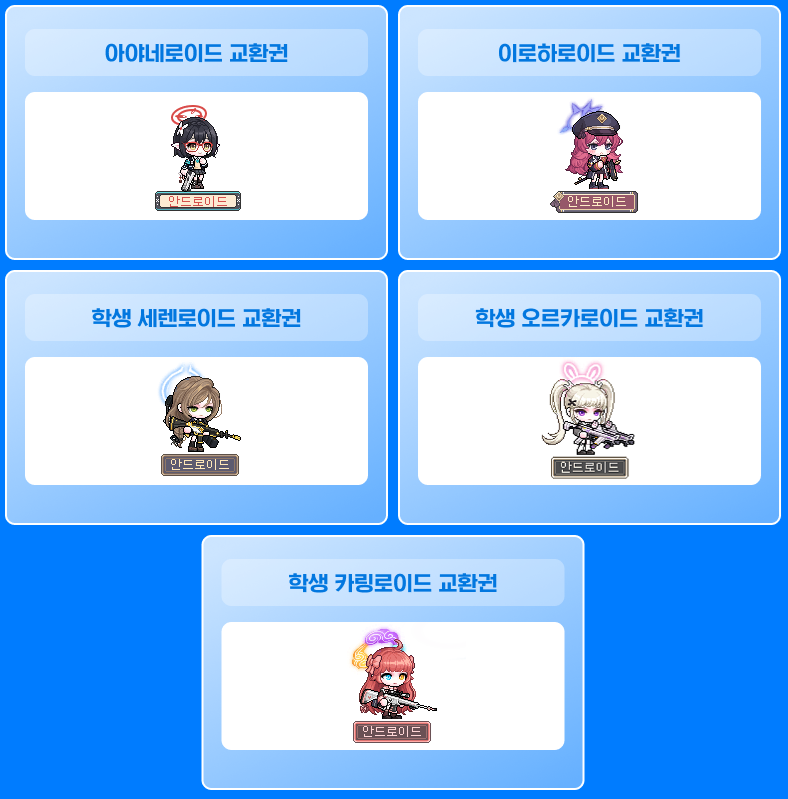
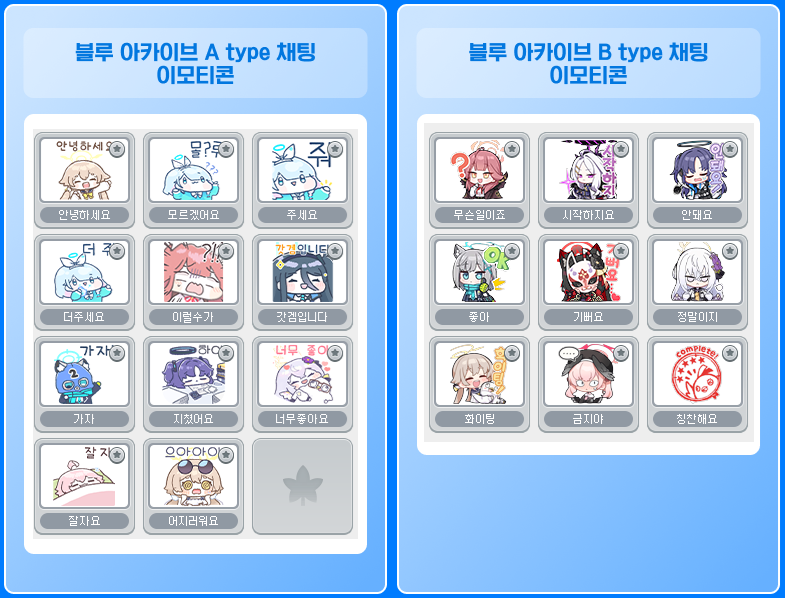

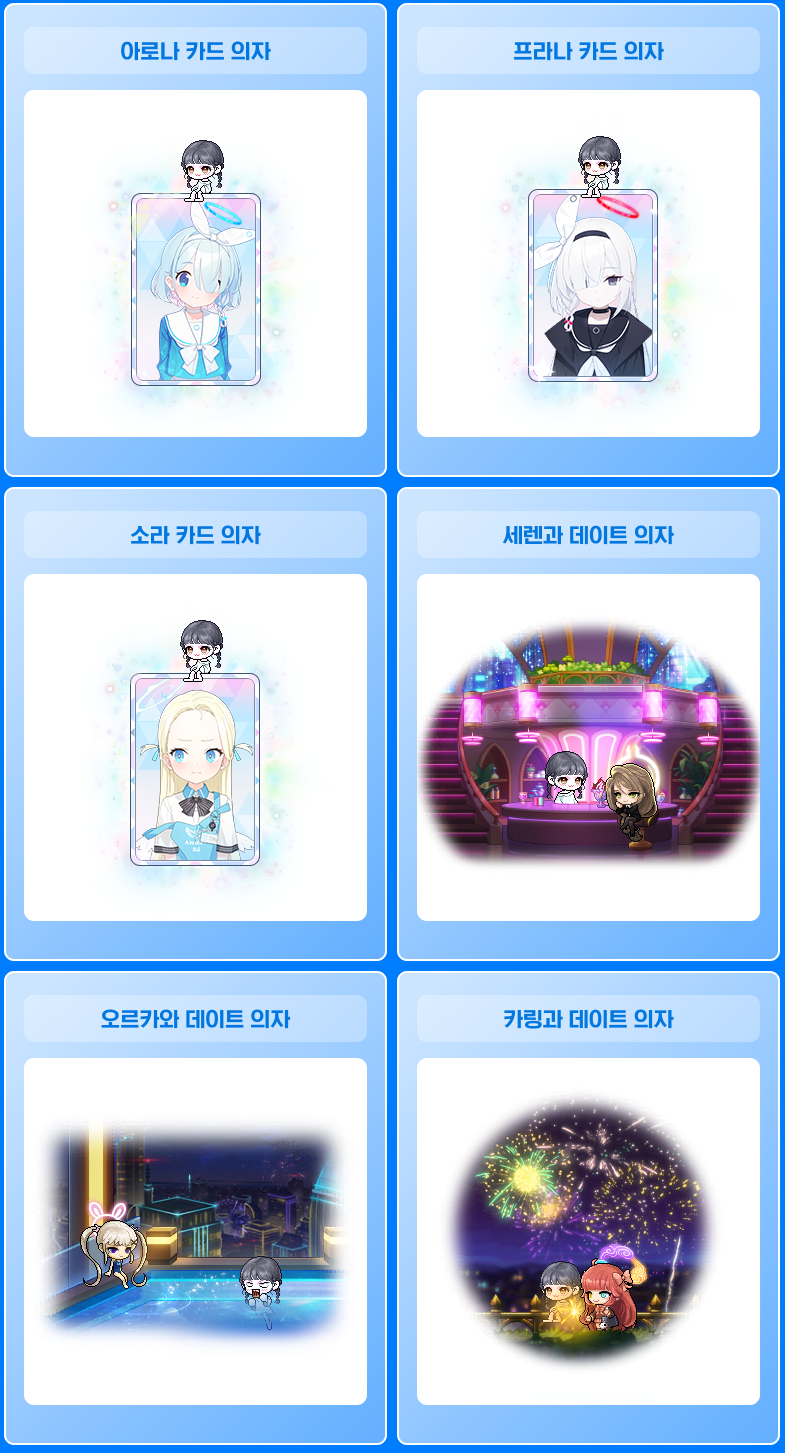
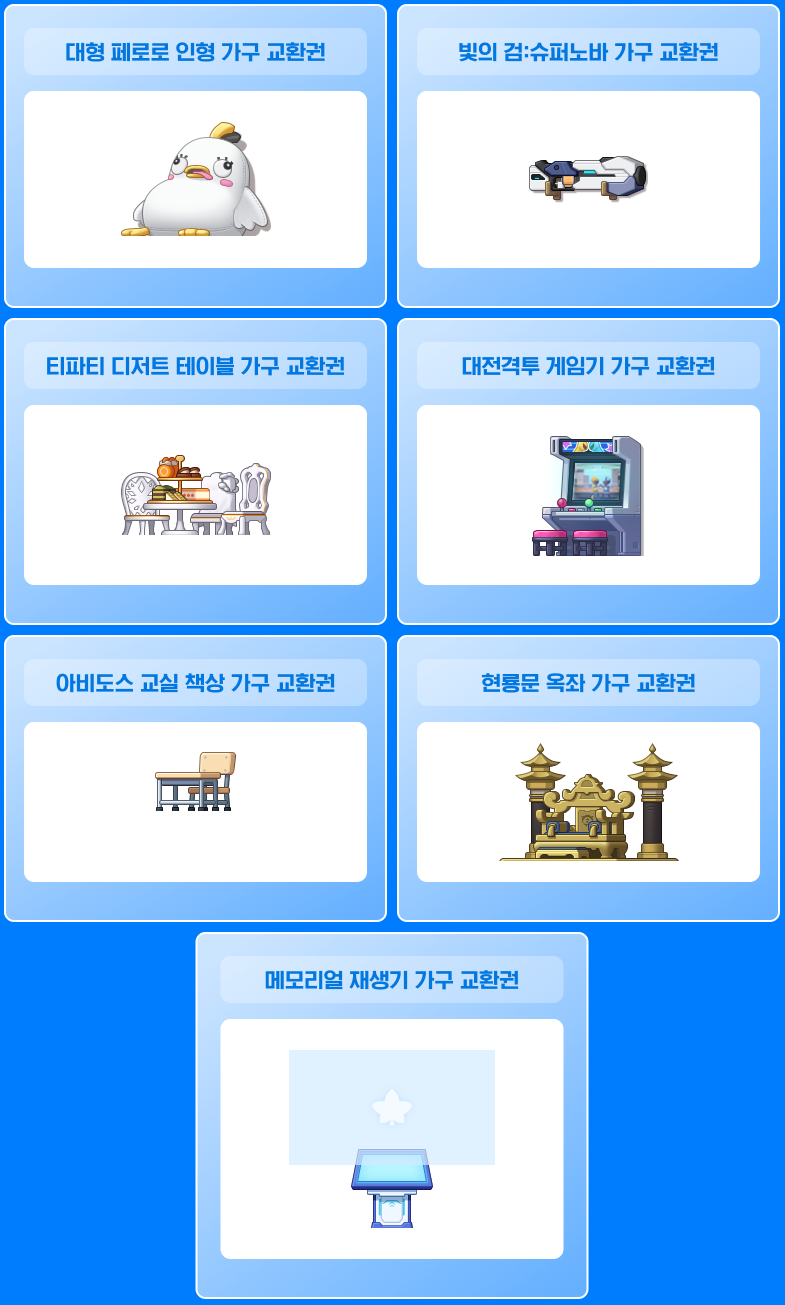
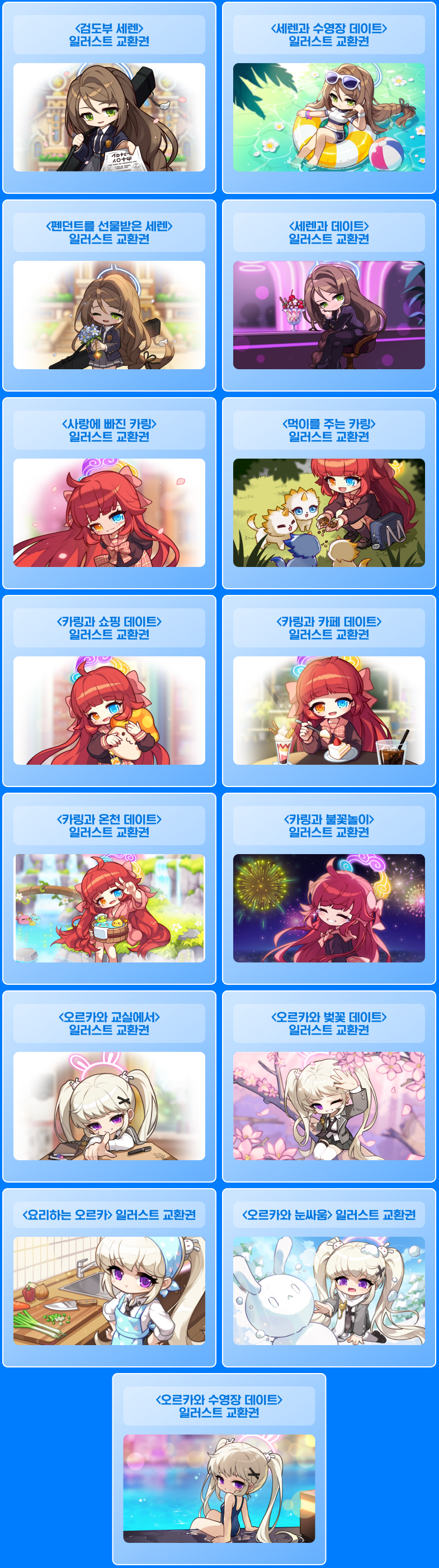
※ Cash and decorative items purchased from the shop are untradeable, permanent, and can be put in the Cash Wardrobe.
※ Install items purchased from the shop are permanent, and can be put in the storage.
※ All consumable items purchased from the shop will expire on December 17, 2026 at 2:00 AM.
Sora’s Meso Shop
Find special items you can buy with mesos.
Event Duration:
- November 19, 2026 after the maintenance ~ December 16, 2026 at 11:59 PM.
Event Participation Requirements:
- A level 101 or higher character that has participated in the ‘MapleStory X Blue Archive’ event.
After starting the ‘Maple X Blue Archive’ event, you can click ‘Sora’s Meso Shop’ in the Event List’s coin shop tab.
- VIP Buff (Experience) (500k mesos)
- VIP Buff (Stats) (500k mesos)
- Karma Incredible Chaos Scroll of Goodness 100% (45m mesos) [limit of 100 per world]
- Pet Equipment Stat Transfer Scroll (100m mesos) [limit of 5 per world]
- Damage Skin Extractor (100m mesos) [limit of 1 per world]
- Android Ear Sensor Clip (600m mesos) [limit of 1 per world]
- Soft Petal Skin Android Voucher (800m mesos) [limit of 1 per world]
- Blush Petal Skin Android Voucher (800m mesos) [limit of 1 per world]
- Selective Bag/Wallet Voucher (15m mesos) [limit of 10 per Maple ID]
- Selective Advanced Bag Voucher (80m mesos) [limit of 10 per Maple ID]
※ You can use up to 5 of each Android/Medal Bag from the Selective Advanced Bag Voucher.
Heart Pounding Cafe Maple

Build bonds with Kaling, Orca, and Seren at Cafe Maple! Increase your bond rank by giving gifts to unlock special episodes and chatting emoticons.
Event Duration:
- November 19, 2026 after the maintenance ~ December 16, 2026 at 11:59 PM.
Event Participation Requirements:
- A level 101 or higher character that has participated in the ‘MapleStory X Blue Archive’ event.
After starting the ‘Maple X Blue Archive’ event, this event will be started automatically. You can click the ‘Heart Pounding Cafe Maple’ event in the Event List to check your cumulative bond points and your daily mission progress.
You can click the ‘Help’ button in the Event List or select the ‘Go to the Heart Pounding Cafe Maple web page’ option to go to the event web page.
Acquiring Bond Points
- During the event period, you can complete the following daily missions to acquire Bond Points.
- You can acquire up to 250 points per day. The mission completion record will be reset every day at 12:00 AM.
| Mission | Bond Points Acquired |
|---|---|
| Login to MapleStory 1 time. | 50 |
| Defeat 1,000 monsters within your level range. | 50 |
| Defeat 2,000 monsters within your level range. | 50 |
| Defeat 3,000 monsters within your level range. | 100 |
※ The login points will be automatically provided when you login to a character after participating in the event.
※ After participating in the event, you can acquire Bond Points on all characters within the Maple ID regardless of the character level.
※ The acquired Bond Points and monsters defeated count are shared between all characters within the Maple ID.
※ It may take 10 minutes or more for your in-game mission progress to be reflected on the event web page.
Gift Shop and Bond Rank
- You can use your acquired Bond Points to exchange for gifts in the event web page’s gift shop.
- You can give gifts to Kaling, Orca, or Seren to increase your Bond Rank with each character.
- All gifts cost 200 Bond Points per gift.
- If you give a normal gift, it will increase Bond Rank by +1.
- If you give a character’s favourite gift, it will increase by +2.
- When your Bond Rank reaches stage 2/4/6/8/10, an episode will be opened. You can watch the episode then collect the memorial illustration.
- When you reach each character’s Bond Rank MAX, you can receive a MapleStory Chatting Emoticon Coupon.
- Kaling, Orca, and Seren each have a unique set of chatting emoticons, all of which are static images.
※ You cannot refund points used on gifts.
※ Each Chatting Emoticon Coupon can only be issued 1 time per Maple ID. When issued, the coupon can only be used 1 time per Nexon ID and cannot be used again after being registered.
※ The emoticons acquired through the coupon can only be used on the world where the coupon was used.
※ The Chatting Emoticon Coupons will expire on December 31, 2026 at 11:59 PM.
※ Gift exchanges and bond rank rewards take place through the event web page. Please check the event web page for more details.

