
KMST ver. 1.2.182 – NEXT Improvements & Mastery Core Changes

As announced previously, the second test world patch was released on Thursday, featuring a lot of the game improvements mentioned at the showcase as well as some further skill changes. All of this will be heading to the live server next week!
Overview
- Cross World Maple Auction
- Cross World Meso Market
- Genesis Weapon Liberation Missions Condition Changes
- Profession/Harvesting Farm Level Limit Changes
- Story Quest Improvements
- Symbol Quests and Content Improvements
- Monster Park Improvements
- Epic Dungeon Entry Limit Changes
- Sol Erda Conversion
- Arcane River Quest Reorganization
- Reboot World Changes
- Quest UI Reorganization
- World Map UI Reorganization
- Minimap UI Reorganization
- Movement Convenience Improvements
- Union Attacker Placement Mode Improvements
- Medal/Title Appearance Setting
- Guild Name Change
- Cash
- Improvements
- Error Fixes
- Skill Sequence
- Skill Changes
- Skill Error Fixes
- New Mastery Cores
- Events
- Dawn Star Banquet
- Dawn Star Banquet Dinner Party
- Dawn Starlight Gathering
- Commemoration Coin Exchange
- Commemoration Badge Exchange
- Meso Shop
- Broomy’s Deep Cleaning
- Hanging Gardens’ Attendants’ Stories
- Banquet’s Blessings
- Challengers World
- Challengers World Missions
- Hyper Burning
- Tera Blink
- Item Burning
- Winter Tutorial Missions
- VIP Sauna
- MapleStory M Link Event
- Christmas with the Blue Girl
- Blue Girl’s Special Gift
- Lady Blair’s Dream Express
- Sunday Maple
- Dawn Star Banquet
Cross World Maple Auction
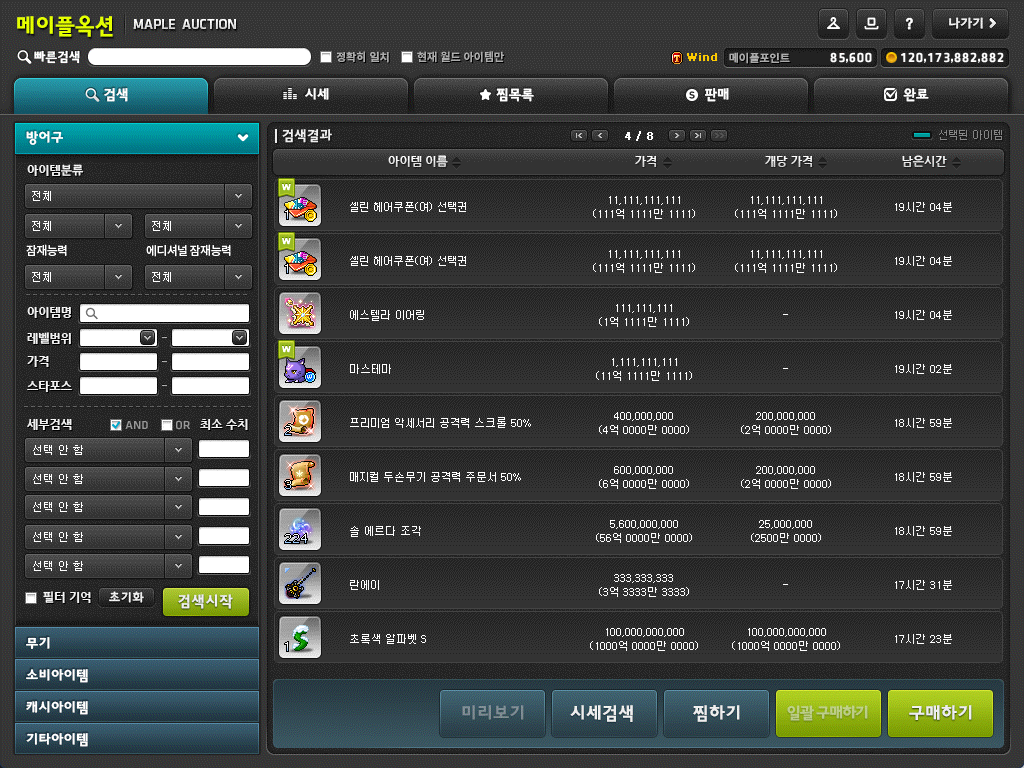
The Maple Auction will be integrated into 3 groups, allowing equipment/cash item trading between different worlds in each group.
- Group 1: Scania, Bera, Luna, Zenith, Croa, Union, Elysium, Enosis, Red, Aurora, Arcane, Nova
- Group 2: Eos, Helios
- Group 3: Challengers, Challengers 2, Challengers 3, Challengers 4
※ However, you cannot use the bulk purchase feature for cash items from other worlds.
※ Item re-registering, reclaiming, and receiving payments can only be done in the world where the item was registered for sale.

The Maple Auction UI will now display your current Maple Points.
Your world will now be displayed to the left of the character name currently connected to the Maple Auction.

A feature has been added when searching for items that lets you search for items only from the currently connected world.
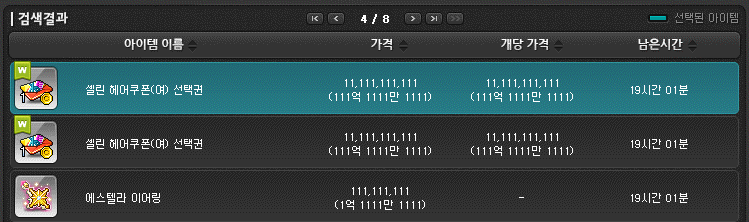
Items from other worlds will be displayed with a special label on the top left of the icon.

When buying items from other worlds, an additional fee of Maple Points equal to 10% of the item price will be consumed. The minimum fee is set at 10 Maple Points.
The Maple Point fee conversion rate will be updated every day at 10:00 AM. Items from other worlds cannot be bought from 9:55 AM to 10:05 AM, while the conversion rate is being updated.
If there are any items or mesos that are left unclaimed (from purchases, sales, and failed sales) before the December 19, 2024 patch, they can be received by using the ‘Claim Existing Auction Items’ button in the Maple Auction UI’s Completed tab until January 18, 2026 at 11:59 PM.
※ The ‘Claim Existing Auction Items’ button will disappear on January 19, 2026 at 12:00 AM. Items that exceed their storage period will be deleted automatically.
※ Items traded in the Maple Auction before November 24, 2017 and had no claim period restrictions can still be claimed through the ‘Claim Existing Auction Items’ button, but they can no longer be claimed after January 19, 2026 at 12:00 AM.
Cross World Meso Market
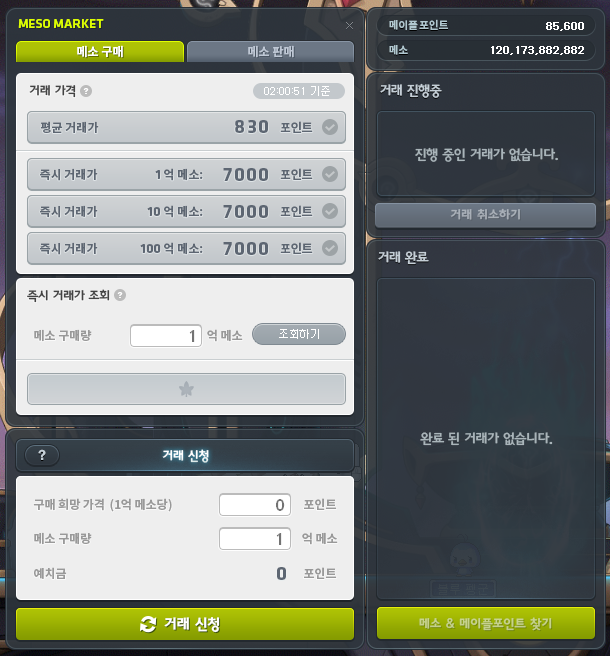
The Meso Market will be integrated into 2 groups, facilitating transactions in each group.
- Group 1: Scania, Bera, Luna, Zenith, Croa, Union, Elysium, Enosis, Red, Aurora, Arcane, Nova, Challengers, Challengers 2, Challengers 3, Challengers 4
- Group 2: Eos, Helios
※ When a trade is in progress in each group, you cannot apply for a trade, cancel a trade, or receive mesos & Maple Points in any world other than the one you applied for the trade in.
※ You can apply for up to 100 trades per day per Maple ID.
The maximum trade amount for buying and selling mesos has been changed to 100b.
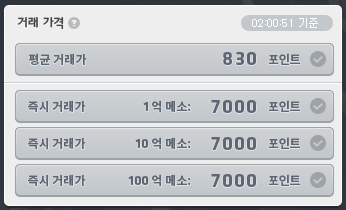
The Average Trade Price has been changed to display the average price of the most recently traded 100b.
The Instant Trade Price has been changed to display the prices required for 100m/1b/10b trades.
※ Information related to the Average Trade and Instant Trade Prices for 100m/1b/10b will be automatically updated periodically.
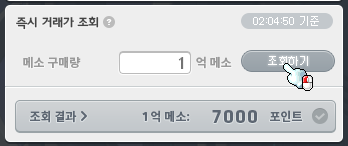
The Instant Trade Search feature has been added, which lets you check the price required to conclude a trade with the set quantity.
※ The Instant Trade Search feature can be used periodically.
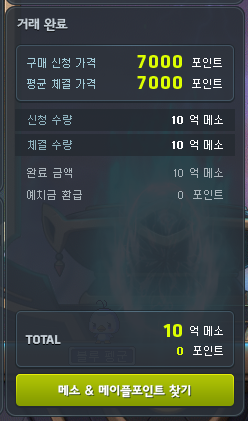
After applying for a trade, you can now check the status of your current trade and completed trade details.
You can now claim the amounts for certain completed trades while you have other trades in progress.
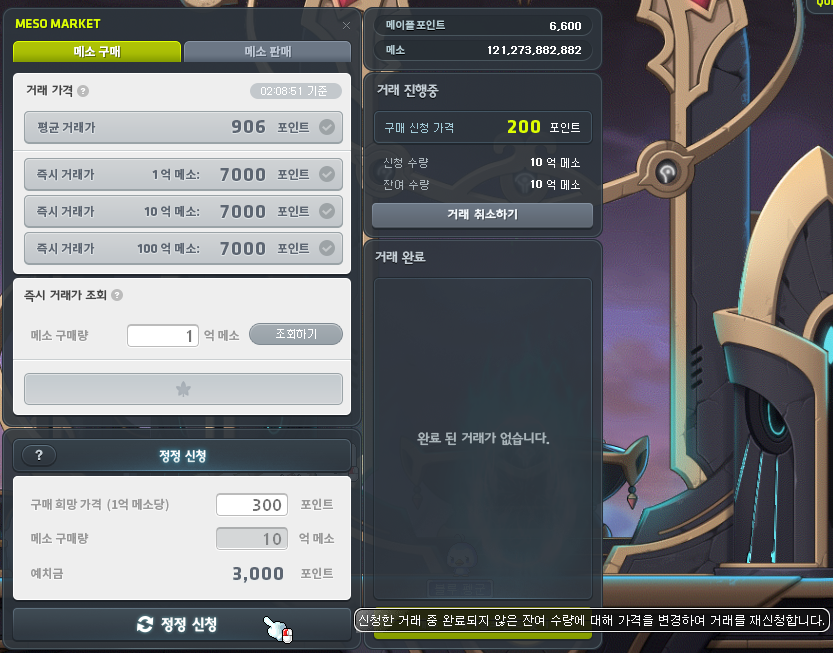
A Correction Request feature has been added that lets you re-register a trade by changing only the application price for trades that have not been completed but are still in progress.
※ If you use the Correction Request feature, the current trade will be cancelled, and after receiving the mesos & Maple Points, the trade will be applid for the remaining quantity at the requested price.
Genesis Weapon Liberation Missions Condition Changes
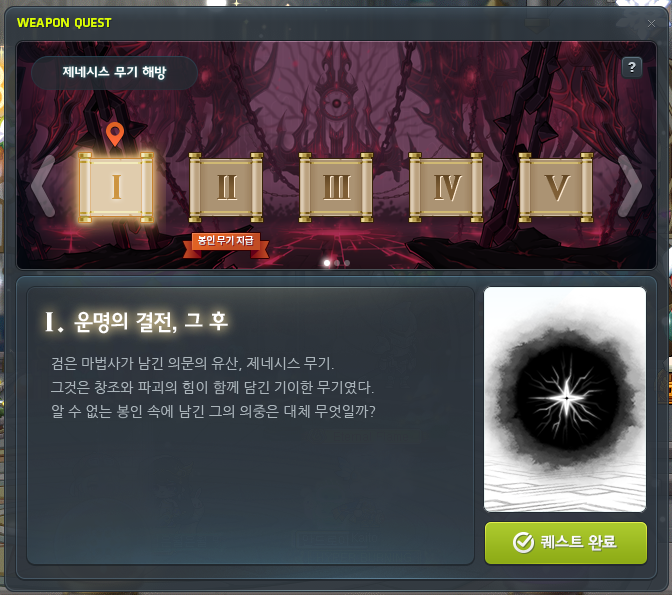
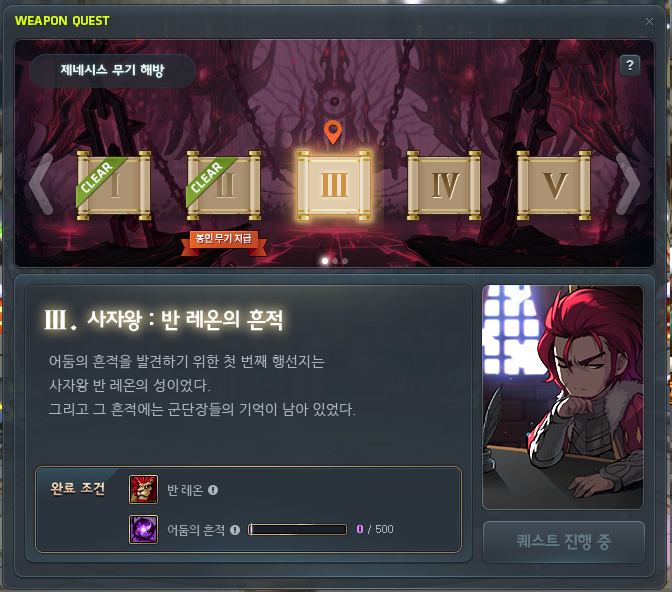
The Genesis Weapon Liberation missions’ completion conditions of defeating the Genesis Egg have been changed to defeating the Black Mage and his Commanders to extract Traces of Darkness.
- The ‘[Genesis] Battle of Destiny, and Afterwards’ quest’s completion condition of defeating the Genesis Egg has been removed.
- A completion condition of extracting 500 Traces of Darkness has been added to the ‘[Genesis] Traces of the Lion King: Von Leon’ quest.
For each Commander’s Remnant quest, the Traces of Darkness required will increase based on the difficulty.
- Traces of Darkness can be accumulated up to 1,500.
- Traces of Darkness that exceed the current in-progress Commander quest can be used for the subsequent Commander quest.
| Commander’s Remnant Quest | Traces of Darkness Required |
|---|---|
| Traces of the Lion King Von Leon | 500 |
| Traces of the High Priest of Time Arkarkium | 500 |
| Traces of the Tyrant Magnus | 500 |
| Traces of the Wing Master Suu | 800 |
| Traces of the Sword of Destruction Damien | 800 |
| Traces of the Spider King Will | 1,000 |
| Traces of the Master of Nightmares Lucid | 1,000 |
| Traces of the Red Witch Hilla | 1,500 |
※ Users who currently have a Commander’s Remnant quest in-progress and have already defeated the Genesis Egg will have it changed so that they will have acquired 100% of the Traces of Darkness required to clear that Commander’s Remnant quest.
※ Existing Black Mage’s Remnant items will be removed. Characters who had them will be changed so that they have acquired 100% of the Traces of Darkness required to clear that Commander’s Remnant quest.

Traces of Darkness can be extracted by defeating the Black Mage and his Commanders above a certain difficulty.
| Boss | Traces of Darkness |
|---|---|
| Normal Suu | 10 |
| Normal Damien | 10 |
| Easy Lucid | 15 |
| Easy Will | 15 |
| Normal Lucid | 20 |
| Normal Dusk | 20 |
| Normal Will | 25 |
| Normal Dunkel | 25 |
| Normal Jin Hilla | 45 |
| Hard/Extreme Suu | 50 |
| Hard Damien | 50 |
| Hard Lucid | 65 |
| Chaos Dusk | 65 |
| Hard Will | 75 |
| Hard Dunkel | 75 |
| Hard Jin Hilla | 90 |
| Hard/Extreme Black Mage | 500 |
※ When you defeat a boss, the Traces of Darkness will be divided and extracted evenly based on the number of people who entered the boss.
Note: I have seen some confusion about these changes. In particular, you CAN start and complete all of the Genesis Weapon quests without defeating Black Mage at all (‘[Genesis] Battle of Destiny, and Afterwards’ quest condition removed). And the Traces of Darkness ARE divided by all party members that entered with you, even if they are liberated. For example, in my screenshot above, I cleared Normal Suu with one liberated party member and I only received 5 Traces of Darkness instead of the full 10.
Profession/Harvesting Farm Level Limit Changes
Profession skill related quests’ beginning levels have been changed to level 100.
※ Existing level 35~99 characters that learned profession skills can continue to use profession skills.
The harvesting farm’s entry level limit has been changed to level 100.
For Zero, you must complete the Zero story Chapter 4 to start the ‘[Profession Skill] Herbalism and Mining’ quest.
Story Quest Improvements
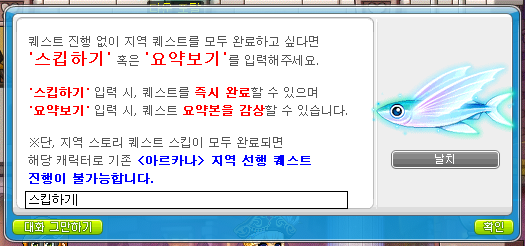
The criteria for skipping Arcane River/Grandis area story quests has been expanded to be per Maple ID, and the Story Skip feature has been improved.
- If there is at least one character within the Maple ID that has completed an Arcane River or Grandis area’s story quests, other characters within the Maple ID will be able to view the story summary without completing the pre-quests or instantly complete them.
- The existing Story Skip feature for viewing the story summary will be renamed to the View Summary feature. A new Story Skip feature that lets you complete the pre-quests immediately without viewing the story summary has been added.
- When you view the story summary or skip it, all related quests will be completed and you will be given all item rewards. However, you will not be given the experience rewards.
The criteria for being able to use certain boss content that has pre-quests has been expanded from per world to per Maple ID.
- If there is at least one character within the Maple ID that has completed the pre-quests for Caoong, Papulatus, Von Leon, Arkarium, Pink Bean, Cygnus, Magnus, or Guardian Angel Slime, other characters within the Maple ID will be able to use the boss content without having to do the separate boss pre-quests.
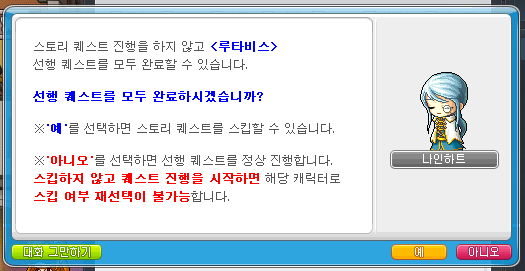
The Root Abyss Story Skip feature has been added.
- If there is at least one character within the Maple ID that has completed the ‘[Root Abyss] Rescue the World Tree’ quest, other characters can use the Story Skip feature for that quest.
- When you skip the quests, all related quests will be completed and you will be given all item rewards. However, you will not be given the experience rewards.
- You can choose to use the Story Skip feature in the ‘[Root Abyss] Nineheart’s Emergency Call’ quest. Characters who have already completed that quest and started the rest of the story quests cannot skip them.
Profession skill related quests’ beginning levels have been changed to level 100.
- [Profession Skill] Learning Profession Skills
Symbol Quests and Content Improvements
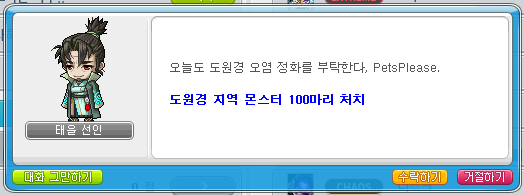
Symbol daily quests have been simplified.
- The Grandis daily quest completion conditions will gradually decrease to defeating 500, 300, and 100 monsters of the corresponding area’s monsters, based on the number of areas above it that have been unlocked.
※ If you had any Grandis daily quests in-progress from Thursday at 12:00 AM before the patch until the maintenance, your progress records will be reset.
※ If you already completed any Grandis daily quests from Thursday at 12:00 AM before the patch until the maintenance, your completion records will be maintained.

- The Arcane River daily quest completion conditions will gradually decrease to defeating 500, 300, or 100 monsters of the corresponding area’s monsters, based on the number of areas above it that have been unlocked.
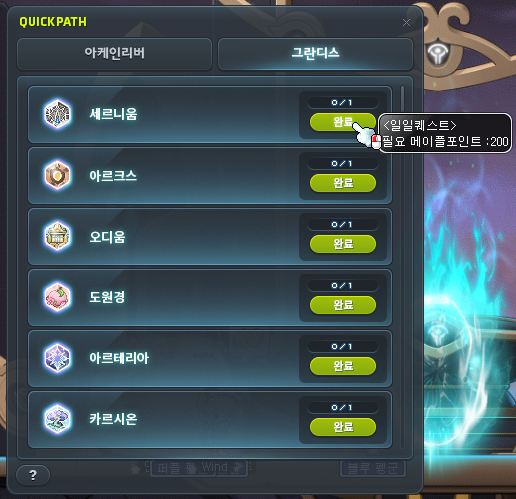
Symbol Quick Path costs have been discounted.
- The Grandis daily quests instant completion costs will gradually decrease to 1,000, 600, or 200 Maple Points, based on the number of areas above it that have been unlocked.
- The Arcane River daily quests instant completion costs will gradually decrease to 1,000, 600, or 200 Maple Points, based on the number of areas above it that have been unlocked.

The number of Arcane Symbols provided when clearing Arcane River special content per run has been increased from 15 to 40.
Monster Park Improvements

Monster Park Extreme has been changed into weekly content. It has been improved so that you can clear it on 2 characters per world (once per character).
- Clear records will be reset every Thursday at 12:00 AM.
- The amount of experience given upon clearing has been increased by 400%.
- The Sunday 1.5x experience benefit will no longer be applied.
- Sunday Maple’s Monster Park clear experience benefit will no longer be applied to Monster Park Extreme.
- The Monster Park Extreme UI has been changed to display the characters that have cleared it this week.
- The ‘[Monster Park Extreme] Growing Closer by Fighting’ achievement will be moved to the Memories tab and can no longer be completed.
※ Characters that have cleared Monster Park Extreme on December 19 from 12:00 AM to before the maintenance can also play the newly changed weekly Monster Park Extreme after the maintenance.
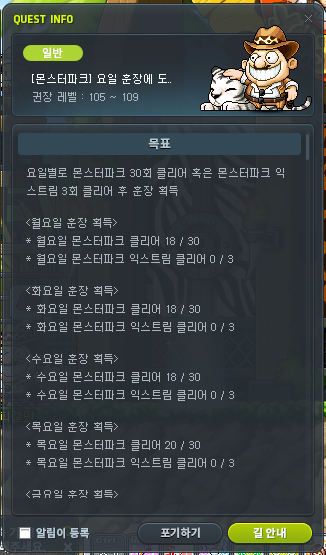
The Monster Park medals’ acquisition difficulty has been decreased.
- The completion conditions for the following quests have been changed from ‘clearing Monster Park 77 times per day’ to ‘clearing Monster Park 30 times on that day or clearing Monster Park Extreme 3 times on that day’.
- [Monster Park] Monday Medal Challenge
- [Monster Park] Tuesday Medal Challenge
- [Monster Park] Wednesday Medal Challenge
- [Monster Park] Thursday Medal Challenge
- [Monster Park] Friday Medal Challenge
- [Monster Park] Satday Medal Challenge
- [Monster Park] Sunday Medal Challenge
- The Seven Day Monster Parker medal’s description has been changed to match the changed quest completion conditions.
※ Even after the quest completion condition changes, characters who had the quests in-progress will maintain their number of Monster Park clears.
Epic Dungeon Entry Limit Changes
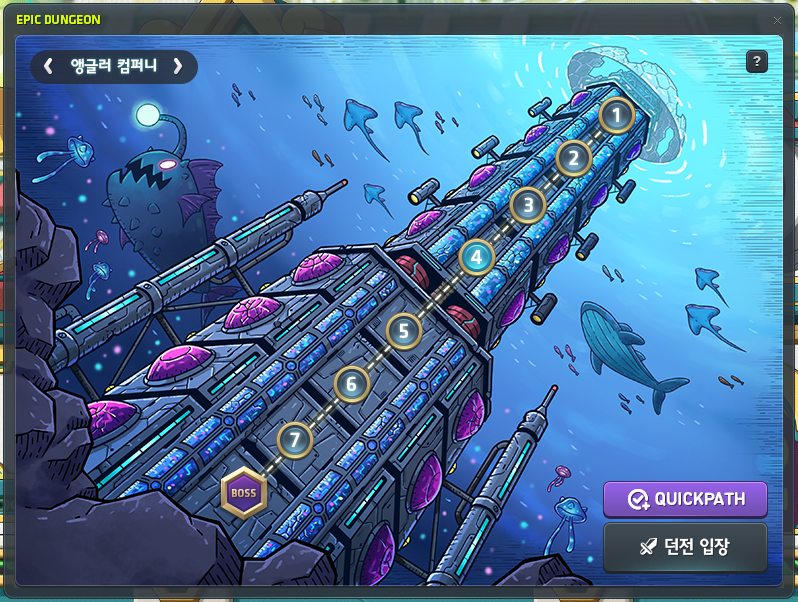
It has been improved so that you can clear 2 types of Epic Dungeons per week per Nexon ID.
- Each week, you can enter and clear Epic Dungeons with the Maple ID and world that you first entered on.
- You can clear the 2 types of Epic Dungeons (once each) on 2 separate characters.
※ Even if you reset the progress information for each dungeon, the Maple ID and world that you can enter on for that week will not be reset.
※ Epic Dungeon progress and clear records from December 19 at 12:00 AM until the maintenance will be maintained.
Sol Erda Conversion
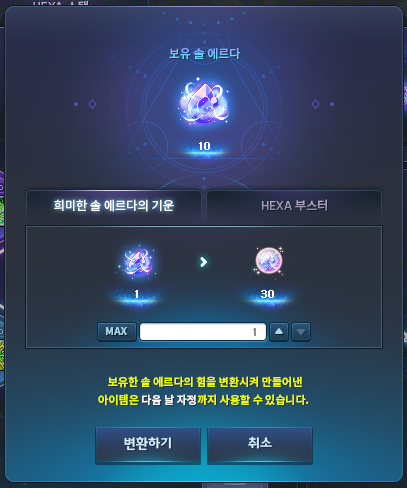

The ‘Sol Erda Conversion’ system, that lets you convert your Sol Erda into other items has been added.
- You can use the system thorough the ‘Sol Erda Conversion’ button on the upper right part of the HEXA Matrix.
- The list of items that you can convert Sol Erda into are as follows.
- You can convert 1 Sol Erda into 30 Faint Sol Erda Energies.
- When you use one, you will acquire 10 Sol Erda Energy.
- The item can only be put into storage.
- You can convert 1 Sol Erda into 1 HEXA Booster.
- When you use one in a map with monsters within your level range, additional monsters that give a large amount of experience points will appear for 100 seconds.
- The item can only be put into storage.
- You can convert 1 Sol Erda into 30 Faint Sol Erda Energies.
※ Items acquired through the Sol Erda Conversion system can only be used from the time of conversion until midnight of the next day.
Arcane River Quest Reorganization
Dimensional Library – Maple Chronicle
- The ‘Book of Arcane River’ usage will be temporarily suspended after the January 19 patch. The Book of Arcane River will be reopened through a later update.
Road of Vanishing






- The existing quests’ progress records have been reset.
- Certain quests’ dialogue and cutscenes have been changed.
- Road of Vanishing related dialogue and cutscenes have been added to the following quests.
- [5th Job] 5th Job: Another Power, Arcane Force
- The following quests have been added.
- [Road of Vanishing] The World Visible Under the River
- [Road of Vanishing] Arcane River’s Starting Point
- [Road of Vanishing] Paper Boat Folding
- [Road of Vanishing] Paper Boats Going Up the River
Reverse City
- Certain NPCs’ dialogue window illustrations have been added.
Chew Chew Island







- Navigation has been added to certain quests.
- Certain quests’ dialogue windows have been changed.
- Dialogue has been added to certain quests.
- The following quests have been added.
- [Chew Chew] To Handle Erda
Yum Yum Island
- Certain quests’ dialogue windows have been changed.
- Certain quests’ dialogue has been changed.
- Certain quests’ cutscenes have been changed.
Lacheln
- Certain NPCs’ dialogue window illustrations have been added.
- Navigation has been added to certain quests.
- Certain quests’ dialogue windows have been changed.
- Dialogue and illustrations have been added to certain quests.
- The following quests have been added.
- [Lacheln] Dream Within a Dream
Arcana
- Navigation has been added to certain quests.
- Certain quests’ dialogue windows have been changed.
- Dialogue has been added to certain quests.
- The following quests have been added.
- [Arcana] New Resolution
Morass
- Certain NPCs’ dialogue window illustrations have been added.
- Dialogue and illustrations have been added to certain quests.
- The following quests have been removed.
- [Morass] Message Sent by the Flying Fish
- [Morass] How to Live in Morass
- [Morass] Where did She Go?
- [Morass] Her Footsteps 1
- [Morass] The Person Left Alone
- [Morass] Firmly Closed Door
- [Morass] Unopening Door
- [Morass] To the Laboratory
- [Morass] Memories of That Day
- [Morass] Her Footsteps 2
- [Morass] The Path She Took
- [Morass] For the Flying Fish
- [Morass] Collapsing Memories
- [Morass] It’s Not Time Yet
- [Morass] Following Her Traces
Esfera
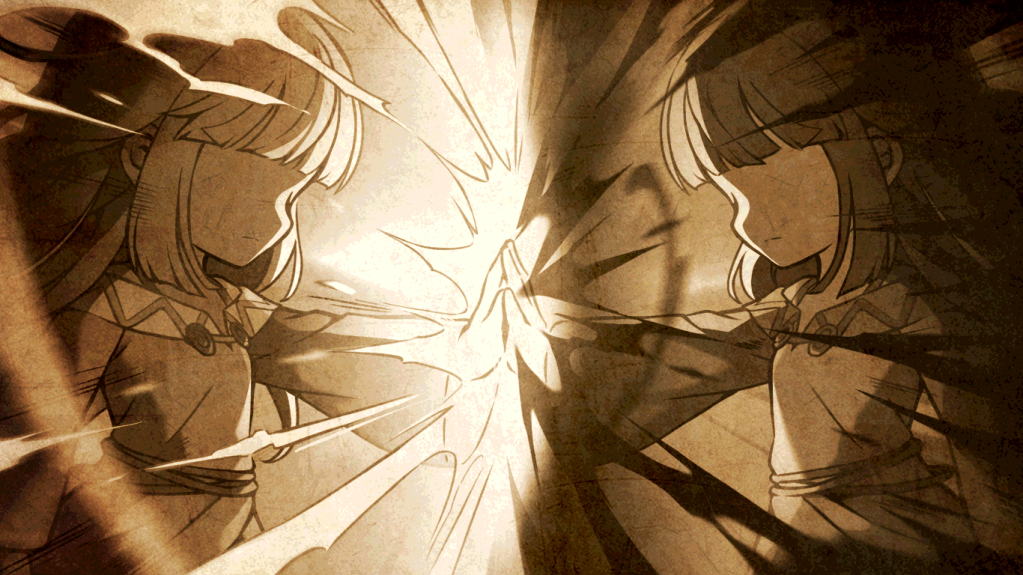
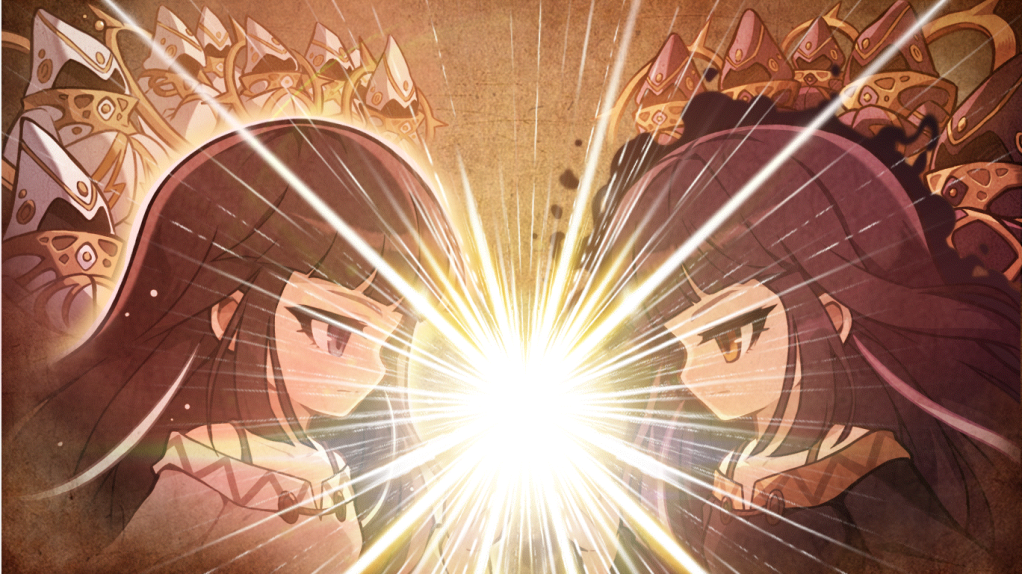

- The existing quests’ progress records have been removed and can no longer be completed.
- Certain quests’ details have been removed and simplified.
- Certain quests’ dialogue and cutscenes have been changed.
- The following quests have been added.
- [Esfera] Strangers
- [Esfera] Suspicious Door
- [Esfera] Searching for the Signal Flare
- [Esfera] Base Camp
- [Esfera] Transformed Erda
- [Esfera] Erda Collection
- [Esfera] Traces of Tana
- [Esfera] Erda Collection 2
- [Esfera] Absence of the Sun
- [Esfera] Spider Hunting
- [Esfera] Spiders’ Enemy
- [Esfera] Light and Darkness
- [Esfera] Will of the World
- [Esfera] Finding Tana
- [Esfera] Her Decision
- [Esfera] Sunken Thing
- [Esfera] Trap
- [Esfera] Temple of Light
- [Esfera] Into the Mirror
- [Esfera] Moon and Sun
- [Esfera] The Mirror Within the Mirror
Sellas
- The ‘[Sellas] Follow the Signal’ quest can no longer be completed.
- The ‘[Sellas] Heading Down’ quest’s completion conditions have been changed.
Moonbridge

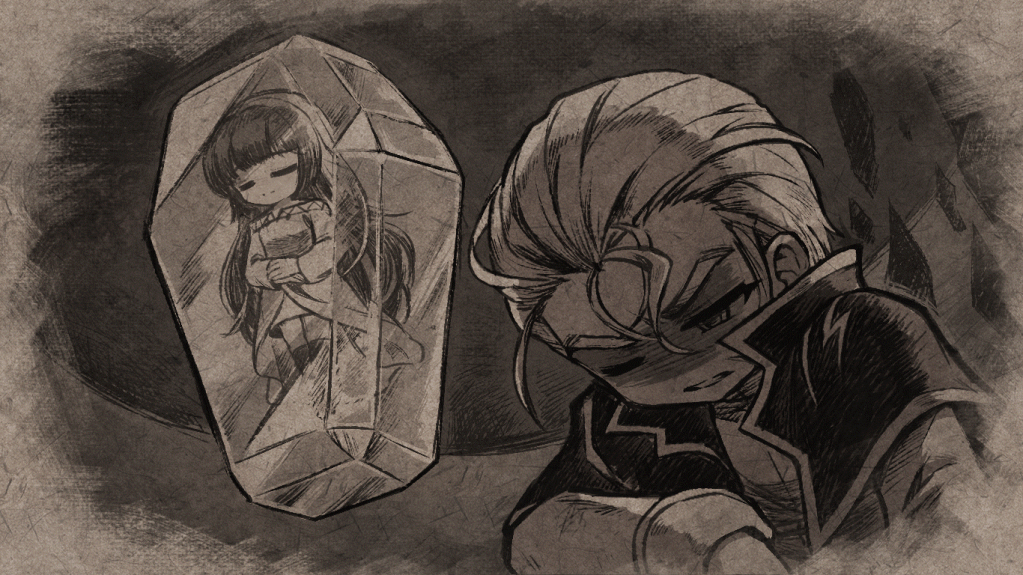
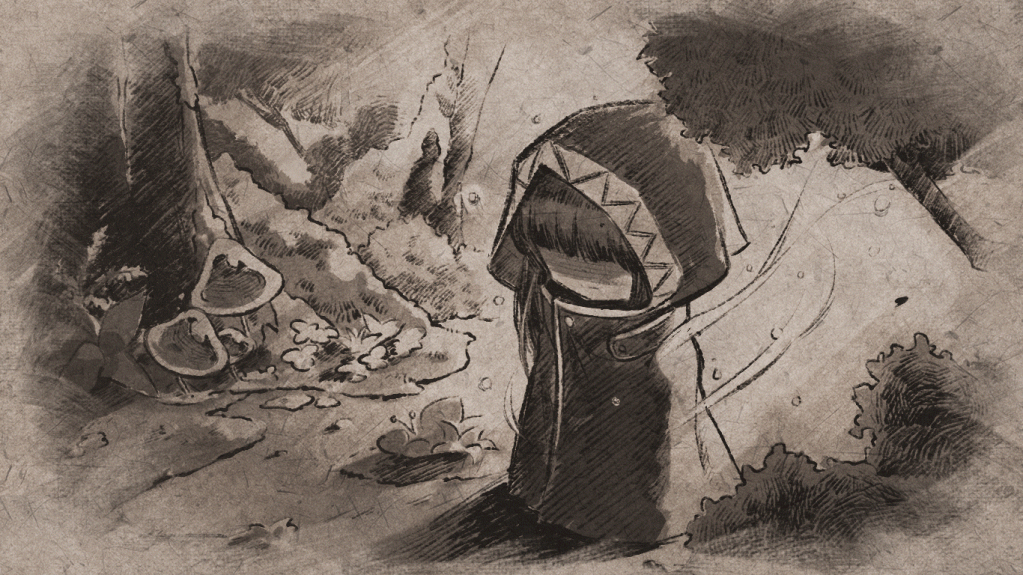
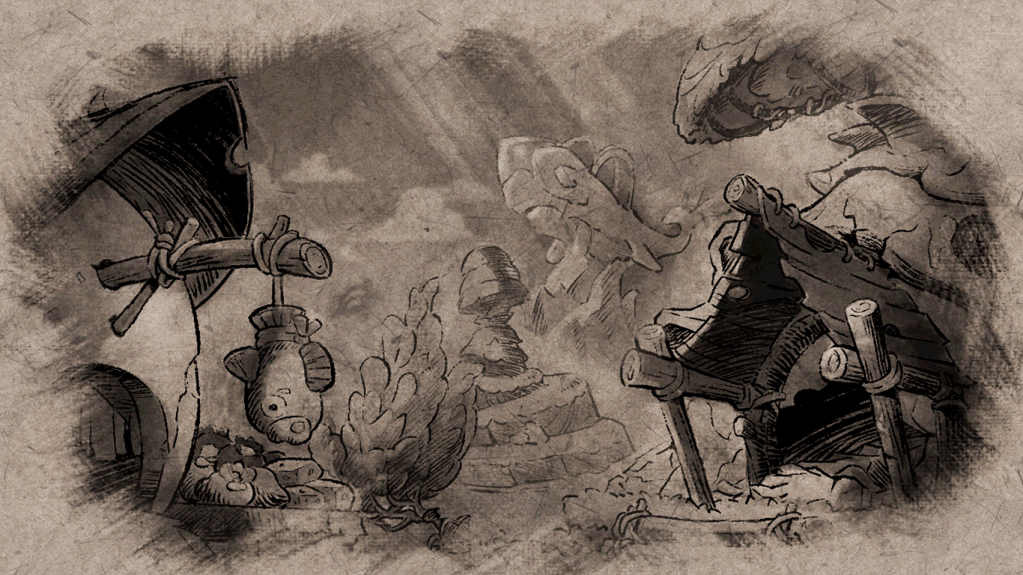
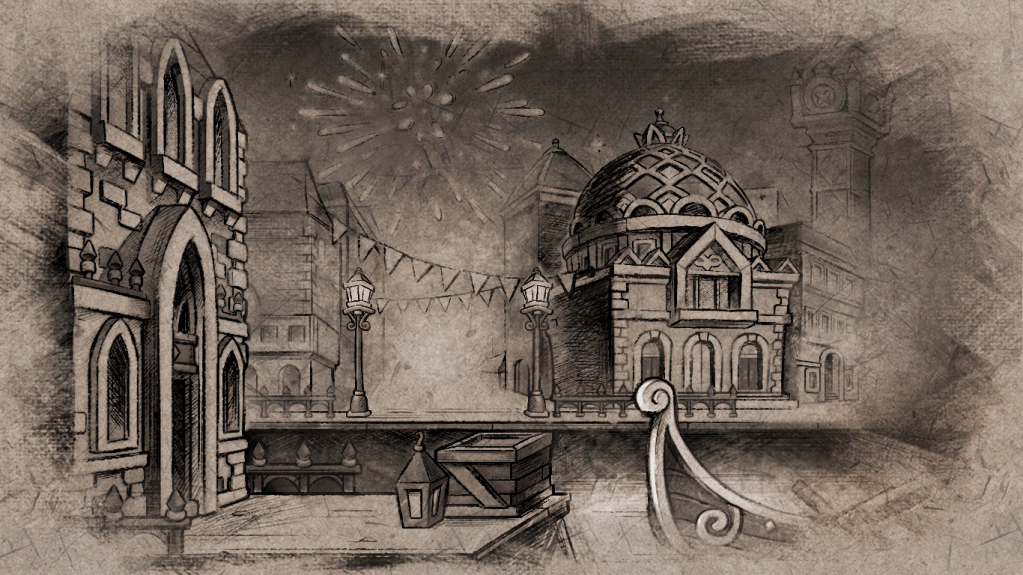
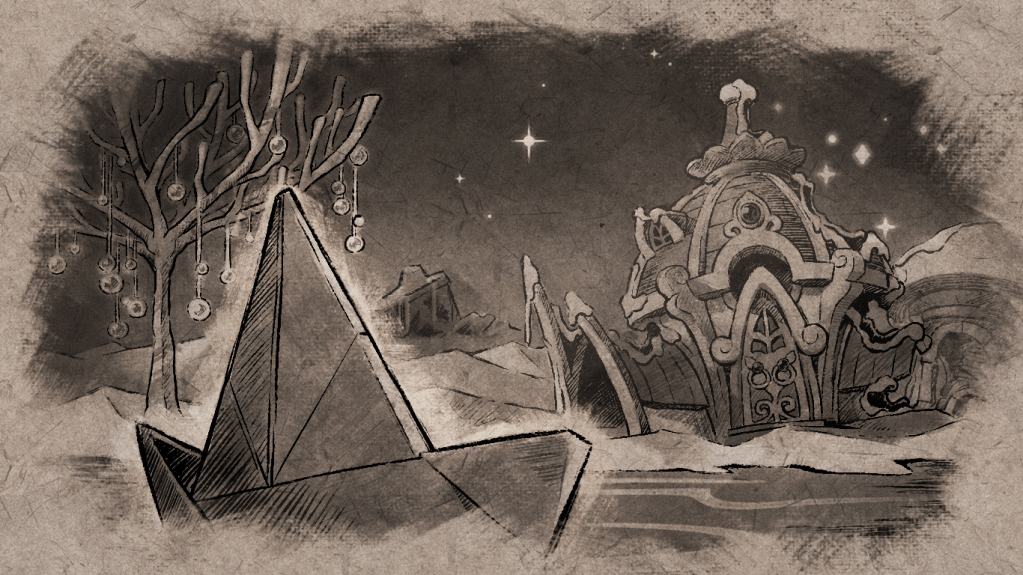
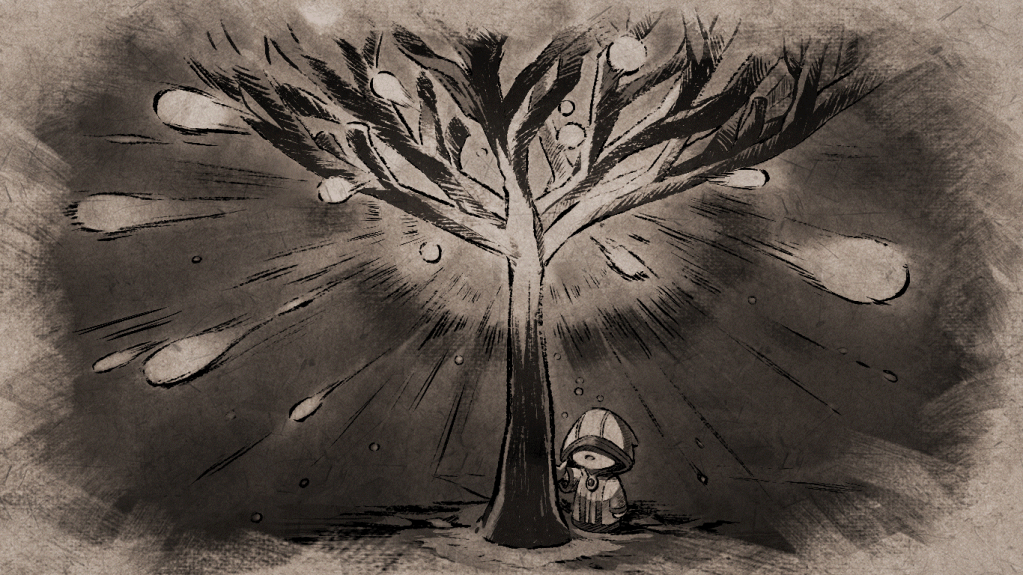
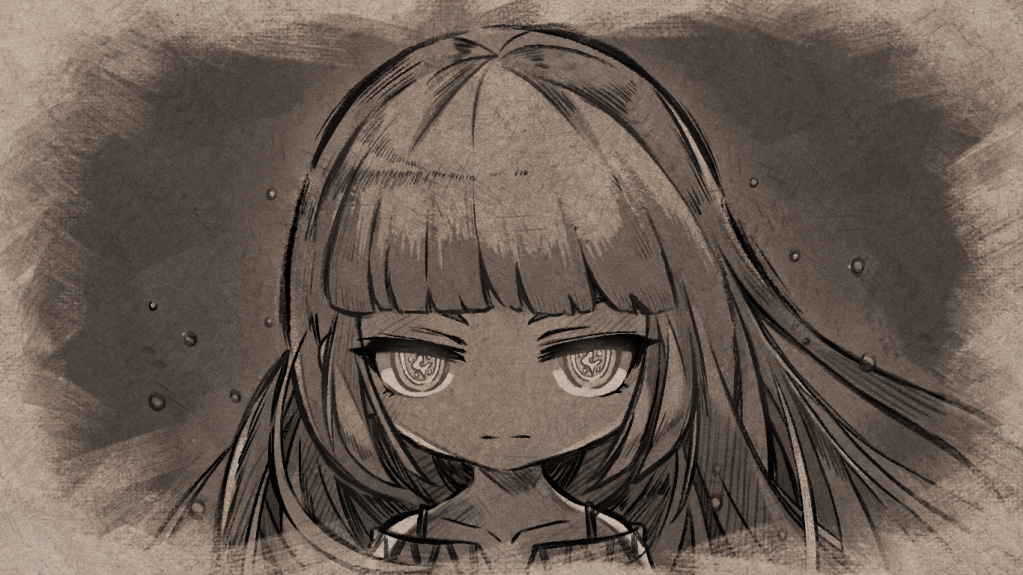
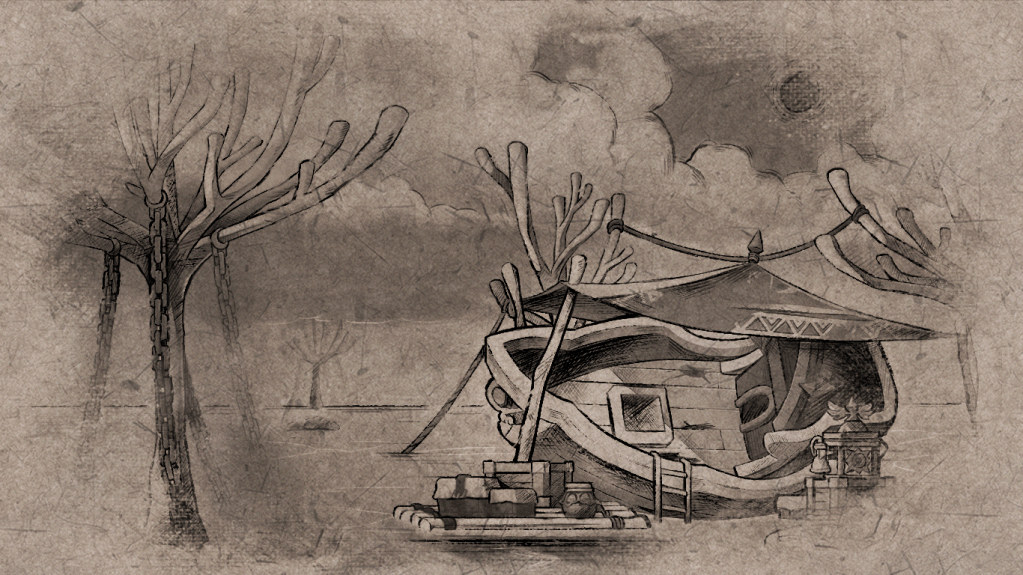
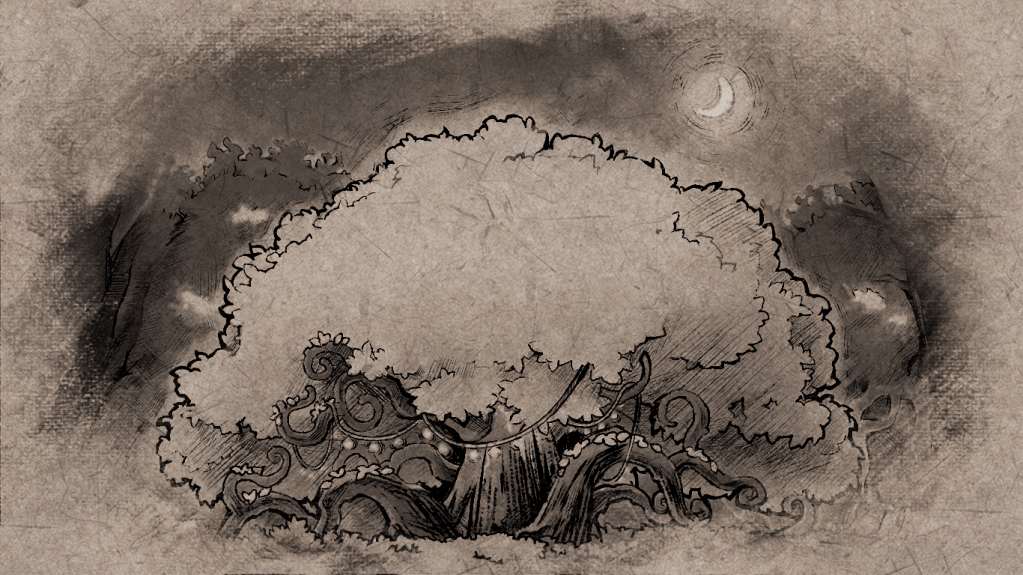
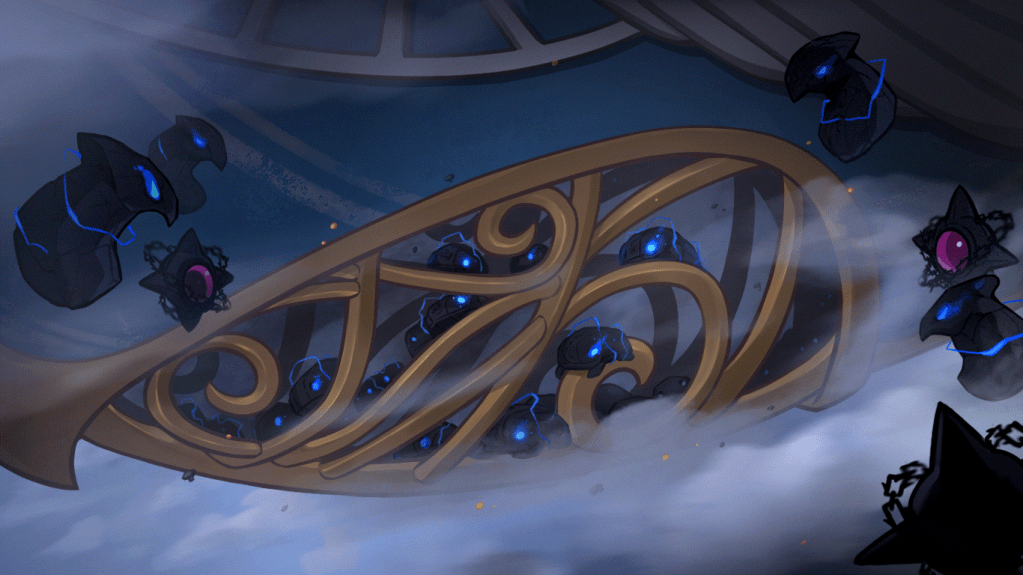

- Certain NPCs’ dialogue window illustrations have been added.
- Certain quests’ details have been removed and simplified.
- Certain quests’ dialogue and cutscenes have been changed.
- The following quests can no longer be completed.
- [Moonbridge] Back to Maple World
- [Moonbridge] Nautilus Support 1
- [Moonbridge] Nautilus Support 2
- [Moonbrdige] The Fog, It’s Clearing?!
- [Moonbridge] Grand Mage Idea
- [Moonbridge] Idea’s Investigation 1
- [Moonbridge] Idea’s Investigation 2
- [Moonbridge] Shipwreck Rescue
- [Moonbridge] Bringer of Light
- [Moonbridge] Alliance’s All Out Attack
Labyrinth of Suffering
- The existing quests’ progress records have been removed and can no longer be completed.
- Certain quests’ details have been removed and simplified.
- Certain quests’ dialogue and cutscenes have been changed.
- The following quests have been added.
- [Labyrinth of Suffering] Time to Depart
- [Labyrinth of Suffering] Towards the Black Sun
- [Labyrinth of Suffering] Report on the Crash Landing
- [Labyrinth of Suffering] Shooting the Signal Flare
- [Labyrinth of Suffering] Into the Labyrinth
- [Labyrinth of Suffering] Search Operation
- [Labyrinth of Suffering] The One Left Alone
- [Labyrinth of Suffering] Following the Screams Heard
- [Labyrinth of Suffering] Her Story
- [Labyrinth of Suffering] To the Crash Site
- [Labyrinth of Suffering] Traces of Despair
- [Labyrinth of Suffering] Rift
- [Labyrinth of Suffering] Source of Suffering
Limen




- The existing quests’ progress records have been removed and can no longer be completed.
- Certain quests’ details have been removed and simplified.
- Certain quests’ dialogue and cutscenes have been changed.
- The following quests have been added.
- [Limen] Towards the Black Mage
- [Limen] Erda Falls
- [Limen] Guard Captain Dunkel
- [Limen] Resistance Ship Support
- [Limen] Light of Destruction
- [Limen] Destiny is Already…
- [Limen] The Final Operation
- [Limen] Defeat the Black Mage
- [Limen] White Mage
- [Limen] End of the War
- [Limen] Circulating World
Reboot World Changes
- The Reboot passive skill has been removed.
- Additional potential stats will now be applied.
- Stats from scrolling will now be applied.
- Stats acquired through the growth levels of growth type items will now be applied.
- Stats from items that could be acquired through hunting monsters and item crafting in the past will now be applied.
- The feature to exchange between Arcane River Droplet Stones and Primal Droplet Stones through the NPC Kanto in Lacheln and Esfera has been removed.
- When you exchange a Damaged Black Heart for a Black Heart, the item specifications will now be the same as regular worlds.
※ The specifications of Black Hearts exchanged before the patch will be maintained.
- Reboot world has been changed into Eos world.
- Reboot 2 world has been changed into Helios world.
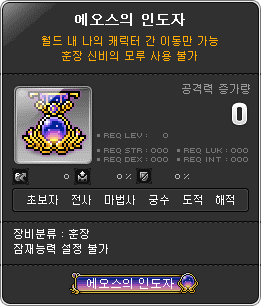
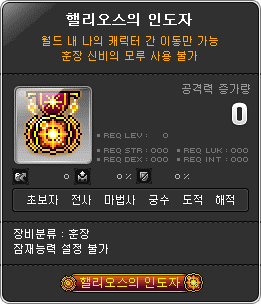
- The Eos World/Helios World Open events will take place.
- Event Participation Requirements:
- A level 101 or higher character in Eos or Helios world.
- Event Period:
- December 19, 2024 after the maintenance ~ January 15, 2025 at 11:59 PM.
- Event Participation Method:
- During the event period, you can receive the World Open Commemoration medals by talking to Cassandra or through the Event List on a level 260 or higher character.
- Event Participation Requirements:
※ The World Open event quest can only be completed 1 time per world.
Quest UI Reorganization
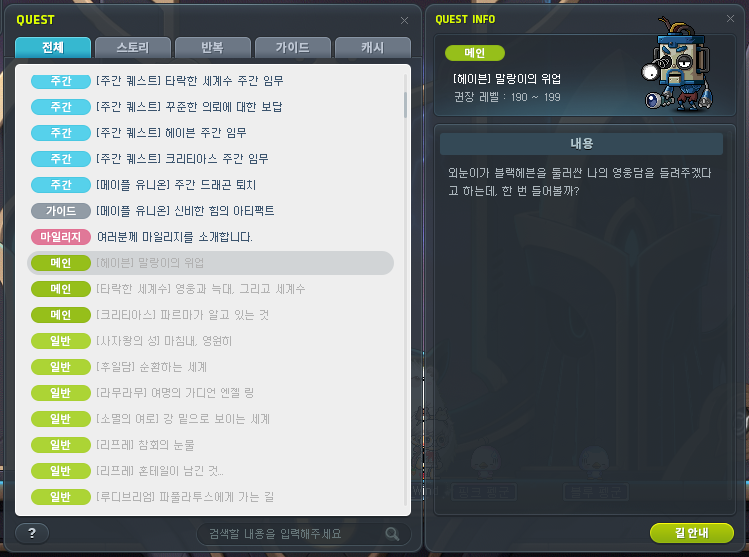
Quest categories that were previously separated by area have been changed to be separated by quest type.
- Story: Main, Job, Event, General
- Repeatable: Daily, Weekly
- Guide
- Cash: Time-Limited, Special, Mileage
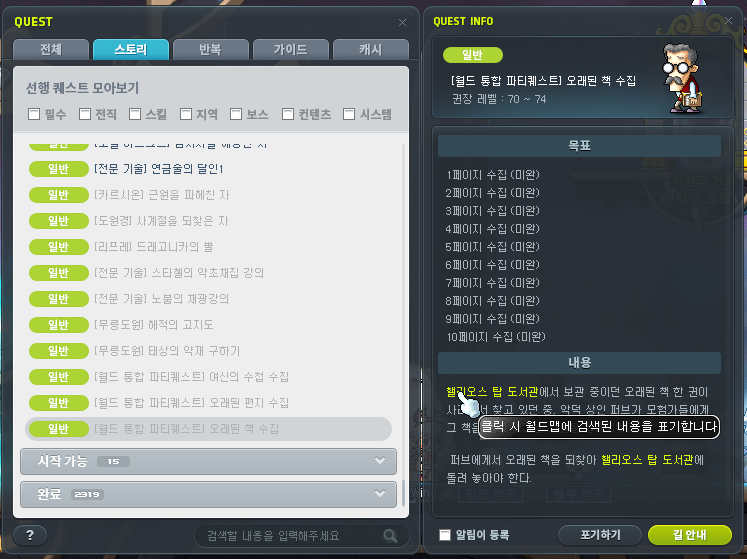
The Quest UI has been improved.
- The quest list’s tab dividers have been changed into quest status categories.
- It has been improved so that quests that are not recommended to complete, such as those that don’t match your current level range, will always be displayed dimmer.
- The sorting criteria for the quest list’s ‘can be started’ and ‘in-progress’ quests has been improved. The sorting priority is as follows.
- Quests that can be completed.
- Quests that are recommended to be completed.
- Quests in categories that are likely to be frequently checked.
- Quests that can be started, ordered by highest level first.
- A feature has been added to the Quest Info window that lets you click a highlighted NPC, monster, or map name to search for the corresponding location on the World Map.
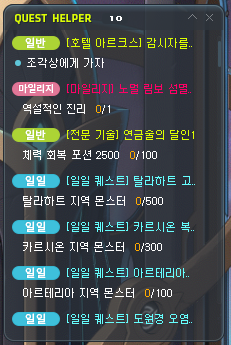
The Quest Helper has been improved.
- The maximum number of quests that can be registered has been increased from 5 to 20.
- If you try to register more than 20 quests, the quest at the bottom will be replaced.
- It has been improved so that quests that can be completed will be located at the top.
- It has been improved so that quests that have been recently registered in the Quest Helper will be located at the top.
- It has been changed so that accepted quests will be automatically registered in the Quest Helper without a separate setting.
- A feature has been added that provides route guidance appropriate to the quest status when you click on the registered quest in the Quest Helper.
The Lightbulb quest icon on the left side of the screen has been changed to show story quests that can be started from the quest UI so you can check a wider variety of quests.
World Map UI Reorganization
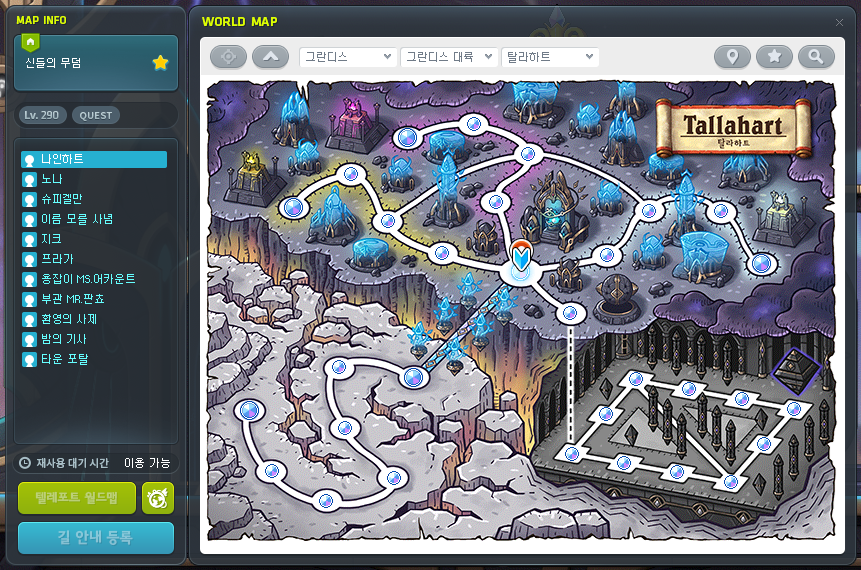
The Map Detailed Info area has been added.
- The Detailed Info area displays the details of the map selected on the World Map. The information displayed is as follows.
- Whether it is a town/instanced map or not.
- Minimum entry level and entry quest conditions.
- Star Force, Arcane Force, Authentic Force.
- NPC, monster appearance information.

The map functionality convenience has been improved.
- A feature has been added to view the map your character is currently located at.
- A feature has been added to view the higher stage map.
- The World Map stage display has been changed to display up to 4 stages, depending on the area.

A filter feature has been added to the search window.
- A filter feature has been added to search by selecting only the desired content such as monsters, NPCs, or maps.
- When you select the monster category, you can specify the monster level range to search.
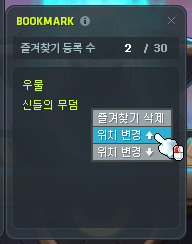
A Location Change feature has been added to the Bookmarks.
- You can change the order that maps are displayed in your Bookmarks list through the menu that appears when you right-click a map name.
The Smart Riding feature has been removed.
- The Smart Riding Feature can no longer be used.
- The following Smart Riding related quests have been removed.
- [Smart Riding] Delivering Manji’s Object
- [Smart Riding] Delivering Fairy Wing’s Homework
- [Smart Riding] Delivering Mrs. Ming Ming’s Lunchbox
- [Smart Riding] Help Me Out~!
- [Smart Riding] Social Entrepreneur Irvin’s Words
- [Auto Flight Riding] Irvin’s Customer Service Center
- [Smart Riding] Irvin, Your Success Story Starts Now!
- [Smart Riding] Accept Irvin’s Gift~!
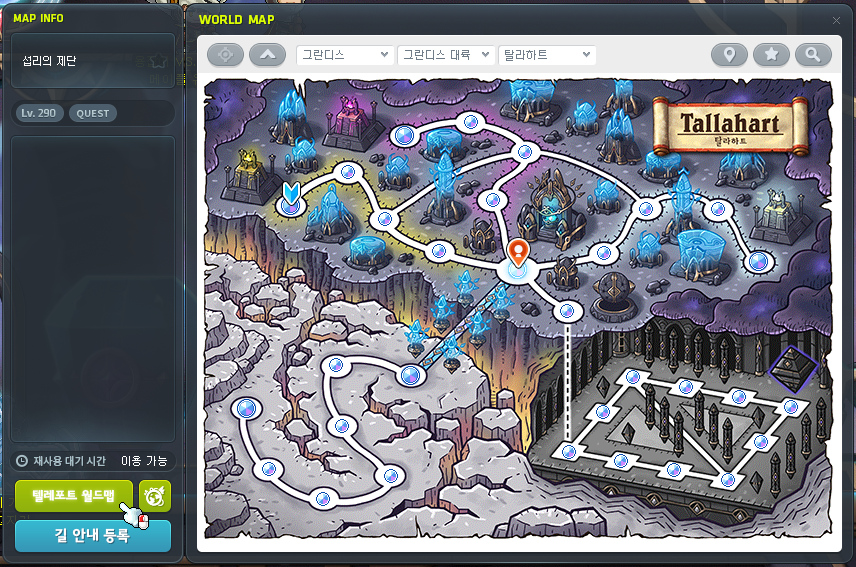
The Teleport World Map will be changed into a basic feature in the World Map UI.
- The Teleport World Map can be used every 5 minutes without having to use a separate item.
- You can teleport to the map you want to move to by double-clicking the map on the World Map or by clicking the Teleport World Map button at the bottom of the Detailed Info window.
- The Teleport World Map’s cooldown is applied per character and is displayed above the Teleport World Map button.
※ Existing Teleport World Map items’ cooldowns will not be reflected in the cooldown displayed on the UI.

- The Premium Teleport World Map has been added that reduces the Teleport World Map’s cooldown.
- When a Premium Teleport World Map is applied, the Teleport World Map’s cooldown is changed to 10 seconds.
- You can purchase it using Maple Points by clicking the button on the right side of the Teleport World Map. The prices are follows.
- 1 Day – 500 Maple Points
- 7 Days – 2,500 Maple Points
- 31 Days – 7,800 Maple Points
- The Premium Teleport World Map is applied instantly after purchase, and can be used for the period of time that you purchased. If you purchase it while your current period has not ended yet, the time period will be extended by the period of time that you purchased.
Minimap UI Reorganization
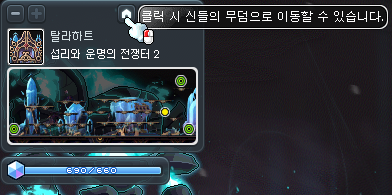
The Move to Town feature has been added.
- When you hover over the Move to Town button, the name of the nearest town that is designated as the return point will be displayed. When you click it, you will be moved to that town.
- This cannot be used in certain teleport restricted areas.
The Open Navigation UI feature has been added.
- When you click it, the Navigation UI will be opened.
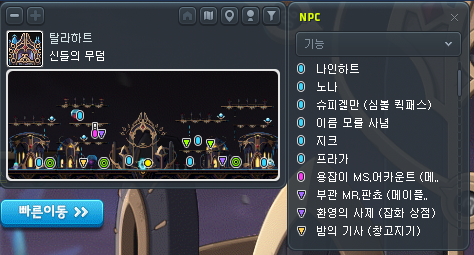
The View NPC Info feature has been improved.
- You can now sort the current map’s NPC list by function, name, or location.
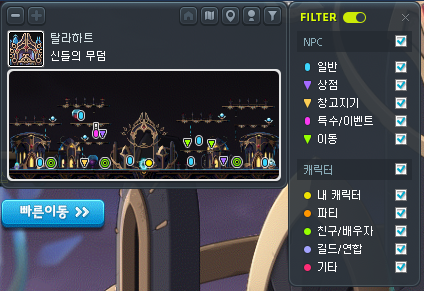
A filter feature has been added.
- You can now select and display the icons of the NPCs and characters that you want to see on the minimap. The categories you can select are as follows.
- NPCs: General, Shop, Storage, Special/Event, Teleport.
- Characters: my character, party, buddy/spouse, guild/alliance, etc.
Certain icons displayed on the minimap have been changed.
Movement Convenience Improvements
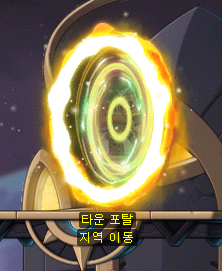
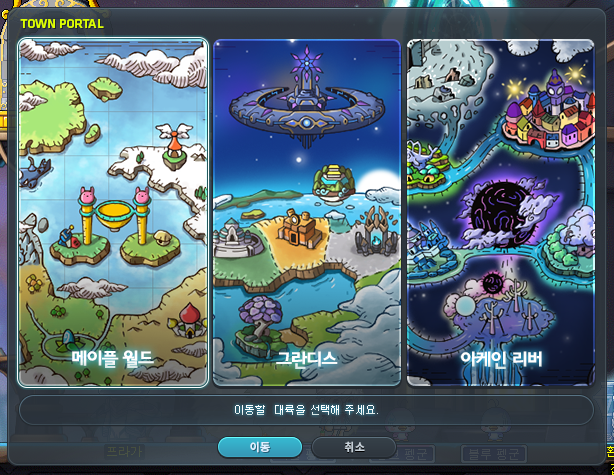
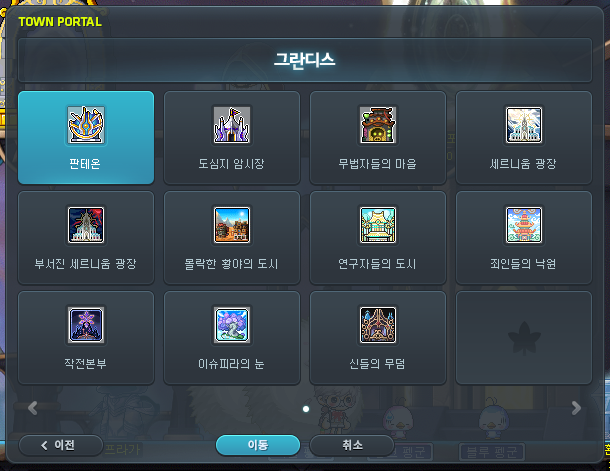
The Town Portal has been added.
- The Town Portal NPC has been added to major towns.
- When you press the NPC Chat key or press ↑ near the Town Portal NPC, the Town Portal UI will be opened.
- When the UI is opened, it will display the continents that you can teleport to. After selecting the continent, you can select the town you want to move to in that area.

The Navigation UI has been added.
- You can open the UI through the buttons on the minimap or World Map.
- The Navigation buff icon that was displayed previously will no longer be displayed.
- You can change the UI’s size through the Minimize/Maximize buttons at the top.
- The destination you are currently being navigated to will be displayed at the top. When you are being navigated for a quest, the related quest name will also be displayed.
- If the navigation is interrupted, you can click the Start Navigation button to be navigated to the previous destination again.
- An Instant Teleport feature has been added. When you use it, you will use the Teleport World Map to teleport to your destination.
Union Attacker Placement Mode Improvements
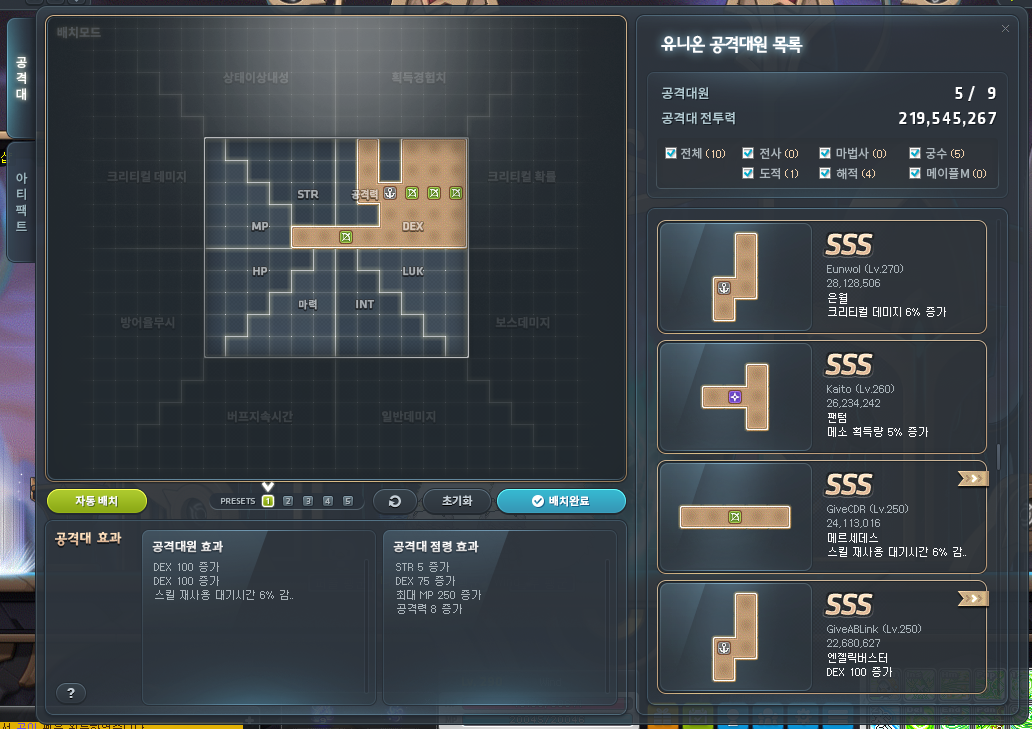
The Union Attacker Placement Mode UI has been improved.
- Certain changes have been made to the Union attacker placement mode’s structure.
- A filter feature has been added that separates the Union attacker list based on job branch.
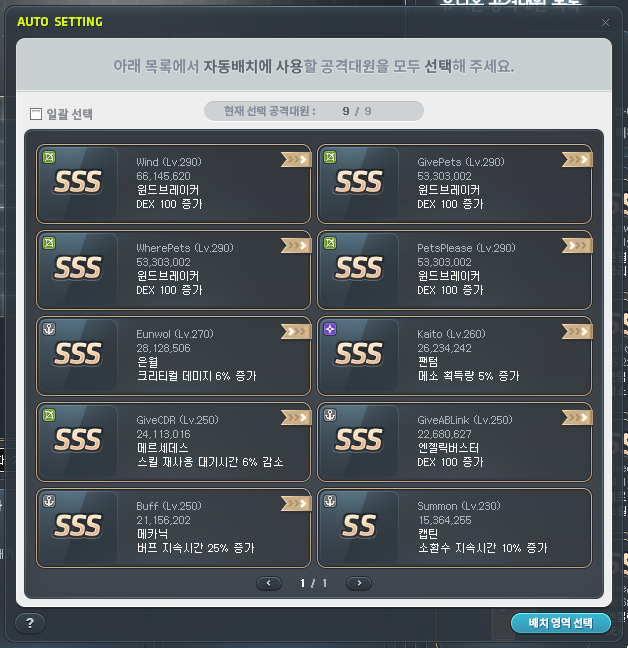
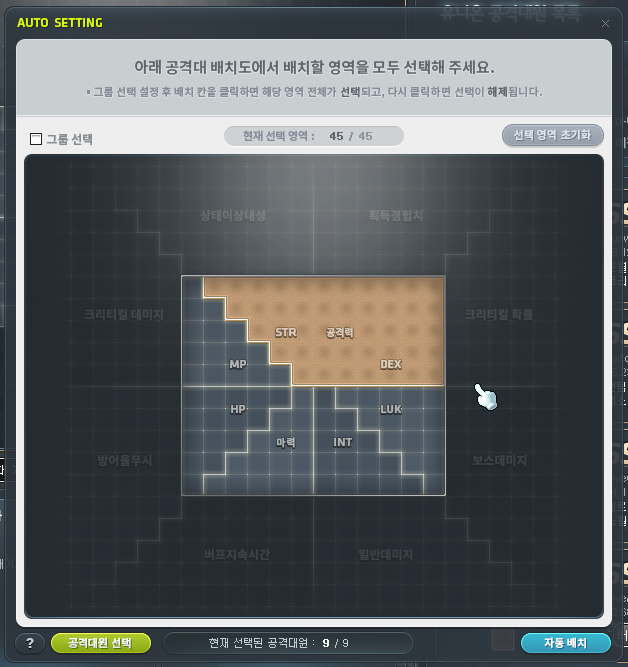
The Union Attacker Auto Placement feature has been added.
- You can use the Union Attacker Auto Placement feature by clicking the Auto Placement button on the Union attacker placement mode UI.
- After selecting the attacks you want to place and the placement area, running the Auto Placement will search for placement results that match those settings.
- If it successfully finds a placement result that matches the selected settings, you can immediately apply the result to the Union attacker placement mode.
Medal/Title Appearance Setting
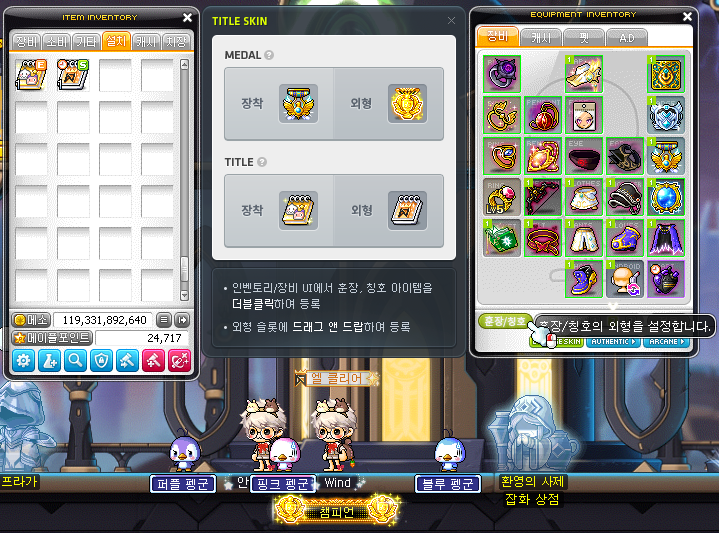
The Medal/Title Appearance Setting feature has been added.
- You can now set the Medal/Title appearance applied to a character separately from their currently equipped Medal/Title.
- When you click the Medal/Title button in the Character Equipment UI, the Medal/Title Appearance Setting UI will be displayed.
- While the Medal/Title Appearance Setting UI is open, equipping a Medal/Title item from the inventory or equipment UI will apply that item’s appearance to the character.
- However, if the character does not have a Medal/Title item currently equipped, the registered appearance will not be applied to the character.
- Regardless of the Equipment Preset, only one Medal appearance can be registered.
- When setting a Medal item applied with a Mysterious Anvil as the appearance, the Mysterious Anvil appearance will be applied.
- The stats of the currently equipped Medal/Title item will be applied to the character separately from the set apperance.
Guild Name Change

The Guild Name Change feature has been added.
- You can change your guild name through the NPC Heracle in the Guild Headquarters <Hall of Heroes>.
- However, only the Guild Master can change the guild name.
- When you change a guild name, 59,000 Maple Points will be consumed.
- When a guild name change is completed, that guild cannot change its name again for one week.
Cash
The MapleStory Boss Collection packages will be sold. (I’ll link the official site post that will show off all of the items in the live server post.)
- Sale Duration: December 19, 2024 after the maintenance ~ January 15, 2025 at 11:59 PM.
Platinum Apples have been changed to be sold at all times.
The following items will no longer be sold in the Cash Shop.
- Teleport World Map
- Teleport Rock
- VIP Teleport Rock
- Premium VIP Teleport Rock
※ All previously purchased/acquired Teleport World Map items’ cooldowns will be changed to 5 minutes.
Starting from January 2025, the MVP Special Pack’s Teleport World Map Voucher will be changed into the Premium Teleport World Map [30 Days] Voucher.
Improvements
Quests
Fixed the dialogue in profession skill related quests that did not match the current specifications.
- [Profession Skill] Learning Profession Skills
- [Profession Skill] Stachel’s Herbalism Class
- [Profession Skill] Novum’s Mining Class
Certain quest NPCs in Lion King’s Castle have been changed.
- You can complete the ‘King’s Majesty’ quest through the Broken Stone Tablet.
- You can complete the ‘Ifia’s Treasure’ quest through Cecilia.

A quest has been added to Lion King’s Castle.
- [Lion King’s Castle] At Last, Forever
Items
It has been improved so that the Flame monsters that appear when you use VIP Boosters are now included in the number of defeated monsters within your level range for the Maple Daily Gift, gathering/mining requirement conditions, Union Artifact weekly missions, guild weekly Hunting Points, and achievements.
You can now use Stamp items on Genesis Lazuli/Genesis Lapis that have transferred 2 line potential or additional potential.
UI
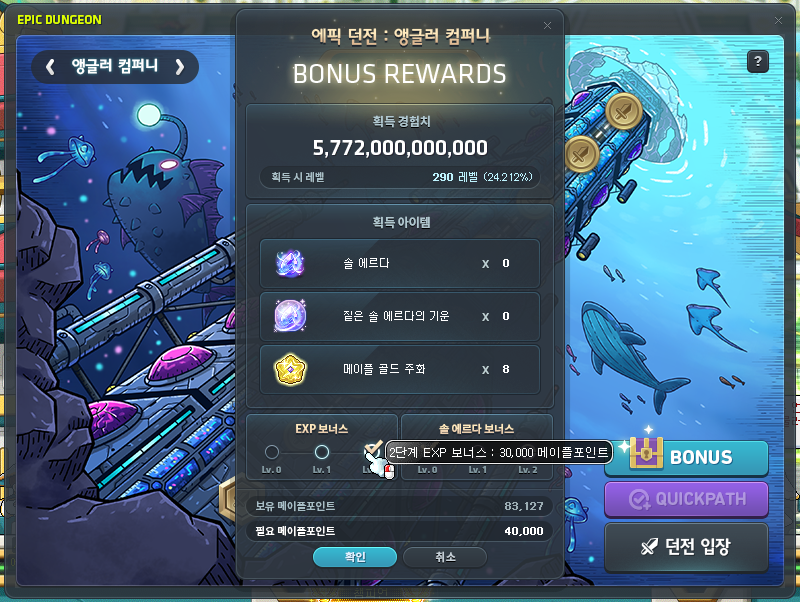
The Epic Dungeon Reward and Bonus Reward UI will now display your current Maple Points. When you hover over the Bonus Rewards selection button, it will now display the required Maple Points.
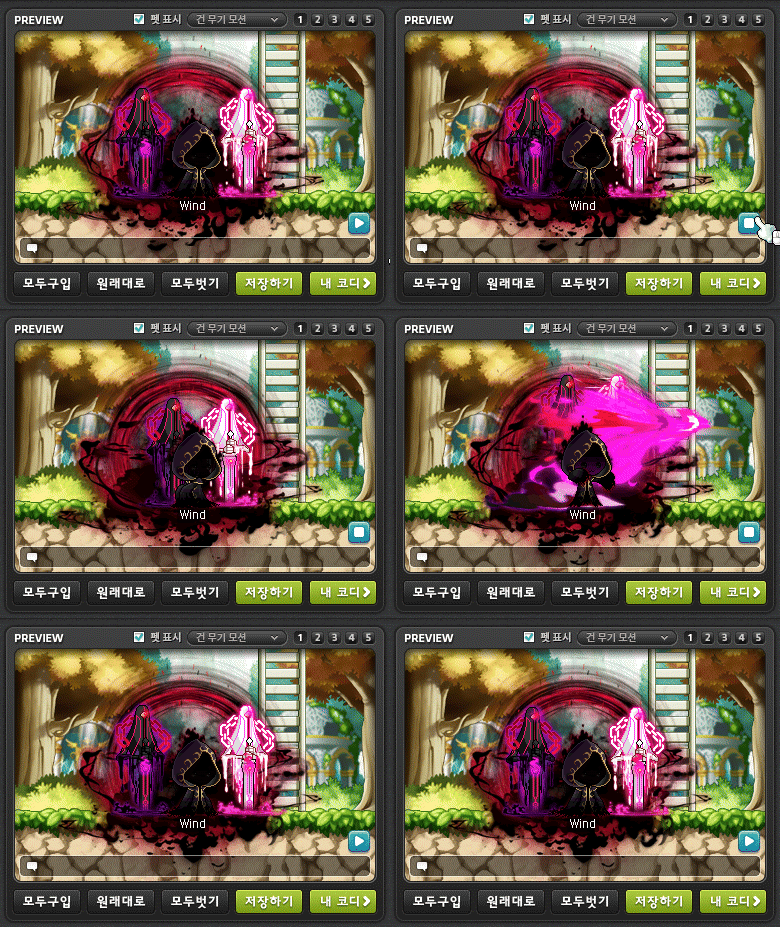
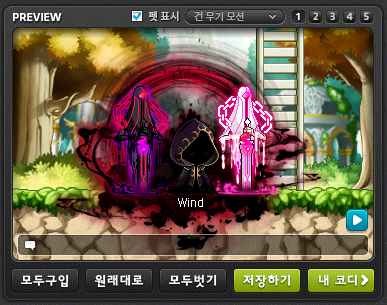
The Maple Auction and Cash Shop previews have been improved.
- You can now check the equipped item images for skill attack actions in the preview. The action will be displayed based on the equipped normal weapon, and the attack action cannot be played if you have no weapon equipped, are jumping, using a ladder, chair, or riding.
- You can check the images for Cash weapons that cannot be equipped on your currently equipped normal weapon. The attack image will be based on the Cash weapon.
- When you have a Claw, Dual Bowguns, Hand Cannon, Soul Shooter, or Breath Shooter equipped and use the attack key, the basic attack action will now match the equipped weapon. When a skill is used with the attack key, the basic attack action will be displayed instead of the skill action.
A Blacklist icon will now be displayed on the names of characters or guilds registered in the Blacklist.

The Character Name Change UI’s design has been changed.

Certain system confirmation windows’ designs have been changed. (e.g. dropping mesos)
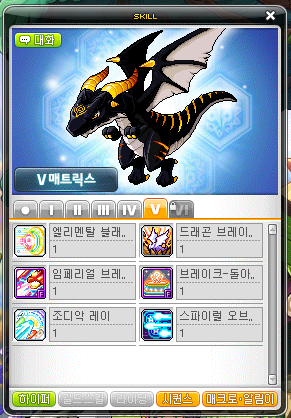
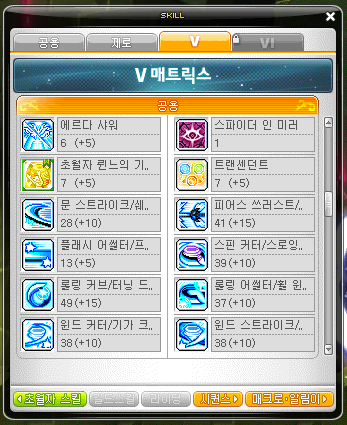
The buttons at the bottom of Evan and Zero’s skill books have been changed.
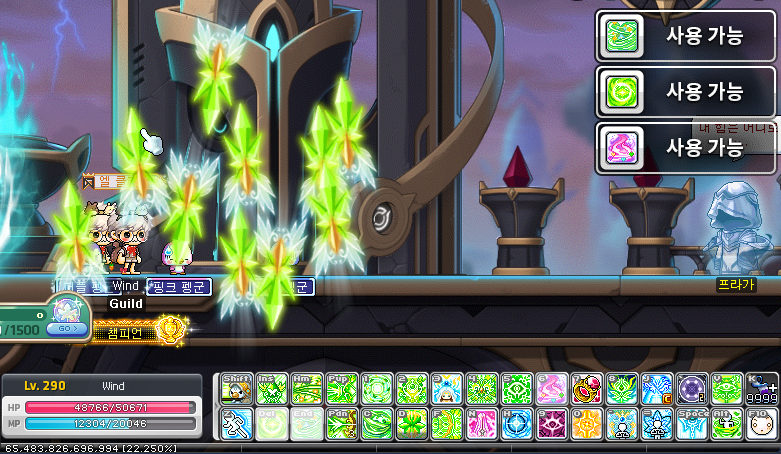
The Skill Alarm’s display location has been changed. Up to 3 alerts can now be displayed at a time.
It has been improved so that when you double click a monster image in Monster Collection, the area where that monster is located will be displayed on the World Map.
When you are choosing to return to the Underground Culvert Entrance through the NPC Daedal or the exit portal in ‘Path from the Altar’, it will now ask for confirmation if you want to leave or not.
DirectX 11
When an error occurs while DirectX 11 is applied, the confirmation window has been changed to include the graphics driver’s version and date. Updating to the latest version of the graphics driver may resolve the issue.
While DirectX 11 is applied, fixed an issue where the game screen appeared awkwardly in environments using notebooks or multiple monitors.
Achievements
Certain achievements related to defeating bosses have been changed to be achieved by dealing the most damage to the boss over all phases. For the ones with a ‘last hit’ condition, they have been changed to be achieved based on the boss monster’s final phase.
- [Black Mage] Final Winner
- [Black Mage] End of Revenge
- [Black Mage] Taste of a Transcendent
- [Kaling] Monster Seal: Complete
- [Kaling] The Bell That Washes Away Sins
The following achievements’ conditions have been changed to be more clear.
- [Lucid] The Queen’s True Education
- [Will] Let’s Kill Will. Will is Our Enemy.
- [Suu] I Want to See Your Smiling Face One More Time
Shortcut Key Setting System Improvements
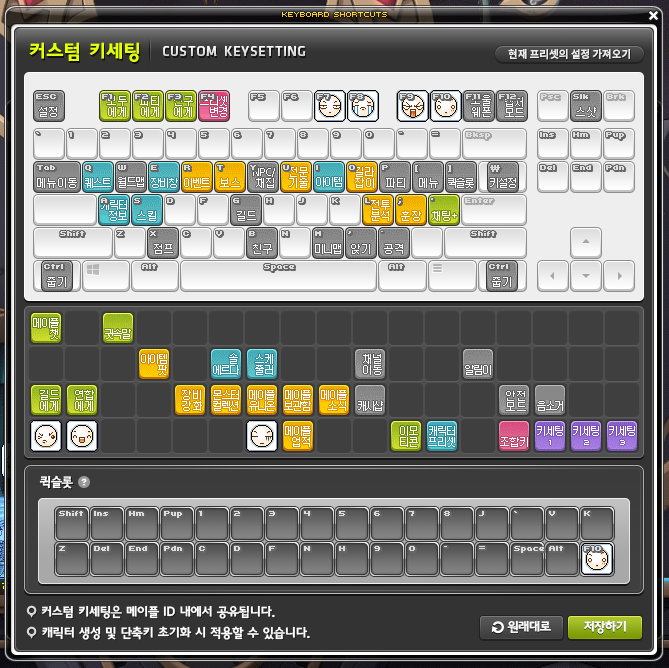
The Custom Key Settings feature has been added.
- You can now set the default layouts for shortcut keys and quick slots. This information is saved for the Maple ID and can be applied when creating a character and resetting shortcut keys.
※ However, for certain jobs where setting shortcut keys is not allowed in the tutorial maps, the Custom Key setting cannot be selected when creating a character. You can apply it from the Shortcut Key Settings UI’s reset menu after the tutorial ends.
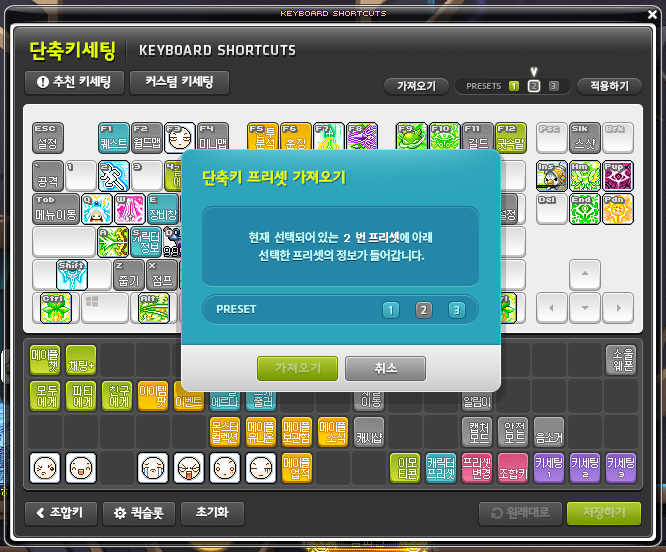
The Preset Import feature has been added.
- You can now copy the set information of another shortcut key preset to the currently selected shortcut key preset.
It has been improved so that the Shortcut Key Setting UI now displays tooltips for the corresponding fuctions when hovering over certain buttons.
Login Process Improvements
It has been improved so that when you run the game launcher and log in, it will now automatically log in with the Maple ID you most recently logged in on.
When you run the game launcher and log in, a ‘Log In to Another Maple ID’ button will be added to the Server Select screen. You can select another Maple ID linked to your Nexon ID to connect to through this button.
※ However, if you have only 1 Maple ID linked to your Nexon ID, the ‘Log In to Another Maple ID’ button will not be displayed.
Coin Exchange Improvements
The Coin Exchange’s trade restriction time has been changed from 9:50 AM~10:10 AM to 9:55 AM~10:05 AM.
Daily Gift
Starting from January 2025, the Maple Daily Gift’s 1st and 15th day’s completion rewards will be changed as follows.
- Day 1: Premium Teleport World Map [1 Day] Voucher
- Day 15: Premium Teleport World Map [1 Day] Voucher
Error Fixes
Quests
Fixed an error where the background music was not played during the ‘[Shangri-La] Collapsing Shangri-La 2’ quest.
Items
Fixed an issue where if you were continuously hit by a monster, the pet’s registered potion usage count was limited.
UI
Fixed certain awkward issues when using shortcut keys while the Guild UI was open.
Fixed an issue in the Symbol Quick Path UI where hovering over the Tallahart area even when it was not unlocked would display the corresponding tooltip.
Fixed an issue in the Character Select window where characters that did not login after Combat Power was added were displayed with a negative number for Combat Power.
Fixed an issue in Dimensional Library where sometimes you could not enter Maple Chronicle even if no other actions were being performed.
Fixed a problem where after a profession skill crafting completed, the completion window would not close.
Fixed an issue with Evan and Zero’s skill books where hovering over the V Matrix and HEXA Matrix did not display their descriptions.
Fixed an error where the 10 minute cooldown for uploading and changing a Guid Mark was not applied.
Fixed an issue in the Shortcut Key Settings UI where if the quickslots were changed by resetting them, the ‘Restore Original’ and ‘Save’ buttons were not activated.
Achievements
Fixed an issue where daily quest related achievements did not progress when completing Tallahart daily quests.
- [Daily Quest] The Weather Was Nice so I Daily Quested
- [Daily Quest] The Weather Was Bad so I Daily Quested
- [Daily Quest] The Weather Was Just Right so I Daily Quested
Skill Sequence

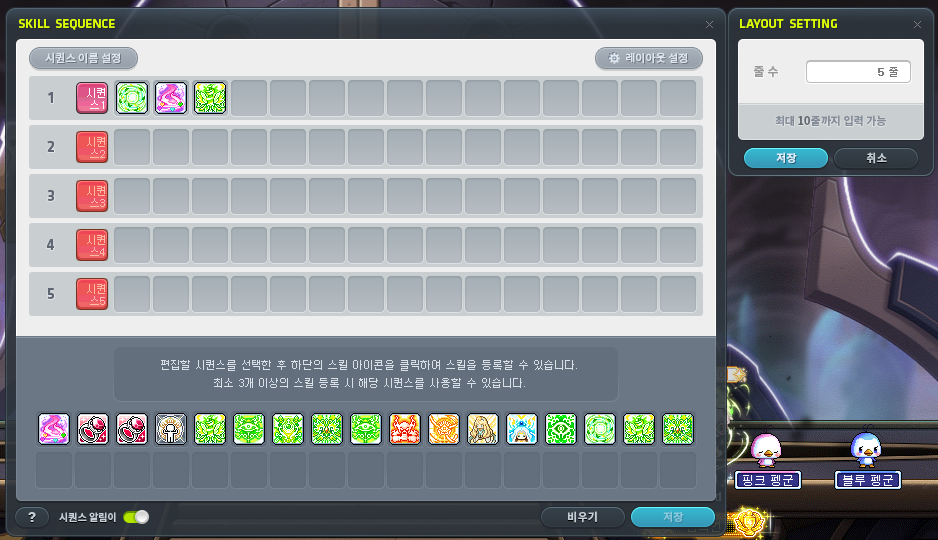
The Skill Sequence system has been added.
- You can open the Skill Sequence UI by clicking the ‘Sequence’ button in the skillbook.
- You can use multiple skills in quick succession with a single button press using the Skill Sequence.
- You can use the Skill Sequence by registering skills in your desired order. You can save multiple skill combinations and use them in different situations.
- You can see the list of registered skills by pressing the Ctrl key and the Skill Sequence shortcut key at the same time.
- You cannot use the Skill Sequence in areas where you cannot use skills.

Here’s some more miscellaneous stuff that wasn’t mentioned in the patch notes.
- You can change the layout of the Skill Sequence UI by setting the number of rows (up to 10). Each row will be its own Skill Sequence with its own hotkey. You can put the same skill on multiple rows.
- You can change the name of each Skill Sequence. This will also change the hotkey name.
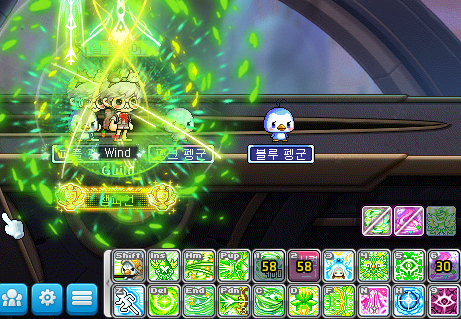
- The Skill Sequence key (when placed on a hotkey) will show the longest remaining cooldown of the skills registered on that Sequence.
- The skills that can be placed on a Skill Sequence are pre-determined for each class.
- When you use a Skill Sequence, it will use all registered skills except for those that are still on cooldown or those that you have not met the usage conditions for. (i.e. it will skip those skills and still use the rest)
- You can turn on the Sequence Alert setting. When it is on, every time you try to use a Skill Sequence, the skill icons will be displayed at the bottom right corner of the screen. This alert will also notify you if a skill cannot be used to do being on cooldown, or lack of MP/Demon Force/HP/gauge (this will also be written in the chat as text).
- You can also press Ctrl + a Skill Sequence key or hover over the hotkey to pop up a UI of the registered skills. This will stay on screen for as long as you hold the Ctrl key down and can be moved to anywhere on the screen.
I recorded a short video of how it works. It’s pretty straightforward: put the buffs you want to use in the order you want on a Skill Sequence, put the Skill Sequence on a hotkey, then use it!
Skill Changes
Hero
 Final Attack:
- This skill has been changed to prioritize activating on the boss monster with the highest max HP.
 Advanced Final Attack:
- This skill has been changed to prioritize activating on the boss monster with the highest max HP.
Paladin
 Falling Justice:
- The damage has been decreased from 1560% to 1491%.
- This skill is now affected by cooldown reduction effects.
Dark Knight
 Beholder’s Revenge:
- This skill will now be displayed in the Battle Analysis system.
Archmage (F/P)
 Meteor:
- The point at which you can use Teleport after using this skill has been decreased.
Archmage (I/L)
 Blizzard:
- The point at which you can use Teleport after using this skill has been decreased.
 Blizzard VI:
- The point at which you can use Teleport after using this skill has been decreased.
- The action delay has been decreased by about 13%.
Bishop
 Genesis:
- The point at which you can use Teleport after using this skill has been decreased.
Pathfinder
 Curse Transition:
- The debuff effect has been fixed.
Dual Blade
 Sudden Raid:
- The feature where Final Cut’s cooldown was decreased by a certain percentage when this skill was used has been removed.
 Final Cut:
- The cooldown has been decreased from 90 seconds to 63 seconds.
Captain
 Battleship Nautilus:
- The skill description has been changed.
Soul Master
 Soul Blessing III:
- The final damage boost when Cosmic Orbs are created has been increased from 10% to 12%.
 Sword Expert:
- The critical damage boost has been increased from 15% to 20%.
 Cosmos:
- The damage has been increased from 1000% to 1100% (at level 25).
 Soluna Power:
- Fixed an issue where MP was not consumed when this skill activated.
Flame Wizard
 Infinity Flame Circle:
- A single enemy can now only be hit a maximum of 42 times. After the attack limit is reached, the attack application limit will be reset after 20 seconds or if you change maps.
- When this skill is used while Flame Fox is summoned, the number of Phoenix Feathers consumed per second is doubled and the skill’s final damage is increased by 100%.
Night Walker

 Darkness Omen:
- Fixed an issue where if summon duration increasing effects were applied, the skill effect appeared awkwardly.
 While Shadow Bats is applied, this skill will now summon a weakened bat swarm for 60 seconds that deals 300% damage 2 times on up to 6 enemies every 1.5 seconds.
Aran
 Adrenaline Boost: Ice Wave:
- It has been improved so that you do not become in-combat even when this skill is activated.
 Adrenaline Boost Activate:
- When Adrenaline Boost and Adrenaline Maximum are on cooldown, the cooldown displayed on the quick slot will be changed to display Adrenaline Boost’s cooldown.
 Beyonder – Reinforce:
- The skill icon has been changed.
 Beyonder – Bonus Attack:
- The skill icon has been changed.
 Beyonder – Ignore Guard:
- The skill icon has been changed.
Luminous
 Twilight Nova:
- The damage in Sunfire has been increased from 830% to 1250%.
- The damage in Eclipse has been increased from 830% to 1250%.
Blaster
 Gauntlet Mastery:
- The final damage boost has been removed.
 Hammer Smash:
- The damage has been decreased from 200% to 150%.
 Shock Wave Punch:
- The damage has been decreased from 265% to 180%.
- The increased damage when attacking normal monsters has been increased from 85% to 210%.
 Hurricane Mixer:
- The passive effect’s Hammer Smash damage boost has been decreased from 195%p to 150%p.
 Gauntlet Expert:
- The critical damage boost has been increased from 15% to 20%.
- The boss damage boost has been increased from 15% to 20%.
 Bunker Buster:
- The damage has been increased from 400% to 500% (at level 25).
 Vulcan Punch:
- The first attack’s damage has been increased from 1000% to 1200% (at level 25).
- The damage has been increased from 850% to 1000% (at level 25).
Battle Mage
 Dark Lightning:
- The Black Mark’s duration has been increased from 15 seconds to 30 seconds.
 Abyssal Lightning:
- The Black Mark’s number of attack activations has been increased from 30 to 45.
Kain
 Death Blessing:
- Death Blessing’s skill name during Annihilation’s Malice Domain will be changed to Annihilation: Death Blessing.
Cadena
 Summon: Beating Needle Bat:
- The 1st attack’s damage has been decreased from 495% to 330%.
- The 1st attack’s number of hits has been increased from 8 to 12.
- The 2nd attack’s damage has been decreased from 640% to 443%.
- The 2nd attack’s number of hits has been increased from 9 to 13.
- The 3rd attack’s damage has been decreased from 915% to 653%.
- The 3rd attack’s number of hits has been increased from 10 to 14.
Adele
 Restore:
- Sol Janus: Dawn will no longer be activated by HEXA Enhancement Core boosted Restore.
Skill Error Fixes
Common
- Fixed an issue where certain skills that were not preserved when clearing an Azmoth Canyon stage were preserved until changing maps. The changed skills are as follows.
- Archmage (I/L): Thunder Sphere
- Bowmaster: Arrow Platter Install Mode
- Pathfinder: Ancient Astra (Transition)
- Phantom: Shroud
- Fixed an issue where certain 6th skills were not displayed in the skillbook UI after resetting 1st~4th job skill levels.
Archmage (I/L)
- Freezing Effect:
- Fixed an issue where the effect remained even after all of the Freeze stacks were reduced.
Viper
- Fixed an issue where Serpent Stone’s cast effect was sometimes displayed at an awkward time.
Captain
- Fixed an issue where Summon Crew’s summons would not start attacking even when you used Fusillade.
- Fixed an issue where Assemble Crew’s summons would not start attacking even when you used Fusillade.
- Fixed an issue where bullets’ attack was not applied to Rapid Fire VI’s Wild Fire Mode.
Mercedes
- Fixed an issue where after casting Rolling Moonsault, sometimes you could cast Spirit Jump twice.
Phantom
- Fixed an issue where the Judgement skill UI sometimes disappeared.
Eunwol
- Soul Splitter’s skill description has been changed.
Blaster
- Fixed an issue where some of Hammer Smash’s skill effects were not affected by transparency options.
Mechanic
- Magnetic Field:
- Fixed an issue where if Magnetic Field disappeared, Magnetic Field would appear to disappear before the coils to other characters.
Demon Avenger
- Surpass Limit’s skill description has been changed.
Zero
- Advanced Throwing Weapon:
- Fixed an issue where if Assist or Transcendent Blessing of Time cast this skill, sometimes the summon would be displayed in the opposite direction to other characters.
- Fixed an issue where the summon would rotate in the opposite direction when it was cast to the right.
- Transcendent:
- Fixed an issue where Flash Assaulter’s effect when activated by the Blessing of Time was not visible to other characters.
- Fixed an issue where skills’ hit sound effects when activated by the Blessing of Time were not played.
Adele
- Gathering:
- Fixed an issue where Creation/Gathering Enhancement Core’s level 20 effect was not applied.
- Blossom:
- Fixed an issue where Blossom/Squall Enhancement Core’s level 20 effect was not applied.
Illium
- Craft: Javelin VI, Glory Wings: Javelin VI:
- Fixed an issue where the Crystal Fragment buff icon was sometimes not displayed properly.
Khali
- Death Blossom:
- Fixed an issue where the hit effect was not displayed to other characters.
Lara
- Free Dragon Vein:
- The skill description will now be displayed in the buff icon.
- Fixed an issue where you could not create Free Dragon Veins in towns.
New Mastery Cores
Hero
 Aura Blade VI:
- The time required to link Final Blade has been decreased by about 43%.
- The damage has been increased from 396% to 462%.
- The skill description has been changed.
 Final Blade:
- The action delay has been decreased by about 11%.
- The damage has been increased from 594% to 693%.
 Furious Edge:
- The damage has been increased from 183% to 277%.
- The attack interval has been decreased by about 36%.
- Fixed an issue where the stacks increased every time Aura Blade, Aura Blade VI, and Final Blade attack hit an enemy.
- Fixed an issue where this skill behaved differently than intended and was created in places other than the place that certain enemies were hit.
 Final Attack VI:
- This skill has been changed to prioritize activating on the boss monster with the highest max HP.
- The skill description has been changed.
Paladin
 Sanctuary VI:
- The damage has been decreased from 316% to 237%.
- The passive effect’s Blast VI damage boost has been decreased from 91%p to 80%p.
- This skill now also increases Divine Judgement VI’s damage by 410%p.
- Fixed an issue where you could be knocked back by enemy attacks during the cast action.
- Fixed an issue where party members bonded with Holy Unity did not cast Sanctuary VI.
 Rising Justice:
- The damage has been increased from 773% to 1060%.
- Fixed an issue where certain skills’ cast actions were cancelled when this skill activated.
Dark Knight
 Beholder’s Revenge VI:
- This skill will now be displayed in the Battle Analysis system.
- The skill description has been changed.
- Beholder’s Punishment:
- This skill will now be displayed in the Battle Analysis system.
 Beholder Shock VI:
- Fixed an issue where this skill could not be used during Fierce Cyclone.
Archmage (F/P)
 Fire Aura VI:
- The skill description has been changed.
 Poison Region VI:
- Fixed an issue where Fervent Drain was not activated by the poison region.
- The skill description has been changed.
 Megiddo Flame VI:
- Fixed an issue where Explosion Mode’s explosion did not apply DoT.
- Fixed an issue where Explosion Mode’s number of skill usages was applied incorrectly.
 Meteor VI:
- The point at which you can use Teleport after using this skill has been decreased.
Archmage (I/L)
 Lightning Sphere VI:
- The action delay has been decreased by about 34%.
Bishop
 Angelic Touch VI:
- Fixed an issue where the Holy Relic was not created when this skill was used at the edge of a map.
- The skill description has been changed.
- The Holy Relic’s duration has been increased from 60 seconds to 90 seconds.
- Fixed an issue where you could use this skill in the air.
- The debuff with the longest duration will be applied first, among the Angel’s Touch and Holy Relic’s debuffs.
- Angelic Touch VI’s debuff will be applied first over Angelic Touch.
 Bahamut VI:
- The skill description has been changed.
 Genesis VI:
- The point at which you can use Teleport after using this skill has been decreased.
- The action delay has been decreased by about 4%.
Bowmaster
 Phoenix VI:
- Fixed an issue where Phoenix would not attack when you used a directly attacking skill.


 Extra Quiver Cartridge:
- The skill effect has been changed.
- Fixed an issue where the system message was displayed repeatedly in Auto Use Mode.
Marksman
 Freezer VI:
- The damage has been decreased from 550% to 480%.
- The number of hits has been decreased from 4 to 3.
- The passive effect’s Ultimate Sniping VI damage boost has been increased from 90%p to 92%p.
Pathfinder
- The 3rd Mastery Core name has been changed.
 Cardinal Transition VI:
- The skill description has been changed.
 Combo Assault VI:
- The cooldown has been decreased from 20 seconds to 15 seconds.
- The skill description has been changed.
 Combo Assault VI (Discharge):
- The cooldown has been decreased from 20 seconds to 15 seconds.
- The skill description has been changed.
 Combo Assault VI (Blast):
- The bow attack’s damage has been increased from 1535% to 1854%.
- The bow attack’s number of hits has been increased from 8 to 10.
- The bow attack’s number of enemies hit has been increased from 1 to 4.
- The arrow attack’s damage has been increased from 1535% to 1656%.
- The arrow attack’s number of hits has been increased from 5 to 7.
- The cooldown has been decreased from 20 seconds to 15 seconds.
- The skill description has been changed.
 Combo Assault VI (Transition):
- The cooldown has been decreased from 20 seconds to 15 seconds.
- The skill description has been changed.
 Relic Materialize:
- Fixed an issue where a Controlled Curse was not created when the Controlled Curse boost would exceed the maximum number due to the consumed Relic Gauge.
- Fixed an issue where the effect sometimes appeared late to other characters.
- The skill description has been changed.
Night Lord
 Dark Flare VI:
- The skill description has been changed.
- The maximum number of enemies hit has been increased from 3 to 5.
 Showdown Challenge VI:
- Fixed an issue where the Dark Shurikens’ damage was applied differently than displayed.
 Sudden Raid VI:
- The skill description has been changed.
 Four Seasons VI:
- Fixed an issue where Four Seasons: Rampant’s attack was not applied.
- The skill description has been changed.
- Fixed an issue where this skill could not be used in the air.
 Darkness Shuriken:
- The damage has been increased from 1560% to 1700%.
- The duration has been decreased from 20 seconds to 10 seconds.
- Fixed an issue where this skill was affected by cooldown resets.
- Fixed an issue where this skill was affected by duration increasing effects.
- Fixed an issue where you would take damage if this skill hit an enemy using Damage Reflect.
- Fixed an issue where this skill’s attack was not applied to boss reward monsters.
- The Darkness Shuriken will no longer disappear when you revive after dying.
- Fixed an issue where Darkness Shuriken’s duration increased when Sol Janus: Dusk hit an enemy.
- Fixed an issue where this skill did not prioritize tracking boss monsters.
Shadower
 Dark Flare VI:
- The number of enemies hit has been increased from 3 to 5.
 Covert Shadow:
- This skill has been changed so that after casting Smokescreen, the first directly attacking skill that hits an enemy while in Dark Sight inside Smokescreen’s range will enhance this skill to Shadow Edge.
Dual Blade
 All Must Die:
- The reactivation cooldown has been decreased from 3 seconds to 1 seconds.
- This skill will now consume Karma Blade’s Blades of Karma.
- Fixed an issue where if you died, the number of attacks required to activate All Must Die would be reset.
- The skill effect will now be displayed above other skill effects.
 Sudden Raid VI:
- The feature where Final Cut’s cooldown was decreased by a certain percentage when this skill was used has been removed.
- The skill description has been changed.
Viper
 Serpent Stone VI:
- Fixed an issue where the cast effect was sometimes displayed at an awkward time.
- The skill description has been changed.
 Hook Bomber VI:
- The action delay has been increased by about 86%.
Captain
 Head Shot VI:
- Quick Draw will no longer activate 2 times from Enhanced Head Shot.
- Quick Draw’s final damage boost will now be applied to all of Enhanced Head Shot’s attacks.
- Fixed an issue where bullets’ attack was not applied to Enhanced Head Shot.
 Fusillade VI:
- The skill description has been changed.
 Summon Crew VI:
- The skill description has been changed.
 Siege Bomber VI:
- The skill description has been changed.
Cannon Shooter
 Rolling Cannon Rainbow VI:
- Fixed an issue where the cooldown was not displayed.
- Fixed an issue where this skill did not apply cooldown reduction effects.
- Fixed an issue where Max Cannon Rainbow’s number of hits was displayed incorrectly.
 Support Monkey Twins VI:
- The skill description has been changed.
Mikhail
 Install Shield VI:
- The skill effect has been fixed.
 Offensive Defense VI:
- Fixed an issue where Advanced Offensive Defense’s effects were applied.
- The damage has been increased from 1305% to 1365%.
 Soul Majesty VI:
- The damage has been increased from 1495% to 1585%.
Soul Master
 Cosmic Burst VI:
- Fixed an issue where sometimes a system message was displayed during Auto Use Mode.
 Soluna Slash VI:
- The passive effect’s Cosmic Shower VI damage boost has been decreased from 105%p to 70%p.
- The passive effect’s Cosmic Burst VI damage boost has been decreased from 140%p to 105%p.
- Fixed an issue where sometimes the passive damage boost was not applied properly.
 Soluna Power II:
- The damage has been increased from 860% to 870%.
Flame Wizard
 Phoenix Drive VI:
- Fixed an issue where if a single enemy was hit by multiple Flames, the final damage reduction was not applied.
- Fixed an issue where Element: Flame was not activated.
- The damage when Fire Lion is summoned has been increased from 540% to 725%.
- The damage when Flame Fox is summoned has been increased from 770% to 1035%.
 Orbital Explosion VI:
- Fixed an issue where Hyper passive skills were not applied.

 Inferno Rise VI:
- Fixed an issue where Element: Flame was not activated.
- The skill description has been changed.
- The damage when Fire Lion is summoned has been decreased from 710% to 500%. This skill now deals 110%p increased damage when attacking normal monsters.
- The damage when Flame Fox is summoned has been decreased from 1095% to 1045%.
- The Fox’s Mischief additional hit’s damage has been decreased from 3100% to 3070%.
Wind Breaker
 Monsoon VI:
- The attack range has been increased by about 5%.
 Anemoi:
- A Great Spirit Transparency On/Off feature has been added.
Night Walker
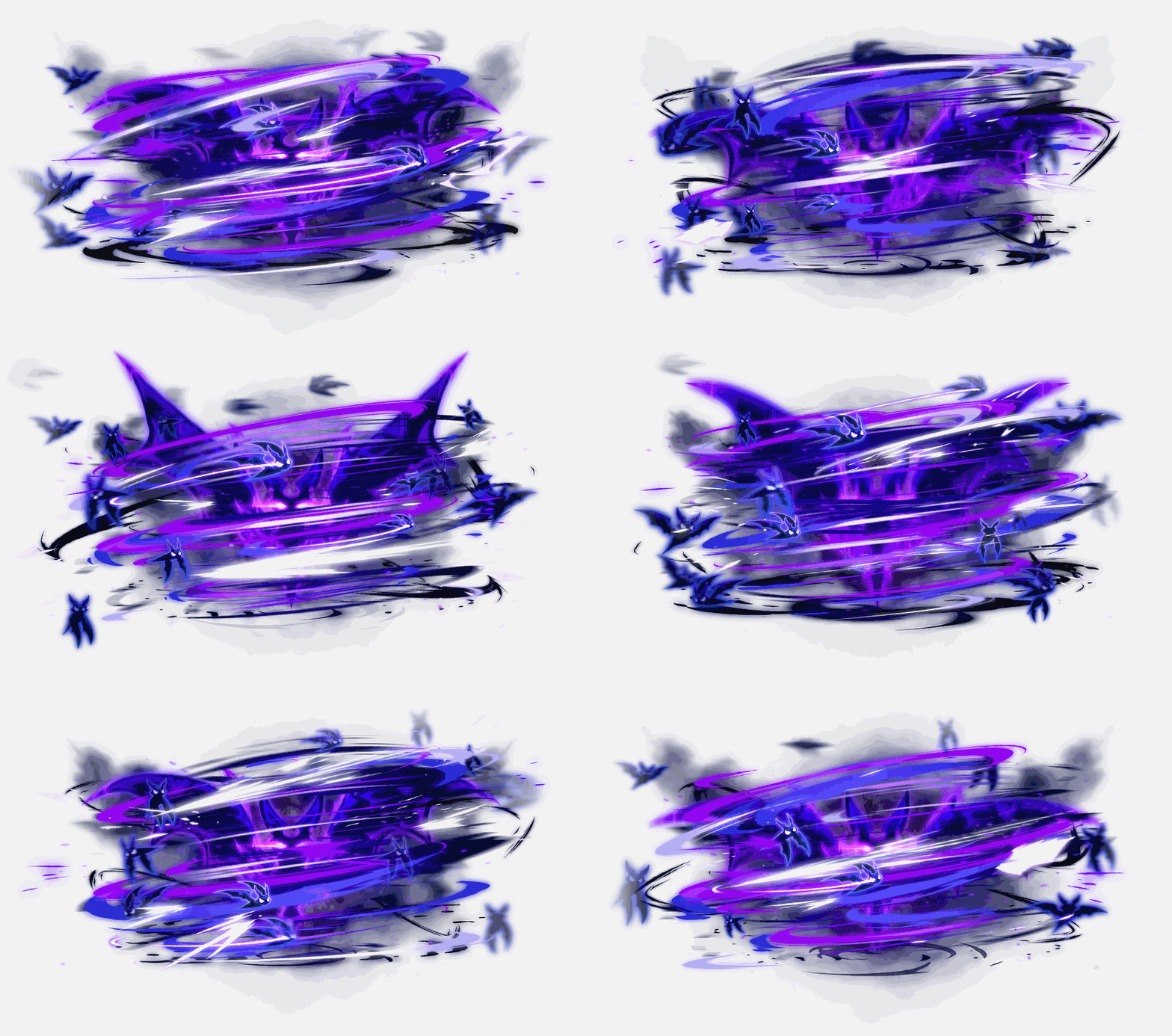
 Darkness Omen VI:
- Fixed an issue where if summon duration increasing effects were applied, the skill effect appeared awkwardly.
- Fixed an issue where the skill effect and attack range where different if used while moving.
 While Shadow Bats is applied, this skill will now summon a weakened bat swarm for 60 seconds that deals 535% damage 2 times on up to 6 enemies every 1.5 seconds.
 Abyssal Darkness:
- The skill description has been changed.
- Fixed an issue where throwing stars’ attack was not applied.
Striker
 Sea Wave VI:
- Fixed an issue where the cooldown buff icon was displayed awkwardly.
- Fixed an issue where Sea Wave VI’s activation lock was applied separately from the 2nd job skill.
- The damage has been increased from 620% to 1010%.
- The attack limit applied to a single enemy has been decreased from 2 to 1.
Aran
 Hyper Boost End – Last Stand VI:
- Fixed an issue where Boost End – Reinforce was not applied.
- Fixed an issue where Boost End – Ignore Guard was not applied.
 Frozen Ground VI:
- Fixed an issue where Frozen Ground – Reinforce was not applied.
- Fixed an issue where Frozen Ground – Extra Target was not applied.
 Adrenaline Maximum VI: Ice Wave:
- It has been improved so that you do not become in-combat even when this skill is activated.
Evan
 Circle of Earth VI:
- The skill description has been changed.
 Dragon Dive VI:
- The skill icon has been changed.
- The skill description has been changed.
 Dive of Earth VI:
- Fixed an issue where the 2nd attack’s range was applied smaller than intended. After the change, the 2nd attack’s range has been increased by about 8%.
- The skill description has been changed.
Luminous
 Apocalypse VI:
- The damage has been increased from 652% to 768%.
- The Larkness gauge increase when cast has been increased by about 21%.
 Eternal Lightness:
- The damage has been decreased from 1580% to 1355%.
- The number of hits has been increased from 5 to 7.
- Fixed an issue where MP was not consumed.
 Twilight Nova VI:
- The damage in Sunfire has been decreased from 2496% to 1630%.
- The number of hits in Sunfire has been increased from 1 to 3.
- The damage in Eclipse has been decreased from 2496% to 1630%.
- The number of hits in Eclipse has been increased from 1 to 3.
- The damage in Equilibrium has been decreased from 1660% to 1125%.
- The number of hits in Equilibrium has been increased from 6 to 7.
- The number of explosions in Equilibrium has been increased from 3 to 4.
- The skill description has been changed.
Mercedes
 Unicorn Spike VI:
- The debuff effect has been fixed.
 Gust Dive VI:
- The skill description has been changed.
 Strike Dualshot VI:
- The damage has been decreased from 1045% to 890%.
- This skill now increases Ishtar’s Ring VI’s damage by 20%p.
- The number of enemies hit has been increased from 5 to 8.
 Elemental Knights VI:
- The damage has been decreased from 650% to 325%.
- The skill description has been changed.
- The attack interval has been decreased from 4 seconds to 2 seconds.
- The re-summon cooldown has been decreased from 80 seconds to 10 seconds.
Phantom
 Rose Carte Finale VI:
- Fixed an issue where if the planted Cards hit an enemy using Damage Reflect, you would take damage.
 L’Amour Carte:
- The cooldown has been increased from 60 seconds to 75 seconds.
- Fixed an issue where sometimes you could use more L’Amour Cartes than the number of L’Amour Cartes that were charged.
- The re-search range for nearby enemies when the targeted enemy disappeared has been increased by about 77%.
- The skill description has been changed.
Eunwol
 Bomb Punch VI:
- Fixed an issue where the 2nd and 3rd attacks did not have increased damage when attacking normal monsters.
- The skill description has been changed.
 Death Mark VI:
- The skill description has been changed.
 Spirit Night Punch:
- Fixed an issue where the 3rd attack’s damage was displayed incorrectly.
 Spirit Frenzy VI:
- The skill description has been changed.
Blaster
 Revolving Cannon Mastery VI:
- The damage has been decreased from 788% to 700%.
 Hammer Smash VI:
- The damage has been decreased from 1156% to 477%.
- Fixed an issue where certain skill effects were not affected by transparency options.
- This skill now increases Magnum Punch VI’s damage by 85%p and Double Fang VI’s damage by 70%p.
 Shock Wave Punch VI:
- The damage has been decreased from 480% to 315%.
- The damage boost when attacking normal monsters has been decreased from 715% to 380%.
Battle Mage
 Dark Lightning VI:
- The Teleport damage has been decreased from 270% to 200%.
- The Black Mark’s number of activations has been increased from 15 to 30.
- Fixed an issue where Dark Pentacle’s number of hits was displayed incorrectly.
 Dark Genesis VI:
- The skill description has been changed.
- Fixed an issue where Final Attack did not activate while in the air.
Wild Hunter
 Summon Jaguar VI:
- Another Bite’s debuff effect has been fixed.
Xenon
 Rocket System VI:
- The skill description has been changed.
 Meltdown Explosion VI:
- Fixed an issue where where Photon Ray could not be fired without a firing action while using this skill.
Mechanic
 Robot Launcher: RM7 VI:
- Fixed an issue where this skill was displayed behind Magnetic Field.
 Magnetic Field VI:
- Fixed an issue where Magnetic Field was displayed awkwardly.
 Distortion Field VI:
- A buff icon will now be displayed when Intense Distortion Field is used.
- Fixed an issue where Intense Distortion Field’s effect was displayed awkwardly in certain maps.
- This skill can now be registered in the Buff Bookmarks.
Demon Slayer
 Devil Cry VI:
- After using Devil Cry, if you use Devil Cry VI while it is still on cooldown, the previous cooldown will now be maintained.
- The debuff effect has been fixed.
 Metamorphosis VI:
- The skill description has been changed.
- The duration has been increased from 180 seconds to 184 seconds.
- The cooldown has been increased from 90 seconds to 92 seconds.
- The debuff effect has been fixed.
- After using Metamorphosis, if you use Metamorphosis VI while it is still on cooldown, the previous cooldown will now be maintained.
- Fixed an issue where if you used Metamorphosis after using Metamorphosis VI, the dark projectiles would not attack.
 Cerberus VI:
- A buff icon will now be displayed after using Cerberus VI: Tartarian Cerberus.
- This skill can now be registered in the Buff Bookmarks.
Demon Avenger
 Exceed: Moonlight Slash VI:
- The damage has been increased from 630% to 1143%.
 Overmaximizing Exceed:
- The damage has been increased from 1620% to 2400%.
- The skill description has been changed.
- Fixed an issue where sometimes the cooldown reduction feature was applied abnormally.
- Fixed an issue where the buff icon was displayed abnormally.
Kaiser
 Infernal Breath VI:
- The Morph Gauge boost when Ultimate Infernal Breath hits an enemy has been increased from 8 to 10.
- Fixed an issue where Ultimate Infernal Breath consumed MP multiple times.
Kain
 [Execute] Phantom Blade VI:
- Fixed an issue where the required skill was applied incorrectly.
Cadena
 Summon Cutting Scimitar VI:
- Fixed an issue where if you used Summon Scratching Claw VI while using this skill, Summon Cutting Scimitar VI’s cast action was not cancelled.
 Summon Beating Needle Bat VI:
- The 1st attack’s damage has been decreased from 872% to 568%.
- The 1st attack’s number of hits has been increased from 8 to 12.
- The 2nd attack’s damage has been decreased from 1150% to 783%.
- The 2nd attack’s number of hits has been increased from 9 to 13.
- The 3rd attack’s damage has been decreased from 1655% to 1160%.
- The 3rd attack’s number of hits has been increased from 10 to 14.
- Fixed an issue where sometimes the 3rd attack did not activate.

 Summon Shooting Shotgun VI:
- The skill effect has been changed.

 Summon Striking Brick VI:
- The skill effect has been changed.
Angelic Buster
 Primal Roar VI:
- The stun rate has been increased from 90% to 93%.
- Fixed an issue where you could not use Trinity Fusion while casting this skill.
 Da Capo Fettuccia:
- The skill description has been changed.
Zero
 Throwing Weapon VI:
- The damage has been decreased from 885% to 870%.
- The number of hits has been increased from 3 to 4.
- Fixed an issue where if Assist or Transcendent Blessing of Time cast this skill, sometimes the summon would be displayed in the opposite direction to other characters.
- Fixed an issue where the summon would rotate in the opposite direction when it was cast to the right.
 Spin Cutter VI:
- Fixed an issue where the right sword slash was created further way.
- Fixed an issue where you could not use Burst Step to the left or right after immediately after using this skill.
 Upper Slash VI:
- The damage has been decreased from 433% to 307%.
- This skill now increases Giga Crash’s VI’s damage by 60%p, Jumping Crash VI’s damage by 60%p,, Jumping Crash VI’s shockwave’s damage by 30%p, Earth Break VI’s damage by 60%p, Earth Break VI’s shockwave’s damage by 30%p, and Earth Break VI’s electric area’s damage by 60%p.
 Moon Strike VI:
- The damage has been decreased from 251% to 191%.
- This skill now increases Wind Cutter VI’s damage by 30%p, Wind Cutter VI’s vortex damage by 30%p, Wind Strike VI’s damage by 30%p, and Storm Break VI’s damage by 60%p, Storm Break VI’s vortex damage by 60%p, and Storm freBreak VI’s electric area’s damage by 60%p.
 Pierce Thrust VI:
- The damage has been decreased from 364% to 275%.
 Shadow Strike VI:
- The damage has been decreased from 465% to 331%.
- The sword slash’s damage has been decreased from 780% to 514%.
 Infinite Resonance:
- The attack boost per buff stack has been decreased from 70 to 45.
- The skill description has been changed.
Kinesis
 Ultimate – Train VI:
- The distance that the train is created at when cast has been decreased by about 19%.
- Fixed an issue where the train was displayed in front of monsters.
 Telekinesis VI:
- This skill is now activated by Psychic Ground 2.
- This skill is no longer activated by Ultimate – Psychic Shot and Ultimate – Psychic Shot VI.
Adele
 Resonance VI:
- Fixed an issue where the hit effect was displayed awkwardly.
 Gathering VI:
- Fixed an issue where Creation/Gathering Enhancement Core’s level 20 effect was not applied.
 Blossom VI:
- Fixed an issue where Blossom/Squall Enhancement Core’s level 20 effect was not applied.
 Creation VI:
- The Aether Sword effect has been fixed.
 Territory VI:
- Fixed an issue where the required skill was applied incorrectly.
 Marker VI:
- Fixed an issue where after using this skill, sometimes Aether Crystals were not created.
Illium
 Crystal Skill: Deus VI:
- The skill description has been changed.
 Craft: Longinus VI:
- The skill cast effect has been fixed.
- Fixed an issue where you could not use Soul Contract and Aion of Creation while casting this skill.
Khali
 Hex: Chakram Sweep VI:
- Fixed an issue where if you used Void Rush while using Hex: Chakram Sweep VI, the cast action would not be cancelled.
 Hex: Chakram Fury VI:
- Fixed an issue where if you used Void Rush while using Hex: Chakram Fury VI, the cast action would not be cancelled.
 Death Blossom VI:
- Fixed an issue where the hit effect was not displayed to other characters.
 Resonate VI:
- Fixed an issue where you could sometimes use Resonate VI while Resonate: Ultimatum was not activated.
Ark
 Vengeful Hate VI:
- The time it takes to hit an enemy after the skill is cast has been decreased.
 Blissful Restraint VI:
- The Abyssal Prison’s duration has been decreased from 9 seconds to 8.1 seconds.
- The Abyssal Prison’s attack interval has been decreased.
 Endless Nightmare VI:
- The skill description has been changed.
- The damage has been decreased from 890% to 710%.
- This skill now enhances Impending Death by 60%p.
 Endless Dream VI:
- The skill description has been changed.
- The damage has been decreased from 900% to 720%.
Lara
 Dragon Vein Absorption VI:
- The skill description has been changed.
 Wakeup Call VI:
- Free Dragon Veins will now be created at the same time that Dragon Veins are consumed.
- The skill description will now be displayed in the buff icon.
Hoyoung
 Scroll: Butterfly Dream VI:
- The butterfly enemy tracking range has been increased by about 78%.
 Orange Mushroom's Blog
hallo, thanks for the awesome translation, cheers.
i’d like to know if the points spared by killing the blackmage will also be divided between party members, cuz if its the case, unless u solo it, i dont think the liberation going to get much faster.
Yes Black Mage is also split between party members.
It’s faster for most people I think. e.g. if you can solo HSuu/HDamien (not too hard to do imo) and do 6 man parties for all the rest (HLucid/HWill/CDusk/HVHilla/HDunk/HBlackMage), it will take you 8.6 months. Start soloing HLucid and that already goes down to 6.8 months. And of course if you’re doing the bosses in parties with less than 6 people, that makes it faster too.
Buff Wind Archer
Buff Lumi
yes pls..
This patch is huge. Thank you for all the translations. If you’re still accepting corrections, Moon Strike VI has an error ‘sotmr’, and Freezer VI is missing some words, ‘has been 4 to 3’.
Fixed ty
so where’s the aran gangbang?
Seem like DW is worst class since her was too weak and still keep getting nerfed with this fking patch….
Yeah Buff DA! …ADD PASSIVE damage for nether shields to LUNAR SLASH VI please Nexon!
Buff Hero
Wondering if you can use Mugong in the skill sequence system
Not sure, I don’t have the skill lol. Stuff like AB link and Echo are in it which are also in the beginner tab so maybe?
So how exactly does the cross world 10% work? Is there some way it takes the price and converts it to MP?
Yes, it takes 10% of the meso price then converts it to MP and charges that. I don’t see anywhere where it shows the specific conversion rate but it updates every day.
would have been nice to be able to add your origin to the skill sequence.