
KMS ver. 1.2.420 – Extreme Limbo and Baldrix!
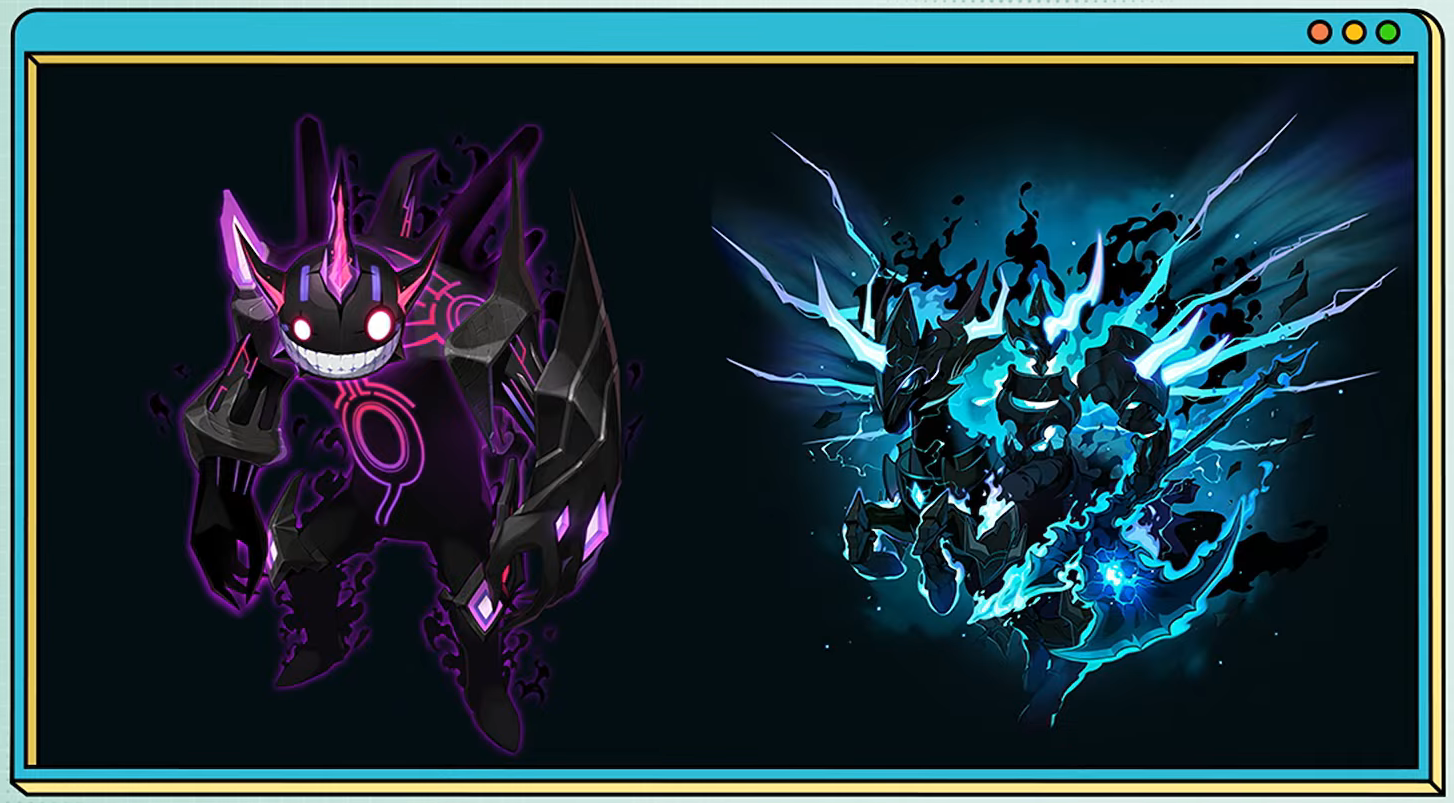
This patch contains the addition of Extreme Mode for Limbo and Baldrix, along with some follow-up skill changes after last month’s big balance patch.
Next month will be the Blue Archive collaboration!
Overview
- Maple Talk
- World Channel Adjustments
- Skill Changes
- Common
- Paladin
- Dark Knight
- Archmage (F/P)
- Archmage (I/L)
- Bishop
- Bowmaster
- Night Lord
- Shadower
- Captain
- Mikhail
- Flame Wizard
- Wind Breaker
- Night Walker
- Striker
- Aran
- Evan
- Phantom
- Eunwol
- Blaster
- Battle Mage
- Wild Hunter
- Xenon
- Mechanic
- Demon Slayer
- Kaiser
- Kain
- Cadena
- Angelic Buster
- Zero
- Kinesis
- Adele
- Illium
- Khali
- Ark
- Len
- Lara
- Hoyoung
- Training Grounds
- HEXA Matrix Reset Scroll Support
- Sol Hecate
- Boss New Difficulty Additions
- Cash
- Improvements
- Error Fixes
- Events
Maple Talk
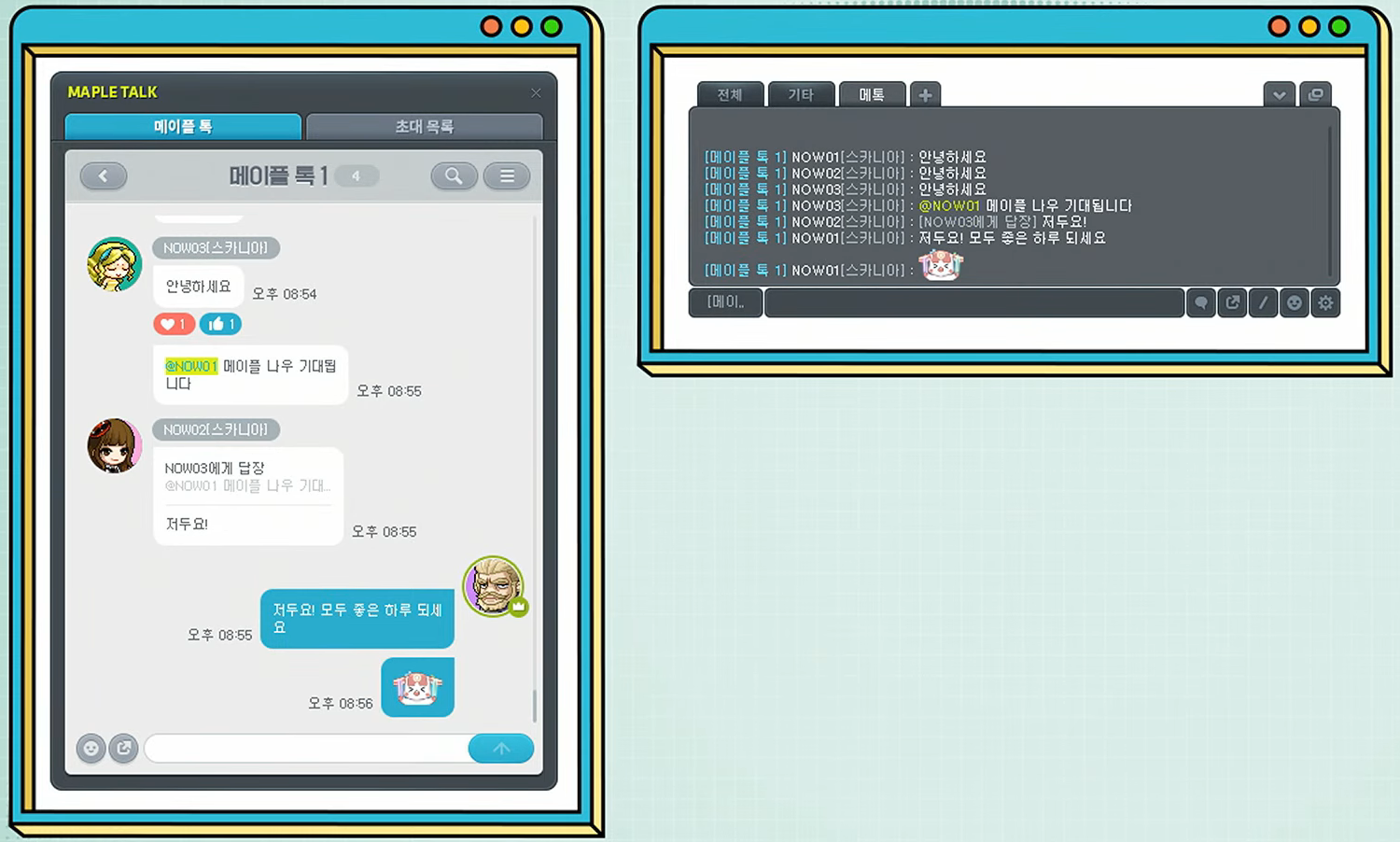
The new community system ‘Maple Talk’ has been added which lets you talk with other players regardless of your worlds.
- Maple Talk is used on a per-Maple ID basis, which means that you can continue your conversations even when playing on a different world.
- You can join up to 10 Maple Talk rooms per Maple ID.
- Each Maple Talk room can hold up to 200 people.
- You can use Maple Talk through the full menu, quick menu, or a designated hotkey.
Maple Talk Profile
- When you first use Maple Talk, the character you are currently logged in with will be automatically set as the representative character. When you use Maple Talk, that character’s name and world information will be displayed.
- You can change your representative character through the Maple Talk settings.
- If your representative character is deleted or world leaps, your representative character will be automatically changed to the character that next uses Maple Talk.
- Maple Talk does not display whether other members are currently logged in.
Maple Talk Creation and Joining
- The player that creates a Maple Talk room will be designated as the ‘room master’. Each Maple Talk will be assigned a unique join code.
- You can join a Maple Talk room by accepting an invitation from the room master or jr. room master, or by entering the join code.
Chat Features
- You can use various chat features like emoticons or linking items/achievements in Maple Talk.
- Mentions: You can type ‘@charactername’ you send a notification to that player.
- Replies: You can reply to a specific message by right-clicking it and selecting [Reply].
- Reactions: You can react to a message with an icon by hovering your mouse over it or by right-clicking it.
- You can use the search feature to find specific content within your chats.
- You can check your Maple Talk room’s chat history for the last 24 hours, up to 1,000 messages per Maple Talk room.
Chat Window Integration
- Conversations from your Maple Talk rooms will appear in the existing game chat window. You can send messages directly from the chat window.
- You can designate a specific Maple Talk room as the recipient for your messages directly from the chat window.
- Maple Talk rooms have been added to the chat tab settings’ displayable chat lists so you can view conversations from specific Maple Talks.
※ All registered shortcuts using the same format as those designated for Maple Talk conversations will be cleared in bulk after the update.
Notifications
- A notification message will be displayed on your screen whenever a new message arrives.
- You can configure notifications for each Maple Talk room. By default, the Maple Talk notifications are set to ‘off’.
- You can toggle notifications on/off for mentions, replies, and general chat messages in the Maple Talk settings.
- You can move notification messages by dragging them.
- Notification messages will not be displayed when the Maple Talk UI is open or while using certain content like boss content.
Maple Talk Management
- A Maple Talk room can be managed by 1 room master and up to 5 jr. room masters.
- Characters registered in a Maple Talk room’s blacklist cannot join that room.
- The room master and jr. room master can kick people from the Maple Talk room.
- If a user is kicked 3 times in total, they will be automatically added to that Maple Talk room’s blacklist.
- If the room master leaves the Maple Talk room, the ownership will be automatically transferred to a jr. room master or another participant.
- If the room master has not logged in for 30 days or more, a jr. room master or another participant can take over as the room master.
- A Maple Talk room will be automatically disbanded in the following cases.
- All participants have left.
- No chat activity for 30 days or more.
Usage Restrictions
- Inappropriate chat content can be reported.
- The same chat restrictions that apply to the regular chat apply to Maple Talk.
- If you are currently restricted from using chat or game features, you will not be able to send messages through Maple Talk.
The chat window’s chat filter UI has been updated.
- When you right-click a chat tab, the ‘Settings’ and ‘Remove’ buttons will now be displayed.
- If you click the chat tab’s Settings button or Add button, the chat filter UI will be displayed.
- A Maple Talk section has been added to the chat filter UI’s displayed chats.
World Channel Adjustments
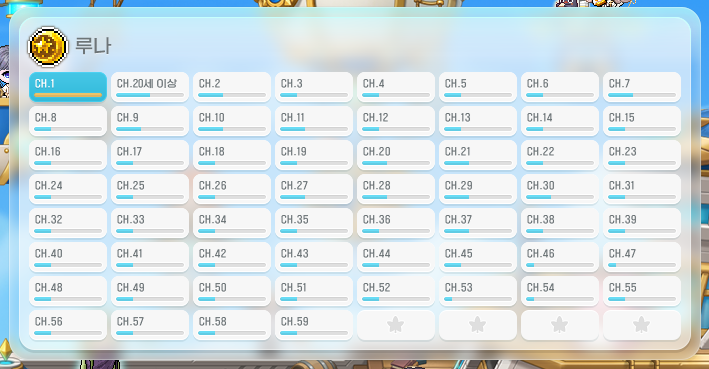
Scania and Luna worlds’ number of channels has been increased from 40 to 60.
Zenith, Union, Enosis, Red, Arcane, and Nova worlds’ number of channels has been decreased from 30 to 16.
Skill Changes
Common
- Fixed an issue where sometimes certain on/off skills’ activation status were not maintained properly.
- Fixed an issue where certain on/off skills would be deactivated when entering boss waiting maps, Sharenian’s Underground Culvert, Golden Tomato Punch King, or the Training Grounds <Hall of Refinement>. The changed skills are as follows.
- Common – Yaldabaoth of Desturction, Transcendence: Decisive Battle’s Will
- Shade – Missing You
- Battle Mage – Death Contract, Death Contract 2
- Fixed an issue sometimes your own skill effect transparency options would be applied to other characters’ skill effects.
- Fixed an issue where certain skill icons would sometimes be displayed as duplicates in the buff favourites.
- The SP auto distribute priority for certain jobs has been changed. The changed jobs are as follows.
- Soul Master
- Kaiser
- Fixed an issue where you could jump while using profession skills.
- Fixed an issue in Epic Dungeon: Nightmare Paradise Stage 2 where after getting off the flying cloud, certain skills would not be restored. The changed skills are as follows.
- Common Archer – Guided Arrow
- Mercedes – Elemental Knights, Elemental Knights VI
- Eunwol – Missing You
- Battle Mage – Death, Death Contract, Death Contract 2, Death Contract 3, Death VI
- Fixed an issue in Epic Dungeon: Nightmare Paradise Stage 3/5 where the skill effect transparency option for certain skills would be set to the maximum after the entry cutscene. T he changed skills are as follows.
- Viopper – Serpent Stone, Lightning Form, Serpent Screw, Serpent Stone Vi
- Soul Master – Cosmic Forge, Cosmos
- Flame Wizard – Phoenix Drive, Phoenix Drive VI
- Aran – Adrenaline Boost, Adrenaline Maximum, Blizzard Tempest, Adrenaline Maximum VI
- Xenon – Overload Mode
- Demon Slayer – Metamorphosis, Metamorphosis VI
- Demon Avenger – Demon Frenzy, Frenzy Break, Dimension Sword
- Kaiser – Dragon Blaze, Will of Swords VI
- Adele – Storm
- Fixed an issue in Epic Dungeon: Angler Company story mode and Visitors of the Argo apostle story mode where certain skill effects were not applied. The changed skills are as follows.
- Common Adventurer Magician – Teleport Boost
- Archmage (I/L) – Teleport – Add Range
- Fixed an issue in Monster Park Hands where pet skills’ stat passive effects were not applied.
- Fixed an issue where if you used a jump skill that could be used twice with a skill key would sometimes consume all of the uses at once.
- Fixed an issue where certain skills’ sound effects were played multiple times. The changed skills are as follows.
- Shadower – Demon Slashing Shadow Formation
- Dual Blade – All Must Die
- Soul Master – Soul Eclipse
- Kinesis – Warp
- Lara – Dragon Vein Traces
- Hoyoung – Heaven: Iron Fan Gale: True, Heaven: Iron Fan Gale: True VI
- Fixed an issue where using certain skills would cancel Dark Sight. The changed skills are as follows.
- Night Lord – Shadow Blink
- Shadower – Muspelheim
- Dual Blade – Tornado Spin
- Night Walker – Silent Rush
- Phantom – Phantom Charge
- Kain – Dread Bolt
- Cadena – Chain Sprint
- Khali – Mirage Step
- Hoyoung – Swift Sally
- Fixed an issue where Eunwol’s Spirit Bond 1’s stance boost and damage reduction were applied to certain non-Eunwol characters.
- Fixed an issue where certain skills’ skill voices were affected by the skill sound effect settings. The changed skills are as follows.
- Hinokami Kagura: Dancing Flash
- Thunder Breathing First Form: Thunderclap and Flash (Sixfold)
- Beast Breathing Fifth Form: Crazy Cutting
 Dark Sight
- This skill is no longer affected by the skill repeated input option.
 Maple World Goddess’ Blessing
- The V Matrix skill core’s skill description has been changed.
 Empress Cygnus’ Blessing
- The V Matrix skill core’s skill description has been changed.
 Aura Weapon
- Fixed an issue where the skill effect was displayed awkwardly.
 Overload Mana
- Fixed an issue where this skill would be cancelled when entering the Training Grounds <Hall of Refinement>.
- Fixed an issue where this skill would be cancelled when preparing a measurement in the Training Grounds <Hall of Refinement>.
- Fixed an issue where this skill would be cancelled when starting a measurement in the Training Grounds <Hall of Refinement>.
 Loaded Dice
- The fixed dice number will now be maintained when you log off.
 Sol Hecate: Phlegethon
- Fixed an issue where sometimes the summon would be displayed in an awkward location when casting this skill.
 Arcana Override VI
- Fixed an issue where Arcana Override VI’s final damage boost effect was categorized as Hexa Stat in the character info’s final damage description.
 Evolve VI
- Fixed an issue where the background music, sound effects, and skill voices would not be played when other character’s pitch-black trails ended.
Paladin
 Holy Unity
- Fixed an issue where the unity incarnation would disappear when tagging in Dragon Island.
Dark Knight
 Beholder
- Fixed an issue where this skill could be summoned in maps where summons cannot be used.
 Beholder Dominant
- Fixed an issue where the buff icon was displayed multiple times in maps where summons cannot be used.
 Cross Over Chain
- The passive final damage boost has been decreased from 50% to 48%.
 Advanced Weapon Mastery
- The critical damage boost has been decreased from 15% to 10%.
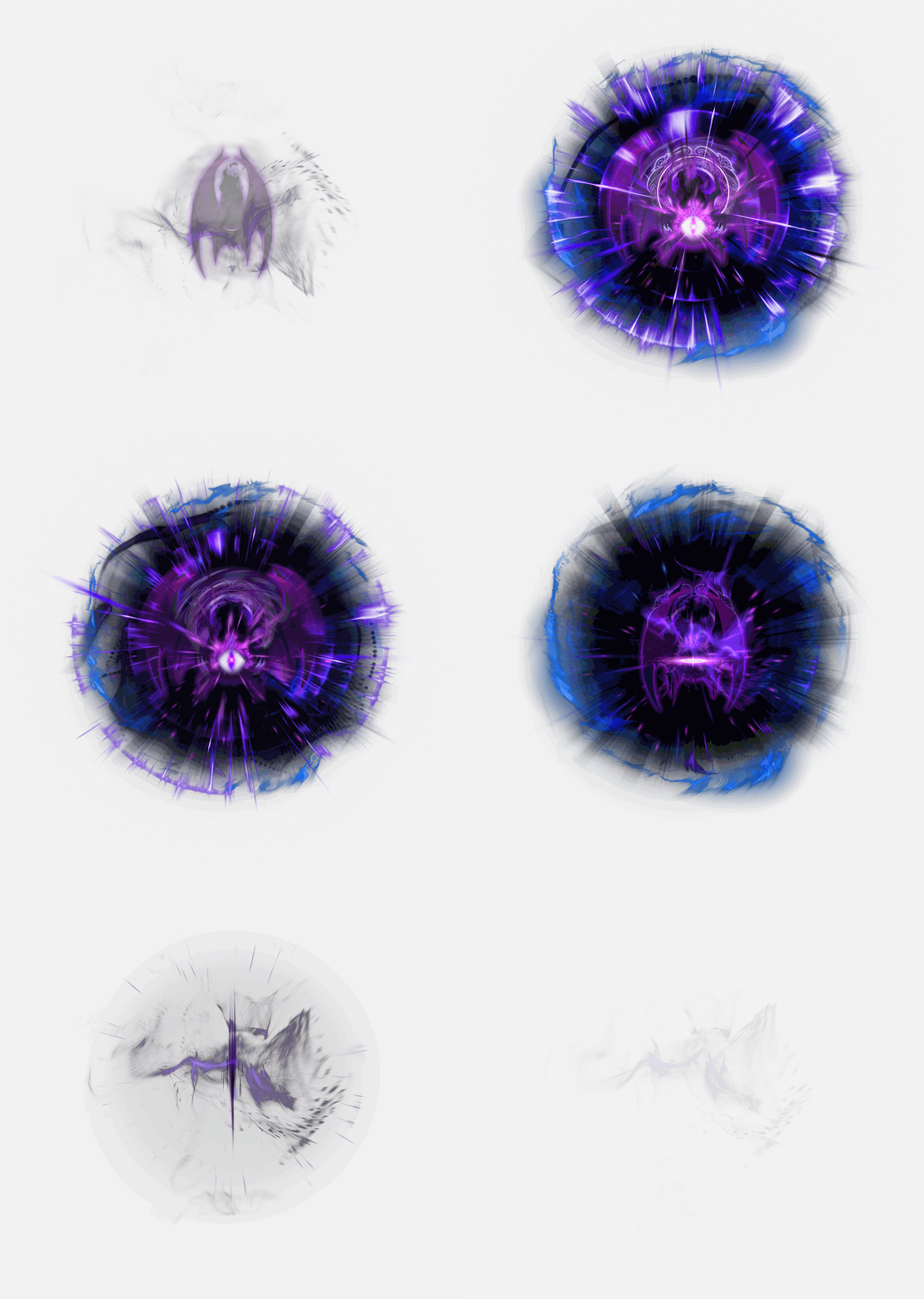
 Beholder Impact
- The skill effect has been changed.
- The skill sound effect has been changed.
- The skill description has been changed.
- The MP cost has been decreased from 1000 MP to 300 MP.
- The cooldown has been decreased from 60 seconds to 20 seconds.
- The attack duration has been decreased by about 82%.
- The number of dark wave activations has been decreased from 11 to 7.
- The damage has been decreased from 745% to 380%.
 Dark Halidom
- The pierce’s damage has been increased from 2835% to 2905%.
- The strike’s damage has been increased from 3850% to 3955%.
 Darkness of Grace
- This skill has been changed so that while the buff is active and Beholder Impact is not on cooldown, you can use Darkness of Grace: Beholder Devastation.
Developer Notes:
In the September update, Beholder Impact’s cooldown was increased to 60 seconds, which reduced the frequency of high-damage short-burst gameplay experiences and the value of cooldown reduction effects. To address this, we have reverted the cooldown to 20 seconds and shortened the attack duration to alleviate the stress of having to land the attack.
In addition, to resolve the inconvenience of having to constantly check Beholder Impact’s cooldown to use Beholder Devastation, we have changed it so that Beholder Impact will be changed into Beholder Devastation when its cooldown is up during the buff duration. Since this change would lead to an overall increase in combat performance, we have adjusted the values of certain skills.
Archmage (F/P)
 Ignite
- This skill has been changed to create a fixed number of fire walls when you cast fire magic.
 Poison Flare
- The stance boost formula has been changed.
 Fury of Ifrit
- Fixed an issue where sometimes Ifrit would be re-summoned continuously.
 Ignite VI
- This skill has been changed to create a fixed number of fire walls when you cast fire magic.
Developer Notes:
Archmage (F/P)’s Ignite’s fire walls could sometimes be created overlapping at points where platforms connected, causing a problem where the damage fluctuated based on the terrain and enemy’s location. We have adjusted this so that a consistent number of fire walls is generated on the platform where the enemy is located, ensuring stable performance regardless of terrain.
Archmage (I/L)
 Thunder Break
- Fixed an issue where sometimes MP was consumed abnormally.
 Frozen Lightning
- The skill description has been changed.
Bishop
 Heaven’s Door
- The cooldown will now be reset when entering boss waiting maps, Sharenian’s Undeground Culvert, and the Training Grounds <Hall of Refinement>.
 Pray
Pray
- Fixed an issue where the buff icon was displayed awkwardly.
 Angel of Gemini
- This skill will now summon Bahamut when cast.
 Heaven’s Door VI
- The cooldown will now be reset when entering boss waiting maps, Sharenian’s Undeground Culvert, and the Training Grounds <Hall of Refinement>.
- Angelic Touch VI/Fountain for Angels VI/Bahamut VI HEXA core icon has been changed.
Bowmaster
 Silhouette Mirage
- Fixed an issue where sometimes the skill would end immediately after being used.
 Ascendant Shade
- Fixed an issue where the arrow shower effect was visible to other characters.
Night Lord
 Spread Throw
- The throwing stars’ angles will now be adjusted based on the enemy’s location.
- This skill will now throw stars at all enemies being attacked.
 Quadruple Throw VI
- The throwing star creation location has been changed.
Shadower
 Veil of Shadows
- Fixed an issue where the attack would behave abnormally if the player moved to a different map after installing the skill.
 Eviscerate
- Fixed an issue where sometimes other skills’ cast actions would be cancelled if using this skill failed.
 Sonic Blow
- Fixed an issue where the buff icon was displayed awkwardly.
 Demon Slashing Shadow Formation
- The skill description has been changed.
 Veil of Shadows VI
- Fixed an issue where the attack would behave abnormally if the player moved to a different map after installing the skill.
Captain
 Bombard Tempest
- Fixed an issue where the cast sound effect could be heard by other characters.
- Fixed an issue where sometimes the cast sound effect could not be heard.
 Bullet Party
- Fixed an issue where sometimes the minimum interval to cancel the rapid fire action was sometimes shorter.
 Bombard Tempest VI
- Fixed an issue where the cast sound effect could be heard by other characters.
- Fixed an issue where sometimes the cast sound effect could not be heard.
Mikhail
 Claoimh Solais
- Fixed an issue where the skill sound effect was played abnormally.
Flame Wizard
 Burning Region
- The effect displayed on the character during the buff has been removed.
Wind Breaker
 Trifling Whim II
- Fixed an issue where sometimes the activation status was not maintained properly when logging off or changing maps.
 Trifling Whim III
- Fixed an issue where sometimes the activation status was not maintained properly when logging off or changing maps.
 Howling Gale
- Fixed an issue where sometimes the tornados would be re-summoned to an awkward location when using the skill again on certain platforms.
 Idle Whim
- The cooldown has been increased from 10 seconds to 20 seconds.
- You can now use this skill with no cast action while using Vortex Sphere.
- The damage has been increased from 1485% to 2755%.
 Vortex Sphere
- The cooldown has been decreased from 30 seconds to 20 seconds.
- The feature where Trifling Whim, Storm Whim, and Storm Bringer would be activated when pulling in nearby enemies has been removed.
- This skill now has a fixed 65% chance to activate Trifling Whim, 35% chance to activate Storm Whim, and 55% chance to activate Storm Bringer when it hits an enemy.
- The attack interval has been decreased by about 67%.
- The maximum number of attacks on a single enemy has been decreased from 15 to 11.
- The damage has been decreased from 1045% to 868%.
Developer Notes:
In the September update, Wind Breaker’s Howling Gale’s structure was changed. The intent was to align Howling Gale’s usage with 10 second binds, to reduce the stress of landing its hits, while also enhancing the 120 second cycle’s skill experience. However, after the update, there was a problem where the utilty of cooldown reduction hats changed, and it became difficult to maintain the optimal damage cycle during actual boss battles.
Therefore, while maintaining the intended changes to Howling Gale, we have reduced Vortex Sphere’s cooldown to ensure the value of cooldown hats does not change. In addition, Vortex Sphere’s Trifling Whim activation rate has been increased. To prevent the management of multiple short-coooldown skills from becoming overly burdensome, we have adjusted Idle Whim’s cooldown to be the same as Vortex Sphere. Also, since Vortex Sphere’s usage frequency has been increased, we have significantly lowered the difficulty of landing all of its hits to enssure it does not become excessively stressful.
We sincerely apologize for failing to thoroughly assess how these changes would affect the utility of of your items, and for the delay in our response, which may have caused confusion regarding your item set up. We will try our best to be more meticulous going forward.
Night Walker
 Shadow Bats
- Fixed an issue where sometimes the Shadow bats could not find bounce targets.
 Darkness Ascension
- The buff will no longer be cancelled when you enter and exist boss waiting maps.
 Shadow Stitch
- This skill has been changed so that it instantly binds nearby enemies when used.
- The bind duration has been increased from 10 seconds to 12 seconds.
- This skill can now be used while in the air.
 Shadow Spear
- Fixed an issue where the uses without moving restriction was not applied properly.
 Shadow Bats VI
- Fixed an issue where sometimes the Shadow bats could not find bounce targets.
 Singularity Throw
- Fixed an issue where the pulverize would not activate and damage would not be applied while floating.
Striker
 Thunder
- Fixed an issue where you could not use Elemental Shift immediately after using this skill.
 Flash
Flash
- Fixed an issue where sometimes MP would be consumed abnormally when used to link with other skills.
Aran
 Hyper Boost End – Last Stand
- Fixed an issue where if you used this skill while casting Beyonder, Beyonder would continue to be used.
 Hyper Boost End – Last Stand VI
- Fixed an issue where if you used this skill while casting Beyonder, Beyonder would continue to be used.
 Maha Unleashed
- Fixed an issue where sometimes Final Beyonder Absolute’s damage was not applied.
Evan
 Return!
- Fixed an issue where this skill was not recorded in the Training Grounds skill information.
- This skill will no longer be linked to other skills when used in situations where it cannot be activated.
- Fixed an issue where the consecutive use delay would be applied when used in situations where it cannot be activated.
 Dragon Sparking
- Fixed an issue where sometimes Dragon Sparking would not activate.
 Magic Debris
- Fixed an issue where sometimes the damage boost per 5 Magic Debris was not applied when used manually.
- Fixed an issue where sometimes the MP would be consumed abnormally when used manually.
 Circle of Mana IV
- Fixed an issue where the uses without moving restriction was not applied properly.
 Circle of Mana VI
- Fixed an issue where the uses without moving restriction was not applied properly.
 Magic Debris VI
- Fixed an issue where sometimes the damage boost per 5 Magic Debris was not applied when used manually.
- Fixed an issue where sometimes the MP would be consumed abnormally when used manually.
Phantom
 Steal Skill
- Fixed an issue where you could use Swift Phantom upwards after using stolen Blade Ascension.
- The Lucky Dice acquirable from the Path of Adventures record book’s cooldown has been decreased from 180 seconds to 60 seconds.
 Skill Management
- Fixed an issue in cross world boss content where if you exited while your preset was changed, the skills equipped in the original preset would be swapped with the changed preset’s skills.


 Skill Quick Management
- The skill icon and skill effects have been changed.
- The cast sound effect has been changed.
- The skill description has been changed.
 Phantom Shroud
- The skill is no longer affected by the skill repeated input option when inputting the arrow keys.
 Ultimate Drive
- The damage has been decreased from 160% to 145%.

 Tempest of Cards
- The cooldown has been increased from 20 seconds to 35 seconds.
- The keydown feature has been removed. This skill now instantly activates 5 card storms.
- The damage has been increased from 455% to 1768%.
 Twilight
- Fixed an issue where this skill could be used while on a ladder or rope.

 Rose Carte Finale
- The skill effect has been changed.
- The hit effect cutscene has been changed.
- The cast action has been changed.
- The feature where cards in the ground continuously attacked has been removed.
- The damage has been increased from 700% to 1234%.
 Blackjack
- The feature where you could use this skill with no cast action while using Tempest of Cards has been removed.
- You can now use this skill with no cast action while using Ultimate Drive.
- Fixed an issue where sometimes the client would freeze when using the skill again.
 Mark of Phantom
- The delay before all of the strikes are activated has been decreased by about 53%.
- Fixed an issue where the teleport sound effect was played even if you didn’t teleport.
- Fixed an issue where the skill effects would sometimes be displayed in an awkward location.
 Rift Break
- The delay before all of the slashes are activated has been decreased by about 63%.

 Tempest of Cards VI
- The cooldown has been increased from 20 seconds to 35 seconds.
- The keydown feature has been removed. This skill now instantly activates 5 card storms.
- The damage has been increased from 746% to 2345%.
 Ultimate Drive VI
- The damage has been decreased from 432% to 362%.

 Rose Carte Finale VI
- The skill effect has been changed.
- The cast action has been changed.
- Attack speed is now applied to this skill.
- The feature where cards in the ground continuously attacked has been removed.
- The damage has been increased from 410% to 584%.
 La Morte Carte
- The damage has been decreased from 1210% to 1150%.
Developer Notes:
For Phantom, we have changegd ‘Skill Quick Management’s skill effects and icon to match the job’s identity based on many players’ opinions.
In addition, in the September update, we changed Tempest of Cards’ duration to 1 second, which caused an issue where the time when Blackjack could be used without a cast action was also shortened. Instead of just increasing Tempest of Cards’ duration again, we re-evaluated if the keydown mechanic for this skill was really necessary. We decided that changing it into a regular instant activation skill would provide a better combat experience.
To make sure that this change does not remove the fluid usage of Blackjack, we have changed it so that the skill can be used without a cast action while using Ultimate Drive.
Eunwol
 Shockwave Punch
- Fixed an issue where sometimes MP was consumed abnormally.
 Summon Other Spirit
- The buff will no longer be cancelled when you enter and exist boss waiting maps.
 Bomb Punch
- Fixed an issue where sometimes MP was consumed abnormally.
 Fox Spirit VI
- The damage has been decreased from 352% to 347%.
- The damage boost during Fox Marble Fusion has been decreased from 70%p to 61%p.
 Dusk Blow
- This skill has been changed so that during Fox Marble Fusion, Dusk Blow can now be used 3 times even if it is currently on cooldown.
 Spirit Frenzy VI
- The Fox Spirit VI damage boost has been decreased from 62%p to 50%p.
Developer Notes:
Eunwol had an inconvenience because using Fox Marble Fusion would reset Dusk Blow’s cooldown, which meant it was better to be used separately from other buff skills.
Therefore, we have changed the feature so that Dusk Blow can be used 3 times during Fox Marble Fusion. This change means that you can use Fox Marble Fusion with your other buff skills, without having to worry about Dusk Blow’s cooldown. However, since this change means that you can use more Dusk Blows during Fox Marble Fusion, we have lowered Fox Spirit Orbs’ damage to keep their overall combat performance the same as before.
Blaster
 Bunker Buster
- The damage has been increased from 461% to 475%.
 Revolving Cannon VI
- The damage has been increased from 522% to 596%.
Battle Mage
 Death
Death
- Fixed an issue where sometimes the activation status was not maintained properly when logging off or changing maps.
 Aura Enhance
- Fixed an issue where the skill effect was displayed to other characters even if you did not learn it yet.
 Death VI
- Fixed an issue where sometimes the activation status was not maintained properly when logging off or changing maps.
Wild Hunter
 Jaguar Riding
- Fixed an issue where the skill voice was played if you relogged in after activating this skill.
 Overbite
- Fixed an issue where sometimes the client would crash when this skill activated.
Xenon
 Meltdown Explosion
- The damage has been decreased from 1500% to 326%.
- This skill now deals 652%p increased damage when attacking normal monsters.
 Photon Ray
- Fixed an issue where if you died in a boss map when the Photon Ray aiming was complete, the icon would be removed when you revived.
 Meltdown Explosion VI
- The damage has been decreased from 2571% to 377%.
- This skill now deals 750%p increased damage when attacking normal monsters.
Mechanic
 Jet Booster
- Fixed an issue where the skill sound effect was not played if you used Mechanic Dash on the ground.
 Homing Missile
- Fixed an issue where Sol Janus: Dusk was activated by Homing Missile.
- Fixed an issue where Homing Missile was activated by Sol Janus: Dusk.
 Homing Missile VI
- Fixed an issue where Sol Janus: Dusk was activated by Homing Missile.
- Fixed an issue where Homing Missile was activated by Sol Janus: Dusk.
Demon Slayer
 Evil Torture
- The skill icon has been changed.
- The feature where final damage was increased when attacking enemies inflicted with stun, blind, freeze, slow, or bind.
- This skill now permanently increases final damage by 15%.
 Devil Cry
- The damage has been decreased from 515% to 150%.
- This skill now deals 365%p increased damage when attacking normal monsters.
 Demon Awakening
- The skill description has been changed.
 Metamorphosis VI
- Fixed an issue where sometimes the demon energy’s reactivation interval was shorter.
 Devil Cry VI
- The damage has been decreased from 515% to 150%.
- This skill now deals 365%p increased damage when attacking normal monsters.
 Nightmare
- The feature where you could accumulate Force that exceeded the maximum Force limit during this skill has been removed.
- The feature where the Judgement of the Underworld’s final damage was increased for every 10 excess Force acquired has been removed.
- The flames of the underworld’s damage has been decreased from 2653% to 1990%.
- The judgement of the underworld’s damage has been increased from 1408% to 2112%.
 Amethystine Intrusion
- The explosion’s damage has been decreased from 7606% to 6613%.
Developer Notes:
Previously, Demon Slayers were required to use Demon Slash unnecessarily before using Demon Bane to activate Nightmare’s Judgement of the Underworld at its maximum damage.
Therefore, we have removed the gimmick where Judgement of the Underworld’s final damage was increased based on the amount of excess Force acquired, as well as the feature where you could accumulate Force exceeding the maximum limit. Now, Judgement of the Underworld will always activate at its maximum damage.
In addition, we have adjusted Devil Cry’s base damage while adding a damage boost when attacking normal monsters so that it doesn’t become a mandatory part of the optimal damage rotation.
Also, Evil Torture’s conditional final damage boost has been changed into a permanent effect, and so Amethystine Intrusion’s damage has been adjusted accordingly.
Kaiser
 Wingbeat
- The hit effect has been changed.
 Advanced Sword Mastery
- The attack boost has been decreased from 35 to 30.
- The critical damage boost has been decreased from 15% to 14%.
 Final Trans
- The notification message displayed when using this skill while transformed into Final Figuration with Final Trans has been changed.
- Fixed an issue where the notification message displayed when using this skill while transformed into Final Figuration with Final Trans would be displayed continuously.
- Fixed an issue where sometimes the Morph Gauge would become filled up when the Final Figuration from Final Trans ended.
 Giga Slasher VI
- The damage has been decreased from 560% to 530%.
 Wingbeat VI
- The hit effect has been changed.
Kain
 Breath Shooter Mastery
- The attack boost has been decreased from 40 to 21.
 Death Blessing
- Fixed an issue in boss content where if you were using the option of your character and monsters being displayed on top of everything else, Death Blessing would be obscured by boss monsters.
 Remain Incense
- The crystal’s attack range has been increased by 100%.
- Fixed an issue where crystals would sometimes be created outside of the map.
 Natural Born Instinct
- The attack boost has been decreased from 40 to 20.
 Breath Shooter Expert
- The critical damage boost has been decreased from 20% to 16%.
 Thanatos Descent
- Fixed an issue where the skill description did not include that Remain Incense’s crystal recreation cooldown was not applied during this skill.
- Fixed an issue where if you used the left/right arrow keys while activating the Area of Death, Guided Arrow’s effect would be displayed awkwardly.
- The Malice creation amount increase effect will now be maintained for Thanatos Descent’s remaining duration even after activating the Area of Death.
- Remain Incense’s crystal recreation cooldown will not be applied for Thanatos Descent’s remaining duration even after activating the Area of Death.
 Remain Incense VI
- The crystal’s attack range has been increased by 100%.
- Fixed an issue where crystals would sometimes be created outside of the map.
 Death Blessing VI
- Fixed an issue in boss content where if you were using the option of your character and monsters being displayed on top of everything else, Death Blessing would be obscured by boss monsters.
 Annihilation
- The shockwave’s damage has been increased from 1200% to 1800%.
- The strike’s damage has been decreased from 1440% to 864%.
- The Demon Dragon’s Breath’s damage has been decreased from 840% to 559%.

 [Possess/Execute] Malicious Flicker
- Fixed an issue in boss content where if you were using the option of your character and monsters being displayed on top of everything else, Death Blessing would be obscured by boss monsters.
- Possessed Malice’s damage has been increased from 2555% to 2640%.
- The strike’s damage has been increased from 2800% to 2893%.
- The blessing of the end’s damage has been increased from 3290% to 3399%.
Developer Notes:
For Kain, we have made changes for various issues that occured after the September update and others that were previously overlooked which hindered actual combat.
For Thanatos Descent, there was a problem where if you activated the Area of Death before the duration ended, the Malice increase effect and Remain Incense’s recreation cooldown skip effect would both end as well. We have changed it os that those effects will be maintained for the remaining duration even after activating the Area of Death.
For Annihilation, we have adjusted it so the shockwave’s damage component is higher and the slash/Demon Dragon’s Breath components’ damage is lower, so that using damage increasing buff skills before using Annihilation will be more beneficial.
For Remain Incense, the crystals’ attack range was too small compared to the range where they could be created. This meant that there was a problem where if you attacked from far away, crystals could sometimes be created too far away to hit the enemy, so we have increased the crystals’ attack range.
Finally, we have confirmed that Remain Incense was dealing more damage than originally intended. Therefore, we had to lower the values of certain passive skills.
Cadena
 Chain Arts: Maelstrom
- This skill will no longer activate Sol Janus: Dawn or Sol Janus: Dusk.
Angelic Buster
 Energy Burst
- Fixed an issue where sometimes it would be used again immediately after use.
Zero
 Dual Combat
- Fixed an issue where sometimes the game would crash if you moved immediately after tagging when Alpha and Beta had different speeds.
 Burst Step
- If you cast this skill while using a Combination skill keydown, the activated Combination Skill will no longer be interrupted.
 Wheel Wind
- Fixed an issue where sometimes the game would crash if you moved after using this skill.
Kinesis
 Psychic Board
- Fixed an issue where if there were multiple enemies with the highest max HP, only one enemy was designated as the king.
Adele
 Levitation
- This skill is no longer affected by the skill repeated input option.
 Order
Order
- Fixed an issue where sometimes the cooldown was not applied.
- Fixed an issue where sometimes MP was consumed abnormally.
- Fixed an issue where sometimes Ether would not be consumed.
 Territory
- Fixed an issue where some damage was not applied properly when used consecutively.
 Marker
- Fixed an issue where sometimes fragments were not created at the location of the enemy applied with Grave.
 Order VI
- Fixed an issue where sometimes the cooldown was not applied.
- Fixed an issue where sometimes MP was consumed abnormally.
- Fixed an issue where sometimes Ether would not be consumed.
 Territory VI
- Fixed an issue where some damage was not applied properly when used consecutively.
 Marker VI
- Fixed an issue where sometimes fragments were not created at the location of the enemy applied with Grave.
Illium
 Crystal Control
- Fixed an issue where if you used the skill with the up arrow key, the skill effect was displayed awkwardly.
- Fixed an issue where sometimes the client would crash if you changed characters or moved to the character select screen while the Crystal was summoned.
 Crystal Skill: Glory Wings
- Fixed an issue where if you used the skill again immediately after casting it, the skill would end.
- Fixed an issue where the buff icon was not displayed during the increased duration when using Unlimited Crystals.
 Glory Wings: Harmony Wingbeat
- Fixed an issue where the damage boost effect was not applied during the increased duration when using Unlimited Crystals.
 Deus
Deus
- Fixed an issue where sometimes Deus would not track enemies when cast.
 Deus VI
- Fixed an issue where sometimes Deus would not track enemies when cast.
Khali
 Mirage Step
- The skill description has been changed.
Ark
 Blissful Restraint
- Fixed an isue where if the enhancement core was level 20 or higher, the bind would only be applied to one enemy in Kaling phase 3.
 Blissful Restraint VI
- Fixed an isue where if the enhancement core was level 20 or higher, the bind would only be applied to one enemy in Kaling phase 3.
 Primal Torrent
- The skill description has been changed.
- This skill will no longer consume MP.
- The torrent’s effect has been changed.
- The torrent’s sound effect has been changed.
- The thorns of the abyss’ screen darken, screen shake, and distortion effects have been removed.
- The torrent will now activate on the enemy hit by your directly used attack.
- After the torrent is activated 2 times, the thorns of the abyss will now be activated on the enemy hit by your directly used attack.
- The torrent’s damage has been increased from 2674% to 4832%.
- The thorns of the abyss’ damage has been increased from 1523% to 1649%.
Developer Notes:
Since Ark’s skill structure involves frequent movement, it was excessively difficult to hit Primal Torrent.
Also, with the enhancements made to Primal Torrent in the September update, the gap between its intended performance and its actual performance in combat widened even more. Therefore, to ensure the skill performs as intended, we have changed it so that Primal Torrent now activates automatically on the enemy hit by your attacks.
Len
 True Eye
- The critical damage boost has been decreased from 10% to 7%.
 Sublimation
- This skill has been changed so that during the buff, Wish Unending can now be used 4 times even if it is currently on cooldown.
 Sky Splitting Azure Dragon Sword: Falling Plum Blossom
- Falling Petals’ damage has been increased from 2170% to 2192%.
- Rising Strike’s damage has been increased from 3850% to 3889%.
- Heaven Strike’s damage has been increased from 2590% to 2616%.
Developer Notes:
Len had an inconvenience because using Sublimation would reset Wish Unending’s cooldown and Lost Soul Sword Ultimate stage, which meant it was better to be used separately from other buff skills. This was inconsistent with the intended design of Len’s character.
Therefore, we have changed the skill so that you can use Wish Unending 4 times during Sublimation. This change means you can use Sublimation with your other buff skills without having to worry about Wish Unending’s cooldown, while still allowing for combat performance comparable to the previous method of using them separately.
Lara
 Winding Ridges
- Fixed an issue where sometimes MP was consumed abnormally.
Hoyoung
 Graceful Flight
- Fixed an issue where if you used this skill with the up arrow key, sometimes you would jump forwards immediately after jumping upwards.
 Earth: Ground-Shattering Wave
- Fixed an issue where if you used this skill with the left/right arrow keys, sometimes it would link to Ground-Shattering Wave: True even if you did not press the skill key again.
- If you use the left/right arrow keys while moving with Swift Sally, it will no longer be used with the Custom Command.
 Asura
Asura
- The attack boost has been decreased from 50 to 15.
- The critical damage boost has been decreased from 15% to 7%.
 Scroll: Star Vortex
- You can now right-click the buff icon to cancel the summon.
 Sage: Clone Rampage
- Fixed an issue where the number of clones created was different based on the distance to the enemy.
 Scroll: Tiger of Songyu
- Fixed an issue where sometimes the summon cancel effect was displayed awkwardly.
 Sage: Wrath of Gods
- Fixed an issue where the gods’ descent could be used again if you changed maps after activating it.
- Fixed an issue where the god’s strike’s number of activations was different based on the distance to the enemy.
 Sage: Three Paths Apparition
- Fixed an issue where the clones’ creation time was different based on the distance to the enemy.
- The clone’s damage has been decreased from 1540% to 1416%.
 Earth: Ground-Shattering Wave VI
- Fixed an issue where if you used this skill with the left/right arrow keys, sometimes it would link to Ground-Shattering Wave: True even if you did not press the skill key again.
- If you use the left/right arrow keys while moving with Swift Sally, it will no longer be used with the Custom Command.
 Scroll: Star Vortex VI
- You can now right-click the buff icon to cancel the summon.
 Millenium Spirit
- The energy’s damage has been increased from 3015% to 3146%.
- The swing’s damage has been increased from 2989% to 3118%.
Training Grounds
The Training Grounds operation period for certain jobs has been changed.
- Participating Jobs: Dark Knight, Archmage (F/P), Wind Breaker, Night Walker, Phantom, Eunwol, Blaster, Xenon, Demon Slayer, Kaiser, Kain, Ark, Len, Hoyoung
- Operation Period: November 5, 2026 at 12:00 AM ~ November 18, 2026 at 11:59 PM.
Certain jobs’ registered replays and replay recommendation permissions have been reset. The reset jobs are as follows.
- Dark Knight
- Archmage (F/P)
- Wind Breaker
- Night Walker
- Phantom
- Eunwol
- Blaster
- Xenon
- Demon Slayer
- Kaiser
- Kain
- Ark
- Len
- Hoyoung
100k Maple Points Vouchers will be provided to characters who registered the top 1 recommended replay per reset job as of the October 22, 2026 update.
※ The Maple Points Voucher will be provided through the Maple Cabinet after the Sepember 17, 2026 update and can be claimed until November 19, 2026 at 12:00 AM.
※ You may be excluded from receiving the Maple Points Voucher if you had a record of game access restriction due to violating the operation policy during the previous Training Grounds operation period (between October 1, 2026 at 12:00 AM ~ October 14, 2026 at 11:59 PM).
The following issues have been fixed in the Training Grounds. You can see the list in the patch notes.
HEXA Matrix Reset Scroll Support

For players whose character setting efficiency has changed due to the skill changes, we are providing a way to easily change your HEXA core enhancement settings.
※ The HEXA Matrix Reset Scroll will now reset all HEXA Matrix cores except Sol Janus, and extract the Sol Erda/Sol Erda Fragments corresponding to their enhancemen levels into consumable items.
Participation Targets
- Level 260 or higher characters that have completed the 6th job advancement that are one of the following jobs.
- Dark Knight, Archmage (F/P), Wind Breaker, Night Walker, Phantom, Eunwol, Blaster, Xenon, Demon Slayer, Kaiser, Kain, Ark, Len, Hoyoung
Event Period
- October 22, 2026 after the maintenance ~ November 18, 2026 at 11:59 PM.
You can use the Quick Move or talk to Maple Admin in Henesys/major towns and click the ‘Receive HEXA Matrix Reset Scroll’ option. You can receive it 1 time per character.
| Item | Quantity | Tradeability | Duration |
|---|---|---|---|
| HEXA Matrix Reset Scroll | 1 | Untradeable | Expires on November 19, 2026 at 2:00 AM |
Sol Hecate

A new skin has been added.
- Sol Hecate: Estelle
- The Sol Erda, harboring shy feelings towards the adversary, takes the form of Estelle, an angel wrapped in starlight.
Boss New Difficulty Additions
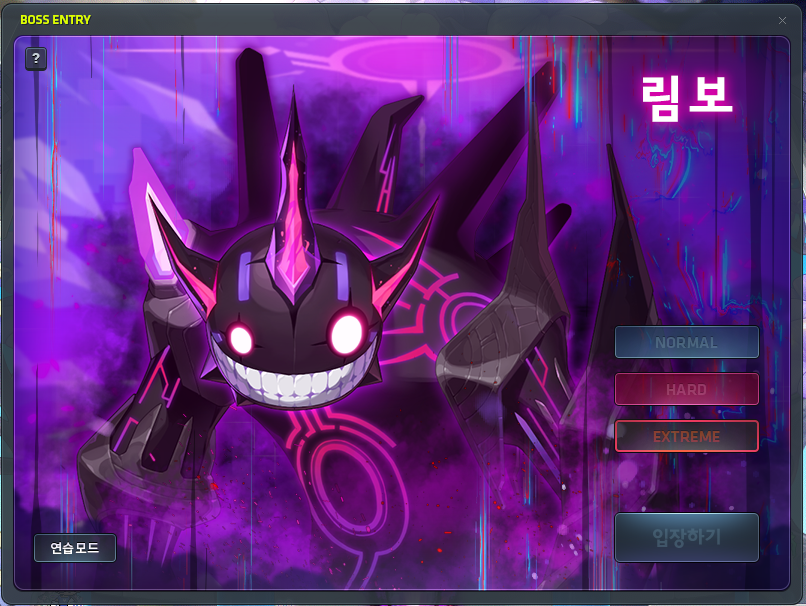
Extreme Mode has been added to Limbo.
- HP: 13Q/6.9Q/17.8Q
- Crystal Price: 7.5b
- Extreme Mode has new patterns.

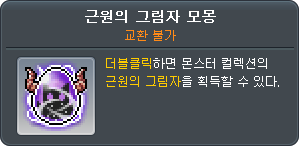
- The following new rewards have been added.
- Exceptional Hammer (Pocket)
- Can be used on a Cursed Spellbook to give +20 all stats, +15 attack/magic attack, +1000 HP/MP.
- Shadow of the Source Monster Egg
- Can be used to register the Shadow of the Source in Monster Collection.
- Exceptional Hammer (Pocket)
※ Limbo’s Extreme Mode will be available on October 23, 2026 at 7:00 PM.
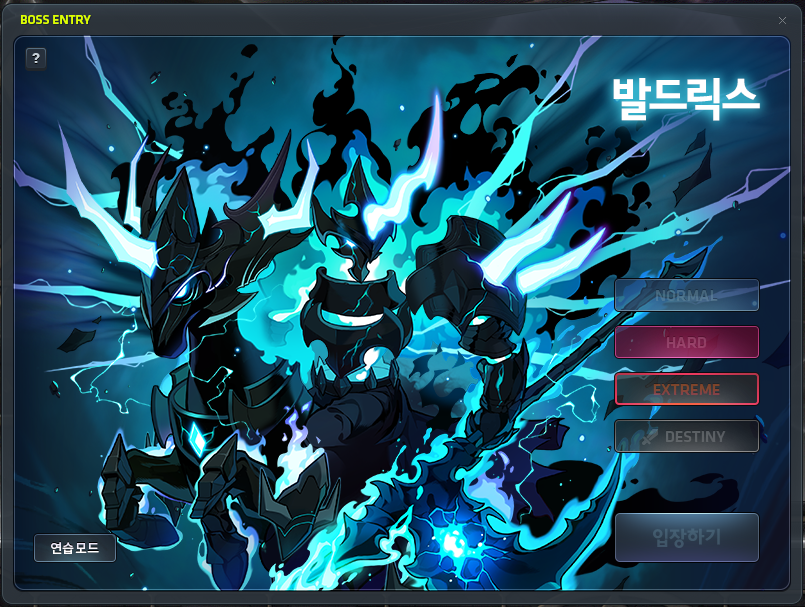
Extreme Mode has been added to Baldrix.
- HP: 15.4Q/16.5Q/22Q
- Crystal Price: 9.6b
- Extreme Mode has new patterns.
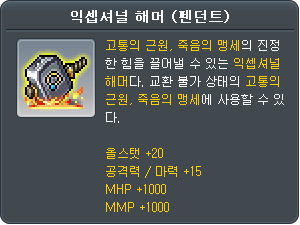
- The following new rewards have been added.
- Exceptional Hammer (Pendant)
- Can be used on a Source of Suffering or Oath of Death to give +20 all stats, +15 attack/magic attack, +1000 HP/MP.
- Exceptional Hammer (Pendant)
※ Baldrix’s Extreme Mode will be available on October 23, 2026 at 8:00 PM.
Union Artifact missions related to the new boss difficulties have been added.
- Boss Mission: Defeat Extreme Limbo, Defeat Extreme Baldrix
- Special Mission: Defeat Extreme Limbo for the first time, Defeat Extreme Baldrix for the first time
Achievements related to the new boss difficulties have been added.
- [Limbo] Who Says I’m Becoming Part of It?
- [Limbo] At This Point, We’re Basically Co-Researchers
- [Limbo] When Does the Research End?
- [Limbo] Stronger than Truth Itself
- [Limbo] That was a Spectre-cular Performance
- [Limbo] No Need to Stare into the Abyss
- [Baldrix] Get Off Your High Horse
- [Baldrix] 10th Meeting with the Chief Knight
- [Baldrix] Knight Perfect Attendance
- [Baldrix] No Way, All by Yourself?
- [Baldrix] Everyone Returned Safely, Mission Accomplished!
- [Baldrix] Execution Request Rejected
Youc an challenge the following bosses in the cross world boss content <Dimensional Battlefield>.
- Limbo (Extreme)
- Baldrix (Extreme)
Cash

New Translucent Equipment has been added to the Cash Shop.
- Translucent Top: 2,500 NX (permanent, can be purchased with Maple Points)
- Translucent Bottom: 2,500 NX (permanent, can be purchased with Maple Points)
- ※ The Translucent Top/Bottom can also be acquired through the Exploration Shop.
- When a Translucent equipment item is equipped in the decoration window or the outfit preset, the equipment window’s equipped item will be displayed instead of the decoration item.
- For Translucent Top/Bottom/Overall, the effect will only be applied if the same part’s equipment is equipped.
- If a Translucent Top/Bottom is equipped with a decorative overall, you must equip both a cosmetic top and bottom for the translucent effect to be applied.
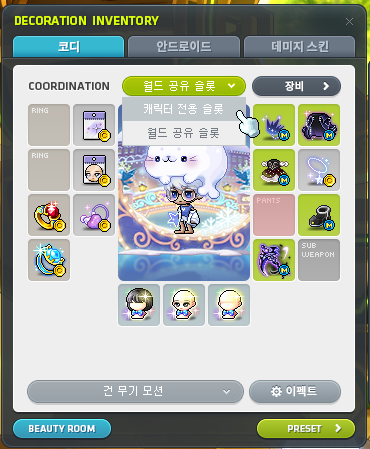
The world-shared decorative slots have been added.
- You can switch between the character-specific decorative slots and the world-shared decorative slots using the Slot Switch button in the Equipment UI’s decorative window.
- World-shared decorative slots are only applied to the hat, cape, overall, shoes, and weapon slots. Items equipped in these slots can be shared and used by all characters within the same world.
- You can only equip Master Label items in the world-shared decorative slots. Items that don’t match the character’s gender will not have their appearances or stats applied, and they will not be included in the Master Label Plus’ number of items equipped.
- For Angelic Buster, the world-shared decorative slots will only be applied to Normal Mode’s weapon and Dress Up Mode’s hat, cape, overall, and shoes.
- For Zero, switching to the world-shared decorative slots will apply to both Alpha and Beta.
Certain items’ purchase and usage conditions have been changed.
- Name Engravers can now only be purchased and used by level 260 or higher characters.
- Hyper Megaphones can now only be purchased and used by level 260 or higher characters.
- ※ Name Engravers and Hyper Megaphones purchased before this update will also be restricted to use by level 260 or higher characters.
Improvements
Quests
You can now claim Arcane River, Tenebris, and Grandis daily quest experience up to 2 times per world.
The Genesis Weapon Liberation quest’s Traces of Darkness maximum hold limit has been increased from 3,000 to 6,500.
Items
When using boss reward items that give Absolabs/Arcane Shade equipment items, you can now choose to receive Superior Item Crystals instead of equipment items.
- Absolabs Weapon Box (3 Superior Item Crystals)
- Absolabs Armor Box (3 Superior Item Crystals)
- Arcane Shade Weapon Box (5 Superior Item Crystals)
- Arcane Shade Armor Box (5 Superior Item Crystals)
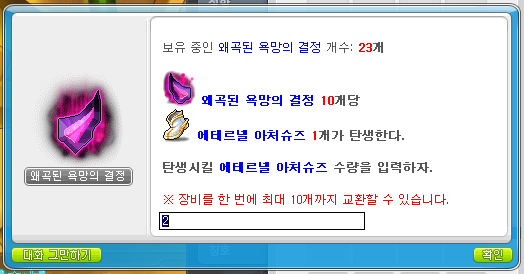
When using boss reward items that give Absolabs/Arcane Shade/Eternal equipment items, you can now use multiple at the same time.
- Absolabs Weapon Box
- Absolabs Armor Box
- Arcane Shade Weapon Box
- Arcane Shade Armor Box
- Kalos’ Remaining Will
- Continued Ancient Resolve
- Ferocious Beast Entanglement Ring
- Blissful Fantasy Shard
- Cursed Wraith’s Remnant
- Distorted Ambition Crystal
- Trace of Eternal Loyalty
- Lingering Twisted Desire
Magnificent Kai’s Soul, Magnificent Dragon Roar’s Soul, and Magnificent Maerin’s Soul can now be registered in the Soul Collection through the Register Soul feature.
The following item can no longer be acquired from the Rose Garden Box.
- 60% Chaos Scroll
The following items can no longer be acquired from the Artisan’s Gift.
- 100% One-Handed Weapon Attack Scroll
- 100% One-Handed Weapon Magic Attack Scroll
- 100% Two-Handed Weapon Attack Scroll
※ You can acquire the Artisan’s Gift when you use a Mysterious Anveil or Mysterious Medal Anvil.
※ You can check the Artisan’s Gift detailed rates on the [Official Homepage > Guide > Probability-Type Items > Artisan’s Gift] page.
The Kinship Ring provided as an MVP Gold benefit’s maintain condition has been changed to be MVP Gold or higher and MVP Red or lower.
The Experience Boost Ring (15%) provided as an MVP Diamond benefit’s maintain condition has been changed to be MVP Diamond or higher and MVP Red or lower.
The Kinship Ring and Experience Boost Ring (15%) provided as MVP benefits can now be discarded through the Clothing Collection Bin in Henesys Market.
Pet equipment acquired from Pet Equipment Vouchers purchased from the Maple Auction can now be traded 1 time before they are equipped.
It has been improved so that for pets that cannot use the Pet Equipment Voucher, the tooltip’s notice will now specify the voucher’s name.
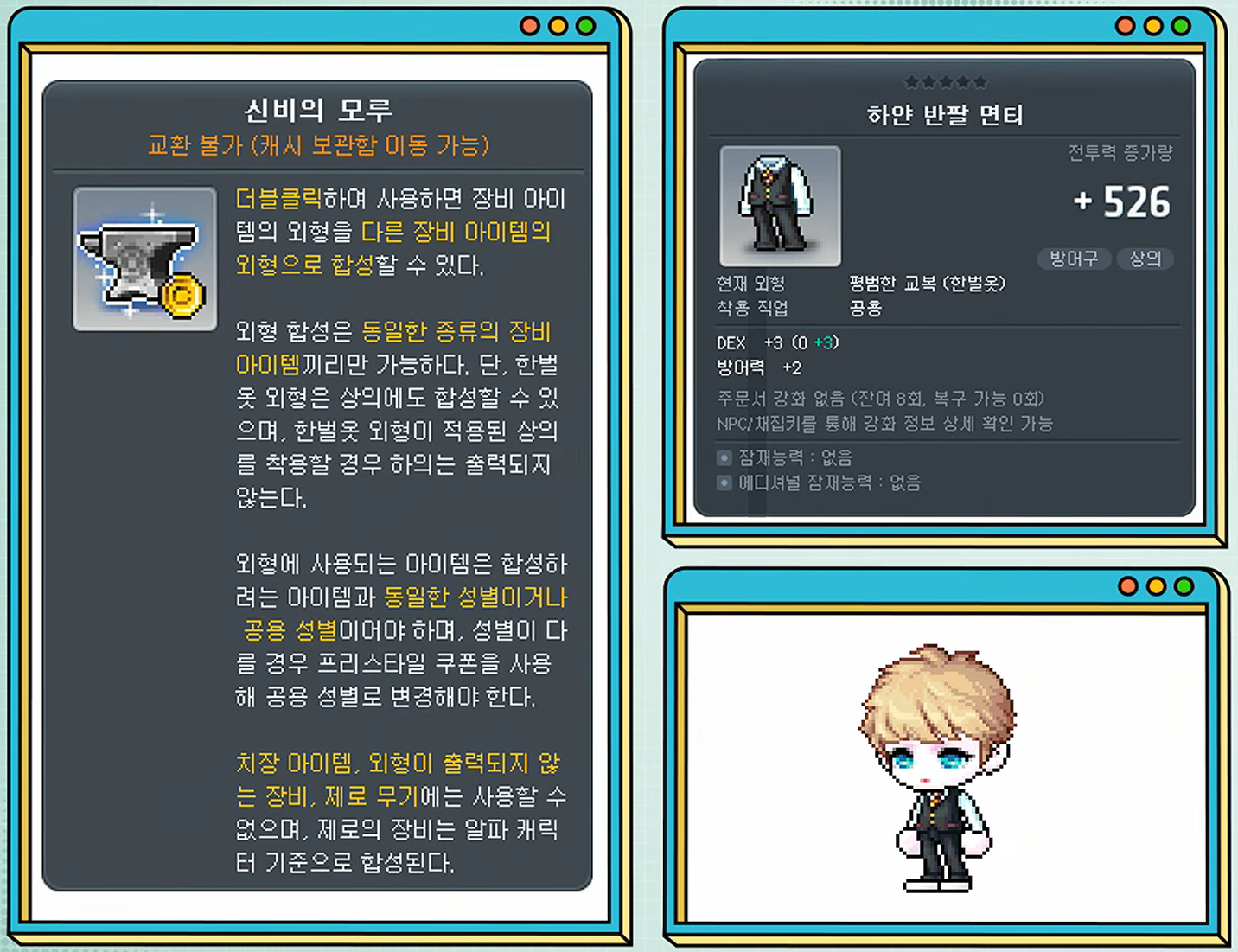
You can now anvil an overall item’s appearance on a top item.
- When you equip a top item with an overall’s appearance applied, the bottom will not be displayed.
When using an item with a changed appearance as the function item in an anvil, the resulting item’s gender restriction will be based on the gender of the function item before its appearance was changed.
The Heart Chocolate sold in the Cash Shop’s duration has been changed to permanent.
The appearance of the item received upon completing the Temple of Time – Gate to the Past page in the Monster Collection has been changed.
Monsters
Kaling (Extreme)
- The HP has been decreased by about 10% (all monsters in all phases).
Limbo (Normal/Hard)
- In Phase 2, the pattern that moves you to the Reverse Side of Truth has been removed. (Note: this is the ‘Yoshi’s Island’ pattern after you defeat 2-1 where you have to jump on the spikes to hit the monster on the other side of the circle.)
- In Phase 2, when you defeat Spectre C, your Erosion gauge will now be decrreased based on the number of times that Spectre C fully manifested. (Note: You will recover 150 Erosion by default. This will be decreased by 50 for each time the Risk Gauge hit 100% and Spectre C did its ‘test’.)
- In Phase 2, Spectre C’s form change action duration has been decreased by about 33%.
- In Phase 2, when Spectre C returns to the separated form, the action duration has been decreased by about 28%. (Note: This is the time it takes to swap between its form with no hands and its form with two hands.)
- In Phase 2, when Spectre C takes damage and merges, the action’s duration has been decreased by about 30%. (Note: This is the time it takes to swap between its form with no hands and its form with two hands.)
- In Phase 2, when Spectre C takes damage and merges, it can now be hit during the action. (Note: This is when it is swapping between its form with no hands and its form with two hands.)
- In Phase 2, when Spectre C fully manifests, the action’s duration has been decreased by about 50%. (Note: This is the time it takes to swap to its form when it starts the ‘test’ if the Risk Gauge reaches 100%.)
- In Phase 2, when the Risk Gauge reaches 100%, the time you are trapped in the abyss has been decreased by about 29%. (Note: This is the duration of the ‘test’ if the Risk Gauge reaches 100%.)
- In Phase 2, Spectre D’s Abyssal Predators will no longer cover the exit portal.
- Improved an issue in Practice Mode phase 3 where the Erosion value UI was covered.
Baldrix (Normal/Hard)
- In Phase 1, the Doom pattern’s cooldown has been increased from 120 seconds to 138 seconds. (Note: This is the pattern that occurs when the timer reaches 0 and it swaps you to another room.)
- In Phase 2, the Magic Frenzy pattern’s cooldown has been increased from 120 seconds to 138 seconds. (Note: This is the pattern that occurs when the timer reaches 0 and it swaps you to another room.)
- In Phase 2, multiple Dimensional Slash patterns can no longer be activated at the same time. (Note: This is the pattern where a straight blue path appears and a crescent shoots across it after a short period of time.)
- In Phase 2, the Dimensional Slash pattern’s effects have been changed.
- In Phase 2, the Frenzied Thunder pattern’s effects have been changed. (Note: This is the pattern where the spike on the ground locks in your position then shoots a pillar upwards a few times.)
- In Phase 2, the Flood pattern’s effects have been changed.
- In Phase 2, the Magic Strike pattern’s effects have been changed.
- In Phase 3, the Ragnarok pattern’s cooldown has been increased from 120 seconds to 138 seconds. (Note: This is the pattern that occurs when the timer reaches 0.)
- In Phase 3, the system message displayed when the Triad Thunder pattern is cast has been changed.
- In Phase 3, the Dimension Rush pattern’s cooldown has been increased by about 14%. (Note: This is the pattern where Baldrix disappears into the centre of the map then rushes towards one side.)
- In Phase 3, the Dimension Rush pattern will no longer deal damage at the end of the rush.
- In Phase 3, you can no longer hit the Magic Crystals.
- In Phase 3, during Soul Bind Stage 1, if you are hit by the Weapon Double Strike pattern’s afterimage, the Constricting Magic reduction has been increased from 40 to 50.
- In Phase 3, during Soul Bind Stage 2, if you are hit by the Weapon Double Strike pattern’s afterimage, the Constricting Magic reduction has been increased from 65 to 75.
- In Phase 3, during Soul Execute, if you are hit by the Weapon Double Strike pattern’s afterimage, the Constricting Magic reduction has been increased from 90 to 95.
- In Phase 3, during Soul Execute, if you are hit by the Sudden Rush pattern’s afterimage, the Constricting Magic reduction has been increased from 80 to 90.
- In Phase 3, during Soul Bind Stage 1, if you are hit by the Sudden Rush (ranged) pattern’s afterimage, the Constricting Magic reduction has been increased from 30 to 35.
- In Phase 3, during Soul Bind Stage 2, if you are hit by the Sudden Rush (ranged) pattern’s afterimage, the Constricting Magic reduction has been increased from 55 to 65.
- In Phase 3, during Soul Execute, if you are hit by the Sudden Rush (ranged) pattern’s afterimage, the Constricting Magic reduction has been increased from 80 to 90.
- In Phase 3, during Soul Bind Stage 2, if you are hit by the Dimension Rush pattern’s afterimage, the Constricting Magic reduction has been increased from 90 to 95.
- In Phase 3, during Soul Bind Stage 1, if you are hit by the Triad Thunder pattern’s afterimage, the Constricting Magic reduction has been increased from 30 to 40.
- In Phase 3, during Soul Bind Stage 2, if you are hit by the Triad Thunder pattern’s afterimage, the Constricting Magic reduction has been increased from 35 to 75.
- In Phase 3, during Soul Execute, if you are hit by the Triad Thunder pattern’s afterimage, the Constricting Magic reduction has been increased from 45 to 105.
The following boss crystal sale prices have been changed.
| Boss | Price (Before) | Price (After) |
|---|---|---|
| Kaling (Extreme) | 5,387,000,000 | 4,845,000,000 |
| Jupiter (Hard) | 4,845,000,000 | 5,387,000,000 |
Maps
In Epic Dungeon: Nightmare Paradise Stage 4, the frequency of the burning rocks has been decreased. In addition, when you collide with a burning rock, the drop distance and stun duration have been decreased.
Fixed an issue in Epic Dungeon: Nightmare Paradise Stage 4 where the ‘Pull Key’ mechanic was affected by the skill repeated input option.
Fixed an issue in Epic Dungeon: Aurum Regis Stage 1 where if Demon Slayer used Demon Trace, they would move to the edge of the screen.
Epic Dungeon: Aurum Regis Stage 1 has been improved so that when you move through the portal, the light effect looks more natural.
A map name has been added for characters in the Limbo (Normal/Hard) Phase 3 entrance cutscene.
A map name has been added for characters in the Baldrix (Normal/Hard) Phase 1 entrance cutscene.
A map name has been added for characters in the Baldrix (Normal/Hard) Phase 2 entrance cutscene.
UI
In the Ability Reset UI, if the second and third lines are Unique or lower and locked, you will not be able to use the Advanced Reset.
The Ability Auto Reset UI’s guide text has been improved.
In the Ability Auto Reset UI, if the value entered is lower than the minimum possible value for the selected rank and stat, you will not be able to use the auto reset.
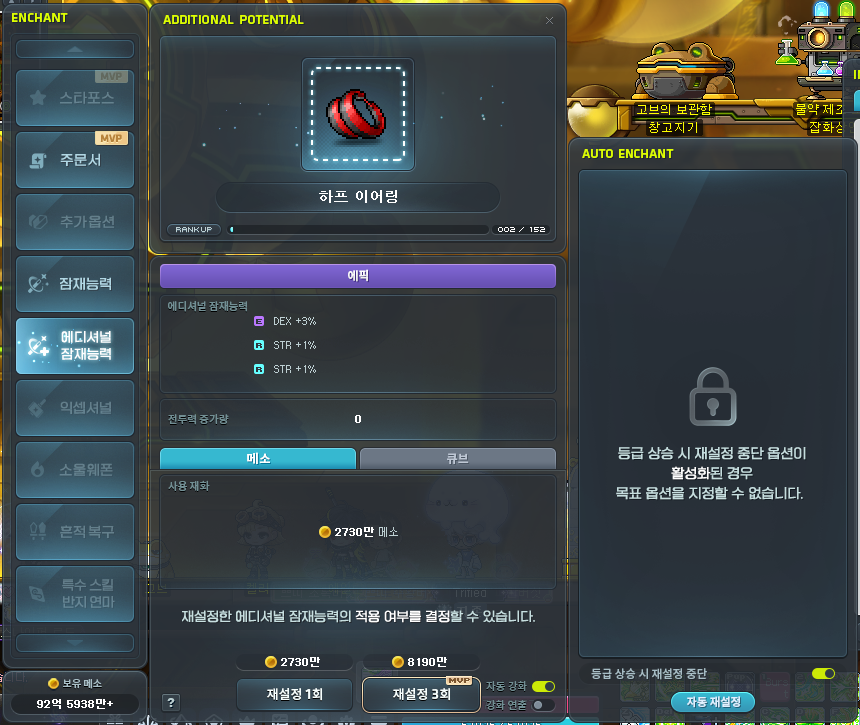
The Auto Reset feature is now available for Unique tier or lower potential, additional potential, soul potential, and ability.
- For potential, additional potential, and soul potential’s auto resets, you can only select target stats from the stats that can appear at the item’s current tier.
- For ability’s auto resets, you can only select target stats that can appear at the current tier or one stage lower.
- The auto reset will stop if you reach the target stats, run out of enhancement material, or if the tier is increased.
- If the tier is increased, all previous set auto reset targets will be reset, except for the ‘stop resets if Combat Power increases’ option.
The ‘stop reset if tier increases’ option has been added to the Auto Reset UI.
- If you turn this option on, the auto reset will continue until the tier increases, without having to set any target stats.
- If you turn this option on, you cannot set any target stats.
※ If you previously used the auto reset on Unique or lower tier with the ‘stop reset if tier increases option’ on and it tiered up, the option will remain enabled.
※ This option cannot be used if it is already at the maximum tier.
The ‘stop reset if Combat Power increases’ option will now always be enabled by default, regardless of it was turned on before the UI was last closed.
The Ability auto reset target stats will now be saved separately for each preset.
The guide messages when auto resetting potential, additional potential, soul potential, bonus stats, and ability have been changed.
You can no longer set the following stats as target stats when auto resetting potential, additional potential, and soul potential.
- % chance to recover HP when attacking
- % chance to recover MP when attacking
- HP recovery items and recovery skills efficiency increase
If you reach a target when auto resetting bonus stats, potential, additional potential, or soul potential, the Combat Power increase animation will now only be displayed after you have revealed all of the taget stats.
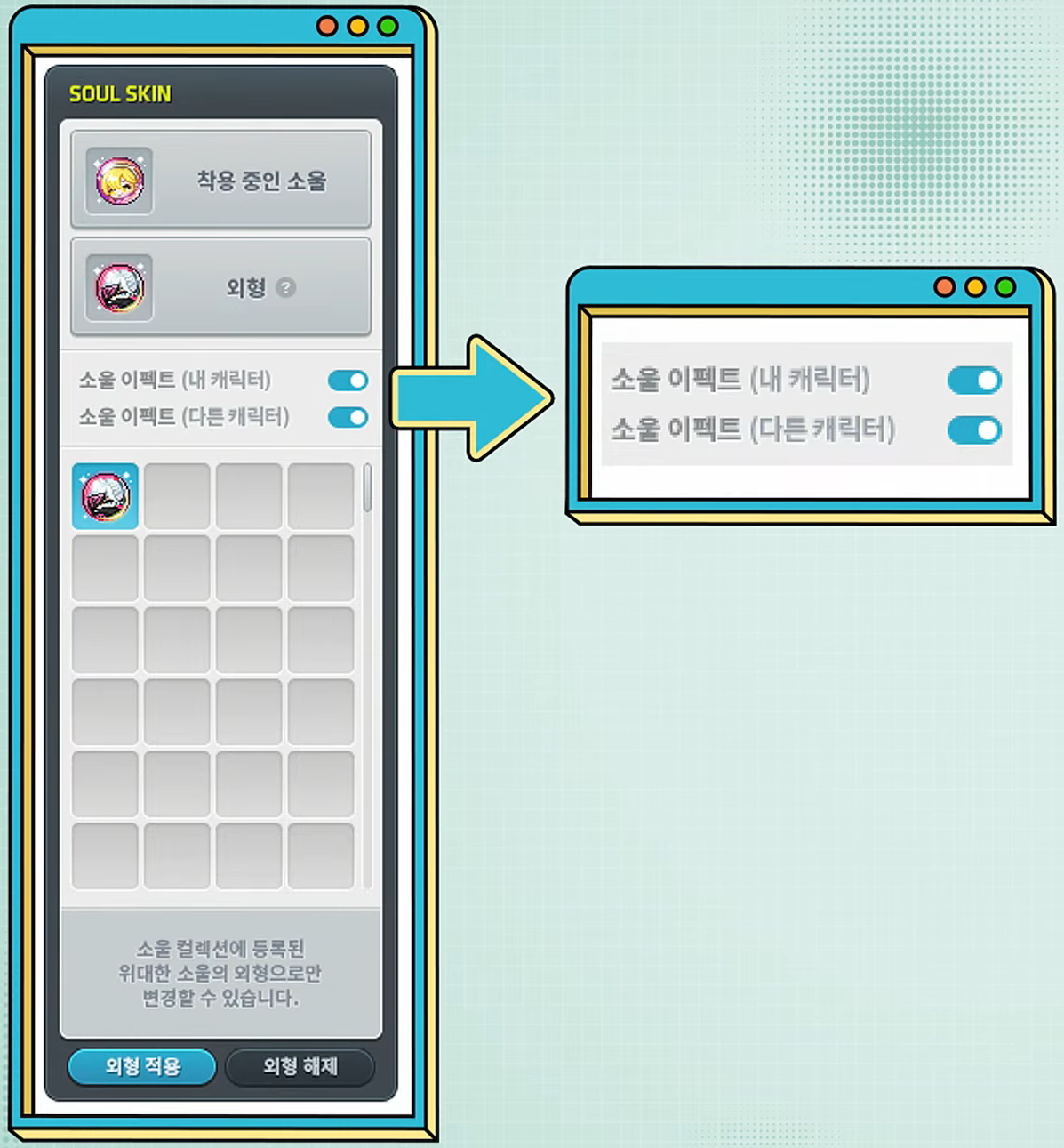
You can now turn other characters’ Soul effects on/off in the Soul Collection’s Soul Appearance UI.
- You can use the Soul Effect (My Character) toggle to turn your own character’s Soul effect on/off.
- You can use the Soul Effect (Other Characters) toggle to turn other characters’ Soul effects on/off.
※ The Soul Effect (Other Characters) option is saved on a per-character basis.
A guide message will now be displayed in certain situations where Buff Sequences cannot be used.
Chat emoticons can now be used by all characters within the same world.
In environments with network latency, if the Star Force auto enhancement’s ‘prevent destruction’ button is pressed, the button cannot be pressed again until the changed enhancement costs are reflected in the enhancement UI.
A guide message will now be displayed in the Star Force auto enhancement UI if the ‘prevent destruction’ is automatically cancelled due to changing target stages, swapping equipment, or opening/closing the auto enhancement UI.
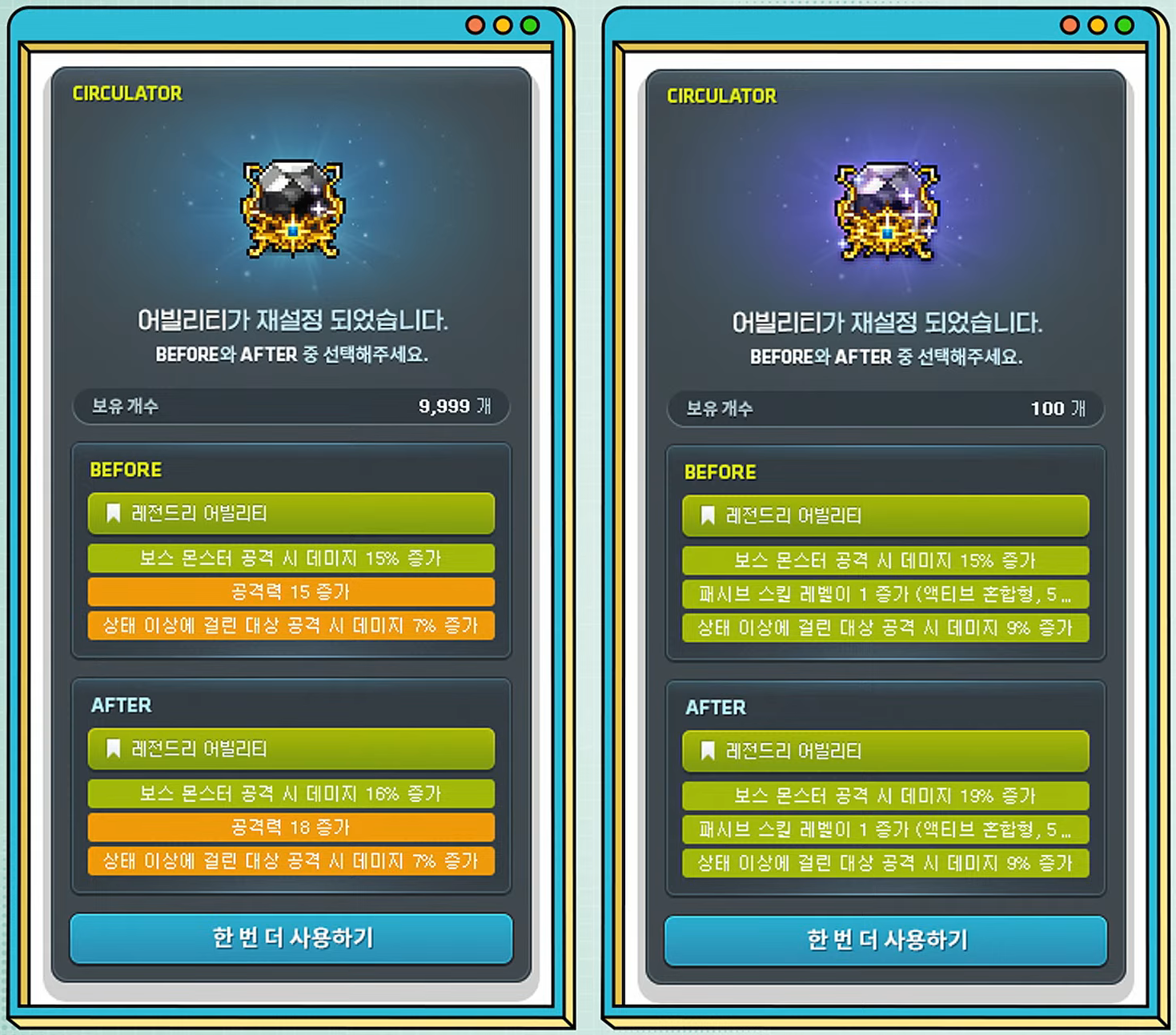
The Circulator UI has been improved.
- The Circulator UI will now display the number of Circulators you have.
- You can now check the currently used Circulator’s item tooltip in the Circulator UI.
- You can now check the acquired stats’ values directly in the Circulator UI.
For equipment sold in NPC shops that can only be used by specific genders, the applicable genders will now be displayed after the item name.
In the client Maple Auction’s weapon search filters, soul potential tier and soul amplification stage options have been added.
If you relogin to the game while selecting stats, the Combat Power difference will no longer be calculated until after Union information has been fully loaded.
The monster icons in Monster Collection and the Maple Guide’s Quick Move UI have been improved to be more clear.
In the expanded UI mode, if you collapse the expanded area, the Personal Flame guide UI will no longer appear to be cut off.
Exploration Coins
You can now open the Exploration Coin Shop through the full menu and the quick menu.
When buying Cash items from the Exploration Coin Shop, you will now receive the actual Cash item directly instead of acquiring a separate Voucher item.
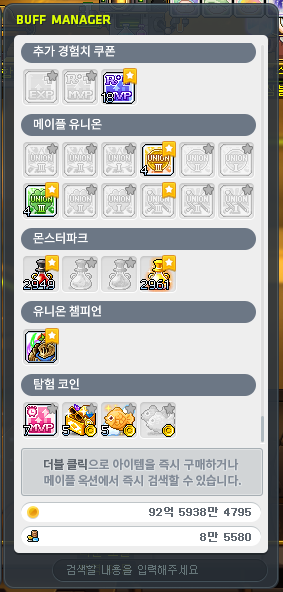
The following buff items which can be purchased in the Exploration Coin Shop have been added to the Buff Manager.
- MVP Superpower Buff
- Mashoor’s Gifts Weather Effect
- Sweet Taiyaki Sprinkle
- Taiyaki Sprinkle
The Buff Manager will now display your number of Exploration Coins instead of your Maple Points.
The following items sold in the Exploration Coin Shop can now only be purchased by level 260 or higher characters.
- Hyper Megaphone
- Name Engraver

The following Translucent equipment have been added to the Exploration Coin Shop.
- Translucent Top: 2,500 Exploration Coins (permanent, untradeable)
- Translucent Bottom: 2,500 Exploration Coins (permanent, untradeable)
Professions
When your profession skill (equipment crafting, accessory crafting, alchemy)’s level increases, you will now receive Diligence experience regardless of whether you have reached Craftsman level equipment crafting, accessory crafting, or alchemy.
You can now craft in Meisterville regardless of your distance from the crafting tools.
Achievements
The following achievements’ completion conditions have been changed to include using Exceptional Enhancements on set equipment.
- [Exceptional] Gravity Control Limiter Released
- [Exceptional] Inescapable Nightmare
- [Exceptional] Wolf Freed from its Shackles
- [Exceptional] I Pledge Eternal Loyalty
- [Exceptional] A Legacy that Became Mythical
New Exceptional Enhancement related achievements have been added.
- [Exceptional] Suffering That Doesn’t Kill Me Only Makes Me Stronger
- [Exceptional] A Spellbook That Even Devours Curses
- [Exceptional] Even Pride is Mine
- [Exceptional] Satiating the Wraith’s Hunger
- [Exceptional] Oath Even Stronger than Death
Maple Home

You can now use the Quick Move menu in Maple Home.
You can now use the Event List in Maple Home.
You can now use the Scheduler and Maple Guide to move to other maps in Maple Home.
If you log off while in Maple Home, you will now login back in your Maple Home.
When you move to certain maps from Maple Home, if you exit, you will now return to your Maple Home.
- Monster Park
- Underground Culvert
- Flag Race
- Boss battle maps accessed through the boss menu
- Dimensional Battlefield
- Training Grounds
- Dimensional Library
- Event maps accessed through the Event List
- VIP Sauna
- MVP Resort
- Cash Shop
※ This can also be used while visiting another user’s Maple Home.
※ If you do not have a Maple Home, you will be moved to the ‘Park in Front of the House’ map.
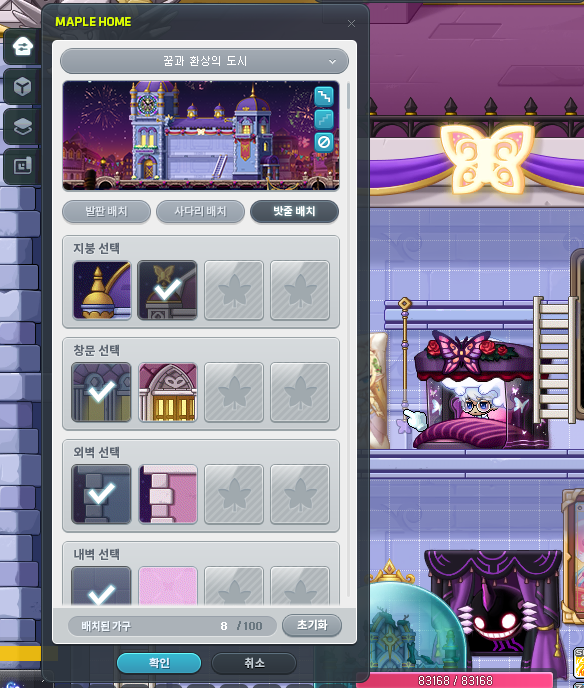
You can now place ladders and ropes in Maple Home.
- In the Building Management menu, you can click the Place Platforms/Place Ladders/Place Ropes to change placement modes.
- In Place Ladder/Place Ropes mode, you can click on a platform to create ladders and ropes. You can also extend them by clicking spaces below placed ladders and ropes.
- In Place Ladder/Place Ropes mode, you can delete ladders and ropes by clicking on them.
※ If you remove a ladder or rope block, all ladders and ropes connected below that block will also be removed.
※ Ladders and ropes cannot be placed in certain Maple Home themes.
The home owner’s pets and Android will now be visible in Maple Home.
※ Only the Maple Home owner’s pets and Android will be visible. Visiting guests’ pets and Android will not be visible.
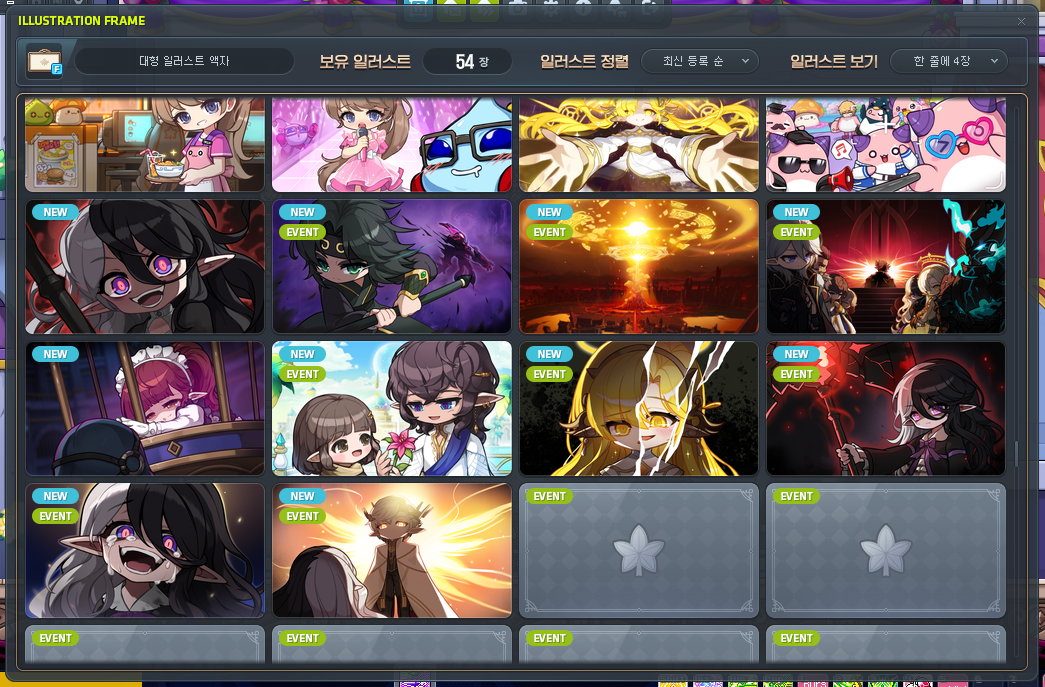
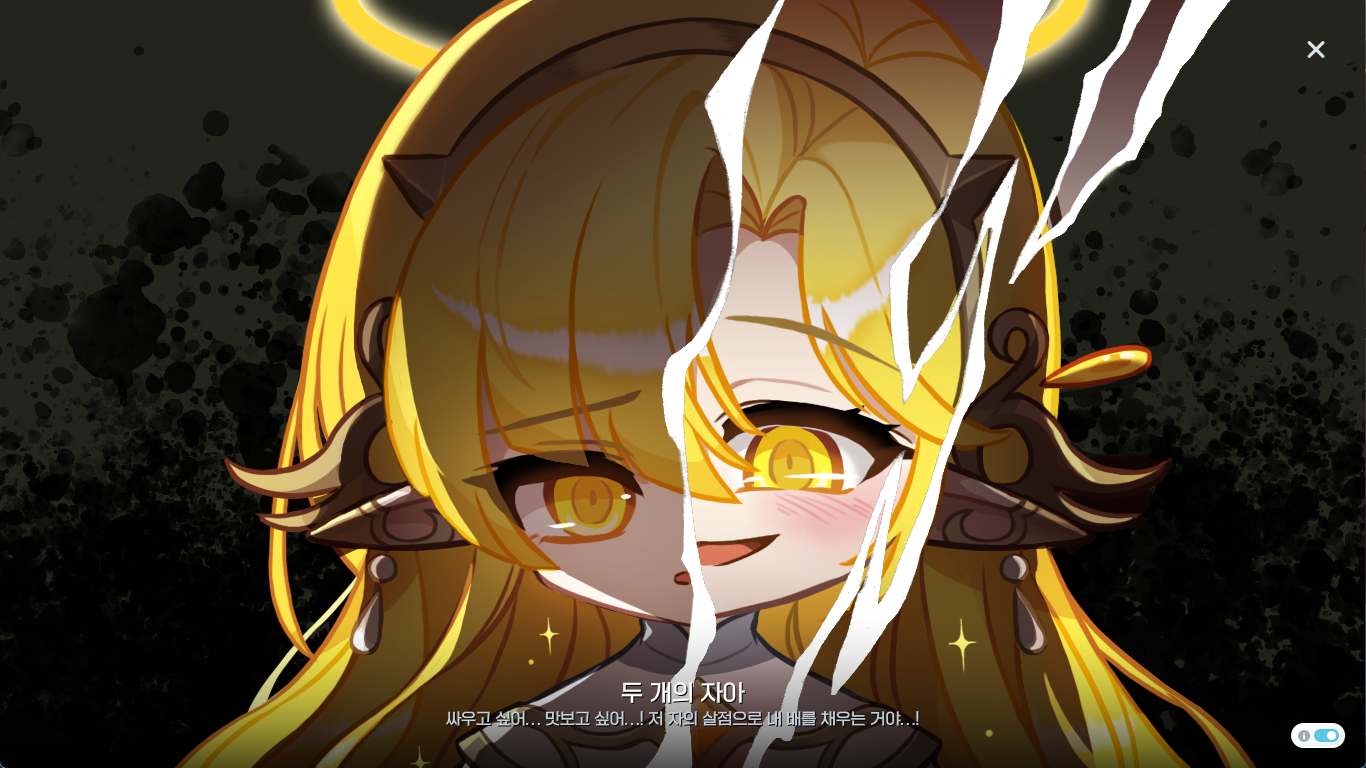
You can now use Illustration Frames in Maple Home.
- You can unlock in-game illustrations by meeting specific requirements.
- You can click on an Illustration Frame furniture to view your unlocked illustrations and select one to be displayed.
- In the list of unlocked illustrations, you can click the View Details button to see the illustration in full screen.
- In full screen, you can click the Info button to see the illustration’s title and description.
- When a visiting guest clicks an Illustration Frame, they can view that illustration in full screen.

The following furniture have been added to the list of default furniture in Maple Home.
- Small Illustration Frame
- Large Illustration Frame
※ These furniture pieces can be used instantly after acquiring your Maple Home with no additional requirements.
Union Champion
From October 22, 2026 after the maintenance until November 5, 2026 at 10:00 AM, you can remove a Union Champion at no cost.
Error Fixes
If you want the full list of error fixes, you can check the patch notes.
Events
Maple Escape: Missing Nemi

Become Detective Pink Bean’s assistant! Factory Manager Kaho from another dimension’s Ludibrium has requested your help to find the missing Nemi’s whereabouts!
Event Participation Requirements:
- A level 101 or higher character.
Event Duration:
- October 22, 2026 after the maintenance ~ November 18, 2026 at 11:59 PM.
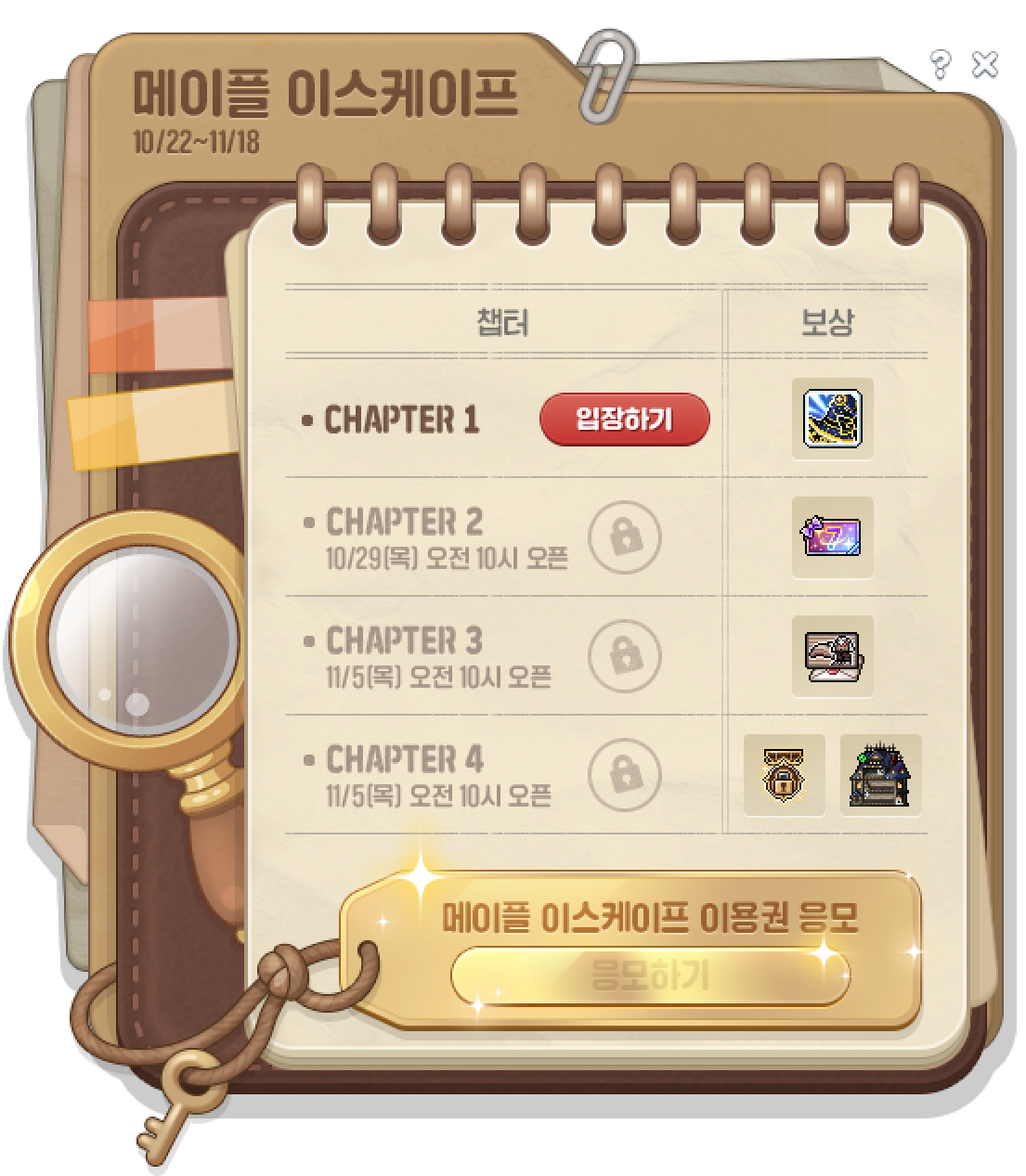
You can select the ‘Maple Escape: Missing Nemi’ event in the Event List to start the event. After completing the quest, you can proceed through the unlocked chapters sequentially through the event UI.
You can only participate 1 time per Maple ID.
Chapter Unlock Schedule
Every week on Thursday at 10:00 AM, a new chapter will be unlocked. If you have cleared the previous chapters, you can proceed with the next one. Chapter 3 and 4 will be unlocked at the same time, and you can proceed with them in order.
| Chapter | Unlock Schedule |
|---|---|
| 1 | October 22, 2026 after the maintenance |
| 2 | October 29, 2026 at 10:00 AM |
| 3 | November 5, 2026 at 10:00 AM |
| 4 |
How to Play
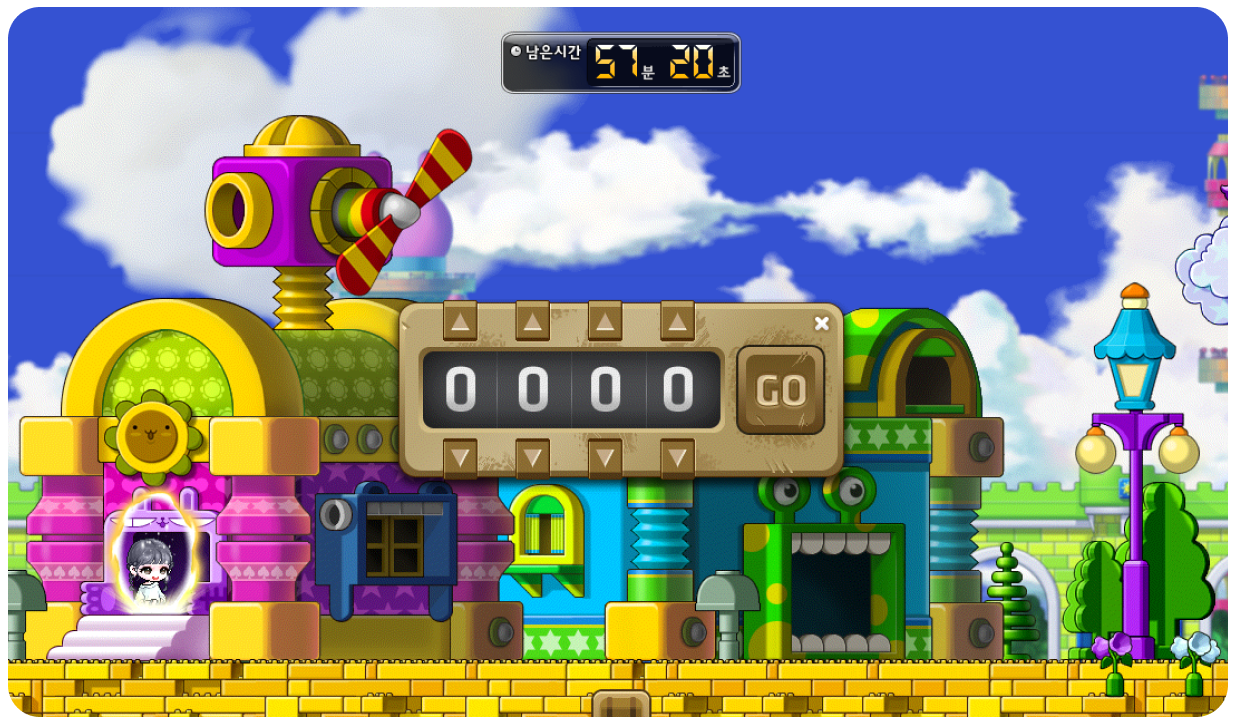
- You can press the Enter button in the event UI to enter a chapter. You will have 60 minutes to find clues and solve puzzles to progress through the chapter until the end of the story.
- If you don’t clear the chapter within the time limit or exit, you can resume from where you left off if you re-enter.
- You must complete the previous chapters before you can proceed with the next one.
- You can only clear each chapter 1 time per Maple ID.
- During the event, a special bag UI will be displayed and you cannot use certain systems like changing channels.
Clear Rewards
You can receive rewards 1 time per Maple ID after completing each chapter in the event UI.
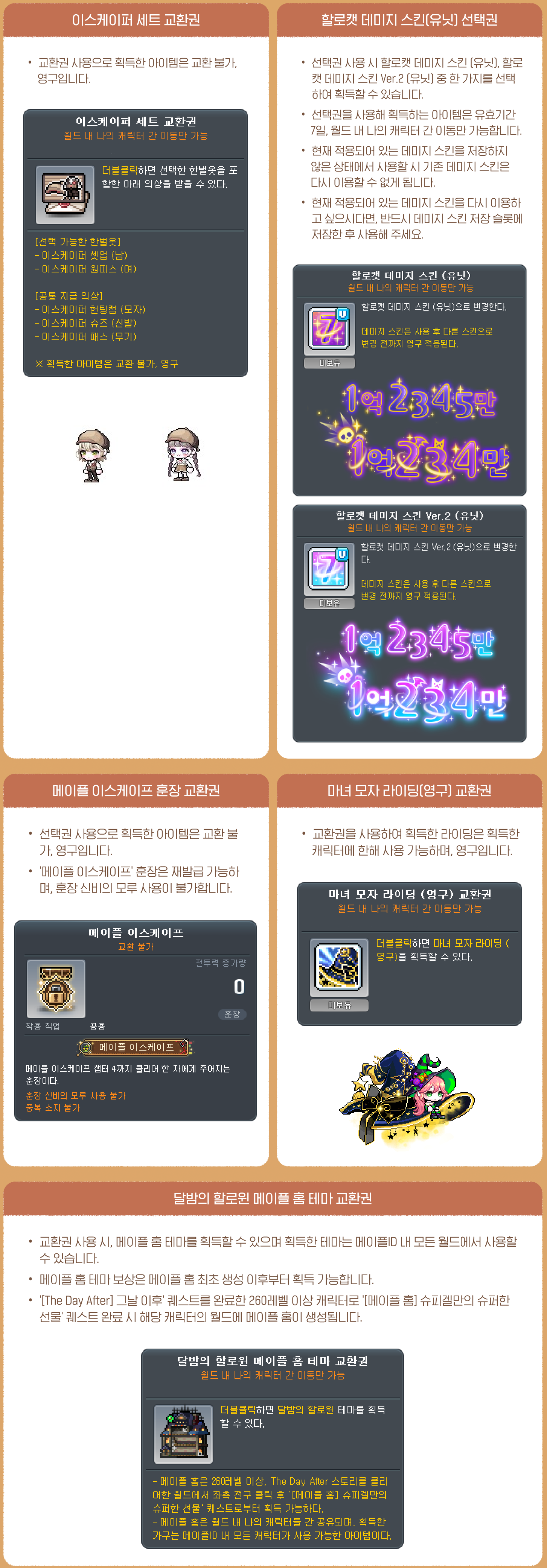
| Chapter | Reward |
|---|---|
| Chapter 1 | Witch Hat Riding (Permanent) Voucher |
| Chapter 2 | Selective Hallowcat Damage Skin (Unit) Voucher |
| Chapter 3 | Escaper Set Voucher |
| Chapter 4 | Maple Escape Medal |
| Moonlit Halloween Night Maple Home Theme Voucher |
※ All reward items can only be put into storage, and will expire on November 19, 2026 at 2:00 AM.
※ The <Moonlit Halloween Night Maple Home Theme Voucher> can be used after creating a Maple Home. The Maple Home theme will be added instantly upon use.
Offline Escape Room Draw Event
If you complete all 4 chapters, you can click the ‘Enter Draw’ button in the event UI to enter for a chance to win a Maple Escape Entry Ticket.
※ You can only enter the draw 1 time per person.
[Hunting Event] Detective Yeti’s Strange Magnifying Glass

Detective Yeti has received reports of ghosts appearing all over the place. Help him clear out the ghosts and receive lots of experience!
Event Participation Requirements:
- A level 101 or higher character.
Event Duration:
- October 22, 2026 after the maintenance ~ November 18, 2026 at 11:59 PM.

※ During the event period, Henesys, Nameless Town, Cernium Square, and City of Researchers will be decorated for Halloween. In addition, Runes and Elite Monsters’ appearances will be changed.
You can select the ‘[Hunting Event] Detective Yeti’s Strange Magnifying Glass’ event in the Event List to start the event.
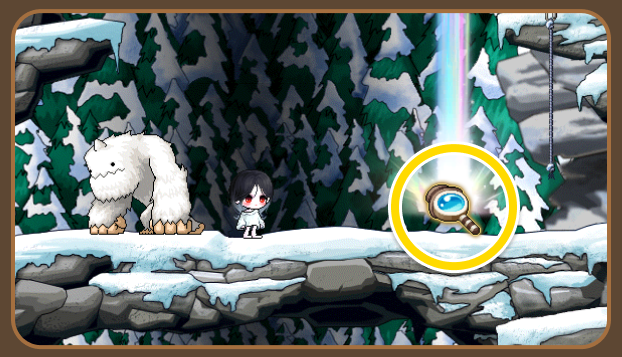
After starting the event, when you hunt monsters within your level range, there is a set chance for ‘Strange Magnifying Glass’ and ‘Detective Yeti’s Strange Magnifying Glass’ to drop.
※ ‘(Detective Yeti’s) Strange Magnifying Glass’ will only drop for level 101 or higher characters in the Maple ID that has started the event.
Daily Collection Mission

Every day, you can defeat 10,000 monsters within your level range and click the <Complete> button in the event UI to complete the daily collection mission and receive 1 ‘Detective Yeti’s Strange Magnifying Glass’.
※ The daily collection mission progress is shared between all characters within the Maple ID.
※ The ‘Detective Yeti’s Strange Magnifying Glass’ acquired from the daily collection mission can only be put into storage.
※ After completing a daily collection mission, you can claim the ‘Detective Yeti’s Strange Magnifying Glass’ until November 18, 2026 at 11:59 PM. They will expire on November 19, 2026 at 2:00 AM.
‘Strange Magnifying Glass’ and ‘Detective Yeti’s Strange Magnifying Glass’
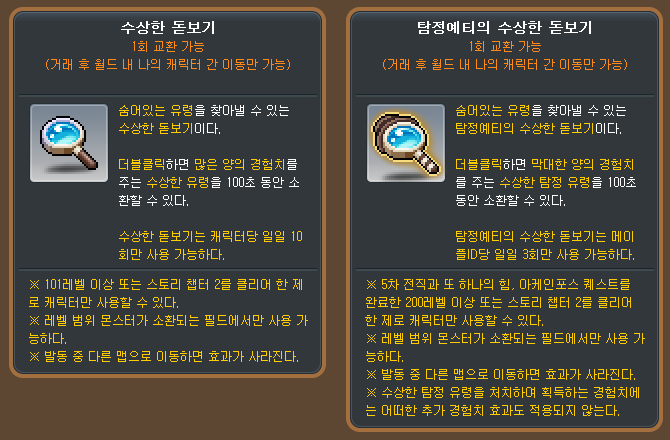
If you use a ‘Strange Magnifying Glass’ in a map with monsters within your level range, ‘Strange Ghost’ monsters that give lots of experience will be summoned for 100 seconds.
If you use a ‘Detective Yeti’s Strange Magnifying Glass’ in a map with monsters within your level range, ‘Strange Detective Ghost’ monsters that give even more experience will be summoned for 100 seconds.
※ ‘Strange Magnifying Glasses’ can only be used by level 200 or higher characters (or Zero characters that have completed story quest Chapter 2) that have started the event and have completed the 5th job advancement and the ‘Another Power, Arcane Force’ quest.
※ ‘Strange Ghosts’ are affected by experience increasing and decreasing effects.
※ ‘Strange Detective Ghosts’ are not affected by any additional experience effects.
‘(Detective Yeti’s) Strange Magnifying Glasses’ acquired by defeating monsters within your level range can be traded 1 time. After being traded, they can only be put into storage.
They can only be acquired until November 18, 2026 at 11:59 PM and will expire on November 19, 2026 at 2:00 AM.
‘Strange Magnifying Glasses’ can only be used up to 10 times per day per character.
‘Detective Yeti’s Strange Magnifying Glasses’ can only be used up to 3 times per day per Maple ID.
※ ‘(Detective Yeti’s) Strange Magnifying Glass’ usage records are reset every day at midnight.
※ ‘(Detective Yeti’s) Strange Magnifying Glass’ items cannot be used at the same time as other ‘VIP Booster’, ‘HEXA Booster’, or (Detective Yeti’s) Strange Magnifying Glass’ items.
※ You cannot use ‘(Detective Yeti’s) Strange Magnifying Glass’ on a Yellow Maple ID.
※ When using a ‘(Detective Yeti’s) Strange Magnifying Glass’, if you have both items that can be traded 1 time and items that can only be put into storage, the item at the top of the inventory will be used first.
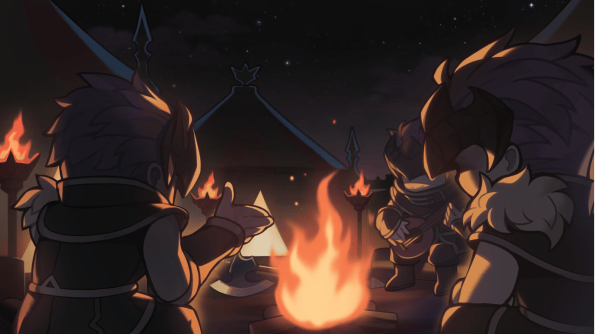
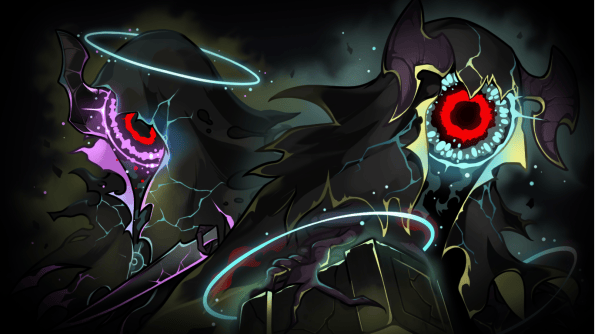
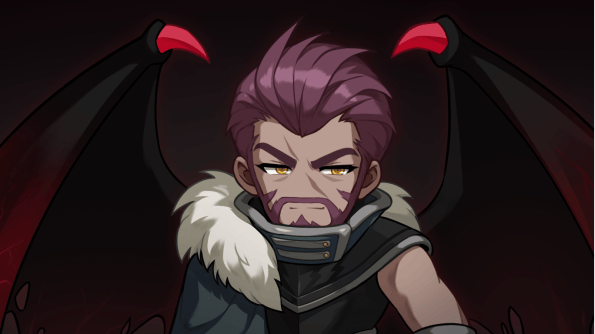
Fall Event [Visitors of the Argo] Quest Additions





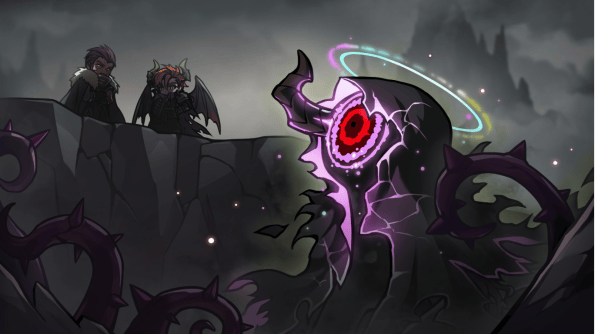






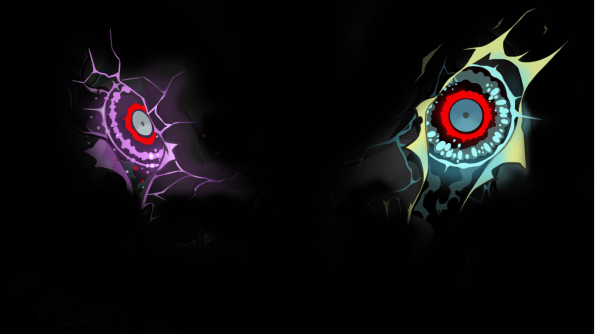




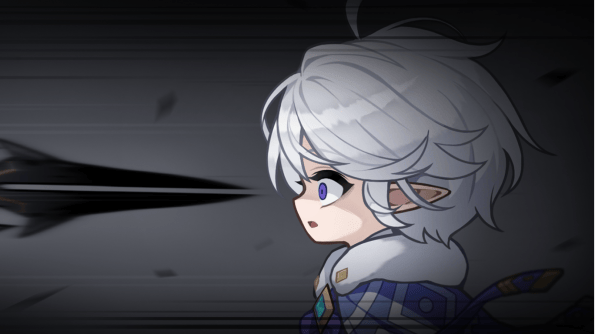
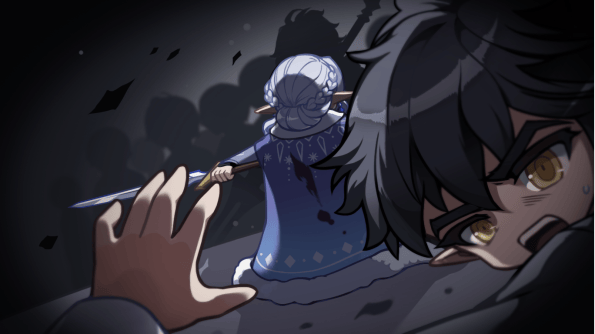
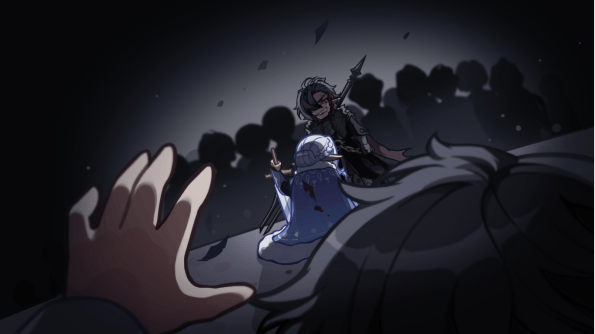

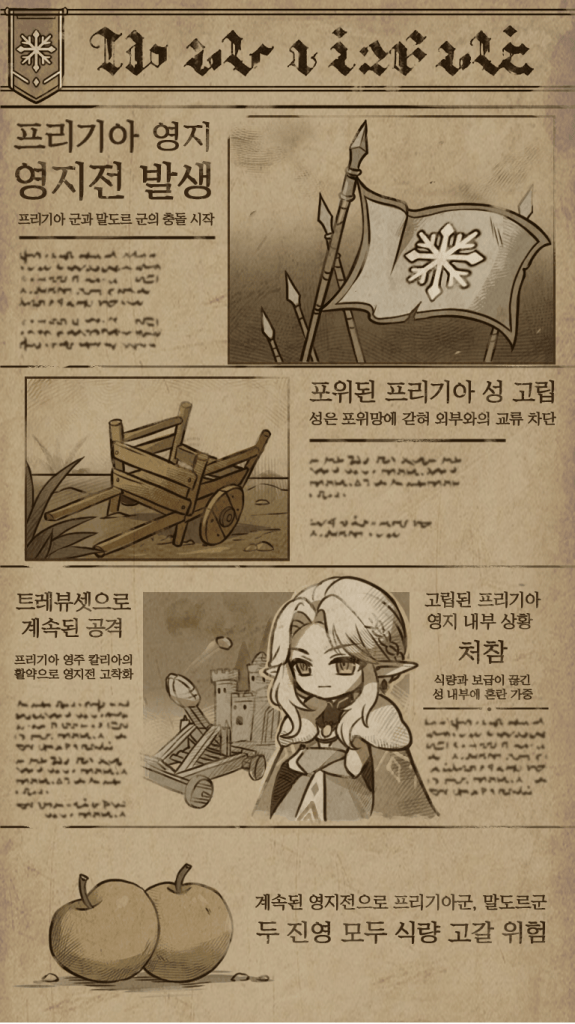
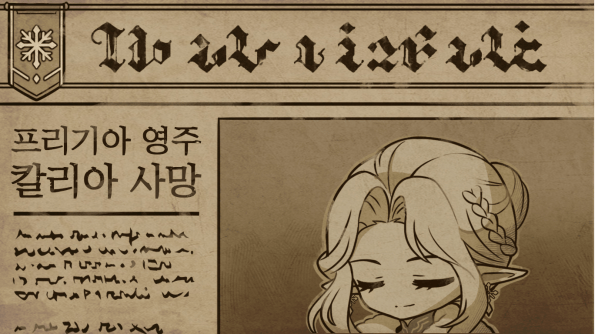
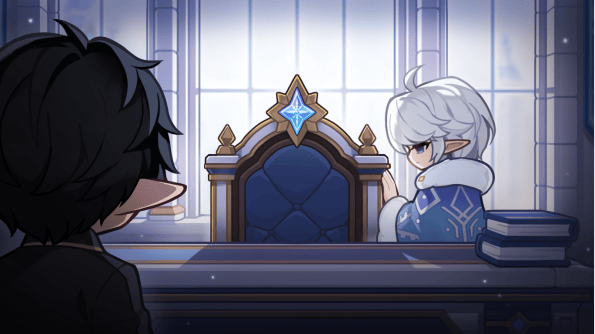




Event Participation Requirements:
- A level 101 or higher character.
After completing the ‘[The Argo] The Informant’s Struggle’ quest, you can talk to the NPCs in the Argo deck to proceed with the story.
The following [The Argo] quests have been added.
- [The Argo] The Argo’s Archive Room
- [The Argo] Finding the Remaining Pages of the Unpublished Manuscript
- [The Argo] Finding the Last Page of the Unpublished Manuscript
- [The Argo] Hide and Seek
- [The Argo] Something I Want to Protect
- [The Argo] Spark
- [The Argo] Village Girls’ Worries
- [The Argo] Token of Gratitude
- [The Argo] Life in the Cabin
- [The Argo] Reina of the White Night
- [The Argo] Daily Life in a Ruined World
- [The Argo] Inquiry
- [The Argo] Things Not in this World
- [The Argo] About the Forbidden Area
- [The Argo] Endless Training
- [The Argo] Companion
- [The Argo] Truth of the Plague
Personal Burning
The Personal Growth Missions have been expanded.
- The Personal Growth Missions have been expanded to stage 45.
※ The stage 1-30 growth missions’ provided goals and rewards will not change.
※ If you designate a level 299 character that already has more than about 52% of the required experience to reach the next level, any stages that exceed level 300 will be adjusted to just require reaching level 300. No experience rewards will be given for these adjusted stages.
- When you complete each stage’s mission by reaching the specified experience %, you will automatically receive experience matching that stage.
- Personal growth missions from stage 31 to 45 do not provide Personal Coins.
New Personal Boss Missions have been added.
- Extreme Limbo
- Extreme Baldrix
Momentum Pass PLUS

Cassandra’s support is speeding up even more! Level up the Momentum Pass and receive rewards!
Event Participation Requirements:
- A level 280 or higher character (or a Zero character that has completed story quest Chapter 2).
※ If you participated in the ‘Momentum Pass PLUS’ event that started on September 17, 2026 and you either activated both the Premium Momentum Pass and Prime Momentum Pass or you did not activate either, you can participate in this event with a character on the Maple ID that participated in that event. (However, if you only activated the Premium Pass in the ‘Momentum Pass PLUS’ event that started on September 17, 2026, you must participate in this event on the same character that you used in the previous event.
Event Period:
- October 22, 2026 after the maintenance ~ November 18, 2026 at 11:59 PM.
You can select the ‘Momentum Pass PLUS’ event in the Event List and click the ‘Participate’ button to start the event.
※ You can only participate in this event on one character per person.
※ The character and Maple ID participating in this event cannot be changed afterwards.
※ Even if you delete the character that participates in the Momentum Pass PLUS event, you cannot participate in the event on another character.
Momentum Pass Levels and Weekly Missions
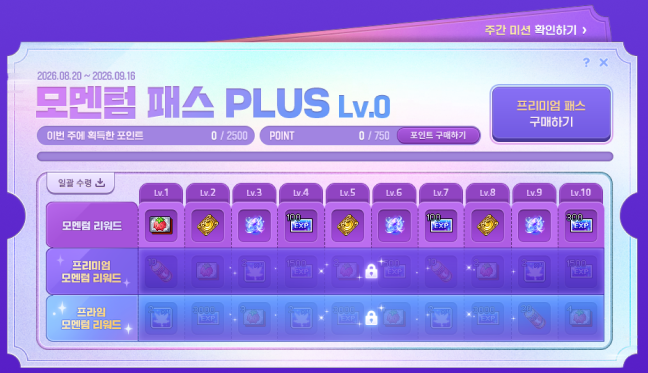
The Momentum Pass levels range from level 0~10. You can reach the next level by acquiring 750 Momentum Pass Points.
You can acquire Momentum Pass Points by completing weekly missions.
| Weekly Mission | Challengers Pass Points |
|---|---|
| Complete Grandis daily quests 3 times. | 200 |
| Complete Grandis daily quests 6 times. | 100 |
| Complete Grandis daily quests 9 times. | 100 |
| Complete Grandis daily quests 12 times. | 100 |
| Complete Grandis daily quests 15 times. | 100 |
| Complete Monster Park 2 times. | 300 |
| Complete Monster Park 4 times. | 300 |
| Complete Monster Park 6 times. | 300 |
| Complete Monster Park 8 times. | 300 |
| Complete Monster Park 10 times. | 300 |
| Complete Monster Park 12 times. | 300 |
| Complete an Epic Dungeon 1 time. | 300 |
| Defeat 5,000 monsters within your level range. | 400 |
| Defeat 10,000 monsters within your level range. | 300 |
| Defeat 15,000 monsters within your level range. | 300 |
| Defeat 20,000 monsters within your level range. | 300 |
| Defeat 25,000 monsters within your level range. | 300 |
| Defeat 30,000 monsters within your level range. | 300 |
| Defeat 35,000 monsters within your level range. | 300 |
| Defeat 40,000 monsters within your level range. | 300 |
You can acquire up to 2,500 Momentum Pass Points per week.
When you have acquired all of the Momentum Pass Points you can for the week or reach level 10, all remaining uncompleted missions will be completed.
※ The missions can only be progressed on the character that is participating in the event.
※ The weekly Momentum Pass point acquisition and weekly mission progress are reset every Thursday at midnight.
※ Symbol daily quests, Monster Park, and Epic Dungeon missions completed before participating in the event are not included in the weekly mission progress.
You can buy Momentum Pass Points based on the amount of Points you did not acquire from the previous week.
※ 100 Momentum Pass Points costs 1,000 Maple Points.
Pass Level Achievement Rewards
| Level | Momentum Reward | Premium Momentum Reward | Prime Momentum Reward |
|---|---|---|---|
| 1 | 1 Crimson Mechaberry Farm Entry Ticket | 10 VIP Boosters | 2 4x Experience Coupons (30 Minutes) |
| 2 | 1 VIP Sauna Entry Ticket | 1 Crimson Mechaberry Farm Entry Ticket | 3,000 Advanced EXP Vouchers |
| 3 | 1 Sol Erda | 2 4x Experience Coupons (30 Minutes) | 3 Crimson Mechaberry Farm Entry Tickets |
| 4 | 100 Advanced EXP Vouchers | 1,500 Advanced EXP Vouchers | 2 4x Experience Coupons (30 Minutes) |
| 5 | 1 VIP Sauna Entry Ticket | 2 Crimson Mechaberry Farm Entry Tickets | 3,000 Advanced EXP Vouchers |
| 6 | 1 Sol Erda | 1,500 Advanced EXP Vouchers | 4 Crimson Mechaberry Farm Entry Tickets |
| 7 | 100 Advanced EXP Vouchers | 10 VIP Boosters | 2 4x Experience Coupons (30 Minutes) |
| 8 | 1 VIP Sauna Entry Ticket | 2 Crimson Mechaberry Farm Entry Tickets | 3,000 Advanced EXP Vouchers |
| 9 | 1 Sol Erda | 2 4x Experience Coupons (30 Minutes) | 20 VIP Boosters |
| 10 | 300 Advanced EXP Vouchers | 1,500 Advanced EXP Vouchers | 4 Crimson Mechaberry Farm Entry Tickets |
※ All rewards can be claimed during the event period until November 18, 2026 at 11:59 PM.
※ All rewards will expire on November 19, 2026 at 2:00 AM.
※ All rewards except for the VIP Sauna Entry Tickets are untradeable.
※ The VIP Sauna Entry Tickets can only be put into storage.
Premium Momentum Pass
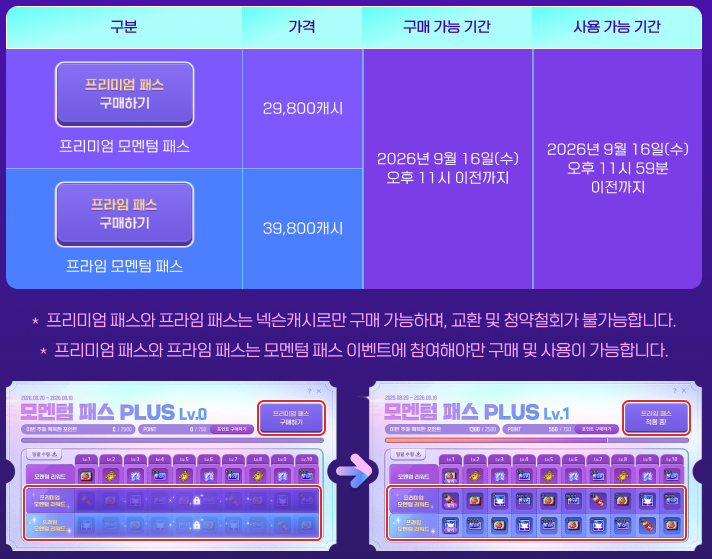
The Premium Momentum Pass will be available for purchase.
- Sale Period: October 22, 2026 after the maintenance ~ November 18, 2026 at 11:00 PM
- Price: 29,800 NX (cannot be purchased with Maple Points or Mileage)
- When you use the ‘Premium Momentum Pass’, you can claim the Premium Momentum rewards.
※ If you purchased the Premium Momentum Pass in the ‘Momentum Pass PLUS’ event that started on September 17, 2026, you cannot purchase the ‘Premium Momentum Pass’ in this event.
※ Regardless of the purchase date, the Premium Pass effects will be applied until November 18, 2026 at 11:59 PM.
※ You cannot purchase the ‘Premium Momentum Pass’ if you have no characters participating in the event.
Prime Momentum Pass
The Prime Momentum Pass will be available for purchase.
- Sale Period: October 22, 2026 after the maintenance ~ November 18, 2026 at 11:00 PM
- Price: 39,800 NX (cannot be purchased with Maple Points or Mileage)
- When you use the ‘Prime Momentum Pass’, you can claim the Prime Momentum rewards.
※ If you purchased the Prime Momentum Pass in the ‘Momentum Pass PLUS’ event that started on September 17, 2026, you cannot purchase the ‘Prime Momentum Pass’ in this event.
※ Regardless of the purchase date, the Prime Pass effects will be applied until November 18, 2026 at 11:59 PM.
※ You cannot purchase the ‘Prime Momentum Pass’ if you have no characters participating in the event.
※ You cannot purchase the ‘Prime Momentum Pass’ if you have no characters participating in the event that have purchased the ‘Premium Momentum Pass’.
Hangul Collection Reward
Receive the Hangul Collection reward prepared by the Baby Slime!
Event Participation Requirements:
- A level 101 or higher character that participated in the ‘[Minigame] Hangul Collection’ event.
Event Period:
- October 22, 2026 after the maintenance ~ October 28, 2026 at 11:59 PM.
You can click the ‘[Minigame] Hangul Collection Reward’ event in the Event List to claim a reward if you reached a cumulative score of 200,000 points or higher in the ‘[Minigame] Hangul Collection’ event.

| Cumulative Score | Item | Tradeability | Expiration Date |
|---|---|---|---|
| 200,000 points | Hangul Collection Medal Voucher | Can only be put into storage | Expires on October 29, 2026 at 2:00 AM. |
※ The medal acquired from the voucher is permanent and untradeable.
※ You can reissue the medal acquired from the voucher, but you cannot use the Mysterious Medal Anvil.
Sunday Maple

Event Period:
- October 25, 2026
- November 1, 2026
- November 8, 2026
- November 15, 2026
On October 25, the following benefits will take place:
- When [HEXA Stat] main stat is level 5 or higher, 20% increased chance to enhance the main stat.
- Rune base duration increased by 50%.
- Rune experience buff effect +100%.
- Combo Kill experience acquired +300%.
On November 1, the following benefits will take place:
- ?
On November 8, the following benefits will take place:
- ?
On November 15, the following benefits will take place:
- ?

